Best Standing Desk Converters for Students: Sit-Stand Study Support on a Student Budget
Long study sessions put a different kind of strain on the body than a typical office workday. Students often sit hunched over textbooks and laptops for hours at a stretch, frequently on furniture that was never designed with posture in mind — a dorm desk, a shared kitchen table, or a folding table in a shared apartment. A standing desk converter offers a way to break up those long stretches without the expense of a full standing desk, which matters considerably on a student budget.
The study patterns themselves also differ meaningfully from a typical office workday. Exam periods bring especially long, concentrated stretches at a desk, while a lighter week might involve only short study sessions spread throughout the day. A converter that adapts easily to both patterns, without requiring much effort to adjust, tends to serve students better across the full range of a semester's demands than one built around a single consistent routine.
Budget is the defining constraint in this category more than almost any other converter buying decision. Students need something that genuinely works — stable, adequately sized, and reasonably durable — without the premium features and materials that drive up cost in office-oriented converters. That means prioritizing differently than a working professional would: durability and basic function matter more than motorized convenience or premium finishes.
This doesn't mean every student needs to settle for the absolute minimum, either. Some mid-range options genuinely earn their slightly higher price through better stability or a smoother adjustment mechanism, and identifying which upgrades are worth paying for versus which are unnecessary for a student's actual needs is really the core skill this guide is trying to build.
Portability is the other defining factor. Many students move between dorm rooms, apartments, and home each year, sometimes more than once. A converter that's heavy, bulky, or difficult to pack away doesn't fit that reality nearly as well as one built with moving and storage in mind. Any recommendation in this category needs to account for the fact that "permanent" setups are rare for most students.
Shared living arrangements add a further wrinkle that most general converter guides don't address at all. A roommate's schedule, a shared desk in a common area, or simply limited floor space in a small room all shape which converter style makes practical sense, sometimes more than the specifications on a product listing would suggest.
This guide compares the converter styles best suited to student budgets and living situations, followed by a buying framework built specifically around cost, durability, and portability rather than premium features, and answers to the questions students and their parents ask most often before buying. The goal is finding genuine value rather than the cheapest possible option that falls apart within a semester.
It's worth being direct about one thing: the cheapest converter available is not automatically the best value for a student budget. A converter that wobbles, breaks, or gets abandoned within a few months costs more in the long run than a slightly pricier option that actually lasts through a full degree program. The buying guide below is built around finding that middle ground rather than chasing the lowest sticker price.
Parents shopping on behalf of a student, or students shopping with financial help from family, tend to face a slightly different version of this decision than someone buying purely for themselves. The temptation to either overspend on a feature-rich model that won't get used as intended, or underspend on something that won't survive a single semester of real use, shows up often in this category. A clear-eyed look at actual study habits and housing plans tends to produce a better outcome than either extreme.
Top Picks Reviewed
Each of the four options below balances cost, durability, and portability differently, which matters because student living situations vary so widely — a dorm room with strict space limits, a shared apartment, or a family home study space all impose different practical constraints beyond price alone.
1. Compact Manual Riser – Best for Tight Budgets and Small Dorm Desks
This style strips the converter down to its essential function — a simple manual lift mechanism, a modest footprint, and enough surface area for a laptop or single monitor with a keyboard. Without motorized components or premium materials, it's typically the most affordable genuine sit-stand option available, which matters directly for students working within a fixed budget. The simplicity also means fewer components that can break during a move, which is a meaningful secondary benefit for anyone packing and unpacking the same converter several times a year.
The smaller footprint also suits dorm desks, which are frequently narrower and shallower than a typical home office desk. Manual adjustment requires some physical effort, but for occasional use between study sessions, that's a reasonable trade-off against the lower price, and most students find the effort minor compared to the benefit of being able to stand periodically during a long study block.
- Pros:
- Among the most affordable genuine sit-stand converter options
- Compact footprint suits narrow dorm and shared-space desks
- Simple mechanism with fewer components to break or wear out
- Lightweight enough to move between dorm rooms or apartments
- Cons:
- Manual adjustment requires more physical effort than gas-assisted designs
- Smaller surface area than full-size home office converters
Best For: Students on a strict budget with a small dorm or shared-space desk who need genuine sit-stand functionality without premium pricing. It also works well for a first-year student who isn't yet sure how much use a converter will actually get and would rather not commit a large amount of money before finding out.
Why We Recommend It: For the core problem students are solving — breaking up long study sessions without overspending — this design delivers the essential function without paying for features that matter less in a dorm setting.
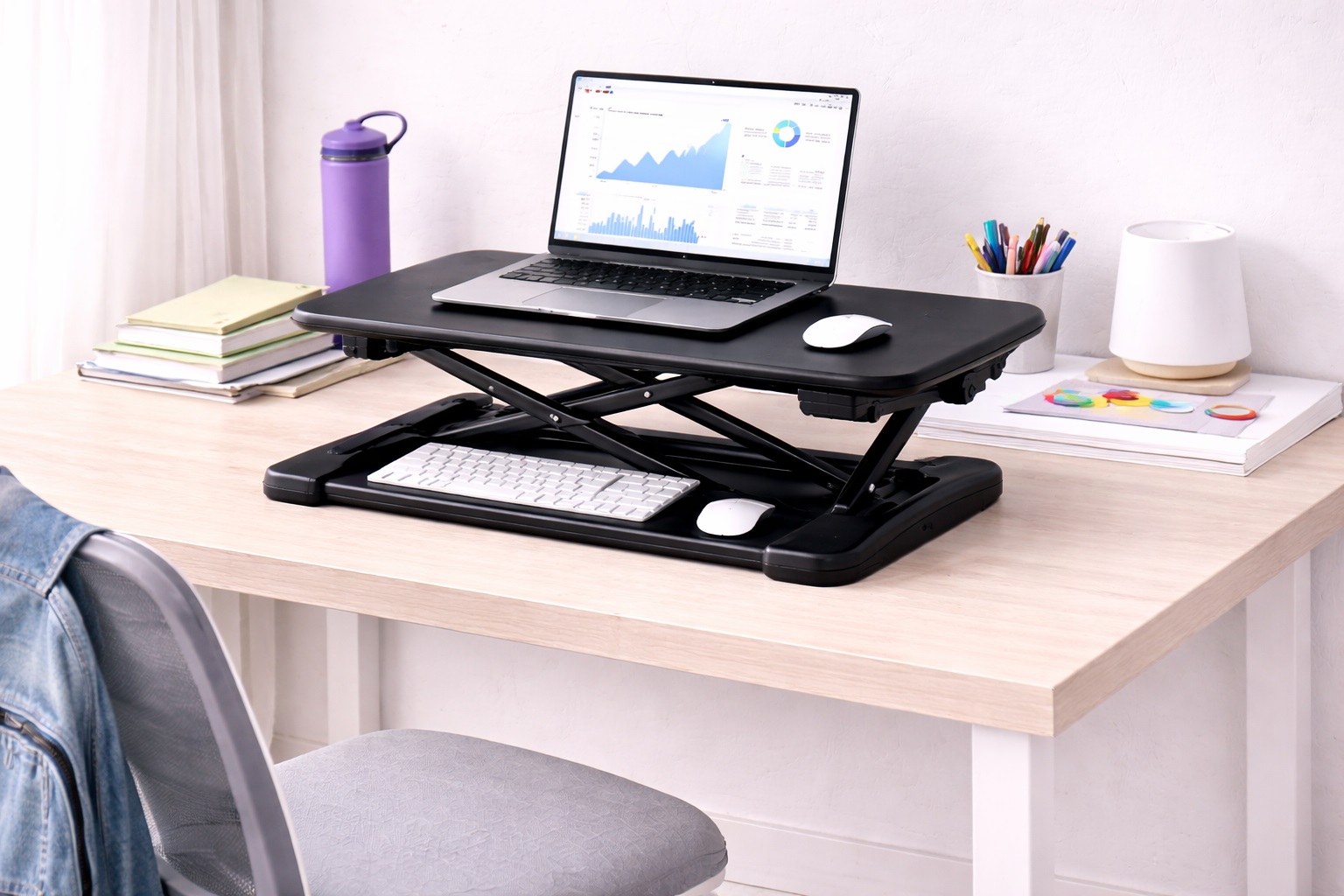
2. Gas-Spring Z-Lift Converter – Best for Frequent Study-Session Breaks
This mid-range option uses a gas-spring-assisted scissor mechanism that raises monitor, laptop, and keyboard together with minimal physical effort, striking a balance between the bare-bones manual riser and the higher cost of electric models. For students who want to switch positions often during long study sessions, the easier adjustment encourages more frequent use than a fully manual design, which matters directly for anyone pulling multi-hour library-style sessions in a dorm room.
It also holds up well across a semester of regular use, since gas-spring assistance reduces the wear that comes from repeated manual force on a purely mechanical lift. Over an academic year of near-daily adjustments, that reduced strain on the mechanism itself tends to translate into fewer stability complaints down the line.
- Pros:
- Gas-spring assistance makes frequent adjustment easy and low-effort
- Mid-range price point between basic manual and electric options
- Monitor and keyboard height stay aligned through every adjustment
- Reasonably durable for a full semester or academic year of daily use
- Cons:
- Costs more than a basic manual riser
- Still reduces desk space in the sitting position due to its footprint
Best For: Students who study for many hours at a stretch and want to change position often without manual adjustment becoming tiring.
Why We Recommend It: Long study sessions benefit the most from actually being interrupted with position changes, and easy gas-spring adjustment removes the main reason students skip switching positions in the first place.
3. Foldable Portable Converter – Best for Students Who Move Frequently
Built around portability first, this style folds flat or collapses for storage and transport, addressing the reality that many students relocate between semesters, transfer dorms, or move in and out of shared housing multiple times a year. Unlike a bulkier fixed converter, a foldable design can go into a moving box or car trunk without much hassle, sitting alongside the rest of a typical dorm room's belongings rather than requiring separate arrangements.
The trade-off is a somewhat less rigid platform than fixed designs, since the folding mechanism adds a joint that isn't present in simpler converters. For students prioritizing ease of moving over maximum stability, that trade-off is usually worthwhile, particularly for anyone who has already experienced the hassle of transporting bulky furniture between a dorm room and a family car at the end of a semester.
- Pros:
- Folds flat for easy transport between dorms, apartments, and home
- Lightweight construction simplifies moving day logistics
- Takes up minimal storage space when not folded out
- Suits students who relocate multiple times during their studies
- Cons:
- Somewhat less stable at standing height than fixed converter designs
- Folding mechanism adds a component that can loosen with heavy use
Best For: Students who move between housing situations frequently and need a converter that travels easily without major hassle.
Why We Recommend It: For the realistic pattern of student housing — moving in and out every year or every semester — a converter that folds down easily removes one recurring hassle from an already stressful process.
4. Budget Fixed-Height Converter – Best for Committed Standing Study Sessions
This style permanently sets a laptop or monitor at standing eye level with a simple keyboard shelf, skipping the adjustable lift mechanism entirely to keep costs down. Because there's nothing to adjust, it's typically among the more affordable and structurally simple options, appealing to students who know they want to stand for the bulk of their study time rather than switch positions frequently. The absence of moving parts also means there's essentially nothing to loosen or break during ordinary use or an occasional move.
It won't lower to a seated position, so it works best as a secondary setup alongside a regular desk chair for whichever portion of study time is spent seated. Many students who choose this option keep a standard chair nearby specifically for reading-heavy sessions where standing isn't necessary.
- Pros:
- Simple fixed design keeps cost low with no adjustment mechanism to fail
- Stable standing platform without lift-related wobble concerns
- Straightforward setup with minimal assembly required
- Durable for the length of a typical academic term or longer
- Cons:
- Cannot lower to a seated position for those who split time evenly
- Less flexible than adjustable converters for varied study habits
Best For: Students who already know they prefer standing for most study sessions and want the simplest, most affordable way to get there. It particularly suits a student who has already tried standing periodically with a stack of books and knows the habit will stick, rather than someone still testing whether standing study sessions work for them.
Why We Recommend It: When budget is the primary constraint and standing preference is already established, removing the adjustment mechanism entirely is the most direct way to lower cost without sacrificing the core standing function.
Buying Guide: How to Choose the Best Standing Desk Converter for Students
Use these factors to evaluate converters specifically against student budgets, living situations, and study habits rather than a general office-buyer checklist.
1. Total Cost Relative to Actual Use
Set a realistic budget based on how often you expect to actually use the converter, not the maximum feature set available. A modestly priced converter used daily delivers more value than a premium model that ends up gathering dust because it didn't fit the desk or the routine. It helps to think in terms of cost per semester of expected use rather than the sticker price alone, since a slightly pricier converter used every day for four years works out to a lower true cost than a cheap one abandoned after a few weeks.
2. Desk Compatibility With Dorm and Shared Furniture
Dorm and shared apartment desks are often smaller and less sturdy than home office furniture. Measure your actual desk's depth, width, and weight capacity before choosing a converter, since assumptions based on typical home office desks frequently don't hold in student housing. Many dorm desks are also provided by the school rather than chosen by the student, so measuring rather than guessing is especially important here.
3. Portability for Moving Between Housing
If you expect to move dorms, transfer schools, or relocate between semesters, prioritize a converter that's lightweight and either foldable or easy to disassemble. A heavy, bulky converter becomes a genuine hassle during moving day regardless of how well it performs while set up, especially when combined with the rest of a typical student's belongings packed into a single car or a few boxes.
4. Laptop Versus External Monitor Compatibility
Many students work primarily from a laptop rather than a desktop monitor setup. Confirm the converter accommodates a laptop stand or laptop directly if that's your primary device, since some converters are designed mainly around external monitor use and handle laptops less gracefully. A laptop-specific stand or riser can sometimes be added to an otherwise monitor-focused converter to correct this gap.
5. Weight Capacity for Realistic Student Equipment
Even a laptop-focused setup adds up in weight once textbooks, a tablet, or a small external monitor are included. Confirm the converter's rated capacity comfortably covers your actual equipment rather than just a bare laptop, particularly if you tend to keep several items on the platform simultaneously during study sessions.
6. Durability for a Multi-Year Academic Timeline
A converter bought during a first year of study ideally needs to last through graduation. Look for reviews specifically mentioning multi-year use rather than short-term impressions, since durability matters more here than for a one-semester purchase, and a converter that survives four years of moves and daily use represents genuinely better value than one priced lower but replaced twice.
7. Stability on Uneven or Lightweight Furniture
Dorm and shared furniture is sometimes less sturdy or less level than home office desks. Check reviews for stability feedback specifically on lighter or older desks, since a converter that's stable on a solid home office desk may behave differently on flimsier furniture that flexes slightly under load.
8. Anti-Fatigue Mat as an Affordable Add-On
A basic anti-fatigue mat is inexpensive and meaningfully reduces foot and leg fatigue during standing study sessions. Budgeting a small amount for a mat alongside the converter is one of the better value additions available in this category, and a compact mat sized for a dorm room floor footprint is usually easy to find.
9. Noise Level for Shared Living Spaces
Dorm rooms and shared apartments often mean close quarters with roommates. A converter with a quiet manual or gas-spring mechanism avoids disrupting a roommate's sleep or study time, which matters more here than in a private home office where noise is less of a shared concern.
10. Assembly Simplicity Without Special Tools
Students often set up and take down furniture repeatedly across moves without access to a full toolkit. A converter that assembles with minimal tools or none at all saves real hassle compared to one requiring specialized hardware that might get lost between moves.
11. Warranty and Return Policy for a Student Budget
Since a student budget often can't easily absorb a bad purchase, a reasonable return window and warranty matter more here than in categories where a mistake is more easily written off. Check the specific return terms before buying rather than assuming standard retailer policies apply, especially for purchases made close to the start of a semester when return windows can conflict with move-in timing.
12. Splitting Cost With a Roommate or Family Member
If a converter will realistically be shared with a roommate or used across a family, agree beforehand on where it will live and who covers replacement if it wears out or gets damaged during a move. A shared adjustable converter resets to a new height in seconds, which makes cost-splitting a reasonable option in a way that doesn't work nearly as well for furniture that's harder to reconfigure between two different users.
13. Buying Secondhand Versus New
Campus marketplaces and end-of-semester move-out sales are a common source of secondhand converters at a further discount, and the mechanism itself is usually easy enough to test in person before buying. Check the lift action through its full range and look closely for cracks or excessive wobble at full height, since a secondhand converter that already shows wear at the point of sale is unlikely to improve with continued use.
14. Matching the Converter to Your Actual Course Load
A student with mostly reading-heavy coursework has different needs than one spending long hours typing papers or coding, and it's worth matching the converter choice to your actual course load rather than a generic assumption about student study habits. Heavy typing sessions benefit more from a stable, easy-adjustment design, while primarily reading-based coursework may do fine with a simpler, more affordable fixed-height setup.
Frequently Asked Questions
1. Is a standing desk converter worth it for a student on a tight budget?
For students who study for long hours regularly, yes — a modestly priced converter delivers meaningful comfort and posture benefits at a fraction of the cost of a full standing desk, which is rarely practical for student housing or budgets anyway. The investment tends to pay off most clearly for students already experiencing back or neck discomfort from long sitting sessions.
2. Will a standing desk converter fit a typical dorm desk?
It depends on the specific converter and dorm desk dimensions, which vary widely between schools. Measure your actual desk before buying, and lean toward compact or foldable designs if your dorm desk is on the smaller side, since dorm furniture dimensions can differ significantly even within the same university.
3. Can I use a standing desk converter with just a laptop?
Yes, many converters accommodate a laptop directly or with a small stand, though positioning the laptop screen at proper eye level sometimes requires an additional laptop riser or external keyboard for the most comfortable setup, particularly for taller students.
4. How do I move a standing desk converter between dorms or apartments?
Foldable or collapsible converters are the easiest to transport, since they pack down for a moving box or car trunk. Fixed or bulkier converters are still movable but require more careful handling and often more space during transit, which is worth planning for around move-in and move-out dates.
5. Do I need an anti-fatigue mat for studying while standing?
If you plan to stand for more than about 30 minutes at a stretch, yes — a basic mat is an inexpensive addition that meaningfully reduces foot and leg fatigue and is worth budgeting for alongside the converter itself, even a simple foam mat rather than a premium option.
6. Is the cheapest standing desk converter the best choice for students?
Not necessarily. The cheapest option sometimes sacrifices stability or durability to the point of becoming unusable within a semester, which ends up costing more than a slightly higher-priced converter that actually lasts through multiple years of study.
7. How long should a student's standing desk converter last?
A reasonably well-built converter should last through several years of regular use, ideally spanning most or all of a degree program. Checking reviews for multi-year feedback is more useful than short-term first impressions for this category, since a converter's true durability rarely shows up in the first few weeks of ownership.
8. Can I share a standing desk converter with a roommate?
Adjustable converters with a reasonable height range can generally be reset for a different user in seconds, making shared use practical. Fixed-height converters are built around one specific eye level and work better for a single primary user rather than a shared setup.
9. What should students prioritize first when comparing options?
Start with actual desk dimensions and budget, then consider portability if relocation is likely during your studies. Premium features like motorized adjustment matter less than fit, stability, and cost for most student situations, since the core value comes from consistent daily use rather than convenience extras.
10. Does brand name matter for a student-budget converter?
Somewhat less than in premium categories, since budget converters from lesser-known brands can still perform well for basic sit-stand use. Reading verified purchase reviews carefully remains the most reliable way to judge quality regardless of brand recognition, especially for less established sellers.
11. Can a standing desk converter help with focus during long study sessions?
Indirectly, yes — regular movement and position changes throughout a long study session can help manage the physical discomfort and restlessness that often undermine focus, though the converter itself doesn't directly improve concentration on its own and works best alongside good study habits generally.
12. Can a standing desk converter fit in a dorm room with very limited space?
Yes, in most cases, since a converter sits on top of an existing desk rather than requiring separate floor space of its own. The main space consideration is confirming your desk surface is deep enough for the converter's footprint plus a bit of room in front for typing comfortably.
13. Should I buy a standing desk converter before move-in or wait until I see my dorm desk?
Waiting until you've seen and measured your actual desk is generally the safer choice, since dorm desk dimensions vary enough between schools and even between rooms that buying based on assumptions carries real risk of a poor fit.
14. Is it normal for a budget converter to feel less sturdy than furniture at home?
Some difference is normal and expected at this price point, but a converter that feels genuinely unstable at standing height, rather than simply less premium in finish, is worth returning rather than tolerating for years of use.
Final Verdict
- Best for Tight Budgets and Small Dorm Desks: Compact Manual Riser — genuine sit-stand function at the lowest realistic cost.
- Best for Frequent Study-Session Breaks: Gas-Spring Z-Lift Converter — easy adjustment that actually gets used throughout long sessions.
- Best for Students Who Move Frequently: Foldable Portable Converter — packs down easily for moving day and dorm transfers.
- Best for Committed Standing Study Sessions: Budget Fixed-Height Converter — the simplest, most affordable path to a stable standing setup.
The right standing desk converter for a student comes down to matching the purchase to actual study habits, desk dimensions, and how often relocation is likely during the school year. A student who studies for long, frequent stretches benefits most from an easy-adjustment option, while one who mostly commits to standing might prefer the simpler, more affordable fixed design.
For students still deciding, the gas-spring Z-lift option offers the broadest general appeal, since it balances cost, comfort, and adjustment ease without leaning too far toward any single constraint. It's a reasonable default recommendation for a first-time buyer who isn't yet certain exactly how their study habits and housing situation will evolve over the following semesters.
Whatever you choose, treat the purchase as an investment meant to last through multiple semesters rather than a one-time convenience. A converter that's stable, appropriately sized for your actual desk, and reasonably durable will do more for long-term comfort and value than chasing the absolute lowest price available.
It's also worth setting expectations early about how the converter fits into a broader study routine. Even the best-matched hardware won't automatically produce better study habits — it simply removes one physical barrier to standing periodically during a long session. Pairing it with a habit of actually changing position every so often, rather than leaving it set to one height indefinitely, is what makes the investment pay off across a full semester rather than just the first few days of ownership.
Finally, keep the receipt and original packaging for at least the first few weeks of use. Testing the converter with your actual desk, laptop, and study routine as soon as it arrives gives you the clearest picture of whether it's the right fit, and having packaging on hand makes a return far simpler if something about the size, stability, or height range doesn't work out the way you expected once it's actually in use.