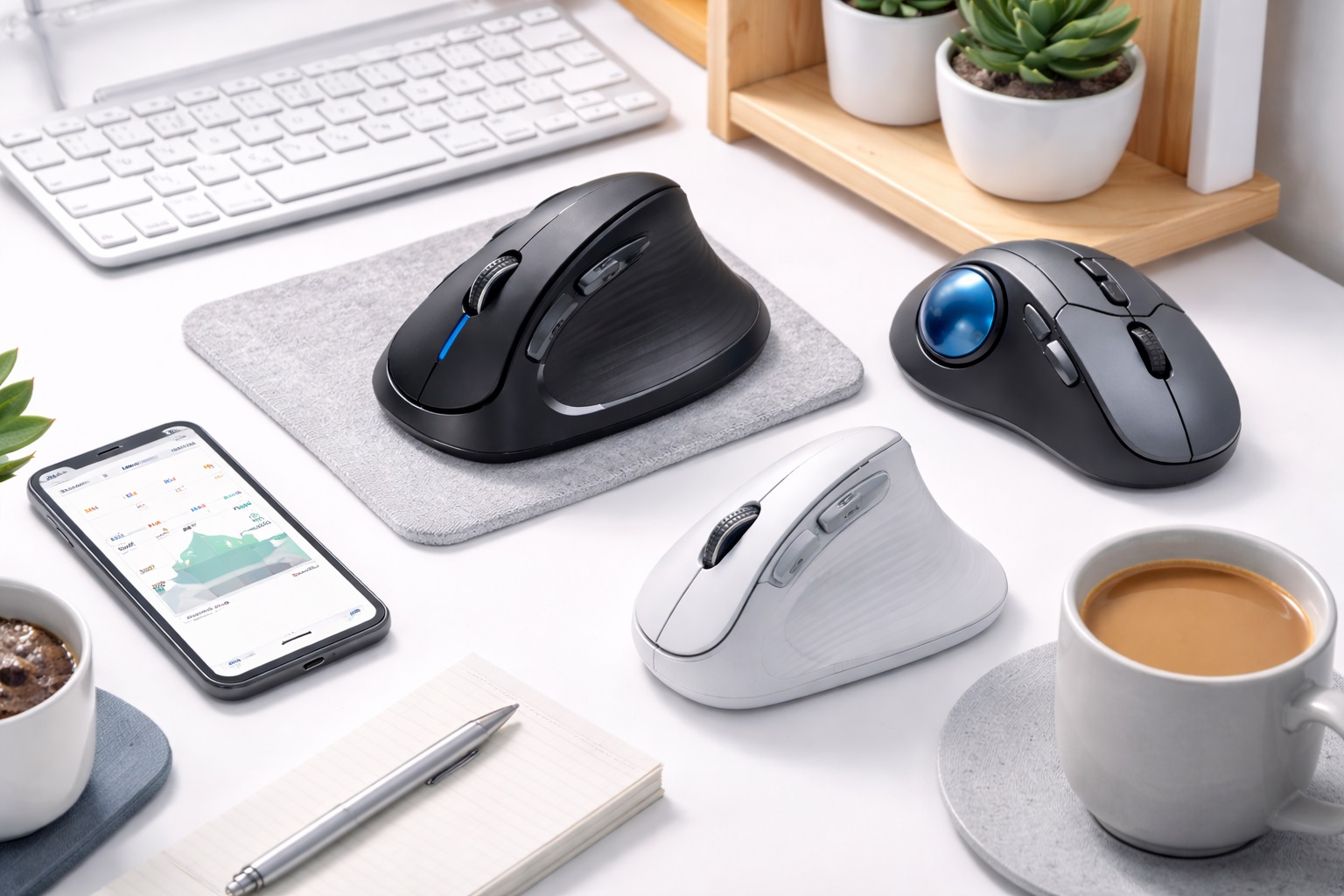
Best Ergonomic Mice for Small Desks: Vertical Precision in Tight Spaces
A small desk changes how you think about every accessory on it, and a mouse is no exception. On a compact surface shared with a laptop, a notebook, maybe a small monitor stand, the footprint of the mouse itself and the amount of desk space it needs to move around in both matter as much as how comfortable it feels in the hand. A large ergonomic mouse designed for a spacious desk can feel cramped and awkward on a 24-inch or 30-inch surface, where every inch of clearance counts toward whether you can actually use full arm movement without bumping into a laptop edge or a stack of papers.
This guide is built specifically for compact workspace users who need ergonomic hand support without a large mouse footprint. It compares the three most practical ergonomic mouse categories through that lens — footprint, how much desk clearance each design actually needs during normal use, and how well each type performs when desk space is genuinely limited rather than just modest.
Ergonomic benefit and small footprint aren't always the same thing. Some of the most effective ergonomic designs are also among the larger accessories you can put on a desk, while others achieve a smaller footprint specifically because they solve the movement problem differently. Understanding which tradeoff each category makes will save you from assuming that "compact" and "ergonomic" always point toward the same product.
The sections below walk through what each type actually needs in terms of desk real estate, followed by a buying guide focused on the specific measurements and setup details that matter most when your desk is the limiting factor rather than your budget or your specific strain complaint.
It's worth measuring your available desk space before shopping rather than after, since a mouse that looks compact in a photo can still require more lateral clearance during use than the product images suggest. A tape measure and five minutes spent noting your actual clear desk area will tell you more than any spec sheet about which category realistically fits.
It also helps to think through how you'll actually use the mouse day to day rather than just how it sits on the desk at rest. A mouse that fits neatly next to a keyboard when nothing else is happening can still turn out to be awkward once you add a coffee cup, a phone, or an open notebook to the same small surface during a normal workday. Picture your desk with everything you typically have on it at once, not just the keyboard and mouse in isolation, and the real usable space often looks smaller than it does when the desk is cleared for measuring.
Top 3 Ergonomic Mice for Small Desks (Detailed Reviews)
1. Vertical Ergonomic Mouse – Best Overall for Small-Desk Ergonomics
Vertical mice orient the hand in a handshake position — thumb up, palm facing inward — which places the forearm in its neutral position and eliminates the forearm rotation that flat mice require. This single change dramatically reduces the wrist pronation stress that causes repetitive strain injury in heavy computer users. Most vertical mice include adjustable DPI and wireless connectivity, and because the body of a vertical mouse is generally similar in footprint to a standard mouse, it doesn't demand meaningfully more desk space than what you're likely already using — the benefit comes from hand orientation rather than a larger base.
- Pros:
- Neutral forearm position reduces pronation stress
- Reduces wrist and forearm strain over time
- Adjustable DPI for different task sensitivities
- Available wired and wireless
- Cons:
- Right-handed only on most models
- Adjustment period of one to two weeks is common
Best For: Users experiencing wrist, forearm, or shoulder pain from standard mouse use, and preventative users who want to avoid RSI before it develops, including those working on a compact desk where the taller profile of a vertical mouse is a fair tradeoff for the ergonomic benefit.
Why We Recommend It: The vertical mouse is the most directly effective ergonomic mouse design for preventing and relieving forearm strain. The neutral forearm position it creates is the closest a mouse can get to a resting, unstrained hand position, and it achieves this without requiring a larger desk footprint than a standard mouse would need. The one dimension worth double-checking is height rather than width, since a vertical mouse's taller profile can occasionally interact awkwardly with a low-clearance laptop riser or monitor arm positioned close to the same area of desk.
2. Trackball Mouse – Best for Minimal Desk Space
Trackball mice keep the mouse body stationary — you move the cursor by rolling a ball with your thumb or fingers rather than moving the entire mouse. This virtually eliminates the repetitive arm and wrist movement that standard mice require, making them particularly valuable for users who need complete wrist stillness due to injury or severe RSI. For a small desk specifically, this stationary design is the single biggest space advantage of any ergonomic mouse type: because the mouse never travels across the desk surface, it needs only enough clearance for your hand to rest comfortably, not an open lane of desk space to glide across.
- Pros:
- Near-zero wrist and arm movement required
- Mouse body stays stationary on desk
- Available in thumb-operated and finger-operated designs
- Precise control once the learning curve is mastered
- Cons:
- Steep learning curve for new users
- Trackball requires regular cleaning as dust accumulates
Best For: Users with wrist injuries, severe RSI, or those who need maximum wrist movement reduction during computer use, and especially anyone whose small desk simply doesn't have room for a mouse that needs to travel back and forth across the surface.
Why We Recommend It: The trackball design offers the most wrist-stationary operation of any mouse type, and it's also the most space-efficient option on this list. For users whose desk genuinely can't accommodate a gliding mouse, the trackball solves both the ergonomic problem and the space problem at once. Because the unit itself sits in one place, it also frees up the desk area beside it for other items, which on a small desk often matters as much as the ergonomic benefit itself.
3. Ergonomic Standard Mouse – Best for a Familiar, Compact Shape
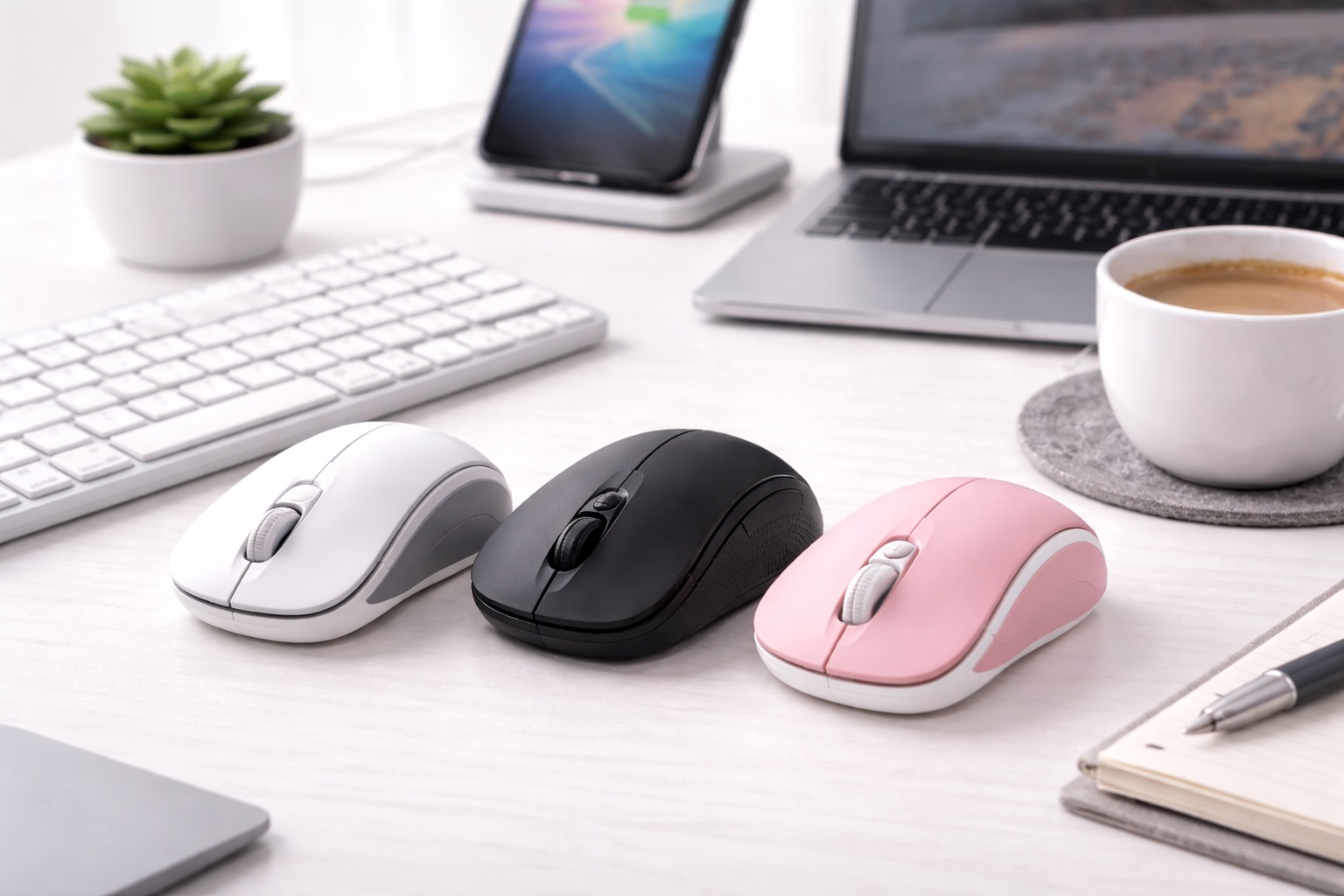
Some mice take a less radical approach to ergonomics — using a contoured right-hand shape, elevated thumb rest, and angled grip that improves on a standard flat mouse without the full commitment of a vertical design. These represent a gentler ergonomic improvement that requires no adjustment period while still reducing strain compared to a generic flat mouse. Because these mice keep roughly the same footprint and movement pattern as a standard mouse, they slot into a small-desk setup without requiring you to rethink your existing desk layout at all.
- Pros:
- More comfortable than flat mice with minimal adjustment required
- Still compatible with standard mouse muscle memory
- Side thumb button support on most models
- Often available at more accessible prices
- Cons:
- Less ergonomic benefit than vertical or trackball alternatives
- Not suitable for left-handed users on most models
Best For: Users who want better ergonomics than a standard flat mouse without the adjustment period of a fully vertical or trackball design, particularly on a desk where the existing mouse pad or clearance is already tightly fitted.
Why We Recommend It: For users who want to start improving mouse ergonomics without committing to a new grip style or a new desk arrangement, an ergonomically shaped standard mouse offers meaningful improvement with zero learning curve and no change to the amount of desk space you currently use. It's a sensible starting point if you're not yet sure whether your desk can realistically accommodate a taller vertical mouse or if a trackball's stationary footprint would suit you better long term.
Buying Guide: How to Choose the Best Ergonomic Mouse for Small Desks
Use these factors to match your purchase to your actual available desk space, not just your ergonomic needs in isolation.
1. Ergonomic Type (Vertical vs. Standard Contoured vs. Trackball)
Vertical mice put the forearm in a neutral position, reducing pronation, without changing the mouse's footprint significantly. Standard contoured mice improve on flat mice with less dramatic hand angle change. Trackballs eliminate arm movement entirely and require the smallest total desk footprint of the three. Assess your specific strain complaint alongside your actual measured desk space before choosing.
2. Measuring Your Actual Clear Desk Area
Before choosing between a gliding mouse and a stationary trackball, measure the clear, unobstructed area you actually have next to your keyboard. A gliding vertical or standard mouse typically needs a lane of at least six by eight inches to move freely without bumping into other items. If your available space is smaller than that, a trackball's stationary design becomes the more practical choice regardless of your ergonomic preference. Measure with your keyboard in its normal daily position rather than pushed aside, since the keyboard's placement is usually the single biggest factor eating into your available glide lane.
3. Mouse Pad Size for Tight Layouts
A smaller mouse pad, sized specifically to your available clearance, keeps a gliding mouse's movement contained to a defined area rather than drifting onto the bare desk surface or off the edge. On a genuinely small desk, this small addition can meaningfully improve the day-to-day usability of a vertical or standard ergonomic mouse. A pad that's noticeably larger than your actual glide area doesn't add any functional benefit and simply consumes desk space you could otherwise use for other items.
4. Hand Orientation (Right vs. Ambidextrous)
Most ergonomic mice are right-hand specific. Left-handed users have fewer options — some vertical mice offer left-handed versions, and trackballs are often ambidextrous. Verify orientation compatibility before purchasing, as most ergonomic mouse designs don't work for left-handed use, and note that switching hand sides can also change how much clearance you need on the opposite side of the desk.
5. Size and Grip Match
Vertical mice specifically need to match hand size. A mouse that's too small forces the hand into an uncomfortable grip angle. A mouse that's too large strains the hand in the opposite direction, and on a small desk, an oversized mouse also eats further into your already limited clearance. Check whether the manufacturer lists size recommendations and use them, since on a compact desk there's little room to compensate for a poor size match by simply giving the mouse more space to move.
6. Learning Curve Expectation
Vertical mice require a one to two week adjustment period. During this time, control feels less precise than with a familiar flat mouse. This is normal and temporary. If you abandon the vertical mouse within the first week due to imprecision, you haven't given it enough time to evaluate accurately.
7. Wireless vs. Wired Ergonomic Mouse
Both wired and wireless ergonomic mice are available. Wireless removes the cable drag that affects mouse movement with some designs, which matters more on a small desk where a cable is more likely to snag on nearby objects like a coffee cup or phone charger. Battery life on wireless ergonomic mice is typically 2 to 4 weeks per charge, and going wireless is one of the simplest changes you can make to instantly reclaim a small amount of usable desk space.
8. DPI Range for Precision in a Confined Space
Adjustable DPI allows fine-tuning cursor sensitivity. On a small desk with limited glide room, higher DPI settings let you cover more on-screen distance with less physical hand movement, which is particularly useful if your available lane of clear desk space is on the narrower side. Most users settle between 1000 and 2000 DPI for general office use, though those working with a genuinely tight glide lane may prefer the higher end of that range specifically to compensate for reduced physical travel distance.
9. Thumb Rest Design
Vertical mice support the thumb against a rest rather than using it for scrolling. The angle and height of this rest affects grip comfort significantly. Check whether the thumb rest suits your thumb length — too vertical a rest extends the thumb uncomfortably; too horizontal doesn't support the hand properly. This detail matters independently of desk size, but it's worth testing while your hand is in the same position it would actually occupy on your specific desk setup.
10. Scroll Wheel Position
On a vertical mouse, the scroll wheel is angled sideways compared to a flat mouse. Most users adapt to this quickly. Ensure the scroll wheel position falls naturally under your index finger in the vertical grip position before purchasing, since reaching for a poorly placed scroll wheel on a cramped desk can mean bumping into whatever else is sitting immediately next to the mouse.
11. Desk Edge and Monitor Stand Clearance
On a small desk, a monitor stand, laptop riser, or stack of books often narrows the usable surface further. Account for these fixed obstacles when calculating your actual clear glide area, since the true available space is often smaller than the desk's total width would suggest once everything else on the surface is accounted for. A monitor arm that clamps to the desk edge can also claim a strip of depth along the back of the desk that isn't obvious until you actually try to use that area for mouse movement.
12. Silent vs. Standard Clicks
Silent click ergonomic mice reduce the audible snap of standard switches by 90%. This is useful in quiet environments and for users who find repetitive clicking sounds distracting, which can be more noticeable on a small desk shared closely with a roommate, partner, or family member working nearby, where sound travels a shorter distance to reach someone else's workspace.
13. Return Policy for Ergonomic Mice
Ergonomic mice have a higher return rate than standard mice because hand fit is difficult to evaluate without physically holding the device. Purchasing from a retailer with a 30-day return window gives you sufficient time to evaluate whether the design genuinely suits both your hand and your desk's actual available space, which is a combination that's especially hard to judge accurately from a product listing alone.
14. Cable Routing on a Crowded Small Desk
A wired mouse's cable needs somewhere to go on a small desk, and without a clip or routing channel it often ends up crossing directly through your most-used area. If you choose a wired ergonomic mouse for a compact setup, a simple adhesive cable clip along the desk edge keeps the cord out of your immediate workspace.
15. Vertical Stacking and Storage When Not in Use
On a desk shared with other activities during the day, some users prefer to temporarily move the mouse aside rather than leave it in place. A trackball's compact, low-profile shape stores easily to one side, while a vertical mouse's taller shape takes marginally more thought to tuck away without knocking it over.
16. Charging Dock and Cable-Free Options
A wireless ergonomic mouse still needs charging eventually, and a small dock or charging pad tucked at the back edge of a compact desk keeps that process from competing with your active glide space. Some manufacturers sell a matching charging stand sized specifically for their vertical or trackball model, which is worth checking for if every inch of your desk surface is already accounted for during the workday.
17. Multi-Device Switching on a Shared Small Desk
If the same compact desk serves both a work laptop and a personal computer, an ergonomic mouse with Bluetooth multi-device pairing lets you switch between the two with a button press rather than needing a second mouse taking up space you don't have. This is a genuinely practical feature on a small desk specifically, where doubling up on peripherals for two devices isn't really an option the way it might be on a larger surface.
Frequently Asked Questions
1. Does a vertical ergonomic mouse need more desk space than a standard mouse?
Not significantly. A vertical mouse's footprint is generally comparable to a standard mouse's footprint — the design change is in hand orientation and height, not overall base size. The glide area it needs during use is similar to any other mouse that moves across the desk surface, so if your current standard mouse already fits comfortably, a vertical mouse should fit in roughly the same space.
2. Is a trackball the best choice for a genuinely small desk?
For desks where clear glide space is the primary constraint, yes. A trackball's stationary body means it needs only enough room for your hand to rest comfortably, without the lane of open space a gliding mouse requires. If your desk space is under roughly six by eight inches of clear area, a trackball is worth strong consideration, and the adjustment period is a reasonable tradeoff for reclaiming that much usable desk surface permanently.
3. How long does it take to adjust to a vertical ergonomic mouse?
Most users need one to two weeks to feel as comfortable with a vertical mouse as with their previous flat mouse. During the adjustment period, tracking may feel slightly less precise as the hand adapts to the new orientation, though this has nothing to do with desk size and applies equally whether you're working on a large surface or a compact one.
4. Can left-handed users use most ergonomic mouse designs on a small desk?
Most vertical ergonomic mice are right-hand specific by design. Left-handed users have more limited options. Some manufacturers offer specific left-handed vertical models, and trackball mice are often ambidextrous, which can be a practical advantage for left-handed users on a compact desk regardless of the space question. Checking left-hand availability early narrows the search considerably before footprint even becomes a factor.
5. Does an ergonomic mouse help with carpal tunnel syndrome?
Ergonomic mice can reduce the forearm pronation and repetitive movements that contribute to carpal tunnel syndrome. They're not a medical treatment and should be used alongside medical advice for existing conditions. For prevention, early adoption of ergonomic designs reduces cumulative strain significantly, regardless of how much desk space you're working with.
6. What's the smallest practical mouse pad size for a compact desk?
A mouse pad sized to just slightly exceed your actual measured glide area is usually the most practical choice, since an oversized pad wastes desk space you don't have to spare. Many manufacturers offer compact mouse pads specifically sized for smaller desks, which pair well with a standard or vertical ergonomic mouse, and some combine a keyboard and mouse surface into one continuous pad to save even more room.
7. Is the most expensive ergonomic mouse always the best for small desks?
Not necessarily. Higher price often means more features, but many mid-range options offer excellent performance for everyday use regardless of desk size. Focus on footprint and grip comfort rather than price alone, since a compact desk rarely benefits from the extra features that typically justify a premium price tag.
8. How long should a quality ergonomic mouse last?
A well-built product from a reputable brand typically lasts two to five years or longer with reasonable care. Always check warranty terms as a quality indicator, and note that a mouse handled more frequently on a shared small desk may show wear on its coating or buttons somewhat sooner than one used in a more spacious, single-user setup.
9. Can I return an ergonomic mouse if it doesn't fit my desk setup?
Most retailers offer a 15 to 30 day return window. Keep the original packaging during your evaluation period so you can test the mouse's actual footprint against your desk before committing, ideally with your keyboard, monitor stand, and other regular items all in their normal positions.
10. What is the best ergonomic mouse for a genuinely compact workspace?
The best choice depends on your specific priorities. If desk space is the primary limiting factor, the trackball's stationary design typically offers the clearest advantage. If ergonomic benefit matters more than footprint, a vertical mouse remains highly effective without requiring meaningfully more space than a standard mouse, making it a reasonable default when you're not certain which constraint matters more.
11. Does brand name matter when choosing an ergonomic mouse?
Established brands generally offer better quality control, customer support, and warranty reliability. However, newer brands sometimes offer excellent value — read verified reviews carefully before purchasing, including any specific feedback on footprint and desk fit from buyers who mention working with limited desk space themselves.
12. Will a compact mouse pad limit which ergonomic mouse I can use?
No, a compact mouse pad simply defines the glide boundary for a vertical or standard ergonomic mouse. As long as the pad is sized to comfortably fit your natural range of hand motion, it works the same as a full-size pad — it's the desk's total clear area, not the pad size specifically, that determines whether a gliding mouse is practical.
13. Should I prioritize footprint or ergonomic benefit first?
Start with whichever constraint is more rigid for you. If your desk truly cannot fit a gliding mouse's lane of movement, footprint has to come first and a trackball is the practical answer. If your desk has some flexibility but your wrist strain is the more urgent problem, prioritize the ergonomic benefit and adjust your desk layout to accommodate it.
14. Can a mouse bungee help manage cable slack on a small desk?
Yes, for anyone using a wired ergonomic mouse. A mouse bungee holds the cable up and away from the desk surface, preventing it from dragging or catching on nearby objects during movement. On a small desk where clearance is already tight, this small accessory can meaningfully improve how a wired mouse feels to use day to day, even though it adds a small footprint of its own.
15. Is a smaller-than-standard ergonomic mouse a good option for people with small hands on a tight desk?
Yes, and it solves two problems at once. A compact-sized vertical or contoured mouse built for smaller hands typically also has a smaller overall footprint than a standard or large-hand version, which suits a tight desk as a side benefit of the correct hand-size match. Checking the manufacturer's size guidance remains the most reliable way to confirm the fit before buying.
Final Verdict
- Best Overall for Small-Desk Ergonomics: Vertical Ergonomic Mouse – Full ergonomic benefit without a larger footprint than a standard mouse.
- Best for Minimal Desk Space: Trackball Mouse – The most space-efficient design available, with no glide area required at all.
- Best for a Familiar, Compact Shape: Ergonomic Standard Mouse – A drop-in upgrade that changes nothing about your existing desk layout.
The right ergonomic mouse for a small desk depends on which constraint matters more to you — the strain you're trying to relieve, or the literal inches of clear desk space you have available. Measure your actual workspace honestly, match it against the footprint each design genuinely requires, and you'll end up with a mouse that fits your desk as well as it fits your hand. A little time spent testing the real glide space with everything else on your desk in its usual place will tell you more than any product photo or listed dimension ever will.