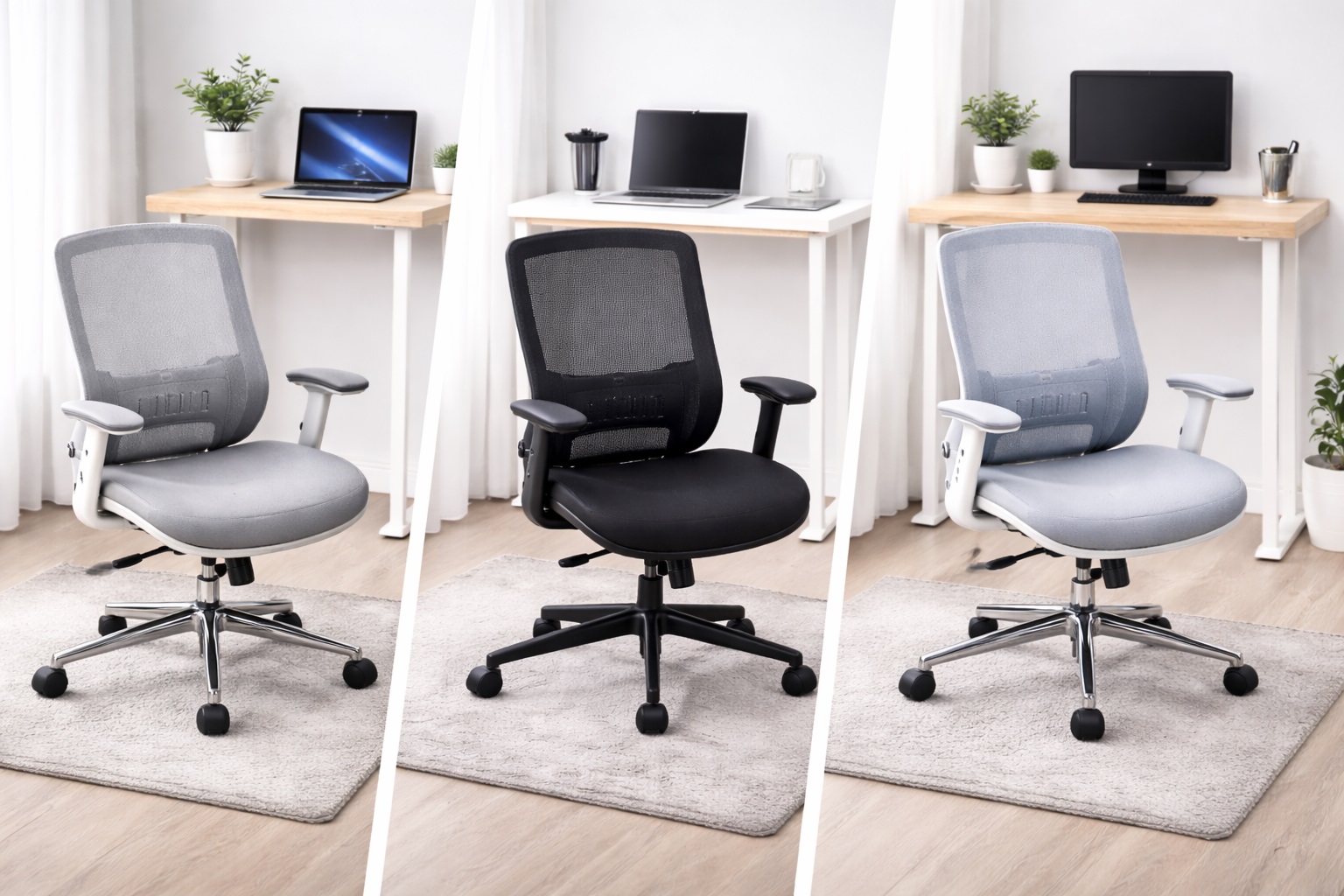
Best Office Chairs for Small Desks: Compact Ergonomic Support
A small desk changes what you can reasonably ask of an office chair. Wide executive designs that look impressive in a spacious study can dominate a compact bedroom corner or a narrow apartment nook, pushing the chair out from the desk and eating into the little floor space you have left to move around in. The chair that fits the room well isn't always the chair that fits your back well, and finding one that does both is the actual challenge.
The encouraging part is that footprint and ergonomic quality aren't in as much conflict as they first appear. A well-designed compact or mid-size chair can deliver the lumbar support, seat adjustability, and comfort of a much larger model, provided you know which features actually matter for daily use and which ones are simply adding bulk without adding support.
This guide breaks down three distinct chair styles that consistently work well in tight desk setups, along with the specific measurements and adjustments worth checking before you buy. None of these is a universal winner — each suits a different sitting style and body type, and matching your own habits to the right category matters more than chasing the highest star rating.
It's also worth setting expectations early: no chair, however well designed, replaces the basic habit of standing and moving periodically through a long work session. What a good chair does is remove the avoidable sources of strain — poor lumbar contact, an armrest at the wrong height, a seat that's too deep — so the hours you do spend seated are less taxing on your body.
Small-desk shopping also tends to reward patience over impulse. A chair that looks perfect in a listing photo but arrives noticeably larger than expected is a common and avoidable disappointment, and a few extra minutes spent checking dimensions against your actual room saves a return shipment later.
Read through the three picks below, then use the buying guide to check the details that often get missed in a quick scan of a product listing but make a real difference once the chair is actually sitting in your room.
It also helps to separate two things that get conflated in most chair marketing: overall visual bulk and actual functional footprint. A chair can look imposing in a photo yet have a narrower base and shorter armrest span than a sleeker-looking alternative. Reading actual dimensions rather than judging by appearance alone will save you from surprises after the box arrives and the chair is finally assembled in the room it needs to live in.
The three categories below were chosen because each represents a genuinely different answer to the small-desk problem, not because they're simply three popular chairs pulled from a broader list. Understanding why each one solves the footprint challenge differently will help you recognize similar trade-offs in other listings beyond these specific picks.
| Category | Standout Strength | Trade-Off | Best Fit |
|---|---|---|---|
| Mesh Back Ergonomic Chair | Breathable support for long sitting sessions | Mesh quality varies by price point | Daily use, 4–8 hours seated |
| Executive Padded Chair | Plush cushioning and reclined comfort | Retains more heat than mesh | Users who prefer a softer, reclined sit |
| Task Chair with Lumbar Support | Smallest footprint with focused ergonomics | Fewer premium styling touches | Compact desks and budget-conscious buyers |
Use this table as a quick first pass before reading the full breakdowns below — it summarizes the core trade-off behind each style without requiring you to read every section to get a general sense of direction. If your priority isn't clearly represented in one row, the fuller reviews and buying guide further down are worth reading in more detail before deciding.
Top 3 Office Chairs for Small Desks (Detailed Reviews)
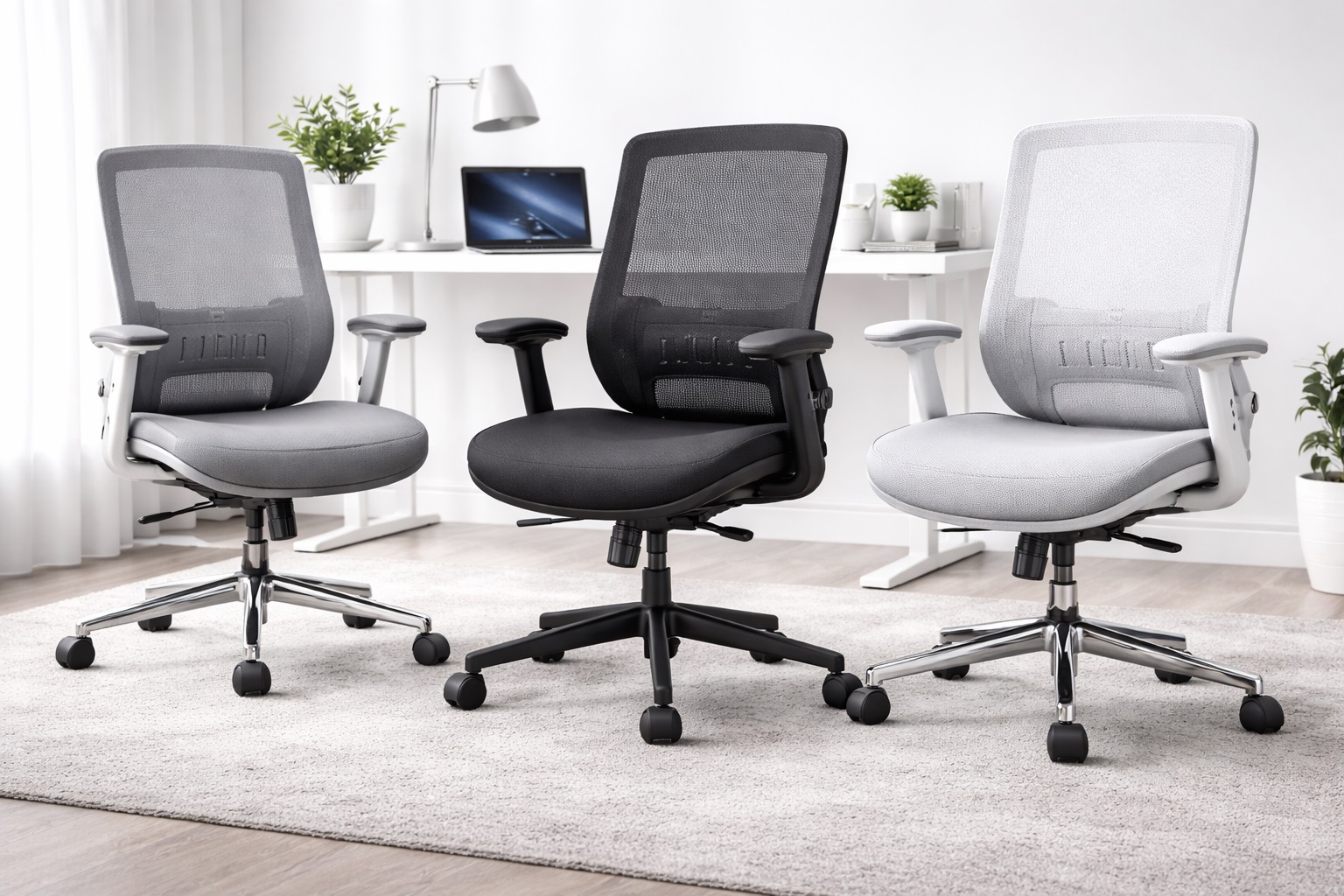
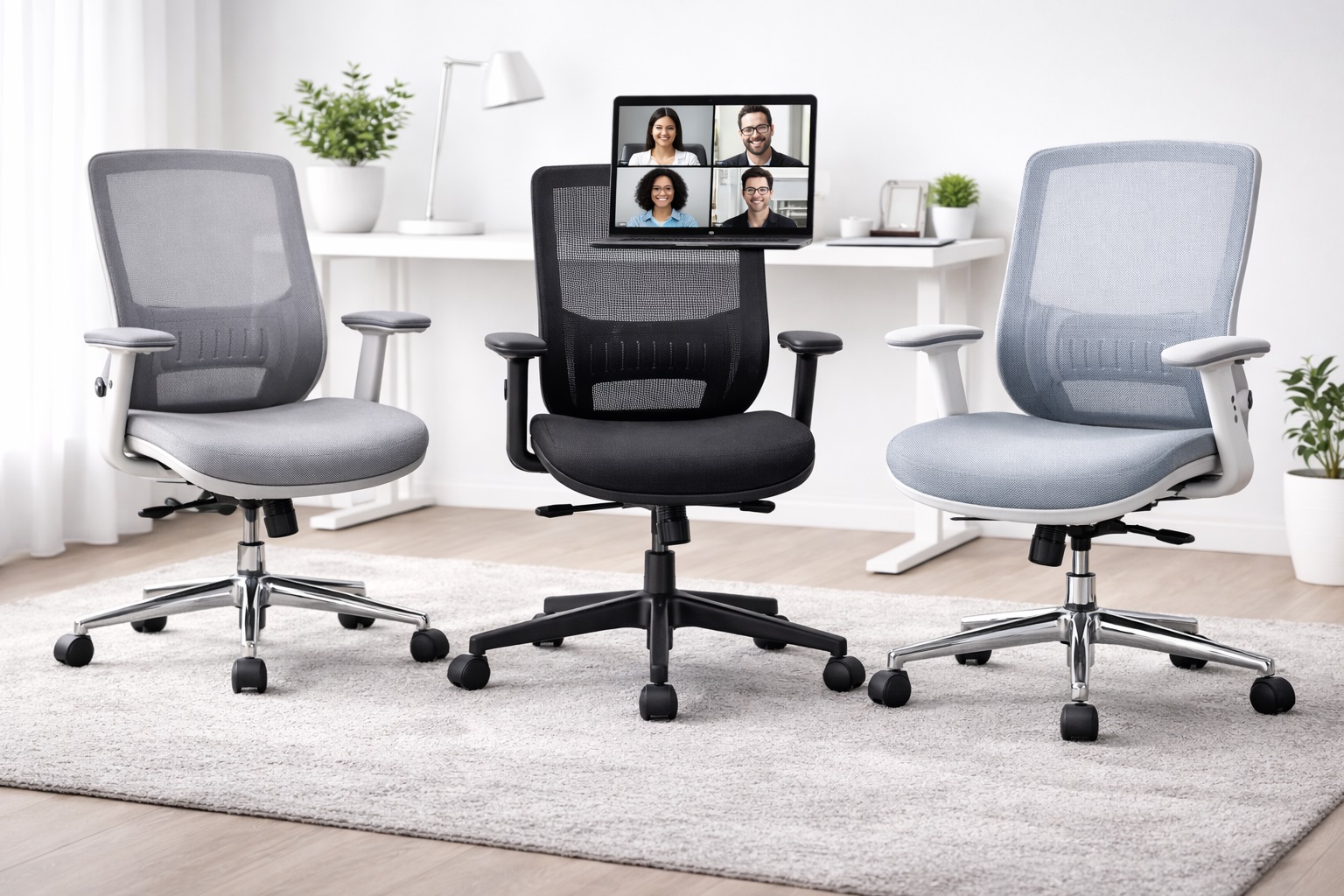
1. Mesh Back Ergonomic Chair – Best Overall for Small Desks
A mesh back chair uses a breathable fabric that conforms to the spine's shape while letting air move behind your back, addressing lumbar support and heat buildup at the same time. Most mid-range mesh chairs include adjustable lumbar support, armrests, and seat height as standard, which covers the core adjustments that matter for daily comfort without requiring you to hunt for a premium model.
In a small desk setup, mesh backs also tend to have a slimmer overall profile than heavily padded executive designs, since the frame doesn't need to accommodate thick foam layers. That slimness translates into a chair that tucks in closer to the desk and takes up less visual and physical space in a tight room.
The breathability matters more than it might sound for anyone sitting through multiple back-to-back calls in a small, poorly ventilated room, where a padded seat can start to feel noticeably warmer by the afternoon. A chair that stays cooler through a long session is one less distraction competing for your attention during focused work.
Because mesh chairs come in a genuinely wide range of frame sizes, it's worth checking overall width and depth on the specific listing rather than assuming every mesh chair shares a similarly compact footprint. Some models marketed toward ergonomic support use a wider frame intended for larger body types, which can undercut the space-saving benefit in a genuinely tight room. A model's marketing photos alone rarely convey this difference, since a wider frame can still be styled to look sleek and low-profile from the right angle.
- Pros:
- Breathable mesh back prevents heat and moisture buildup
- Conforms naturally to the spine's shape
- Includes the key ergonomic adjustments most buyers need
- Slimmer profile suits tighter desk spaces
- Cons:
- Mesh quality varies significantly between price points
- Firmer mesh seats can feel less plush on budget models
Best For: Remote workers and students in compact rooms who sit for four to eight hours daily and want breathable, adjustable support without a bulky chair.
Why We Recommend It: The combination of a slim profile and genuine ergonomic adjustability makes this the safest default for anyone whose desk space is limited but whose sitting hours are not. It rarely feels like a compromise once you've actually sat in it for a full day, and the breathable back keeps it comfortable even in rooms without strong ventilation.
2. Executive Padded Chair – Best for Small Desks with Cushioned Comfort
An executive-style padded chair uses thick foam or memory foam across the seat and back, delivering a softer sit and often a taller back that supports the upper back and head. While these designs are traditionally associated with larger, boardroom-style chairs, compact executive models bring the same cushioned feel into a footprint that works for a smaller room.
The higher back does add some visual bulk compared to a mesh task chair, so it's worth measuring the chair's total height and depth against your room, particularly if the desk sits close to a window or a low shelf where a tall backrest could interfere.
For anyone who leans back frequently between tasks, the reclining function common on these chairs adds real value that a stricter task chair typically doesn't offer at the same price point, and the extra padding makes reclining genuinely comfortable rather than merely possible.
Choosing a compact or armless variant of this style can meaningfully reduce its footprint, since much of the bulk in a typical executive chair comes from wide, fixed armrests rather than the backrest itself. It's worth searching specifically for a narrower model if the padded style appeals to you but your room genuinely can't spare the extra width.
- Pros:
- Plush padded seat for extended comfort
- Taller back supports the upper back and neck
- Classic, polished appearance
- Typically includes a reclining function
- Cons:
- Less breathable than mesh designs
- Taller back can feel bulky in a very small room
Best For: Users who prefer a softer, more cushioned sit and don't mind a slightly larger back height in exchange for extra comfort.
Why We Recommend It: When comfort preference leans toward plush over firm, this style delivers that experience without requiring the full footprint of a traditional executive chair. A compact or armless variant narrows the gap with the other two categories considerably.
3. Task Chair with Lumbar Support – Best for Small Desks on a Tight Footprint
A task chair strips away the premium executive styling and focuses on the adjustments that actually matter — lumbar support, seat height, and armrests. Most task chairs have the smallest footprint of the three categories here, which makes them a natural fit for the tightest desk spaces, and they're typically the most affordable option as well.
Because the design prioritizes function over visual presence, a task chair also tends to tuck fully under a small desk when not in use, which matters in a shared room or a studio apartment where floor space needs to serve multiple purposes throughout the day.
The trade-off is mostly cosmetic rather than functional — you're getting the ergonomic essentials without the styling flourishes of a higher-end chair, and for many buyers that's a trade worth making without hesitation.
The lighter frame typical of this style also makes it easier to lift and reposition entirely, which matters in a room that serves more than one purpose during the day. Sliding it fully under the desk, or moving it aside temporarily for a guest or a vacuum pass, takes far less effort than doing the same with a heavier, wider executive chair.
- Pros:
- Focused ergonomic adjustments without excess bulk
- Smallest footprint of the three categories
- Generally the most affordable option
- Tucks fully under a small desk when not in use
- Cons:
- Less visual presence than executive designs
- May lack a headrest or advanced tilt mechanisms
Best For: Practical home office users and students in the smallest rooms who prioritize back support and desk-space efficiency over premium styling.
Why We Recommend It: When floor space is the binding constraint, this category delivers the adjustments that matter for back health in the smallest possible package, without asking you to pay for styling you won't notice after the first week. It's the pragmatic choice when every inch of the room is already spoken for.
Buying Guide: How to Choose the Best Office Chair for a Small Desk
Measure your space and your habits before comparing chairs, since the right choice for a tight room often differs from the generic top-rated pick for a full-size office. A chair that reads as compact in a product photo can still surprise you once armrests and a swivel radius are accounted for.
Treat the fourteen points below as a checklist to run through methodically rather than a single ranked list. Some will matter far more to your specific room and habits than others, and knowing which ones to weight heavily is really the whole exercise of shopping well for a constrained space.
1. Overall Footprint When Pushed In
Check how far the chair extends beyond the desk edge when fully pushed in, not just its seated dimensions. Armrests, in particular, often add more width than buyers expect, and that extra width matters far more in a small room than it would in a spacious office. A chair that reads as compact in photos can still stick out noticeably once you factor in the armrest span.
2. Lumbar Support Adjustability
Adjustable lumbar support is the single most important ergonomic feature in any office chair, small-desk or otherwise. The natural curve of the lumbar spine differs between individuals, so a fixed lumbar position helps some users while doing little for others. Height-adjustable support is the minimum worth looking for, with depth adjustment as a useful bonus that most budget models skip.
3. Seat Height Range
Correct seat height lets your feet rest flat on the floor with thighs roughly parallel to the ground. Most chairs adjust between 16 and 21 inches, suiting users from about 5'4" to 6'2". If you fall outside that range, confirm the adjustment span before buying rather than assuming a standard fit, since a mismatch here undermines every other ergonomic feature the chair offers.
4. Seat Depth and Width
Two to four fingers should fit between the front edge of the seat and the back of your knees when seated correctly. A seat that's too deep forces you to perch forward, losing the lumbar contact the chair is meant to provide, so check dimensions against your own body size rather than assuming a standard fit works for everyone regardless of height.
5. Armrest Adjustability and Width
Armrests should let your arms rest without shrugging your shoulders. In a small desk setup, armrest width also determines how close the chair can sit to the desk — narrower or retractable armrests often fit tighter spaces better than wide, fixed ones that catch on the desk edge and prevent the chair from tucking in fully.
6. Back Material: Mesh vs. Foam
Mesh breathes better and conforms dynamically to your spine under pressure. Foam-padded backs feel softer initially but retain more heat. Climate and personal preference both play a role here, and neither option is universally correct for every user or every room, so test both if you have the chance before committing.
7. Tilt Mechanism and Lock
A tilt function lets the backrest recline under controlled pressure, while a lock fixes the chair at a chosen angle. These features suit anyone who leans back during calls but needs a stable, locked position for focused desk work in between, without the chair drifting backward mid-task.
8. Weight Capacity
Check the stated weight capacity against your own needs. Most standard chairs support 250 to 300 pounds, while heavy-duty models support 400 pounds or more. Using a chair beyond its rated capacity accelerates wear on the frame and gas lift mechanism over time, shortening the chair's usable life well below what the warranty implies.
9. Base and Caster Quality
The base and casters support the full weight of the chair and occupant, so their build quality matters more than it might seem. Aluminum bases outlast nylon, and casters rated for hard floors protect wood and tile better than standard carpet casters, which can leave marks over months of rolling back and forth across the same small patch of flooring.
10. Headrest Availability
A headrest supports the neck during reclined sitting, which matters if you lean back often during calls or video content. High-back chairs frequently include a headrest; mid-back and task chairs typically don't, so factor this in if neck support is a genuine priority rather than an assumed default feature.
11. Assembly Footprint and Process
Office chairs generally arrive partially disassembled and take 20 to 40 minutes to build with included tools. In a small room, consider whether you have enough floor space to lay out the parts during assembly, which is easy to overlook until the box is already open and parts are spread across the only clear surface in the room.
12. Visual Bulk Relative to the Room
Beyond the functional dimensions, consider how the chair's color, material, and overall silhouette read in a small space. A dark, heavy-looking chair can make a tight room feel more cramped than a lighter-toned or more open-frame design, even at identical physical dimensions on paper, simply because of how much visual weight it carries in a confined view.
13. Swivel and Recline Noise in a Quiet Room
A small room amplifies mechanical noise more than a larger office does, simply because there's less open air and fewer soft furnishings to absorb it. A chair with a smooth, quiet swivel base and tilt mechanism matters more here than it would in a bigger space, particularly if the room doubles as a place where others are sleeping, studying, or on their own calls nearby.
14. Fabric Color Against a Small Room's Wear Patterns
In a compact room, the chair often sits closer to walls, doorframes, and other furniture, increasing the odds of incidental scuffs or contact marks over time. A mid-tone or patterned fabric tends to hide this kind of everyday wear better than a very light or very dark solid color, which can make small marks more noticeable in a room where the chair is seen up close far more often than in a spacious office.
None of these fourteen factors weighs equally for every buyer. If your room is only mildly space-constrained, footprint matters less than lumbar quality; if you're working in a genuinely tiny nook, footprint and armrest width may outrank everything else. Reading the list against your own room and habits, rather than treating every point as equally critical, gets you to the right pick faster and with less second-guessing.
It's also reasonable to accept a minor compromise on one lower-priority factor in exchange for getting the two or three that matter most exactly right. Very few chairs excel at all fourteen simultaneously, and chasing that combination often means settling for a chair that's merely average across the board instead of genuinely strong where it counts.
Frequently Asked Questions
1. How do I set up an office chair for a small desk correctly for ergonomic sitting?
Adjust seat height so your feet rest flat on the floor with thighs parallel or slightly declined. Set lumbar support to match your lower back's natural curve, and position armrests so your shoulders stay relaxed rather than shrugged. Correct setup matters more for comfort than the chair brand itself, and it takes only a few minutes to get right once the chair is in place.
2. Will a compact chair still support me properly for a full workday?
Yes, provided it includes the core adjustments — lumbar support, seat height, and armrests. A smaller footprint doesn't inherently mean weaker ergonomics; it usually just means less padding bulk and a tighter overall silhouette rather than fewer functional adjustments, so don't rule out a compact chair purely on the assumption that smaller means less supportive.
3. Is a mesh back chair better than a padded one for a small room?
Neither is universally better — they suit different preferences. Mesh tends to have a slimmer profile that suits tight spaces well, while padded executive chairs offer a softer sit at the cost of a larger back height. Match the choice to your comfort preference and your room's dimensions together rather than assuming one style is objectively correct.
4. What tools do I need to assemble a small-desk office chair?
Most chairs include all necessary tools in the box, typically an Allen key and sometimes a Phillips screwdriver. Assembly usually takes 20 to 40 minutes for one person. Clear enough floor space beforehand, since parts and hardware need somewhere to be laid out during the process, which is easy to underestimate in a genuinely small room.
5. Can I use a small-desk office chair on hardwood floors without damage?
Check the caster type before use. Casters designed for hard floors use softer, wider wheels that won't mark or scratch the surface, while standard carpet casters are harder and narrower and can leave marks on wood over time, particularly in a small room where the chair rolls over the same patch of floor repeatedly.
6. Is the most expensive office chair for a small desk always the best?
Not necessarily. Higher price often adds premium materials or styling, but many mid-range options deliver the ergonomic essentials that matter most for daily comfort in a compact space, so spend the extra money on the specific feature that solves your actual constraint.
7. How long should a quality small-desk office chair last?
A well-built chair from a reputable manufacturer typically lasts five to ten years with daily use. Gas lift cylinders, armrest mechanisms, and casters are the most common wear points, so chairs with replaceable parts tend to offer better long-term value than ones requiring full replacement over a single failed component.
8. Can I return a small-desk office chair if it doesn't fit my space?
Most retailers offer a 15 to 30 day return window. Keep the original packaging during your trial period, and test the chair in its actual final position against your desk before that window closes, including how it feels once fully pushed in.
9. What is the best office chair for compact workspace users specifically?
It depends on whether your biggest constraint is floor space, comfort preference, or budget. Match your priority to the three categories above rather than assuming one option is universally best for every small room, since each solves a genuinely different part of the problem.
10. Does brand name matter when choosing an office chair for a small desk?
Established brands generally offer more consistent quality control and more reliable warranty support. Newer brands can still offer good value, so check verified reviews either way, particularly ones that mention compact use cases specifically rather than general comfort alone.
11. How much clearance should I leave around a chair in a small room?
Aim for at least a few inches of clearance on each side for the chair to swivel and roll freely without hitting walls or furniture. Measuring this before buying prevents the frustrating discovery that a chair technically fits but can't actually be used comfortably day to day.
12. Can a small-desk chair still recline comfortably?
Yes, most task and mesh chairs include at least a basic tilt function, though the recline range is sometimes more limited than on larger executive models. If deep reclining matters to you, check the tilt angle specification rather than assuming it based on chair size alone, since compact doesn't always mean limited.
13. Does a smaller wheelbase make a chair easier to use in a tight room?
Generally, yes. A narrower base gives the chair a tighter turning radius, which helps when swiveling in a corner or a nook where a wide-based executive chair might catch on nearby furniture. It's a detail rarely highlighted in product photos but worth checking in the specifications if your room has an unusually tight footprint around the desk itself.
14. Will a small-desk chair sink or roll unevenly on thick carpet?
Standard hard-floor casters can sink slightly into thick carpet, making the chair feel less stable and harder to roll smoothly. Casters or a caster mat rated specifically for carpet keep the chair rolling evenly and prevent the slow sinking that otherwise makes seat height feel inconsistent over time.
15. Should I prioritize a fixed or adjustable headrest for a compact desk chair?
An adjustable headrest is generally worth the small added cost if neck support matters to you, since it can be tucked lower during focused desk work and raised again for reclined breaks, whereas a fixed headrest is set at one height regardless of the task, which suits some body types better than others without any way to correct the mismatch.
Final Verdict
- Best Overall for Small Desks: Mesh Back Ergonomic Chair – breathable, adjustable support in a slim, space-conscious profile.
- Best for Cushioned Comfort: Executive Padded Chair – a softer, reclined sit without a full-size executive footprint.
- Best for Tight Footprints: Task Chair with Lumbar Support – the smallest, most affordable way to get real ergonomic support.
A small desk doesn't have to mean settling for a chair that ignores your back. Each of the three categories above delivers genuine ergonomic support while respecting the space constraints that come with a compact room, just through different trade-offs between styling, comfort, and footprint.
Measure your available space honestly before you shop, factor in your own sitting habits alongside the buying guide above, and you'll land on a chair that supports you properly without dominating the room it has to fit into.
If you're torn between two categories, lean toward whichever one solves your most frequent daily frustration rather than the one that sounds most appealing in the abstract. A chair chosen around your actual routine will outperform one chosen around an idealized version of how you think you'll use the desk.