Best Office Chairs for Beginners: Easy Setup, Real Comfort
Buying your first real office chair is a different experience from replacing one you already understand. Someone upgrading their fourth chair already knows whether they prefer mesh or padding, how much lumbar adjustment they need, and what a good tilt mechanism feels like. A first-time buyer doesn't have that reference point, which makes it easy to either overspend on features you'll never touch or underspend on the one adjustment that would have solved your discomfort entirely.
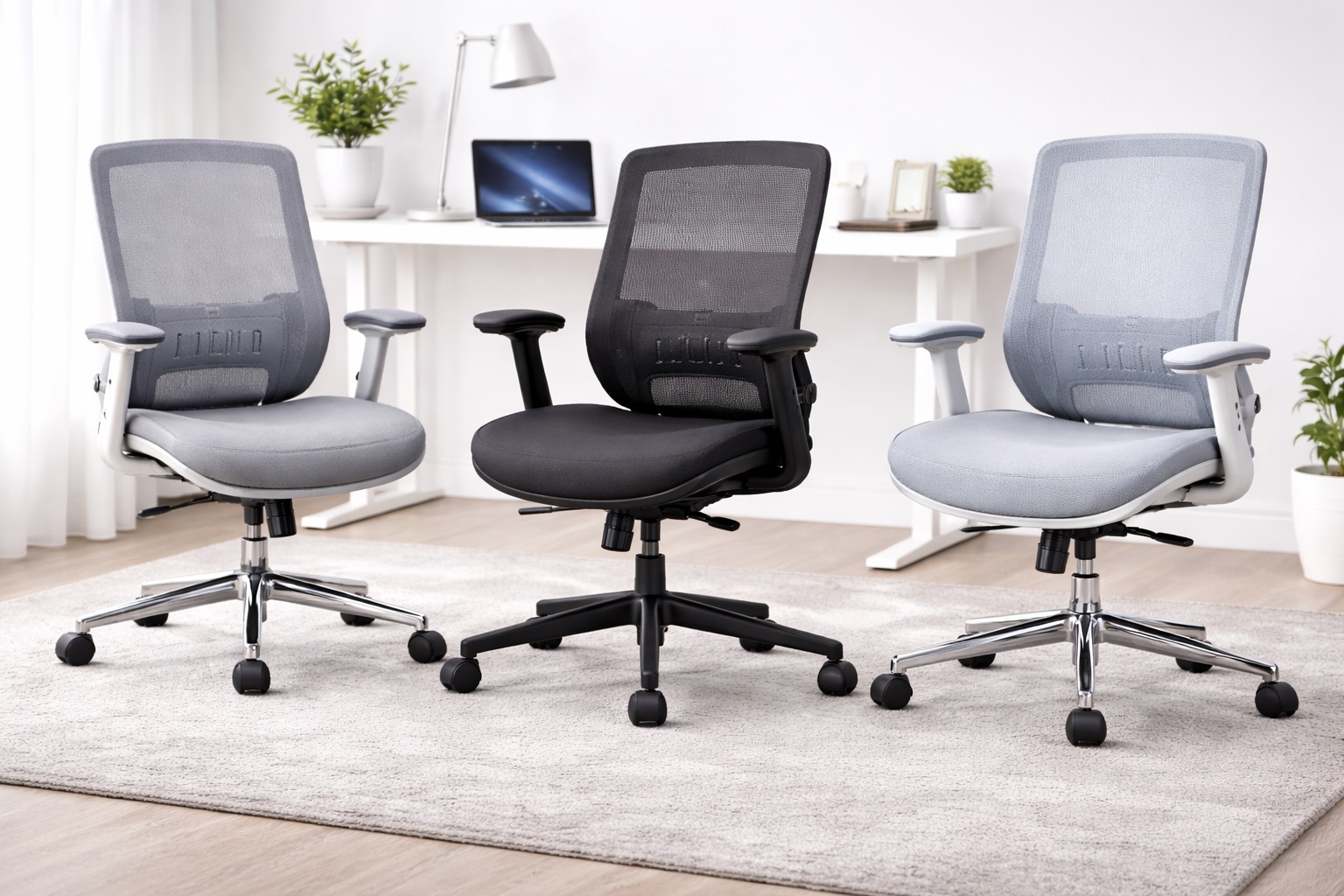
This guide is built around that gap. Instead of assuming prior knowledge of ergonomic terminology, it explains what each feature actually does for your body, so the choice between models comes down to your real habits rather than guessing from a spec sheet. The three chairs compared below represent the three most common starting points for someone furnishing a first home office, each with a different balance of comfort, adjustability, and simplicity.
None of these require any background in ergonomics to use correctly. The point of this comparison is to shorten the learning curve — to get you from unboxing to a properly adjusted, genuinely comfortable seat on the first day, rather than the third month once you've figured out what was wrong through trial and error.
It also helps to know upfront that discomfort in a new chair isn't always a sign the chair is wrong for you. Sometimes it simply means an adjustment hasn't been set correctly yet, or that your body needs a few days to adapt to sitting with proper lumbar support after years of slouching in a less supportive chair. Keeping that distinction in mind — is this the chair, or is this the setup — will save you from returning a perfectly good chair simply because it wasn't adjusted for your body on day one.
Top 3 Office Chairs for Beginners (Detailed Reviews)
Mesh Back Ergonomic Chair – Best For First-Time Buyers
A mesh back chair is the most common recommendation for anyone new to office seating, largely because it's forgiving. The woven back panel flexes naturally to the shape of whoever is sitting in it, so even before you learn to fine-tune the lumbar support, the chair is already doing some of the work by contouring to your spine. It also stays cooler than padded alternatives, which matters more than most beginners expect once a full workday of sitting sets in.
Most mesh chairs at this level include a small number of clearly labeled adjustments — usually a lever for seat height, a knob or dial for lumbar height, and a simple armrest adjustment. That short list is actually an advantage for a first chair: there's less to configure incorrectly, and the manual or included diagram is usually enough to get everything set up correctly within a few minutes.
Because mesh chairs are so widely produced, they also span an unusually broad price range within the beginner category, which means there's typically an option that fits almost any starter budget without dropping the core adjustments that matter. That range does mean it's worth comparing a couple of specific listings rather than assuming all mesh chairs perform the same, since the underlying frame quality can vary even when the fabric looks similar in photos.
- Pros:
- Breathable mesh stays comfortable through a full workday
- Flexes to the body without much manual adjustment needed
- Simple, clearly labeled controls suit first-time users
- Available at a wide range of price points
- Cons:
- Mesh quality and support vary between brands
- Firmer mesh seats can feel less plush than padded alternatives at first
Best For: First-time buyers who want a chair that's comfortable with minimal setup and stays cool during long sessions.
Why We Recommend It: New buyers often don't yet know how to fine-tune every adjustment, and a mesh chair's flexible back does a meaningful amount of the work automatically. It's the easiest style to get right on the first try.
Executive Padded Chair – Best For a Familiar, Comfortable Feel
An executive-style padded chair looks and feels like the office chair most people picture when they imagine upgrading from a dining chair or a basic desk stool. Thick foam padding on the seat and back gives an immediately soft, familiar feel with no learning curve required to appreciate it, and the taller backrest supports more of the upper back than a mid-back mesh design does.
Because the comfort here comes largely from the cushioning itself rather than from precise adjustment, this style is a reasonable choice for someone who wants to feel the benefit right away without spending much time configuring lumbar depth or seat angle. The trade-off is that padded designs run warmer over long sessions, which is worth knowing before committing if your workspace doesn't have strong air circulation.
This style also tends to suit beginners who are furnishing a home office that doubles as a professional-looking space for video calls, since the taller, upholstered backrest reads as more traditionally office-like on camera than a low-profile mesh task chair. It's a small consideration, but one that first-time buyers setting up a permanent workspace sometimes weigh alongside comfort.
- Pros:
- Immediately comfortable without much adjustment needed
- Familiar, traditional office chair look and feel
- Taller backrest supports the upper back
- Usually includes a simple recline function
- Cons:
- Retains more heat than a mesh design over long sessions
- Fewer beginners realize they'll want lumbar adjustment until later
Best For: Beginners who want a chair that feels comfortable immediately, without needing to learn ergonomic adjustment first.
Why We Recommend It: Not every first-time buyer wants to spend time learning what lumbar depth adjustment means before feeling comfortable. A padded chair delivers that comfort more directly, which suits people who want simplicity over customization.
Task Chair with Lumbar Support – Best For Learning Proper Posture
A task chair is the most stripped-down of the three options, and that simplicity has a real benefit for someone learning what good sitting posture actually feels like. With fewer features competing for attention, a task chair makes it easier to notice exactly what the lumbar support and seat height adjustments are doing to your posture, since there's no reclining headrest or elaborate tilt mechanism distracting from the fundamentals.
This style also tends to be the most compact and the most affordable of the three, which suits a first office setup where desk space and budget are both limited. Many beginners start with a task chair specifically because it teaches good habits — once you understand what proper lumbar support and seat height feel like on a simple chair, upgrading to a more feature-rich model later becomes a much more informed decision.
There's also a practical financial argument for starting here. Since a task chair is usually the least expensive of the three styles, it lowers the stakes of a first purchase considerably. If it turns out your preferences lean toward more cushioning or a headrest after a few months of daily use, you'll have spent less finding that out than you would have with a premium executive model.
- Pros:
- Makes it easy to learn what proper ergonomic adjustment feels like
- Compact footprint suits small or shared workspaces
- Usually the most affordable of the three options
- Lumbar support directly addresses posture from day one
- Cons:
- Less cushioned than an executive design
- Typically skips a headrest or advanced recline
Best For: Students and new remote workers who want to build good sitting habits without overspending on their first chair.
Why We Recommend It: Learning what correct posture feels like on a simple, well-adjusted chair is a genuinely useful foundation. This option teaches that foundation without the distraction of extra features a beginner doesn't yet know how to evaluate.
Buying Guide: How to Choose the Best Office Chair for Beginners
These factors are written specifically for someone buying their first chair, without assuming prior ergonomic knowledge.
1. Start With Lumbar Support, Not Style
It's tempting to choose based on how a chair looks in photos, but lumbar support is what actually prevents lower back discomfort during long sitting sessions. Look for a chair where the lumbar support height can be adjusted, even if it's a simple mechanism, rather than a fixed bump molded into the backrest that may not match your spine's curve.
2. Learn What Correct Seat Height Feels Like
Correct seat height means your feet rest flat on the floor with your thighs roughly parallel to the ground, not angled up or down. Most beginner chairs adjust between about 16 and 21 inches. Sit in the chair, adjust the lever, and check your foot position before assuming the default height is correct — this single adjustment fixes more discomfort than any other feature on the chair.
3. Understand Seat Depth Before You Buy
Seat depth is the distance from the front edge of the seat to the backrest. With your back against the backrest, there should be a small gap — roughly two to four finger-widths — between the edge of the seat and the back of your knees. A seat too deep for your leg length forces you to sit toward the front edge, losing the lumbar support entirely.
4. Don't Overlook Armrest Height
Armrests that sit too high push your shoulders up toward your ears; too low, and your arms droop without support. Adjustable armrests let you fix this once and forget about it. If a chair has fixed armrests, check the height against your desk before buying, since an armrest that doesn't clear the desk surface is a common and frustrating first-chair mistake.
5. Decide Between Mesh and Padding Based on Feel, Not Assumptions
If possible, sit in both styles before deciding, since preference here is genuinely personal rather than one style being objectively correct. Mesh tends to suit people who run warm or sit for very long stretches; padding suits people who want an immediately soft, familiar feel and don't mind a bit more warmth building up over a session.
6. Keep the Tilt Mechanism Simple at First
Advanced multi-position tilt-lock mechanisms are useful once you know how you like to sit, but a first chair with a simple recline and basic tension adjustment is easier to understand and less likely to be set incorrectly. You can always upgrade to a more adjustable chair once you know what you actually use.
7. Check Weight Capacity Even If It Seems Unnecessary
Every office chair lists a maximum weight capacity, and it's worth checking regardless of your body size, since it also reflects the overall build quality of the frame and gas cylinder. Chairs rated for 250 to 300 pounds are standard; those rated higher generally use sturdier components throughout, not just a stronger cylinder.
8. Look at the Base Material and Casters
The base and wheels support the full weight of the chair and person sitting in it, so their quality affects long-term stability. Nylon bases are common and perform fine for typical home use. If your floor is hardwood or tile, confirm the casters are rated for hard flooring, since standard carpet casters can scuff or mark the surface over time.
9. Consider Whether You Need a Headrest Yet
Many first-time buyers don't realize how often they lean back until they own a chair without a headrest. If you expect to take calls, watch videos, or read while reclined, a chair with an adjustable headrest will save you from neck strain that a mid-back chair alone won't address.
10. Read Assembly Reviews Specifically
As a first-time buyer, you likely won't have prior assembly experience with office furniture to compare against, so reading a few reviews focused specifically on assembly clarity is worth the extra few minutes. Poorly labeled parts and unclear instructions are common complaints, and knowing what to expect in advance makes the process far less frustrating.
11. Give Yourself a Real Trial Period
Comfort on a first sit rarely tells the whole story. Use the chair for several full workdays, including calls and breaks, before deciding whether it's right for you. Most retailers offer a 15 to 30 day return window specifically because comfort issues often only appear after extended use, not during the first few minutes.
12. Don't Assume the Priciest Option Is the Right First Chair
It's easy to assume more expensive means better, but a first chair benefits more from matching your actual habits than from having every advanced feature available. Focus on lumbar support, correct sizing, and basic build quality first — you can always upgrade once you understand what you personally need from a chair.
13. Check the Warranty as a Beginner Safety Net
A warranty matters more for a first-time buyer than for someone experienced with office furniture, since it acts as a safety net while you're still learning to identify normal wear versus an actual defect. A one-year warranty is standard; look for coverage on the gas cylinder and mechanism specifically, since these are the parts most likely to need attention early on.
14. Ask Whether the Chair Folds Down for Small Storage or Moves
If you're in a small apartment or expect to move within the next year or two, consider how easily the chair breaks down or fits through doorways and into a car. Some beginner chairs disassemble nearly as easily as they assemble, which is a practical consideration that's easy to overlook when comfort is the main focus.
15. Set Realistic Expectations About the Adjustment Period
If you've spent years in an unsupportive chair, a genuinely ergonomic seat can feel unusual for the first few days, even when it's set up correctly. Slight soreness in new places as your posture shifts is common and typically settles within a week or two. Persistent pain, rather than mild adjustment soreness, is the signal that something about the fit or setup needs changing.
16. Measure Your Desk Before Choosing a Chair
A chair that's perfect on its own can still feel wrong if the armrests hit the underside of your desk or the seat height doesn't align with your desk height for comfortable typing. Measure the clearance under your desk and compare it against the chair's maximum seat height and armrest height before ordering, especially with a desk that isn't height-adjustable itself.
17. Don't Skip the Floor Protection Question
Even a well-chosen chair can create friction with your workspace if the casters don't suit your flooring. Beginners sometimes discover this only after noticing scuff marks weeks into ownership. Confirming caster type against floor type before your first use, rather than after noticing damage, avoids an easily preventable frustration.
18. Recognize That Fit Matters More Than Reviews
A chair with excellent overall reviews can still be a poor fit for your specific height, weight, or desk setup. Reviews are useful for spotting build quality issues and common defects, but they can't tell you whether the seat depth or armrest height will suit your particular body, which is why checking the actual measurements against your own remains essential regardless of star rating.
Frequently Asked Questions
What's the first adjustment I should make on a new office chair?
Start with seat height. Sit down, adjust the lever until your feet rest flat on the floor with your thighs roughly parallel to the ground, then move on to lumbar support and armrest height. Getting seat height right first makes every other adjustment easier to judge correctly.
How do I know if the lumbar support is positioned correctly?
The support should sit in the natural curve of your lower back, not against your mid or upper back. If you feel a gap between the support and your spine, or pressure in the wrong spot, adjust the height until it fills that curve comfortably without pushing you forward.
Is a mesh or padded chair better for a first office chair?
Neither is universally better for beginners — it depends on your climate and preference. Mesh stays cooler and suits longer sitting sessions, while padded chairs feel immediately soft and familiar. If you can test both in person before buying, that's the most reliable way to decide.
How long does it take to assemble a first office chair?
Most chairs take between 20 and 40 minutes to assemble with the included tools, typically an Allen key and sometimes a Phillips screwdriver. Following the included diagram step by step, rather than skipping ahead, is the easiest way to avoid mistakes on your first assembly.
Do I need to worry about my casters damaging my floor?
Only if you have hardwood, laminate, or tile flooring. Check whether the casters are labeled for hard floors before use; if they're designed for carpet only, consider a chair mat or replacement caster set to avoid scuffing over time.
Should a beginner buy the cheapest available office chair?
Not necessarily. The cheapest option sometimes skips adjustable lumbar support entirely, which is the single most important feature for comfort. It's worth spending slightly more to ensure that one feature is present, even if you skip other extras like a headrest or advanced tilt-lock.
How do I know if a chair is the right size for me?
Check the listed seat height range against your own height, and the seat depth against your thigh length while sitting normally. If you're notably shorter or taller than average, pay closer attention to these two measurements rather than assuming a standard chair will automatically fit.
What's the most common mistake first-time buyers make?
Leaving the chair at its default settings instead of adjusting it. A well-designed chair with all its features left unadjusted often performs worse than a simpler chair that's actually set up correctly for your body.
Can I return the chair if it doesn't feel right after a few days?
Most retailers allow returns within 15 to 30 days, which gives enough time to properly judge comfort across several real workdays rather than a first impression. Keep the box during that window in case a return is needed.
Do I need a chair with a headrest as a beginner?
Only if you expect to lean back regularly during calls or breaks. If most of your day is spent sitting upright while typing, a headrest adds less practical value, and the money may be better spent on a chair with stronger lumbar adjustment instead.
How long should my first office chair last?
A reasonably well-built chair typically lasts several years of daily use before parts like the gas cylinder or casters need replacing. Chairs with individually replaceable components tend to offer better value over time than ones requiring full replacement after one part fails.
Does brand matter for a first-time buyer?
Established brands typically offer more consistent quality control and clearer customer support if a part is missing or defective, which matters more for a first-time buyer without prior experience troubleshooting furniture issues. That said, reading recent reviews carefully is still the most reliable signal.
Is it normal for a new chair to feel firmer than expected?
Yes, particularly with mesh seats, which often feel firmer than a padded cushion at first sit. This isn't necessarily a defect — mesh is designed to support weight through tension rather than compression, and many people find it more comfortable than a soft cushion once they've adjusted to it over a few sitting sessions.
Should I buy a chair mat as a beginner?
It depends on your flooring. If you have hardwood, laminate, or tile, a mat protects the surface and makes rolling the chair easier, even with hard-floor-rated casters. On carpet, a mat is less essential but can still make it easier to roll the chair without digging into thicker carpet pile.
What if I set up the chair and it still feels uncomfortable?
Recheck each adjustment individually rather than assuming the whole chair is wrong. Start with seat height, then lumbar position, then armrests, testing your comfort after each change. If discomfort persists after a genuine adjustment attempt and a few days of use, that's a reasonable point to consider a return or exchange.
Do I need to read the full instruction manual before assembling?
At minimum, skim the parts list and diagram before starting, since confirming every piece is present before you begin saves time compared to discovering a missing bolt halfway through. Most manuals are short and image-based rather than dense text, so this step usually takes only a few minutes.
Is it worth asking someone experienced to help set up my first chair?
It can be, particularly for the initial ergonomic adjustments rather than the physical assembly. Someone who already understands what correct lumbar height and seat position feel like can help you calibrate faster than working through trial and error alone during your first week.
Final Verdict
- Best For First-Time Buyers: Mesh Back Ergonomic Chair – comfortable with minimal adjustment required.
- Best For a Familiar, Comfortable Feel: Executive Padded Chair – immediate comfort without a learning curve.
- Best For Learning Proper Posture: Task Chair with Lumbar Support – the simplest way to learn what good ergonomic setup actually feels like.
Your first office chair doesn't need to be your last. What matters most at this stage is choosing something with genuine lumbar support, correct sizing for your body, and simple enough controls that you'll actually use them. Once you understand what works for you through daily use, any future upgrade becomes a far more informed decision than the one you're making today. Give yourself permission to adjust the chair repeatedly during the first week rather than settling for the factory default settings, since a few extra minutes of fine-tuning early on is what actually determines whether a chair earns its keep or ends up back in its box.