Best Ergonomic Desk Shelves: Correct Screen Height and Organized Storage Together
Most people who develop neck or upper-back discomfort from desk work trace it to one root cause more than any other: a monitor sitting too low, forcing the head to tilt forward for hours at a stretch. An ergonomic desk shelf addresses this directly by lifting the screen to genuine eye level, and the better designs pair that correction with organized storage underneath so the improvement doesn't cost you any usable space.
The forward head tilt that comes from a low monitor is a small angle at any given moment, but sustained for hours a day across a working year, it becomes one of the more common preventable sources of neck and upper-back strain in desk-based work. Correcting the root height mismatch tends to deliver more lasting relief than treating the resulting muscle tension after the fact.
What separates an ergonomic desk shelf from a purely decorative one is the specific attention to measurements that actually affect posture — eye-level height, viewing distance, and sometimes keyboard positioning as well. A shelf that happens to raise a monitor by some arbitrary amount isn't the same as one engineered around the actual ergonomic guidelines for screen height and viewing angle.
Many people shopping in this category have already tried informal fixes — stacking books under a monitor, propping a laptop on a box — before deciding a purpose-built shelf is worth the investment. Those improvised solutions often get the height roughly right but rarely address stability, viewing distance, or keyboard positioning at the same time, which is exactly the gap a properly designed ergonomic shelf is meant to close.
This guide compares the desk shelf styles most effective at solving genuine ergonomic problems, followed by a buying framework built around the specific measurements that matter for posture, and answers to the questions people ask most often when trying to fix a strained neck or shoulders through better desk setup. The goal is correcting the actual physical issue, not simply adding a shelf that looks ergonomic in a product photo.
Remote and hybrid work have made this category more relevant than it used to be, since many home desk setups were assembled quickly and informally rather than planned around correct measurements from the start. A dining table pressed into service as a desk, or a laptop used without any external monitor at all, are common starting points that a well-chosen ergonomic shelf can meaningfully improve without requiring a full furniture overhaul.
It's worth setting expectations honestly from the start. A shelf corrects screen height and can improve keyboard positioning, but it doesn't replace a supportive chair, a habit of taking regular breaks, or general awareness of posture throughout the day. It solves one specific, well-defined piece of the broader ergonomic picture — and for many people, that piece turns out to be the most impactful one to fix first.
This guide focuses specifically on that measurable, correctable piece rather than broader posture advice in general, since a desk shelf is a hardware solution to a hardware problem. Habits like sitting up straight or remembering to stretch matter too, but no amount of conscious effort fully compensates for a monitor that physically sits several inches below where your eyes naturally rest.
Existing discomfort is often the trigger that brings people to this category in the first place, whether that's a mild ache at the end of a workday or a more persistent strain that's built up over months of looking down at a laptop or low monitor. Addressing the height mismatch directly tends to produce a noticeable difference within the first couple of weeks for people in that situation, provided the shelf is sized correctly for their actual measurements.
It's worth noting that ergonomic needs also vary meaningfully by body type and existing conditions, which a one-size-fits-all product listing rarely accounts for. Someone with a shorter torso, a taller frame, or an existing shoulder issue may need a different height or configuration than the average recommendation a manufacturer builds a standard product around, which is exactly why measuring your own numbers matters more than trusting a generic "ergonomic" label.
Top Picks Reviewed
Each of the four shelf styles below addresses a different piece of the ergonomic puzzle — eye-level height, keyboard positioning, organized reach, or full desk-space recovery. Match your choice to which specific discomfort or posture issue you're trying to correct rather than to general appearance alone.
1. Monitor Riser with Lower Storage Shelf – Best All-Purpose Ergonomic Pick
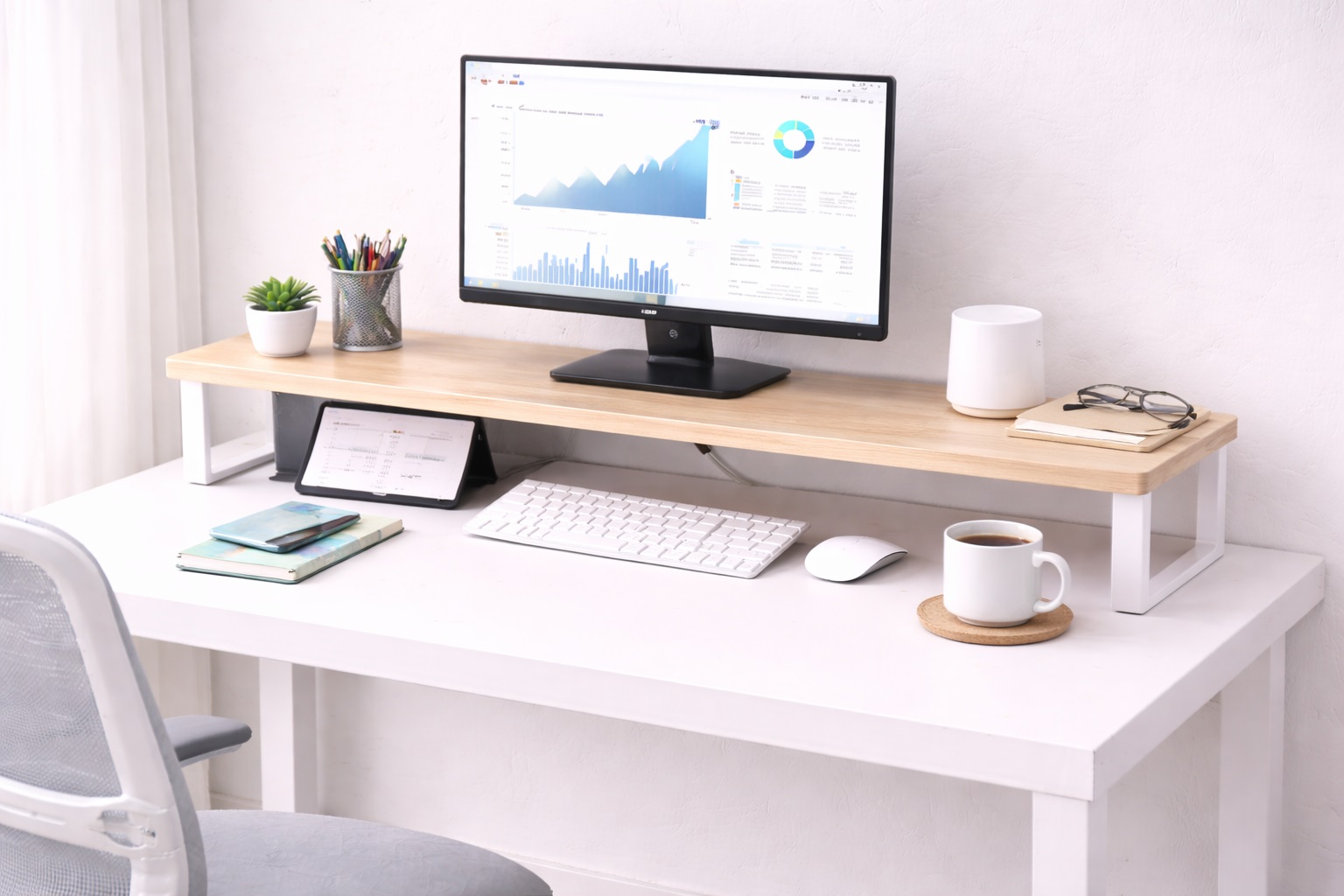
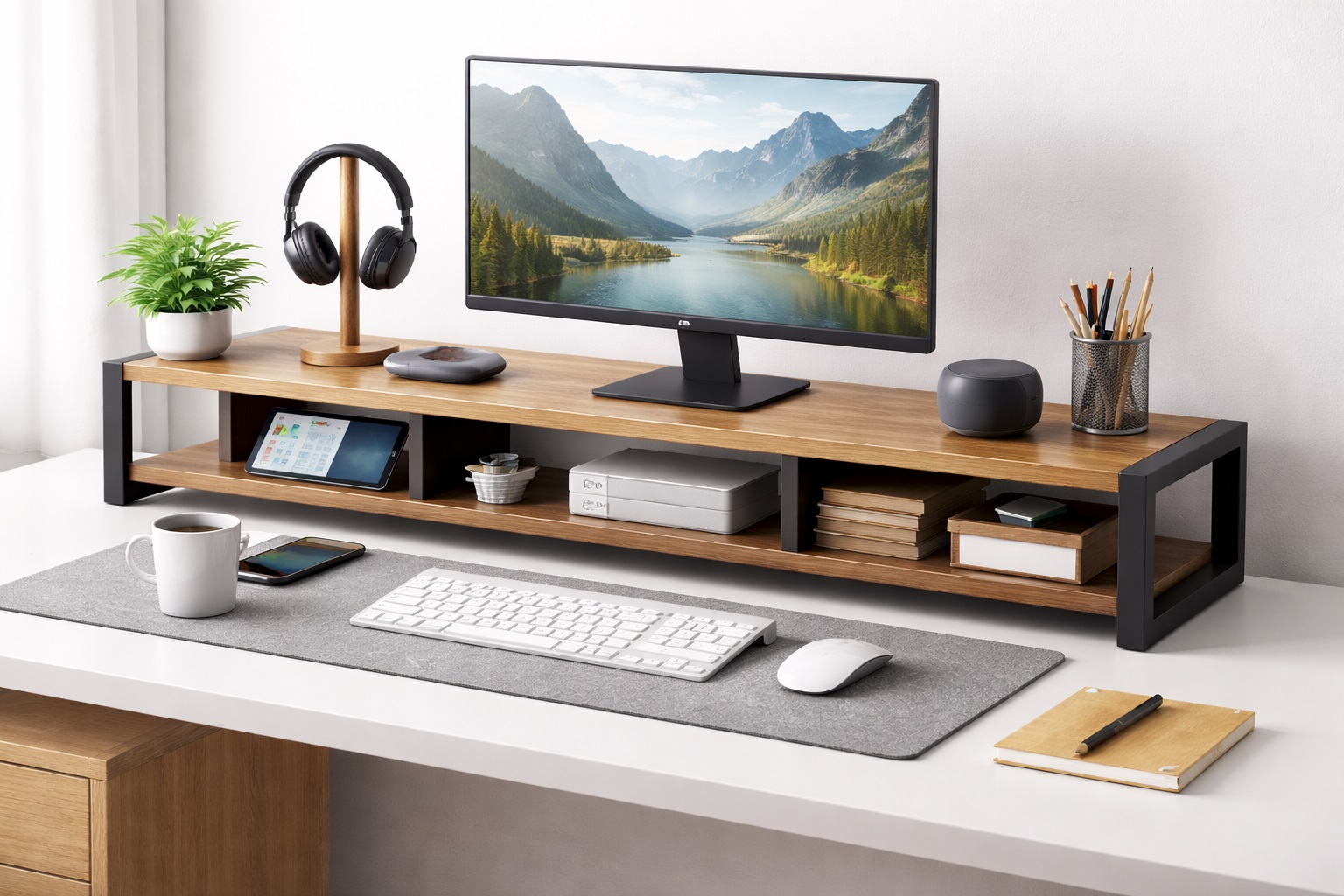
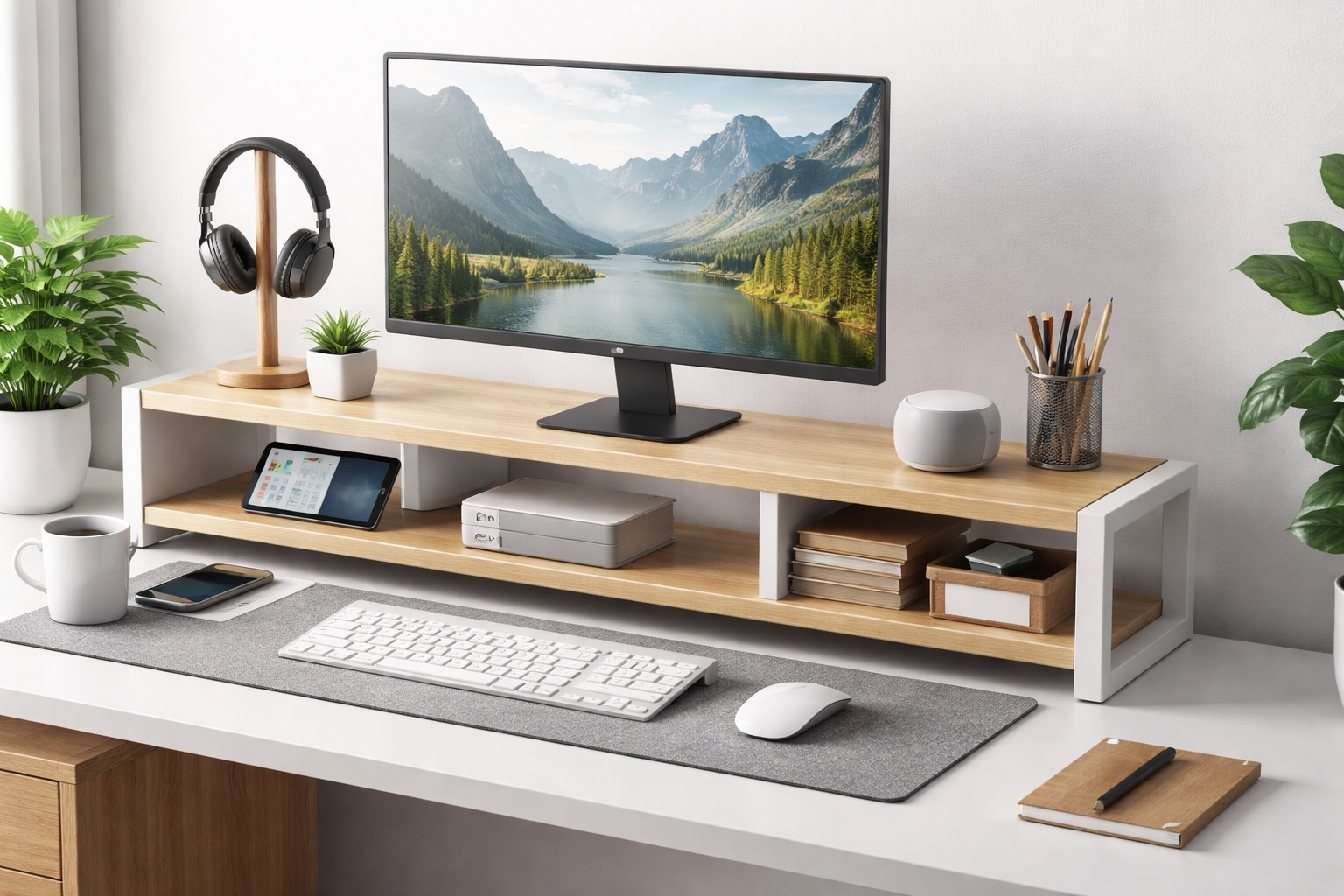
A monitor riser shelf raises the screen to genuine eye level while creating an accessible storage space underneath for a keyboard, notebook, or accessories. This single piece solves the most common ergonomic problem — a monitor sitting too low — while adding organized storage in the same footprint the monitor already occupied. Most versions are built from bamboo, MDF, or metal and suit a wide range of desk aesthetics.
Getting the height right matters more than the material or finish, since even a small shortfall in riser height means the neck still tilts forward, just less dramatically than before. The better designs offer a few standard heights so buyers can match the riser to their specific seated eye level rather than a single generic height. Partial correction is still better than none, but it's worth measuring carefully rather than settling for whatever height happens to be the most popular listing. It's also worth checking the storage shelf's clear height underneath, not just the riser's top surface height, since a keyboard or notebook that barely slides into a too-shallow gap defeats the organizational benefit the design is meant to provide.
- Pros:
- Directly corrects the most common cause of neck strain at a desk
- Storage space below adds organization without extra footprint
- Single purchase addresses posture and storage simultaneously
- Available in multiple heights to match different seated eye levels
- Cons:
- Fixed height once placed, with no further adjustment
- Doesn't address keyboard height on its own
Best For: Anyone whose primary ergonomic issue is a monitor sitting below correct eye level during long desk sessions.
Why We Recommend It: This is the most direct fix for the single most common ergonomic complaint in desk work, and it delivers organized storage as a meaningful secondary benefit rather than an afterthought.
2. Monitor Riser Shelf with Keyboard Tray – Best for Complete Upper-Body Positioning
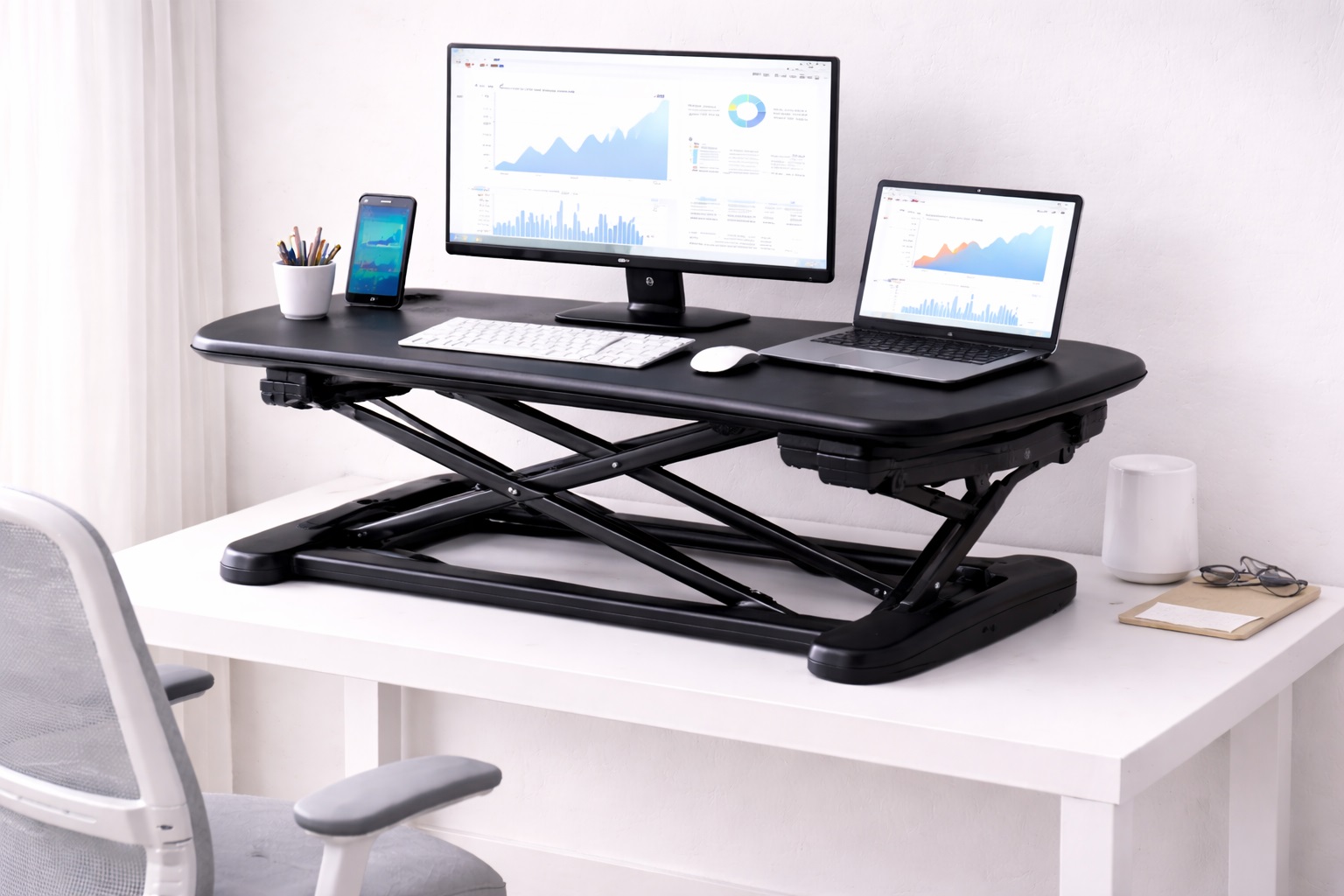
This style pairs a standard monitor riser with an attached, lower keyboard tray positioned at proper typing height, addressing both eye-level screen height and elbow-level keyboard positioning in one connected unit. Because the two surfaces are engineered together, the height relationship between them stays correct rather than requiring separate guesswork for each.
This combination shelf suits anyone whose discomfort involves the wrists or shoulders in addition to the neck, since a keyboard positioned too high forces the shoulders up and the wrists into an unnatural angle over a long session. Solving both height problems together also avoids the common trap of correcting the monitor while inadvertently leaving the keyboard at a mismatched height that introduces a new source of strain.
- Pros:
- Addresses both monitor height and keyboard height together
- Keyboard positioned at proper elbow-level typing height
- Correct height relationship maintained between both surfaces
- Solves a broader range of posture issues than a monitor riser alone
- Cons:
- Larger overall footprint than a simple riser-shelf
- Fixed positioning, unlike a fully adjustable monitor arm and tray
Best For: Users experiencing wrist or shoulder discomfort in addition to neck strain, who need both monitor and keyboard height corrected.
Why We Recommend It: Neck strain and wrist strain often share the same root cause — a desk setup where nothing sits at its correct height — and this combination shelf corrects both in a single coordinated purchase.
3. Freestanding Multi-Level Organizer Shelf – Best for Reducing Repetitive Reaching
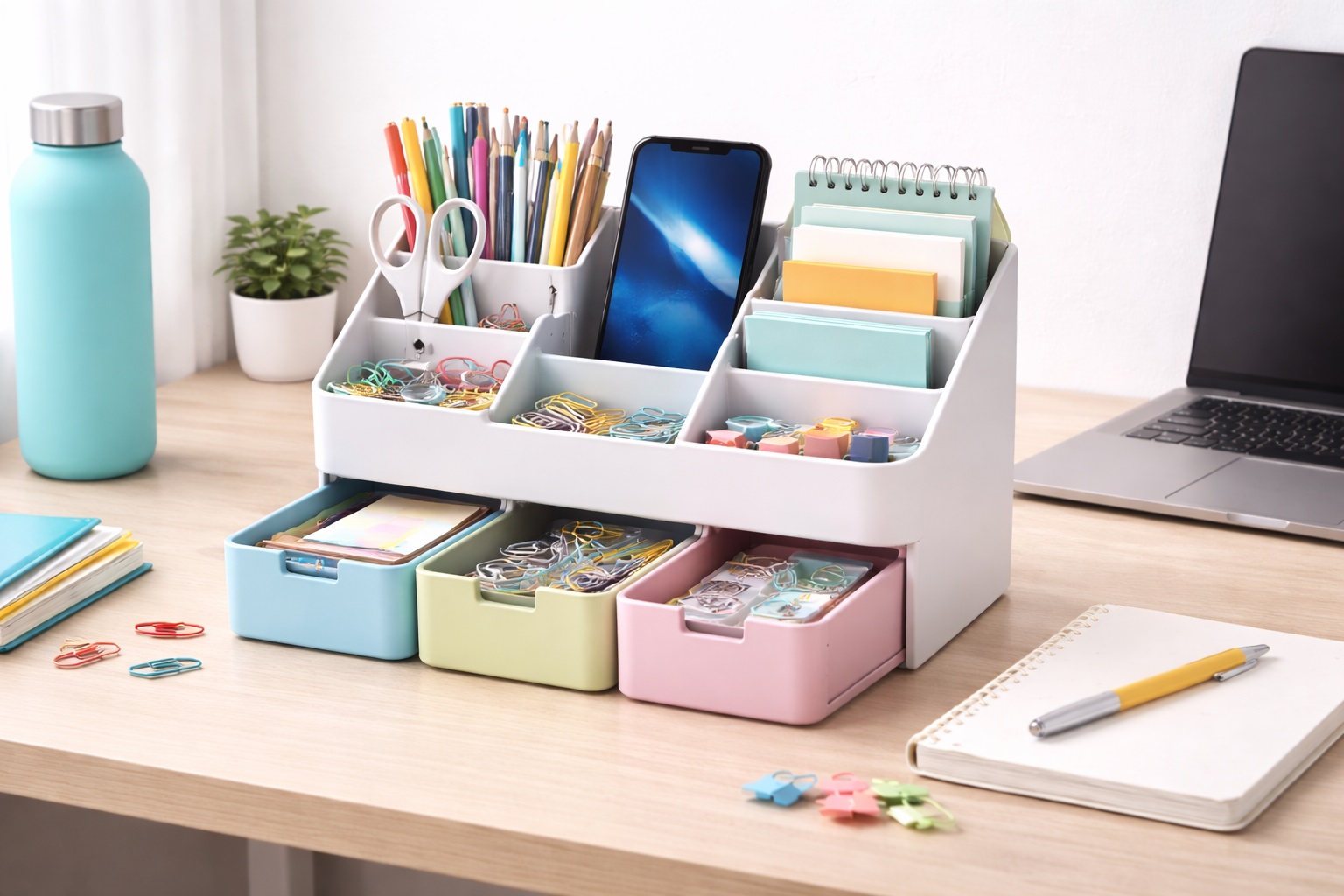
A freestanding shelf with multiple storage tiers keeps frequently used items within easy reach at varying heights, reducing the repetitive forward reaching and twisting that comes from a cluttered desk where everything sits at the same level. Items placed at a natural, accessible height reduce the small but repeated strain of reaching awkwardly across a desk multiple times per hour.
While this style doesn't address monitor or keyboard height directly, it solves a related ergonomic issue that's often overlooked — the physical strain of constantly reaching for items that aren't positioned thoughtfully. Over the course of dozens of small reaches throughout a workday, poorly placed items add up to a surprising amount of cumulative strain that a well-organized shelf largely eliminates.
- Pros:
- Reduces repetitive reaching and twisting for frequently used items
- Multiple tiers organize items by how often they're accessed
- No installation required, unlike wall-mounted alternatives
- Repositionable as your desk layout or needs change
- Cons:
- Doesn't correct monitor or keyboard height on its own
- Takes desk footprint across the width it covers
Best For: Users whose main ergonomic complaint is repetitive reaching or awkward twisting to access frequently used items.
Why We Recommend It: Ergonomics isn't only about screen and keyboard height — reducing unnecessary reaching and twisting throughout the day meaningfully lowers cumulative physical strain, and this shelf style targets that specific issue directly.
4. Wall-Mounted Adjustable Shelf – Best for Custom Height Positioning
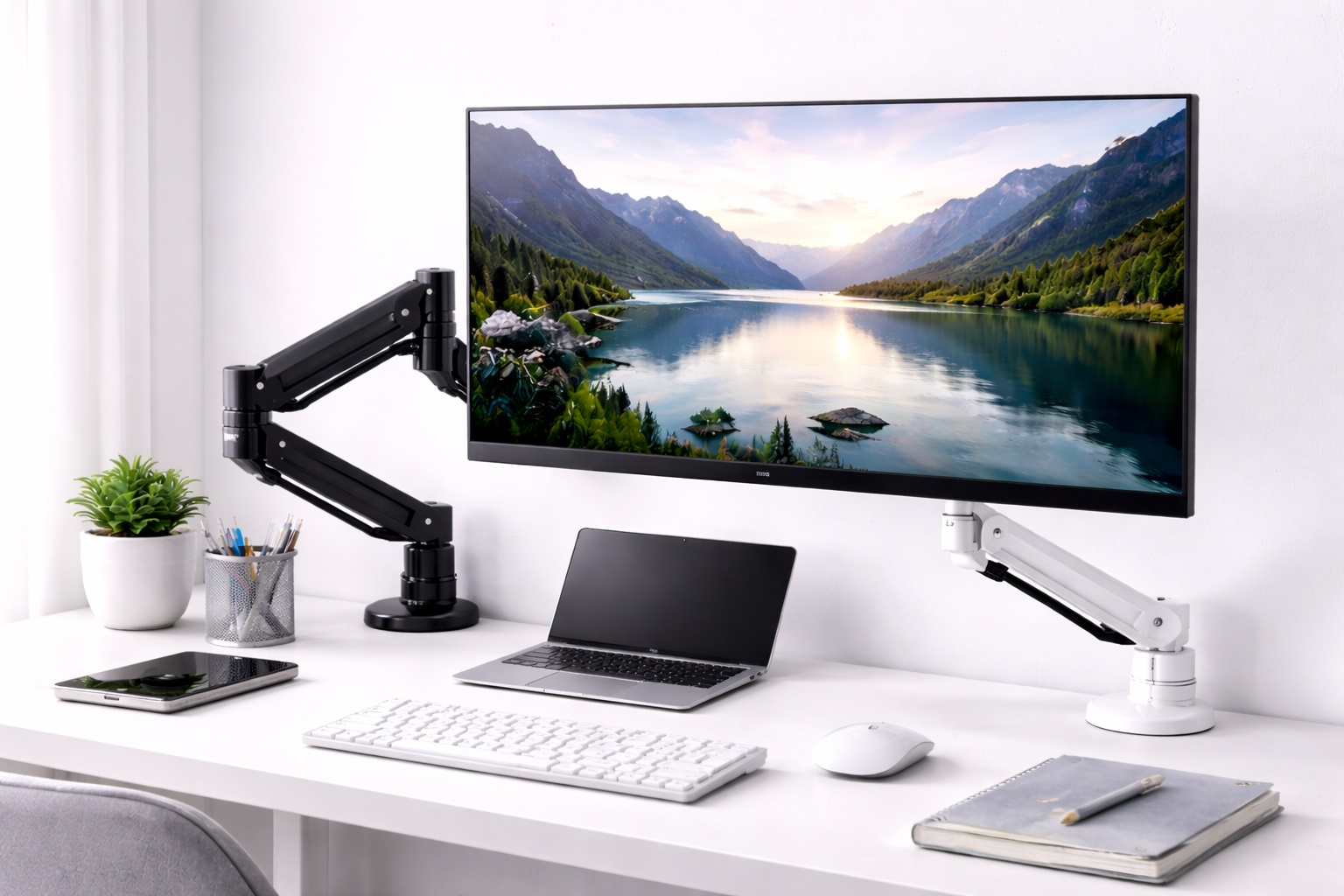
A wall-mounted shelf with an adjustable bracket system allows the shelf height to be fine-tuned after installation, rather than locking in a single fixed position the way most wall shelves do. This matters for ergonomic use specifically, since it allows the shelf to be positioned at the exact height that suits your measured eye level rather than a generic standard height.
Installation still requires wall anchors and basic tools, but the ability to adjust the bracket position afterward — even slightly — gives more precision than a fixed-height wall shelf, which is valuable when correct positioning is the entire point of the purchase. This flexibility also accommodates future changes, such as a new chair with a different seat height, without requiring an entirely new installation. Some adjustable bracket systems use a simple track-and-lock design that lets you reposition the shelf in small increments without removing any hardware from the wall, which makes revisiting the height a five-minute task rather than a full reinstallation whenever your setup changes.
- Pros:
- Height adjustable after installation, unlike standard wall shelves
- Allows fine-tuning to your exact measured eye level
- Frees desk surface completely, like other wall-mounted designs
- More precise ergonomic positioning than fixed-height alternatives
- Cons:
- Requires wall drilling, which isn't suitable for every rental situation
- Adjustable bracket hardware adds some cost over a fixed shelf
Best For: Home office workers who want the desk-space recovery of a wall shelf along with precise, adjustable ergonomic positioning.
Why We Recommend It: A fixed-height wall shelf is a gamble on whether the manufacturer's assumed height matches your actual eye level. An adjustable version removes that gamble entirely.
Buying Guide: How to Choose the Best Ergonomic Desk Shelf
Use these factors to evaluate a desk shelf against genuine ergonomic measurements rather than general appearance or marketing language.
1. Your Actual Seated Eye Level
Measure where your eyes naturally sit when seated normally at your desk. The top third of your monitor should land at or just below that height once the shelf is in place. This single measurement matters more than any other spec when shopping for an ergonomic shelf, and it takes only a minute to check with a tape measure and a helper.
2. Riser Height Relative to Your Current Setup
Measure your monitor's current height and compare it to your measured eye level to determine how much additional height you actually need. Most risers add 4 to 6 inches, which suits average measurements, but taller or shorter users should check this against their own numbers rather than assuming a standard riser height applies universally to every body.
3. Keyboard Height and Elbow Angle
If wrist or shoulder discomfort is part of your issue, prioritize a shelf style that includes a keyboard tray at elbow height rather than a monitor riser alone. A keyboard sitting too high forces the shoulders up and the wrists into an unnatural bend over a long session, a pattern that tends to worsen gradually rather than announce itself immediately.
4. Viewing Distance in Addition to Height
Correct ergonomics involves distance as well as height — a monitor typically belongs roughly an arm's length away. Check that the shelf's depth doesn't push the monitor closer or further than this recommended range once it's elevated, since a shelf can correct height while inadvertently worsening viewing distance if depth isn't considered together.
5. Weight Capacity for Monitor and Accessories
Confirm the shelf's stated weight capacity comfortably covers your monitor plus anything else placed on or near it. A shelf that flexes slightly under load can introduce a small but real height inconsistency that undermines the ergonomic correction it was meant to provide, even if the flex itself seems minor at first glance.
6. Adjustability Versus Fixed Positioning
A fixed-height shelf works well if you've confirmed the height matches your measurements precisely. An adjustable wall-mounted option offers more room for fine-tuning after installation, which is valuable if you're not entirely certain of the ideal height in advance or if your seating setup might change over time.
7. Desk Depth for Riser-Style Shelves
Monitor riser shelves typically require 10 to 14 inches of desk depth. On a shallow desk, this can push the monitor further back than the ideal viewing distance, working against the ergonomic goal rather than supporting it. Measure carefully before ordering, and consider a shallower riser design if your desk depth is limited.
8. Reducing Repetitive Reach for Frequently Used Items
Beyond monitor and keyboard height, consider how far you regularly reach for items like a phone, notebook, or drink. A multi-tier organizer positioned thoughtfully reduces this repetitive strain, which is a genuine but often overlooked part of desk ergonomics that gets far less attention than screen height.
9. Stability to Avoid Compensatory Posture
A wobbly shelf can cause you to unconsciously lean or adjust your posture to compensate, undermining the very correction the shelf was meant to provide. Prioritize reviews mentioning stability under normal typing and desk use specifically, rather than static weight-bearing tests alone.
10. Material and Finish for Long-Term Use
Since an ergonomic shelf is meant to become a permanent fixture of your daily routine, choose a durable material — bamboo or solid wood generally outlast basic MDF — so the height correction remains consistent for years rather than degrading as the shelf sags or wears under sustained daily use.
11. Combining With Other Ergonomic Adjustments
A desk shelf corrects screen and sometimes keyboard height, but pairing it with proper chair height, an adjustable chair back, and a deliberate habit of taking breaks produces a more complete ergonomic improvement than the shelf alone can achieve on its own.
12. Cable Management With an Elevated Monitor
Raising a monitor onto a shelf changes the cable routing path for power, video, and any peripheral cables running to it, and a shelf without any thought given to cable clearance can leave cords dangling awkwardly or pulling at the ports. Look for a shelf design with a cutout, channel, or rear gap that lets cables pass through cleanly rather than draping over the front edge where they can catch on a keyboard or your own hands during normal use.
13. Compatibility With Curved or Ultrawide Monitors
A curved or ultrawide monitor has a different base footprint and stand design than a standard flat monitor, and not every riser shelf is built wide or deep enough to support one securely. Check the shelf's listed surface dimensions against your monitor's actual stand footprint before ordering, since a riser that comfortably fits a standard 24-inch monitor can leave an ultrawide display's stand hanging partially off the edge.
Frequently Asked Questions
1. How do I know if my monitor is at the wrong height?
If you find yourself tilting your chin down or your neck forward while looking at the screen, your monitor is likely sitting too low. Measuring your seated eye level against your current monitor height confirms this before you shop for a correction, and it's a quick way to avoid guessing at the right fix.
2. Will an ergonomic desk shelf fix existing neck pain?
It can meaningfully reduce the strain that caused discomfort in the first place, particularly if a low monitor was the primary contributing factor. It's not a substitute for medical advice if pain is severe or persistent, but many people notice improvement once screen height is corrected and given a reasonable adjustment period.
3. Do I need a keyboard tray in addition to a monitor riser?
If you experience wrist or shoulder discomfort alongside neck strain, yes — a keyboard tray at proper elbow height addresses that separate issue. A monitor riser alone only corrects screen height, not keyboard positioning, so the two problems require different solutions.
4. How much height does a typical monitor riser add?
Most riser-shelves add 4 to 6 inches of height, which suits average seated eye levels. Taller users may need a higher riser or an additional monitor stand to reach the correct position, so check the specific product's height against your own measurements.
5. Can a desk shelf help with reaching-related shoulder strain?
Yes, indirectly — a multi-tier organizer that places frequently used items within easy reach reduces the repetitive forward reaching and twisting that contributes to shoulder strain over time, even though it doesn't address monitor height directly.
6. Is a wall-mounted shelf more ergonomic than a desk-based one?
Not inherently more ergonomic, but an adjustable wall-mounted shelf offers more precise height positioning than a fixed desk shelf, which can matter if you need to fine-tune the exact height after installation to match your specific measurements.
7. How do I measure my correct monitor height before buying?
Sit normally at your desk and note where your eyes naturally land. The top third of your monitor should sit at or just below that level once the shelf is in place. A tape measure and a helper make this a quick, one-time task worth doing before you shop.
8. Can I use an ergonomic desk shelf with a laptop?
Yes, though most people pair it with an external keyboard and mouse once the laptop screen is raised to eye level, since typing directly on an elevated laptop keyboard puts it at an incorrect height for comfortable use over a long session.
9. How long should it take to notice improvement after correcting monitor height?
Many people notice a difference within one to two weeks of consistent use, though results vary depending on how significant the original height mismatch was and how much of the day is spent at the desk overall.
10. Should I prioritize height correction or storage capacity first?
Height correction, if genuine discomfort is the reason for the purchase. Storage capacity is a valuable secondary benefit, but the core ergonomic value comes from getting the height measurements right for your specific body and setup rather than maximizing shelf space.
11. Can I combine a monitor riser with a separate keyboard tray from a different product?
Yes, though a combined riser-and-tray shelf usually maintains a more consistent height relationship between the two surfaces than mixing separately purchased products, which can require additional adjustment to align correctly on your own.
12. Does an ergonomic desk shelf work with dual monitors?
Many riser shelves are wide enough to support two standard monitors side by side, but it's worth confirming the surface width against your combined monitor footprint rather than assuming a single-monitor listing photo represents the maximum supported width. A wider riser or two separate risers set at matching heights both work, depending on your desk's available depth and width.
13. Can children or teens benefit from an ergonomic desk shelf too?
Yes, particularly for a student who spends significant time at a desk for schoolwork, since the same eye-level and posture principles apply regardless of age. The main difference is that a growing child's correct measurements change more quickly than an adult's, so it's worth rechecking the fit every school year rather than assuming one setup remains correct for several years running.
Final Verdict
- Best All-Purpose Ergonomic Pick: Monitor Riser with Lower Storage Shelf — the most direct fix for the most common posture complaint.
- Best for Complete Upper-Body Positioning: Monitor Riser Shelf with Keyboard Tray — corrects both screen and keyboard height together.
- Best for Reducing Repetitive Reaching: Freestanding Multi-Level Organizer Shelf — lowers strain from awkward reaching and twisting.
- Best for Custom Height Positioning: Wall-Mounted Adjustable Shelf — precise, fine-tuned height correction after installation.
The right ergonomic desk shelf depends on which specific discomfort you're trying to address — neck strain from a low monitor, wrist and shoulder strain from keyboard height, or general fatigue from awkward reaching throughout the day. Measuring your own eye level and elbow height before shopping makes the rest of the decision considerably more straightforward.
For anyone unsure where to start, the monitor riser-shelf remains the safest first purchase, since a low monitor is by far the most common root cause of desk-related discomfort and the fix is direct and well understood. If wrist or shoulder strain persists after correcting monitor height, the combination riser-and-tray option or a dedicated keyboard tray is the logical next step to address the remaining piece of the problem.
Whichever shelf you choose, give the new height a genuine adjustment period of a week or two before judging its effect. Posture habits built up over months or years don't reverse instantly, and it can take a short adjustment window for the benefit of a corrected monitor or keyboard height to become fully apparent in how your neck, shoulders, and wrists feel by the end of a workday.
It's also worth revisiting your measurements periodically rather than assuming the initial setup remains correct indefinitely. A new chair, a different monitor, or even a change in typical footwear while working from home can shift your seated eye level slightly. Rechecking the fit every so often costs almost nothing and ensures the ergonomic benefit doesn't quietly erode as small changes accumulate around the original setup.
Finally, pay attention to how your body actually responds over the following weeks rather than relying solely on the measurements themselves. Ergonomic guidelines provide a reliable starting point, but individual comfort can vary slightly from the textbook numbers, and small additional adjustments based on how you personally feel often produce a better long-term result than rigid adherence to a generic standard.