Best Desk Shelves for Home Office: Vertical Storage That Keeps Your Desk Clear
A cluttered desk surface is rarely a storage problem so much as a direction problem — most desks only use the horizontal plane, leaving the entire vertical space above and around the working area completely untapped. A desk shelf solves this by moving monitors, speakers, books, and everyday items off the desktop and into organized space that doesn't compete with your actual work area.
The category covers more ground than it might first appear. Some shelves attach directly to the desk and double as a monitor riser, solving screen height and storage in a single purchase. Others mount to the wall above the desk, removing items from the desktop entirely. Still others stand freely behind the working area, adding shelf levels without any installation at all. Each approach suits a different living situation, rental status, and organizational goal.
Desk shape adds one more layer of variation that's easy to overlook. A standard rectangular desk works well with most shelf styles, but a corner or L-shaped configuration — increasingly common in home offices that need to fit into a shared room or a repurposed bedroom — benefits from a shelf built around that specific geometry rather than one designed for a simple rectangle.
This guide compares the desk shelf styles that consistently deliver for home office workers, followed by a detailed buying framework and a set of frequently asked questions. The goal is matching a shelf format to your actual desk, your rental or ownership situation, and the specific items you're trying to get off the desktop, rather than defaulting to whichever shelf looks best in a product photo.
It's worth thinking about this purchase as an organizational system rather than a single object. The best desk shelf is the one that actually gets used consistently to hold specific items, not the one with the most impressive design that ends up as an empty display piece within a few weeks. Before comparing styles, it helps to identify exactly what's currently cluttering your desk and where those items would logically belong once moved.
A useful exercise is to spend a day simply noticing what accumulates on your desk during normal work — a notepad, a phone charger, a coffee mug, a stack of mail. Not everything belongs on a shelf, and some clutter is really a sign that a different storage solution, like a drawer or a small tray, would serve better. The goal of a desk shelf is to solve the specific subset of clutter that's genuinely about vertical storage, not to become a catch-all for anything sitting on the desk.
Rental status shapes this decision more than almost any other factor. Wall-mounted shelves deliver the cleanest result but require drilling, which isn't always permitted or desirable in a rental unit. Freestanding and riser-style shelves avoid that constraint entirely, making them the more practical default for anyone who can't or doesn't want to modify a wall.
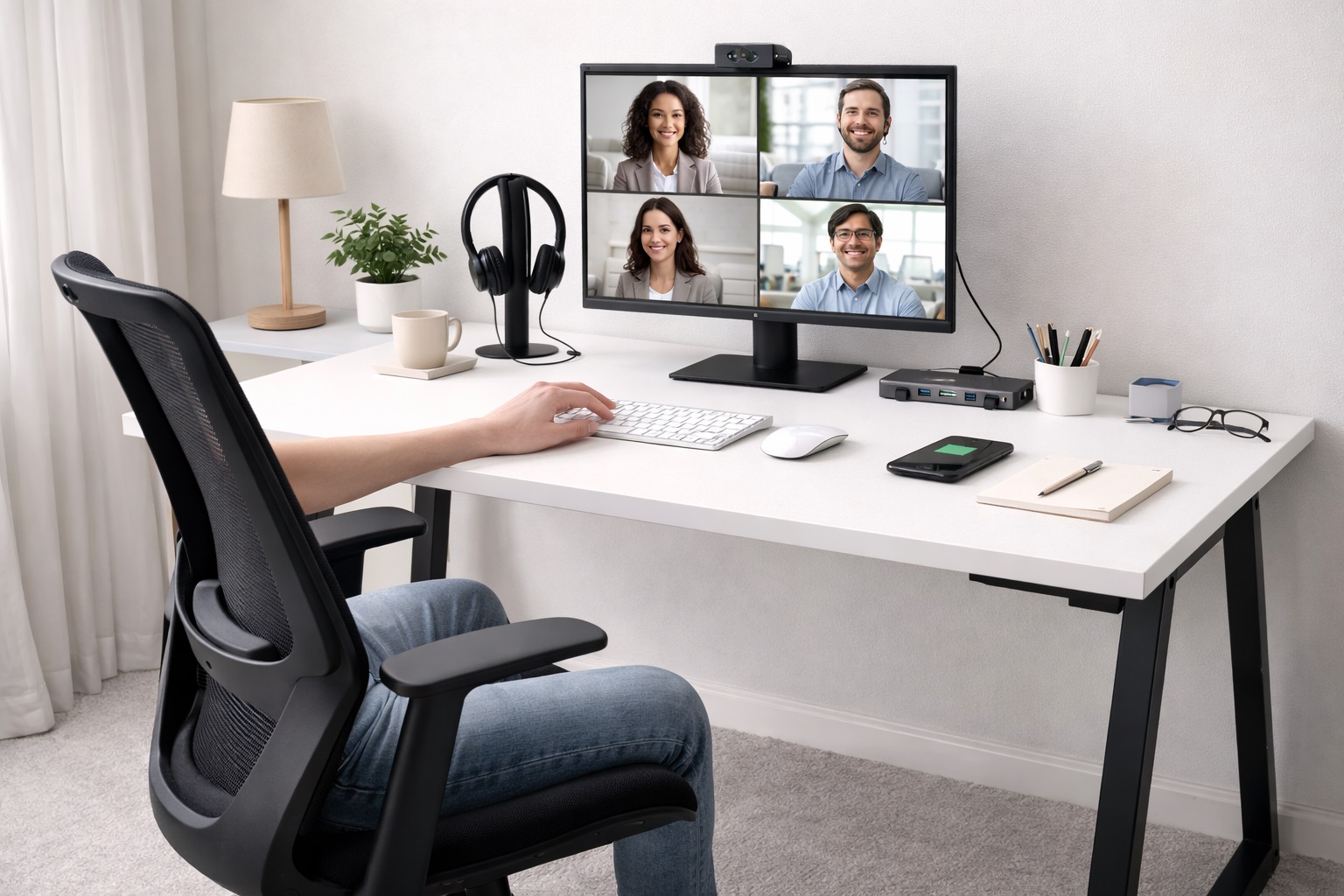
Video call backgrounds have also made desk organization more visible than it used to be. A cluttered desk or a chaotic wall behind a video feed is now something colleagues and clients see regularly, which has quietly raised the bar for how organized a home office needs to look, not just how functional it needs to be. A well-chosen shelf addresses both the practical and visual sides of that equation at once.
Top Picks Reviewed
Each of the four shelf styles below solves the desk-clutter problem differently, with trade-offs around installation effort, desk footprint, and how completely items get removed from the working surface. Match your pick to your actual desk situation and rental status rather than to whichever style looks most polished in photos.
1. Monitor Riser with Lower Shelf – Best Multi-Purpose Desk Shelf
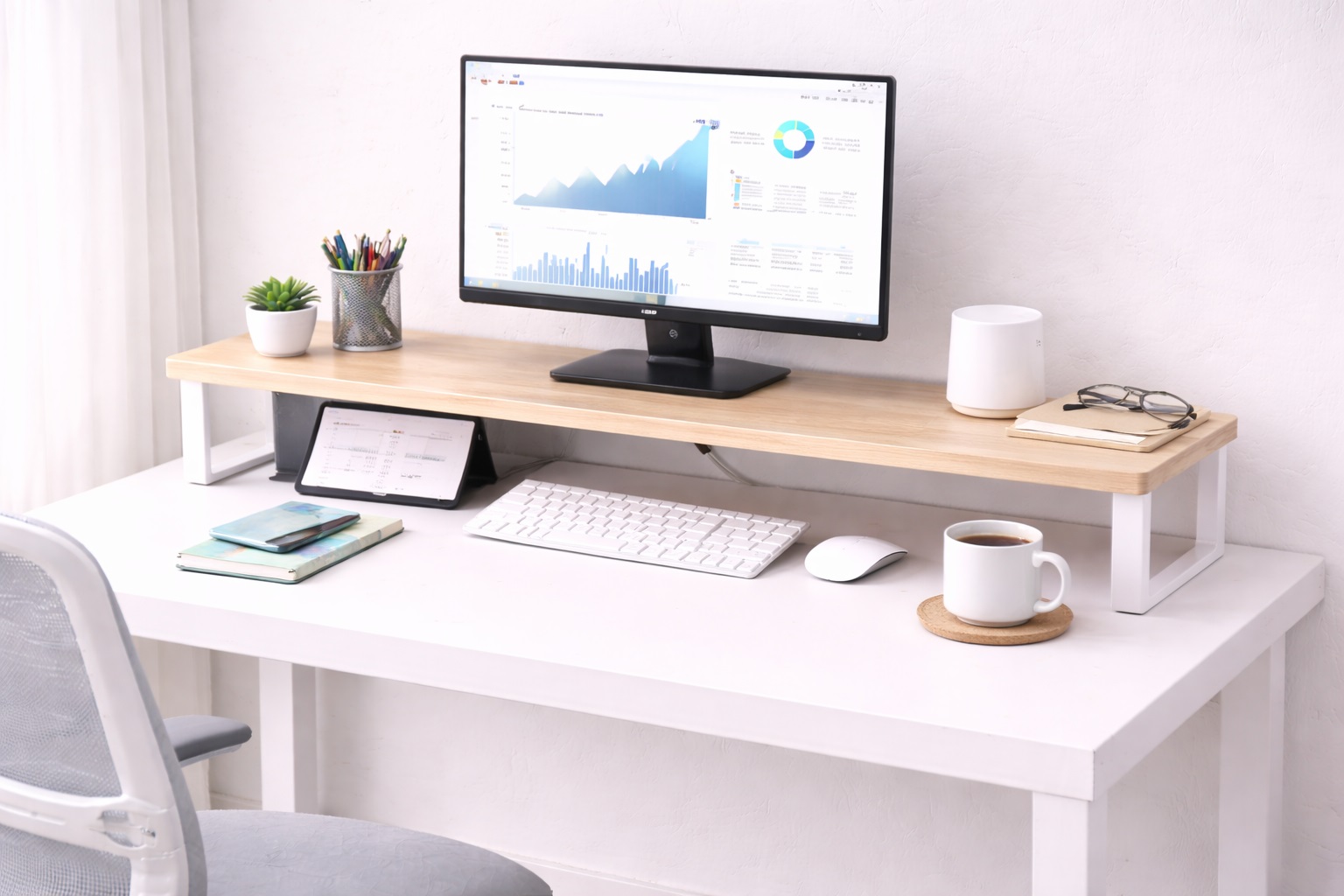
A monitor riser with an integrated lower shelf raises the monitor to eye level while creating a storage space underneath for a keyboard, notebook, or accessories. This single accessory solves two problems simultaneously — ergonomic screen height and additional accessible storage — without requiring two separate purchases or additional desk footprint beyond what the monitor already occupied. Most versions are built from bamboo, MDF, or aluminum, each offering a different balance of weight, durability, and appearance, and the better designs distribute the monitor's weight evenly across the platform to avoid any flex or wobble at the front edge.
Because the storage space sits directly beneath the monitor, items placed there stay within easy reach rather than being relocated somewhere less convenient, which tends to mean the storage actually gets used rather than sitting empty.
- Pros:
- Raises monitor to ergonomic eye-level height
- Creates genuinely useful, easily reachable storage space beneath
- Solves ergonomics and organization in one compact piece
- Available in a range of finishes to match most desk aesthetics
- Cons:
- Fixed height once placed, with no further adjustment
- Occupies a defined footprint on the desk itself
Best For: Home office workers who want correct monitor height and organized under-monitor storage without buying two separate products. It's also a sensible starting point for anyone new to desk organization in general, since it delivers a visible improvement in both posture and tidiness from a single, relatively low-commitment purchase.
Why We Recommend It: Combining two common desk improvements into a single accessory is more efficient than solving them separately, and for most home office setups, this is the single most practical desk shelf format available.
2. Wall-Mounted Floating Desk Shelf – Best for True Desk Space Recovery
A wall-mounted floating shelf positioned above the desk stores monitors, speakers, plants, and decorative items completely off the desk surface, freeing the entire desktop for active working use. Because nothing on the shelf touches the desk itself, this approach recovers more usable desktop area than any other shelf style, at the cost of requiring wall anchors and basic installation tools. The "floating" appearance, achieved through concealed brackets, also gives the shelf a cleaner look than a unit with visible support arms or legs.
Once installed, a floating shelf becomes a permanent fixture of the room rather than something that gets moved or reconfigured casually, which suits a long-term home office setup better than a temporary or frequently changing one.
- Pros:
- Removes items from the desk surface completely
- Creates the cleanest, most open desk working area of any shelf style
- Shelf position is adjustable at the time of installation
- Well suited to a permanent, long-term home office setup
- Cons:
- Requires drilling into the wall for installation
- Shelf height becomes fixed once installed
Best For: Permanent home office users who want the maximum possible desk working surface and are comfortable with a one-time wall installation.
Why We Recommend It: No other shelf format recovers as much usable desktop space, since nothing on a wall-mounted shelf competes with the desk surface at all. The installation effort is a one-time cost for a lasting benefit.
3. Freestanding Desktop Shelf Unit – Best Without Wall Installation
A freestanding desktop shelf unit sits behind the main working area on its own stable base, providing multiple shelf levels for monitors, speakers, plants, and reference materials without any wall installation. This makes it the default choice for renters or anyone who wants to avoid modifying a wall, while still gaining meaningful vertical storage expansion. Many designs also incorporate open-back construction, allowing cables to route through the unit itself rather than draping visibly across the desk.
Because it isn't fixed in place, a freestanding unit can be repositioned or removed entirely as needs change, offering more flexibility than either a riser or a wall-mounted shelf, at the cost of taking up desk footprint that a wall shelf would avoid.
- Pros:
- Requires no wall installation or drilling whatsoever
- Multiple shelf levels provide genuinely organized vertical storage
- Fully repositionable or removable as needs change over time
- Available in a range of widths to match different desk sizes
- Cons:
- Occupies desk footprint at the rear of the working surface
- Generally heavier and bulkier than wall-mounted alternatives
Best For: Renters and anyone who wants organized vertical storage expansion without any permanent wall modification.
Why We Recommend It: For the common situation of not being able to or not wanting to drill into a wall, a freestanding shelf delivers most of the organizational benefit of a wall-mounted unit with none of the installation commitment.
4. Corner Desk Shelf – Best for L-Shaped and Corner Workstations
Designed specifically for the geometry of a corner or L-shaped desk, this shelf style fits into the otherwise awkward corner space that standard rectangular shelves don't use well. It typically offers a wider, angled base that follows the desk's corner shape, turning an area that's often wasted into genuinely useful storage. Because the corner itself is often the least accessible part of an L-shaped desk during active work, dedicating it to shelving rather than trying to use it as working surface tends to be the more practical layout overall.
Because corner desks are common in home offices where space is limited, a shelf built around that specific geometry tends to fit far more naturally than a generic rectangular unit pushed awkwardly into the same space.
- Pros:
- Fits the corner geometry of L-shaped desks precisely
- Converts otherwise underused corner space into functional storage
- Often provides more total shelf area than a rectangular unit in the same footprint
- Complements the layout of common home office corner workstations
- Cons:
- Only suits corner or L-shaped desk configurations
- Fewer style and material options than more common rectangular shelves
Best For: Home office workers with a corner or L-shaped desk who want to make full use of the desk's actual geometry. It's worth prioritizing for anyone who has already tried a standard rectangular shelf in a corner setup and found it left an awkward gap or overhung the desk's angled edge.
Why We Recommend It: A shelf designed specifically for corner desks avoids the awkward fit and wasted space that comes with forcing a standard rectangular shelf into a corner configuration it wasn't built for.
Buying Guide: How to Choose the Best Desk Shelf for Home Office
Use these factors to match a desk shelf to your actual storage needs, desk configuration, and rental situation.
1. Purpose and Specific Items to Store
Before buying a desk shelf, list specifically what you want to store on it. A monitor riser-shelf suits keyboard storage below a raised screen, a wall shelf suits speakers and decorative items, and a freestanding unit suits a broader mix of books and accessories. Matching the shelf format to your actual storage need produces a far more useful result than choosing based on appearance alone, and it's worth walking through your current desk clutter item by item rather than estimating from memory.
2. Monitor Riser Height Relative to Your Eye Level
If buying a monitor riser-shelf, verify the riser height places the screen center at or slightly below your eye level when seated. Most risers stand 4 to 6 inches tall, which suits average seated eye height, but taller users at a fixed-height desk should double-check this achieves genuinely correct ergonomic positioning rather than assuming a standard riser height works universally. A quick measurement of your current seated eye level against your monitor's existing position takes only a minute and avoids a common mismatch.
3. Weight Capacity for Your Actual Items
A monitor, a pair of speakers, and a stack of books add up in weight quickly. Verify the shelf's stated weight capacity comfortably covers everything you plan to place on it, and for wall shelves, confirm the mounting hardware is anchored into wall studs or uses anchors rated for the intended load. Underestimating combined weight is one of the more common reasons a shelf that seemed sturdy in isolation ends up sagging once it's fully loaded.
4. Desk Depth Compatibility
Monitor riser shelves typically take up 10 to 14 inches of desk depth. On a shallow desk under about 20 inches deep, this can leave insufficient working space in front of the riser. Measure your desk's actual depth before ordering any riser-style shelf to avoid this common mismatch, since product photos rarely convey how much depth a given riser actually consumes.
5. Material and Finish
Bamboo is sustainable and resists scratching well. MDF is generally more affordable but heavier and less moisture-resistant. Aluminum is lightweight with a modern look. Metal-frame designs with wood panels suit a wide range of home office aesthetics. Match the finish to your existing desk and room rather than choosing in isolation, since a mismatched material tends to stand out more than most buyers expect once it's actually installed.
6. Wall Mounting Requirements
Wall-mounted shelves require drilling, and the mounting hardware needs to suit your specific wall type — drywall, plaster, or concrete all call for different anchor types. For heavier loads, anchoring into studs is strongly preferred over relying on drywall anchors alone, and a stud finder is a worthwhile small investment before committing to a drilling location.
7. Cable Management Integration
Some monitor riser shelves include cable routing holes or channels that help manage monitor power and video cables cleanly once the screen is elevated. This is a small feature on paper, but it meaningfully reduces the tangle of cables typically visible around an elevated monitor, and it's worth checking for specifically if a clean visual setup matters to you.
8. Width and Desk Coverage
A shelf that spans the full width of your desk creates a single unified storage layer above the working surface, while a narrower shelf serves a more specific zone. Measure your desk's actual width and compare it against available shelf widths before ordering, since a mismatch in either direction undermines the intended organizational benefit and can look unintentionally awkward once installed.
9. Aesthetic Fit With Your Existing Workspace
A desk shelf changes the visual character of a workspace more than most people expect before installing one. Warm bamboo suits a natural aesthetic, black metal frames suit a modern or gaming-oriented setup, and white MDF suits a bright, minimal environment. Choose a finish that complements what's already in the room rather than clashing with it, since a shelf is typically one of the more visually prominent additions to a home office.
10. Stability Under Everyday Desk Use
A shelf holding a monitor or heavier speakers needs to stay stable through normal desk vibration from typing and everyday movement. Rubber feet on riser-style shelves help prevent sliding, wall-mounted shelves are inherently stable once properly anchored, and freestanding units benefit from rubber base pads to eliminate any wobble during typing or when bumped accidentally.
11. Corner or Standard Desk Geometry
Before comparing specific products, confirm whether your desk is a standard rectangular shape or a corner or L-shaped configuration, since this determines whether a standard shelf will fit naturally or whether a corner-specific design is the better match for your actual desk geometry. Forcing a rectangular shelf into a corner desk setup often wastes usable space that a properly shaped corner unit would capture instead.
12. Assembly Complexity Before Ordering
Riser-style and freestanding shelves generally arrive pre-assembled or require only a few minutes of simple setup, while wall-mounted shelves involve measuring, drilling, and leveling in addition to the mounting itself. If a straightforward, low-effort setup matters more to you than the cleanest possible final look, that difference in assembly complexity is worth weighing before ordering rather than after the box arrives.
13. Shelf Depth Versus Item Size
A shelf's listed width is only half the picture — depth determines whether a speaker, plant, or stack of books actually sits securely rather than teetering near the front edge. Compare the shelf's stated depth against your largest intended item, particularly for wall-mounted shelves where an item that's too deep can look precarious even if it technically fits.
14. Multi-Monitor Setups and Riser Width
A riser-style shelf sized for a single monitor often can't comfortably support a dual-monitor arrangement or a monitor plus a laptop stand side by side. If your setup includes more than one screen, check the riser's platform width against your combined equipment footprint rather than assuming a standard riser will accommodate it, since this is a common mismatch that only becomes obvious once the shelf is already in use.
Frequently Asked Questions
1. What is the best way to add storage above my desk?
A wall-mounted floating shelf provides the most storage without using any desk space at all. A monitor riser with a lower shelf solves ergonomics and storage simultaneously, and a freestanding shelf unit is the best option for renters who can't install wall mounts. Many home offices end up combining two of these approaches once the initial clutter is addressed.
2. How high should I mount a floating desk shelf?
The underside of the shelf should sit high enough to clear your monitor comfortably, typically 18 to 24 inches above the desk surface for a standard monitor on an arm or stand. Adjust this based on your actual monitor height rather than a fixed generic number, and consider marking the intended height with tape before drilling to confirm it looks right in practice.
3. Can a desk shelf damage the desk itself?
Freestanding and riser-style shelves generally rest on rubber feet that protect the desk surface from scratches, and wall-mounted shelves don't contact the desk at all. No standard desk shelf design causes permanent damage to the desk when used and installed correctly, though it's worth checking rubber feet periodically for wear on very lightweight or delicate desk finishes.
4. What material is best for a desk shelf?
Bamboo is the most commonly recommended option, since it's durable, sustainable, scratch-resistant, and visually warm. MDF tends to be the most affordable, aluminum is the lightest, and steel-frame designs are typically the most durable for heavier loads. Choose based on whichever of these priorities matters most to you and your specific storage needs.
5. Does a desk shelf actually help with desk organization?
Yes, significantly. Moving monitors, speakers, and reference materials onto a shelf immediately recovers the desk surface area beneath them, and most users report their desk feeling noticeably more organized and spacious after adding a well-matched shelf, often within the first few days of use.
6. Is the most expensive desk shelf always the best choice?
Not necessarily. A higher price often reflects premium materials or additional features, but many mid-range shelves perform just as well for everyday organizational needs. Matching the shelf to your actual storage requirements matters more than chasing the highest price point available.
7. How long should a quality desk shelf last?
A well-built shelf from a reputable manufacturer typically lasts several years or longer with reasonable care, and warranty length is a useful indicator of how confident the manufacturer is in its own materials and construction over that timeframe.
8. Can I return a desk shelf if it doesn't suit my space?
Most retailers offer a return window of roughly 15 to 30 days. Keeping the original packaging during your evaluation period makes returning the shelf straightforward if the size, style, or installation requirements don't end up matching your space as expected.
9. What should I measure before buying a desk shelf?
Measure your desk's depth and width, your monitor's height and weight, and, for wall-mounted options, your wall type and the height you want the shelf positioned at. These measurements cover the majority of fit issues that come up with desk shelves specifically.
10. Does brand name matter when choosing a desk shelf?
Established brands typically offer more reliable warranty support and more consistent quality control across units. Newer or less familiar brands sometimes offer strong value, so reading verified purchase reviews carefully is worthwhile before committing to an unfamiliar name in this category.
11. Can I combine more than one shelf style in the same home office?
Yes — many home offices use a monitor riser-shelf for immediate under-screen storage alongside a wall-mounted or freestanding shelf for additional items further from the desk. Combining styles often produces better overall organization than relying on a single shelf to hold everything a workspace needs.
12. Can I install a wall-mounted shelf without drilling into studs?
For lighter loads, rated drywall anchors can work, but anchoring into studs is meaningfully more secure and strongly recommended for anything holding a monitor or speakers. A stud finder is a small, worthwhile investment before committing to a drilling location.
13. Will a desk shelf work with a standing desk converter?
A freestanding or riser-style shelf can generally sit on top of a standing desk converter's platform as long as combined weight stays within the converter's rated capacity, though a wall-mounted shelf is usually the better pairing since it stays fixed regardless of the converter's height changes.
14. How do I decide between a riser shelf and a wall-mounted shelf?
If your main goal is correcting monitor height, a riser shelf solves that directly. If your main goal is clearing the desk surface as completely as possible, a wall-mounted shelf does more for that specific outcome. Many buyers eventually add both once they've identified which problem bothers them more in daily use.
Final Verdict
- Best Multi-Purpose Desk Shelf: Monitor Riser with Lower Shelf — the most practical two-in-one solution for ergonomics and organization.
- Best for True Desk Space Recovery: Wall-Mounted Floating Desk Shelf — maximum desk surface recovery for a permanent home office.
- Best Without Wall Installation: Freestanding Desktop Shelf Unit — organized storage expansion for renters and flexible setups.
- Best for L-Shaped and Corner Workstations: Corner Desk Shelf — purpose-built storage for corner desk geometry.
The right desk shelf for a home office depends on your specific desk shape, your rental or ownership situation, and exactly what you're trying to move off the working surface. A monitor riser-shelf handles the most common case efficiently, a wall-mounted shelf delivers the cleanest result for a permanent setup, a freestanding unit avoids installation entirely, and a corner shelf makes the most of an L-shaped desk's actual geometry.
If you're not sure where to start, the monitor riser-shelf is the safest default recommendation, since it improves ergonomics immediately while adding storage that stays within easy reach, all without requiring any installation decision. From there, you can add a wall-mounted or freestanding shelf later once you've identified exactly what additional items still need a home outside the desk surface itself.
Whichever style you choose, plan out exactly what will live on each shelf level before installing or placing it, rather than buying first and figuring out the organization afterward. A shelf used with intention tends to stay organized far longer than one that simply becomes a new surface for clutter to accumulate on, which defeats the purpose of the purchase in the first place.
It's also worth revisiting the setup a few weeks after installation rather than assuming the initial arrangement is final. Items you thought you'd use daily sometimes end up rarely touched, while other things you didn't originally plan for turn out to need a home on the shelf. Treating the layout as adjustable in the early weeks, rather than fixed from day one, tends to produce a more genuinely useful long-term result than a rigid plan decided before the shelf even arrived.
Finally, consider how the shelf will interact with lighting in your workspace, particularly for wall-mounted or freestanding units placed behind a monitor. A shelf positioned poorly relative to a window or overhead light can create glare on the screen below it or cast an awkward shadow across the desk, so it's worth testing the placement against your typical working hours before finalizing an installation, especially one that requires drilling and is harder to reposition afterward.