Best Standing Desk Converters for Long Hours: Sustained Comfort Through Every Workday
Spending eight or more hours a day at a desk changes what actually matters in a standing desk converter. A model that feels perfectly fine during a fifteen-minute test at a store can start to reveal weaknesses only after the fourth or fifth hour of real use — a wobble that wasn't noticeable at first, a keyboard tray that's a fraction too high, or a lift mechanism that feels stiffer after months of daily cycles. For remote workers logging full workdays at their desk, these small issues compound in a way they never would for someone using a converter occasionally.
The converters that hold up best for long sessions tend to share a few traits: a stable platform that doesn't flex under sustained typing, an adjustment mechanism smooth enough that you'll actually use it multiple times a day rather than locking into one position out of inertia, and enough workspace to hold a full setup without cramping. None of that shows up in a quick specification comparison — it only becomes clear through extended use, which is exactly what this category is built around.
There's also a psychological component worth acknowledging. A converter that's genuinely pleasant to adjust gets used the way it was designed to be used — several times throughout a long day. One that feels like a minor chore, even a small one, tends to get used once in the morning and then left alone, which quietly defeats the entire purpose of buying it in the first place.
This guide compares the converter styles best suited to full workdays, followed by a detailed buying framework focused specifically on sustained comfort rather than one-time convenience, and a set of frequently asked questions from people managing long desk sessions. The goal is to help you separate a converter that looks good on paper from one that will still feel good after the two-hundredth adjustment.
Fatigue during long desk sessions rarely comes from a single cause. It's usually a combination of staying in one position too long, a monitor or keyboard sitting at a slightly wrong height, and standing directly on a hard floor without any cushioning underfoot. A well-chosen converter addresses the position and height parts of that equation directly, but it works best as part of a broader routine rather than as a standalone fix.
It also helps to think about the cumulative nature of long-hours use. A small height mismatch or a slightly stiff adjustment mechanism might be barely noticeable during the first week, but repeated day after day across months of full-time remote work, those small frictions add up into genuine discomfort or into a converter that quietly gets used less and less until it's effectively abandoned.
It's also worth acknowledging that no converter eliminates fatigue entirely — the goal for long sessions is to manage it, not remove it. Movement variety throughout the day, correct height positioning, and supporting habits like an anti-fatigue mat all contribute, and the converter is the piece of hardware that makes the movement variety part practical in the first place.
Durability deserves more weight in this category than in almost any other converter comparison. A unit adjusted once or twice a day for occasional use faces a fraction of the mechanical stress that the same converter experiences when it's raised and lowered five or six times daily, week after week, for someone managing a genuinely long workday. Reviews and specifications that don't distinguish between these two use cases can be misleading if you don't read past the headline rating.
Top Picks Reviewed
The four options below were chosen specifically for how they perform across a full workday rather than in a brief demo. Each one solves the long-session problem from a slightly different angle — mechanism stability, keyboard positioning, adjustment convenience, or built-in fatigue management — so match your pick to which of those matters most for your own daily routine.
1. Z-Lift Standing Desk Converter – Best for All-Day Stability
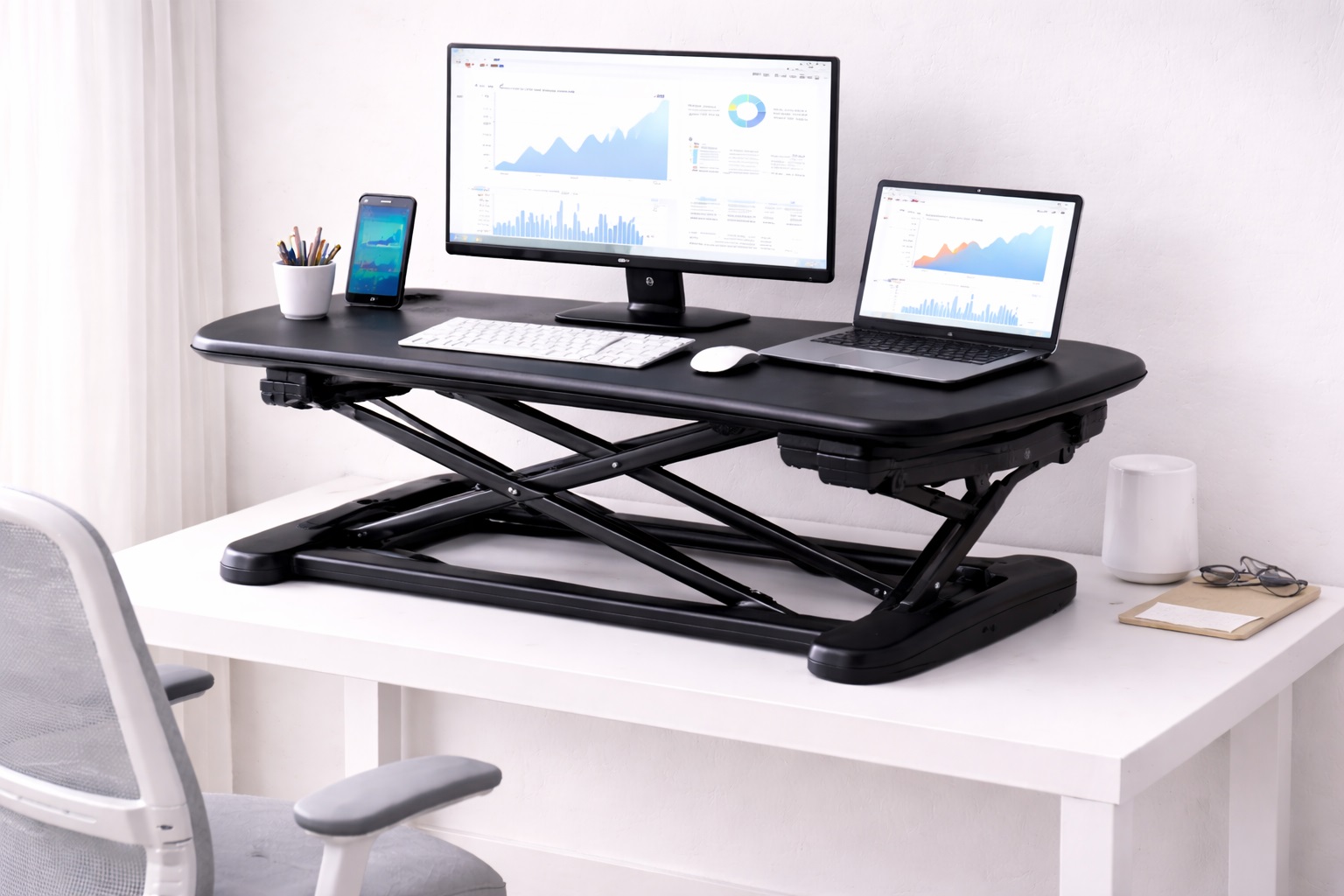
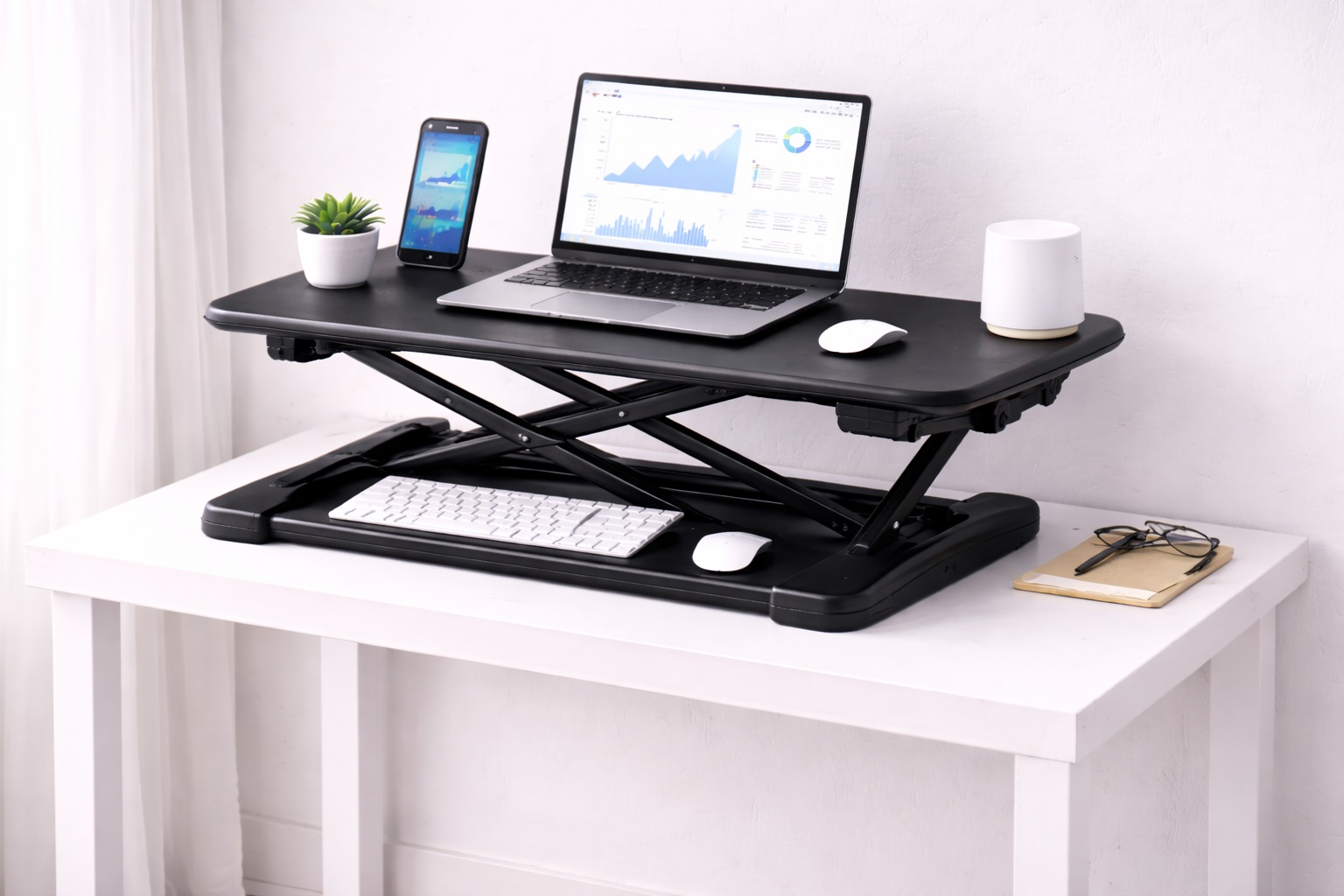
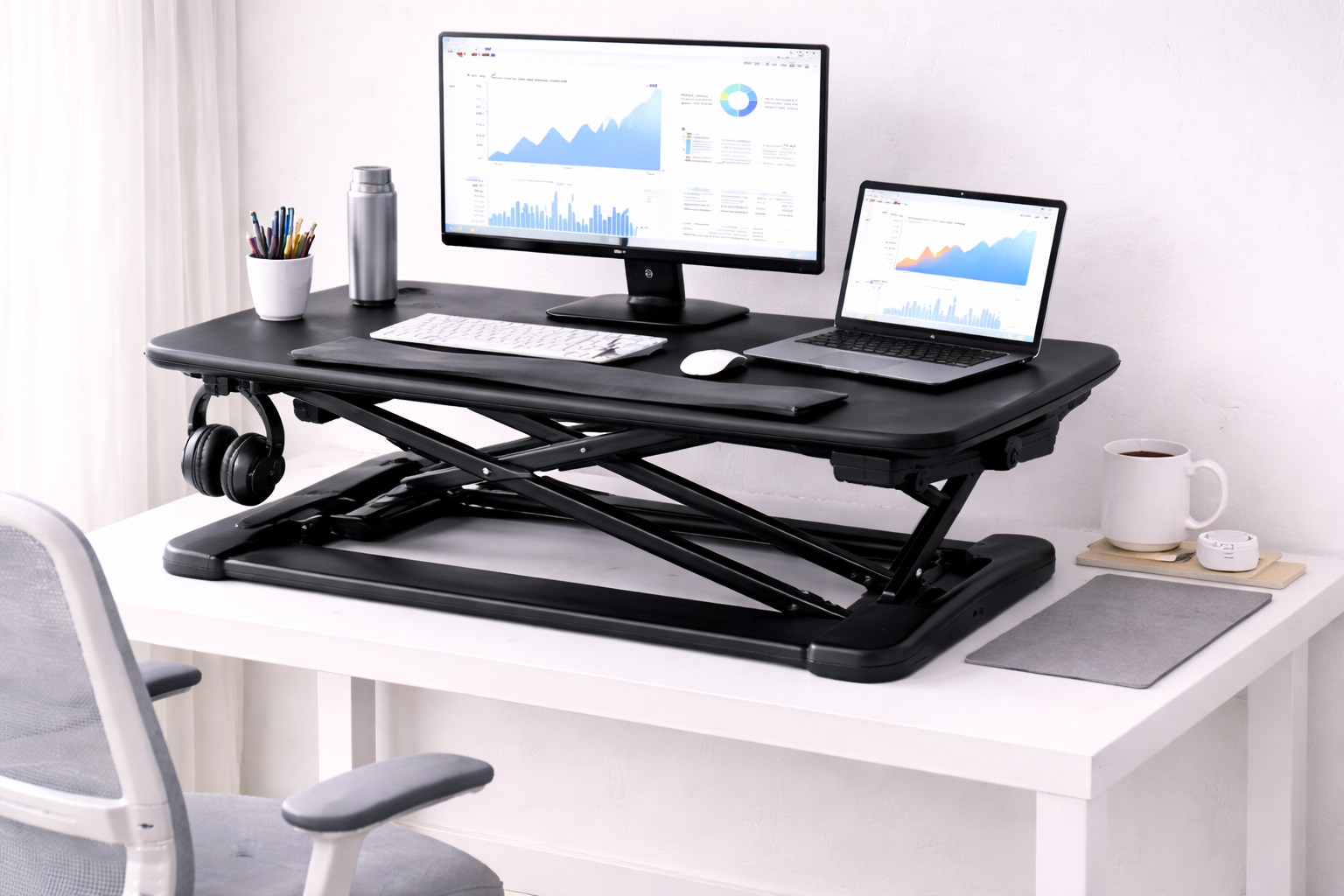
Z-lift converters use a scissor mechanism that raises the monitor and keyboard together with a single handle or lever, and the better-built versions in this category are specifically braced to resist flex during sustained typing rather than just static weight-bearing. That distinction matters over an eight-hour day, since a platform that holds steady when a monitor sits on it can still wobble under the repeated impact of continuous keystrokes. Gas-spring-assisted models keep the physical effort of adjustment low enough that switching positions multiple times a day stays realistic rather than becoming a chore, which is exactly the behavior a long-hours converter is supposed to encourage rather than discourage through friction.
Because the entire workspace moves as one unit, the relationship between monitor height and keyboard height stays consistent through every adjustment, which removes one more variable from a long day of repeated position changes. Over the course of hundreds of adjustments across a working year, that consistency matters more than it might seem during a first impression, since drift between the two surfaces would otherwise accumulate into a genuine posture problem.
- Pros:
- Braced scissor mechanism resists flex during sustained typing
- Single-handle or gas-spring adjustment stays easy through repeated daily use
- Monitor and keyboard height relationship stays consistent every time
- Enough surface area for a full single-monitor workday setup
- Cons:
- Reduces desk space in the sitting position due to the converter's footprint
- Not quite as rigid at full height as a purpose-built standing desk
Best For: Remote workers who need a converter that stays stable through full eight-hour days of continuous typing and regular height changes.
Why We Recommend It: Stability under real, sustained use is the single most important trait for long-hour work, and a well-braced Z-lift design delivers exactly that without requiring a full standing desk replacement.
2. Fixed-Height Converter with Keyboard Tray – Best for Sustained Standing Sessions
A fixed-height converter permanently sets the monitor at standing eye level and pairs it with a separate keyboard tray at correct typing height. Because there's no lift mechanism to cycle through repeatedly, there's also nothing to loosen or wear out over months of daily use — a meaningful advantage for anyone standing for the majority of a long workday rather than switching positions frequently.
This design trades flexibility for durability. It won't lower to a seated position, but the simplicity of a fixed platform tends to produce fewer long-term stability complaints than adjustable alternatives, since there's simply less mechanically that can degrade. For someone who has already decided their long workday will be spent mostly upright, that trade is usually a favorable one rather than a genuine sacrifice.
- Pros:
- No adjustment mechanism to wear out over sustained daily use
- Separate keyboard tray at correct typing height reduces wrist fatigue
- Structurally simpler, which tends to mean steadier long-term performance
- Generally more affordable than fully adjustable designs
- Cons:
- Cannot lower to a seated working position
- Requires a stool for occasional seated breaks
Best For: Workers who stand for most of their long workday and want a platform built specifically for sustained, not occasional, standing use.
Why We Recommend It: For people who've already committed to standing most of the day, removing the adjustment mechanism entirely removes the one component most likely to degrade under the heaviest, most repetitive use case in this whole category.
3. Electric Standing Desk Converter – Best for Frequent Position Changes
Electric converters use a motor to move the platform at the press of a button, with programmable presets for sitting and standing heights. Over a long workday, the ease of motorized adjustment tends to translate directly into more frequent position changes, since there's no physical effort standing between you and switching — a meaningful benefit when the entire point of a converter for long hours is encouraging regular movement.
Most models include anti-collision sensors that halt the motor if it meets an obstruction, and the saved height presets mean every transition returns to the exact same measured position rather than drifting slightly with each manual adjustment. Across a long workday with several transitions, that consistency also means you never have to re-check or nudge the height back into place after switching positions.
- Pros:
- Button-press adjustment removes the friction that discourages frequent transitions
- Saved presets return to exact heights every time, all day long
- No manual lifting effort required, even on the fifth or sixth transition of the day
- Anti-collision sensors add a safety layer during repeated use
- Cons:
- Higher cost than manual alternatives at a similar size
- Requires a nearby power outlet for the motor
Best For: Professionals who want to change position many times throughout a long workday without the adjustment itself becoming tiring.
Why We Recommend It: The biggest risk with long desk sessions is staying locked in one position simply because switching feels like effort. Electric adjustment removes that barrier entirely, which is exactly the behavior change a long-hours converter should encourage.
4. Converter with Integrated Anti-Fatigue Mat – Best for Extended Standing Comfort
This style pairs a standard lift mechanism with a matched anti-fatigue mat sized and positioned specifically for the converter's footprint, addressing the standing-surface half of the fatigue equation that a converter alone doesn't solve. For long sessions where standing time adds up over the course of a full day, the cushioned surface underfoot often matters as much as the monitor and keyboard height above it.
Buying the mat as part of a matched set also avoids the common mismatch problem of a generic mat that's either too small for the converter's footprint or positioned awkwardly relative to where you actually stand while typing. Getting this pairing right from the start removes one more decision from the setup process and one more opportunity for a mismatch to quietly undermine an otherwise solid converter choice.
- Pros:
- Anti-fatigue mat sized and positioned specifically for the converter's footprint
- Addresses foot and leg fatigue directly rather than as an afterthought purchase
- Reduces the risk of buying a mismatched standalone mat later
- Encourages longer, more comfortable standing sessions
- Cons:
- Bundled mat adds to the overall footprint and cost compared to the converter alone
- Mat still requires occasional cleaning and eventually replacement
Best For: Workers who plan to stand for extended stretches and want the fatigue-management half of the setup solved from day one.
Why We Recommend It: Long-hour standing discomfort often starts in the feet and legs before it ever reaches the neck or wrists, and a converter bundled with a properly sized mat addresses that reality directly instead of leaving it as a separate purchase people forget to make.
Buying Guide: How to Choose the Best Standing Desk Converter for Long Hours
Use these factors to evaluate converters specifically for sustained, full-workday use rather than occasional or short-session use.
1. Stability Under Sustained Typing
A converter that holds steady when a monitor simply sits on it can still flex noticeably under hours of continuous keystrokes. Look for reviews that specifically mention long-session or full-workday use rather than initial unboxing impressions, since stability issues under sustained load often take days or weeks of use to surface. A platform that feels rock-solid during a five-minute store test can still develop a noticeable wobble once it's been through hundreds of real height adjustments.
2. Adjustment Mechanism Durability
A converter used for long hours goes through far more height-adjustment cycles over its lifetime than one used occasionally. Gas springs and lift mechanisms rated for higher cycle counts tend to hold their smoothness longer, so check for any stated cycle rating or long-term durability feedback rather than assuming all mechanisms wear at the same rate. If a listing doesn't mention cycle ratings at all, treat that as a gap worth investigating through reviews rather than a neutral omission.
3. Full Height Range for Repeated Transitions
The converter's adjustment range needs to comfortably span your seated and standing eye levels — typically 12 to 16 inches for most adults — with enough margin that repeated daily transitions don't require awkward compromises at either end of the range. A range that just barely covers your measurements on paper often feels tighter in practice once you're making the adjustment several times a day rather than once.
4. Keyboard Tray for Extended Typing Sessions
Wrist strain accumulates gradually over long sessions, making a properly positioned keyboard tray more important here than for occasional use. A tray set at elbow height keeps wrists neutral through hours of continuous typing, while a keyboard sitting at monitor height encourages wrist extension that becomes uncomfortable well before the end of a full day. This is one of the areas where a small ergonomic shortfall compounds the most over a long session.
5. Adequate Workspace for a Full Workday Setup
Long sessions often mean a fuller desk setup — notebook, phone, water bottle, secondary monitor — in addition to the core monitor, keyboard, and mouse. Measure your actual full-day footprint rather than the bare minimum, since a converter that's technically wide enough for the essentials can feel cramped across an entire workday. Account for anything you tend to keep within arm's reach during a typical long session rather than just the core equipment.
6. Weight Capacity With Margin for Long-Term Wear
Confirm the converter's rated weight capacity comfortably exceeds your actual equipment weight, since components under sustained load near their rated maximum tend to show wear faster than those with margin to spare. This matters more for long-hours use than for occasional use, where the equivalent stress accumulates far more slowly, so build in a genuine safety margin rather than choosing the minimum rating that technically covers your setup.
7. Anti-Fatigue Mat as a Required Companion
For anyone standing more than short stretches during a long workday, a cushioned mat is not optional — foot and leg fatigue from a hard floor accumulates well before any monitor or keyboard issue becomes noticeable. Budget for a mat alongside the converter rather than treating it as a later add-on, since skipping this step is a common reason people abandon a standing routine within the first few weeks despite otherwise solid hardware.
8. Cable Slack Through Frequent Height Changes
Converters used many times a day put more repeated stress on connected cables than one adjusted rarely. Build in generous slack — roughly 15 to 20 centimeters beyond the minimum needed — and consider a cable management sleeve to prevent repeated flexing from working a connector loose over months of daily cycles. A little extra attention here early on avoids a surprisingly common source of disconnected peripherals down the line.
9. Desk and Combined Weight Compatibility
Since the converter sits on top of an existing desk for the full duration of every workday, confirm the desk's own weight rating comfortably supports the converter plus a full day's equipment load, and that the converter's base footprint fits the desk without overhanging the edges. Older or lighter desks not originally built for a monitor and converter combination are worth double-checking specifically.
10. Warranty Length as a Durability Signal
A converter used for long daily sessions accumulates wear faster than one used occasionally, making warranty length a more meaningful signal here than in lighter-use categories. A longer warranty on the lift mechanism specifically suggests the manufacturer expects the hardware to hold up under sustained daily cycling, which is a more useful data point than a warranty covering only the frame and surface.
11. Noise Level During Repeated Adjustment
Electric and gas-assisted mechanisms vary in how much noise they produce during adjustment, which matters more when you're transitioning multiple times a day in a shared home office or open workspace. Check reviews for noise-specific feedback if quiet operation matters for your environment, particularly if you're on frequent video calls where a loud motor could be picked up by a microphone.
Frequently Asked Questions
1. Is a standing desk converter for long hours different from a standard converter?
Not in basic mechanism, but the best options for long hours are built and rated for higher cycle counts and sustained stability under continuous typing, which matters less for occasional use. Prioritizing durability feedback over headline features makes more sense for full-workday use, since a converter that looks identical on a spec sheet can perform very differently after months of daily cycling.
2. How often should I change position during a long workday?
A commonly cited guideline is switching roughly every 30 to 60 minutes rather than maximizing total standing time. Over an eight-hour day, that works out to several transitions, which is exactly why adjustment ease matters so much for long-hours converters specifically — a mechanism that's a chore to use tends to get used only once or twice rather than the several times a day it's meant for.
3. Will standing for long hours eliminate desk-related fatigue entirely?
No single piece of hardware eliminates fatigue completely. A converter manages fatigue by enabling regular position changes and correct height positioning, but it works best alongside supporting habits like an anti-fatigue mat and scheduled movement breaks throughout the day, none of which the hardware itself can enforce on its own.
4. Do I need an anti-fatigue mat if I mostly sit during long hours?
If most of your day is seated with only brief standing intervals, a mat matters less. But if you plan to stand for extended stretches as part of managing a long workday, a mat becomes close to essential rather than optional, since foot and leg fatigue from a hard floor tends to surface faster than most people expect.
5. What weight can a long-hours standing desk converter typically support?
Most models support between 15 and 35 pounds, covering a standard monitor, keyboard, mouse, and accessories. For long-hours use specifically, choosing a converter with capacity well above your actual equipment weight helps the mechanism hold up better over sustained daily cycling rather than operating near its stated limit every day.
6. Does a more expensive converter last longer under daily long-hours use?
Not automatically, though higher-priced models sometimes use more durable components rated for higher cycle counts. Checking for stated durability ratings or long-term user feedback is more reliable than assuming price alone predicts longevity, especially for a converter that will see daily use for years.
7. How long should a converter used for long daily hours last?
A well-built unit typically holds up for three to five years under daily long-hours use, sometimes longer with careful maintenance. Because the mechanism cycles far more often than in occasional-use scenarios, checking fasteners periodically and keeping the lift mechanism free of dust helps maintain that lifespan.
8. Can I return a converter if it doesn't hold up under my daily routine?
Most retailers offer a 15- to 30-day return window. Since stability issues under sustained use often only appear after several days of real long-hours use, it's worth testing the converter under your actual daily routine as early as possible within that window rather than waiting until it's about to close.
9. What should I prioritize first for a long-hours setup?
Start with stability under sustained typing and adjustment durability, since those matter far more for full-workday use than for occasional use. Workspace area and keyboard tray positioning come next, followed by anti-fatigue mat compatibility, in roughly that order of daily impact.
10. Does brand reputation matter more for long-hours use?
Somewhat, since established brands with strong warranty support are more likely to hold up under the higher cycle counts that come with daily long-hours use. Reading reviews that specifically mention months of continuous use is more useful than general star ratings, which often reflect first-impression satisfaction rather than long-term durability.
11. Can I upgrade a standard converter setup for long-hours use later?
Yes — adding an anti-fatigue mat, improving cable management, or swapping in a separate keyboard tray can meaningfully improve comfort on an existing converter without replacing the whole unit, provided the base mechanism itself is already stable and hasn't developed a wobble from prior use.
Final Verdict
- Best for All-Day Stability: Z-Lift Standing Desk Converter — a braced mechanism built to resist flex through full workdays.
- Best for Sustained Standing Sessions: Fixed-Height Converter with Keyboard Tray — no adjustment mechanism to wear out under heavy daily use.
- Best for Frequent Position Changes: Electric Standing Desk Converter — effortless transitions that encourage regular movement.
- Best for Extended Standing Comfort: Converter with Integrated Anti-Fatigue Mat — fatigue management built in from day one.
The right standing desk converter for long hours depends on which part of a full workday concerns you most — mechanical stability, sustained standing comfort, or simply making frequent position changes easy enough that you'll actually do them. Someone spending most of a long day standing benefits most from the fixed-height or mat-equipped options, while someone who wants to alternate positions often should lean toward the electric or braced Z-lift designs.
Whichever converter you choose, give it a genuine multi-week trial under your actual daily routine before judging it. Stability issues, keyboard height mismatches, and adjustment fatigue often only become apparent after repeated real use, not during a brief first impression. Pair the converter with a proper anti-fatigue mat and a habit of changing position regularly, and it should hold up as a genuine improvement across every long workday rather than just the first one.
If you're weighing more than one of these picks, think about which failure mode worries you most over a year of daily use — a wobble developing in the lift mechanism, wrist strain from a mismatched keyboard height, or simply falling back into sitting all day because switching position feels like too much effort. Whichever risk feels most likely for your own habits should point you toward the corresponding pick above, since long-hours comfort is ultimately about removing the specific friction that would otherwise undo the benefit of having a converter at all.