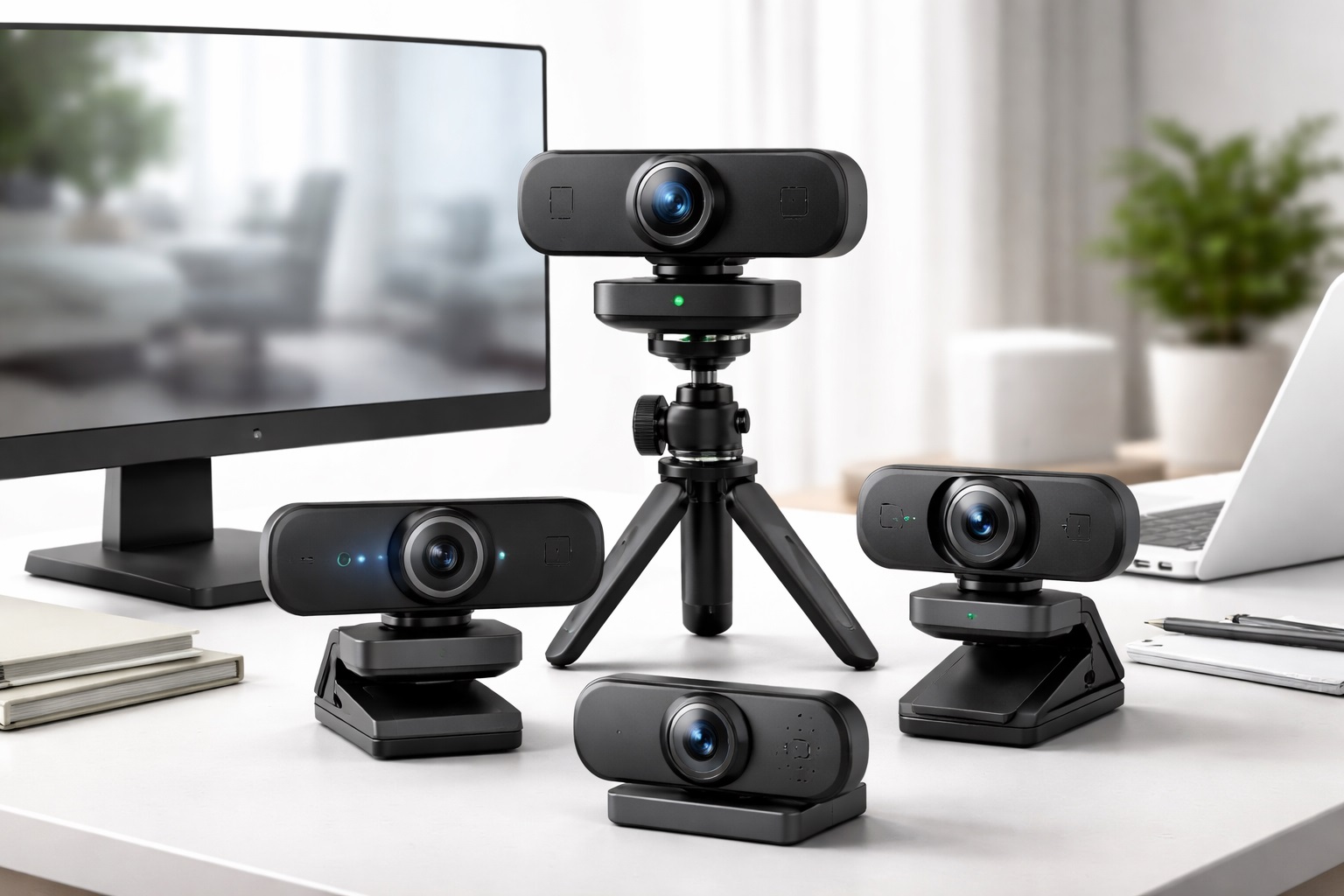
Best Budget Webcams: Sharp Video Quality Without Breaking the Budget
A laptop's built-in camera is designed around thinness first and image quality a distant second, which is why even a modest dedicated webcam tends to look noticeably better on a call than the camera already sitting above the screen. The sensor in a laptop lid is small, the lens is fixed, and the placement is chosen to fit the hinge design rather than to flatter the person using it. A separate webcam, even an inexpensive one, generally uses a larger sensor and a purpose-built lens, and the difference shows up immediately in color, sharpness, and how the camera handles anything other than perfect lighting.
Positioning also plays a role that's easy to overlook. A laptop camera sits at whatever height the screen happens to be open to, which is often below eye level and produces an unflattering upward angle. A separate webcam mounted on top of an external monitor, or on its own small stand, can be positioned at genuine eye level regardless of laptop screen angle, which improves the camera angle independently of any sensor or lens upgrade a buyer might otherwise chase.
The budget webcam category has matured considerably, to the point where features once reserved for pricier models — reliable autofocus, automatic light correction, physical privacy shutters — now show up regularly at accessible price points. That said, quality still varies meaningfully between models, and the areas where budget webcams most often fall short, particularly low-light performance and microphone quality, are worth understanding before choosing one.
This is also a category where a small amount of upfront research goes further than in more standardized product types. A monitor's resolution is a fixed, easily comparable number, but a webcam's actual image quality depends on sensor size, lens quality, and image processing working together in ways that don't always show up clearly in a spec sheet. Reading a handful of reviews that describe actual call experiences, rather than relying purely on listed specifications, tends to be the more reliable way to judge a specific model before committing to a purchase.
This guide compares the most practical budget webcam styles, breaks down what each one solves particularly well, and walks through the buying factors that make the biggest difference in daily video call quality without requiring a premium budget. None of the picks below demand any special setup beyond a spare USB port and a few minutes of adjustment.
It's worth separating the improvements that genuinely change how a call looks from the ones that mostly show up in a spec sheet without much practical difference. Resolution matters, lighting matters enormously, and a stable mount matters more than most buyers expect, while a slightly higher frame rate or a marginally wider lens rarely changes the actual experience of a typical video call. Knowing which specs to weigh heavily and which to treat as a minor bonus makes comparing specific listings much faster and far less overwhelming.
Reviews are especially useful in this category, since manufacturing consistency and firmware quality vary more between budget webcam brands than resolution numbers alone would suggest. Two webcams with identical listed specifications can behave quite differently once autofocus, exposure handling, and low-light performance are tested in an actual room rather than a manufacturer's studio photo taken under ideal conditions.
Top 4 Budget Webcams (Detailed Reviews)
Each of these four webcams addresses a different part of the video call experience — overall everyday image quality, physical privacy, difficult lighting conditions, and wider framing for group calls or presentations. Considering which of these actually matters most for a specific daily routine, rather than assuming one webcam covers every use case equally well, leads to a more satisfying purchase. It's also entirely reasonable to weigh two of these traits together, such as someone who wants both a privacy shutter and reliable low-light performance for evening calls.
1. 1080p Plug-and-Play Budget Webcam – Best Overall Budget Pick
A 1080p webcam at an accessible price point delivers a meaningful image quality improvement over nearly every built-in laptop camera on the market. The better models in this category include autofocus, automatic light correction, and a built-in microphone, all running through a single USB connection that works without installing separate drivers on Windows or macOS.
This style also tends to be the most widely reviewed and compared category of budget webcam, simply because it covers the broadest range of everyday use cases. That popularity makes it easier to find detailed, long-term reviews before buying compared to more specialized styles with a smaller pool of feedback to draw from.
The resolution jump from a typical laptop camera to a dedicated 1080p sensor is the single biggest visible improvement in this category, more noticeable to other call participants than any other single spec. Autofocus adds a second layer of improvement on top of that, keeping the image sharp even when leaning closer to the screen or shifting position during a longer conversation, which a fixed-focus camera can't always manage smoothly.
Automatic light correction, sometimes called auto exposure adjustment, is the third piece of this combination, and it's what keeps the picture looking reasonable as natural light shifts throughout the day rather than requiring a manual settings change every time the room brightens or dims. Together, these three features cover most of what a typical remote worker or student actually needs from a webcam without paying for anything more specialized.
- Pros:
- 1080p resolution delivers a clear, noticeable upgrade over laptop cameras
- Autofocus keeps the image sharp during natural movement
- Automatic light correction adapts to typical indoor lighting
- Plug-and-play USB connection with no driver installation needed
- Cons:
- Low-light performance is noticeably weaker than in pricier models
- Built-in microphone quality is basic compared to a dedicated USB microphone
Best For: Remote workers and students who want a substantial video quality upgrade over a laptop camera without a significant financial outlay or added complexity.
Why We Recommend It: The jump from a built-in laptop camera to a dedicated 1080p webcam is immediately obvious to anyone on the other end of a call, and this style delivers that improvement reliably even at an accessible price point.
2. Budget Webcam With Privacy Shutter – Best for Privacy-Conscious Users
A budget webcam with a physical privacy shutter includes a small sliding cover built directly into the housing that physically blocks the lens when the camera isn't in use. This provides a level of certainty that no software toggle can match, since a shutter closed over the lens works regardless of what any application or operating system setting claims about camera access.
This matters more than it might initially seem, since a growing number of applications request camera access as part of routine background processes, and it's not always obvious from an operating system's settings menu exactly which applications currently have that access. A physical shutter sidesteps that uncertainty entirely rather than requiring a periodic manual audit of camera permissions.
This feature has become increasingly common even at accessible price points, meaning the choice between privacy and image quality isn't the trade-off it once was. Most models combine the shutter with the same 1080p sensor and autofocus found in non-shutter versions, so there's little compromise involved in choosing this style over a standard budget webcam.
For households with children, roommates, or anyone else who might use a shared computer, a physical shutter also removes any ambiguity about whether the camera is active, since there's no setting to check or software indicator to trust. Sliding the shutter closed is a visible, tactile action rather than a status icon that could be misread or overlooked in a busy household.
- Pros:
- Physical shutter provides guaranteed camera privacy with no software involved
- Still delivers solid 1080p video quality for everyday calls
- Simple clip mount for straightforward monitor-top placement
- No meaningful compromise compared to a non-shutter model at the same price
- Cons:
- The shutter housing adds slightly more bulk than a minimalist webcam
- Some lower-end models in this category have less refined autofocus
Best For: Privacy-conscious users, shared household computers, and anyone who wants absolute certainty that the camera is inactive between calls or meetings.
Why We Recommend It: A physical shutter is the only reliably trustworthy way to guarantee a webcam isn't capturing video, and getting that assurance no longer requires paying a premium over a standard budget webcam.
3. Budget Webcam With Ring Light – Best for Low-Light Environments
A budget webcam with a built-in ring light addresses the single most common weakness in this price category directly: poor or inconsistent lighting. The integrated ring surrounds the lens with adjustable illumination, providing even, front-facing light regardless of the room's actual lighting conditions, which noticeably improves appearance during evening calls or in rooms without good natural light.
This style also removes the guesswork of positioning a separate light source at the correct angle, since the illumination originates from directly around the lens itself. That fixed relationship between light and camera means the lighting stays consistent no matter how the webcam or desk setup is rearranged later.
Because lighting affects perceived image quality more than sensor resolution in most everyday conditions, this feature often produces a bigger visible improvement than upgrading to a higher resolution alone would. Most models allow the brightness to be adjusted to a comfortable level, avoiding the harsh, washed-out look that a fixed-brightness ring light can sometimes produce.
This style also removes a step that many people never get around to otherwise — buying and positioning a separate light source. A standalone ring light or desk lamp aimed correctly can achieve a similar result, but it requires extra setup and desk space that an integrated version handles automatically the moment the webcam is turned on.
- Pros:
- Built-in light noticeably improves video quality in dim or mixed lighting
- Removes the need for a separate ring light purchase
- Combines lighting and camera into a single, simple setup
- Adjustable brightness on most models avoids an overexposed look
- Cons:
- Larger overall housing than a standard webcam due to the ring light
- The light can generate some warmth during longer sessions
Best For: Home workers and students who regularly take calls in rooms with poor, inconsistent, or unflattering lighting throughout the day.
Why We Recommend It: Lighting is the dominant factor in how good or poor a webcam looks on an actual call, and addressing it directly with an integrated light produces a more visible improvement than most lens or sensor upgrades at this price point.
4. Budget Webcam With Wide Field of View – Best for Group Calls or Presentations
A wide field-of-view webcam captures a broader horizontal frame than a standard model, which matters when more than one person needs to appear on camera or when a presenter needs to show a whiteboard, product, or workspace alongside themselves. Standard budget webcams are tuned for a single person framed fairly tightly, while this style trades some of that tight framing for a noticeably wider view.
This makes it a natural fit for small conference rooms or shared home office setups where two or three people occasionally join the same call from one device, a situation that a standard-angle webcam handles poorly by cropping people out of frame or forcing everyone to crowd unnaturally close to the desk.
The wider angle does mean more of the background becomes visible, which is worth considering for anyone with a cluttered or distracting space behind them, since a wide field of view shows considerably more of the room than a standard-angle webcam would. For group settings or presentation use specifically, though, that wider capture is exactly the point rather than a drawback.
Some models in this category also offer a digital zoom or crop mode, letting the same webcam switch between a wide group shot and a tighter single-person frame depending on the situation. That flexibility makes it a reasonable single purchase for anyone whose calls sometimes involve one person and sometimes involve a small group sharing the same desk, avoiding the need to own two separate webcams for two different scenarios.
- Pros:
- Wider frame comfortably fits multiple people or a broader workspace
- Useful for showing presentations, whiteboards, or physical products on camera
- Still delivers 1080p resolution in most models at this price point
- Simple mounting options similar to standard budget webcams
- Cons:
- Shows more background than a standard-angle webcam, which can be distracting
- Not the ideal choice for a single, tightly framed professional headshot look
Best For: Small teams sharing one camera, presenters showing physical materials, or anyone whose calls regularly involve more than one person on screen at once.
Why We Recommend It: A wider field of view solves a framing problem that a standard webcam simply can't, making it the right specialized pick for group or presentation-focused video calls rather than solo, single-person conversations.
Buying Guide: How to Choose the Best Budget Webcam
A handful of specifications matter more than the rest when shopping in the budget category, since quality control and feature sets vary more widely here than among premium webcams. Working through them roughly in order tends to narrow the field quickly before getting lost comparing individual product listings side by side.
1. Resolution: 1080p Versus 720p
At accessible price points, 1080p delivers noticeably sharper video than 720p, and most video call platforms support it without issue. Since 1080p models are widely available at similar prices to 720p-only options, there's rarely a good reason to settle for the lower resolution unless the price difference is unusually large.
2. Autofocus Quality
Autofocus performance varies meaningfully across budget models. A fixed-focus camera works fine at one consistent distance but can blur noticeably when leaning closer or sitting back. Reading reviews that specifically mention autofocus behavior is worth doing for anyone who moves around during calls rather than sitting perfectly still.
3. Low-Light Performance
This is where budget webcams most consistently show their price point. For a workspace with variable or generally poor lighting, prioritizing a model with an integrated light, or checking reviews specifically for low-light performance, avoids a disappointing result after purchase and an unwanted second purchase later.
4. Built-In Microphone Quality
Budget webcam microphones are generally fine for casual, everyday calls but rarely match a dedicated USB microphone. For frequent professional calls where audio quality matters more, pairing a budget webcam with a separate microphone produces a noticeably better combined result than either alone.
5. Field of View
Most budget webcams offer a moderate field of view suited to a single person on camera. A wider-angle model shows more background and fits more people in frame, which is useful for group settings but can be less flattering for a cluttered or busy background behind the desk.
6. Clip Mount Compatibility
Checking that the included clip mount fits the actual monitor matters more than it might seem, since ultra-thin monitors and curved displays sometimes cause fit issues with a standard clip design. Reading reviews from users with similar monitor types helps confirm compatibility before ordering.
7. Plug-and-Play Compatibility
Most budget webcams work without installing separate drivers on common operating systems. Confirming compatibility with a specific operating system version and video platform ahead of time avoids setup issues for anyone using a less common configuration or an older machine.
8. Privacy Shutter Availability
A physical privacy shutter is now available on a meaningful share of budget webcams rather than being reserved exclusively for premium models. Anyone who values guaranteed camera privacy should specifically look for this feature rather than assuming it's a premium-only extra reserved for pricier cameras.
9. Cable Length and Mounting Flexibility
Most budget webcams include a fixed-length USB cable, typically enough to reach a nearby computer from a monitor-top mounting position. Checking that the included cable comfortably reaches the intended setup avoids needing an extension cable, which adds another potential point of connection instability to the setup.
10. Frame Rate for Smoother Video
Most budget webcams record at a standard frame rate suitable for typical video calls, though some models offer a higher rate that produces smoother motion. For standard conversational video calls, the standard rate is generally sufficient, and the difference matters more for content creation than everyday meetings or lectures.
11. Software and App Requirements
Some webcams include optional companion software for adjusting settings like field of view, brightness, or autofocus behavior, while others work entirely through default operating system controls. Checking whether the desired adjustments require installing extra software helps set expectations before purchase and avoids a surprise later.
12. Brand Reputation and Return Policy
Budget webcams from unfamiliar or unrecognized brands carry a higher risk of inconsistent quality control. Buying from a recognizable brand with a clear return policy provides a reasonable safety net if a particular unit arrives with a defect or performs below expectations.
Frequently Asked Questions
1. What resolution should a budget webcam have?
A minimum of 1080p is worth targeting for video calls, since most platforms support it and the improvement over a laptop camera is immediately visible. There's rarely a reason to settle for a 720p-only model when 1080p options are available at similar prices in the same category.
2. Do budget webcams work with all video call platforms?
Yes. USB webcams are recognized as standard input devices by the major video call platforms without requiring special software. Selecting the webcam as the video input in the platform's audio and video settings is typically all that's needed to get started.
3. Is a budget webcam actually better than a laptop's built-in camera?
Almost always, yes. Dedicated webcams generally use a larger image sensor than the space-constrained sensor built into a laptop lid, producing noticeably better color accuracy, sharpness, and low-light performance even at an accessible price point compared to most laptops.
4. Is the most expensive budget webcam always the best choice?
Not necessarily. A higher price within the budget category often reflects additional features like a ring light or privacy shutter, but the base image quality improvement over a laptop camera is available across most models in this price range regardless of extras.
5. How long should a quality budget webcam last?
A well-built webcam from a reputable manufacturer typically lasts several years of regular use with reasonable care. Checking the warranty length at purchase is a reasonable way to gauge the manufacturer's own confidence in the product's durability at that price.
6. Can I return a budget webcam if it doesn't meet my expectations?
Most retailers offer a standard return window, commonly two to four weeks. Keeping the original packaging during the evaluation period preserves that option if the image quality or fit doesn't match expectations once tested on an actual call.
7. What should I prioritize when choosing a budget webcam?
Starting with the actual use case — solo calls versus group calls, typical lighting conditions, and how much privacy matters — helps match the webcam's features to real needs rather than chasing every available feature at once regardless of whether it will be used.
8. Does brand name matter when buying a budget webcam?
Established brands typically offer more consistent quality control and more reliable warranty support. Newer or lesser-known brands can still offer good value, so reading verified purchase reviews carefully is worth the extra few minutes before ordering one blindly.
9. Can a budget webcam replace a laptop camera entirely?
Yes, for anyone using a laptop connected to an external monitor or docking setup, a webcam mounted at eye level on the external monitor generally produces a more flattering camera angle than the laptop's built-in camera positioned lower on the desk surface.
10. Do I need a separate microphone if I buy a budget webcam?
Not necessarily for casual calls, since most budget webcams include an adequate built-in microphone. For frequent professional calls or recordings where audio quality matters more, a dedicated USB microphone paired with the webcam produces noticeably better combined results than either device alone.
11. How much does lighting really affect a budget webcam's image quality?
Significantly. Lighting conditions affect a budget webcam's perceived image quality more than almost any other single factor, which is why models with an integrated light often look better in practice than higher-resolution models used in poor lighting conditions.
12. Is a wide field-of-view webcam worth it for solo video calls?
Generally not the ideal choice for solo calls specifically, since the wider frame shows more background than necessary and can make a single person appear smaller and less centered in frame compared to a standard-angle webcam built for one person.
Final Verdict
The four picks below reflect the most common priorities for budget webcam buyers, from general everyday use to specific privacy, lighting, or framing needs at home or in a shared office.
- Best Overall Budget Pick: 1080p Plug-and-Play Budget Webcam – the practical, everyday video upgrade that suits most home office and student needs immediately.
- Best for Privacy-Conscious Users: Budget Webcam With Privacy Shutter – the reliable choice for anyone who wants guaranteed hardware-level camera privacy at home.
- Best for Low-Light Environments: Budget Webcam With Ring Light – the single-unit solution for consistently good video regardless of room lighting conditions.
- Best for Group Calls or Presentations: Budget Webcam With Wide Field of View – the right pick for framing more than one person or showing physical materials clearly on camera.
None of these four styles is universally the best budget webcam — each one solves a different combination of image quality, privacy, lighting, and framing needs. Matching the pick to actual daily habits, rather than defaulting to whichever webcam has the most reviews, leads to a setup that genuinely improves how every call looks without requiring a premium price tag to get there.
It's also worth remembering that a webcam is only one part of how a video call actually looks. Positioning it at eye level, paying attention to what's in the background, and pairing it with reasonable lighting or a separate microphone when needed all compound with the camera itself to produce the final result. A modest webcam used thoughtfully often looks better on a call than an expensive one propped at an awkward angle in a dim, cluttered room.