Best Lightweight Webcams: HD Video Without the Bulk
A webcam that stays clipped to one monitor forever can afford to be heavy, cabled, and a little awkward to store. The moment you start moving your setup — between a home office and a kitchen table, between rooms depending on who else needs the desk, or simply packing it away after every session — weight and bulk stop being a minor detail and start being the thing that decides whether you actually keep using the camera at all.
It's a pattern that shows up more often than people expect. A camera bought for a permanent desk setup gets relocated once because a housemate needs the space, and from that point on it either becomes a genuinely portable accessory or it slowly stops getting used because moving it is more hassle than it's worth. The difference usually comes down to whether the camera itself was ever designed with relocation in mind.
Lightweight doesn't have to mean compromised. The core technology that makes a webcam look good — a competent sensor, functioning autofocus, and some form of light compensation — has gotten small and light enough that you no longer have to trade image quality for portability the way you did a few years back. What differs between models now is less about raw capability and more about which specific lightweight approach suits how you actually move your setup around.
This guide breaks down three distinct answers to the same underlying question — how do you get dependable video quality in a package that's genuinely easy to relocate — along with the buying details that matter most once weight and setup speed become part of the decision, not just an afterthought.
It's worth noting upfront that lightweight in this context covers more than just the number on a shipping label. Setup speed, cable behavior, and mount flexibility all contribute to how easy a camera actually is to relocate in practice, sometimes more than the raw weight of the camera body itself.
As with most gear decisions, the right answer here depends heavily on your specific pattern of use. Someone who repositions a single camera between two fixed desks has different priorities than someone who genuinely carries their whole setup from room to room daily. Keep your own habits in mind as you read through the options below.
It's also worth separating the idea of lightweight from cheap or basic. None of the three categories below sacrifice the core video quality that makes a webcam worth buying over a laptop's built-in camera. What changes is how much extra bulk, cable, or accessory weight comes attached to that quality, and each category below approaches that trade-off differently.
Top 3 Lightweight Webcams (Detailed Reviews)
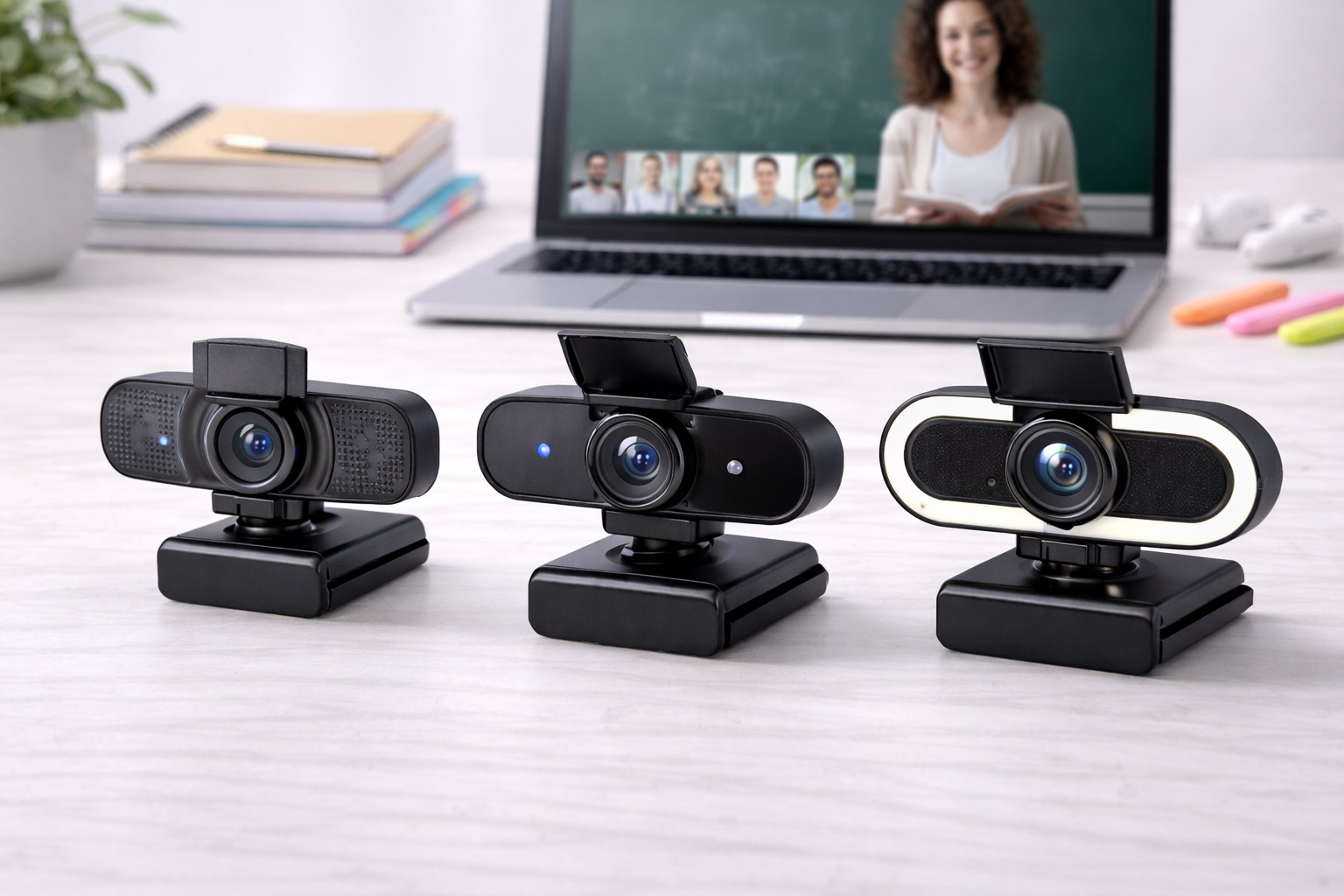
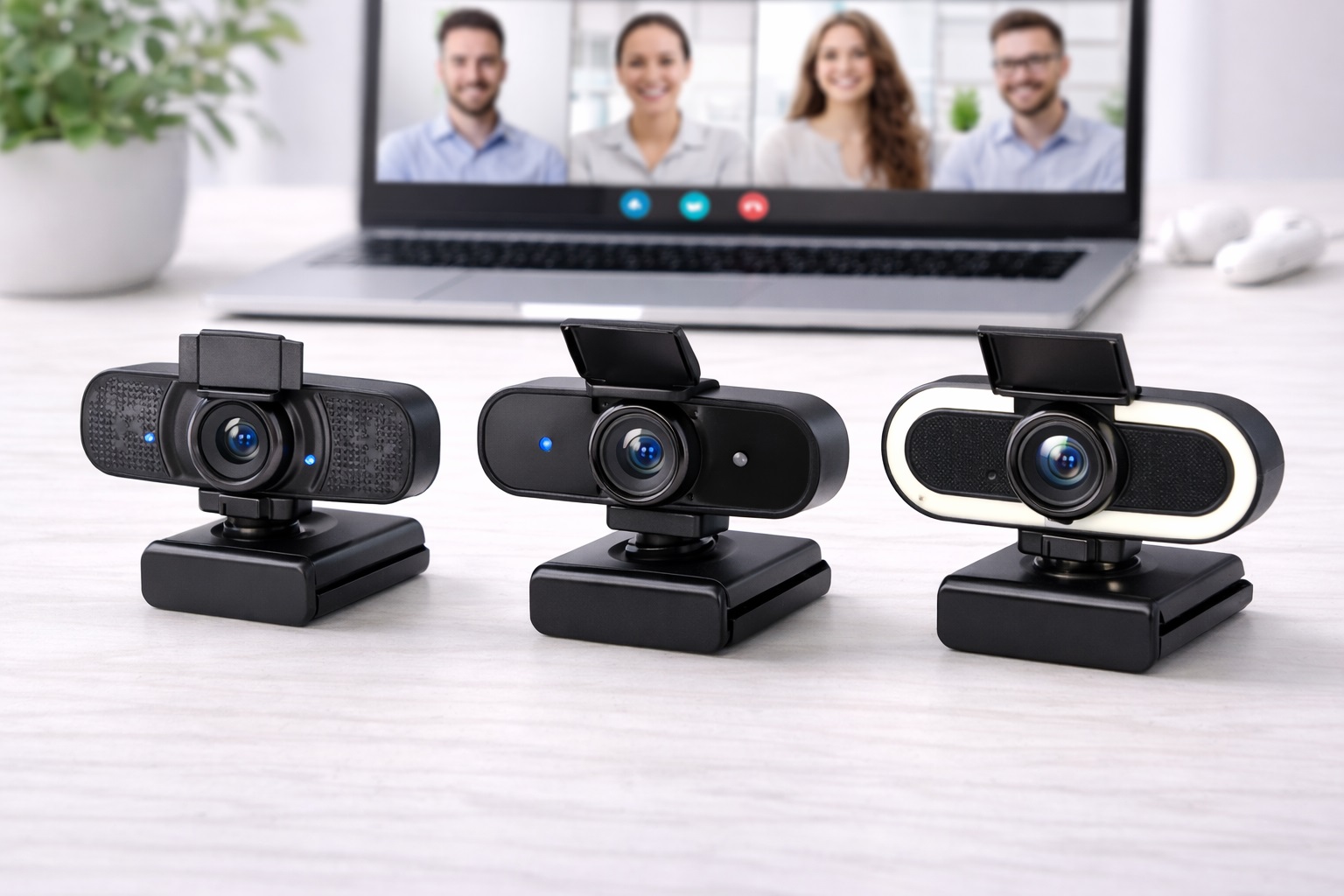
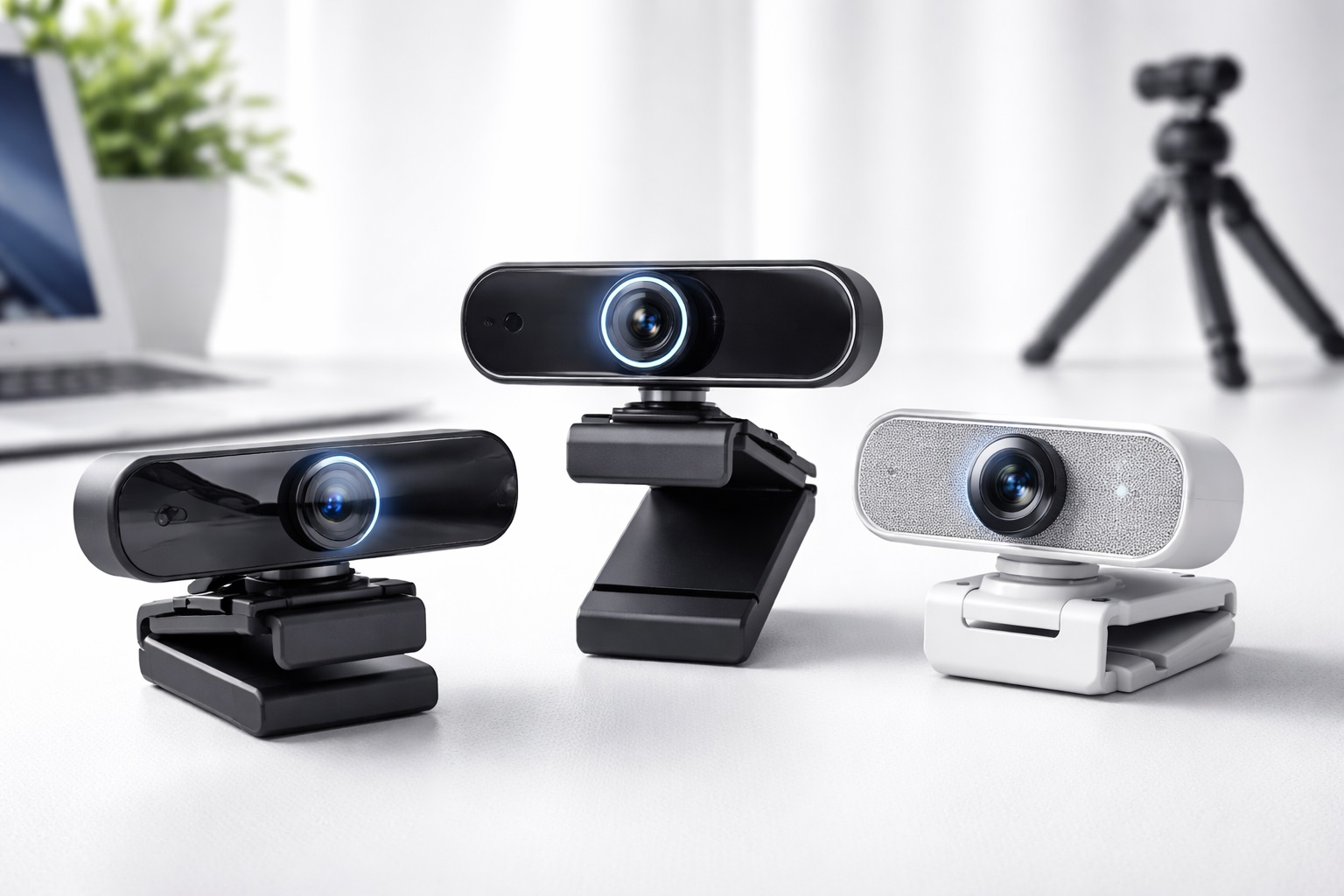
1. 1080p Webcam with Autofocus – Best Overall Lightweight
A 1080p webcam with reliable autofocus and automatic light compensation remains the best starting point for most people who need to move their camera regularly, simply because it asks so little of you at setup. Full HD resolution covers what nearly every video platform actually transmits, so you're not carrying extra weight or complexity for detail that gets compressed away regardless. Auto-light adjustment does real work here too, compensating for the fact that a repositioned camera rarely lands in the same lighting conditions twice.
This category also tends to age well as a long-term purchase. Because there's no added mechanism like a ring light or shutter to eventually wear out, the main components that could fail are the same ones present in almost every webcam design, which keeps expectations around longevity straightforward and easy to plan around.
Most models in this category are compact enough to slide into a drawer or a laptop bag pocket between uses, and the plug-and-play compatibility across Windows and macOS means relocating it doesn't come with a setup tax every time.
Because this category doesn't add ring lights, extra housing, or additional mechanisms, it also tends to be the lightest of the three by a meaningful margin — often under 100 grams for the camera body itself, which matters if you're repositioning it several times a day.
There's also something to be said for how little there is to go wrong with a simpler device. Fewer moving parts and fewer added components mean fewer things that can loosen, rattle, or wear out from the repeated handling that comes with a mobile setup, which is a quieter but genuinely important advantage over time.
- Pros:
- 1080p resolution suitable for most video platforms
- Autofocus keeps subjects sharp after repositioning
- Automatic light compensation adapts to each new spot
- Compact, minimal design suited to frequent moves
- Cons:
- Capped at 1080p, so it won't stand out for content creation work
- A permanently attached cable on some models can limit repositioning flexibility
Best For: Anyone who repositions a webcam between two or more regular spots — a home office and a kitchen table, or a shared desk used by multiple people — without wanting to relearn a setup each time.
Why We Recommend It: The combination of low weight, fast setup, and dependable image quality makes this the easiest option to actually keep using once the initial novelty of a new camera wears off. It asks nothing extra of you at each new location, which is exactly what makes it sustainable as a long-term habit rather than a one-trip experiment.
2. Webcam with Built-In Ring Light – Best Lightweight for Low-Light Use
Moving your camera between locations usually means moving between different lighting conditions too, and a built-in ring light solves that problem without adding a second device to carry. The ring light provides consistent, flattering front illumination regardless of where you set up, which removes one of the biggest sources of inconsistency when a camera doesn't have a permanent, tuned position.
Compared to carrying a separate light panel and stand, folding the light into the camera itself keeps your overall setup lighter and faster to relocate, even though the camera body itself is somewhat larger than a bare webcam.
This trade-off tends to make sense for anyone who has already tried carrying a webcam and a small light panel as separate items — the extra minute or two spent positioning a second device at every new location adds up quickly, and a combined unit removes that step entirely.
- Pros:
- Built-in ring light improves appearance in any lighting
- Removes the need for a separate lighting accessory
- Adjustable brightness suits different rooms
- Single-unit design keeps the overall kit lighter than carrying a light separately
- Cons:
- Adds noticeably more bulk than a bare webcam
- Can feel warm against the face during long sessions
Best For: Users who move their setup between rooms with genuinely different lighting — a bright window desk in the morning, a dim corner in the evening — and want one relocatable answer to both.
Why We Recommend It: When lighting conditions change every time you move, having your own light source travel with the camera solves the inconsistency directly instead of forcing you to re-tune your setup each time. It trades a small amount of extra bulk for a genuinely reliable result regardless of where you end up working.
3. Webcam with Privacy Shutter – Best Lightweight for Shared Setups
A physical privacy shutter is especially useful in a setup that gets moved or shared, since it lets whoever picks up the camera next confirm at a glance that the lens is covered, without needing to know the previous user's software settings. It's a simple mechanical answer that removes an entire category of setup confusion in a shared or rotating setup.
These cameras typically retain the core features that matter for everyday use — solid 1080p resolution and a workable built-in microphone — while adding the shutter as a lightweight mechanical extra rather than a bulky attachment.
In a household or office where more than one person relies on the same camera, this kind of visible, unambiguous privacy control also avoids awkward conversations about whether the camera was left on. It's a small mechanical detail that solves a genuinely recurring social friction point in shared setups.
- Pros:
- Physical shutter provides certain, visible privacy
- Simple slide mechanism anyone can operate without instructions
- Paired with solid HD video and a usable microphone
- Minimal added weight over a standard webcam
- Cons:
- Shutter housing adds a small amount of extra width
- The mechanical slide is one more moving part that can eventually wear
Best For: Shared households, multi-user desks, and any setup where more than one person relies on the same camera at different times.
Why We Recommend It: A visible, physical shutter removes any ambiguity about the camera's state, which matters more in a setup that moves or changes hands than in one person's permanently configured desk. It's a simple mechanical guarantee that works the same way for every person who uses the camera, regardless of how familiar they are with its settings.
Taken together, these three categories cover the situations that come up most often once a webcam stops living in one fixed spot: needing it to just work after every move, needing it to handle inconsistent lighting, and needing it to be trustworthy when more than one person relies on it. Few buyers need all three qualities maximized at once, which is exactly why picking based on your actual bottleneck works better than picking the highest-rated option overall.
| Category | Standout Strength | Trade-Off | Ideal Mover |
|---|---|---|---|
| 1080p Webcam with Autofocus | Lowest overall weight and simplest setup | No built-in lighting or shutter | Frequent, quick repositioning |
| Webcam with Built-In Ring Light | Consistent lighting in any new location | Larger footprint than a bare webcam | Moving between rooms with different lighting |
| Webcam with Privacy Shutter | Certain, visible privacy for shared use | Slightly wider housing | Multi-user or shared desks |
Use this table as a quick reference before diving into the full breakdowns and buying guide below — it summarizes the core trade-off behind each category without requiring you to read every section to get a general sense of direction. If your priority isn't clearly represented in one row, that's usually a sign the buying guide sections further down are worth reading in more detail before deciding.
Buying Guide: How to Choose the Best Lightweight Webcam
Weigh these factors against how often and how far you actually move your setup, since a camera built for occasional repositioning has different priorities than one built to travel daily between rooms. A single relocation a week calls for a different set of trade-offs than a camera that gets unclipped and reclipped multiple times a day, so it's worth being honest with yourself about your actual pattern before you start comparing listings.
1. Resolution: 1080p vs. 2K vs. 4K
1080p is sufficient for all major video calling platforms, since most compress incoming video to 720p or lower regardless of the camera's native resolution. 2K adds a modest sharpness benefit in well-lit rooms. 4K mainly helps with recording rather than live calls and adds weight and cost with little practical benefit for most movers, so it's rarely worth prioritizing in this category.
2. Physical Weight and Footprint
Weight matters more here than in almost any other webcam buying decision. A camera under 100 grams disappears into a bag or drawer; anything heavier starts to feel like a deliberate carry rather than an afterthought. Check the stated weight, not just the dimensions, since dense materials can make a small camera surprisingly heavy, and a compact body doesn't always translate to a light one.
3. Frame Rate
30fps is the standard for calls and handles the great majority of use cases. 60fps produces smoother motion but mainly benefits streaming rather than routine meetings, and it demands more processing and bandwidth that a frequently relocated setup doesn't necessarily need, particularly if you're connecting through a different network at each location.
4. Autofocus Quality
Fast, accurate autofocus matters more for a camera that gets repositioned often, since the distance and angle change every time you move it. A fixed-focus camera that looked fine in one spot can blur noticeably once relocated to a new distance from the screen, which is a common complaint in reviews that specifically mention repositioning.
5. Low-Light Adaptability
Because a mobile setup rarely lands in the same lighting twice, automatic light correction or a built-in ring light adds real, repeated value. Testing footage in your dimmest likely location gives a better sense of real-world performance than trusting marketing claims, since some auto-exposure settings brighten the image at the cost of natural color.
6. Cable Length and Attachment
A permanently attached cable that's too short becomes a real limitation once you start moving the camera between spots at different distances from your computer. Removable or longer cables offer more flexibility, and a cable that detaches cleanly also survives repeated coiling and uncoiling better than one that's fixed and gets bent at the same points repeatedly, which eventually leads to connection issues at the plug. A braided cable jacket also tends to hold up better than a plain rubber sheath under frequent coiling.
7. Mount Type and Compatibility
A universal clip mount that works across different monitor and laptop thicknesses is more valuable in a setup that moves between multiple screens. Verify the clip actually fits every screen you plan to use it on, since some clips are tuned for a narrow range of thicknesses and can feel loose or unstable on screens outside that range. A padded clip jaw also helps protect thinner laptop lids from scuffing during repeated attachment.
8. Built-In Microphone Quality
Webcam microphones range from barely usable to genuinely decent. Dual microphones with noise reduction perform better than single-mic designs, and this matters more in a setup that moves between rooms with different ambient noise levels — a kitchen table picks up more background sound than a quiet home office, and the microphone needs to adapt to both. If audio consistency across locations matters, a separate USB microphone remains the more dependable option regardless of which webcam you choose.
9. Privacy Shutter
A physical shutter is a lightweight, low-cost feature that adds meaningful value in any setup that isn't permanently locked down, since it removes the need to trust a software toggle every time the camera changes hands or location. It also gives quick visual confirmation to anyone else who shares the setup with you.
10. Plug-and-Play vs. Software Dependency
A webcam that works immediately without installing software is more convenient in a setup that moves between different computers, since you're not reinstalling drivers or logging into a companion app every time you relocate it. This becomes especially relevant if the camera occasionally moves to a shared family computer.
11. USB Connection Type
USB-C is increasingly common and convenient, particularly for modern laptops with limited USB-A ports. Check which connector your regular computers use, especially if your setup moves between more than one machine with different port configurations, since a mismatched connector means carrying an adapter as well.
12. Build Durability Under Repeated Handling
A webcam that gets picked up, clipped, unclipped, and moved daily experiences more mechanical stress than one that sits untouched for months. Look for reviews that specifically mention long-term durability under frequent handling rather than general first-impression ratings, since clip mechanisms are the most common point of eventual wear and the detail most likely to fail first in a mobile setup. A slightly heavier build with a sturdier clip sometimes outlasts a marginally lighter one that flexes under repeated use.
Not every factor above deserves equal weight for every buyer. If your setup mostly stays in place with only occasional moves, weight and cable length matter less than they would for a camera relocated multiple times a day. Reading the list against your own actual habits, rather than treating each point as universally critical, will get you to the right pick faster.
It also helps to think about which of these factors would actually change your day-to-day experience versus which ones are simply nice on paper. A slightly lighter camera body rarely changes anything if you only move it once a week, while a stiff or short cable can be a genuine daily annoyance if you're repositioning multiple times before lunch. Prioritize accordingly rather than chasing every spec at once.
Frequently Asked Questions
1. Is 1080p good enough for a lightweight webcam?
Yes, for virtually all video call applications. Most platforms cap video at 720p or 1080p regardless of camera resolution, so a 1080p webcam already delivers the maximum quality your platform will transmit, and the resolution advantage of 4K rarely survives call compression anyway, making it an easy spec to skip when weight is a priority.
2. Why does my lightweight webcam look blurry after I move it?
The most common cause is autofocus adjusting to a new distance, followed by different lighting in the new location or a slightly different camera angle. Give the autofocus a few seconds to settle and check the room's lighting before assuming the camera itself is at fault — most blurriness resolves itself within a few seconds of repositioning.
3. Does a lightweight webcam need to match my microphone?
No. Webcams and microphones are independent devices, and you can pair any webcam with any microphone. For consistently better audio, a dedicated external microphone generally outperforms a webcam's built-in mic, particularly in a setup that moves between rooms with varying ambient noise levels throughout the day.
4. How do I make a lightweight webcam look better after relocating it?
Position a light source in front of your face rather than behind you, raise the camera to eye level in the new spot, and take a moment to check the background before your next call. These adjustments matter more after every move than the camera specs themselves, and they take less than a minute to run through each time.
5. Can I use a lightweight webcam with more than one computer?
Yes, provided it's plug-and-play and uses a connector your other computer supports. Software-dependent webcams may need reinstalling on each new machine, which adds friction if you regularly switch between devices or share the camera with other household members.
6. Is the most expensive lightweight webcam always the best?
Not necessarily. Higher price often adds features like extra resolution or built-in lighting, but many mid-range options deliver everything a typical mobile setup actually needs without the added cost of features you may never notice day to day.
7. How long should a lightweight webcam last with frequent repositioning?
A well-built model from a reputable brand typically lasts two to five years even with regular handling, provided the clip and cable are treated with reasonable care. Warranty length is a useful signal of expected durability, and a longer warranty often reflects greater manufacturer confidence in the build.
8. Can I return a lightweight webcam if it doesn't suit my setup?
Most retailers offer a 15–30 day return window. Keep the original packaging during your trial period so you retain the option to return it if it doesn't hold up to your actual usage pattern, and test it across every location you plan to use it in before that window closes.
9. What is the best lightweight webcam for people who move their setup between locations regularly?
It depends on your biggest constraint — consistent image quality, changing lighting conditions, or shared use across multiple people. Match your priority to the three categories above rather than assuming one is universally best, since each is built around solving a distinct part of the relocation problem.
10. Does brand name matter when choosing a lightweight webcam?
Established brands generally offer better quality control and more reliable warranty support. Newer brands can still offer good value, so verified reviews are worth checking either way, especially ones that specifically mention durability under repeated handling rather than only first-impression image quality.
11. Will a lightweight webcam feel less sturdy than a heavier one?
Not necessarily. Modern materials let manufacturers build genuinely light cameras without sacrificing structural integrity, though it's worth checking reviews for complaints about flex or looseness in the clip mechanism specifically, since that's the part under the most repeated stress in a setup that moves often. A well-designed light camera can outlast a heavier one that relies on a weaker clip.
12. Do I need a carrying case for a lightweight webcam?
Not usually. Most lightweight webcams are small enough to slide into an existing bag pocket or desk drawer without dedicated protection, though a simple pouch is worth considering if the camera travels alongside other hard or sharp-edged items that could scratch the lens over repeated moves.
Final Verdict
- Best Overall Lightweight: 1080p Webcam with Autofocus – the simplest, lightest option for anyone who regularly repositions their camera.
- Best for Low-Light Use: Webcam with Built-In Ring Light – solves changing lighting conditions without adding a separate accessory to carry.
- Best for Shared Setups: Webcam with Privacy Shutter – gives every user of a shared camera visible, certain privacy.
Weight and setup speed matter more here than they would for a camera that lives in one place permanently, but they shouldn't come at the cost of the basics — sharp autofocus, workable low-light performance, and a mount that actually fits wherever you're setting up next.
Match your pick to how often and how far you actually move your setup rather than to the lightest camera on the shelf, and you'll end up with something you keep using instead of something that gets left in a drawer after the first few relocations.
If you're still unsure which category fits, think back to your last few relocations rather than your ideal future setup. The camera that would have made those specific moments easier — whether that meant less weight, better lighting, or clearer privacy — is almost always the right one to buy, more so than whichever option looks most impressive in a product listing.