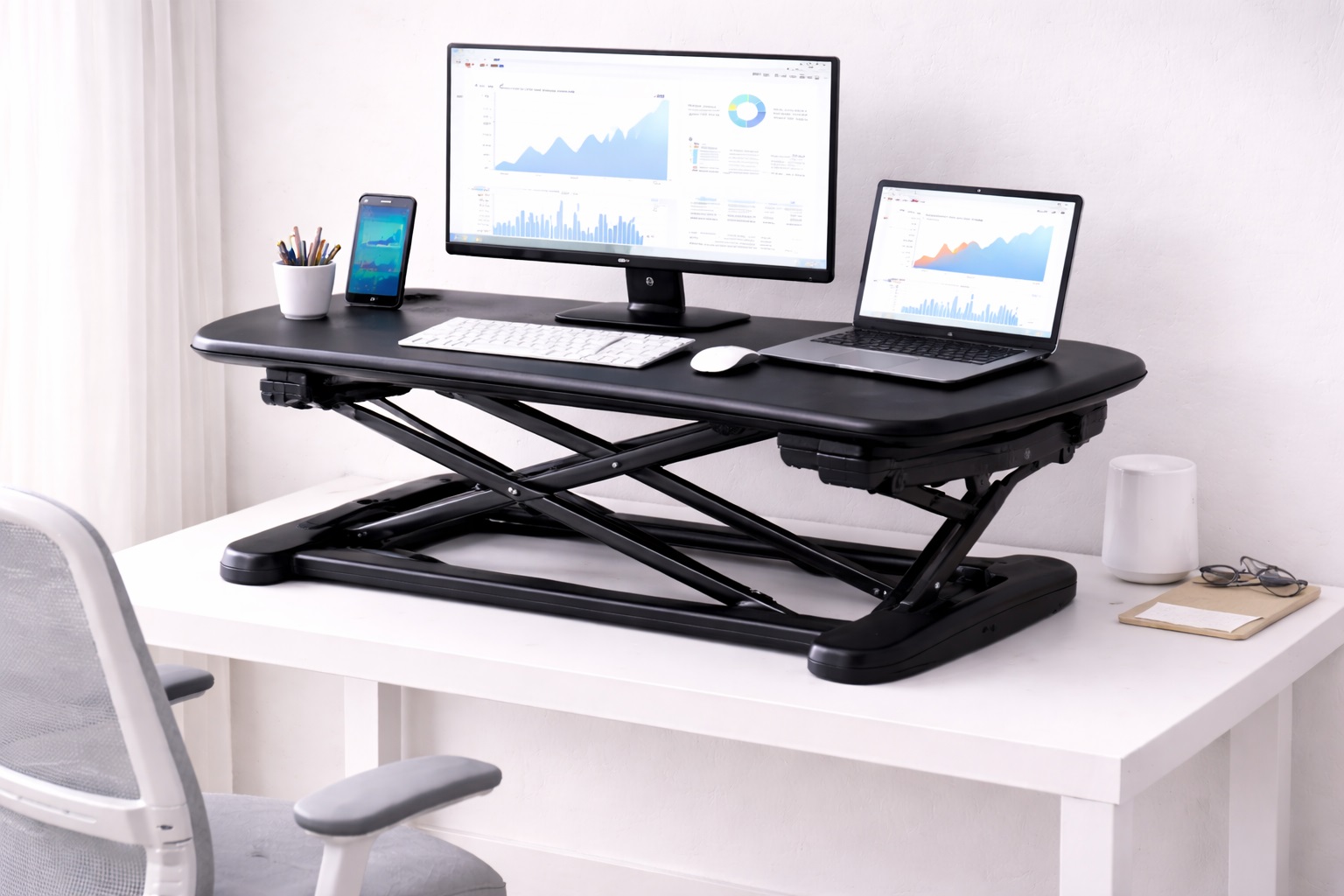
Best Ergonomic Standing Desk Converters: Designed for All-Day Sit-Stand Health
An ergonomic standing desk converter is judged by a different standard than a basic sit-stand riser. It's not enough for the platform to simply go up and down — the monitor needs to land at true eye level, the keyboard needs to sit at proper elbow height, and the whole assembly needs to stay stable through repeated adjustments over months of daily use. Remote professionals who spend six or more hours a day at a desk notice the difference between a converter that was engineered around posture and one that was engineered around price.
The category includes several genuinely different approaches to the same underlying goal. Some converters prioritize a single fluid motion that raises monitor and keyboard together. Others separate the keyboard onto its own tray so it can sit at a different, more correct height than the monitor shelf above it. Still others hand the entire adjustment over to a motor so posture changes require no physical effort at all, or add a tilting keyboard surface aimed specifically at wrist alignment. None of these approaches is universally "more ergonomic" — the right one depends on your body, your equipment, and how often you actually plan to change position during the day.
This guide walks through the converter styles most commonly recommended by people who've used them for extended remote work, followed by a detailed buying framework and a set of frequently asked questions. The goal throughout is to help you match a converter to your actual posture needs rather than to a marketing claim about "ergonomic design" that could describe almost any product in this category.
Posture problems from desk work rarely come from one bad habit — they usually build up from small daily mismatches: a monitor a few inches too low, a keyboard a touch too high, a chair that doesn't quite align with either. A converter can correct several of these mismatches at once, but only if it's sized and positioned correctly for your own measurements rather than an average body used in the marketing photos.
It also helps to separate the hardware decision from the habit decision early on. Buying a well-reviewed converter solves half the problem; actually using its adjustment range consistently, keeping the monitor at the height you measured rather than wherever it happens to land, and building in regular position changes solves the other half. Skipping either side tends to leave people disappointed with a product that was never really the limiting factor in the first place.
Before comparing specific models, it's worth setting realistic expectations. A converter improves posture options — it doesn't guarantee good posture automatically. The best hardware in the world still requires you to actually use the sit-stand range it provides, position the monitor at eye level once it's installed, and pair it with supporting habits like an anti-fatigue mat and a deliberate schedule for changing position throughout the day.
It's also worth noting that "ergonomic" is not a single fixed specification the way weight capacity or shelf width is. What counts as ergonomically correct depends on your height, your typical posture, your existing aches, and even the type of work you do — someone doing heavy data entry has different keyboard needs than someone who mostly reads and takes occasional notes. The buying guide below breaks the category down into the individual measurements that actually matter, rather than treating "ergonomic" as a single checkbox a product either has or doesn't have.
Top Picks Reviewed
Each of the four converter styles below approaches ergonomic correctness from a different angle. Read the pros, cons, and best-for notes carefully, since the right fit depends heavily on your typical posture, your equipment, and how many times a day you realistically plan to change position.
1. Z-Lift Standing Desk Converter – Best for Synchronized Monitor and Keyboard Height
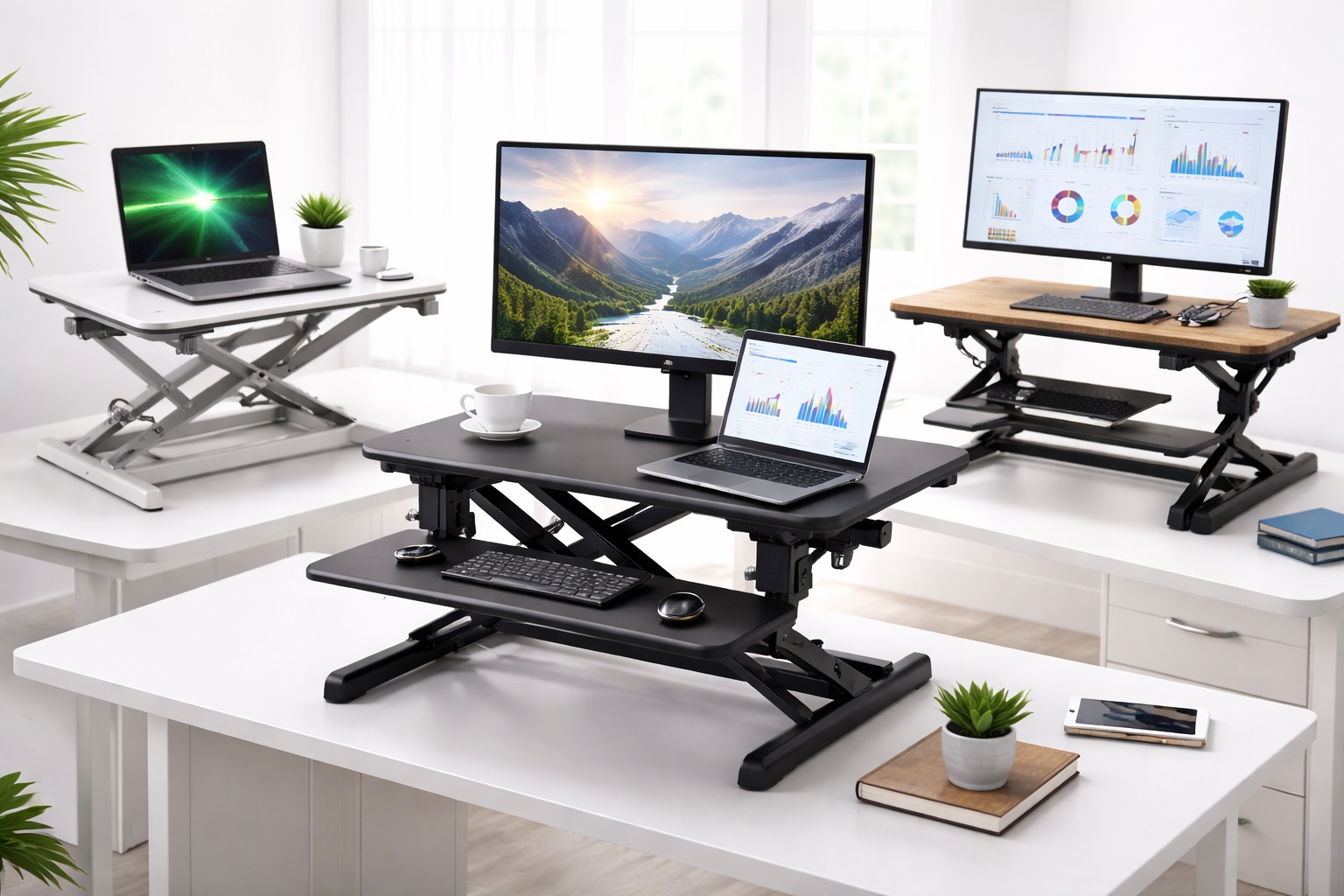
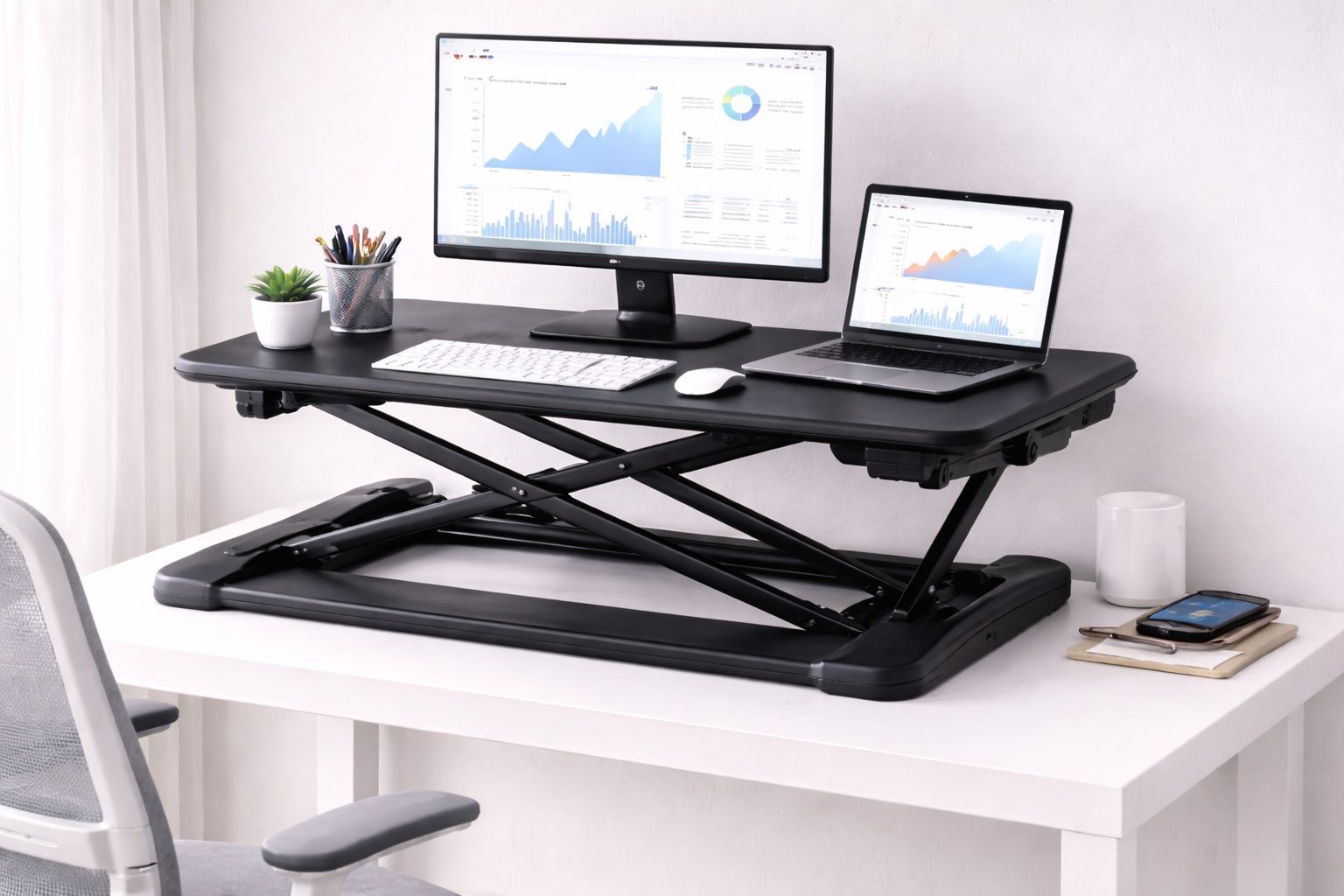
Z-lift converters use a scissor mechanism that raises the entire workspace — monitor shelf and keyboard tray together — with a single handle or lever. Because both surfaces move as one unit, the relationship between your eye level and your typing height stays consistent through the full range of motion, which is one of the more overlooked details in ergonomic desk setup. Gas-spring-assisted versions reduce the physical effort needed to lift a loaded platform to almost nothing.
This synchronized movement matters more than it sounds. When a monitor and keyboard adjust independently, or not at all, it's easy to end up with a screen positioned correctly but a keyboard sitting too high or too low relative to your elbows, or vice versa. A single-motion lift avoids that mismatch by design, since whatever height ratio you set once between the two surfaces stays fixed through every future adjustment.
- Pros:
- Monitor and keyboard height stay correctly aligned through the full adjustment range
- Single-handle or gas-spring lift requires minimal physical effort
- Stable footing at both sitting and standing heights
- Works with most existing desks without additional hardware
- Cons:
- Reduces usable desk space in the sitting position due to the converter's own footprint
- Less rigid at full height than a purpose-built standing desk
Best For: Remote workers who want their monitor and keyboard height relationship preserved automatically every time they change position.
Why We Recommend It: Posture problems often come from a monitor and keyboard that were fine independently but never quite lined up together. The Z-lift design removes that risk entirely by keeping both surfaces locked to the same height reference point.
2. Fixed-Height Converter with Independent Keyboard Tray – Best for Correct Elbow-Height Typing
This style permanently sets the monitor at standing eye level while placing the keyboard on its own tray, positioned lower to match proper typing height at roughly elbow level. Because the two surfaces are engineered independently rather than moving together, each can be optimized for its own correct ergonomic position rather than compromising between the two.
The trade-off is that this style doesn't lower to a seated position — it's built for people who stand for the bulk of the day and are comfortable using a tall stool for occasional seated breaks. What it gives up in flexibility, it gains in structural simplicity, since a fixed platform has no adjustment mechanism to loosen over time, which tends to make it the steadiest option for firm, sustained typing throughout a full workday.
- Pros:
- Keyboard tray set at proper elbow height, independent of monitor position
- No adjustment mechanism to wear out or loosen over years of use
- Simpler construction generally means fewer stability complaints
- Usually more affordable than fully adjustable designs
- Cons:
- Cannot lower to a seated working position
- Requires a stool or tall chair for occasional seated use
Best For: Committed standing-desk users whose primary ergonomic concern is correct wrist and elbow angle during typing.
Why We Recommend It: Wrist strain from an improperly positioned keyboard is one of the more common complaints among long-term standing desk users, and a dedicated tray at the correct height addresses that directly rather than as an afterthought.
3. Electric Standing Desk Converter – Best for Precise, Repeatable Positioning
Electric converters use a small motor to move the platform to a programmed height at the touch of a button. Because the presets are saved digitally, you can return to your exact correct standing and sitting heights every single time, rather than eyeballing a manual lever position that can drift slightly with each use. Most models include anti-collision sensors that halt movement if the platform meets an obstruction.
Precision matters more for posture than it might seem. A monitor that lands an inch higher or lower than your measured eye level each time you adjust the converter manually introduces small daily inconsistencies. Saved presets remove that variability entirely, so once you've dialed in the correct heights the first time, every future transition reproduces them exactly.
- Pros:
- Digitally saved height presets return to the exact same position every time
- Button-press adjustment removes all manual lifting effort
- Anti-collision sensors add a layer of safety during transitions
- Precise height control beyond what manual notches typically allow
- Cons:
- Higher cost than manual alternatives at a similar size
- Requires a nearby power outlet for the motor
Best For: Professionals who've already identified their exact correct sitting and standing heights and want to return to them precisely every day.
Why We Recommend It: Once you know your correct ergonomic measurements, an electric converter with saved presets removes the guesswork of manual adjustment and keeps your posture consistent across every transition, day after day.
4. Negative-Tilt Keyboard Tray Converter – Best for Wrist and Forearm Alignment
This variant pairs a standard lift mechanism with a keyboard tray that tilts slightly downward and away from the body, a design borrowed from ergonomic office furniture rather than standard desk converters. The negative tilt keeps wrists in a straighter, more neutral position during typing than a flat tray does, which matters most for people who type for long uninterrupted stretches.
The tilting tray is usually adjustable across a small range so it can be set flat for users who prefer a traditional angle, or tilted for those specifically managing wrist discomfort. This flexibility makes it a more specialized pick than a general-purpose converter, and it's generally best chosen after a flatter tray has already proven insufficient rather than as a default first purchase.
- Pros:
- Negative-tilt keyboard angle supports a more neutral wrist position
- Tilt is typically adjustable rather than fixed at one angle
- Pairs standard height adjustment with targeted wrist ergonomics
- Particularly useful for users managing existing wrist discomfort
- Cons:
- More specialized than a general-purpose converter, with a narrower target audience
- Tilting tray mechanism adds another moving part that can loosen over time
Best For: Users managing wrist or forearm discomfort who need a keyboard angle beyond what a flat tray provides.
Why We Recommend It: For the specific subset of users dealing with wrist strain, a tilting tray addresses the actual mechanical cause more directly than height adjustment alone, which only solves the vertical half of the ergonomic equation.
Buying Guide: How to Choose the Best Ergonomic Standing Desk Converter
Use these factors to evaluate converters against your actual posture needs rather than a generic "ergonomic" label on the packaging.
1. Monitor Height at Eye Level
The single most important ergonomic measurement is where your eyes land relative to the top third of the screen when standing. Measure your standing eye height before shopping, and check that the converter's maximum monitor height reaches it. A converter that falls short forces you to look down and hunch your neck forward through every standing session. This mismatch tends to be gradual and easy to dismiss at first, which is exactly why it causes more long-term discomfort than an obviously uncomfortable setup would.
2. Keyboard Height at Elbow Level
Correct typing posture keeps your elbows at roughly 90 degrees with wrists straight. If the converter doesn't include a separate keyboard tray positioned below the monitor shelf, the keyboard ends up at monitor height, which is too high for most people's natural elbow position and encourages wrist extension over long sessions. Over weeks and months, that small daily wrist extension is one of the more common contributors to repetitive strain discomfort among people who type for a living.
3. Full Sitting-to-Standing Height Range
The converter needs to span the actual distance between your seated and standing eye levels, typically 12 to 16 inches for most adults, but this varies meaningfully with height. Check the listed minimum and maximum heights against your own measurements rather than assuming an average range will fit. Taller and shorter users in particular should look closely at both ends of the range, since a converter advertised as suiting "most users" can still fall short at either extreme.
4. Depth and Reach of the Monitor Shelf
Monitor distance from the eyes matters as much as height. A shelf that's too shallow forces the screen closer than the recommended arm's-length viewing distance, while one that's too deep can push it further than comfortable. Check the shelf depth against your desk's available space and your preferred viewing distance, and remember that a monitor arm mounted on the shelf changes the effective depth compared with a monitor resting flat.
5. Stability Under Typing Pressure
A converter that wobbles when you type firmly undermines its own ergonomic value, since instability encourages tense, guarded posture rather than relaxed typing. Look specifically for reviews mentioning stability during active use rather than static weight-bearing tests, since the two don't always correlate. A platform that holds steady when a monitor simply sits on it can still flex noticeably under the repeated impact of fast typing.
6. Adjustment Smoothness and Frequency of Use
An ergonomically correct converter only helps if you actually use its full range regularly. Manual lifts that require real effort tend to get adjusted once in the morning and left alone, while gas-assisted or electric models encourage more frequent transitions. Be honest about how often you'll realistically change position before choosing a mechanism, since the most ergonomically ideal converter on paper provides no benefit if friction keeps it locked in one position all day.
7. Keyboard Tray Width for Both Hands and Mouse
A tray sized only for the keyboard forces the mouse to a different height, reintroducing the exact wrist mismatch the tray was meant to solve. Confirm the tray fits your keyboard and mouse side by side at the same height before assuming the ergonomic problem is fully addressed. This is especially worth checking if you use a full-size keyboard or an ergonomic split design, both of which take up more lateral space than a compact keyboard.
8. Anti-Fatigue Mat Compatibility
Correct upper-body posture doesn't offset the fatigue of standing on a hard floor. Foot and leg discomfort from unsupported standing often shows up before any monitor or keyboard height issue does, so pair any converter with a cushioned mat if you plan to stand for more than short intervals. Skipping this step is one of the most common reasons people abandon standing desk routines within the first few weeks.
9. Weight Capacity for Your Actual Equipment
Ergonomic monitor arms, larger displays, and dual-monitor setups add weight quickly. Confirm the converter's rated capacity comfortably exceeds the combined weight of your monitor, keyboard, and any accessories, with margin to spare rather than a capacity that just barely covers your current setup. Weight ratings are usually listed for the platform as a whole, so total up everything that will sit on it rather than checking the monitor alone.
10. Desk Compatibility and Combined Weight Rating
Since converters sit on top of an existing desk, verify the base footprint matches your desktop without overhanging the edges, and confirm your desk's own weight rating can support the converter plus your equipment stacked on top of it — a combined load that's often higher than people initially expect. This check matters most with lighter desks originally built for laptop use rather than a full monitor and converter setup.
11. Warranty Coverage for Moving Parts
Ergonomic converters rely on lift mechanisms, tilting trays, or motors that can wear differently from a static frame. Check whether the warranty specifically covers these moving components rather than just the frame and surface, since that's where mechanical issues are most likely to appear over time. A manufacturer willing to warranty the moving parts specifically is usually signaling genuine confidence in that part of the build.
Frequently Asked Questions
1. Is an ergonomic standing desk converter as good as a full ergonomic standing desk?
For posture correction specifically, a well-chosen ergonomic converter delivers most of the same benefit at a fraction of the cost of a full standing desk. The main trade-off is reduced desk space in the sitting position and somewhat less rigidity at full standing height compared with a purpose-built desk frame. For most home and hybrid workers, that trade-off is worth accepting given the difference in price.
2. How do I find my correct standing monitor height?
Stand normally at your desk and note where your eyes naturally land — the top third of the monitor should sit at or just below that level. Measuring this before shopping is the single most useful step for choosing a converter with adequate height range, and it takes less than a minute with a tape measure and a helper.
3. How often should I alternate between sitting and standing?
A commonly cited guideline is switching positions roughly every 30 to 60 minutes rather than maximizing total standing time. Standing continuously for more than two to three hours tends to become uncomfortable, especially without an anti-fatigue mat underfoot. Setting a recurring reminder for the first couple of weeks is often enough to make the switch automatic afterward.
4. Do I need a separate keyboard tray for correct ergonomics?
If your converter places the keyboard at the same height as the monitor shelf, yes — that height is almost always too high for comfortable typing. A separate tray positioned at elbow level addresses this directly and is worth prioritizing if wrist comfort is a concern, even if it means paying slightly more for the added tray.
5. Can I use an ergonomic converter with a laptop?
Yes, though most people pair it with an external monitor raised to eye level along with an external keyboard and mouse, since a laptop's built-in screen sits too low on a converter platform for correct standing posture. A compact laptop stand on the platform can substitute if you're not ready to add a full external monitor.
6. What weight can an ergonomic standing desk converter typically support?
Most models support somewhere between 15 and 35 pounds, covering a standard monitor, keyboard, mouse, and small accessories. Dual-monitor setups or heavier monitor arms need a converter rated specifically for that combined weight rather than an average capacity, so always add up your actual equipment before assuming a listed limit applies to your case.
7. Is a tilting keyboard tray necessary for everyone?
No — a flat tray at the correct height is sufficient for most users. A negative-tilt tray is most useful for people specifically managing wrist or forearm discomfort, rather than a universal requirement for ergonomic correctness, so it's worth trying a flat tray first before paying extra for tilt adjustment.
8. How long should a quality ergonomic converter last?
A well-built unit from a reputable manufacturer typically lasts three to five years or longer with reasonable care. Warranty length is a useful proxy for how confident the manufacturer is in the durability of its moving parts, and periodically checking that fasteners remain tight helps extend that lifespan further.
9. Can I return an ergonomic converter if it doesn't suit my posture needs?
Most retailers offer a 15- to 30-day return window. It's worth testing the converter with your actual monitor and keyboard immediately after it arrives so any posture mismatch shows up while you can still return it easily, rather than waiting until the window has closed.
10. What should I prioritize first when comparing ergonomic converters?
Start with your measured eye height and elbow height rather than a general feature list. Once those two numbers are known, matching a converter's height range and keyboard tray position becomes straightforward, and most other decisions follow naturally from there.
11. Does a higher price guarantee better ergonomics?
Not necessarily. Price often reflects motorized convenience or premium materials more than ergonomic correctness itself. A modestly priced converter with the right height range and a proper keyboard tray can outperform a pricier model that doesn't fit your measurements, so match specifications to your body before comparing price tags.
Final Verdict
- Best for Synchronized Monitor and Keyboard Height: Z-Lift Standing Desk Converter — keeps both surfaces correctly aligned automatically.
- Best for Correct Elbow-Height Typing: Fixed-Height Converter with Independent Keyboard Tray — a dedicated, stable typing surface.
- Best for Precise, Repeatable Positioning: Electric Standing Desk Converter — saved presets remove daily adjustment guesswork.
- Best for Wrist and Forearm Alignment: Negative-Tilt Keyboard Tray Converter — targeted relief for existing wrist discomfort.
The right ergonomic standing desk converter comes down to which specific posture problem you're trying to solve — monitor height, keyboard angle, typing precision, or wrist strain — rather than which product carries the most generic "ergonomic" branding. Measure your own eye and elbow height first, match that against the buying guide above, and any of these four picks should genuinely improve how your body feels by the end of a workday.
If you're still unsure which style fits best, start with the synchronized Z-lift design, since it addresses the broadest range of posture concerns without requiring you to commit to a fully standing-only setup or a motorized budget. You can always add a tilting tray or move to an electric model later once you've learned exactly how your body responds to a consistent sit-stand routine.
None of these converters replaces good habits on their own. Even the best-matched hardware still needs to be used deliberately — changing position regularly, keeping the monitor at eye level once it's set, and pairing standing time with a supportive mat underfoot. Treat the converter as the tool that makes correct posture possible, and the daily routine as the part that actually makes it stick.
It's also worth revisiting your setup periodically rather than installing a converter once and assuming it's permanently correct. Chairs get replaced, monitors get upgraded to larger sizes, and keyboards get swapped for different profiles — each of those changes can shift the ideal height settings slightly. A quick recheck of eye level and elbow height every few months costs almost nothing and keeps the ergonomic benefit of the converter from quietly drifting out of alignment over time.