Best Standing Desk Converters Under $200: Full Ergonomic Control at a Smart Price
Shopping for a standing desk converter under $200 forces a real trade-off: you want the sit-stand flexibility that helps with posture and energy through the workday, but you're not ready to replace your entire desk. The good news is that this price range now includes converters that handle the core job well — raising a monitor, keyboard, and mouse to a comfortable standing height and lowering them back down without drama.
What separates a satisfying purchase from a frustrating one in this category isn't a single spec. It's the combination of adjustment smoothness, workspace footprint, weight capacity, and how the converter behaves once it's loaded with your actual equipment rather than an empty demo unit. A converter that wobbles under a 27-inch monitor, or one that's too narrow to fit a keyboard and mouse side by side, undermines the entire point of buying one.
This guide walks through the converter styles that consistently deliver for home office and hybrid workers, followed by an in-depth buying framework and answers to the questions people ask most before purchasing. Whether you convert an existing desk or use one at a shared workstation, the goal is the same: find a model that matches your actual daily routine rather than the loudest marketing claim.
Price alone tells you almost nothing about how a converter will feel after a few weeks of daily use. Two units at the same price point can differ enormously in how they handle a loaded monitor arm, how quietly the lift mechanism moves, and whether the surface flexes under normal typing pressure. Reading past the headline rating and into the specific complaints in negative reviews is usually the fastest way to spot which listings are genuinely solid and which are cutting corners somewhere you won't notice until it's too late to return the item easily.
It also helps to think about where the converter will physically live. A shared home office, a dedicated study, and a corner of a bedroom all impose different constraints — desk depth, available floor space for an anti-fatigue mat, and proximity to a power outlet for electric models all shape which style makes the most sense before you even get to comparing individual products.
Top Picks Reviewed
Each of the four styles below solves a slightly different version of the sit-stand problem, and none of them is objectively "better" in a vacuum — the right pick depends on how many monitors you run, how often you expect to change position, and how much you value mechanical simplicity over motorized convenience. Read through the pros, cons, and best-for notes for each one before deciding, since the wrong match on paper (a great converter for the wrong use case) tends to be a bigger source of buyer's remorse than picking a slightly lower-rated model that actually fits your setup.
1. Z-Lift Standing Desk Converter – Best Smooth-Adjustment Converter
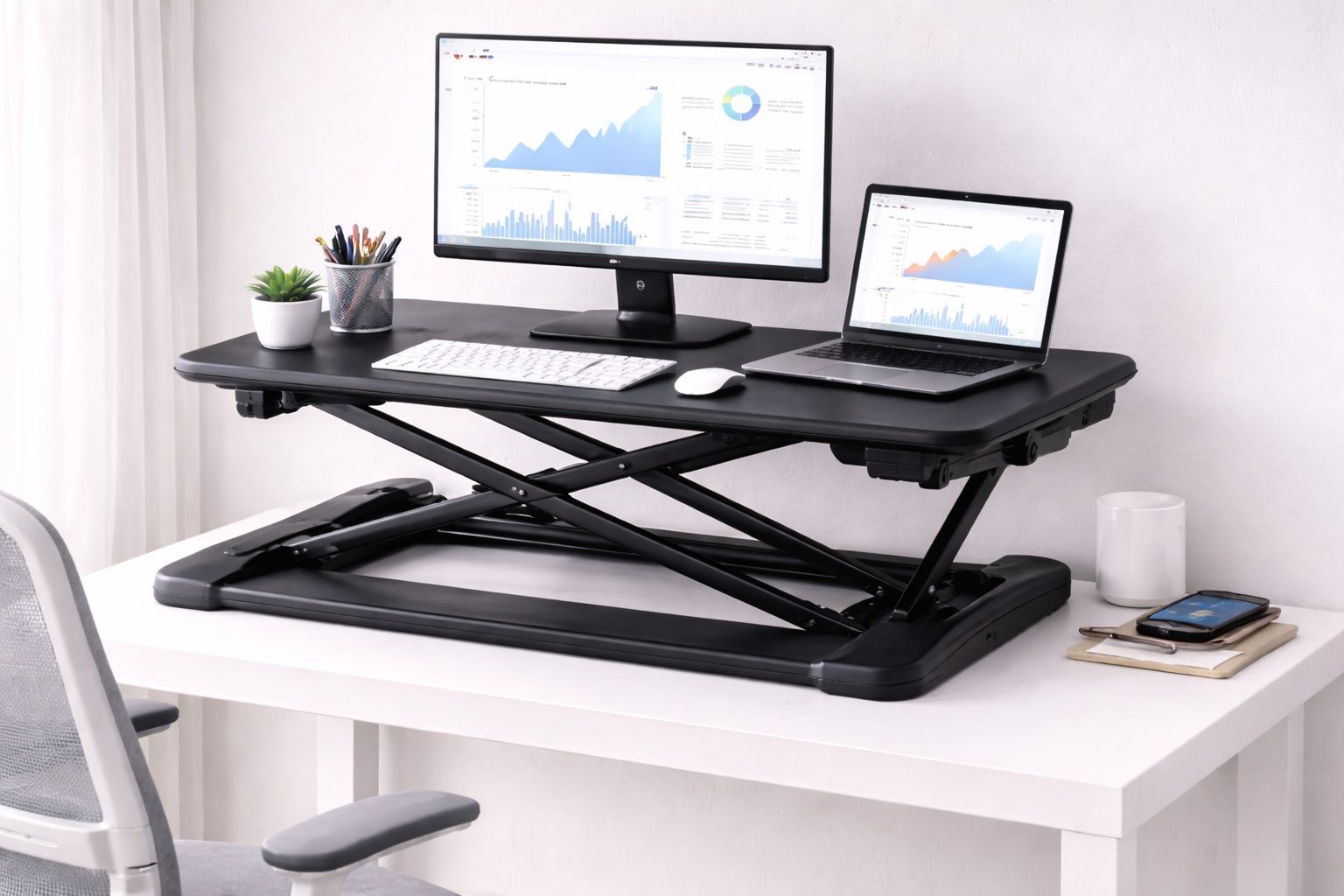
Z-lift converters use a scissor mechanism that lets you move the entire workspace from sitting to standing height with a single handle or lever. Most support a monitor, keyboard, and small accessories at once, and they provide enough surface area for a typical single-monitor home office setup. Gas-spring-assisted versions cut the physical effort of lifting to almost nothing, which matters if you plan to change position several times a day rather than once each morning.
The scissor-lift design also keeps the monitor and keyboard moving together as one unit, so you never end up with a screen at the wrong height relative to your hands. That single detail is often what makes or breaks daily usability, since a mismatched monitor-to-keyboard height is one of the most common complaints about cheaper converters.
- Pros:
- Single-handle or gas-spring height adjustment that takes seconds
- Raises the entire workspace together — monitor and keyboard move as one
- Enough desktop area for most home office configurations
- Stable footing at both sitting and standing heights
- Cons:
- Reduces available desk space in the sitting position because of the converter's own footprint
- Not quite as rock-solid at maximum height as a purpose-built standing desk
Best For: Home office workers who want sit-stand flexibility on their existing desk without paying for a full standing desk replacement.
Why We Recommend It: The Z-lift converter solves the core problem — adding height adjustment to a desk that doesn't have it — without asking you to give up a desk you already like. If your current setup is otherwise fine and the only missing piece is the ability to stand periodically, this is the most direct fix.
2. Fixed-Height Converter with Keyboard Tray – Best for Single Sit or Stand Configuration
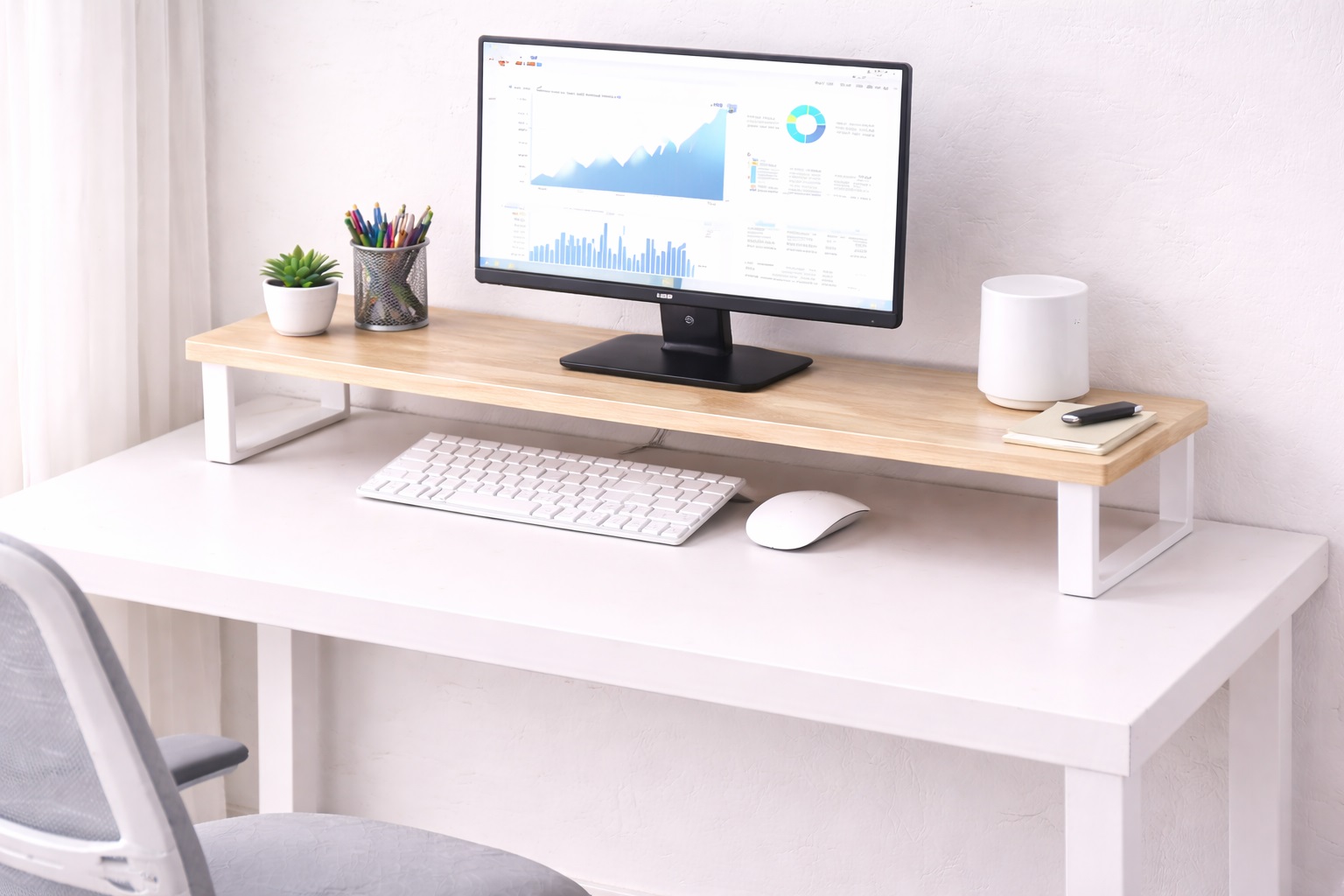
A fixed-height converter permanently raises the monitor to standing eye level and pairs it with a pull-out keyboard tray set at proper typing height. Unlike adjustable converters, this style doesn't lower back down to a sitting position — it's built for people who mostly stand and only occasionally need to sit, often with the help of a tall stool.
Because there's no lift mechanism to wear out or loosen over time, fixed-height units tend to be the most structurally stable option in this price bracket. There's simply less that can go wrong mechanically, which shows up as fewer wobble complaints in long-term use compared to converters with moving parts.
- Pros:
- Stable, permanent standing platform with no adjustment mechanism to fail
- Separate keyboard tray positioned at correct typing height
- Simpler construction than adjustable alternatives, which tends to mean fewer failure points
- Usually more affordable than full Z-lift designs at a comparable size
- Cons:
- Cannot be lowered back to a seated working position
- Requires a stool or tall chair for occasional seated use
Best For: Users who primarily want to stand at their desk and are comfortable using a stool for the rare seated stretch.
Why We Recommend It: For people who have already decided they want to stand most of the day, a fixed-height converter removes the mechanical complexity — and cost — of an adjustable lift they'd rarely use for its full range. What you get in exchange is a sturdier, simpler platform built for exactly one job.
3. Electric Standing Desk Converter – Best for Effortless Adjustment
Electric converters use a small motor to raise and lower the workspace at the touch of a button, with programmable presets that return the desk to your preferred sitting and standing heights automatically. There's no manual lifting involved, and the precision of motorized movement means you can dial in an exact height rather than settling for whatever notch a manual lever lands on. Many models also include anti-collision sensors that stop the motion if the converter meets an obstruction.
The convenience factor here is significant. Because switching heights takes one press of a button instead of a two-handed lift, users are noticeably more likely to actually alternate between sitting and standing throughout the day rather than picking one position each morning and staying there.
- Pros:
- Motorized, button-press height adjustment
- Programmable sitting and standing height presets
- No manual lifting effort required at all
- Anti-collision safety sensors on most models
- Cons:
- Costs more than manual alternatives at a similar size
- Requires a nearby power outlet for the motor
Best For: Home office professionals who want the most convenient possible sit-stand transition and are willing to pay a premium for motorized movement.
Why We Recommend It: Electric adjustment removes the last bit of friction from changing position, and friction is usually what stops people from actually using their sit-stand desk the way they intended. When switching is effortless, the habit sticks.
4. Two-Tier Converter – Best for Dual-Monitor Setups
Two-tier converters separate the monitor shelf from the keyboard shelf with independent depth, giving dual-monitor users the extra rear surface area that single-platform converters often lack. Because the upper tier extends further back, two displays can sit side by side without either one hanging off the edge, while the lower tier stays dedicated to keyboard and mouse movement.
This layout also tends to hold up better under heavier combined loads, since the weight of two monitors is distributed across a wider rear shelf rather than concentrated on a single narrow platform. The trade-off is a larger overall footprint, so it suits desks with generous depth more than compact setups.
- Pros:
- Extra rear depth built specifically for two monitors side by side
- Weight distributed across a wider shelf rather than one narrow platform
- Independent tiers keep keyboard and monitor surfaces from interfering with each other
- Generally more stable under combined dual-monitor loads than single-tier designs
- Cons:
- Larger footprint requires a deeper desk than compact single-monitor converters
- Bulkier profile can look and feel less sleek in smaller home offices
Best For: Dual-monitor users who need enough rear surface area to keep both displays stable and properly spaced.
Why We Recommend It: Single-tier converters are often engineered around one monitor, and dual-monitor owners quickly find the surface area falls short. The two-tier design solves that directly by giving the monitor shelf the extra depth two screens actually require, without compromising the keyboard tier below it.
Buying Guide: How to Choose the Best Standing Desk Converter Under $200
Use these factors to match a converter to your actual daily routine instead of defaulting to whichever model has the most reviews.
1. Height Range From Sitting to Standing
The converter has to span the real distance between your seated monitor height and your ideal standing eye level. Measure both before you shop. For most adults that gap runs roughly 12 to 16 inches, and a converter with a narrower range may leave you stretching your neck up or hunching down at one end of the adjustment. If you're notably tall or short, pay extra attention to the maximum and minimum listed heights rather than assuming an average range will fit — a few inches short at either end can make the converter unusable for your build.
2. Workspace Surface Area
The working platform needs to hold your monitor, keyboard, and mouse simultaneously without anything hanging off the edge. Measure your minimum footprint requirement before buying — a narrow converter that looks fine in product photos can turn out too tight once a keyboard and a mouse pad are both in place. It also helps to account for anything else you keep on the desk during the day, like a notebook, phone stand, or speaker, since a platform that's technically wide enough for the essentials can still feel cramped in practice.
3. Monitor Weight Capacity
Confirm the converter's rated weight capacity comfortably exceeds your monitor's actual weight, with some margin to spare. A single 27-inch monitor typically weighs 10 to 15 pounds, but larger displays and dual-monitor arms add up fast, so check the combined weight against the converter's stated limit rather than assuming it will be fine. Manufacturers usually list weight capacity for the platform as a whole, so remember to add in the keyboard, mouse, and any desk accessories rather than counting only the monitor.
4. Separate Keyboard Tray
Some converters include a keyboard tray set lower than the monitor shelf, matching the correct typing height — roughly elbow level — for standing use. Without one, the keyboard sits at monitor height, which is too high for comfortable typing and tends to cause wrist strain over a full standing session. If wrist comfort matters to you specifically, treat a properly positioned keyboard tray as a non-negotiable feature rather than a nice extra, since retrofitting a separate tray later rarely works as well as buying the right converter the first time.
5. Smoothness of the Adjustment Mechanism
Manual Z-lift converters take some physical effort to raise and lower unless they're gas-assisted, in which case the effort drops considerably. Electric models need only a button press. Think honestly about how many times a day you'll actually switch positions — a converter that's a chore to adjust gets used less often, no matter how good it looks on paper. A mechanism that feels smooth in a showroom can still feel stiff once it's loaded with your actual monitor and keyboard, so weigh loaded-use reviews more heavily than empty-unit demonstrations.
6. Stability at Full Standing Height
Wobble at maximum extension is the single most common complaint in negative reviews for budget converters. Look specifically for feedback on standing-height stability rather than general star ratings, since a converter can score well overall while still swaying under a monitor at full height. Typing pressure alone can set off a wobble in a poorly braced unit, so if firm typing is part of your daily routine, prioritize stability feedback over adjustment convenience.
7. Room for Keyboard and Mouse Together
Some narrower converters fit a keyboard comfortably but leave no room for a mouse at the same level, forcing you to reach down to desk height while standing — an awkward mismatch that defeats the ergonomic purpose. Check the usable width against both peripherals placed side by side. If you use a larger ergonomic keyboard or a mouse pad with extra wrist support, measure those specific items rather than relying on a generic "fits standard keyboard" claim in the listing.
8. Anti-Fatigue Mat Compatibility
Standing on a hard floor for extended stretches causes foot and leg fatigue far faster than standing on a cushioned mat. A converter alone is only half the ergonomic solution — budget for a quality anti-fatigue mat alongside it if you plan to stand for more than short intervals. Pairing the two together from day one tends to produce a much better first impression of standing desk work than trying the converter alone and concluding standing simply isn't comfortable.
9. Fit With Your Current Desk
Converters sit directly on top of an existing desk, so the base footprint needs to match your desktop without hanging over the edges. Also check that your desk's own weight rating can handle the converter plus your equipment stacked on top of it, since the combined load is higher than most people expect. Older or lightweight desks in particular are worth double-checking, since a desk built for a laptop and a lamp may not have been designed to carry a converter loaded with a monitor and accessories on top.
10. Cable Slack Through the Full Range of Motion
As the converter rises and falls, every connected cable needs enough slack to travel with it. Cables pulled taut at either extreme put strain on connectors and can work a cable loose during routine adjustment. Build in roughly 15 to 20 centimeters of extra length on power and data cables to cover the full range comfortably. A simple cable management clip or sleeve attached to the converter's frame keeps the extra slack organized instead of hanging loose where it can snag during a height change.
11. Warranty and Return Window
A longer warranty is a reasonable proxy for how confident a manufacturer is in its own hardware, and it matters more here than with static furniture because converters have moving parts that can loosen over time. Check the return window too, since stability issues at standing height often only show up after a few days of real use rather than during an in-store test. It's also worth confirming whether the warranty covers the lift mechanism specifically, since some policies treat the moving parts differently from the frame and surface.
Frequently Asked Questions
1. Is a standing desk converter under $200 as good as a full standing desk?
For sit-stand functionality specifically, a well-chosen converter delivers most of the same day-to-day benefit at a fraction of the cost of a full standing desk. The trade-off is reduced desktop space in the sitting position and somewhat less rigidity at standing height compared with a purpose-built desk. For most home offices, that trade-off is a reasonable one given how much lower the entry cost is.
2. How often should I alternate between sitting and standing?
A common general guideline is to switch positions roughly every 30 to 60 minutes. The point isn't to maximize standing time as if it were a competition — it's to introduce movement variety throughout the day. Standing continuously for more than two to three hours tends to become uncomfortable without an anti-fatigue mat. Setting a simple timer for the first week or two is often enough to build the habit of switching positions without having to think about it.
3. Can I use a laptop directly with a standing desk converter?
Yes, but most people pair the converter with an external monitor raised to eye level along with an external keyboard and mouse. Using only the laptop's built-in screen on a converter usually puts the display too low for comfortable standing posture. A basic laptop stand placed on the converter's platform can help if you don't want to add a full external monitor right away.
4. Do I need an anti-fatigue mat with my converter?
If you plan to stand for more than about 30 minutes at a stretch, yes. Standing directly on a hard floor tires the feet and legs noticeably faster than standing on a cushioned mat, and the mat is a small added cost relative to the converter itself. Even a basic foam mat makes a noticeable difference compared to standing directly on tile or hardwood.
5. What weight can a standing desk converter under $200 typically support?
Most models in this price range support somewhere between 15 and 35 pounds, which covers a standard monitor, keyboard, mouse, and small accessories. Dual-monitor setups need a converter specifically rated for the combined weight of both screens plus peripherals, so check that figure rather than assuming average capacity is enough. When in doubt, choose a model with capacity to spare rather than one that just barely meets your current equipment weight.
6. Is the most expensive option always the best choice?
Not necessarily. A higher price sometimes buys extra features or premium materials, but plenty of mid-range converters handle everyday use just as well as pricier alternatives. Matching the converter to your actual routine matters more than chasing the top price point. Reading detailed reviews from buyers with a similar setup to yours is often more useful than comparing price tags alone, since two converters at very different prices can end up feeling nearly identical for a single-monitor home office use case.
7. How long should a decent converter last?
A well-built unit from a reputable brand typically holds up for three to five years or longer with reasonable care. Warranty length is a useful signal here, since manufacturers who stand behind their hardware for longer periods usually have more confidence in its durability. Regularly checking that fasteners and joints remain tight also extends the practical lifespan of any converter with moving parts.
8. Can I return a converter that doesn't fit my needs?
Most retailers offer a return window of roughly 15 to 30 days. It's worth keeping the original packaging during that evaluation period so a return stays simple if the converter doesn't end up suiting your desk or your equipment. Testing the converter with your actual monitor and keyboard as soon as it arrives, rather than waiting, gives you the most useful information within that window.
9. What should I prioritize first when narrowing down options?
Start with your actual use case — how many hours you'll stand per day, what equipment you're running, and how much desk space you have to work with. Specifications only matter in relation to those real constraints, not as numbers to maximize in isolation. Once those basics are settled, stability and workspace area tend to matter more day-to-day than any single headline feature.
10. Does the brand name matter for a purchase in this price range?
Established brands generally offer more reliable warranty support and more consistent quality control across units. Newer or less familiar brands sometimes offer strong value, but it's worth reading verified purchase reviews carefully before committing to an unfamiliar name. Pay particular attention to reviews mentioning long-term use rather than just first-impression unboxing feedback.
11. Can two people share the same standing desk converter comfortably?
It depends on the adjustment style. Manual and electric converters with a wide height range can usually be reset for a different user in seconds, while fixed-height units are built around one specific standing eye level and work best for a single primary user. Electric models with saved presets make switching between two users' preferred heights especially straightforward.
Final Verdict
- Best Smooth-Adjustment Converter: Z-Lift Standing Desk Converter — the practical sit-stand upgrade for an existing desk.
- Best for Single Sit or Stand Configuration: Fixed-Height Converter with Keyboard Tray — the sturdiest platform for primarily stand-up work.
- Best for Effortless Adjustment: Electric Standing Desk Converter — the most convenient transition for maximizing daily posture variety.
- Best for Dual-Monitor Setups: Two-Tier Converter — the extra rear depth two-screen workstations actually need.
The right standing desk converter under $200 comes down to how you'll actually use it day to day — how often you switch positions, how much desk space you have, and how much manual effort you're willing to put into adjustment. Someone who changes position five or six times a day will get far more value out of a gas-assisted or electric lift than someone who mainly wants a stable standing platform with an occasional seated break. Match the buying guide above against your own routine rather than against a generic star rating, and any of these four picks should hold up as a genuine upgrade over a static desk that offers no height flexibility at all.
Whichever converter you choose, give it a real trial period with your actual monitor, keyboard, and mouse in place before deciding it's a keeper. A quick five-minute test in a store or a glance at product photos rarely reveals how a unit performs once it's carrying your daily equipment and going through repeated height changes over several weeks. Pair it with a proper anti-fatigue mat, take the time to route cables with enough slack for the full range of motion, and the sit-stand routine tends to become a habit rather than a chore within the first couple of weeks.