Best USB Hub for Small Desks: Compact Picks for 2026
A cramped desk changes what "best" means for a USB hub. On a large desk, a hub can sprawl beside a monitor stand with cables running wherever they land. On a small desk — the kind found in studio apartments, dorm rooms, and corner workstations — every inch of surface area is already claimed by a keyboard, a mouse mat, a notebook, and maybe a cup of coffee. A hub that works well in that environment is not necessarily the one with the most ports; it is the one that disappears into the setup rather than adding to the clutter.
This guide looks at USB hubs specifically through that lens. Footprint, cable length, mounting options, and port orientation matter as much as raw specifications like data speed or power delivery wattage. A hub that clips to the underside of the desk or tucks behind a monitor arm solves a different problem than a hub that simply has more ports than the one you own now. The three categories below cover the realistic ways people expand connectivity on a small desk without giving up the space they worked to keep clear.
Each option is broken down by what it does well, where it falls short, and who it actually suits — not a generic recommendation, but a matched one based on how small-desk setups are actually used day to day.
Small desks have become far more common than they used to be. Remote work turned spare bedrooms, dorm rooms, and corner nooks into full-time workstations, and not every one of those spaces was designed with a computer setup in mind. A student sharing a room, a renter working from a studio apartment, or anyone using a compact standing desk in a tight home office is dealing with the same underlying constraint: the peripherals need somewhere to physically live, and that somewhere is limited. The right hub treats that constraint as the starting point rather than an afterthought.
It also helps to separate two different goals that often get lumped together under "small desk hub": adding more ports, and reducing visual clutter. Sometimes a single small hub solves both at once, but not always — a hub with plenty of ports can still look messy if its cables sprawl across the desk, while a well-routed setup with fewer ports can feel far tidier even with less raw connectivity. Keeping both goals in mind while comparing options leads to a better match than focusing on port count alone.
It's also worth thinking about how the hub fits into the rest of the setup rather than evaluating it in isolation. A hub chosen without considering the monitor stand, the keyboard tray, or the way the chair sits relative to the desk can end up in an awkward spot even if it looked perfect in a product photo. A short mental walkthrough of a typical work session — sitting down, plugging in, reaching for a drive, unplugging at the end of the day — usually reveals which category of hub actually fits the way the desk gets used.
Top Picks Reviewed
1. USB-C Hub with HDMI, PD, and Data Ports – Best for Consolidating Cables
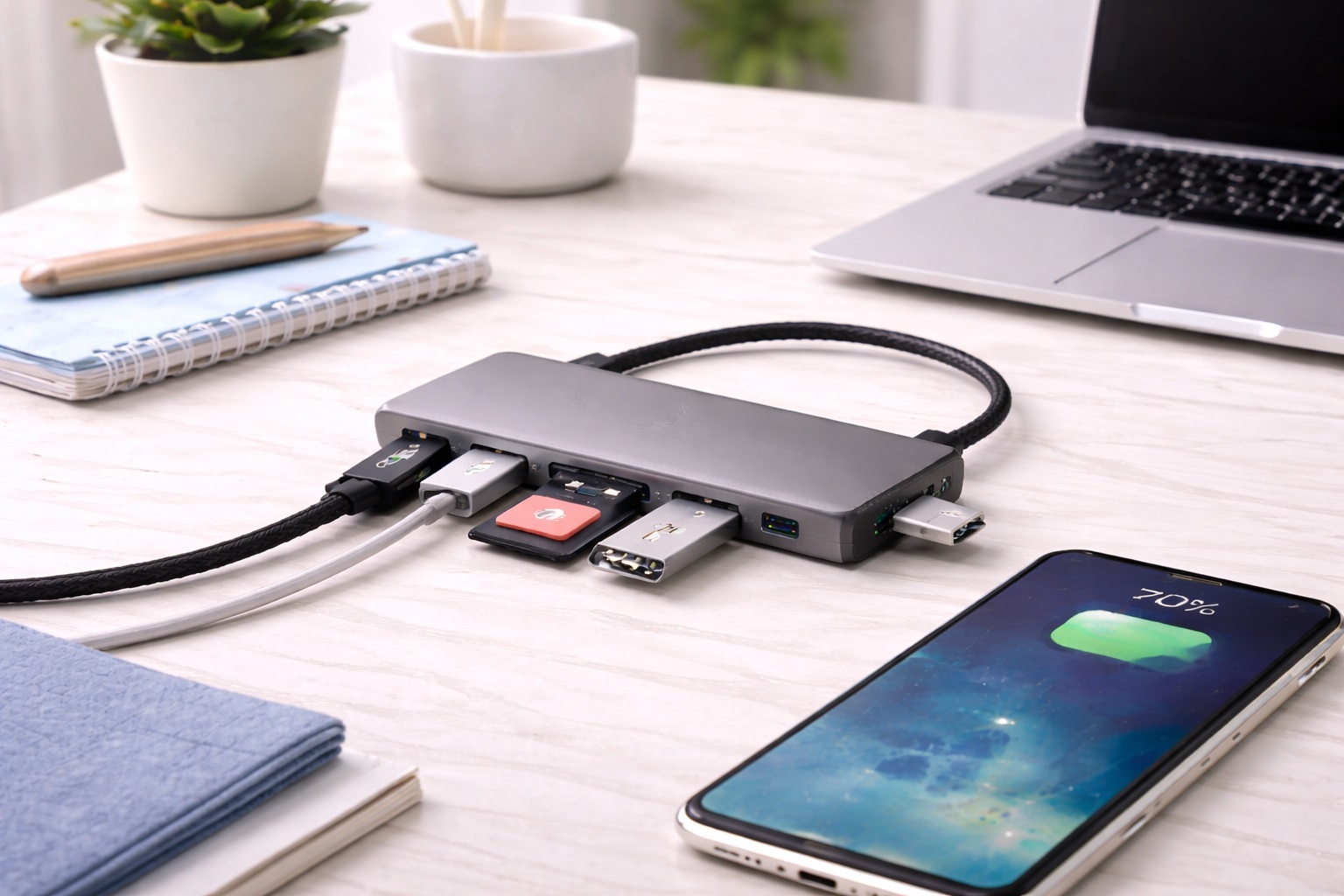
On a small desk, cable count matters almost as much as physical footprint. A tangle of individual cables running to a monitor, a charger, and a card reader takes up visual and physical space even when the devices themselves are compact. A USB-C hub that combines HDMI output, USB-C Power Delivery passthrough, USB-A data ports, and an SD card slot into a single connector reduces that tangle to one cable running from the laptop to the hub. The laptop charges through the same connection that drives the monitor and peripherals, which means one power brick and one data cable instead of three or four separate runs across the desk. For anyone who has tried to keep a compact desk tidy, that difference is immediately noticeable — fewer cables means fewer things to route, label, or accidentally knock loose when reaching for a mug or a notebook.
- Pros:
- Single-cable connection reduces desk-surface cable clutter
- PD passthrough removes the need for a separate laptop charger on the desk
- HDMI output supports an external monitor without an extra cable run
- Compact body sits flat or mounts under a desk shelf
- Consolidates what would otherwise be three or four separate cables into one
- Cons:
- Bus-powered from the laptop, so high-draw devices may need separate power
- HDMI output on most mid-range units caps at 4K60
Best For: Small-desk users who want to replace a pile of separate cables with a single connection point that still supports a monitor and full peripheral set, particularly anyone running a dual-purpose setup where the same desk needs to switch between focused work and casual laptop use.
Why We Recommend It: For a tight desk, the real value of this hub type is not the port count on the spec sheet — it's the reduction from four or five separate cables down to one. That single change frees up meaningful surface area and makes the rest of the desk easier to keep organized. It also simplifies the daily routine of arriving at the desk and leaving it, since connecting or disconnecting a single cable takes a few seconds rather than untangling several.
2. Compact Bus-Powered Mini Hub – Best for Minimal Footprint
A small bus-powered hub with four to six ports and no external adapter is the closest thing to a footprint-neutral upgrade. These units are typically only a few inches long and draw power directly from the connected port, so there is no separate brick or cable to find space for. On a small desk, this matters more than raw port count — a hub that needs its own power supply effectively takes up two spaces instead of one once the adapter and its cable are accounted for. These smaller hubs are also usually the least expensive category, which makes them an easy addition even for someone who isn't ready to rethink their entire desk layout around a bigger connectivity upgrade. Because they're inexpensive and small, they're also a low-risk way to test whether extra ports even solve the problem you have before investing in a more elaborate hub or docking setup.
- Pros:
- No external power adapter to find desk space for
- Small enough to tuck beside a keyboard or under a monitor stand
- Low cost relative to powered or docking alternatives
- Simple plug-and-play setup with no drivers
- Cons:
- Limited power output — not suited to high-draw external drives
- Shared bandwidth across all ports can slow simultaneous transfers
Best For: Anyone whose small desk already has a monitor, keyboard, and mouse claiming most of the surface, and who needs a couple of extra ports without adding a second device footprint or a noticeable new object to the setup.
Why We Recommend It: The compact bus-powered hub earns its place on a small desk precisely because it asks for almost nothing in return — no adapter, no extra cable, minimal physical presence, just a few additional ports exactly where they're needed. It's the option most people reach for first, and for a large share of small-desk setups, it's also the only one they'll ever need.
3. Under-Desk or Vertical Mount USB Hub – Best for Reclaiming Surface Space
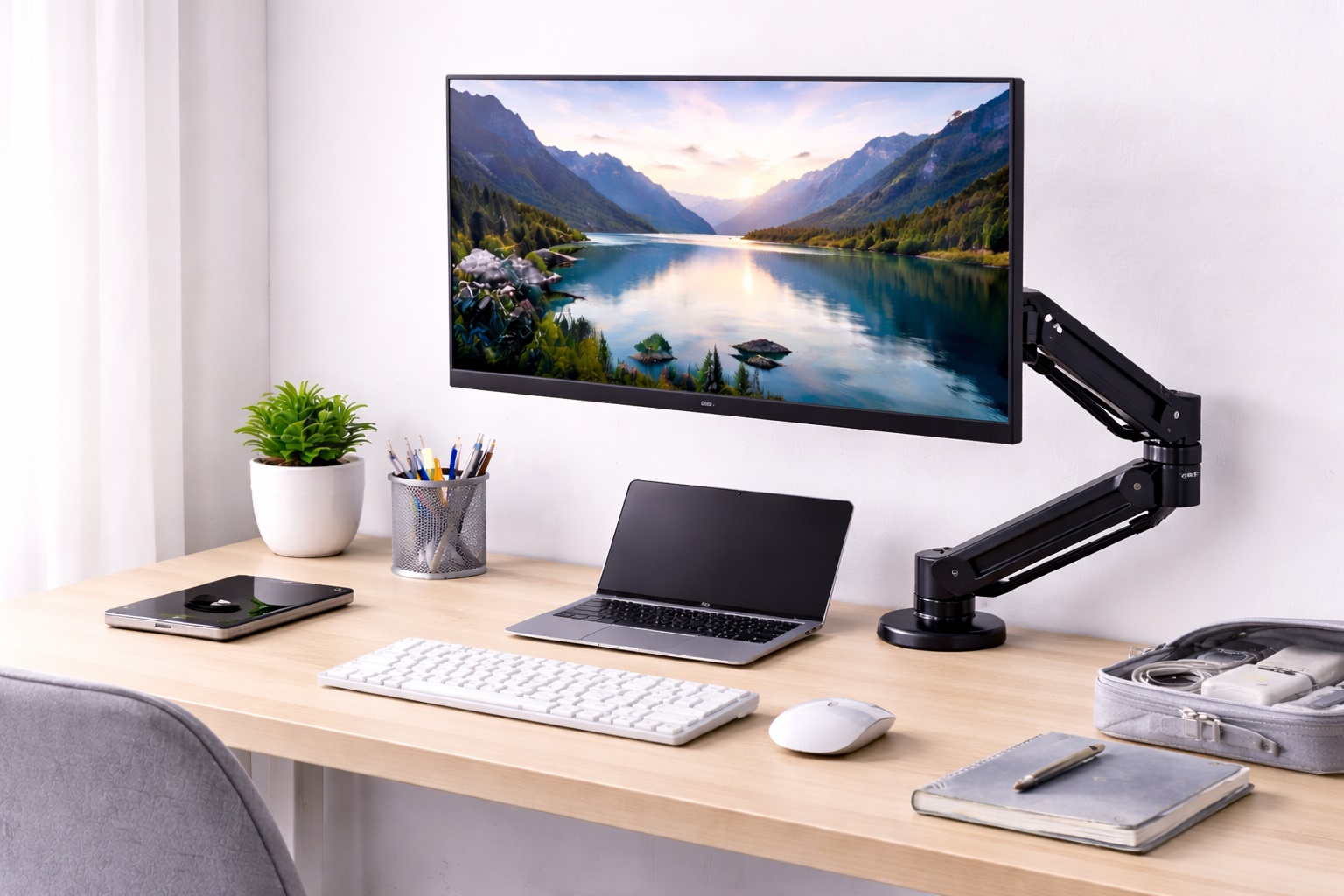
Some hubs are designed specifically to be mounted rather than placed — either clipped to the underside of the desk, attached to a monitor arm, or oriented to stand vertically in a small footprint base. This category solves the small-desk problem directly rather than incidentally: the hub occupies desk space that was otherwise unused (the underside, the vertical space beside a monitor) instead of competing with the keyboard and mouse for surface area. Once installed, this type of hub tends to be forgotten in the best possible way — it simply becomes part of the desk rather than an object sitting on top of it, which is exactly the outcome most small-desk owners are looking for.
- Pros:
- Mounting options recover surface space entirely
- Ports remain accessible without reaching under the desk each time
- Vertical stands keep a small footprint on the desk itself
- Well suited to permanent desk setups rather than portable use
- Cons:
- Mounting hardware adds a small setup step compared to plug-and-play units
- Less portable once mounted — not ideal if you move locations often
- Reaching a mounted hub for occasional cable swaps takes slightly more effort than a hub sitting in plain view
Best For: Small-desk users with a fixed workstation who want to permanently solve the clutter problem rather than manage it day to day, and who are comfortable spending a few extra minutes on setup in exchange for a cleaner long-term result.
Why We Recommend It: Mounting the hub is the only approach on this list that adds capability without consuming any additional desk surface at all — a meaningful advantage when every square inch of the desk is already spoken for. For a setup that isn't going to move for a while, that trade of a short setup step for permanently reclaimed space is usually worth it.
Buying Guide: How to Choose the Best USB Hub for Small Desks
Use these factors to match a hub to a genuinely small workspace rather than to a generic desk setup.
| Hub Type | Typical Footprint | Power Source | Best Suited To |
|---|---|---|---|
| USB-C hub with HDMI and PD | Small, flat, one cable to laptop | Bus-powered | Replacing several cables with one connection |
| Compact bus-powered mini hub | Very small, no adapter | Bus-powered | Adding a couple of extra ports with minimal bulk |
| Under-desk or vertical mount hub | Zero visible desk surface once mounted | Bus-powered or powered | Reclaiming all desk surface on a fixed setup |
Use the table as a starting filter, then apply the twelve factors below to narrow within whichever category fits your desk. Most small-desk buyers find that one of the three types clearly stands out once footprint, power source, and cable routing are weighed together — the remaining decision is usually just picking a specific model within that category based on port selection and build quality.
1. Measure Before You Buy
Before comparing specifications, measure the actual clear surface area available on the desk. A hub that looks compact in product photos can still be too large once a keyboard, mouse mat, and monitor stand are accounted for. Knowing the real available footprint — including whether there is usable space under or behind the monitor — narrows the field faster than any spec comparison. It also helps to note where cables will need to travel from that spot back to the laptop, since a hub that fits the available surface but sits far from the machine just relocates the clutter problem rather than solving it.
2. Bus-Powered vs Powered Hubs
A bus-powered hub draws power from the host port and needs no separate adapter, which is usually the better fit for a small desk since it avoids adding a second physical object. A powered hub with an external brick provides more stable power for demanding devices, but the adapter and its cable need their own space — worth factoring in before choosing based on port count alone. A quick way to decide is to list the devices you actually plan to keep plugged in permanently; if none of them are high-draw external drives, a bus-powered hub is almost always the more space-efficient choice.
3. Port Orientation
Hubs with ports on the front face require desk space in front of the unit to plug and unplug cables. Hubs with ports on the side or angled downward can sit closer to the edge of the desk or tucked against a wall without needing extra clearance. On a small desk, orientation often matters more than the number of ports. If the hub will live against a wall or behind a monitor stand, side-facing or downward-facing ports avoid the need to pull the whole unit forward every time a cable is connected or removed.
4. Cable Length
A hub with a short built-in cable must sit close to the laptop, which limits where it can go on a small desk. A hub with 30 to 50 centimeters of cable can be positioned at the back or side of the desk, out of the way of daily typing space, while the laptop stays wherever it's most comfortable. A longer cable also gives more freedom to reposition the setup later without having to rebuy a hub simply because the old one no longer reaches.
5. Data Transfer Speed
USB 3.0 covers most everyday peripherals and external drives at up to 5 Gbps. USB 3.1 Gen 2 doubles that for fast external SSDs. USB 2.0 hubs are limited to keyboards, mice, and basic accessories. On a small desk, a single fast hub often replaces several individual cables, so matching its speed to your actual devices avoids a hidden bottleneck. It's worth checking the rated speed of your drives and peripherals directly rather than assuming the newest hub automatically covers everything you own.
6. Number of Ports vs Actual Need
It's tempting to buy the hub with the most ports available, but on a small desk, unused ports still take up the same physical space as used ones. Counting the peripherals you actually connect daily — mouse, keyboard, drive, phone charger — and matching the port count to that number keeps the hub itself as compact as possible. A hub with two spare ports for occasional use is usually enough headroom; six spare ports rarely get filled and just add bulk for no real benefit.
7. Heat and Ventilation
Hubs that stay powered for long stretches, particularly those driving an external monitor, generate some heat. In a tight space with limited airflow — wedged behind a monitor or against a wall — a hub with an aluminum housing dissipates heat more effectively than an all-plastic body, which matters for long-term reliability in an enclosed spot. If the hub will sit wedged against a wall or inside a cable tray with little airflow, this is worth checking before purchase rather than after months of daily use. Reviews that mention the unit getting noticeably warm during video calls or file transfers are a useful signal worth reading before settling on a specific model.
8. USB-A vs USB-C Compatibility
Confirm which port type your laptop actually has before choosing a hub. A USB-C hub is not usable on a machine with only USB-A ports, and adapters to bridge the gap add another small object to a desk that has no room for one. It's a simple check, but it's the single most common mistake in hub purchases — verify the connector type on the box matches the port on your actual laptop, not just the port type of your previous computer.
9. Weight and Stability
A lightweight hub can slide or get knocked out of position on a small desk where elbows and forearms are constantly moving in close quarters. Slightly more weight, or a non-slip base, keeps the hub anchored in place without needing to be re-positioned throughout the day. This is a small detail that rarely appears in specifications but shows up quickly in day-to-day use, especially for anyone who works with their forearms resting close to the hub's location. A rubberized or weighted base is a simple thing to check for in product photos and reviews, and it's usually a good sign that the manufacturer considered real desktop use rather than just the technical spec sheet.
10. Power Delivery for Charging
If the hub also charges the laptop through PD passthrough, verify the wattage matches your laptop's charging requirement. A mismatch means the laptop may charge slowly, or not at all, while under load — which defeats the purpose of consolidating cables in the first place. Manufacturers usually list the passthrough wattage clearly in the product specifications, so this is one of the easier checks to make before ordering.
11. Mounting Compatibility
If reclaiming desk surface is the priority, check whether the hub includes mounting hardware, adhesive mounts, or a form factor compatible with under-desk trays and monitor arm clips. Not every hub is designed to be mounted, even if its size would otherwise allow it. Product listings and images usually make this clear, but it's worth reading a handful of reviews specifically for how well the mounting hardware holds up over weeks of daily use rather than just on the day it arrives.
12. Build Quality and Warranty
A hub used daily on a small desk gets plugged and unplugged frequently as devices rotate through limited ports. A solid connector housing and a manufacturer warranty of at least one year are reasonable indicators that the unit will hold up to that regular handling. On a small desk where the hub may sit within easy reach of an elbow or a bag strap, physical durability deserves just as much attention as the electrical specifications.
Frequently Asked Questions
1. What size USB hub is realistic for a small desk?
A hub under six inches in length with four to seven ports is a reasonable target for most small desks. Anything larger starts to compete with the keyboard and mouse for space unless it's designed to be mounted rather than placed flat on the surface. If you already know your desk is unusually cramped, measuring the clear surface before shopping will save time compared to guessing from product photos alone.
2. Should I get a powered or bus-powered hub for a small desk?
Bus-powered is usually the better fit because it avoids adding a separate power brick and cable to an already tight space. A powered hub is only worth the extra footprint if you regularly connect high-draw devices like external hard drives that need consistent power. For everyday peripherals — a mouse, keyboard, and flash drive — bus-powered is the simpler and more space-efficient answer.
3. Can a small USB hub still support an external monitor?
Yes. Many compact USB-C hubs include HDMI output alongside data ports, so a small footprint doesn't necessarily mean giving up monitor support. Check the HDMI resolution and refresh rate specifications against your actual display before buying, since some compact models cap out at 4K30 rather than the smoother 4K60 that larger displays benefit from.
4. Is a vertical or mounted hub worth the extra setup effort?
If your desk space is genuinely maxed out, yes — mounting the hub is the only way to add ports without consuming any additional surface area. For a desk with a little more flexibility, a compact flat hub is simpler to set up and just as effective, and it can always be moved to a mounted position later if your space changes.
5. Does a small hub sacrifice data speed compared to larger models?
Not inherently. Data speed depends on the USB standard the hub supports, not its physical size. A compact hub with USB 3.1 Gen 2 support transfers just as fast as a larger hub with the same specification. Physical size and internal electronics are independent specifications, so it always pays to check the actual data-speed rating rather than assuming based on the hub's dimensions.
6. How do I keep cables tidy with a small-desk USB hub?
Choose a hub with an appropriate cable length for its position on the desk, and consider a small adhesive cable clip or channel to route the connecting cable along the desk edge rather than across the open surface. A few dollars spent on cable management often does more for the finished look of a small desk than the hub choice itself.
7. Is the most expensive USB hub for small desks always the best?
Not always. Price reflects features and build quality, but many mid-range options outperform expensive alternatives for everyday needs. A higher price sometimes buys extra ports or faster speeds that a small-desk user will never actually use, so match the product to your real use case rather than the highest price point available.
8. How long should a quality USB hub for small desks last?
A well-built USB hub for small desks from a reputable manufacturer typically lasts two to five years with reasonable care. Warranty length is a useful indicator of manufacturer confidence in durability, and a hub that gets plugged and unplugged daily in a tight space benefits from a sturdier connector housing than one left permanently connected.
9. Can I return a USB hub for small desks if it doesn't suit me?
Most retailers offer fifteen to thirty day return windows. Keep the original packaging during your evaluation period to simplify any return, especially if you're testing whether the footprint actually fits your desk once the peripherals are all connected and the cables are routed the way you intend to keep them.
10. What should I prioritize when buying a USB hub for small desks?
Start with the actual clear space available on your desk, then match port count, cable length, and mounting options to that space rather than to a generic feature list. Only after those constraints are settled does it make sense to compare data speed and extra features like card readers between remaining options.
11. Does brand name matter for a small-desk USB hub?
Established brands offer better warranty support and more consistent quality control. Newer brands can still offer good value — read verified purchase reviews that specifically mention footprint and build quality before committing, since those details are often missing from the manufacturer's own product description.
12. Can I mount a hub that wasn't designed for mounting?
It's possible with generic adhesive mounts or cable clips, but a hub designed for mounting will have a more secure fit and better cable management than one adapted after the fact. If mounting is the priority, look for that feature explicitly rather than assuming any small hub can be attached underneath a desk without issue.
Final Verdict
- Best for Consolidating Cables: USB-C Hub with HDMI, PD, and Data Ports — reduces multiple desk cables to one connection point.
- Best for Minimal Footprint: Compact Bus-Powered Mini Hub — no adapter, no extra bulk, just added ports.
- Best for Reclaiming Surface Space: Under-Desk or Vertical Mount USB Hub — adds connectivity without touching the desk surface at all.
The right USB hub for a small desk comes down to how much clear surface you actually have and how you'd rather spend it — on fewer cables, a smaller device, or no visible device at all. Match the pick above to that reality and the extra ports stop feeling like a compromise. Whichever category fits, the goal is the same: connectivity that supports the work happening on the desk without becoming one more thing competing for space on it. A hub chosen with that priority in mind tends to get used daily without a second thought, which is really the best outcome any accessory purchase can deliver.