Best Single Monitor Arms: Agile, Adjustable Ergonomics for One Screen
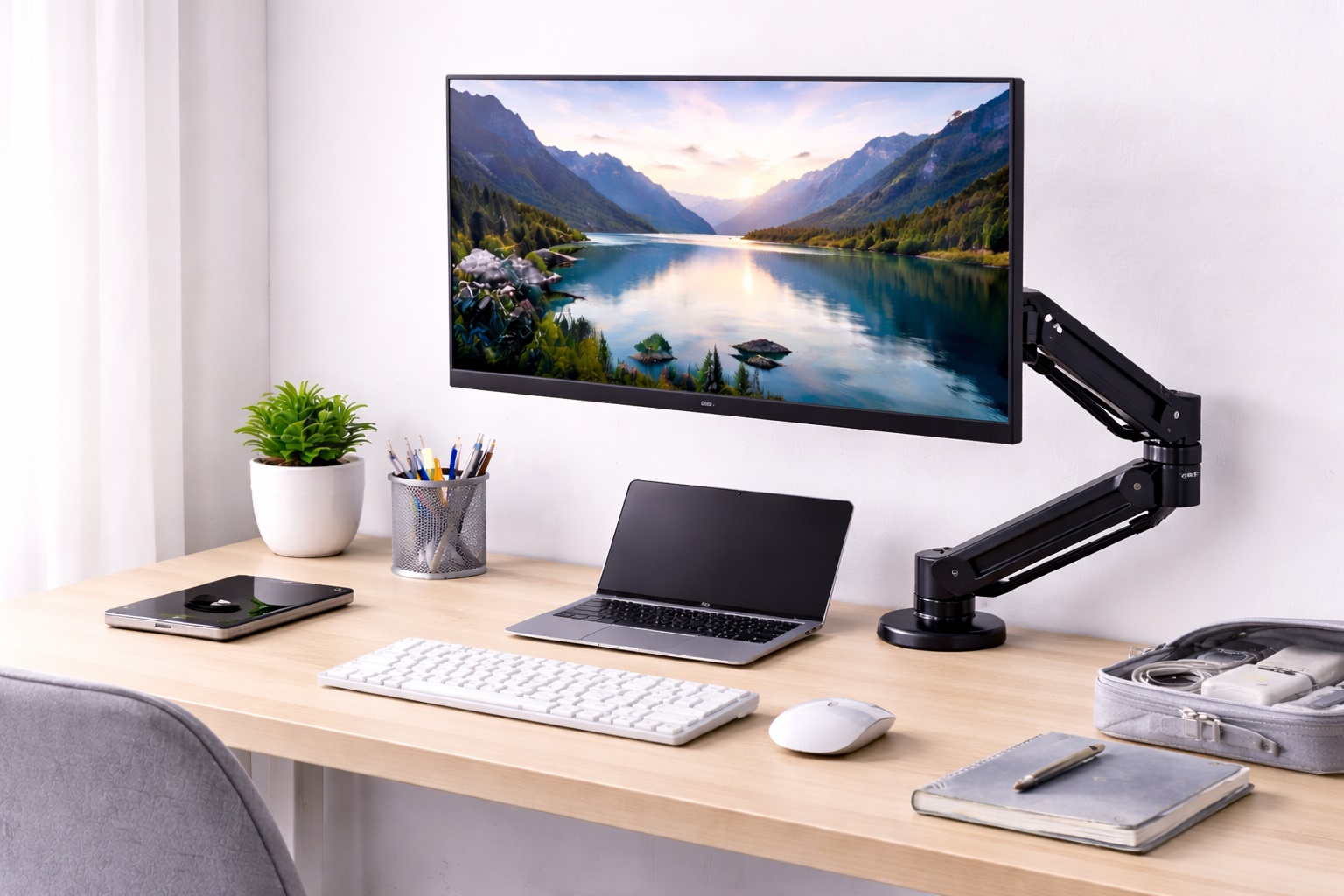
A single monitor setup doesn't need the complexity of a dual-arm system, but it still benefits enormously from swapping a fixed stand for a proper articulating arm. The difference shows up immediately: the screen can be pulled closer during focused work, pushed back and angled away when the desk needs to be cleared, and raised or lowered until the top of the display sits at genuine eye level instead of wherever the stand happened to place it. That last adjustment alone resolves a surprising amount of the neck and shoulder discomfort that builds up over a long day at a desk.
Single monitor arms come in more variety than the category name suggests. Some prioritize smooth, effortless adjustment through a gas spring mechanism. Others focus on installation flexibility, attaching to a desk edge without any drilling. Still others are built specifically for larger or heavier displays, with reinforced joints and a higher weight rating than a standard arm offers, or for desks where the monitor needs to sit much further from the mounting point than a typical arm reaches. Matching the arm to the actual monitor and desk setup, rather than assuming any single arm works equally well for every situation, is what separates a genuinely comfortable upgrade from a mismatched purchase.
This guide compares the single monitor arm styles that come up most often, breaks down what each one does particularly well, and walks through the buying factors worth checking before settling on one.
It's worth resisting the assumption that a single-screen setup automatically calls for the simplest, most basic arm available. A person who spends long hours at a desk and shifts between sitting and standing benefits just as much from smooth, precise adjustment as someone running two or three monitors — the number of screens doesn't change how often the arm gets used throughout the day.
Desk depth, monitor size, and how often the screen actually gets repositioned are the three details that matter most when narrowing down which single monitor arm style fits best. Two people with the same single monitor can reasonably end up with very different arms once those details are factored in, and there's no single arm that ranks as the objectively correct choice independent of those specifics.
Top 4 Single Monitor Arms (Detailed Reviews)
Each of these four styles is built around a single monitor rather than a dual-screen setup, but they solve noticeably different problems within that shared category — smooth everyday adjustment, no-drill installation, extended reach, and support for larger or heavier displays. Matching the pick to the actual desk and monitor in question matters more than picking whichever arm has the longest feature list. Reading through all four before deciding also makes it easier to recognize when a setup actually needs two of these traits at once, such as a heavier ultrawide monitor on a deep desk, rather than assuming a single pick will address every requirement equally well.
1. Fully Articulating Gas Spring Monitor Arm – Best Overall for a Single Screen
A gas spring monitor arm uses an internal pressurized cylinder to counterbalance the monitor's weight, allowing the screen to be lifted, lowered, tilted, or pulled forward with light, one-finger pressure. The arm holds its new position precisely without needing any bolt to be tightened, which makes repositioning throughout the day effortless rather than a minor chore.
This style typically includes multiple articulation points — a base joint, a middle joint, and a head joint near the monitor mount — giving it the widest overall range of motion among single monitor arms. That range matters most for anyone who shifts between sitting and standing throughout the day, or who simply likes pulling the screen closer during detailed work and pushing it back during video calls or breaks.
The gas spring mechanism also tends to age more gracefully than a manual friction joint, since it isn't relying on a bolt gradually loosening under repeated tightening and loosening. Most gas spring arms include a tension adjustment screw as well, which lets the resistance be fine-tuned slightly if the monitor drifts up or down after months of use rather than needing the entire arm replaced. That small adjustment screw is usually accessible without removing the monitor, making it a quick fix rather than a full reinstallation.
- Pros:
- Effortless one-finger height, depth, and angle adjustment
- Holds any position precisely without tightening bolts
- Widest overall range of motion among single monitor arm styles
- VESA compatible with most standard monitors
- Cons:
- Costs more than manual friction or fixed alternatives
- Gas cylinder performance can gradually decline after years of heavy use
Best For: Anyone who repositions their monitor frequently throughout the day and wants the smoothest, most precise adjustment available in a single arm.
Why We Recommend It: The combination of effortless adjustment and a wide range of motion makes this the most broadly satisfying single monitor arm for daily use, and the difference is immediately noticeable compared to a fixed stand or a manual friction arm.
2. C-Clamp Single Monitor Arm – Best for No-Drill Installation
A C-clamp monitor arm secures to the desk edge with a tightened clamp rather than passing through a drilled hole, making it the practical choice for rented apartments, shared offices, or any desk that shouldn't be permanently modified. Installation typically takes just a few minutes with a hex key, and the arm can be relocated or removed entirely without leaving a lasting mark on the desk.
Beyond the installation flexibility, most C-clamp arms still offer solid tilt, swivel, and height adjustment, so the no-drill mounting method doesn't come at a significant cost to daily usability. The clamp itself typically accommodates a range of desk edge thicknesses, though very thick or unusually shaped edges are worth checking against the arm's specifications before ordering.
The reversibility of this mount also makes it a sensible choice for anyone testing whether a monitor arm suits their workflow at all before committing to a more expensive or permanent setup. If the arm turns out not to be the right fit, removing it and returning the desk to its original state takes only a few minutes, with no leftover holes or marks to explain to a landlord or roommate.
- Pros:
- No drilling or permanent desk modification required
- Quick to install and just as quick to remove or relocate
- Suitable for rented, shared, or temporary desks
- Still offers solid tilt, swivel, and height adjustment
- Cons:
- May not fit unusually thick or thin desk edges
- Slightly less rigid than a grommet-mounted arm under a heavy monitor
Best For: Renters, apartment dwellers, and anyone who wants the benefits of a monitor arm without committing to a permanent installation.
Why We Recommend It: The C-clamp mount delivers nearly all the ergonomic benefit of a monitor arm without any permanent commitment, which matters most for anyone who expects to move desks or apartments in the near future.
3. Long-Reach Single Monitor Arm – Best for Deep or Wide Desks
A long-reach monitor arm is built with an extended horizontal segment, allowing the monitor to be positioned significantly further from the mounting point than a standard arm allows. This matters on deep desks where the mounting point sits at the back edge but the monitor needs to sit closer to the front for a comfortable viewing distance, or on wide desks where the monitor needs to be centered away from a corner-mounted clamp.
The extended reach typically comes from either a longer horizontal arm segment or an additional articulation joint positioned further along the arm. Either design allows the monitor to be pulled forward substantially more than a standard-reach arm, while still retaining the ability to push the screen back toward the desk edge when it needs to be out of the way.
This extra reach is particularly useful for corner desk setups, where the mounting point often ends up off to one side rather than directly behind the monitor's intended position. A long-reach arm can swing the screen out from a corner-mounted clamp and center it in front of the user, something a standard-reach arm typically can't manage without leaving the monitor noticeably off-center. It's a detail that's easy to overlook while shopping but becomes obvious the moment a standard arm is installed on a desk it wasn't quite built for.
- Pros:
- Significantly greater horizontal reach than a standard monitor arm
- Well suited to deep desks or corner-mounted setups
- Still retracts fully when the monitor needs to be pushed out of the way
- VESA compatible with most standard monitors
- Cons:
- Longer arm segment can flex slightly more than a compact arm under heavier monitors
- Takes up more physical space when fully extended
Best For: Users with deep desks, corner setups, or any configuration where the monitor needs to sit noticeably further from the mounting point than a standard arm reaches.
Why We Recommend It: For desks where a standard-reach arm simply can't get the monitor to a comfortable viewing distance, this style solves the reach problem directly rather than forcing a compromise on positioning.
4. Heavy-Duty Single Monitor Arm – Best for Large or Ultrawide Displays
A heavy-duty monitor arm is built with a higher weight capacity, reinforced joints, and often a sturdier gas spring or thicker pole structure than a standard arm, specifically to support larger, heavier displays such as big-screen or ultrawide monitors. Standard arms rated for typical consumer monitor weights can struggle to hold position or sag slightly under a significantly heavier screen, which this style is designed to avoid.
Because ultrawide and large-format monitors carry more weight toward one side or across a wider span, a heavy-duty arm's reinforced head joint also tends to resist tilting drift better than a standard arm would under the same load. This keeps the screen locked at the intended angle rather than gradually drooping over weeks of use.
The base and clamp assembly on a heavy-duty arm are also typically built with thicker metal and a wider clamping surface, spreading the extra load across more of the desk edge rather than concentrating it in one small area. This reduces the chances of the clamp compressing or marking the desk surface even under a display that weighs considerably more than an average monitor, and it also tends to translate into a more stable feel during everyday adjustment.
- Pros:
- Higher weight capacity than standard single monitor arms
- Reinforced joints resist drift and sag under heavier displays
- Sturdier build holds position reliably with large or ultrawide screens
- VESA compatible with most large-format and ultrawide monitors
- Cons:
- Bulkier and heavier than a standard single monitor arm
- Higher price than an arm built for average-weight monitors
Best For: Anyone running a large-format or ultrawide monitor that exceeds the weight rating of a typical standard single monitor arm.
Why We Recommend It: Matching the arm's weight capacity to a heavier monitor avoids the sagging, drifting, or unstable adjustment that a standard arm can develop when pushed beyond its intended weight range.
Buying Guide: How to Choose the Best Single Monitor Arm
A single monitor arm involves fewer competing considerations than a dual-arm setup, but getting the details right still makes a meaningful difference in daily comfort. These are the factors worth checking before buying, and working through them roughly in order tends to rule out the wrong styles quickly before getting into finer details like cable routing or joint count.
1. VESA Compatibility
VESA mounting requires a grid of four holes on the back of the monitor, most commonly spaced 75x75mm or 100x100mm. Nearly all single monitor arms support both patterns. Check the monitor's back panel for these holes before purchasing — monitors without a VESA pattern need an adapter bracket or a different mounting approach entirely, and not every monitor shape accepts an adapter cleanly.
2. Weight Capacity
Confirm the arm's stated weight capacity comfortably exceeds the monitor's actual weight, with some margin rather than sitting right at the limit. Larger or ultrawide displays sit at the heavier end of typical monitor weights, so a standard arm may not be sufficient for those specific models, making the weight rating one of the first specifications worth checking rather than an afterthought.
3. Height Adjustment Range
The arm should position the monitor's center at approximately seated eye level. Check the minimum and maximum height against the specific desk and chair combination being used, since a short adjustment range may not reach a comfortable ergonomic height for taller or shorter users, particularly on desks that sit unusually low or high.
4. Reach and Extension
Arm reach determines how far the monitor can be positioned from the mounting point. Deep desks or corner-mounted setups benefit from a longer-reach arm, while a standard desk depth is usually well served by a standard-reach model. Checking the arm's reach specification against the actual desk depth avoids ending up with a monitor positioned too close or too far from a comfortable viewing distance.
5. Mounting Method
C-clamp mounts attach to the desk edge without drilling, making them easier to install and remove. Grommet mounts pass through a hole in the desk for a slightly more stable, permanent attachment. For rental or temporary setups, clamp mounting is the more practical choice; for a desk that will stay in place for years, grommet mounting offers a cleaner, more stable result over the long term.
6. Adjustment Mechanism
Gas spring arms hold position with light, one-finger effort and suit anyone who repositions the monitor often. Manual friction arms require tightening a bolt to lock position, which is simpler, typically more affordable, and perfectly adequate for anyone who sets the monitor once and rarely readjusts it throughout a typical week.
7. Cable Management
Arms with internal cable routing channels keep cables tucked inside the pole rather than hanging visibly, giving a cleaner overall appearance. External cable clips are easier to access when cables need to change but leave more visible cable running along the desk, which matters more on a desk that's otherwise kept tidy.
8. Tilt, Swivel, and Rotation Range
Full adjustment typically includes forward and backward tilt for viewing angle, left and right swivel for repositioning, and portrait or landscape rotation. Portrait rotation is valuable for coding, document review, or reading long-form content, but unnecessary for most media and general productivity use, so it's worth skipping if the extra range won't actually get used.
9. Desk Thickness Compatibility
C-clamp arms specify a maximum desk edge thickness they can grip securely. Most support common desk thicknesses, but unusually thick, thin, or rounded desk edges can prevent a secure clamp fit. Measuring the desk edge before ordering avoids a mismatched purchase and a return that could have been avoided with a few minutes of checking.
10. Number of Articulation Joints
More joints allow for more precise positioning and the ability to fold the monitor closer to the pole or push it further out of the way. A single-joint arm moves in a simple arc, while a multi-joint arm allows more complex, compact positioning — useful for anyone who wants to clear desk space by pushing the monitor fully aside when it isn't in use.
11. Build Quality and Material
Aluminum construction offers a strong balance of low weight and rigidity, while steel components in the joints and base add durability at the cost of some extra weight. Checking the material used in load-bearing joints specifically, rather than just the overall arm, gives a better sense of how the arm will hold up over years of daily adjustment and repeated repositioning.
12. Warranty and Return Policy
A longer warranty period is often a reasonable signal of the manufacturer's own confidence in the mechanism's durability, particularly for the gas spring or tension mechanism, which is the most common point of eventual wear. Checking the return window also matters in case the arm doesn't fit the desk or monitor as expected once it actually arrives.
Frequently Asked Questions
1. Is a single monitor arm worth it if I only use one monitor?
Yes, a single monitor arm still delivers meaningful benefits over a fixed stand, including full height and angle adjustment, desk space reclaimed from the stand's footprint, and the ability to reposition the screen throughout the day for different tasks or postures. The benefit doesn't scale only with the number of screens — a single well-positioned monitor still makes a noticeable difference to comfort during long working sessions.
2. How do I know if my monitor is compatible with a single monitor arm?
Check the back panel for four threaded holes arranged in a square pattern, typically spaced 75mm or 100mm apart. If no such pattern is visible, a VESA adapter bracket can sometimes add compatibility, though not every monitor shape supports one cleanly, so it's worth confirming compatibility with the specific monitor model before ordering an adapter.
3. Will a single monitor arm hold my monitor steady while typing?
A quality arm isolates the monitor from desk vibrations effectively. Gas spring arms hold position firmly without movement, and friction-tightened arms are also stable when properly set. Persistent wobble after tightening usually indicates the arm is under-rated for the monitor's actual weight rather than a defect in the arm itself.
4. How long does installing a single monitor arm typically take?
Most single monitor arms install in fifteen to thirty minutes, including clamp attachment, arm assembly, and VESA mounting. Having a second person briefly hold the monitor while it's attached to the VESA plate makes the process noticeably easier, particularly for larger or heavier displays.
5. Can a single monitor arm damage my desk?
C-clamp arms apply clamping pressure to the desk edge and can compress softer surfaces or leave minor impressions over time, particularly on lighter particleboard desks. Using the included rubber or felt pads between the clamp and the desk reduces this risk considerably, and checking the pads periodically for wear helps maintain that protection over time.
6. Can I mount a curved or ultrawide monitor on a single monitor arm?
Yes, as long as the monitor has a VESA mounting pattern and the arm's weight capacity covers it. Ultrawide and curved monitors tend to sit at the heavier end of typical monitor weights, so a heavy-duty arm is often the safer choice for these specific display types rather than a standard arm rated for average consumer monitors.
7. Is a gas spring arm worth the extra cost over a manual friction arm?
For anyone who repositions their monitor frequently, the one-finger adjustment of a gas spring arm is a genuine daily convenience. For someone who sets the monitor once and rarely touches it again, a manual friction arm delivers the same core ergonomic benefit at a lower price without the added mechanism cost.
8. What happens if my monitor exceeds the arm's weight capacity?
An arm pushed beyond its rated weight capacity will typically struggle to hold position, drift downward over time, or feel unstable during adjustment. Choosing an arm with a comfortable margin above the monitor's actual weight avoids these issues entirely and extends the mechanism's usable life.
9. Is the most expensive single monitor arm always the best choice?
Not necessarily. A higher price often reflects a gas spring mechanism, extended reach, or a higher weight rating, but a simpler, more affordable arm delivers the same core benefit for anyone with a standard monitor and typical desk setup who doesn't need those extras.
10. How long does a quality single monitor arm typically last?
A well-built arm from a reputable brand generally holds up for several years of regular adjustment. Checking the warranty length at purchase is a reasonable way to gauge the manufacturer's own confidence in the mechanism's long-term durability, and a longer warranty is often a useful early signal before reading individual reviews.
11. Can I return a single monitor arm if it doesn't fit my setup?
Most retailers offer a standard return window, commonly two to four weeks. Keeping the original packaging during the trial period preserves the option to return the arm if the clamp doesn't fit the desk edge or the reach doesn't suit the setup as expected.
12. Does brand reputation matter when choosing a single monitor arm?
Established brands generally offer more consistent build quality and more reliable support if a joint or gas cylinder fails prematurely. Newer or lesser-known brands can still offer good value, so reading verified reviews carefully is worthwhile before choosing on price alone, especially reviews describing long-term use rather than only first impressions.
Final Verdict
- Best Overall for a Single Screen: Fully Articulating Gas Spring Monitor Arm – the smoothest, most broadly satisfying choice for daily adjustment.
- Best for No-Drill Installation: C-Clamp Single Monitor Arm – the reversible, commitment-free option for renters and shared desks.
- Best for Deep or Wide Desks: Long-Reach Single Monitor Arm – the right choice when a standard arm can't reach a comfortable viewing distance.
- Best for Large or Ultrawide Displays: Heavy-Duty Single Monitor Arm – the sturdier, reinforced option for monitors that exceed standard weight ratings.
Choosing between these four styles comes down to being honest about the actual desk, monitor, and daily habits involved rather than defaulting to whichever arm appears most often in general recommendations. A standard gas spring arm serves most single-monitor setups well, but a deep desk, an oversized display, or a strict no-drill requirement each point toward a more specific choice. Working through the buying guide factors above against the actual setup narrows the decision down quickly and avoids a mismatched purchase.
None of these four styles is the universally correct answer, since each one is built to solve a slightly different version of the same basic problem — getting a single screen positioned comfortably without asking the desk or the budget to do more than necessary. Measuring the desk, checking the monitor's weight and VESA pattern, and being realistic about how often the screen will actually move throughout the day is usually enough to point clearly toward one of the four, and that short bit of upfront planning saves far more time than researching every arm on the market individually.