Best Budget Standing Desk Converters: Affordable Sit-Stand Solutions
A standing desk converter solves a specific problem: you want the ergonomic benefits of alternating between sitting and standing during the workday, but you don't want to replace an existing desk, drill into a wall, or spend several hundred dollars on a full electric sit-stand desk. Converters sit directly on top of whatever desk or table you already own and lift your monitor, keyboard, and sometimes a full working surface up to standing height with a spring-assisted or gas-lift mechanism, then drop back down when you want to sit again.
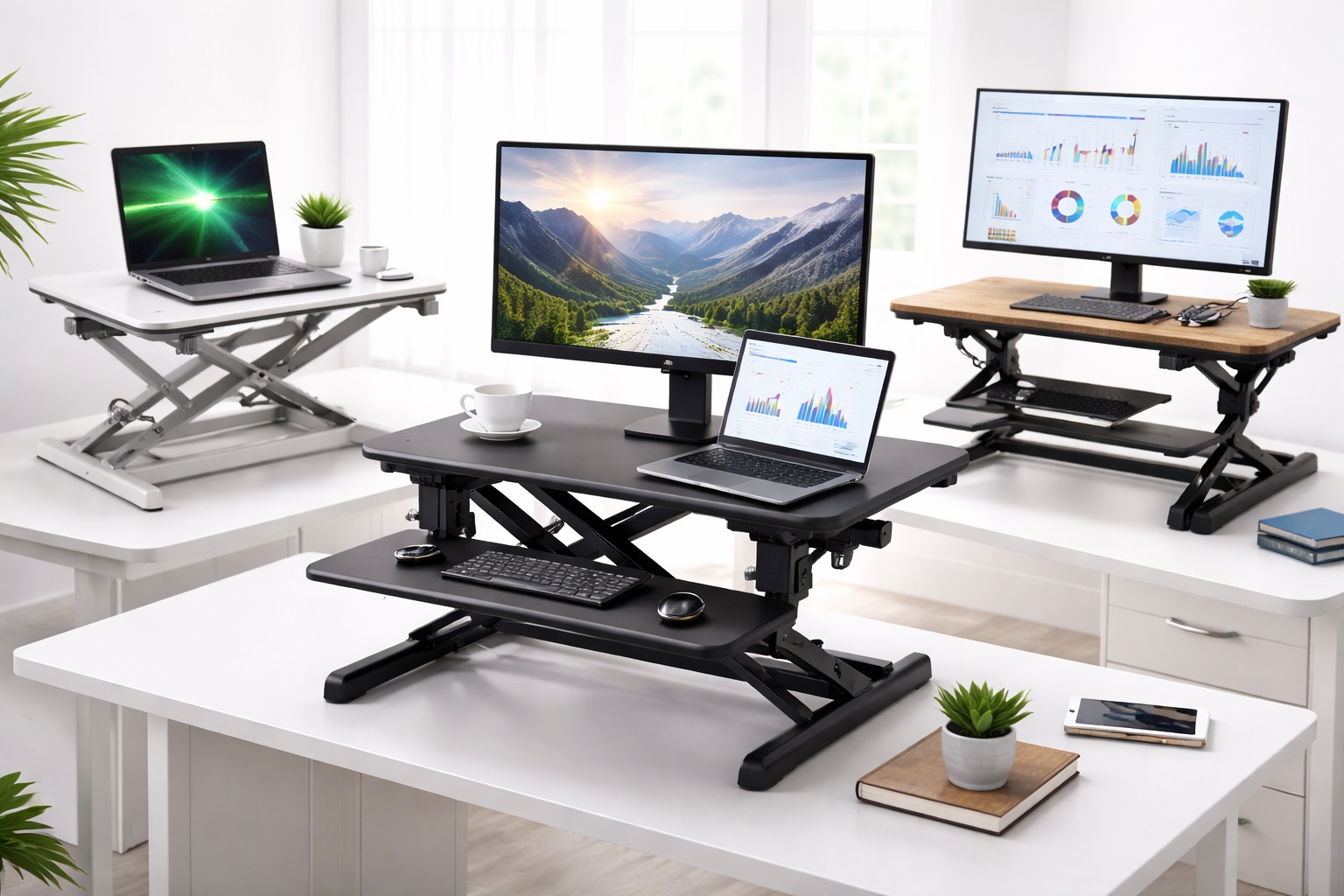
The category is far from one-size-fits-all, though. Some converters are little more than a small platform for a single monitor and a keyboard tray; others provide a full desktop-sized surface that can hold a monitor, laptop, notebook, and coffee cup with room to spare. Some rely on a simple twin-column lift, while others use a Z-lift or single-arm mechanism that changes how much desk space the unit occupies when lowered. Budget models introduce another layer of tradeoffs — namely how much wobble you'll feel at full height, and how much weight the lift mechanism can actually support without struggling.
This guide reviews six practical converter styles that come up repeatedly in home office contexts, explains the specific strengths and weaknesses of each, and walks through the buying factors that actually predict whether a converter will get used daily or end up permanently left in the "down" position after the first week.
It's also worth acknowledging upfront why so many standing desk converters end up abandoned within the first month: the mismatch is rarely about standing itself, and almost always about the converter not fitting the desk, the monitor setup, or the user's actual typing posture. A converter that wobbles, crowds a small desk, or forces an awkward keyboard height gets used less and less over time, regardless of how good the underlying sit-stand concept is. Matching the category to your specific desk and equipment matters more here than in almost any other home office purchase.
Top 6 Budget Standing Desk Converters (Detailed Reviews)
1. Compact Desk Riser – Best For Small Desks and Tight Spaces
A compact desk riser is built around a small footprint, typically wide enough for one monitor and a keyboard, and designed for desks where space is already at a premium. Because the platform is smaller, it also tends to be lighter and easier to lift up and down repeatedly throughout the day.
- Pros:
- Small footprint fits on desks too shallow or narrow for larger converters
- Lighter overall weight makes daily height adjustments quicker and less effortful
- Lower price point than full-surface converters in most cases
- Cons:
- Limited surface area means no room for a full keyboard-and-mouse setup plus notes or a second monitor
- Smaller footprint can translate to less stability at maximum height compared to wider bases
Best For: Single-monitor setups on smaller desks where a large converter simply wouldn't fit or would overwhelm the available surface.
Why We Recommend It: For anyone working from a small desk, an entryway table, or a shared space, a bulky full-surface converter is often physically impractical. A compact riser solves the ergonomic problem without requiring a desk upgrade to accommodate it.
Because these units are lighter, they're also easier to relocate between rooms or desks, which matters for anyone who splits time between a home office and a shared family workspace. The tradeoff is that you lose the extended surface area a larger converter provides, so anyone who regularly spreads out paperwork alongside a keyboard should weigh that limitation carefully before choosing this category.
2. Large Surface Converter – Best For Multi-Monitor and Multitasking Setups
Large surface converters extend the platform significantly, often wide and deep enough to hold two monitors, a laptop, a notepad, and peripherals simultaneously. The tradeoff for that extra real estate is a heavier unit that takes up more desk space even when lowered to sitting height.
- Pros:
- Ample surface area supports dual-monitor and multi-device setups
- Wider base generally improves stability at standing height compared to compact risers
- Room for keyboard, mouse, and additional desk accessories on one level
- Cons:
- Significant desk footprint even when lowered, which can overwhelm smaller desks
- Heavier overall weight makes the unit less practical to move or relocate frequently
Best For: Professionals running dual-monitor setups, or anyone who needs a genuinely full desktop surface rather than a narrow platform.
Why We Recommend It: Compact risers force compromises that many multi-monitor users simply can't accept — there isn't room for two screens plus a keyboard on a narrow platform. A large surface converter is the category built specifically to remove that constraint.
The added stability at height is a genuine secondary benefit here, not just a byproduct of size. Wider bases distribute weight more evenly across the lift columns, which noticeably reduces the wobble that's a common complaint with narrower budget converters when typing vigorously at standing height.
3. Single-Arm Monitor Converter – Best For Minimalist, Laptop-Free Desks
A single-arm monitor converter attaches to the edge of a desk and lifts only the monitor itself on an articulating arm, leaving the keyboard and mouse at the original desk height or on a separate tray. It's a fundamentally different approach from a full-platform riser — it treats the monitor as the only thing that truly needs to change height.
- Pros:
- Frees up almost all desk surface area since the monitor is lifted off the desktop entirely
- Clamp-mounted design keeps the setup stable since it's anchored directly to the desk edge
- Adjustable arm allows fine-tuned height and viewing angle beyond what a fixed platform offers
- Cons:
- Keyboard and mouse typically remain at sitting height unless paired with a separate tray
- Requires a desk edge suitable for clamp mounting, which isn't compatible with every desk design
Best For: Desk setups where surface space matters more than a fully adjustable typing position, or users who mainly want to change monitor height and viewing angle.
Why We Recommend It: For minimalist desks or setups already tight on space, dedicating the entire desktop to a platform riser isn't appealing. A single-arm converter delivers a meaningful ergonomic upgrade for monitor viewing while leaving the rest of the desk untouched.
It's worth being clear-eyed about what this category doesn't solve: true standing-desk ergonomics also call for the keyboard and wrists to rise to a comfortable typing height, not just the screen. Users who want the full sit-stand benefit typically pair a single-arm monitor mount with a separate adjustable keyboard tray rather than relying on the monitor arm alone.
4. Keyboard Tray Converter – Best For Wrist Comfort and Typing Ergonomics
A keyboard tray converter focuses specifically on keyboard and mouse positioning, usually as a sliding or independently height-adjustable tray that sits below or alongside a fixed monitor platform. Some are sold as standalone accessories, while others come bundled with a monitor riser as part of a two-tier system.
- Pros:
- Independent height adjustment for keyboard and mouse improves wrist and shoulder posture
- Two-tier designs let the monitor sit higher while the keyboard stays at a natural typing height
- Reduces strain for users who type for extended periods throughout the day
- Cons:
- Two-tier designs are generally more complex mechanically, with more parts that can loosen over time
- Tray surface is often narrower than a full desktop platform, limiting extra accessory space
Best For: Anyone who types for long stretches daily and has experienced wrist, shoulder, or neck discomfort with a single flat platform converter.
Why We Recommend It: A single flat surface forces the keyboard and monitor to sit at the same height, which is rarely the correct ergonomic position for both at once. A two-tier keyboard tray design addresses this directly, which single-platform converters cannot.
The independent adjustment is particularly valuable for anyone who has already dealt with a repetitive strain issue, since it allows fine-tuning of keyboard height separately from monitor height rather than accepting whatever compromise a single flat surface provides. It does add a small amount of setup complexity, so it rewards users willing to spend a few minutes dialing in the correct position rather than expecting it out of the box.
5. Z-Lift Desk Converter – Best For Reduced Desk Depth When Lowered
Z-lift converters use a folding, scissor-style mechanism shaped like the letter Z rather than the twin vertical columns found on most standard risers. This design folds down flatter and shallower when lowered, reducing how far the unit protrudes toward the user at sitting height.
- Pros:
- Folds to a notably lower, shallower profile than column-lift converters when in the sitting position
- Reduces the amount of desk depth lost to the mechanism itself compared to twin-column designs
- Smooth, guided lift motion in most well-built units
- Cons:
- Mechanically more complex than twin-column designs, with more moving parts that can wear over time
- Weight capacity is sometimes lower than comparable twin-column converters at the same price point
Best For: Users on shallow desks where a standard column-lift converter would push the monitor and keyboard uncomfortably close to the edge of the desk when lowered.
Why We Recommend It: Desk depth is a frequently overlooked constraint until a converter arrives and doesn't fit comfortably. A Z-lift design specifically solves this problem, making it a smarter pick for shallow desks than a bulkier column-based unit.
Because the folding mechanism has more joints and pivot points than a simple column lift, it's worth paying slightly more attention to build quality within this category specifically, since a loose or worn joint is more noticeable in a folding mechanism than in a straightforward vertical lift.
6. Budget Adjustable Desk Riser – Best For First-Time Buyers on a Tight Budget
The budget adjustable desk riser category covers straightforward, no-frills converters that provide basic height adjustment across a handful of preset positions without the added features, surface area, or mechanical complexity of pricier options.
- Pros:
- Lowest price point of entry into the standing desk converter category
- Simple mechanism with fewer parts that can fail or require adjustment
- Sufficient for occasional standing use rather than all-day height cycling
- Cons:
- Preset height positions offer less precise adjustment than gas-lift or continuously adjustable models
- Build materials and stability are noticeably more basic than mid-range and premium converters
Best For: Buyers testing whether a standing desk routine will actually stick before investing in a more capable converter.
Why We Recommend It: Not every buyer knows yet whether they'll use a sit-stand setup regularly. A budget riser answers that question at minimal cost, and many users who stick with the habit intentionally upgrade later once they know exactly which features they value.
The preset-position design, while less flexible than a continuously adjustable gas-lift mechanism, does have one underrated advantage: it removes any guesswork about finding "the right height," since users simply pick from a small number of tested positions rather than fine-tuning from scratch every time.
Buying Guide: How to Choose the Best Budget Standing Desk Converter
Before making a purchase decision, consider these key factors that separate a genuinely useful standing desk converter from one that looks good in a listing photo but falls short in everyday use.
1. Height Adjustment Range
Check both the minimum and maximum height the converter reaches, and compare that against your actual seated and standing eye level. A converter that technically "stands" but doesn't reach a comfortable height for your specific stature will undercut the entire ergonomic benefit you bought it for.
2. Desktop Surface Area
Measure your current setup — monitor footprint, keyboard, mouse, and anything else you keep on the desk daily — before assuming a given converter's surface will accommodate it. Compact risers are frequently returned simply because buyers underestimated how little room remained after the monitor and keyboard were placed.
3. Monitor Shelf Stability
A converter that wobbles when you type at standing height is more than an annoyance; it's genuinely distracting during focused work and can contribute to eye strain if a monitor visibly shakes. Look specifically for user feedback mentioning stability at full height, not just at the lowest position.
4. Wobble at Standing Height
Wobble tends to increase with height and decrease with base width, so a tall, narrow converter is statistically more likely to feel unstable than a shorter, wider one. If your desk allows for a wider base, prioritizing width over height range can meaningfully improve daily stability.
5. Weight Capacity
Add up the actual weight of your monitor, keyboard, and any additional equipment you plan to keep on the platform, and compare that total against the converter's rated capacity with some margin to spare. Operating near or above a stated weight limit accelerates wear on the lift mechanism.
6. Lift Mechanism Type
Gas-lift and spring-assisted mechanisms generally offer smoother, more continuous height adjustment, while preset-position and manual-crank designs are simpler but less flexible. Decide whether you value precise, repeated height changes throughout the day or a simpler, sturdier design with fewer adjustment points.
7. Desk Depth and Footprint When Lowered
Some converters sit noticeably far forward on the desk even when lowered to sitting height, effectively reducing usable desk depth all day, not just while standing. Measure your desk depth and compare it against the converter's footprint in the lowered position, not just its standing dimensions.
8. Ease of Height Adjustment
A converter that requires significant physical effort or two hands to raise and lower is less likely to get used consistently throughout the day. If you plan to switch positions frequently, prioritize models specifically described as smooth or effortless to lift, even if that means a slightly higher price.
9. Cable Management
Height-adjustable platforms mean any cables running to your monitor, keyboard, or peripherals need enough slack to move with the platform without snagging or pulling taut at full height. Check whether a converter includes any built-in cable routing or clips, since retrofitting this yourself is an added hassle.
10. Price and Value Relative to Feature Set
The cheapest converter in a lineup often cuts corners on stability or surface area rather than on core height adjustment, since adjustment is the baseline feature every converter must deliver. Compare what specifically differs between a budget and mid-range option before assuming the price gap reflects meaningfully different core functionality.
11. Assembly and Setup Difficulty
Most converters arrive partially or fully assembled, but some require attaching a base, clamp, or riser column before use. If you want to be working within minutes of unboxing, look specifically for confirmation of minimal or tool-free assembly rather than assuming every unit in the category ships ready to use.
12. Compatibility With Your Existing Desk
Clamp-mounted converters and single-arm designs require a compatible desk edge, typically within a specific thickness range, while freestanding platform converters simply rest on top of any flat surface. Confirm your desk's edge thickness and material before choosing a clamp-based design specifically.
13. Noise Level During Adjustment
Gas-lift and spring-assisted mechanisms are usually near-silent, but some budget crank or ratchet-style converters produce a noticeable clicking or grinding sound during height changes. If you work in a shared space or take frequent video calls, this is worth checking in product feedback before buying.
14. Long-Term Durability Under Daily Use
A converter used once or twice a week faces very different wear than one raised and lowered multiple times daily. If your plan is to alternate positions frequently throughout each workday, prioritize models with feedback specifically addressing performance after months of regular use rather than just initial impressions.
Frequently Asked Questions
How much desk space does a standing desk converter actually need?
This varies widely by category — a compact riser needs only enough room for one monitor and a keyboard, while a large surface converter can require significantly more desk depth and width. Measuring your available desk space against the converter's listed footprint before buying avoids the most common fit complaint.
Are budget standing desk converters stable enough for daily typing?
Stability depends more on base width and build quality than on price alone, though budget models are more likely to cut corners here than mid-range options. Checking specifically for wobble complaints in user feedback is a more reliable indicator than price point by itself.
Do I need a full electric standing desk instead of a converter?
Not necessarily. A converter delivers most of the same ergonomic benefit — the ability to alternate between sitting and standing — at a fraction of the cost and without replacing your existing desk. A full electric desk mainly adds a larger dedicated surface and smoother motorized adjustment.
How long does it take to get used to working at a standing desk converter?
Most people gradually build up standing time over one to two weeks rather than standing all day immediately. Alternating in shorter intervals at first and increasing standing time gradually tends to be more sustainable than an abrupt full-day switch.
Can a standing desk converter hold two monitors?
Large surface converters are generally built with enough platform area for a dual-monitor setup, while compact risers and single-arm converters typically are not, unless a second arm or accessory is added separately. Check the specific surface dimensions rather than assuming any converter supports multiple monitors.
What's the difference between a gas-lift and a preset-position converter?
Gas-lift mechanisms allow continuous height adjustment to virtually any position within their range, while preset-position designs only lock into a fixed set of height levels. Gas-lift models generally offer more precise ergonomic fit, while preset designs are simpler and often less expensive.
Will a standing desk converter fit on a small or narrow desk?
Compact risers and single-arm monitor converters are specifically designed for this scenario, since they occupy far less desk surface than a large platform converter. Measuring your desk's usable width and depth against the converter's footprint remains the most reliable way to confirm fit.
Is a keyboard tray necessary, or is a flat platform converter good enough?
A flat platform is adequate for many users, but anyone experiencing wrist or shoulder discomfort typically benefits from a two-tier design that lets the keyboard sit lower than the monitor. This is a matter of personal ergonomic need rather than a universal requirement.
How much weight can a typical budget converter support?
Weight capacity varies significantly by model and mechanism type, so it's important to check the specific rated capacity against the combined weight of your monitor, keyboard, and any accessories rather than assuming all converters in the budget category support the same load.
Do standing desk converters work on desks with an uneven or angled top?
Most converters are designed for flat, level desk surfaces, and an angled or uneven top can affect both stability and how securely a clamp-mounted design attaches. Checking desk compatibility specifications before purchase is especially important for clamp-based converters.
Are Z-lift converters more prone to breaking down than standard column-lift models?
Z-lift mechanisms have more moving joints than a simple twin-column lift, which can mean more potential wear points over years of heavy use, though build quality matters more than mechanism type alone. Reading feedback on long-term durability for a specific model is more useful than generalizing across the whole category.
What's the best converter type for someone trying standing desks for the first time?
A budget adjustable desk riser or compact riser is usually the most sensible entry point, since it tests whether a standing routine will actually become a habit before committing to a larger investment in a premium converter or full electric desk.
Do standing desk converters help with back pain?
Many users report reduced lower back discomfort after introducing regular standing intervals, since alternating position relieves sustained pressure on the same muscles and joints. A converter isn't a guaranteed fix for existing back conditions, but breaking up long sitting periods is a widely recommended general ergonomic practice.
Can a standing desk converter be used with a laptop instead of a separate monitor?
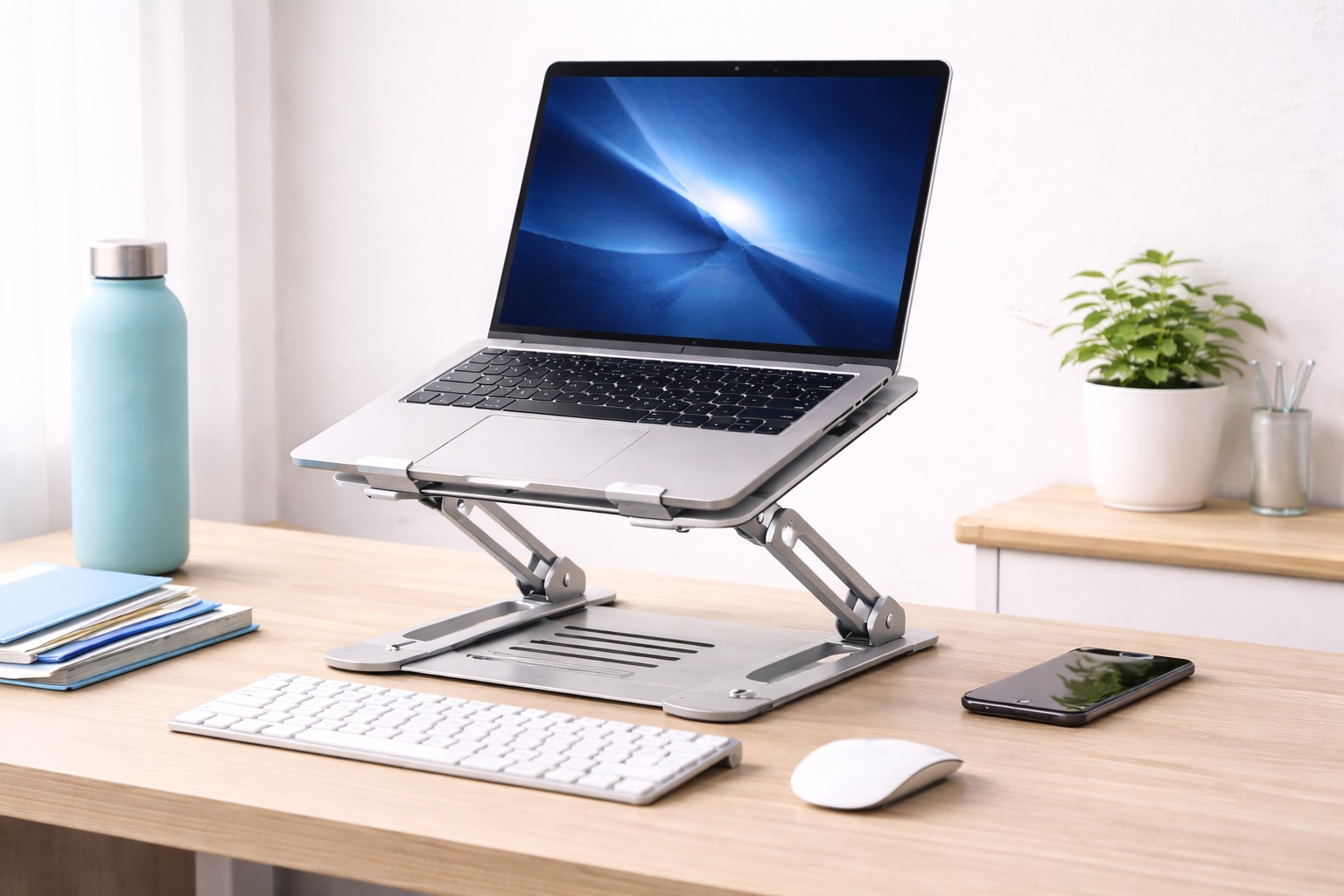
Yes, most platform-style converters accommodate a laptop directly on the surface, though pairing a laptop with an external keyboard and raising the laptop itself on a stand often improves the viewing angle further. Single-arm converters are generally built for external monitors rather than laptops specifically.
How do I clean and maintain a standing desk converter over time?
Wiping down the platform surface regularly and periodically checking the lift mechanism's screws or joints for looseness helps prevent the wobble that develops in many units after extended use. Manufacturers sometimes recommend specific lubrication points for gas-lift columns, so checking included documentation is worthwhile.
Final Verdict
The right standing desk converter has less to do with finding the single best-reviewed product and more to do with matching the converter's design to your desk, your equipment, and your actual working habits. A large surface converter solves a completely different problem than a single-arm monitor mount, even though both fall under the same general product category.
- For small or shallow desks: A compact riser or Z-lift converter minimizes footprint without sacrificing the core sit-stand benefit.
- For multi-monitor or multitasking setups: A large surface converter provides the platform space serious multi-device setups require.
- For wrist and typing comfort: A keyboard tray converter with independent height adjustment addresses ergonomic issues a flat platform can't.
Whichever style fits your desk and your habits, a budget standing desk converter remains one of the most cost-effective ways to bring real ergonomic variety into a workday that would otherwise mean sitting in one position for hours at a stretch. Spend a few extra minutes measuring your desk, weighing your equipment, and being honest about how often you'll actually raise and lower the platform before choosing between these six categories — that small amount of upfront diligence is what separates a converter that becomes part of your daily routine from one that quietly gets left in the down position after the first few weeks.