Best Desk Organizers for a Clutter-Free, Productive Desk
A messy desk rarely stays that way by accident. Pens migrate under keyboards, sticky notes pile up in the corners, and a tangle of charging cables slowly takes over the one flat surface you actually need for work. A good desk organizer solves this, but only if you pick a style that matches how you actually work, not just the one with the nicest product photos.
There is no single "best" desk organizer, because desks are not all used the same way. Someone running two monitors and a laptop dock has completely different clutter than someone who just needs a place for pens, a notepad, and a phone stand. The categories below cover the realistic range of options people search for, along with where each one genuinely earns its spot on a desk and where it falls short.
Below you will find a side-by-side comparison, detailed breakdowns of the main organizer styles, a buying guide that walks through the factors that actually matter, and answers to the questions people ask most often before buying.
It also helps to think about desk organization as an ongoing habit rather than a one-time purchase. Even the best-designed organizer will not stay tidy on its own — it needs compartments that match what you actually keep on hand, placed somewhere you will realistically use every day. Buyers who choose a style based on how their desk looks in a photo, rather than how they actually work, are the ones most likely to end up with an organizer pushed to the back of a drawer within a month.
It also helps to walk through your desk with fresh eyes before choosing a category, almost as if you were seeing it for the first time. What genuinely needs a fixed home versus what you could simply remove from the desk altogether? Not every item currently living on your desk needs to be organized in place — some clutter is better solved by relocating an item to a drawer or shelf than by building storage around it staying exactly where it is.
Top Desk Organizer Types, Reviewed
Each of the styles below solves a slightly different clutter problem. Read through the pros, cons, and best-fit notes to see which one lines up with your own desk setup.
1. Bamboo Desk Organizer – Best Overall
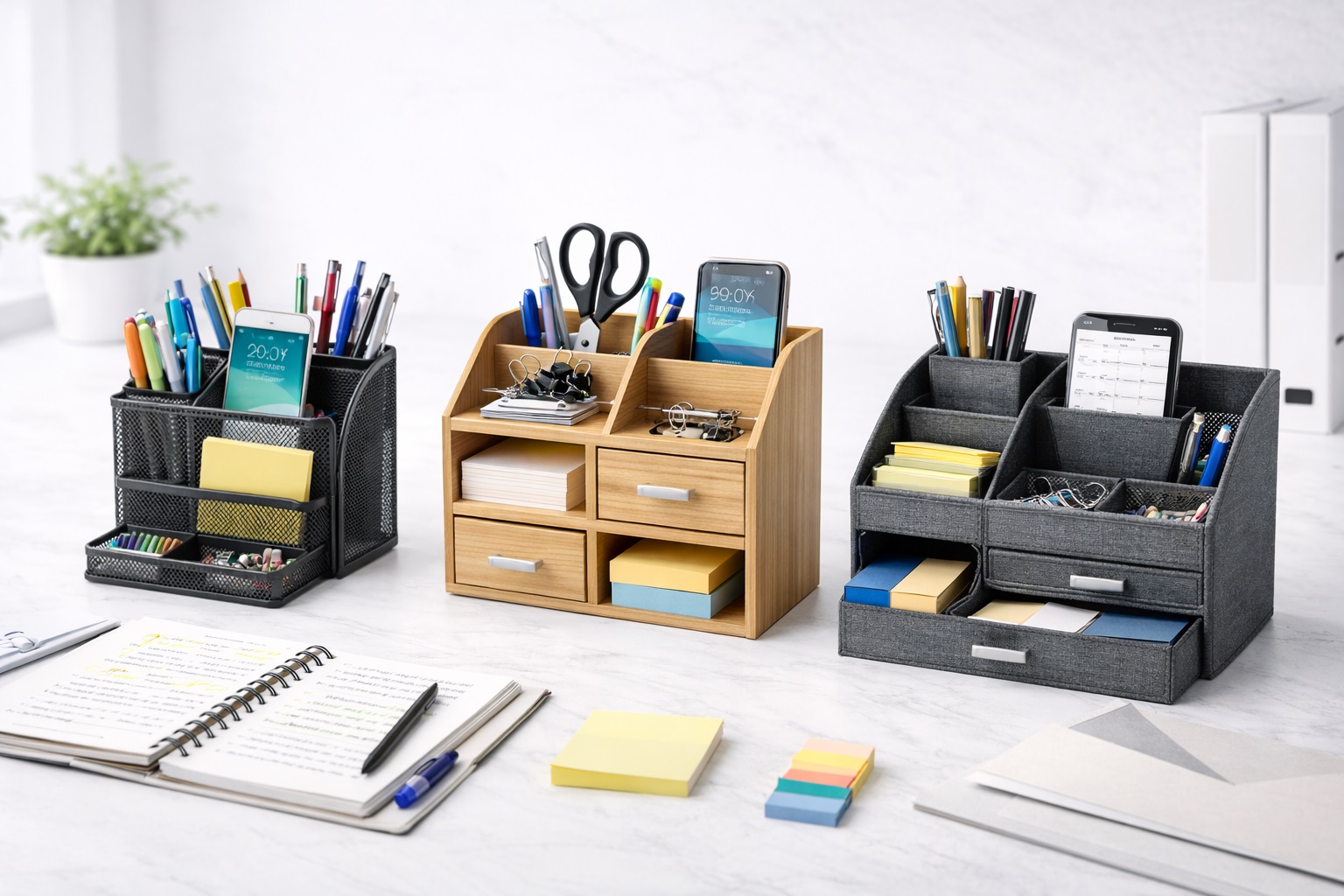
Bamboo desk organizers are typically built as a single tray or riser unit with several open compartments for pens, sticky notes, business cards, and small accessories, often combined with a slot for a phone or tablet. The appeal is straightforward: bamboo brings a warm, natural look that fits into almost any office aesthetic without clashing with wood furniture, light-colored desks, or minimalist decor. Because the compartments are usually molded or cut directly into a single solid block, these organizers tend to sit flat and stay put rather than sliding around when you reach for something in a hurry. Many designs also raise certain sections at a slight incline, which makes it easier to glance at a stack of notes or business cards without having to lift the whole tray off the desk.
- Pros:
- Natural material blends with most desk and office styles
- Solid, single-piece construction that resists tipping or shifting
- Multiple compartment sizes suit pens, cards, and small electronics together
- Generally easy to wipe down and keep looking presentable
- Cons:
- Fixed compartments cannot be resized as your storage needs change
- Bamboo can show scratches or water rings if not wiped promptly
- Bulkier designs take up more desk footprint than a simple tray
Best For: Home office workers and students who want an all-purpose organizer that looks intentional on a desk rather than purely functional.
Why We Recommend It: It covers the widest range of everyday desk clutter — pens, notes, cards, and a phone — in one attractive, stable unit, which is why it works as a sensible default pick for most people.
2. Metal Mesh Organizer – Best for Durability
Metal mesh organizers use a wireframe or perforated steel construction, usually finished in black, white, or a matte industrial tone. The open mesh design means you can see the contents at a glance, which matters if you tend to forget what is buried in a closed container. Because the material is steel rather than plastic or wood, these units generally hold up better to daily wear, heavier items, and long-term use without warping or cracking. Many also stack or nest together, so a small collection can grow into a larger system over time without needing to replace the original pieces.
- Pros:
- Sturdy metal construction holds up to daily, heavy-handed use
- Open mesh design makes contents visible without opening anything
- Lightweight enough to reposition without much effort
- Fits well in modern, industrial, or minimalist office setups
- Cons:
- Open compartments collect dust more readily than closed storage
- Metal edges on lower-quality units can feel sharp along the rim
- Less visual warmth than wood or bamboo alternatives
Best For: Anyone who wants an organizer that will survive years of daily use without the compartments loosening, cracking, or sagging.
Why We Recommend It: The durability of steel construction makes this the practical choice for a desk that gets heavy daily traffic, where lightweight plastic or wood alternatives tend to wear out first.
3. Drawer Desktop Organizer – Best for Concealed Storage
A drawer desktop organizer stacks several small pull-out drawers, sometimes alongside a flat top surface for a monitor, printer, or decorative item. Unlike open-tray designs, everything here stays out of sight until you pull a drawer open, which makes it the better option for anyone who wants a clean, uncluttered look on top of the desk while still keeping supplies close at hand underneath. Some versions also include a shallow top drawer specifically for documents, which keeps loose paperwork from spreading across the desk during the workday. This format benefits most people who work on video calls regularly or simply prefer walking into a visually calm room, though anyone who needs to grab supplies quickly and repeatedly throughout the day may find the extra step of opening a drawer adds up to real friction over a long workday.
- Pros:
- Keeps small items completely out of view for a tidy desktop appearance
- Multiple drawers allow supplies to be sorted by category
- Flat top surface can double as a stand for a monitor or printer
- Reduces dust exposure compared to open-tray organizers
- Cons:
- Takes up more desk depth than a simple tray-style organizer
- Small drawers can be harder to search through than open compartments
- Cheaper drawer slides may stick or feel flimsy over time
Best For: Users who prefer a visually clean desk and are willing to trade a bit of quick-access convenience for concealed storage.
Why We Recommend It: It solves the specific problem of visual clutter rather than just physical clutter, which matters most for anyone who works on video calls or simply prefers a minimal-looking desk.
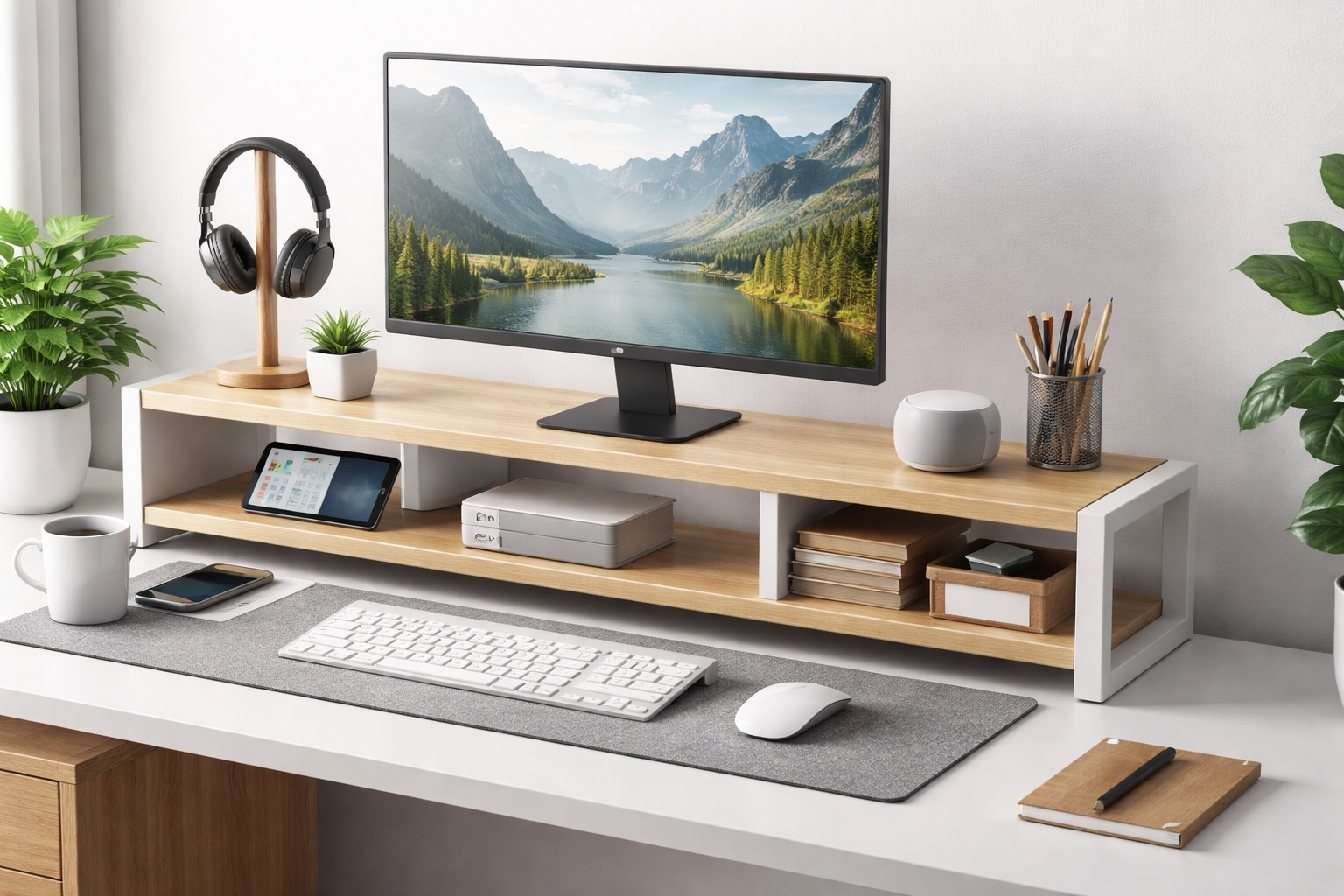
4. Monitor Stand with Storage – Best for Small Desks
This category combines two desk needs into a single footprint: a raised platform that lifts a monitor to a more comfortable eye level, and a storage area underneath for keyboards, notebooks, or accessories. For anyone working on a small or shallow desk, this dual-purpose design effectively adds storage without adding new desk space, since it uses the vertical area under the monitor that would otherwise go empty.
- Pros:
- Improves monitor height and posture while adding usable storage
- Makes efficient use of desks with limited surface area
- Underneath storage keeps a keyboard or documents within reach
- Consolidates two desk accessories into one purchase
- Cons:
- Only useful if you actually need the extra monitor height
- Storage capacity underneath is limited by the stand's clearance
- Not a fit for dual-monitor arms or VESA-mounted setups
Best For: Anyone on a compact desk who wants both ergonomic monitor height and a place to tuck away a keyboard or small accessories.
Why We Recommend It: It is the most space-efficient option on this list, addressing posture and storage at the same time rather than requiring two separate desk accessories.
5. Cable Management Organizer – Best for Cord-Heavy Setups
Cable management organizers are built specifically to solve the tangle of charging cables, monitor cords, and peripheral wires that collect around most modern desks. These typically come as a combination of cable trays, clips, sleeves, or boxes that route cords along the underside or back of the desk instead of letting them spill across the working surface or floor. For anyone running multiple monitors, a docking station, or several charging devices, this is less about storage and more about keeping the desk safe and visually clear. The honest caveat is that cable management only pays off if you commit to routing every cord through it consistently — a system left half-installed, with some cables managed and others still trailing across the desk, ends up looking messier than no system at all.
- Pros:
- Directly addresses cord clutter that other organizer types ignore
- Reduces tripping hazards and tangled cables near the floor
- Keeps charging cords and adapters easy to trace and identify
- Works alongside other organizer types rather than replacing them
- Cons:
- Does not help with pens, papers, or other non-cable clutter
- Some clip-based systems require adhesive that can wear out over time
- Larger cable boxes take up floor or under-desk space
Best For: Desks with multiple monitors, docking stations, or several charging cables that currently sit in a visible tangle.
Why We Recommend It: It is the only category here purpose-built for cord clutter specifically, which makes it a near-essential add-on for anyone with more than one or two cables running across their desk.
6. Budget Desk Organizer – Best Budget Pick
Budget desk organizers are usually simple molded-plastic trays with a small number of compartments, covering the basics — pens, paperclips, a phone slot — without any of the extras found in pricier options. They will not win points for style or long-term durability, but for anyone who just needs a low-cost way to stop items from sliding across the desk, they get the job done.
- Pros:
- Low upfront cost makes it accessible for tight budgets
- Simple design covers the basic sorting needs most people have
- Lightweight and easy to move or replace
- Cons:
- Plastic construction is more prone to cracking over time
- Fewer compartments than bamboo, metal, or drawer alternatives
- Less visually polished than higher-priced organizer styles
Best For: Students, temporary workspaces, or anyone who wants basic desk organization without a significant investment.
Why We Recommend It: It solves the core problem — loose items sliding around a desk — at the lowest possible cost, which makes it a reasonable starting point before upgrading to a more specialized organizer later.
Buying Guide: How to Choose the Best Desk Organizer
Before settling on a specific style, it helps to run through the factors that actually determine whether an organizer earns a permanent spot on your desk or ends up pushed to the side within a few weeks.
1. Storage compartments and capacity
Count what you actually need to store before shopping: pens, sticky notes, a phone, chargers, paperwork. An organizer with too few compartments forces overflow back onto the desk, while one with too many unused sections just wastes space and adds unnecessary bulk. Walk around your current desk and take a quick inventory of what is loose right now — that list is a far more reliable guide than a generic "top features" description, and it will usually point you toward one or two compartment counts rather than the largest option available.
2. Material quality and durability
Bamboo and metal generally outlast molded plastic, especially under daily handling. If the organizer will sit in direct sunlight or near a window, check whether the material is prone to fading or warping over time. For a desk that sees heavy daily use — multiple people, frequent reorganizing, or items being pulled in and out constantly — prioritize solid construction over decorative extras, since a good-looking organizer that cracks within a year ends up costing more than a sturdier option would have.
3. Cable and cord management needs
If your desk has more than one or two cables running across it, factor cable management into the decision even if you are primarily shopping for a tray or drawer organizer. Many setups end up needing both a general organizer for physical items and a dedicated cable solution working together, since neither style solves the other's problem well on its own. It is worth budgeting for both from the start rather than treating cable management as an afterthought once the desk is already set up.
4. Desk footprint and stability
Measure your available desk space before buying, particularly for drawer units or monitor stands that take up more depth than a simple tray. An organizer that is too large will crowd your working area and leave less room for a keyboard or notepad, while one that is too small or lightweight may tip or slide during regular use, especially if it is frequently reached into one-handed.
5. Style and finish
An organizer sits in view all day, so its finish matters more than it might for a purely functional purchase tucked in a drawer. Bamboo and wood tones suit warmer, traditional offices and home workspaces; metal mesh and matte black finishes tend to fit modern, minimalist, or industrial-style setups better. Mismatched finishes are a common reason a perfectly functional organizer still feels out of place on a desk.
6. Price versus long-term value
A cheaper organizer is not automatically a false economy, but it is worth considering how long you expect to use it before buying. A budget tray that needs replacing every year can cost more over time than a single well-built bamboo or metal option purchased once, particularly if you are furnishing a permanent workstation rather than a temporary setup.
7. Modularity and expandability
Some organizer systems allow you to add extra trays, drawers, or cable clips later as your needs grow, while single-piece units are fixed once purchased and cannot be reconfigured. If your desk setup is likely to change — a new job, a second monitor, more paperwork — a modular system offers meaningfully more flexibility down the line than committing to one fixed shape now.
8. Ease of cleaning and maintenance
Open-tray designs are easy to wipe down but collect visible dust in plain sight; drawer units keep dust out of view but require more effort to clean thoroughly inside each compartment. Consider how much routine maintenance you are actually willing to do before choosing a heavily compartmentalized design, since a beautiful organizer that never gets cleaned quickly stops looking that way.
9. Compatibility with monitors, laptops, and peripherals
If you are considering a monitor stand with storage, confirm it will actually support your monitor's size and weight before buying, and check that the storage space underneath fits your keyboard or accessories rather than assuming it will. A mismatch here wastes both the storage capacity and the ergonomic benefit the stand was meant to provide.
10. Assembly and setup requirements
Single-piece bamboo and plastic organizers typically need no assembly and can be used the moment they arrive, while metal mesh units and multi-drawer systems sometimes ship with basic assembly required, such as attaching drawer fronts or securing a frame. If you would rather avoid extra setup time entirely, favor designs that arrive ready to use over ones that need tools and instructions.
11. Weight capacity and load-bearing sections
Not every compartment is designed to hold the same amount of weight. A tray meant for pens and notes will usually flex or bow under a stack of books or a heavy stapler, while drawer units and metal mesh organizers tend to tolerate heavier daily loads better. Check any stated weight guidance before loading up a section with items it was not designed to support.
12. How the organizer fits your daily workflow
The best organizer is the one whose layout matches the order you actually reach for things during the day — frequently used items within easy reach, occasional items further back or in a drawer. Spend a moment thinking through a typical workday before choosing a layout, rather than assuming any well-reviewed organizer will automatically suit your habits.
13. Left- or right-hand orientation and reach
Some organizers, particularly drawer units and cable trays, are designed with an implicit handedness in mind — drawers that pull toward one side, or cable channels positioned for a typical right-hand dominant desk layout. If you are left-handed or your setup is mirrored from a standard layout, check photos and dimensions closely rather than assuming the default orientation will feel natural once it's in place.
14. Noise and stability when reaching for items quickly
An organizer that shifts, wobbles, or rattles every time you reach for a pen becomes a minor daily annoyance that adds up over months of use. Heavier bases and non-slip pads on the bottom of a tray or drawer unit are a small detail that matters far more in practice than most product descriptions suggest.
Frequently Asked Questions
1. What is the best type of desk organizer for a small desk?
A monitor stand with built-in storage or a compact bamboo tray tends to work best on smaller desks, since both add storage without expanding your desk's overall footprint. Drawer units and larger cable management boxes are usually better suited to desks with more surface area to spare.
2. Do desk organizers actually help with productivity?
Reducing visual clutter and giving each item a fixed location cuts down on the time spent searching for supplies, which supports a more focused work session, even though the organizer itself is not a productivity tool on its own. The bigger gain tends to come from consistency — knowing exactly where something lives removes a small but constant source of friction throughout the day.
3. Is bamboo or metal a better material for a desk organizer?
Bamboo generally offers a warmer look and solid single-piece stability, while metal mesh offers better long-term durability and visibility into compartments. The right choice depends more on your office style and how heavily you use the organizer than on one material being universally better — a lightly used personal desk may never notice the difference, while a shared or heavily trafficked desk will.
4. How many compartments do I actually need?
Most people are well served by four to six distinct sections covering pens, notes, a phone or tablet slot, and one catch-all space for miscellaneous items. More compartments than that often go unused and simply add bulk, so it is worth resisting the temptation to buy the option with the most sections purely because it looks more capable.
5. Should I buy a separate cable management organizer?
If your desk has multiple monitors, a docking station, or several charging cables, yes — general desk organizers are not designed to handle cord clutter, so a dedicated cable solution addresses a problem the others cannot. Trying to solve cable clutter with a pen-and-paper style organizer usually leaves cords exactly where they started.
6. Are drawer-style organizers worth the extra desk space they use?
They are worth it if a visually clean desktop matters to you, particularly for video calls or shared workspaces where a tidy background matters. If desk space is limited, an open-tray style is usually more space-efficient, though it will show its contents more openly.
7. Can a desk organizer double as a monitor stand?
Yes, monitor stands with built-in storage are designed for exactly this, combining ergonomic height adjustment with a storage compartment underneath, which is useful on smaller desks where every inch of surface area counts.
8. How do I know if a budget organizer will hold up over time?
Budget plastic organizers are generally best suited to lighter, temporary use — students, shared desks, or short-term setups that may change within a year or two. For a permanent daily workstation, bamboo or metal options tend to hold up better over the long run and are less likely to need early replacement.
9. What's the easiest desk organizer to keep clean?
Open-tray designs made from bamboo or metal mesh are the easiest to wipe down regularly, since nothing is hidden inside enclosed compartments the way it is with drawer units, which need to be pulled open and emptied out for a thorough clean.
10. Do I need to combine multiple organizer types on one desk?
Many desks benefit from pairing a general organizer, such as a bamboo tray or drawer unit, with a separate cable management solution, since each addresses a different category of clutter. There is nothing wrong with running two or three organizer types together as long as they do not compete for the same desk space.
11. Will a desk organizer fit under a monitor arm or dual-monitor setup?
Most flat trays and drawer units sit low enough to work alongside a monitor arm, since the arm typically clamps to the desk edge rather than resting on the surface. A monitor stand with storage, on the other hand, is generally built for a single monitor sitting directly on the desk and is not intended to be combined with a separate mounted arm.
12. How often should a desk organizer be reorganized or cleaned out?
A quick check every few weeks is usually enough to catch items that no longer belong and clear out anything that has quietly piled up. Open-tray and mesh designs benefit from more frequent dusting, while drawer units mainly need an occasional deeper clean-out since their contents stay hidden day to day.
13. Do desk organizers work well in shared or hot-desking environments?
Yes, but portable, self-contained trays tend to work better than built-in or heavily modular systems in shared spaces, since anything with a shared owner benefits from being easy to move, wipe down, and hand off between users without disassembly.
14. Can I use a desk organizer on a standing desk that changes height?
Most tray and drawer organizers work fine on a standing desk as long as they are secured or heavy enough not to shift during height adjustments. Very tall or top-heavy monitor stands with storage are worth checking specifically, since repeated height changes can put more strain on a stand not designed for frequent movement.
Final Verdict
- Best Overall: The bamboo desk organizer, for its balance of style, stability, and everyday storage.
- Best for Durability: The metal mesh organizer, for buyers who want a unit that holds up to years of daily use.
- Best Budget Pick: The budget desk organizer, for anyone who just needs the basics covered at minimal cost.
The right desk organizer is less about finding a single winner and more about matching a style to how your desk is actually used. A student managing loose pens and notebooks needs something very different from someone running multiple monitors and a stack of charging cables. Start with the type of clutter that bothers you most, and let that decide the category — the specific product choice becomes much easier from there.
It is also worth remembering that desk organization tends to work best as a layered approach rather than a single purchase. A bamboo or metal tray handles the everyday items you reach for constantly, a drawer unit or cable organizer handles what you would rather not see, and together they solve more of the clutter problem than any one product could on its own. Revisit the setup every few months as your work habits change, and adjust rather than assuming the first organizer you buy has to be the last one.