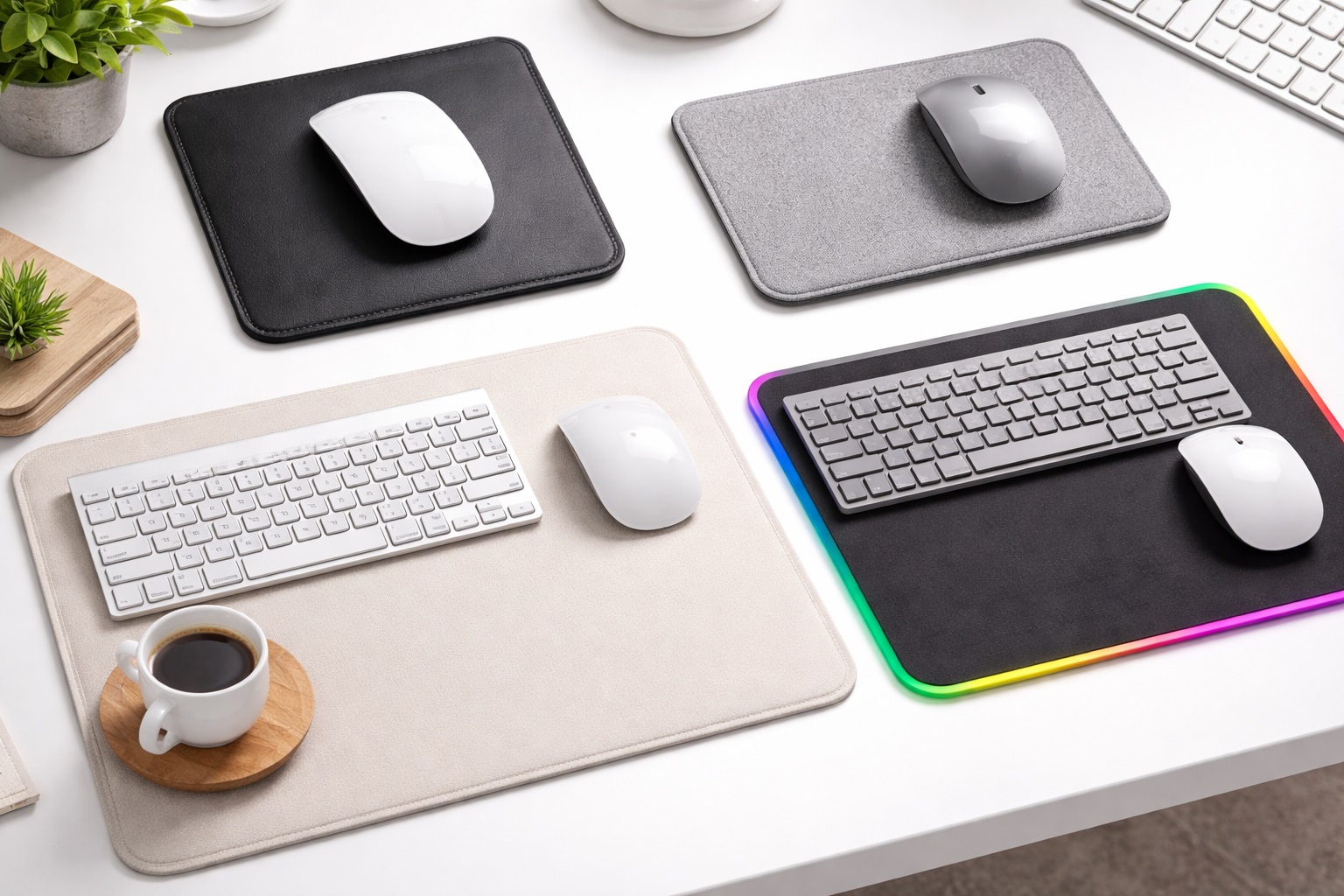
Best Mouse Pads for Small Desks: Compact Tracking That Fits
A small desk forces you to think differently about accessories that most people never question, and the mouse pad is a perfect example. On a full-size desk, a standard or oversized pad simply disappears into the available real estate. On a compact desk, corner workstation, or shared surface, that same pad can eat up a surprising share of your usable space, crowding out your keyboard, a notebook, or just the breathing room you need to feel comfortable while working.
The instinct for many people is to simply skip a mouse pad altogether on a small desk, relying on the bare desktop instead. That usually backfires. Bare wood, laminate, and glass surfaces are inconsistent for optical and laser sensors, and the tracking problems that follow are often more frustrating than the space a properly sized pad would have taken up in the first place. The better solution is choosing a pad built specifically for a compact footprint rather than giving up on the accessory entirely.
This guide compares three mouse pad styles that consistently work well on small desks, each solving the space problem in a different way, and then walks through the specific details worth checking before you buy so that your final pick actually fits both your desk and your daily habits.
Keep in mind as you read that "small" is a relative term. A pad that counts as compact for a wide corner desk might still feel oversized on a narrow secondary desk or a fold-down surface in a small apartment. Measuring your actual available space before comparing products will save you from the common mistake of buying based on a category label rather than an actual dimension.
It also helps to think about the mouse pad as one piece of a larger small-desk system rather than an isolated purchase. How it interacts with your keyboard placement, your monitor arm or stand, and whatever storage or organization you already have on the desk all matter more on a compact surface than they would on a large one, where a few extra inches here or there rarely make a visible difference. On a small desk, those same few inches can be the difference between a setup that feels organized and one that feels perpetually cramped.
There is also a comfort dimension worth considering early. Working on a small desk for long stretches, whether for office tasks or personal projects, still requires the same basic ergonomic care as working on a larger one. A mouse pad is a small accessory, but it is one you touch constantly throughout the day, so getting the surface, size, and support right pays off far more than its low price tag might suggest. Treat the decision with the same care you would give a keyboard or chair, since the daily contact time is often just as high even though the price point rarely reflects that.
Top 3 (Detailed Reviews)
Compact Cloth Mouse Pad – Best For Balanced Everyday Tracking
A compact cloth mouse pad trims the dimensions of a standard pad down to something closer to nine or ten inches on the long edge, small enough to tuck beside a keyboard on even a narrow desk while still giving the mouse enough room to move comfortably for everyday tasks. The cloth surface keeps the familiar balance of grip and glide that most people are used to, so switching to a smaller size does not mean adjusting to an unfamiliar tracking feel at the same time. Stitched borders keep the compact size from fraying at the edges despite the pad seeing proportionally more edge contact per square inch of surface than a larger mat would.
Because the footprint is so small, these pads are also easy to reposition throughout the day, whether you are making room for a notebook during a call or sliding the whole setup over for someone else to use the desk temporarily. That flexibility is something larger pads simply cannot offer. It also makes a compact cloth pad a practical choice for anyone who occasionally works from a different spot in the house, since it slides easily into a bag or drawer between uses without the bulk of a full-size mat.
- Pros:
- Small enough to fit comfortably beside a keyboard on narrow desks
- Familiar cloth texture with no adjustment period
- Lightweight and easy to reposition or store
- Stitched edges hold up despite the compact size
- Cons:
- Less room for large mouse movements at low sensitivity settings
- Some users with a wide mousing style may need to increase sensitivity to compensate
Best For: Anyone on a genuinely tight desk who wants a familiar, no-compromise tracking surface without the size of a standard or extended pad.
Why We Recommend It: A compact cloth pad solves the space problem directly rather than asking you to accept an unusual surface material as a workaround. For most everyday computer use, the smaller footprint has no meaningful downside beyond a slight adjustment to mouse sensitivity, which takes only a few minutes to dial in. Most operating systems let you adjust mouse sensitivity in a few clicks, so there is no real barrier to trying a smaller pad and simply tuning your settings until movement feels natural again.
Hard Surface Mini Pad – Best For Speed In A Small Footprint
A hard surface mini pad applies the same low-friction, rigid material found on full-size hard pads to a much smaller footprint, often around eight by ten inches. The reduced friction means the cursor covers more distance for the same physical mouse movement, which partially offsets the smaller surface area by letting you comfortably reach every corner of the pad without running out of room. The rigid material also resists dirt, crumbs, and spills better than cloth, wiping clean in seconds, which is useful on a small desk where the mouse pad often sits closer to a keyboard, a drink, or a snack simply because there is less separation between items. Some hard mini pads are made from coated aluminum or tempered glass rather than plastic, giving the surface a bit more heft and a distinctly premium feel despite the small size.
The hard, smooth surface produces a slightly louder click and glide sound than cloth, which is worth factoring in if your small desk sits in a bedroom, shared space, or open office where sound travels more noticeably.
- Pros:
- Low friction stretches usable tracking distance within a small footprint
- Wipes clean instantly, which matters on a crowded small desk
- Consistent, precise tracking regardless of humidity or desk finish
- Compact size takes up minimal desk space
- Cons:
- Less cushioned feel against the wrist than a cloth surface
- Noticeably louder mouse movement and clicking sound
Best For: Users who want maximum tracking speed and easy cleanup in the smallest realistic footprint, particularly on desks that double as an eating or drinking spot.
Why We Recommend It: The low-friction surface effectively stretches a small footprint further than a cloth pad of the same size, since less physical movement is required to cover the same tracking distance. Combined with effortless cleaning, it is a smart pick for a compact desk that gets heavy daily use. It is also a strong choice for anyone who eats or drinks at their desk regularly, since a quick wipe restores the surface fully rather than leaving a lingering stain the way a cloth pad sometimes does.
Compact Ergonomic Mouse Pad With Wrist Rest – Best For Comfort In Tight Spaces
A compact ergonomic mouse pad shrinks the tracking surface slightly compared to a standard mouse pad but still includes a built-in gel or memory foam wrist rest, giving small-desk users the wrist support of a full-size ergonomic pad without the larger overall footprint that style normally requires. The wrist rest supports the wrist during pauses between movements rather than during active mousing, which matters for comfort during long stretches of typing and clicking on a desk where a separate wrist rest accessory would simply not fit.
On the smallest desks, the combined pad and wrist rest in a single piece is also more space-efficient than buying a tracking surface and a wrist rest as two separate products, which would otherwise compound the space problem you are trying to solve in the first place. For anyone who has ever tried to squeeze a separate wrist rest onto an already crowded small desk, the appeal of a single combined accessory is immediate and obvious.
- Pros:
- Wrist support fits into a footprint smaller than a full-size ergonomic pad
- One-piece design saves space compared to a separate wrist rest accessory
- Gel or memory foam conforms to the wrist shape over time
- Non-slip base holds position despite the smaller size
- Cons:
- Tracking area is smaller than a comparable pad without a wrist rest
- Fixed wrist rest height may not suit every chair and desk combination
Best For: Small-desk users who experience wrist fatigue or discomfort and want built-in support without giving up any more desk space than necessary.
Why We Recommend It: This style directly answers the common complaint that ergonomic accessories take up too much room on a small desk. By combining the tracking surface and wrist support into one compact piece, it delivers real comfort benefits without asking for the larger footprint that a separate wrist rest and pad combination would need. If you already deal with wrist discomfort from long hours of mouse use, this style is worth prioritizing over the other two options even if it means slightly less raw tracking area.
Buying Guide: How to Choose the Best Mouse Pad for a Small Desk
Once you understand the three compact styles above, matching one to your specific desk and habits comes down to working through these ten practical factors.
1. Measure Your Actual Available Space
Before comparing products, measure the specific area on your desk where the mouse pad will live, accounting for your keyboard, monitor stand, and anything else that already occupies the surface. A number in hand turns a vague sense of "small desk" into a concrete size range you can shop against, and it prevents the common mistake of buying a pad labeled "compact" that still does not actually fit your available space. Marketing terms like "compact" or "mini" are not standardized across brands, so a specific measurement in hand is always more reliable than trusting a label alone.
2. Match Pad Size To Your Mouse Sensitivity
If you use a low mouse sensitivity setting that requires large physical movements to cover the screen, a very small pad will feel cramped no matter how good the surface material is. Raising your sensitivity slightly is usually the easiest fix, letting a smaller pad still comfortably cover full screen movement without constantly running out of room at the pad's edge. Many mice and trackpad utilities let you save this adjustment as a profile, so switching back and forth between a compact pad and a larger one elsewhere does not require constantly retuning your settings.
3. Decide Between Cloth And Hard Surfaces
Cloth surfaces offer familiar grip and control, while hard surfaces offer lower friction and easier cleaning in exchange for a firmer feel. On a small desk where the pad sits closer to food, drinks, and general clutter, the easy-clean advantage of a hard surface can matter more than it would on a larger, less crowded desk. Testing a sample of each material in person, even briefly at a store, is one of the fastest ways to settle a preference you might otherwise debate for far too long online.
4. Consider Pad Thickness Carefully
A thinner pad, generally in the one to two millimeter range, lies flatter and blends more seamlessly into a tightly packed small desk, while a thicker pad offers more wrist cushioning at the cost of a slightly higher profile. On a desk where every accessory is already competing for space, a slim profile often makes more practical sense. A thinner pad also tends to sit flush against neighboring accessories rather than creating a visible step or edge that can catch a sleeve or cable during everyday use.
5. Check The Quality Of The Non-Slip Base
A compact pad has less surface area than a standard pad, which means a weak non-slip base becomes noticeable more quickly, since the pad has less overall friction against the desk to begin with. Look for a textured rubber backing rather than a smooth one, and check reviews specifically for complaints about sliding. A pad that shifts during use is not just an annoyance on a small desk — it can push against a keyboard or fall off the edge entirely given how little buffer space typically surrounds it.
6. Think About Edge Stitching On Cloth Options
Because a compact cloth pad has proportionally more edge relative to its total surface area than a larger pad, stitching quality matters even more here. Unstitched edges on a small cloth pad tend to fray noticeably faster than the same material would on a larger mat, simply because there is less interior fabric to absorb daily wear. Running a finger along the border in person, or looking closely at product photos, is usually enough to spot the difference between a well-finished edge and a corner-cut one.
7. Look For A Design That Complements A Small Desk Aesthetic
A small desk tends to be more visually prominent as a whole, since every item on it takes up a proportionally larger share of the visible surface. A neutral color or subtle pattern generally suits a small desk better than a busy or oversized design that can make an already compact space feel cluttered. This becomes even more relevant if your small desk sits somewhere visible, such as a living room corner or a shared common area, rather than a private office.
8. Evaluate Cleaning And Maintenance Needs
On a small desk, a mouse pad often sits closer to food, drinks, and general daily activity simply because there is less separation between zones. A pad that is easy to wipe clean or quick to hand wash will stay usable longer than one that requires more involved care. Keeping a small cloth nearby specifically for quick wipe-downs is a simple habit that meaningfully extends the life of any small-desk mouse pad.
9. Weigh Whether You Need A Wrist Rest At All
A built-in wrist rest adds comfort but also adds a small amount of footprint. If your desk is extremely tight, a slim pad without a wrist rest paired with a compact standalone wrist rest, used only when needed, may ultimately take up less permanent desk space than a fixed one-piece design. This modular approach also lets you swap either piece independently later, rather than replacing an entire combined unit if only one part wears out.
10. Buy From A Brand That Actually Makes Compact Sizes Well
Not every mouse pad brand puts equal care into its smaller sizes, sometimes treating them as an afterthought to their standard and extended lineups. Look specifically for reviews of the compact size you are considering, rather than assuming quality carries over automatically from a brand's larger, more popular products. A brand's flagship extended desk mat being excellent says very little about whether its smallest compact pad received the same design attention.
Frequently Asked Questions
1. What size mouse pad works best for a small desk?
Most small-desk users find that something in the eight to ten inch range on the long edge balances usable tracking space with a genuinely compact footprint. The right size ultimately depends on your available desk space and your mouse sensitivity settings, so measuring your desk first is the most reliable starting point. Anything smaller than roughly eight inches on the long edge starts to feel cramped for most standard mouse movements, so treat that as a rough lower bound unless your desk truly cannot accommodate it.
2. Will a smaller mouse pad hurt my tracking accuracy?
Not if it is sized appropriately for your mouse sensitivity. A compact pad paired with a slightly higher sensitivity setting tracks just as accurately as a larger pad at lower sensitivity, since accuracy depends more on a consistent surface than on raw pad size. What actually suffers with too small a pad is comfort and convenience, not the underlying precision of the sensor itself.
3. Is a hard surface or cloth pad better for a small desk?
Both work well in compact sizes. Hard surfaces offer easier cleaning and lower friction, which can help stretch a small footprint further, while cloth offers a more familiar, cushioned feel. The better choice depends on your priorities and how close your setup sits to food or drinks during the day. Neither surface type is objectively superior in a compact size — the decision comes down almost entirely to personal preference and daily habits.
4. Can I use a small mouse pad with an ergonomic wrist rest built in?
Yes, compact ergonomic mouse pads exist specifically for this situation, combining a smaller tracking surface with a built-in wrist rest so you get comfort support without needing the larger footprint a standard ergonomic pad would require. This is one of the most useful recent developments in the category specifically for people who assumed they had to choose between comfort and available space.
5. How do I know if my current desk actually needs a compact mouse pad?
If your existing mouse pad regularly gets bumped, overlaps with your keyboard, or forces you to move other items out of the way to use your mouse comfortably, that is a clear sign a smaller, properly sized pad would serve your desk better. Small, repeated frustrations like these tend to add up over time even when each individual instance feels minor.
6. Is the most expensive small mouse pad always the best option?
Not necessarily. Price in this category often reflects premium materials or a particular brand rather than a guarantee of a better fit for your specific desk. Matching the pad's actual dimensions and surface type to your setup matters more than spending more money. A modestly priced pad that fits your desk perfectly will always outperform an expensive one that does not.
7. How long should a good compact mouse pad last?
A well-built compact pad from a reputable brand typically lasts several years of regular daily use, though the smaller surface may show wear slightly sooner than a larger pad simply because a higher percentage of it sees regular contact. Rotating the pad occasionally, if the design allows it, can help distribute that wear a little more evenly over its lifespan.
8. Can I return a mouse pad if the size doesn't work out for my desk?
Most retailers offer a standard return window, often between fifteen and thirty days. Keep the original packaging during your trial period so a return remains simple if the size or surface ultimately does not suit your desk. Setting the pad up exactly where it will actually live for a few days, rather than judging it on a different surface, gives the most accurate sense of fit.
9. What should I prioritize first when shopping for a small-desk mouse pad?
Start with an accurate measurement of your available space and an honest sense of your mouse sensitivity habits. Those two details narrow down the size range you actually need before surface material, color, or brand should factor into the decision at all. Only once you have a clear size range should you start comparing surface textures, thickness, and price across the handful of products that actually fit.
10. Does brand reputation matter for compact mouse pads specifically?
Yes, to some degree. Established brands tend to apply the same quality control to their smaller sizes as their standard ones, while lesser-known brands can vary. Reading reviews specific to the compact size you are considering is the most reliable way to check. A short return window and a clear product description of the exact dimensions are both good signs that a brand takes its compact lineup seriously rather than treating it as an afterthought.
Final Verdict
- Best for Balanced Everyday Tracking: Compact Cloth Mouse Pad — a familiar, no-compromise surface sized to fit a genuinely small desk.
- Best for Speed in a Small Footprint: Hard Surface Mini Pad — the strongest pick for fast tracking and effortless cleanup in tight quarters.
- Best for Comfort in Tight Spaces: Compact Ergonomic Mouse Pad with Wrist Rest — wrist support without sacrificing precious desk space.
A small desk does not have to mean settling for awkward tracking or an oversized accessory that fights you for space every day. Each of the three styles above solves the compact-desk problem from a different angle, whether your priority is a familiar feel, raw speed and easy cleanup, or wrist comfort packed into a smaller footprint. Measure your actual space, be honest about your mouse sensitivity and comfort needs, and choose the pad that quietly fits into your setup rather than fighting it for room. The right choice should feel like it was never really taking up space at all. Take your measurements, be clear about your priorities between speed, comfort, and easy cleanup, and let those answers guide you to the style that will actually earn its small place on your desk day after day.