Best Laptop Stands for Students: Better Posture, Better Focus
Long study sessions hunched over a laptop take a toll long before finals week ends. Shoulders round forward, the neck bends down toward the screen, and by the third hour of note-taking or research, most students are shifting in their seat trying to find a position that doesn't ache. A laptop stand is one of the simplest fixes available, but not every stand solves the same problem, and picking the wrong one for your situation means it ends up unused in a drawer.
Some students need a stand that lives permanently on a dorm desk. Others need something that folds flat and slides into a backpack between the library and a lecture hall. A few just want the cheapest possible way to stop looking down at a screen for six hours a day. This guide breaks down the realistic options for students using laptops for long study sessions who need ergonomic support, what each one actually does well, and where each one falls short, so the choice comes down to fit rather than guesswork.
None of the picks below require replacing your laptop or investing in an external monitor. Each is a simple accessory that changes how your existing setup sits on the desk — and, done right, that alone can meaningfully reduce the fatigue that builds up over a semester of screen time.
It's also worth thinking about how your study habits actually look week to week before settling on a type of stand. A student who studies in one room, at one desk, for most of the semester has very different priorities from one who bounces between the library, a friend's apartment, and a coffee shop between classes. Neither situation is wrong, but the stand that solves one poorly can solve the other very well, and matching the accessory to the routine — rather than to whichever option is most popular — is really the whole exercise below.
Top 3 Laptop Stands for Students (Detailed Reviews)
Adjustable Aluminum Laptop Stand – Best Overall
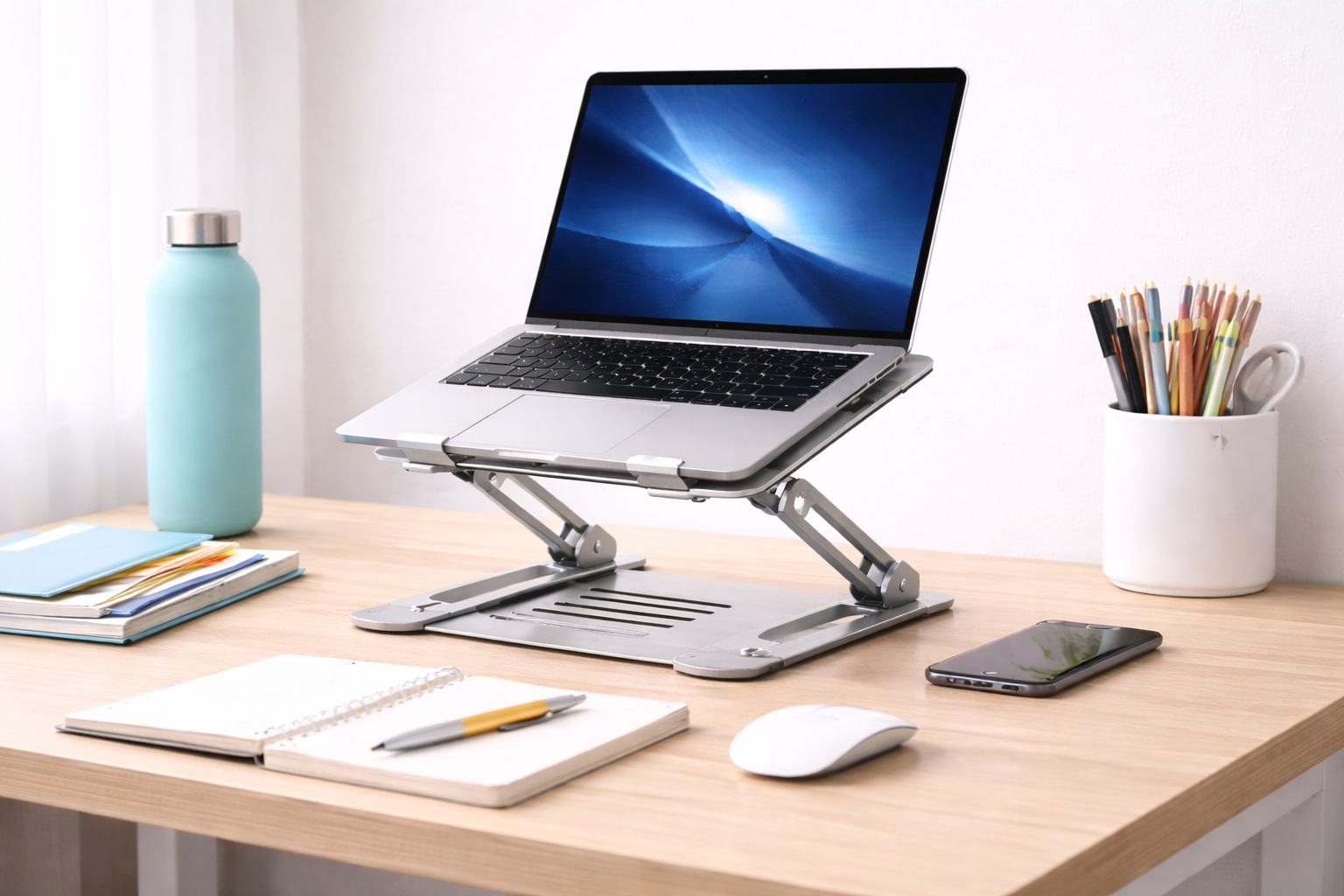
The adjustable aluminum stand is the closest thing to a universal answer for students who spend hours at a laptop each day. It raises the screen toward eye level, which takes real pressure off the neck and upper back compared to typing while looking down at a laptop flat on the desk. Because it's built from aluminum rather than plastic, it stays stable at a low overall weight and holds its position instead of drifting downward under the laptop's weight over time. The open-frame design also matters more than it looks like it should: laptops vent heat through the base, and lifting the chassis off a flat, heat-trapping desk surface noticeably improves airflow underneath. Most versions in this category fold flat for storage and adjust across a wide enough range to fit laptops from 11 to 17 inches, which covers the vast majority of what students actually carry to class. Because the adjustment mechanism typically uses a hinged or telescoping arm rather than a single fixed notch, it's also easier to fine-tune the exact angle and height across different desks — useful for anyone who splits time between a dorm desk and a slightly different setup at home. The trade-off for that flexibility is a few more moving parts than a simpler riser, which is worth keeping in mind for anyone who wants the absolute lowest-maintenance option.
- Pros:
- Eye-level screen position reduces neck and upper-back strain
- Lightweight aluminum build stays stable under normal use
- Open-frame design improves cooling and airflow under the laptop
- Folds flat, making it easy to store on a dorm desk or move between rooms
- Wide compatibility range covers most laptop sizes students use
- Cons:
- Requires a separate external keyboard once the laptop is raised to a usable height
- Fold mechanisms on cheaper versions can loosen with repeated use
Best For: Students who spend several hours a day at a laptop for classes, reading, or writing and want the most direct ergonomic improvement available without changing anything else about their setup.
Why We Recommend It: Raising a laptop screen to eye level is one of the single most effective posture changes a student can make, and the added cooling benefit is a genuine bonus rather than a marketing add-on. It's the option that solves the core problem most directly.
Foldable Portable Stand – Best for Travel
Not every student has a single fixed desk. Between library carrels, coworking-style study spaces on campus, group project sessions, and the trip home for a weekend, a lot of studying happens somewhere other than a dorm room. The foldable portable stand is built for exactly that reality. It collapses down to a flat or compact shape that slides into a backpack's laptop sleeve or a side pocket without adding noticeable bulk. Construction is typically aluminum alloy or a sturdy reinforced plastic, with rubber grip points that keep the laptop from sliding forward while typing. At well under 200 grams for the lightest versions, it adds almost nothing to the weight of a bag that's probably already carrying textbooks, a charger, and a water bottle. The compact folded shape usually slides into the same laptop sleeve or side pocket the laptop itself travels in, rather than needing its own dedicated space, which matters when a backpack is already full by mid-semester. It's a category built around getting out of the way until the moment it's actually needed, then disappearing again just as quickly.
- Pros:
- Folds small enough to fit in almost any backpack or laptop sleeve
- Very light — under roughly 300 grams on most models
- Sets up or packs away in under 30 seconds between locations
- Rubber grip points keep the laptop from sliding while typing
- Cons:
- Height adjustment range is usually narrower than a full desktop stand
- Lighter build materials feel less substantial than heavier aluminum options
Best For: Students who study across multiple locations — library, campus common areas, a friend's dorm room, or trips home — and need the ergonomic benefit without carrying extra weight or bulk.
Why We Recommend It: It delivers the same core benefit as a full-size stand — getting the screen up to a better viewing height — in a form that genuinely disappears into a bag. For a student who never studies in the same place twice in a week, that portability is the whole point.
Fixed-Height Riser Stand – Best for Dedicated Desks
Some students have one desk and one chair, and that setup doesn't change from the first week of the semester to the last. For that situation, a fixed-height riser is a simpler and often more affordable answer than an adjustable stand. It's a single stable platform set at a preset height that lifts the laptop to roughly correct eye level without any moving joints, hinges, or adjustment knobs to fuss with. Because there's nothing to adjust, there's also nothing to loosen or wobble over months of use. The clean, minimal shape suits a permanent desk setup better than a stand with visible mechanical parts, and the simpler construction typically brings the price down compared to adjustable alternatives. It's the option that best rewards a student who has already settled into a routine — the same chair, the same desk, the same posture every evening — because there's no ongoing decision to make about height once it's set up the first time. For a first-year student still figuring out their study habits, that same simplicity can feel limiting if the routine changes partway through the semester.
- Pros:
- No mechanical joints means no loosening or wobble over time
- Clean, minimal look that suits a permanent desk setup
- Usually less expensive than adjustable stands
- Nothing to adjust once it's positioned on the desk
- Cons:
- No way to change the height for different chairs or seated positions
- Not a practical option if you ever study standing up
Best For: Students with a fixed dorm or apartment desk and a consistent seated position who want a stable, no-fuss laptop riser without paying for adjustment features they won't use.
Why We Recommend It: When your seating position never changes, the fixed height stops being a limitation and starts being an advantage — there's no mechanism to misadjust, loosen, or wobble, and the price reflects that simplicity.
Buying Guide: How to Choose the Best Laptop Stand for Students
Use these factors to match a stand to how you actually study, rather than picking whatever has the most reviews.
1. Height Adjustment Range
The entire purpose of a laptop stand is bringing the screen closer to eye level. Check that a stand's adjustment range actually reaches a comfortable height for your seated posture — roughly two to three inches below eye level is a reasonable target. If you sometimes study standing at a kitchen counter or a tall table, a wider adjustment range matters more. It's worth testing the full range before committing to a purchase where possible, since a stand advertised as adjustable can still have a narrower practical sweet spot than its listed maximum suggests.
2. Stability at Maximum Height
A stand that looks solid in a photo can still wobble once it's extended to its tallest setting, especially under a heavier laptop. This is rarely mentioned in product listings, so it's worth checking reviews specifically for comments about stability at full extension. A stand that shakes while you type defeats the point of raising the screen in the first place, and it's often more noticeable during fast typing than in a quick showroom test, so real-use feedback tends to be more reliable than a first impression.
3. Weight Capacity
Confirm the stand's rated weight capacity comfortably exceeds your laptop's actual weight. Most stands in this category support somewhere between 10 and 22 pounds, which covers nearly every consumer laptop. Larger gaming laptops and bigger MacBook Pro models sit closer to that upper limit, so it's worth double-checking if your laptop is on the heavier side. Exceeding a stand's rated capacity can cause slow sagging at the hinge points over time even if nothing fails outright right away, which gradually undoes the exact eye-level positioning the stand was bought for.
4. Ventilation and Cooling
An open-frame stand lets a laptop's bottom vents breathe, which a flat desk surface blocks almost completely. Better airflow underneath the laptop helps it run cooler, which can matter during longer sessions of video calls, research with many browser tabs open, or any software that pushes the processor harder than typing and browsing do. This matters more in a warm dorm room without much airflow, where ambient temperature already gives a laptop less thermal headroom to work with before it starts throttling.
5. Laptop Width and Size Compatibility
Check the maximum width a stand is rated to hold against your specific laptop. Most stands comfortably fit up to 17-inch laptops, but wider gaming laptops or some larger-chassis 16-inch models can approach that limit. A quick measurement of your laptop's footprint against the stand's listed dimensions avoids an awkward surprise, particularly since return shipping on a stand that's a poor physical fit is an avoidable hassle with a five-minute check beforehand.
6. Anti-Slip Surface Quality
Rubber or silicone contact points keep the laptop from creeping forward while you type at an angle. Stands with weak or purely decorative grip material let the laptop slide slowly during a long typing session, which is both distracting and a real risk to the laptop if it slides too far. Worn or thin rubber padding is also one of the first things to degrade on a budget stand, so it's a reasonable spot to inspect if buying used or from an unfamiliar brand.
7. Setup and Packing Speed
If a stand moves with you between the dorm, the library, and class, how fast it opens and folds matters in daily practice. Instant-fold designs open and close in a few seconds. Screw-adjustment designs generally take longer to set up but can hold a more rigid position once extended. Match the mechanism to how often you'll actually be packing it away — a student who leaves the stand on one desk all semester gets little benefit from an instant-fold design over a slightly slower but sturdier screw-adjustment mechanism.
8. Cable and Accessory Management
Some stands include small hooks or channels for routing a charging cable or a mouse cord. It's a minor feature, but on a small dorm desk where every inch matters, keeping cables tidy and out of the way makes a visible difference to how usable the desk surface actually is. It also reduces the chance of accidentally knocking a charging cable loose mid-session, which is a small but genuinely annoying interruption during a timed exam or an online class.
9. Build Material
Aluminum alloy stands are stiffer and conduct heat away from contact points better than plastic equivalents, and they hold up to repeated folding and adjusting without the material fatiguing as quickly. They also tend to be gentler on a laptop's finish at contact points than lower-grade plastics. The modest price difference over plastic is usually worth it for anyone using the stand daily, since plastic hinges and joints are more prone to flexing or cracking after months of repeated folding compared with a milled or extruded aluminum equivalent.
10. Portability and Packed Size
For a stand that travels between locations, check both the maximum expanded height and the folded, packed dimensions. Anything that folds down to under roughly 25 centimeters fits into most backpack laptop sleeves or side pockets without a problem, and anything under about 500 grams adds essentially no noticeable weight to a loaded bag. For students who already carry a laptop, charger, and a stack of textbooks, that weight budget is worth protecting rather than spending on a stand that could just as easily stay light.
11. Desk Footprint
Dorm desks are typically small, and a stand's base footprint competes with textbooks, a mouse, and a notebook for the same limited space. A compact base frees up desk real estate for everything else a study session actually requires, which matters more in a shared or small room than it does in a home office. A narrower base also makes it easier to slide the laptop and stand to one side when the desk temporarily doubles as a dining table or a spot for a group project.
12. Price Versus Actual Need
Higher-priced stands often add features like memory-adjustable hinges or extended height ranges that a student who studies at one desk in one position will never use. Matching the price to the features you'll genuinely use — rather than defaulting to the most expensive option — gets better value out of a purchase that's ultimately a simple mechanical accessory. Reading a handful of verified reviews before buying, rather than relying solely on the product photos and listed specifications, generally gives a clearer sense of whether a given price point is justified.
Frequently Asked Questions
Do I need an external keyboard with a laptop stand?
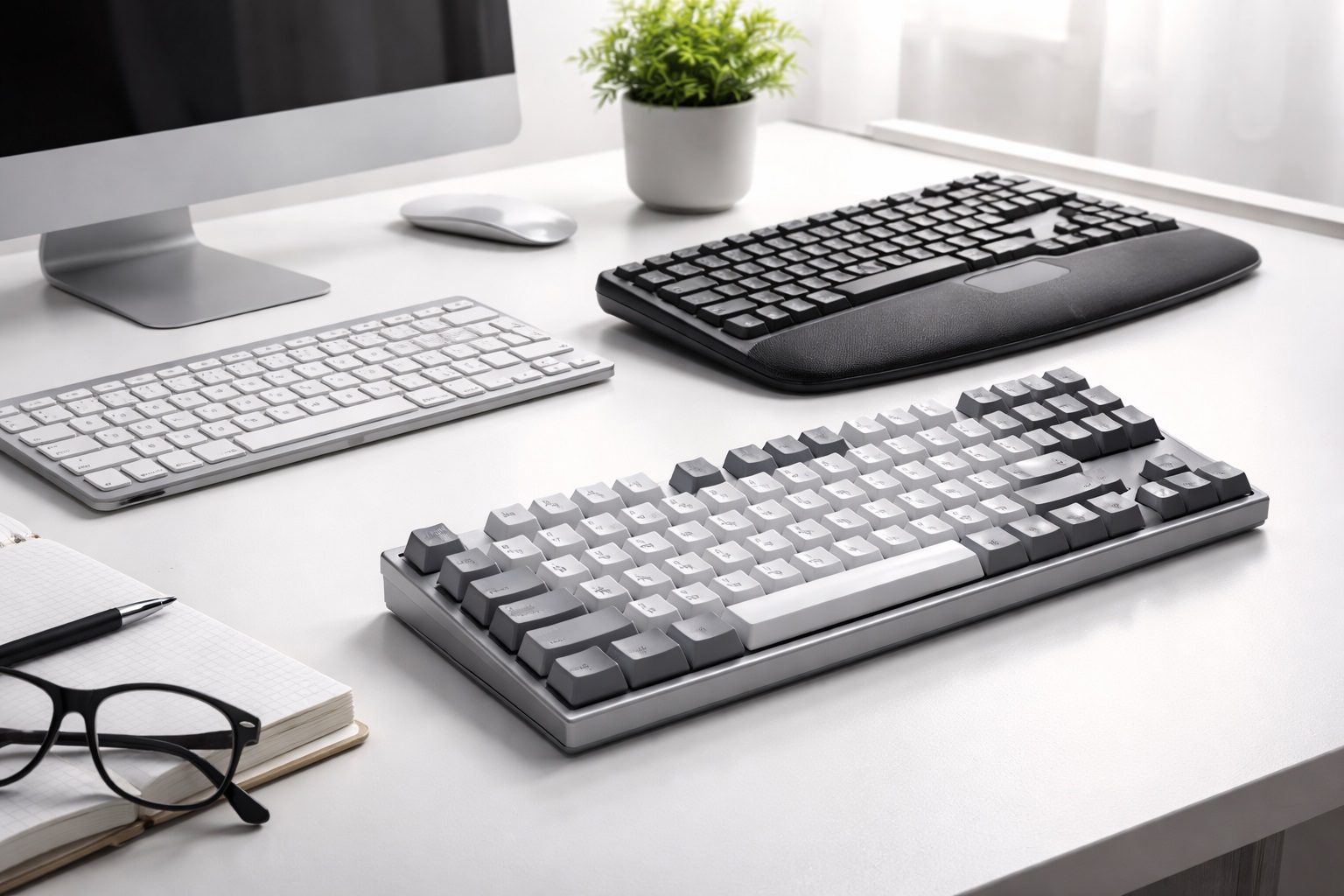
In most cases, yes. Once the laptop is raised to eye level, the built-in keyboard sits at an uncomfortable upward angle for typing. Pairing the stand with a separate external keyboard and, ideally, a mouse restores a natural typing position — screen at eye level, keyboard at elbow height — and is really the setup a laptop stand is designed around. Trying to use the raised laptop's own keyboard for long stretches tends to reintroduce shoulder and wrist strain that the stand was meant to fix in the first place.
What height should I actually set the stand to?
Aim to have the center of the screen sit at roughly your eye level when you're seated in your normal posture, which usually means raising the laptop five to eight inches above its flat position. Some students prefer the screen very slightly below eye level to reduce neck extension, so treat this as a starting point rather than an exact rule. Small adjustments over the first few days of use are normal, and most people find their ideal setting through trial and error rather than getting it exactly right on the first try.
Will a laptop stand actually improve performance, not just comfort?
Indirectly, yes. Most laptops exhaust heat through vents on the underside, and resting flat on a desk blocks a good portion of that airflow. An open-frame stand lets air move underneath the laptop, which can help it avoid thermal throttling — the automatic slowdown that kicks in when a processor gets too hot — during demanding tasks like video calls or heavier software. The improvement is usually modest rather than dramatic, but it's a genuine side benefit rather than a marketing claim, since the underlying vent design on most laptops assumes some clearance beneath the chassis.
Can a laptop stand damage my laptop?
Not if it has rubber or silicone contact points and is used within its stated weight capacity. The risk mainly comes from bare metal-on-metal contact scratching the laptop's finish, so it's worth checking that contact points are actually padded before buying. Staying within the rated weight limit avoids putting unusual stress on the chassis. A quick visual check of the contact points before first use — confirming they're padded rather than bare metal or hard plastic — is a reasonable habit for any new stand.
Is a fixed-height riser better than an adjustable stand?
It depends entirely on whether your seating position changes. A fixed riser is simpler, generally cheaper, and has nothing to loosen over time, which suits a student with one desk and one chair. An adjustable stand costs a bit more but adapts if you switch chairs, desks, or occasionally study standing up. Students who aren't yet sure which category describes them are usually better off starting with the adjustable option, since it can also function as a fixed-height stand simply by leaving it at one setting.
How much should a student expect to spend on a decent stand?
Prices vary by material, adjustability, and brand, but the buying guide above covers the features that actually matter for day-to-day studying. Matching those features to your real needs, rather than chasing the most expensive option, is a better way to judge value than price alone. Setting a rough budget before browsing also helps avoid the common trap of paying extra for features — like extended height range or premium finishes — that don't actually change the day-to-day study experience.
Do laptop stands work with a laptop lid closed, for use with an external monitor?
Some fixed risers and closed-lid stands are designed specifically for that setup, but the three options above are intended for use with the laptop's own screen open and visible, which is the more common use case for students without a separate monitor. Anyone specifically pairing a laptop with an external display should look for a stand explicitly marketed for closed-lid or clamshell use rather than assuming any riser will work equally well.
How long should a decent laptop stand last?
A well-built stand from a reputable brand typically holds up for several years of regular folding, adjusting, and daily use. Checking the warranty terms before buying is a reasonable way to gauge how confident a manufacturer is in its own build quality. A stand backed by a one- or two-year warranty is generally a safer bet than one with no stated coverage at all, regardless of price point.
Can I return a stand if it doesn't fit my desk or laptop well?
Most retailers allow a return window of roughly two to four weeks. Keeping the original packaging during that evaluation period is worth doing, in case the stand's height range, footprint, or stability doesn't end up suiting your setup once you've actually tried it. Testing it with your actual laptop and at your actual desk during that window is far more informative than judging it on the kitchen table the day it arrives.
Does a laptop stand help with wrist strain too, or just neck and shoulders?
A stand alone mainly addresses neck and upper-back posture by raising screen height. Wrist strain is more directly tied to keyboard and mouse position, so pairing the stand with an external keyboard at a comfortable height addresses both issues rather than leaving wrist position unchanged. A stand alone, without any change to keyboard setup, still leaves the wrists in the same angled position they were in before.
Are more expensive stands always the better choice?
Not necessarily. Price often reflects extra adjustment range, premium materials, or brand reputation, but a student who studies at one desk in a stable position may not need most of those extras. Matching features to actual usage patterns is a better guide than price alone. It's easy to assume a higher price always signals better quality, but for a category this mechanically simple, the correlation is weaker than it is for more complex electronics.
Does brand reputation matter for a simple accessory like this?
It matters more for warranty support and consistent build quality than for the core function, which is fairly simple across most stands. Established brands tend to offer more reliable customer support if something goes wrong, though newer brands sometimes offer solid value — checking verified reviews before buying is a reasonable way to judge either. Looking specifically for reviews mentioning long-term use — several months in, not just an unboxing — tends to surface durability issues that a first impression won't reveal.
Final Verdict
- Best Overall: Adjustable Aluminum Laptop Stand – the most direct ergonomic fix for daily study sessions.
- Best for Travel: Foldable Portable Stand – the lightest way to bring the benefit between study locations.
- Best for Dedicated Desks: Fixed-Height Riser Stand – the simplest, most stable option for a desk that never moves.
There isn't a single correct laptop stand for every student — there's a correct one for how and where you actually study. Matching the stand to your routine, rather than to whichever option has the flashiest listing, is what turns a small accessory into a habit-changing improvement over the course of a semester. A few dollars spent thoughtfully now can mean noticeably less neck and shoulder fatigue by the time finals arrive, which is a reasonable return for such a simple piece of desk equipment.