Best Laptop Stands for Working From Home: Posture Guide
Staring down at a laptop screen for hours at a time is one of the quiet, cumulative causes of neck and shoulder discomfort among remote workers. Laptops are built for portability, not posture, which is exactly why a stand matters: raising the screen closer to eye level and improving airflow underneath the chassis can turn a cramped kitchen-table setup into something closer to a proper workstation, without needing a full desk overhaul.
Not every laptop stand solves the same problem, though. Some are built to stay in one place and support a monitor-height setup for an entire workday, others fold flat for a bag and a coffee shop, and a few add features like a drawer for accessories or a curved, ergonomic base designed around comfort rather than adjustability. This guide breaks down the categories that consistently show up in home office recommendations, with a clear-eyed look at where each one earns its place and where it falls short.
Because a laptop stand is a fairly simple, mechanical product, the differences between categories tend to come down to a small number of genuinely important factors: how much the height adjusts, how stable the stand feels under an external keyboard and mouse setup, how much airflow reaches the underside of the laptop, and how easily the whole thing moves or folds away. Working through those factors against your own routine, rather than assuming a single stand fits every use case, is the fastest way to a setup that actually helps.
It's also worth setting expectations correctly before buying: a laptop stand on its own solves the screen-height problem, but it doesn't automatically fix everything about a home office setup. Chair height, desk height, and how far the screen sits from your eyes all interact with whatever a stand does. Most people get the best results by treating the stand as one part of a broader setup that also includes, where possible, an external keyboard, a mouse, and a chair that supports a neutral seated posture, rather than expecting the stand alone to solve every ergonomic issue.
Top Laptop Stands (Detailed Reviews)
1. Fixed Height Laptop Riser – Best Overall
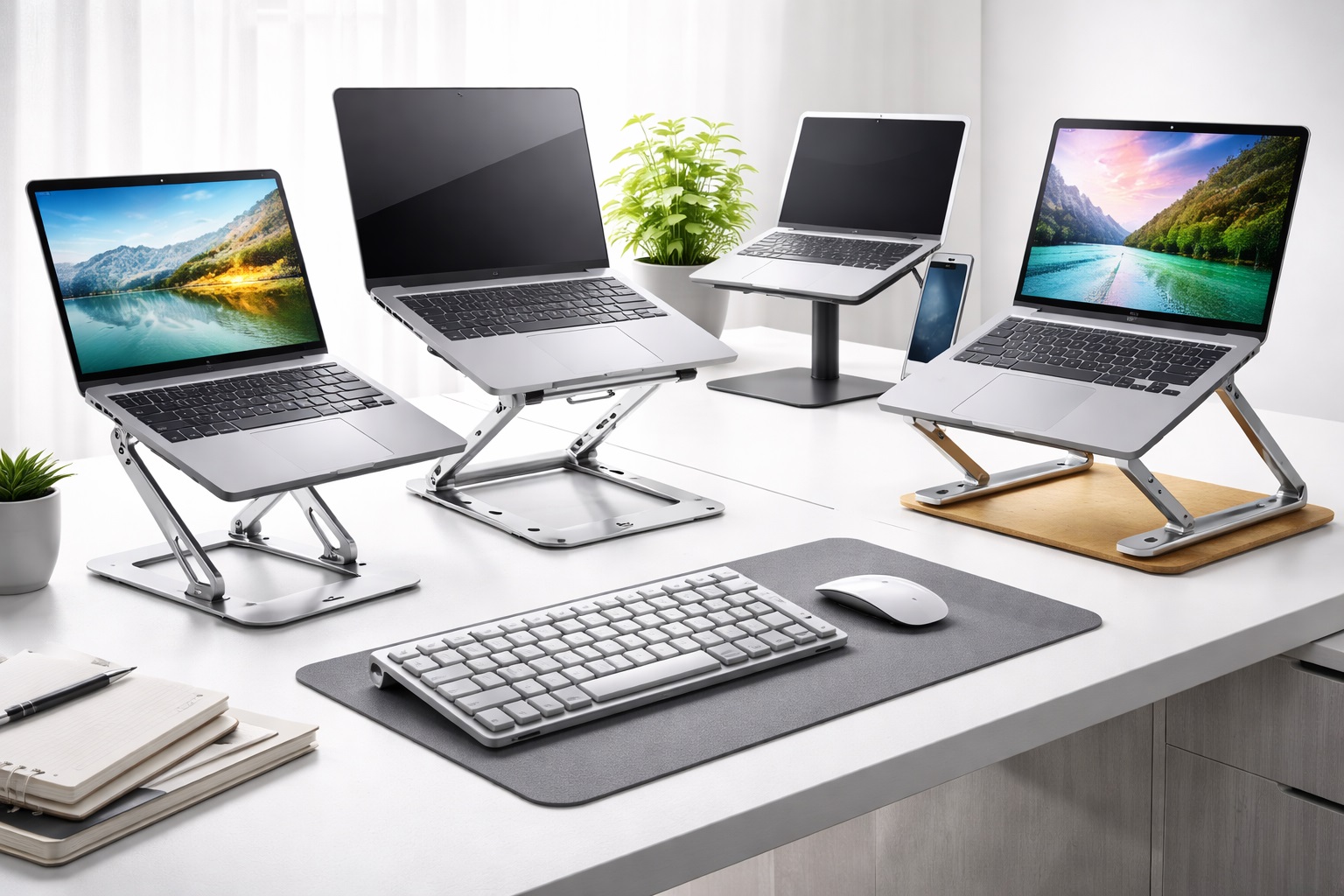
A fixed height riser lifts the laptop to a set position, usually somewhere close to eye level when paired with an external keyboard and mouse. Because there are no moving joints or folding hinges, this category tends to be the most stable option on a desk, with no wobble even during energetic typing. It's a straightforward, no-frills solution for anyone setting up a semi-permanent home workstation rather than moving the laptop between locations.
- Pros:
- Very stable thanks to a simple, fixed design with no moving parts
- Raises the screen to a consistent eye-level height
- Often includes ventilation cutouts for better airflow underneath the laptop
- Typically among the most affordable options in the category
- Cons:
- Fixed height means it can't be adjusted for sitting versus standing use
- Less practical for anyone who needs to pack it away or travel with it regularly
Best For: Remote workers setting up a dedicated, semi-permanent desk who want a stable, no-adjustment riser.
Why We Recommend It: It solves the core posture problem, raising the screen to eye level, with the least complexity and the most stability of any option here, which makes it a sensible default for most home desks.
2. Adjustable Folding Laptop Stand – Best for Flexibility
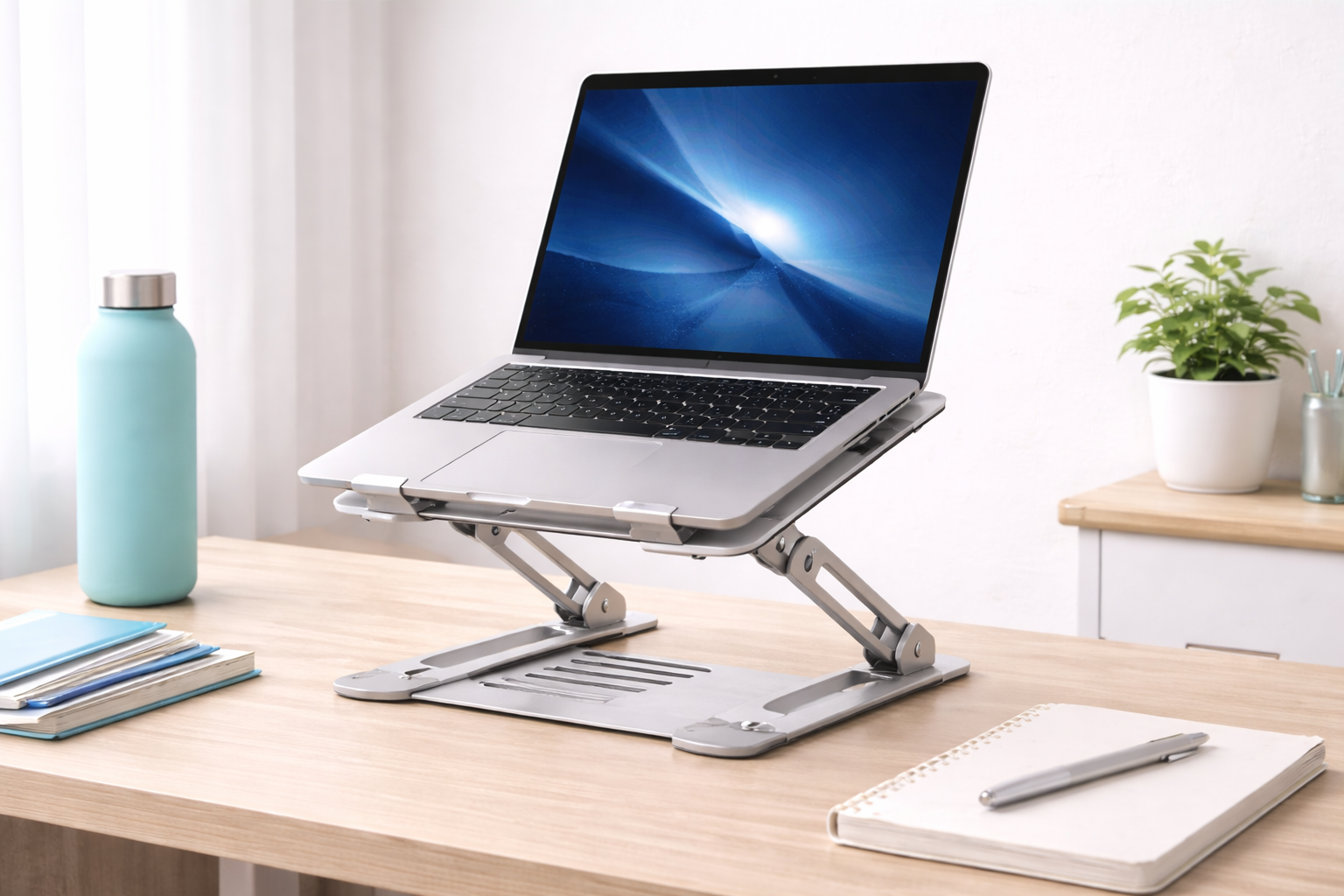
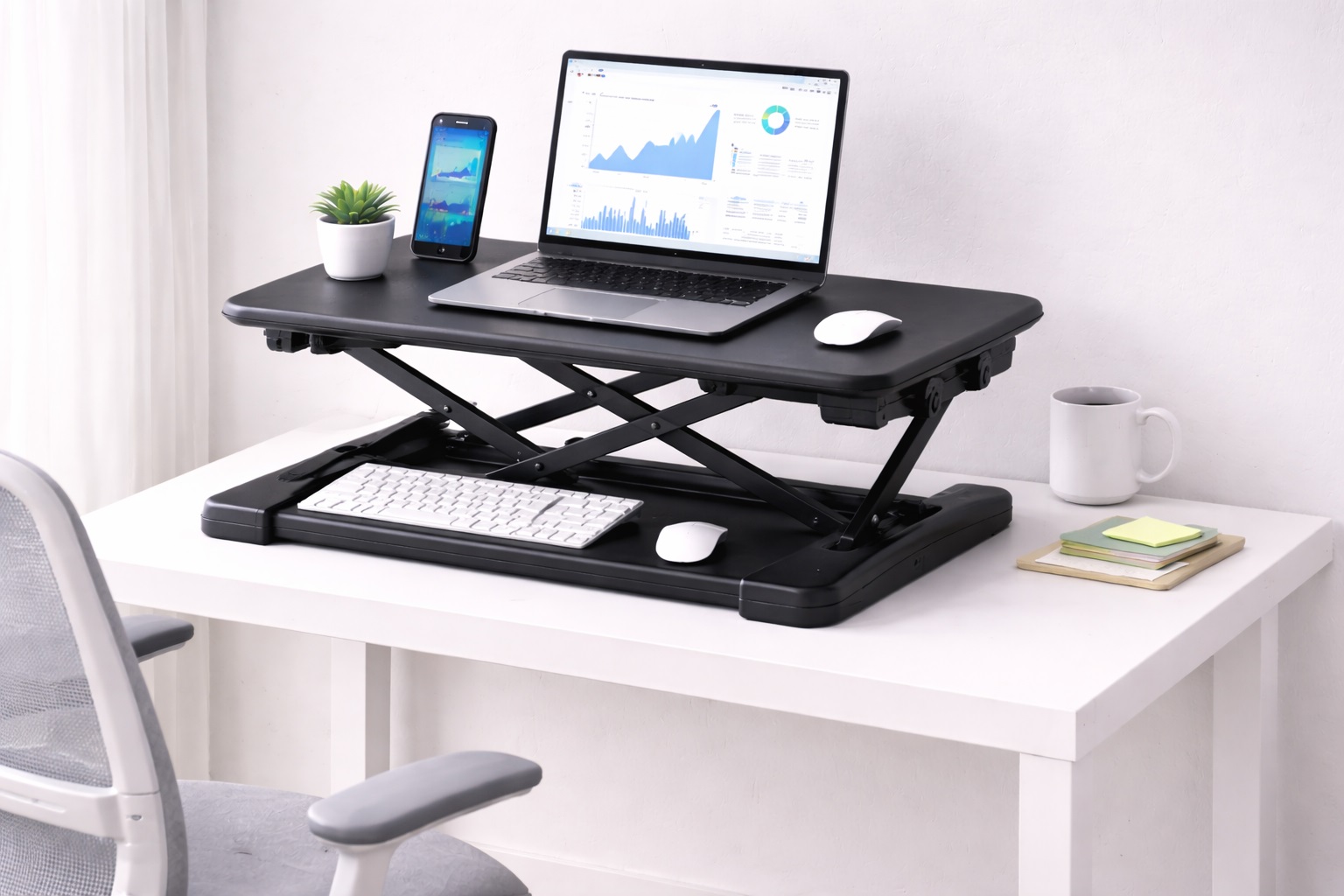
Folding stands use hinged arms or telescoping sections to adjust both height and viewing angle, then collapse flat for storage or travel. This flexibility makes them a strong fit for anyone who alternates between sitting and standing, shares a desk with other household members, or simply wants to fine-tune the angle throughout the day rather than settling for one fixed position.
- Pros:
- Adjustable height and angle to suit different tasks and body positions
- Folds flat for easy storage when the desk needs to be cleared
- Works well for shared or multi-purpose workspaces
- Cons:
- More moving joints mean a small amount of wobble is more likely than with a fixed riser
- Some models require a brief setup each time rather than staying permanently positioned
Best For: Remote workers who need to adjust their setup throughout the day or share a desk with others.
Why We Recommend It: The ability to fine-tune height and angle, then collapse the stand when it's not needed, makes this the most versatile option for anyone whose home office doubles as another kind of space.
3. Portable Aluminum Stand – Best for Travel
Built from lightweight aluminum and designed to fold into a slim, compact shape, this category is aimed squarely at people who work from more than one location: a home office some days, a coffee shop or coworking space on others. Aluminum also conducts heat away from the laptop's underside better than plastic, which is a genuine practical benefit alongside the portability.
- Pros:
- Lightweight and compact enough to carry in a laptop bag
- Aluminum construction helps draw heat away from the laptop
- Sets up and folds away quickly
- Cons:
- Smaller footprint can feel less stable than heavier, fixed designs
- Height adjustment range is often more limited than bulkier stands
Best For: Hybrid and mobile workers who need a stand that travels easily between a home desk and other workspaces.
Why We Recommend It: For anyone who doesn't work from the same desk every day, the combination of low weight, quick setup, and genuine cooling benefit makes this the most practical option to actually carry along.
4. Ergonomic Curved Stand – Best for Comfort
Curved stands use a rounded or contoured base rather than a flat platform, often designed with a slight incline that encourages a more natural wrist position when the laptop's own keyboard is still in use. This category tends to appeal to people who haven't yet added an external keyboard and mouse to their setup and want at least some ergonomic benefit directly from the stand itself.
- Pros:
- Contoured design can improve wrist angle when typing directly on the laptop
- Often includes non-slip material to keep the laptop securely in place
- Comfortable to use without necessarily adding a separate keyboard
- Cons:
- Less beneficial if you already use an external keyboard and mouse
- Curved shape may not suit every laptop size equally well
Best For: Anyone typing directly on their laptop's own keyboard who wants a more comfortable wrist position without a full external setup.
Why We Recommend It: It offers a meaningful ergonomic improvement for people who aren't ready to add a separate keyboard and mouse, addressing wrist comfort directly rather than only screen height.
5. Laptop Stand With Drawer – Best for Organization
This category combines a riser or adjustable stand with a built-in drawer or storage compartment underneath, giving a dedicated spot for a wireless mouse, cables, a notebook, or other small desk items. For anyone working in a small space where desk clutter builds up quickly, the added storage can be as valuable as the height adjustment itself.
- Pros:
- Built-in storage helps keep small desk items organized and out of sight
- Combines posture benefits with practical desk organization
- Useful in small home offices where every bit of desk space counts
- Cons:
- Bulkier and heavier than simpler stand designs
- Less portable, making it better suited to a permanent desk setup
Best For: Remote workers in small home offices who want both posture improvement and better desk organization in one product.
Why We Recommend It: It solves two problems at once, screen height and desk clutter, which makes it a practical choice for anyone working with limited desk space.
6. Budget Laptop Stand – Best Budget Pick
A simple, no-frills riser or basic folding stand covers the essential job, lifting the screen off the desk, at a low price point. It won't include the extra height range, premium materials, or storage features of pricier options, but for anyone testing whether a laptop stand improves their setup before investing more, it's a reasonable low-risk starting point.
- Pros:
- Low cost makes it an easy first step into using a laptop stand
- Simple design with nothing to break or malfunction
- Lightweight and easy to move or store
- Cons:
- Limited height adjustment compared to pricier models
- Build materials are typically more basic plastic construction
Best For: Anyone trying a laptop stand for the first time or working with a tight budget.
Why We Recommend It: It delivers the core benefit, a raised screen, at minimal cost, making it a sensible way to test whether a stand improves your setup before spending more on a premium option.
Buying Guide: How to Choose the Best Laptop Stand
1. Height adjustment range
How much a stand raises the screen, and whether that height is fixed or adjustable, determines whether it truly gets your eyes level with the top of the screen. Measure roughly how much lift you need based on your current setup before choosing between a fixed riser and an adjustable model.
2. Stability under active use
A stand that wobbles while you type, especially with an external keyboard nearby, undermines its own purpose. Stands with a wider base or fewer moving joints tend to feel more stable, which matters more than it might seem once you're several hours into a workday.
3. Ventilation and cooling
Raising a laptop off a flat desk surface alone improves airflow, but stands with additional cutouts or open designs help dissipate heat further during demanding tasks. This matters more for anyone running processor-intensive work for extended periods.
4. Portability versus permanence
Decide honestly whether the stand needs to travel with you or stay fixed on one desk. A portable aluminum design makes sense for hybrid work, while a fixed riser suits a dedicated home office setup that doesn't need to move.
5. Compatibility with your laptop's size and weight
Larger or heavier laptops need a stand rated to support their weight without tipping or bowing, and the base needs to be wide enough to hold larger screen sizes securely. Check the manufacturer's supported size and weight range before buying.
6. Use with an external keyboard and mouse
Raising the laptop's own keyboard out of reach makes an external keyboard and mouse almost mandatory for stands that lift the screen significantly. Factor the cost of a separate keyboard and mouse into your overall budget if you don't already own one.
7. Material and build quality
Aluminum and other metal stands generally offer better stability and heat dissipation than plastic, though they typically cost more. For occasional use, a plastic stand may be entirely sufficient, while daily heavy use tends to favor sturdier materials.
8. Non-slip surface and laptop protection
A stand's contact points should be non-slip and free of anything that could scratch the laptop's underside over repeated use. Rubberized or felt-lined surfaces are a simple detail that protects your laptop's finish over the long run.
9. Storage and added features
Some stands include built-in drawers, cable management, or phone holders. These extras add convenience for cluttered desks but also add bulk and cost, so weigh whether you'll genuinely use them before paying extra.
10. Price relative to how often you'll use it
A stand used every single workday justifies a higher investment in stability and adjustability than one used occasionally for travel. Match your spending to how central the stand will be to your daily routine.
11. Warranty and manufacturer support
Even a simple product like a laptop stand benefits from a clear warranty, particularly for models with moving hinges or folding mechanisms that could wear out over time. A longer warranty is a reasonable signal of the manufacturer's confidence in the build.
12. Weight and ease of moving between locations
If the stand needs to move between a desk and a bag regularly, its own weight becomes a meaningful factor. Aluminum folding designs are usually the lightest, while stands with drawers or extra features tend to be considerably heavier.
13. Viewing angle adjustment
Beyond raw height, some stands also let you tilt the screen forward or backward to reduce glare from overhead lighting or a nearby window. This is a smaller detail than overall height but can meaningfully cut down on eye strain during a full day of screen time.
14. How it looks and fits into your workspace
A stand that clashes visibly with your desk setup or feels bulky in a small room can be a minor but real source of friction. Materials and finishes vary between plastic, aluminum, and wood-accented designs, so it's worth choosing something that fits both the function and the look of your workspace.
15. Setup and assembly
Fixed risers typically need zero assembly, while folding and adjustable stands may require a short setup the first time you use them, such as attaching arms or adjusting friction hinges to the right tension. Check reviews for mentions of assembly difficulty if you'd rather avoid any setup process entirely.
Frequently Asked Questions
Do I need an external keyboard and mouse if I use a laptop stand?
If the stand raises your screen to eye level, yes, in most cases, since the laptop's own keyboard becomes awkward to reach and type on at that height. Pairing a stand with a separate keyboard and mouse is the standard, ergonomically sound setup.
Will a laptop stand actually help with neck and shoulder pain?
Raising the screen closer to eye level reduces the forward head tilt that contributes to neck strain over long work sessions, so many people do notice improvement. Results vary by individual posture and how consistently the stand is used alongside a proper chair and desk height.
Can a laptop stand overheat my laptop by blocking vents?
A well-designed stand should do the opposite, improving airflow underneath the laptop compared to setting it flat on a desk or soft surface. Look for models with ventilation cutouts or an open frame design rather than a solid, enclosed base.
Is a folding stand sturdy enough for daily use, or only for occasional travel?
Quality folding stands are built for daily use and can handle being set up and adjusted repeatedly without issue. The folding mechanism mainly adds flexibility for storage and travel; it doesn't necessarily mean reduced durability for everyday use.
What laptop sizes do most stands support?
Most stands are designed to accommodate a wide range of laptop sizes, but very small ultraportables or very large gaming laptops sometimes fall outside a specific model's supported range. Always check the manufacturer's listed compatibility before purchasing.
Do I need a stand if I already use a separate monitor?
If you primarily look at an external monitor and only occasionally glance at the laptop screen, a stand becomes less essential for posture, though it can still help with airflow and desk organization. It matters most when the laptop screen is your primary display.
How much height adjustment do I actually need?
A rough guide is raising the top of the screen to just at or slightly below eye level when sitting normally. Measure the gap between your current laptop screen height and your eye level to estimate how much lift you need from a stand.
Are more expensive aluminum stands worth it over budget plastic ones?
For daily, long-term use, aluminum stands generally offer better stability, heat dissipation, and durability, which can justify the higher price. For occasional or travel use, a budget plastic stand is often perfectly adequate.
Can a laptop stand double as a stand for tablets or other devices?
Many stands are flexible enough to hold tablets or similar-sized devices, though weight limits and grip design vary by model. If this is important to you, check the specific product's supported device types before assuming it will work.
What's the most common mistake people make when buying a laptop stand?
Choosing based on price or appearance alone without considering whether an external keyboard and mouse will also be needed, which is often required once the stand raises the screen to a comfortable height. Planning for the full setup, not just the stand itself, avoids this common oversight.
Can a laptop stand help if I only work from home part of the week?
Yes, even occasional use can reduce strain during the hours you do spend at a laptop screen. For part-time home workers, a portable or budget stand is often enough, since the investment case for a premium, daily-use model is weaker.
Do laptop stands work on standing desks as well as sitting desks?
Most stands work fine on a standing desk, though the ideal height calculation changes since you're now measuring from a standing eye level rather than a seated one. Adjustable folding stands tend to handle this transition more easily than fixed-height risers.
Will using a stand void my laptop's warranty?
Using an external stand doesn't typically affect a laptop's warranty, since it doesn't involve opening the device or modifying its hardware. As always, it's worth checking your specific manufacturer's warranty terms if you have concerns.
How do I clean a laptop stand over time?
Most stands can be wiped down with a slightly damp cloth, and any non-slip padding should be checked periodically for wear. Folding and adjustable models benefit from an occasional check of hinges and joints to make sure nothing has loosened with regular use.
Is a laptop stand necessary if I use my laptop for only an hour or two a day?
For light, occasional use, the benefit is smaller, and a stand may not be worth prioritizing over other purchases. The case for a stand grows stronger the more consecutive hours you spend looking at the screen each day, since that's when neck and shoulder strain tends to accumulate.
Do gaming laptops need a different type of stand than regular laptops?
Gaming laptops tend to be heavier and generate more heat, so a sturdier stand with a wider base and better ventilation cutouts is usually a better fit than a lightweight travel stand. Always check the weight rating before assuming a stand built for thin ultrabooks will suit a bulkier gaming model.
Can I use a laptop stand with a laptop dock or docking station?
Yes, many people combine a stand with a docking station, especially in a closed-clamshell setup where the laptop stays closed and an external monitor becomes the primary display. In that case, some people choose a simpler, lower stand mainly for airflow rather than a tall, eye-level riser.
Does the color or finish of a laptop stand matter beyond appearance?
Not functionally, though matte finishes tend to show fingerprints and dust less than glossy ones, which is a minor but real consideration for a product that sits on a visible desk every day. Beyond that, finish is purely a matter of personal preference and how it fits your existing setup.
Should I buy a laptop stand and a separate monitor, or is the stand enough on its own?
A stand alone improves posture and airflow but doesn't add screen space the way a second monitor does. If your work involves frequent multitasking across windows, a monitor paired with the laptop on a stand in closed or extended mode is often a more complete setup than the stand by itself.
Do I need different stands for different laptops if I switch between a work and personal machine?
Generally no, since most stands are designed to accommodate a range of sizes and weights rather than being built for one specific laptop model. As long as both machines fall within the stand's supported size and weight range, one stand can typically serve both.
Final Verdict
- Best Overall: The fixed height laptop riser, for stable, reliable elevation at a dedicated home desk.
- Best for Flexibility: The adjustable folding laptop stand, for anyone who needs to change height or angle throughout the day.
- Best for Travel: The portable aluminum stand, for hybrid workers moving between locations.
- Best Budget Pick: The budget laptop stand, for a low-cost first step into better posture.
A laptop stand is a small addition to a home office setup, but its effect on daily comfort tends to be larger than its size or price suggests. The right pick depends less on which model has the most features and more on how you actually work: whether you stay at one desk, move between locations, or need extra storage nearby. Match the stand to that routine, add an external keyboard and mouse if the height calls for it, and the improvement in posture and comfort tends to follow naturally over the following weeks of use.
It's also reasonable to start modestly. A budget or mid-range stand can reveal a great deal about how much you actually notice the difference in posture and comfort before committing to a premium, feature-heavy model. Many remote workers find that the single biggest jump in comfort comes simply from raising the screen at all, with further refinements in material, adjustability, or storage delivering smaller, incremental improvements after that first change. Treat the stand as one piece of a broader home office setup rather than a stand-alone fix, and pair it with sensible chair and desk height choices for the best overall result.