Best Office Chairs Under $100: Real Back Support at a Student Price
A dining chair or a leftover desk chair from a childhood bedroom can work for an hour of casual browsing, but it falls apart as a solution the moment daily work or study sessions stretch past three or four hours. Back pain, numb legs, and restless shifting are the predictable results of sitting in furniture that was never designed for sustained desk work, and the difference a genuinely supportive chair makes is often underestimated until someone actually experiences it firsthand. Most people don't think of their chair as a piece of equipment worth researching the way they would a laptop or a mattress, yet it absorbs just as many hours of daily contact as either of those and directly affects how the rest of the workday feels.
The good news is that meaningful ergonomic support doesn't require a four-figure executive chair. Under $100, there are chairs that address the fundamentals — lumbar support, adjustable seat height, and reasonable build quality — well enough to make a real difference for budget-conscious home office users and students who need genuine support without the premium price tag that brands like Herman Miller or Steelcase command. The fundamentals of good chair ergonomics haven't changed much over the decades, and manufacturers competing in this accessible bracket have gotten increasingly good at delivering those fundamentals without the premium branding markup attached to more recognizable office furniture names.
The trade-off at this price point isn't support versus no support; it's which specific combination of features and comfort profile suits your body and your workspace. A student in a dorm room has different priorities than a remote worker sitting eight hours a day, and matching the chair type to the actual person using it matters more than chasing the highest star rating. A chair that's a perfect fit for a six-foot remote worker leaning back through video calls all day might be entirely wrong for a smaller student working at a compact dorm desk, even though both are shopping in the exact same price range.
This guide compares three practical chair types available under $100, along with the factors that most reliably separate a genuinely supportive budget chair from one that merely looks the part in a product photo. Photographs flatten out the subtle differences in cushion density, mesh tension, and adjustment range that actually determine how a chair feels after the first hour, which is exactly why a specification-level comparison matters more here than it might for a purely visual purchase.
Top 3 Office Chairs Under $100 (Detailed Reviews)
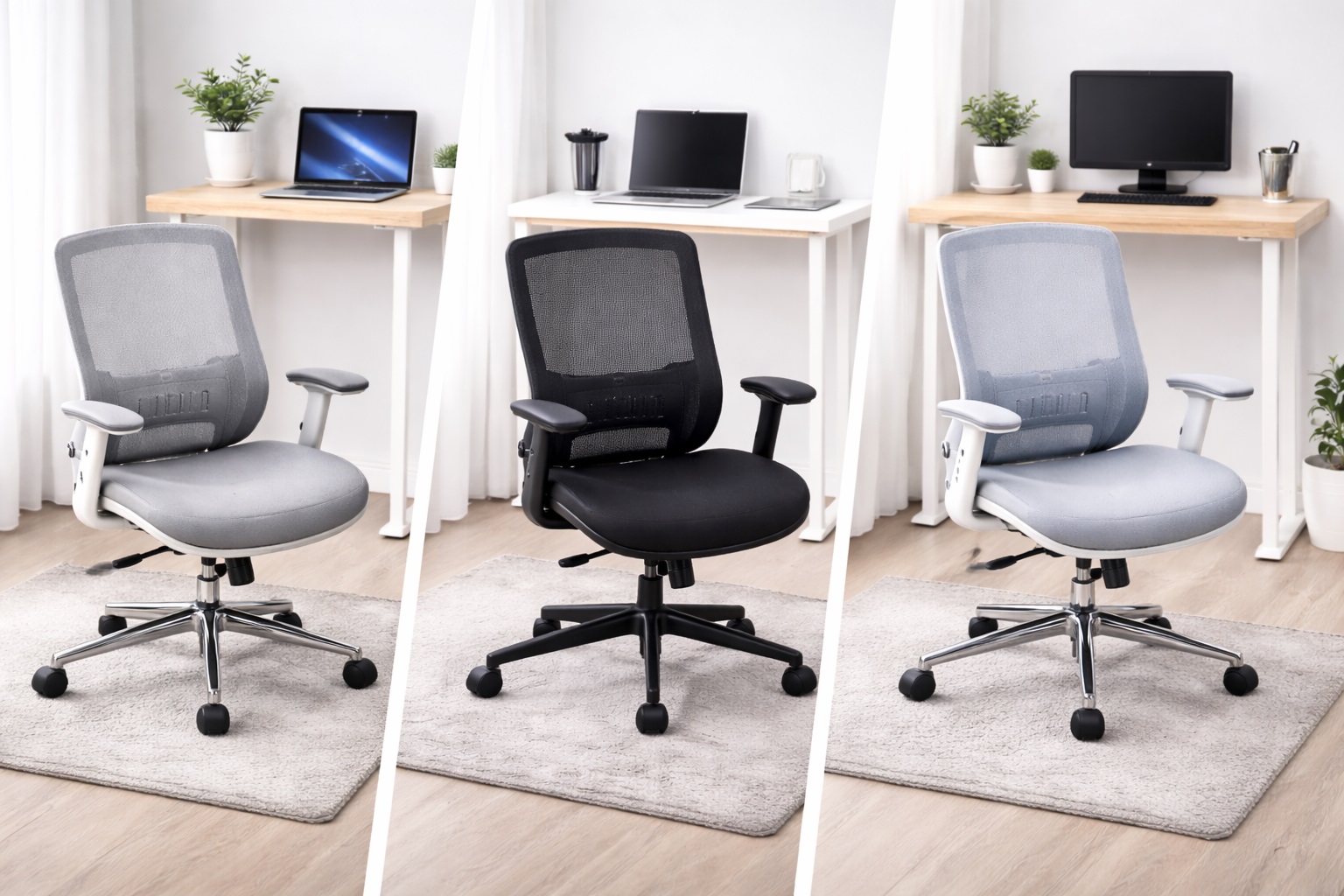
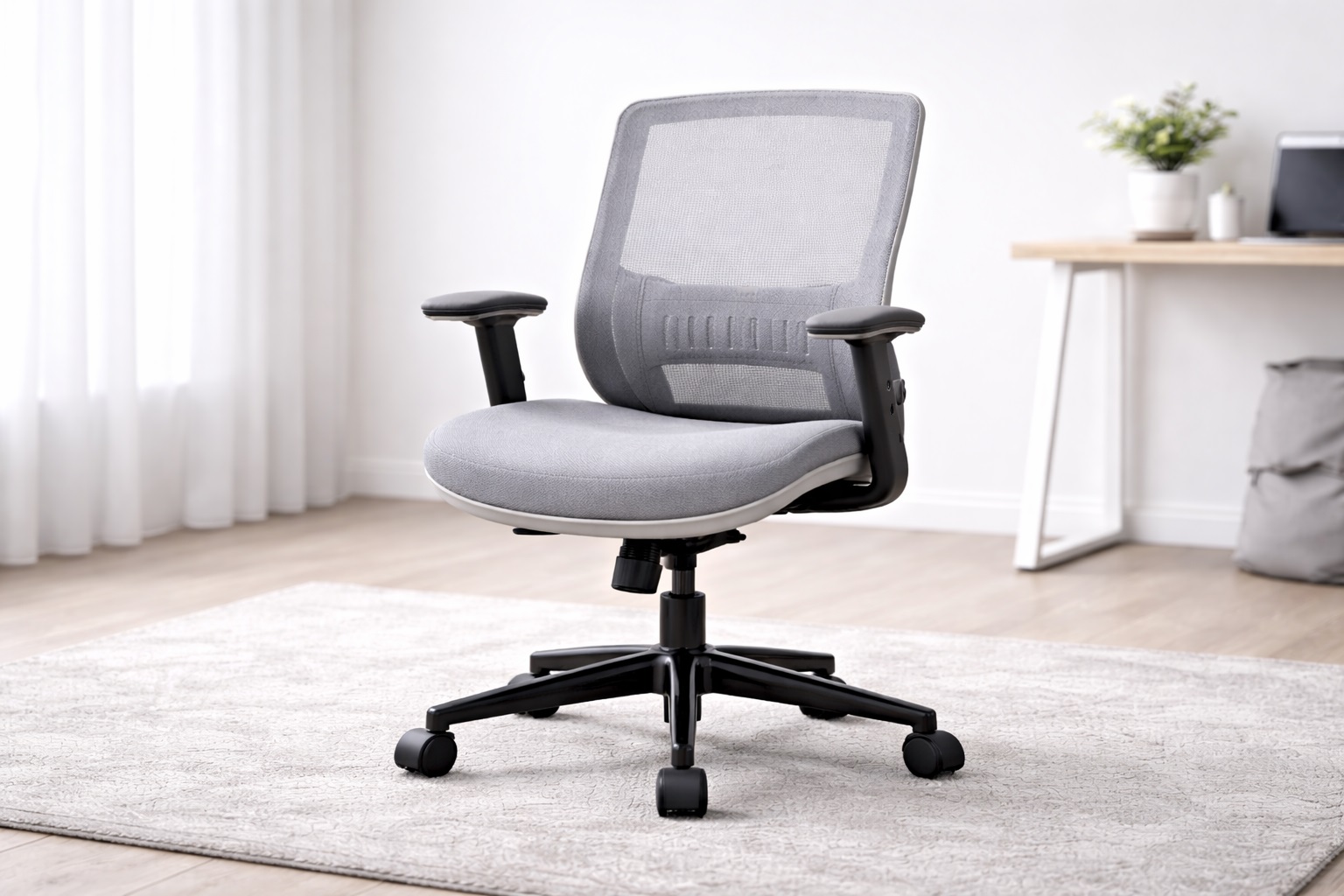
Mesh Back Ergonomic Chair – Best For All-Day Sitting
Mesh back office chairs use a breathable fabric that conforms to the natural shape of the spine while allowing air to circulate behind the back, addressing two common problems at once: inadequate lumbar support and the heat buildup that comes with extended sitting in a padded chair. Most mid-range mesh chairs at this price point include adjustable lumbar support, armrests, and seat height, covering the essential ergonomic adjustments that matter most for daily comfort. The breathability becomes particularly noticeable during warmer months or in rooms without strong air conditioning, where a padded alternative would trap heat uncomfortably against the back. Users who've dealt with a sweaty back after an hour in a padded chair during summer often describe switching to mesh as one of the more immediately noticeable comfort upgrades available at this price point.
- Pros:
- Breathable mesh back prevents heat and moisture buildup during long sitting sessions
- Conforms naturally to the spine's shape rather than forcing a fixed posture
- Typically includes the key ergonomic adjustments that matter most
- Available across a wide range of prices even within this budget bracket
- Cons:
- Mesh quality varies significantly between different price points and brands
- Hard or thin mesh seats can feel uncomfortable on some budget models after extended sitting
Best For: Remote workers, students, and home office users who sit for four to eight hours daily and want breathable, genuinely supportive seating without a premium price tag.
Why We Recommend It: The mesh back design has become the standard recommendation for ergonomic office seating because it solves the heat and support problems that padded chairs consistently struggle with, and most users notice the difference immediately after switching from a non-ergonomic chair. It's rare for someone to switch back to a plain, unsupportive dining chair once they've spent a few weeks with even a modest mesh ergonomic design supporting their lower back throughout the day.
Executive Padded Chair – Best For Cushioned Comfort
Executive-style padded office chairs use thick foam or memory foam cushioning across the seat and back, delivering a noticeably softer sitting experience than a mesh alternative, and they often include a high back that supports the upper back, shoulders, and sometimes a built-in headrest. While padded executive chairs are traditionally associated with premium pricing in professional office settings, solid versions are now available at accessible price points without sacrificing the core comfort profile that makes the style popular. The visual weight of an executive chair also communicates a certain seriousness in a home office that shares space with a living room or bedroom, which is a soft benefit some buyers value alongside pure comfort.
- Pros:
- Plush padded seat delivers extended comfort during long sitting sessions
- High back design provides support through the upper back and neck
- Classic professional appearance that suits a formal home office
- Typically includes a reclining function for relaxed breaks between tasks
- Cons:
- Less breathable than mesh back designs, especially in warmer rooms
- Can feel noticeably hot during extended sessions or warm weather
Best For: Users who prefer softer, cushioned support over a firmer mesh surface, those who lean back frequently during calls, and anyone who finds mesh materials uncomfortable against their back.
Why We Recommend It: Padded executive chairs suit users who prioritize soft cushioning and a more reclined sitting position over the firmer support of mesh. The comfort profile is genuinely different rather than objectively inferior, and the right choice depends heavily on personal preference and existing posture habits. Someone who's spent years in a soft, padded office chair at a previous job may find a firm mesh design feels genuinely uncomfortable at first, even though it's technically providing better structural support.
Task Chair with Lumbar Support – Best For Focused Posture Correction
A task chair strips away the premium styling of an executive design in favor of practical, focused ergonomics. Key features typically include adjustable lumbar support, seat height, and armrests, without the extra bulk or visual weight of a high-back executive chair. Most task chairs have a compact footprint that suits smaller desks and dorm rooms, and they're generally more affordable than executive alternatives while still covering the postural adjustments that matter most for genuine back health over time. This category tends to appeal to buyers who've already tried a purely decorative chair and want to correct course toward something more functional without going all the way to a bulky executive design.
- Pros:
- Focused ergonomic adjustments without unnecessary bulk or extra features
- Compact footprint that fits smaller workspaces and dorm rooms comfortably
- Typically more affordable than executive designs at a similar quality level
- Lumbar support directly addresses lower back strain during long sitting sessions
- Cons:
- Less visual presence and formality than an executive-style chair
- May not include a headrest or advanced multi-position tilt mechanisms
Best For: Practical home office users, students working in smaller rooms, and anyone prioritizing genuine back support and adjustability over premium materials or a formal appearance.
Why We Recommend It: Task chairs deliver the ergonomic adjustments that actually matter most for back health — lumbar support, seat height, and armrest positioning — without paying for executive features that don't meaningfully improve posture. For most daily users on a budget, this represents the most sensible balance of cost and function. It's the option most likely to satisfy a buyer whose top priority is simply not hurting by the end of the workday, without needing every other feature a pricier chair might advertise.
Buying Guide: How to Choose the Best Office Chair Under $100
1. Lumbar Support Adjustability
Adjustable lumbar support is the single most important ergonomic feature in an office chair at any price point. The natural curve of the lumbar spine varies meaningfully between individuals, so a fixed, one-size-fits-all lumbar position helps some users while genuinely hurting others. Look for chairs with at least height-adjustable lumbar support; depth adjustment, when available, is a meaningful additional bonus worth prioritizing. Sitting in the chair and pressing your lower back against the lumbar pad while adjusting its height is the most reliable way to confirm it actually lines up with your specific spine curve rather than trusting a generic middle setting.
2. Seat Height Range
Correct seat height allows your feet to rest flat on the floor with thighs approximately parallel to the ground, or slightly declined. Most budget chairs adjust somewhere between 16 and 21 inches, which comfortably suits users from roughly 5'4" to 6'2". If you're notably shorter or taller than that average range, verify the specific adjustment range suits your height before purchasing rather than assuming it will. Measuring your own desk height and comparing it against the chair's maximum and minimum seat height figures takes only a couple of minutes and avoids a frustrating mismatch after the chair arrives.
3. Seat Depth and Width
Seat depth affects how well the chair actually supports your thighs during sitting. Two to four fingers should fit comfortably between the front edge of the seat and the back of your knees when seated correctly. A seat that's too deep forces you to perch forward, losing the lumbar support entirely, so checking seat dimensions against your own body size is worth the extra few minutes before ordering. Taller or larger users in particular should pay close attention to this specification, since a seat depth designed around an average build can genuinely feel restrictive after just an hour of sitting.
4. Armrest Adjustability
Armrests should allow your arms to rest at a height that prevents shoulder shrugging or hunching. 4D armrests adjust height, width, depth, and angle, giving the most personalized support available at this price range. 2D armrests, adjusting height and width, are adequate for most users. Fixed, non-adjustable armrests may not work well for everyone and are worth avoiding if flexibility matters to you. Someone who shares a desk setup with another person, or whose height changes between different chairs used in a household, benefits considerably more from armrest adjustability than someone with a single, unchanging setup.
5. Back Material: Mesh Versus Foam
Mesh backs breathe considerably better and conform naturally to the spine's shape under pressure. Foam-padded backs provide a softer initial feel but can retain heat during extended use. Neither material is universally superior — personal preference and your room's climate both matter. Users in warm environments generally prefer mesh; users in cold or heavily air-conditioned spaces sometimes prefer the added warmth of padded alternatives. There isn't a universally correct answer here, and trying to sit in both types before committing, even briefly at a store or a friend's home, gives a much better sense of your own preference than reading descriptions alone.
6. Tilt Mechanism and Lock
A tilt function allows the backrest to recline under controlled pressure rather than staying rigidly upright. Tilt tension adjustment controls how much resistance you feel when leaning back, and a tilt lock fixes the chair in a specific recline angle for focused work. These features suit users who lean back during calls or reading but still want a locked, stable position available for concentrated desk work. Chairs without a lock at all can feel unstable during focused typing, since even light forward movement causes the backrest to shift underneath you unpredictably.
7. Weight Capacity
Check the stated weight capacity carefully before purchasing. Most standard office chairs in this price range support 250 to 300 pounds, while bariatric or heavy-duty models support 400 pounds or more. Using a chair meaningfully above its rated capacity accelerates wear on the frame, gas lift cylinder, and tilt mechanism considerably faster than normal use would. It's worth choosing a chair with meaningful headroom above your actual weight rather than one rated exactly at the edge of your needs, since components under sustained near-maximum load simply wear out sooner.
8. Build Quality of Base and Casters
The five-star base and casters support the entire combined weight of the occupant and the chair itself, making them a genuine structural priority rather than a minor detail. Aluminum bases are generally more durable than nylon; steel is the most durable option for heavier daily use. Casters specifically designed for hard floors protect hardwood and tile from scratching, so checking caster type against your actual floor surface matters. Swapping to the correct caster type is usually possible after the fact if the original purchase gets it wrong, but it's a small hassle and cost that's easy to avoid by checking upfront.
9. Headrest Availability
A headrest supports the neck specifically during reclined sitting positions. If you lean back regularly during calls, reading, or video watching, a headrest genuinely reduces neck strain over time. Adjustable headrests, offering both height and angle control, are considerably more useful than fixed designs. High-back chairs often include headrests as standard; mid-back chairs typically do not. A separate clip-on headrest accessory exists for some mid-back chairs as an afterthought upgrade, though it rarely matches the fit and comfort of a chair designed around one from the start.
10. Assembly Complexity
Office chairs in this price range typically arrive partially or fully disassembled, requiring buyer assembly at home. Most assemble in 20 to 40 minutes using the included tools alone. Reading reviews specifically about assembly clarity and parts accuracy is worthwhile, since poorly labeled parts or missing hardware are among the most common assembly complaints and often indicate broader quality control issues. Having a second person available for assembly, particularly for attaching the backrest to the seat base, makes the process noticeably faster and reduces the risk of stripping screws through awkward solo positioning.
11. Upholstery Durability
Fabric and mesh upholstery at this price point varies considerably in how well it resists pilling, tearing, and general wear over time. Checking reviews specifically for mentions of upholstery holding up after a year or more of daily use gives a far more reliable picture than the initial look and feel of the material when it first arrives. Dark, textured fabrics tend to hide early wear better than light, smooth materials, which is a small consideration for anyone concerned about how the chair will look after a year or two of regular use.
12. Warranty Length as a Confidence Signal
A one-year warranty is fairly standard at this price point, though some manufacturers extend coverage on specific components like the gas lift cylinder or the frame. A longer or component-specific warranty is a reasonable signal of manufacturer confidence and is worth factoring into a decision between two otherwise comparable chairs. Given how much mechanical stress the gas lift cylinder and tilt mechanism handle daily, a warranty that specifically covers these moving parts is more meaningful than one covering only the fixed frame or upholstery.
Frequently Asked Questions
1. How do I set up my office chair correctly for ergonomic sitting?
Adjust seat height so your feet rest flat on the floor with thighs parallel or slightly declined. Set lumbar support to match the natural curve of your lower back specifically, not just a generic middle position. Position armrests so your shoulders stay relaxed rather than shrugged, and keep the monitor roughly at eye level or slightly below. Correct setup genuinely matters more than the specific chair brand you choose. Even the most ergonomically capable chair on the market provides little benefit if it's left in a default configuration rather than actually adjusted to fit your body, so spending ten minutes dialing in these settings after unboxing is time well spent.
2. How long should a quality office chair under $100 last?
A well-built office chair from a reputable manufacturer typically lasts five to ten years with daily use. Gas lift cylinders, armrest mechanisms, and caster wheels are the most common wear components over time. Chairs with replaceable individual parts offer meaningfully better long-term value than those requiring complete replacement when one component eventually fails. Checking whether a manufacturer sells individual replacement parts, like a new gas cylinder or caster set, is a worthwhile step before buying if long-term repairability matters to you.
3. Is a mesh back chair better than a padded one at this price?
Neither is objectively better — they genuinely suit different preferences and body types. Mesh breathes better and conforms dynamically to the spine's shape as you move. Padded backs provide a softer initial feel but can retain heat over longer sessions. Users in warm environments or who sit for extended periods generally prefer mesh, while those in cooler environments or who prefer softer surfaces often prefer padded alternatives.
4. What assembly tools do I need for a budget office chair?
Most office chairs include all the necessary tools directly in the box. Assembly typically requires only the included Allen key and possibly a Phillips screwdriver you may already own. The entire process usually takes 20 to 40 minutes for one person following the included instructions carefully, though having a second person help with the backrest attachment can speed things up. Reading through the full instruction sheet once before starting, rather than assembling step by step without a preview, helps catch any unusual part orientation before it becomes a problem partway through.
5. Can I use a budget office chair on hardwood floors without damage?
Verify the chair's casters are specifically suitable for hard floors before purchasing. Casters labeled for hard floors use softer, wider wheels that don't scratch or mark the surface underneath. Standard casters designed for carpet are harder and narrower, which can gradually mark hardwood over time, so checking floor compatibility upfront saves potential damage later. A small area rug or chair mat is a reasonable fallback option for anyone unsure whether their current casters are causing gradual floor wear, and it protects the surface regardless of which caster type ends up on the chair.
6. Is the most expensive office chair under $100 always the best?
Not necessarily. Higher price often means additional features, but many mid-range options within this specific bracket offer excellent everyday performance. Focus on the features that genuinely matter for your specific body and workspace, like lumbar adjustability and seat depth, rather than assuming price alone predicts comfort.
7. How do I know if a chair's lumbar support actually fits my back?
The best way is to sit in the chair for at least fifteen to twenty minutes while doing normal desk work, rather than judging comfort from a brief thirty-second test. If your lower back feels unsupported or you find yourself shifting frequently to find a comfortable position, the lumbar curve likely doesn't match your specific spine shape.
8. Can I return an office chair if it doesn't suit me?
Most retailers offer a 15 to 30 day return window for office chairs. Keep the original packaging during your evaluation period, and test the chair through several full workdays rather than a brief sit-down, since posture-related discomfort often only becomes apparent after extended use.
9. What is the best office chair under $100 for a small dorm room?
A task chair with lumbar support typically suits dorm rooms best, given its compact footprint and focus on the ergonomic essentials without the bulk of a high-back executive design. This leaves more usable floor space in a room that's often already tight on square footage.
10. Does brand name matter when choosing an office chair under $100?
Established brands generally offer more consistent quality control, more reliable customer support, and steadier warranty follow-through, which matters more at accessible price points where manufacturing shortcuts are somewhat more common. However, newer brands sometimes offer excellent value — read verified reviews carefully before purchasing.
11. How do I know what weight capacity I need in a chair?
Check your own weight against the chair's stated capacity and choose a model with meaningful headroom above that figure rather than cutting it close. A chair used consistently near or above its rated limit wears out its gas lift cylinder and frame considerably faster than one used comfortably within its capacity.
12. Is it worth buying a chair with a headrest at this price?
It depends on how often you recline during calls or breaks. If you frequently lean back to think, read, or take a call, a headrest genuinely reduces neck strain and is worth prioritizing. If you sit upright for the majority of your work, a headrest adds cost and bulk without a proportional daily benefit.
Final Verdict
- Best Overall for All-Day Sitting: Mesh Back Ergonomic Chair – the standard ergonomic recommendation for extended daily desk work.
- Best for Cushioned Comfort: Executive Padded Chair – softer, more reclined comfort for users who prefer padding over firm mesh.
- Best for Focused Posture Support: Task Chair with Lumbar Support – the practical choice focused specifically on what actually helps your back.
The right office chair under $100 depends on how your body responds to firm versus soft support, how many hours you actually spend sitting each day, and how much space your room genuinely allows for a larger executive-style design. Testing a chair honestly over several full workdays, rather than judging it from a quick showroom sit or a product photo, is the most reliable way to know whether it's actually the right fit before the return window closes. Taking the time to adjust every available setting properly before forming a final opinion also matters, since a chair judged in its unadjusted default configuration rarely gets a fair evaluation of what it can actually offer once genuinely dialed in to your body.