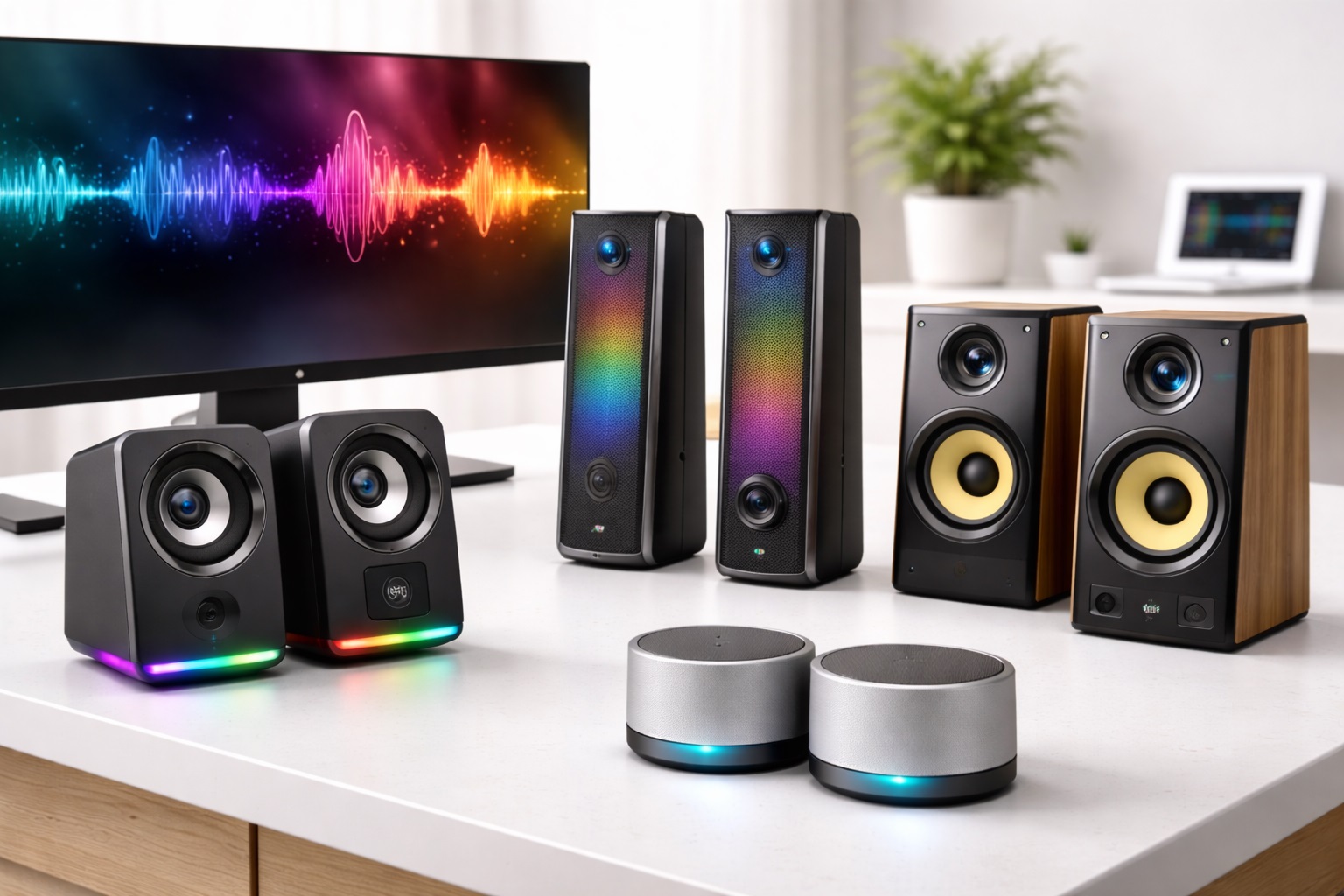
Best Desktop Speakers Under $100 for Home Office and Desk Use
Laptop speakers are built for one job — being present, not being good. They're thin, they're positioned wherever the industrial design allows rather than where sound would actually project best, and they run out of low-frequency headroom almost immediately once you push past background-music volume, often distorting noticeably before reaching a volume that would fill even a small room. A pair of dedicated desktop speakers fixes all of that for less than the price of a nice dinner out, and the improvement in how music, calls, and video sound is immediate the moment you plug them in. It's one of the rare desk upgrades that pays off constantly rather than sitting unused after the first week, since audio touches almost everything you do at a computer, from background music to meetings to the occasional movie. Unlike accessories that only help in specific situations, better speakers improve every hour spent at the desk, whether you notice it consciously or not.
Under a hundred dollars, the desktop speaker market splits into a few clear categories rather than one continuous ladder of quality, and understanding those categories is more useful than trying to compare every individual model on specs alone. A basic stereo pair, a 2.1 system with a dedicated subwoofer, and a portable Bluetooth speaker used at a desk all solve the laptop-speaker problem, but they do it in different ways and suit different rooms and habits. None of them is a strict upgrade over the others — the right pick depends on what kind of audio you actually listen to and how much desk space you're willing to give up. A person who mostly takes calls and listens to podcasts has very different priorities than someone who games in the evenings or streams music through most of the workday, and the best value in this price range comes from matching the category to that actual usage rather than buying whichever set has the highest wattage number printed on the box. Wattage figures in this price bracket are also notoriously inconsistent between brands, so they're a poor basis for comparison on their own.
This guide walks through the desktop speaker categories that consistently perform well at this price point, explains where each one shines and where it compromises, and then works through the buying factors that matter most for a desk setup specifically — not a living room or a professional studio, where different tradeoffs apply. A frequently asked questions section at the end addresses the practical setup and comparison questions that tend to come up once you've narrowed down the category that fits your desk.
Top 4 Desktop Speakers Under $100 (Detailed Reviews)
Each of the categories below approaches the same basic goal — better sound than a laptop can produce — from a different angle. Read through the pros, cons, and best-for notes to see which one lines up with your room, your listening habits, and how much desk space you're comfortable dedicating to audio. The reviews are ordered from the most broadly recommended option to the more situational ones.
1. Stereo Desktop Speakers – Best for Balanced Daily Audio
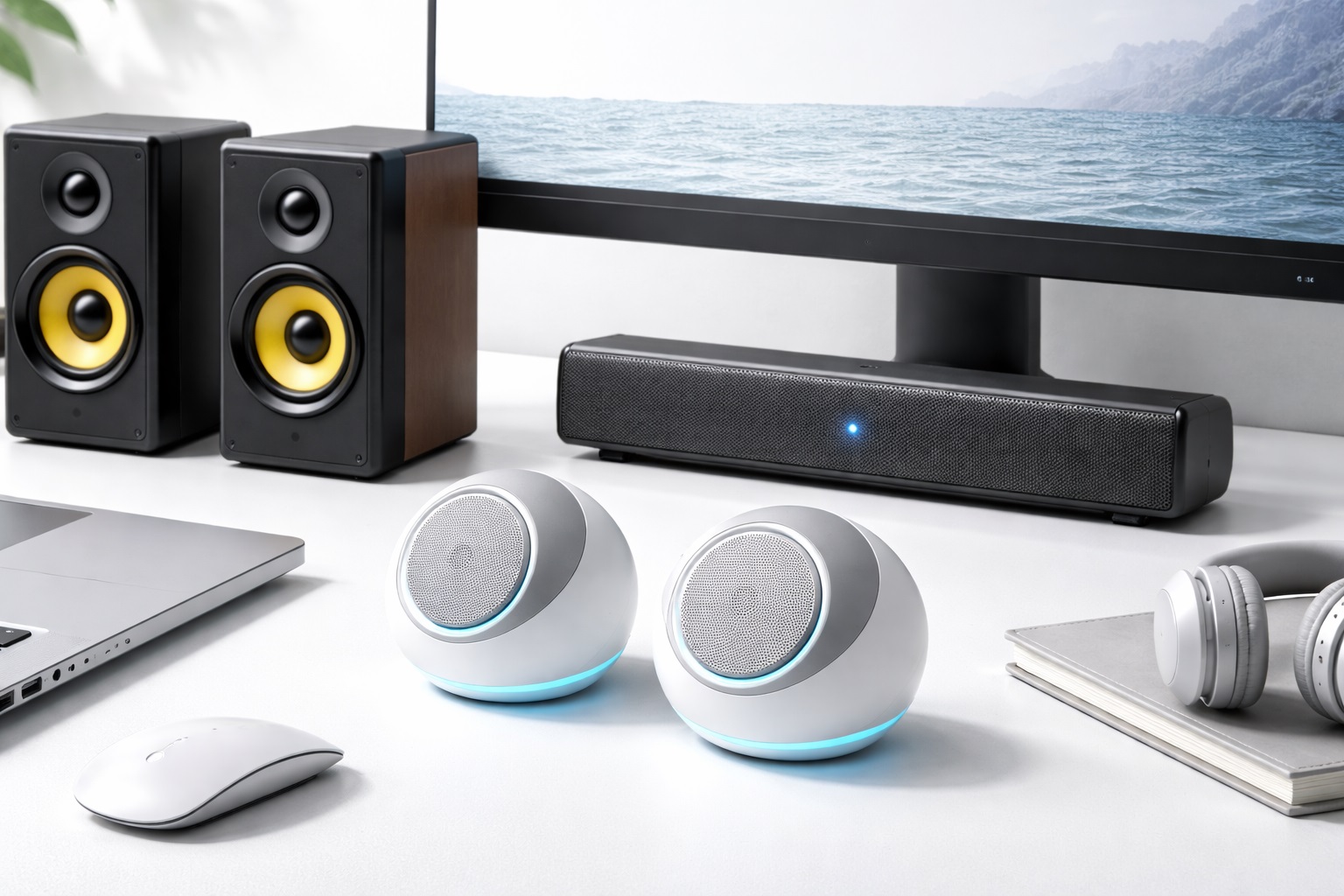
A stereo desktop speaker pair delivers the most natural, spatially accurate audio reproduction available at this price point for everyday use, and it remains the most commonly recommended starting point for anyone upgrading away from laptop audio for the first time. Genuine left and right channel separation creates a sense of width and placement that neither a laptop's built-in speakers nor a single Bluetooth speaker can replicate. Typical models in this range use drivers between roughly 2.75 and 4 inches housed in a ported enclosure, which extends bass response further than the driver size alone would suggest, giving the overall sound more body than the compact cabinets might imply. Setup is usually as simple as a single 3.5mm or USB cable running to the computer, with a second thinner wire connecting the two speaker cabinets to each other. Most models in this category include a physical volume knob on one speaker, which is a small detail that ends up mattering more than expected once you're reaching for it several times a day, since adjusting system volume through software menus repeatedly gets tedious quickly.
- Pros:
- True stereo imaging with real left-right separation
- Noticeably better bass than laptop speakers
- Simple connectivity over 3.5mm or USB
- Compact, space-efficient two-speaker footprint
- Works well as a long-term, set-it-and-forget-it option
- Cons:
- Needs two surface positions rather than one
- Less portable than a single Bluetooth speaker
- Lacks the deep bass of a dedicated subwoofer system
Best For: Home office workers and students who want a meaningfully better everyday listening experience for music, calls, and video without adding a subwoofer or extra cables to the desk, and who would rather have one reliable all-purpose setup than several specialized devices.
Why We Recommend It: Stereo separation is the very first thing most people notice when moving from laptop speakers to a dedicated pair, and it's a difference that holds up across almost every kind of content — podcasts, music, video calls, and background listening alike. It's the safest general-purpose starting point for a desk audio upgrade, and it's easy to build on later with a subwoofer if bass ever feels lacking.
2. 2.1 Speaker System with Subwoofer – Best for Room-Filling Sound
A 2.1 system pairs the same stereo satellite speakers with a dedicated subwoofer, which takes over the lowest frequencies and frees the smaller satellites to focus on midrange and treble clarity, resulting in a cleaner overall sound across the full frequency range rather than one small driver trying to do everything at once. The result is noticeably deeper, more physical bass than any pair of small desktop drivers can produce alone, without needing to push the volume uncomfortably high to feel it. The subwoofer itself is usually designed to sit on the floor under or beside the desk, out of the way of the actual working surface, and its downward or rear-firing driver means exact placement is far less critical than it is for the satellite speakers that actually shape the stereo image.
- Pros:
- Subwoofer extends bass well beyond satellite-only capability
- Feels more impactful even at moderate volume levels
- Well suited to music, movies, and gaming audio
- Subwoofer placement is flexible and out of the way under a desk
- Delivers a fuller sound closer to a small home theater setup
- Cons:
- Larger overall footprint than a stereo-only pair
- Extra subwoofer cable adds a bit more desk clutter
- Not necessary for voice-focused or casual listening
Best For: Music enthusiasts, gamers, and movie watchers who want genuinely impactful bass at their desk without buying a separate standalone subwoofer, and who have a little extra floor space near the desk to accommodate one more unit.
Why We Recommend It: The subwoofer changes desktop audio from something you simply hear into something you feel, particularly with electronic music, film soundtracks, and games that use low-frequency effects heavily. For anyone whose desk doubles as an entertainment setup, this is the category that delivers the most noticeable step up from a basic stereo pair, and the difference is obvious from the very first track you play.
3. Portable Bluetooth Desktop Speaker – Best for Flexible Placement
Using a portable Bluetooth speaker as a desktop unit trades some stereo width for flexibility — the same speaker that sits on your desk during the day can move to a kitchen counter, a patio, or a friend's living room in the evening. That flexibility is the entire appeal of this category, and it's worth weighing seriously against the narrower but often richer sound of a dedicated stereo pair. Compact designs with a rechargeable battery and USB-C charging have become common enough that many now rival dedicated desktop speakers on sound quality while adding genuine portability the wired options don't offer. Pairing is typically a one-time process, after which the speaker reconnects automatically to your computer or phone each time it's powered on within range, which keeps the day-to-day experience nearly as effortless as a wired connection.
- Pros:
- Doubles as a portable speaker for non-desk situations
- Wireless Bluetooth connection removes one cable from the desk
- Battery operation allows placement anywhere in the room
- Compact single-unit design takes up minimal desk space
- Works equally well connected to a phone or tablet
- Cons:
- Single-speaker design lacks true stereo imaging
- Battery needs periodic charging like any portable device
- Slight audio latency possible over a Bluetooth connection
Best For: Anyone who wants a speaker that works well at a desk but also needs to move with them to other rooms, outdoor spaces, or trips away from the desk entirely, including students who split time between a dorm room and other campus locations.
Why We Recommend It: For people who don't specifically need stereo separation and value flexibility more than maximum audio fidelity, a quality portable Bluetooth speaker covers both desk duty and mobile use in a single purchase, which is hard to beat for anyone short on space or budget for two separate devices. It's a practical, do-everything option rather than a specialist one.
4. USB-Powered Compact Desktop Speakers – Best for Minimal Setup
Compact USB-powered speakers are designed around simplicity rather than maximum output: plug in a single USB cable for both power and audio, and the speakers work immediately with no separate power brick, no volume knob to hunt for, and no additional software. That simplicity is precisely the point for buyers who just want better sound without thinking about audio equipment any further than that. This category tends to have a smaller footprint than either a stereo pair with ported enclosures or a 2.1 system, making it a natural fit for compact desks or secondary workstations. Many models draw power directly from the computer's USB port rather than a wall outlet, which also means one less thing competing for a limited number of power strip slots near a crowded desk.
- Pros:
- Single USB cable handles both power and audio
- Smallest footprint among common desktop speaker types
- No separate power adapter to find outlet space for
- Straightforward setup with no configuration required
- Inexpensive enough to keep as a spare for a second device
- Cons:
- Lower maximum volume and bass extension than larger models
- Less impressive stereo width due to compact driver spacing
- Not well suited to larger rooms or loud environments
Best For: Students, secondary workstations, and anyone with a small desk who wants a clear improvement over laptop audio without adding bulk or extra cables to an already tight space, or who simply prefers the fewest possible cables and steps involved in setup.
Why We Recommend It: Not every desk has room for a full stereo pair with a power brick and a subwoofer, and this category exists specifically for that constraint. It delivers a real, noticeable upgrade over built-in laptop speakers while asking for almost nothing in return in terms of space or setup effort, which makes it an easy recommendation for a first-time buyer.
Buying Guide: How to Choose the Best Desktop Speakers Under $100
Use these factors to match a speaker purchase to your actual desk, room, and listening habits rather than defaulting to whichever option has the most impressive spec sheet.
1. Driver Size and Bass Extension
Larger drivers, roughly 3.5 inches and above, move more air and naturally produce deeper bass. Smaller drivers rely on a ported enclosure or a separate subwoofer to compensate. For typical desk listening within about a meter, drivers in the 2.75 to 4 inch range strike a reasonable balance between size and sound quality. Beyond that range, further size increases matter less at desk distance than they would in a larger room, so it's rarely worth paying extra purely to chase a bigger driver number on a spec sheet.
2. Connectivity Options
Most desktop speakers offer a 3.5mm analog input, a USB digital input, or both, and some add Bluetooth for wireless use. USB input bypasses a laptop's built-in audio card, which can produce cleaner sound on lower-end computers. Bluetooth adds convenience but can introduce a small amount of latency that matters more for gaming than for music or calls. If you plan to switch between multiple devices throughout the day, Bluetooth pairing is generally quicker than swapping physical cables each time, though it does mean keeping the speaker charged or plugged in for wireless mode to keep working reliably.
3. Powered vs. Passive Speakers
Powered, or active, speakers include built-in amplification and work as soon as they're connected to a power source and your computer. Passive speakers require a separate amplifier to function at all. For desktop use specifically, powered speakers are the practical choice at essentially every price point in this range, since adding a separate amplifier defeats the simplicity most desk setups are going for.
4. Room Size and Listening Distance
At the typical fifty to eighty centimeter listening distance of a desk setup, even modest driver sizes perform well. In a larger or more open room, higher rated power output becomes more relevant, particularly if the speakers need to compete with background noise from an open kitchen or a busy household. Matching the speaker's output to your actual room avoids both an underpowered setup and unnecessary overspending on power you'll never use at close desk range.
5. Stereo vs. Mono Sound
A stereo pair creates genuine spatial audio through left-right channel separation, while a single Bluetooth speaker produces mono sound regardless of how good its driver is. For music and video content specifically, true stereo separation provides a meaningfully more immersive listening experience than a single speaker can, particularly for anyone who listens critically or watches a lot of video content at their desk.
6. Frequency Response as a Guide, Not a Guarantee
A wide frequency response figure, often quoted as 20Hz to 20kHz, suggests broad coverage of audible frequencies, but the number alone doesn't guarantee good sound. Driver quality, enclosure design, and internal tuning matter just as much as the spec sheet, so treat frequency response as one input among several rather than the deciding factor, and weigh it alongside actual listening impressions from reviewers when possible.
7. Whether You Actually Need a Subwoofer
A subwoofer meaningfully improves reproduction of frequencies below roughly 80Hz. For music genres with heavy bass content, movies with low-frequency effects, and many games, a 2.1 system is a clearly noticeable upgrade. For voice-heavy content like podcasts, audiobooks, and video calls, satellite speakers alone are typically sufficient and simpler to manage, and skipping the subwoofer saves both money and desk floor space.
8. Desk Placement and Positioning
Where you place the speakers affects sound quality as much as the speakers themselves. Pushing speakers flush against a wall boosts bass but can muddy stereo imaging, while angling them slightly toward the listening position, known as toe-in, sharpens that imaging. Small adjustments of just a few centimeters can produce an audible difference, so it's worth experimenting once the speakers are set up rather than accepting the first placement as final, especially after moving to a new desk or room.
9. Headphone Output for Private Listening
A headphone jack built into the speaker or its control unit allows quick switching to private listening without unplugging and reconnecting cables. This is a genuinely useful convenience in shared workspaces, late-night sessions, or any situation where you don't want to disturb people nearby, and it's a feature worth checking for specifically if privacy sometimes matters to you.
10. Build Quality and Enclosure Material
Wooden or MDF enclosures dampen internal resonance more effectively than thin plastic housings, which reduces unwanted buzzing or coloration at higher volumes. Checking the enclosure material is a useful, often overlooked step, since a well-built cabinet contributes meaningfully to sound quality at any price point, sometimes more than the driver specifications themselves suggest.
11. Cable Management and Desk Footprint
A 2.1 system's extra subwoofer cable, a stereo pair's speaker-to-speaker wire, and a power adapter all add up on a desk that may already be crowded with a monitor, a laptop stand, and other accessories. Consider how much cable clutter you're willing to manage before committing to a larger, more elaborate system, especially if a clean desk surface matters to you.
12. Warranty and Manufacturer Support
Even at a budget price point, a one-year manufacturer warranty is a reasonable expectation, and it's worth checking before buying rather than after something stops working. Established brands with a track record in this category tend to offer more reliable support if a unit develops a fault, which is worth factoring in alongside the sticker price.
Frequently Asked Questions
These are the questions that come up most often from readers shopping for desktop speakers under one hundred dollars.
1. Do I need a dedicated amplifier for desktop speakers under $100?
No. Powered, or active, speakers include built-in amplification and connect directly to your computer over 3.5mm or USB. Only passive speakers require a separate external amplifier, and for desktop use, powered speakers are by far the more common and practical choice, so this is rarely something you need to plan around.
2. How do I connect desktop speakers to my laptop?
A 3.5mm headphone jack connection is the most universal option across laptops and desktops. USB connections bypass the computer's built-in audio card, and Bluetooth offers a wireless alternative. Most modern computers support all three, so the choice usually comes down to convenience and which ports you have free on your particular machine.
3. Are desktop speakers better than headphones for everyday listening?
They serve different purposes. Speakers create natural room acoustics and let you stay aware of your surroundings, while headphones offer better isolation and more intimate, detailed bass. In shared spaces, headphones are usually the more considerate choice; for private rooms, speakers create a more natural, less fatiguing listening experience over long sessions of work or study.
4. What is the best placement for desktop speakers?
Position the speakers at roughly ear level, angled slightly inward toward where you sit, with equal distance from each speaker to your listening position. Leave a few inches of clearance from the wall behind them, since placing speakers flush against a wall can make bass sound boomy or imprecise rather than clean and controlled.
5. Can I use desktop speakers for video calls?
Yes, though speaker output can sometimes be picked up by an external microphone and create echo for the people you're calling. This is less of an issue with a laptop's built-in microphone, which typically has some echo cancellation, but headphones remain the safest choice for calls with a separate external mic positioned close to your mouth.
6. Is the most expensive desktop speaker set always the best choice?
Not necessarily. Higher price often buys extra features or premium enclosure materials, but many mid-range options sound excellent for everyday desk use. Matching the speaker type to your actual listening habits matters more than chasing the highest price within the category, especially at the budget end of the market.
7. How long should a quality set of desktop speakers last?
A well-built pair from a reputable manufacturer commonly lasts three to five years or longer with normal use. Warranty length is a reasonable indicator of how confident the manufacturer is in the product's long-term durability, and it's worth comparing across brands before buying.
8. Can I return desktop speakers if they don't suit my setup?
Most retailers offer a fifteen to thirty day return window. Keep the original packaging during your evaluation period so a return stays straightforward if the sound or fit doesn't match your expectations once you've tested them at your actual desk under normal conditions.
9. What should I prioritize first when choosing desktop speakers?
Start with how you actually use audio at your desk — mostly voice and calls, mostly music, or a mix that includes gaming and movies — rather than shopping by driver size or wattage alone. Matching the speaker category to your real listening habits produces a better outcome than chasing maximum specifications on a spec sheet.
10. Does brand name matter when buying budget desktop speakers?
Established audio brands typically offer more consistent quality control and better long-term support, which is worth something for a device you'll use daily. Newer or less familiar brands can still offer good value, but it's worth reading recent, verified reviews carefully before choosing an unfamiliar name for a daily-use purchase.
11. Do desktop speakers need a subwoofer to sound good?
No. A well-designed stereo pair with a ported enclosure can produce satisfying sound for most everyday listening without a subwoofer. A subwoofer is a meaningful upgrade specifically for bass-heavy music, movies, and games, not a requirement for good desktop audio in general, so skipping it is a reasonable choice for many listeners.
12. Will Bluetooth speakers work as well as wired ones for desk use?
For most everyday listening, a quality Bluetooth speaker performs very close to a similarly priced wired option, with the main tradeoff being a small amount of audio latency that's noticeable mainly in fast-paced gaming rather than in music or general media playback throughout the day.
Final Verdict
- Best for Balanced Daily Audio: Stereo Desktop Speakers — the most well-rounded upgrade over laptop sound for everyday use.
- Best for Room-Filling Sound: 2.1 Speaker System with Subwoofer — the strongest choice for music, movies, and gaming bass.
- Best for Flexible Placement: Portable Bluetooth Desktop Speaker — a dual-purpose pick for desk and on-the-go use.
- Best for Minimal Setup: USB-Powered Compact Desktop Speakers — the simplest, most space-efficient option for tight desks.
There's no single best desktop speaker for every desk — the right choice depends on how much space you have, whether bass-heavy content matters to you, and whether portability or a clean, minimal setup matters more than raw audio performance. Whichever category fits your situation, moving away from built-in laptop speakers is one of the more noticeable, least expensive upgrades you can make to a daily desk setup. If you're still unsure, a basic stereo pair is the safest place to start, since it covers the widest range of everyday listening needs and leaves room to add a subwoofer or a second portable speaker later once your actual habits become clear.