Best Speakers for Small Desks: Compact Options That Sound Great
A small desk forces tradeoffs that a spacious home office setup never has to make. Every inch of surface area is already claimed by a monitor, a keyboard, a notebook, or a mug, and a pair of full-size desktop speakers can eat up the little room that's left before you've even opened your laptop. Anyone who has tried squeezing a standard bookshelf-style speaker pair onto a compact desk knows how quickly the remaining workspace disappears entirely. The good news is that compact desktop audio has improved considerably, and a small footprint no longer means settling for thin, tinny sound the way it once did. Manufacturers have put real engineering effort into this segment as more people work from smaller apartments, dorm rooms, and shared spaces where a large speaker cabinet simply isn't a realistic option. Careful driver design, smarter enclosures, and mounting options that reclaim desk space have made it realistic to get genuinely enjoyable audio without sacrificing the room you need to actually work. The result is a category of products that quietly solves a very specific problem rather than trying to be everything to everyone the way general desktop speakers do.
The challenge with shopping for small-desk speakers specifically is that most audio buying guides are written for people who have plenty of surface area to spare. Advice about wide speaker spacing for the best stereo image, or about leaving generous clearance behind each cabinet for optimal bass, assumes a desk layout that a lot of apartments, dorm rooms, and shared workspaces simply don't have. Following that advice literally on a small desk usually means abandoning half the guidance before you've even unboxed the speakers. What actually matters for a small desk is different: minimizing footprint without giving up too much sound quality, choosing mounting options that get speakers off the working surface entirely, and managing cables in a space where every unused inch counts. None of these considerations show up prominently in a typical product listing, which is exactly why a dedicated small-desk buying guide is worth reading before choosing a speaker by specs alone.
This guide walks through the speaker categories that consistently perform well on small desks, covers where each one compromises and where it doesn't, and then works through the buying factors that matter specifically for a tight workspace rather than a spacious home studio or living room setup. A frequently asked questions section at the end addresses the practical concerns that come up once you've narrowed down which category fits your desk.
Top 4 Speakers for Small Desks (Detailed Reviews)
Each of the categories below solves the small-desk problem differently, from simply shrinking the footprint to removing speakers from the desk surface entirely. Few small-desk setups need every strength listed here, so read through the pros, cons, and best-for notes to find the balance that suits your actual desk and listening habits. The categories are ordered from the most broadly recommended compromise to the more specialized, situational solutions.
1. Compact Stereo Speakers with a Small Footprint – Best for Balanced Sound in Minimal Space
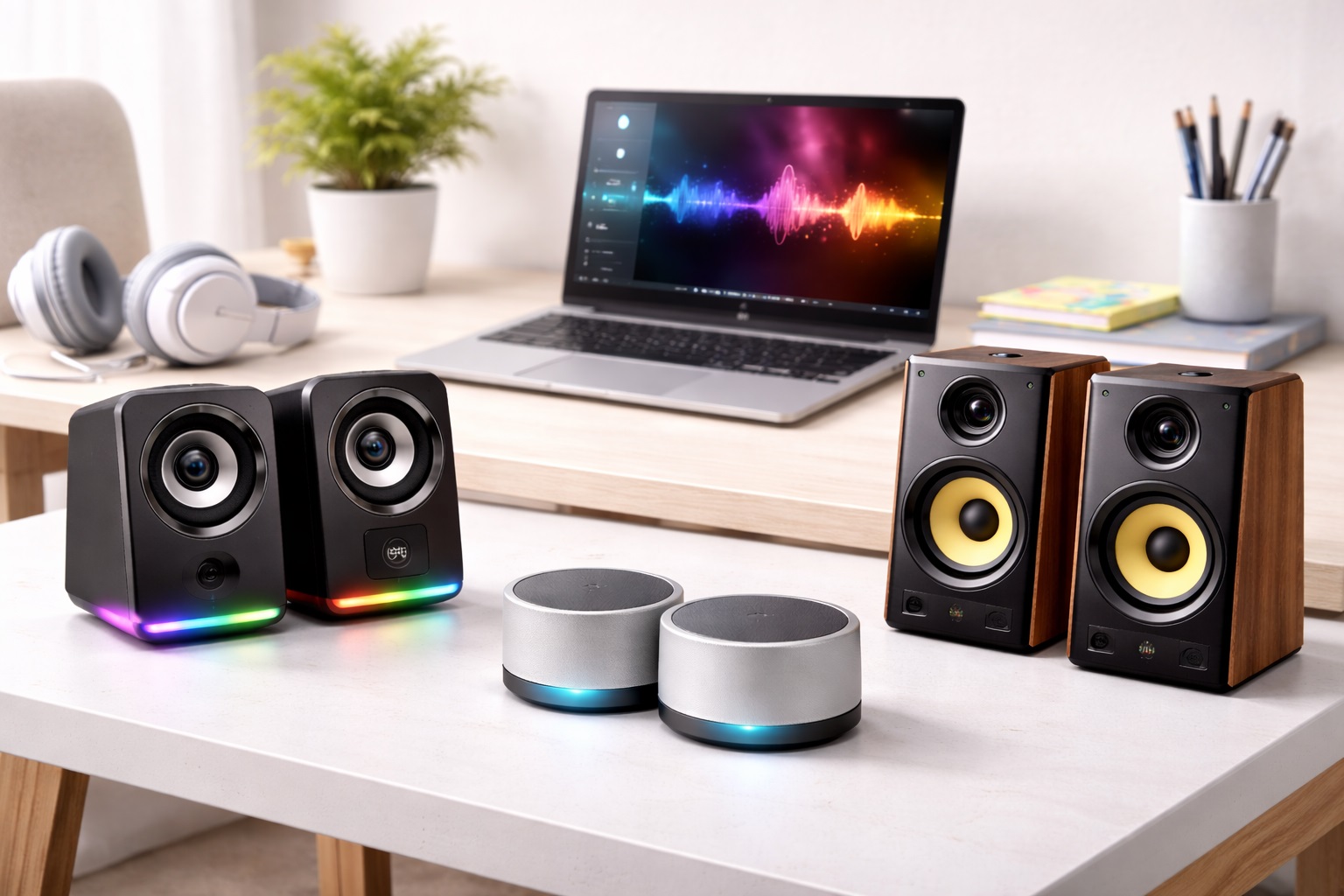
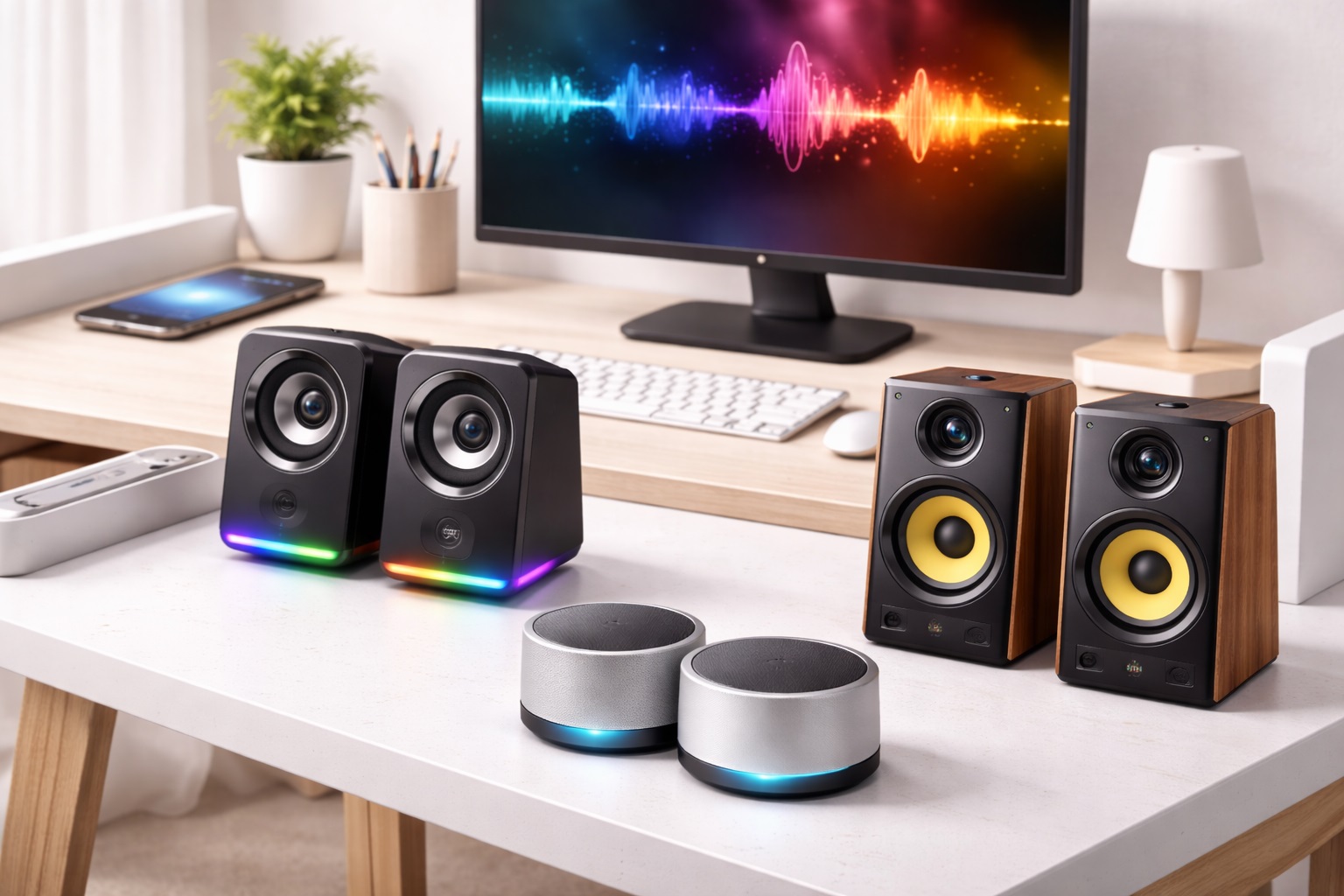
Compact stereo speaker pairs scale down the same left-right design used in larger desktop speakers into a noticeably smaller cabinet, typically using drivers in the two to three inch range rather than the larger four inch drivers found in bigger models. This category has grown considerably as more manufacturers recognize that not every buyer has a spacious home office desk to work with. The tradeoff is a modest reduction in maximum bass extension, but a well-designed compact pair still delivers genuine stereo separation, which is the single biggest audio quality difference between dedicated speakers and a laptop's built-in sound. That separation is noticeable across nearly everything you listen to, from music with clear left-right mixing to the subtle width that video content adds to dialogue and ambient sound. Many models in this category are narrow and tall rather than wide and shallow, which helps them fit into the limited flat space on either side of a monitor without eating into the depth of a shallow desk.
- Pros:
- Genuine stereo separation in a noticeably smaller cabinet
- Narrow, tall shapes fit beside a monitor on a tight desk
- Simple 3.5mm or USB connectivity with no extra setup
- Meaningfully better sound than any laptop's built-in speakers
- Wide selection available for comparing brands and price points
- Cons:
- Smaller drivers mean less bass than full-size desktop speakers
- Still requires two separate surface positions on the desk
- Not as compact as single-unit or mounted alternatives
Best For: Anyone with a small but usable desk who wants real stereo sound without dedicating significant surface area to speaker cabinets, and who isn't willing to give up stereo separation entirely for the sake of saving a few more inches.
Why We Recommend It: Stereo separation matters more to how audio actually feels than most people expect, and compact pairs deliver most of that benefit in a fraction of the space a full-size pair demands. It's the category that best balances sound quality against the real space constraints of a small desk, and it's the sensible starting point for most small-desk buyers.
2. Single All-in-One Desktop Speaker – Best for Ultra-Tight Desks
A single all-in-one speaker houses two drivers, or sometimes a stereo driver arrangement, inside one compact cabinet, which cuts the desk footprint roughly in half compared to a two-piece stereo pair. The result looks more like a small soundbar or a rounded block than a traditional pair of speaker cabinets. This category has become popular specifically for extremely tight desks, laptop stands, and secondary workstations where even a compact stereo pair takes up more room than is available, or where only a single narrow strip of desk space remains after everything else has been arranged. Sound quality varies more within this category than in others, since cramming stereo separation into a single housing is a genuine engineering challenge, so checking specific reviews for stereo width matters more here than for other categories. Some models compensate with digital signal processing designed to widen the perceived soundstage, with varying degrees of real-world success depending on the implementation.
- Pros:
- Smallest possible footprint of any dedicated speaker option
- Single cable and single unit simplifies setup considerably
- Easy to reposition or move between different workstations
- Often the most affordable dedicated speaker category
- Fits easily in a bag if you move between workstations often
- Cons:
- Stereo separation is inherently more limited than a two-piece pair
- Sound quality varies more widely between specific models
- Maximum volume is generally lower than a two-piece system
Best For: Extremely tight desks, secondary workstations, and anyone who values minimal footprint above all other considerations, including laptop-only setups without a separate monitor to work around.
Why We Recommend It: When desk space is the single hardest constraint, a single-unit speaker solves the problem more completely than any two-piece system ever can. It's the right compromise for setups where even a compact stereo pair still feels like too much, trading some stereo width for a footprint that genuinely disappears into a tight layout.
3. Compact 2.1 System with a Small Under-Desk Subwoofer – Best for Bass Without Desk Clutter
A compact 2.1 system pairs small stereo satellites, sized similarly to the compact stereo category above, with a scaled-down subwoofer designed to sit on the floor rather than the desk. This arrangement borrows the same basic idea behind larger 2.1 systems but scales every component down to fit the realities of a smaller room or a shared living space. This arrangement keeps the desk surface footprint just as small as satellite-only speakers while still delivering noticeably deeper bass than small drivers can produce alone, since the subwoofer handles the lowest frequencies from its position on the floor rather than competing for desk space. The satellites are freed up to focus purely on midrange and treble clarity, which often makes them sound better even before accounting for the added bass.
- Pros:
- Adds real bass extension without using any extra desk surface
- Satellite speakers remain as compact as satellite-only options
- Subwoofer tucks easily under a desk or beside a chair
- Noticeably fuller sound than compact stereo alone
- Delivers a listening experience closer to a full-size setup
- Cons:
- Extra subwoofer cable adds one more wire to manage
- Requires a bit of floor space near the desk
- Not an option if floor space is as limited as desk space
Best For: Small-desk users who want fuller, richer sound for music or movies without giving up any of the desk surface area a satellite-only setup already saves, provided there's a little floor space nearby to work with.
Why We Recommend It: This category proves that a small desk doesn't have to mean thin sound, since moving the subwoofer to the floor sidesteps the desk-space problem entirely. For anyone who misses bass after downsizing to compact speakers, this is the natural next step, and it's often the single upgrade that makes a compact setup feel genuinely complete.
4. Monitor-Mounting or Clamp-On Speakers – Best for Maximizing Desk Surface Area
Clamp-on and monitor-mounting speakers attach directly to the edge of a monitor, a shelf, or a desk clamp arm, removing the speaker footprint from the desk surface entirely rather than just shrinking it. This is a smaller, more specialized category than standard desktop speakers, but it exists specifically to solve a problem no amount of downsizing alone can fully address. This is the most aggressive space-saving approach available, and it's particularly useful for standing desks, dual-monitor setups, or any desk where literally every square inch of surface is already accounted for by other equipment. It also keeps the sound source at a consistent height relative to your ears, which desk-standing speakers can't guarantee once other items shift around them.
- Pros:
- Removes speaker footprint from the desk surface entirely
- Well suited to standing desks and multi-monitor setups
- Keeps sound close to ear level regardless of desk clutter
- Frees up the full desk surface for other equipment
- Positions sound consistently near ear level regardless of desk items
- Cons:
- Requires a compatible monitor edge, shelf, or mounting arm
- Fewer models available compared to standard desktop speakers
- Installation takes more effort than simply setting speakers down
Best For: Standing desk users, multi-monitor setups, and anyone whose desk surface is already completely full before adding speakers into the equation, particularly setups where height adjustment makes a desk-standing speaker's positioning inconsistent.
Why We Recommend It: For a desk where every inch of surface is already spoken for, removing speakers from the desk entirely solves the space problem more completely than any amount of downsizing could. It's a specialized solution, but for the right desk it's the only one that actually works without forcing a compromise elsewhere in the setup.
Buying Guide: How to Choose the Best Speakers for a Small Desk
Use these factors to match a speaker purchase to your actual desk layout and available space rather than to whichever model has the most impressive specifications. Working through them in order will help you decide where a small compromise is acceptable and where it genuinely isn't for your setup.
1. Measuring Your Actual Available Footprint
Before shopping, measure the real flat space available on either side of your monitor or elsewhere on the desk. Knowing the exact dimensions you have to work with prevents buying speakers that look compact in photos but don't actually fit your specific layout, and it's worth measuring depth as well as width, since many product listings only emphasize the narrower dimension. Taking a quick photo of the empty space with a tape measure in frame can also help when comparing options later without the desk in front of you.
2. Driver Size vs. Available Space Tradeoff
Smaller drivers inherently produce less bass, and there's no way around this basic physical tradeoff regardless of brand or price. Decide upfront how much bass reduction you're willing to accept in exchange for the footprint savings a compact speaker provides, since no amount of clever enclosure design fully overcomes basic driver physics, though ported enclosures and digital tuning can narrow the gap noticeably.
3. Single-Unit vs. Stereo Pair
A single all-in-one speaker saves the most space but delivers more limited stereo separation than a two-piece pair. If genuine stereo imaging matters to how you listen to music or watch video, a compact stereo pair is usually worth the extra footprint over a single-unit alternative, particularly if you have even a small amount of extra space to spare on either side of your monitor.
4. Mounting and Clamp Compatibility
If you're considering monitor-mounting or clamp-on speakers, confirm the mounting hardware is compatible with your specific monitor's thickness or your desk's edge profile before buying, since compatibility varies more than it does with simple desk-standing speakers. Curved monitors and unusually thick desk edges are the most common source of fit problems in this category, so checking the manufacturer's listed compatible thickness range before ordering saves a frustrating return later.
5. Cable Management on a Crowded Desk
A small desk usually already has cables from a monitor, keyboard, charger, and webcam competing for the same limited space. Favor speakers with shorter, cleaner cable runs or built-in cable channels, and consider a small cable clip or sleeve to keep additional wires organized, since visible cable clutter tends to make a small desk feel even more cramped than it actually is, even when the physical footprint hasn't changed at all.
6. Connectivity Options for a Compact Setup
USB and 3.5mm connections remain the simplest options for a small desk, while Bluetooth removes a cable entirely at the cost of a small amount of latency that's rarely noticeable outside of fast-paced gaming. On a desk where every cable adds visual clutter, Bluetooth's wireless convenience is often worth that small tradeoff, particularly for listening to music or podcasts where latency is barely noticeable.
7. Whether a Subwoofer Is Worth the Floor Space
A compact 2.1 system's subwoofer sits on the floor rather than the desk, so it doesn't compete with your existing surface constraints the way satellite speakers do. If you have even modest floor space near your desk, adding a small subwoofer is one of the easiest ways to improve sound without sacrificing any desk area, and it's often the single most noticeable upgrade available to someone already using compact satellites, more so than swapping to a different satellite speaker pair alone.
8. Placement Flexibility for Awkward Desk Shapes
Corner desks, L-shaped desks, and desks shared with other equipment often have irregular usable space rather than a clean rectangle. Prioritize speakers with flexible placement options, such as a short satellite cable or a swiveling mount, if your desk shape doesn't offer a simple symmetrical layout, since rigid, fixed-position speakers can be harder to fit into an irregular corner setup than adjustable ones.
9. Sound Quality Expectations at Small Sizes
It's worth setting realistic expectations that a compact speaker, regardless of category, will not match a full-size bookshelf speaker's sound quality. The goal on a small desk is a meaningful improvement over laptop audio within your space constraints, not matching a much larger speaker's performance, and keeping that goal in mind prevents disappointment after unboxing a genuinely compact product that was never designed to replace a full-size setup.
10. Build Quality in a Compact Package
Smaller cabinets have less internal volume to dampen resonance, which makes build quality and internal bracing more noticeable at small sizes than in larger speakers. Reviews that specifically mention buzzing or rattling at higher volumes are worth taking seriously for compact models, since this issue is more common in small enclosures than in larger, more heavily built cabinets with more internal space to work with.
11. Headphone Output for Shared or Quiet Spaces
A headphone jack is especially useful on a small desk that's likely shared with roommates, family, or coworkers in close proximity. Quick switching to private listening without unplugging cables is a meaningful convenience in tight, shared living or working spaces, particularly late at night or during calls where privacy matters.
12. Warranty and Return Policy for a Space-Constrained Purchase
Because fit is such a central concern for small-desk speakers, confirm the retailer's return policy before buying in case the physical dimensions don't work as expected once the speakers arrive. A one-year manufacturer warranty is a reasonable baseline expectation regardless of speaker size, and it's worth confirming before committing to a purchase you can't easily test in person first, particularly when buying online without a showroom to visit.
Frequently Asked Questions
These are the questions that come up most often from readers shopping for speakers specifically suited to a small or crowded desk.
1. Can small speakers actually sound good, or is a footprint tradeoff unavoidable?
Small speakers can sound genuinely good for everyday listening, though there's an unavoidable physical tradeoff in maximum bass extension compared to larger drivers. For music, calls, and general media use, a well-designed compact speaker delivers most of the benefit of a larger pair in a fraction of the space, and the gap has narrowed considerably as driver and enclosure design has improved.
2. Is a single all-in-one speaker as good as a stereo pair?
A single-unit speaker saves more desk space but generally can't match the stereo width of a genuine two-piece pair, since true left-right separation requires physical distance between two sound sources. For casual listening the difference is less noticeable, but for critical music or movie listening a stereo pair still has a clear edge in spatial realism.
3. Do monitor-mounting speakers work with any monitor?
Not universally, and this is one of the more common sources of frustration in this category. Monitor-mounting and clamp-on speakers typically require a specific edge thickness or mounting point, so it's important to check compatibility with your exact monitor model or desk edge before purchasing rather than assuming a universal fit, since curved or unusually thin bezels can rule out certain mounts.
4. Is it worth adding a subwoofer if my desk is already small?
Yes, if you have even a small amount of floor space nearby, since the subwoofer sits on the floor rather than the desk and doesn't compete with your existing surface constraints. It's one of the more efficient ways to add real bass without sacrificing any desk area at all.
5. What's the best way to manage cables on a small, crowded desk?
Favor speakers with shorter cable runs, use a small adhesive cable clip or channel to route wires along the back or underside of the desk, and consider Bluetooth connectivity if cable clutter is a significant frustration on your particular setup and layout.
6. Is the most expensive compact speaker always the best choice?
Not necessarily. Higher price often buys extra features or premium materials, but many mid-range compact speakers sound very good for everyday desk use. Match the purchase to your actual space constraints and listening habits rather than assuming a higher price guarantees a better fit for your desk.
7. How long should compact desk speakers typically last?
A well-built compact speaker from a reputable manufacturer commonly lasts three to five years or longer with normal use. Warranty length is a reasonable indicator of how confident the manufacturer is in the product's long-term durability, and it's worth comparing across brands before buying.
8. Can I return small-desk speakers if they don't physically fit?
Most retailers offer a fifteen to thirty day return window, which is especially useful for small-desk speakers since photos and listed dimensions don't always translate perfectly to how a product feels on your specific desk once it arrives and sits next to your other equipment day to day.
9. What should I prioritize first when choosing speakers for a small desk?
Start with your exact available footprint and desk shape rather than shopping by sound quality specifications alone. Matching the speaker category to your real physical space produces a better outcome than chasing the highest-rated option that may not actually fit your desk once it arrives.
10. Does brand name matter when buying compact desk speakers?
Established audio brands typically offer more consistent quality control and better long-term support, which is worth something for a device you'll use daily. Newer or less familiar brands can still offer good value, but it's worth reading recent, verified reviews before choosing an unfamiliar name for something you'll rely on daily.
11. Are clamp-on speakers stable enough for daily desk use?
Most clamp-on and monitor-mounting speakers are designed to stay firmly attached through normal daily use, though it's worth checking the maximum supported thickness for your monitor or mounting surface to ensure a secure, wobble-free fit that holds up over months of regular use.
12. Can I use headphones and small desk speakers interchangeably?
Yes, in fact many compact speakers include a headphone output specifically for this purpose, allowing quick switching between private listening and speaker audio without unplugging and reconnecting cables each time you want to switch.
Final Verdict
- Best for Balanced Sound in Minimal Space: Compact Stereo Speakers with a Small Footprint — genuine stereo sound scaled down for tight desks.
- Best for Ultra-Tight Desks: Single All-in-One Desktop Speaker — the smallest possible footprint for the most space-constrained setups.
- Best for Bass Without Desk Clutter: Compact 2.1 System with a Small Under-Desk Subwoofer — fuller sound without using extra desk surface.
- Best for Maximizing Desk Surface Area: Monitor-Mounting or Clamp-On Speakers — removes speakers from the desk entirely.
There's no single best speaker for every small desk — the right choice depends on your exact available footprint, whether stereo separation or maximum space savings matters more to you, and whether you have any floor space nearby to accommodate a subwoofer. Measure your actual desk before shopping, match the category to that real constraint, and a modest speaker upgrade will make a noticeable difference without crowding out the workspace you need every day. If you're unsure where to start, a compact stereo pair remains the safest general recommendation, since it delivers the widest range of everyday benefits while asking for only a modest amount of desk space in return.