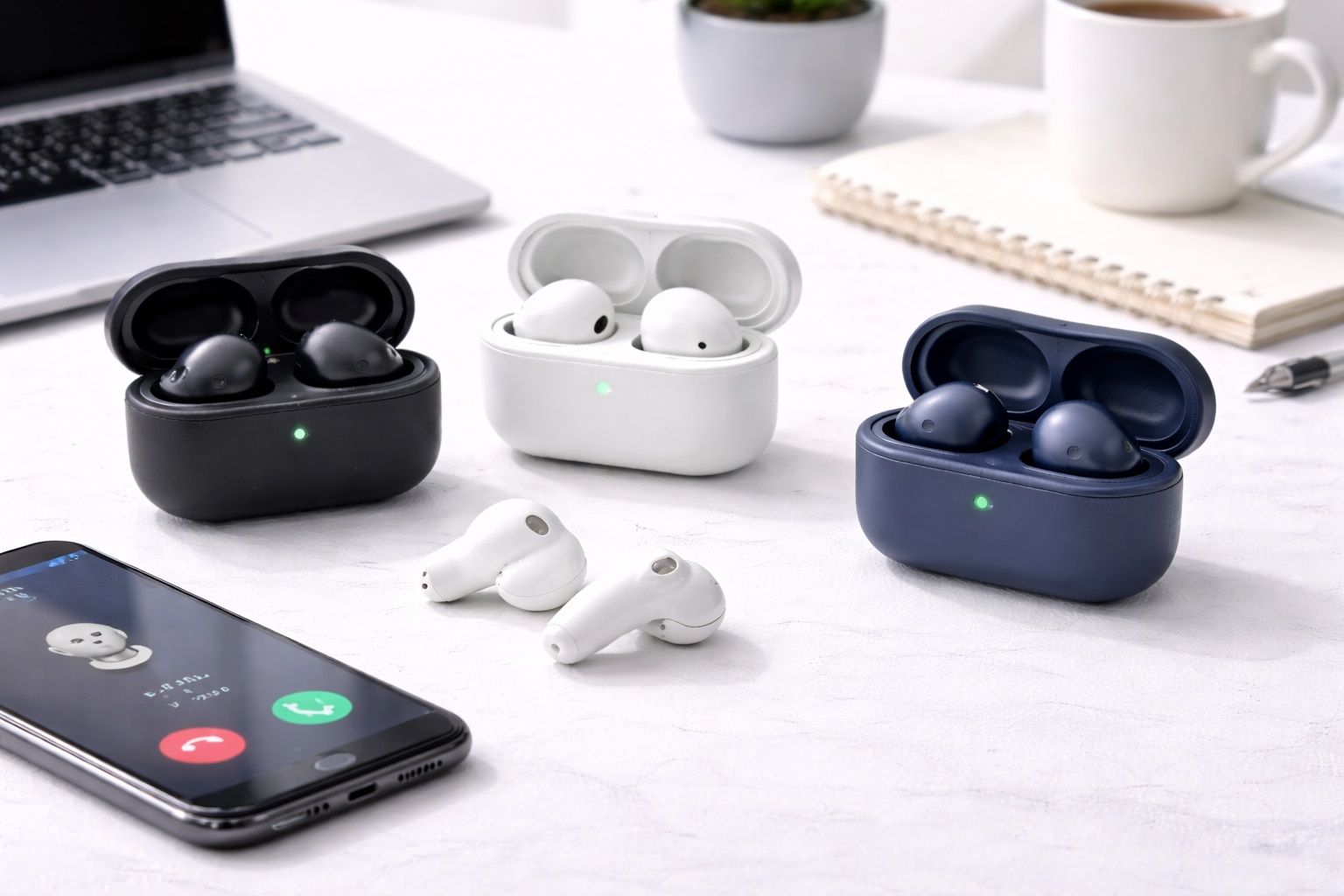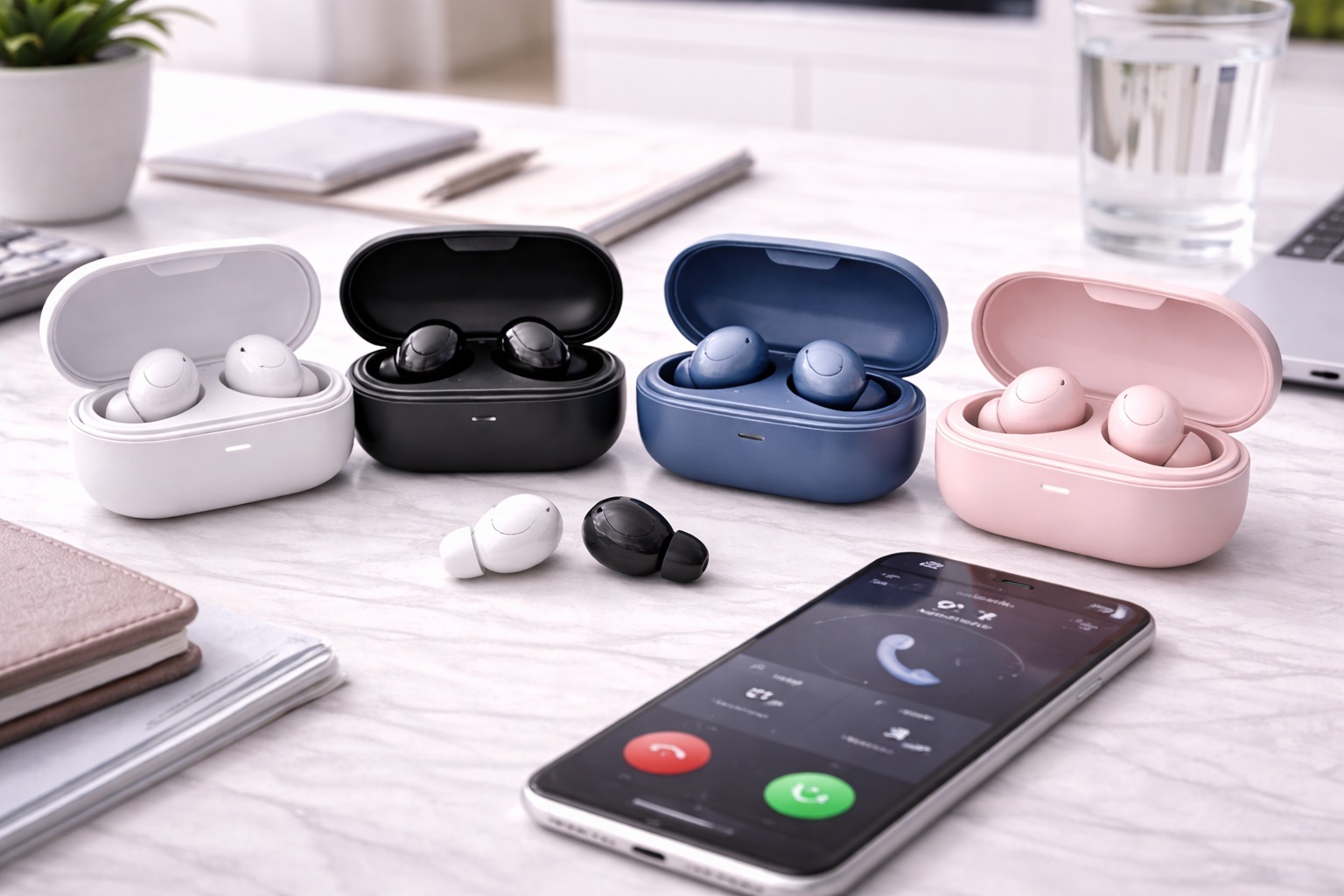
Best Bluetooth Earbuds for Calls: Clearer Voice Pickup
For remote workers and anyone who spends a meaningful part of the day on calls, the single most important thing a pair of earbuds can do well is transmit a clear, natural voice to the other side of the conversation. Music playback quality, ANC strength, and design aesthetics all matter less on a daily basis than whether a colleague, client, or family member can hear you clearly without straining, without echo, and without the muffled or robotic artifacts that poor microphone processing sometimes introduces during an otherwise routine call.
This guide compares the most practical options for remote workers and frequent callers who need earbuds with excellent microphone performance for reliable call clarity. Call quality depends on a different set of engineering choices than music playback does — microphone array design, background noise suppression tuned specifically for speech, and processing that keeps latency low enough for natural conversation — which is why the reviews below focus specifically on how each option performs on an actual call rather than how it sounds playing a song.
Below is a full comparison table, detailed reviews of the strongest call-focused options, a buying guide built around the technical factors that determine call clarity, and answers to the questions frequent callers ask most often when shopping for earbuds built around this specific need.
Why Call Quality Is a Different Engineering Problem Than Music Playback
Music playback quality depends mainly on the earbud's internal drivers and audio tuning — the same signal path regardless of what is happening around the listener. Call quality depends instead on how well the earbud's microphones capture a voice while rejecting everything else happening in the room: keyboard clatter, traffic outside a window, a dog barking in the next room, or wind during an outdoor walk. A pair that produces beautiful music playback can still transmit a mediocre, noisy voice signal if its microphone array and noise suppression were not engineered with the same care.
This is why buying earbuds based on general audio reviews alone is a common mistake for frequent callers. Microphone performance is typically tested and discussed separately from music sound quality, and a model praised for one does not automatically excel at the other. The picks below specifically weigh microphone array design, noise suppression tuned for speech, and real-world call clarity feedback rather than general audio review scores that may not reflect actual call performance at all.
Top Picks (Detailed Reviews)
1. Multi-Mic Array Earbuds – Best Overall for Call Clarity
Using multiple microphones per earbud combined with beamforming technology that isolates the direction of a wearer's voice, this option delivers noticeably clearer call audio than single-microphone designs, especially in moderately noisy environments like a home with background activity or a shared coworking space.
- Pros:
- Multiple microphones with beamforming isolate voice from background noise
- Consistently clear call audio across a range of environments
- Low latency suited to natural-feeling video conferencing
- Comfortable for extended daily call sessions
- Cons:
- Priced higher than single-microphone call-focused alternatives
- Music playback tuning is solid rather than a standout feature
Best For: Frequent callers who want the most consistently clear voice transmission across varied environments.
Why We Recommend It: Multiple microphones with genuine beamforming processing represent the current standard for the clearest achievable call audio, and this option applies that technology about as effectively as it currently exists in the category.
2. Wind-Noise-Resistant Earbuds – Best for Outdoor Calls
Wind is one of the most disruptive sources of call interference, capable of overwhelming even good microphone arrays with a rushing, distorted sound. This option uses specific wind-noise reduction processing and physical microphone port design to remain usable for calls taken outdoors or during a walk, where many competitors struggle.
- Pros:
- Specifically engineered wind noise reduction for outdoor calls
- Physical microphone port design reduces wind interference at the source
- Reasonable call clarity even during light to moderate wind conditions
- Solid overall call and connection performance beyond wind resistance
- Cons:
- Very strong wind can still degrade call quality somewhat
- Not the lightest or most compact design in this category
Best For: Callers who regularly take calls outdoors, on walks, or in otherwise breezy environments.
Why We Recommend It: Wind noise is one of the more common and disruptive call quality problems for anyone who takes calls outside, and this option specifically addresses that scenario rather than treating it as a secondary concern.
3. Low-Latency Call Earbuds – Best for Video Conferencing
Video calls suffer noticeably when audio latency causes a lag between lip movement and sound, breaking the natural rhythm of conversation. This option specifically minimizes processing latency, keeping audio and video well synchronized and preserving the natural back-and-forth flow that matters for professional video meetings.
- Pros:
- Low audio latency keeps video call conversation feeling natural
- Consistent performance across major video conferencing platforms
- Clear voice pickup alongside the low-latency performance
- Comfortable for extended meeting-heavy days
- Cons:
- Latency optimization is the standout feature rather than music-specific tuning
- Battery life is solid rather than class-leading
Best For: Professionals whose calls are primarily video meetings rather than voice-only calls.
Why We Recommend It: Latency is easy to overlook on a spec sheet but immediately noticeable in an actual video call, and this option specifically prioritizes the smooth, natural conversational flow that latency directly affects.
4. Adaptive Voice Isolation Earbuds – Best for Noisy Environments
For callers working from busy households, shared spaces, or noisy urban environments, this option uses adaptive voice isolation processing that continuously adjusts to changing background noise levels, keeping the wearer's voice prioritized even as surrounding conditions shift during a call.
- Pros:
- Adaptive processing adjusts to changing background noise in real time
- Strong voice isolation in genuinely noisy environments
- Consistent performance whether background noise is steady or variable
- Solid comfort and connection performance alongside the voice isolation
- Cons:
- Adaptive processing occasionally introduces a brief adjustment delay
- Priced at a premium relative to simpler call-focused options
Best For: Callers working from unpredictable or consistently noisy environments like shared households or busy public spaces.
Why We Recommend It: Static noise suppression tuned for one specific noise profile struggles when conditions change mid-call, and adaptive processing specifically solves that more realistic, variable scenario.
5. Long-Battery Call Earbuds – Best for All-Day Call Volume
Active microphone use during calls drains battery faster than passive music listening, and this option is specifically built to sustain that heavier drain across a full day of back-to-back calls, reducing the risk of a battery warning appearing during an important afternoon meeting.
- Pros:
- Extended battery life even under heavy, continuous call use
- Efficient power management specifically during active microphone use
- Case provides multiple additional full charges for long days
- Solid call clarity alongside the extended battery performance
- Cons:
- Case is somewhat bulkier to accommodate the larger battery
- Not the most compact option for minimal-carry preferences
Best For: Callers whose calendars are consistently full of back-to-back calls with limited charging opportunities.
Why We Recommend It: A dead battery mid-call is one of the more disruptive interruptions a frequent caller can experience, and this option is specifically engineered to avoid that scenario across a demanding daily schedule.
6. Multipoint Call Earbuds – Best for Switching Between Call Devices
Many frequent callers juggle a work laptop, a personal phone, and sometimes a tablet throughout the day, and this option's reliable multipoint connection lets calls seamlessly move between devices without the manual re-pairing that disrupts a busy schedule of switching between them.
- Pros:
- Reliable multipoint switching between multiple call-taking devices
- Solid call clarity across whichever device is active
- Reduces the friction of manually re-pairing throughout the day
- Good overall comfort and connection stability
- Cons:
- Multipoint connections occasionally introduce a brief switching delay
- Slightly higher battery drain from maintaining two active connections
Best For: Callers who regularly take calls across multiple devices throughout a single day.
Why We Recommend It: Manually re-pairing between devices is a recurring daily friction point for busy callers, and reliable multipoint support removes it almost entirely once properly configured.
7. Budget Call-Focused Earbuds – Best Value for Call Quality
Not every frequent caller needs premium beamforming arrays or adaptive processing, and this option channels a limited budget specifically into workable microphone performance rather than spreading development across features a call-focused buyer may not need.
- Pros:
- Meaningfully lower price than premium call-focused competitors
- Workable call clarity for everyday personal and casual work calls
- Reasonable background noise handling for the price point
- Good value for buyers whose call volume is moderate rather than constant
- Cons:
- Falls short of premium options in genuinely noisy environments
- No advanced features like adaptive isolation or multipoint switching
Best For: Budget-conscious buyers whose call volume is moderate rather than an all-day, every-day occurrence.
Why We Recommend It: Solid call clarity does not have to come at a premium price for buyers with more moderate daily call volume, and this option delivers that core value without unnecessary extras.
Common Misconceptions About Call-Quality Earbuds
Many buyers assume that ANC and call quality are essentially the same feature, but they operate quite differently. ANC reduces noise the wearer hears, while call clarity depends on separate microphones and processing that determine what the person on the other end of the call hears. A pair can have excellent ANC and only mediocre call quality, or vice versa, since the two systems are engineered somewhat independently by different teams during product development.
Another common misconception is that more microphones always mean better call quality automatically. Microphone count matters less than how well the array and its beamforming or noise suppression algorithm are tuned, and a well-engineered two-microphone design can outperform a poorly tuned four-microphone one in practice, despite what a simple specification comparison might suggest to a shopper.
There is also a tendency to assume call quality is uniform across all conditions once a pair is purchased. In reality, call clarity for the same earbuds can vary significantly between a quiet room, a windy outdoor walk, and a noisy café, which is why checking feedback about performance across varied real-world conditions matters more than a single controlled test result performed in an ideal environment.
A final misconception worth addressing is the belief that call quality problems are always the earbuds' fault. Network conditions, the receiving party's own device and connection, and the specific conferencing software in use can all affect perceived call quality independently of how well the earbuds themselves are performing, which is worth keeping in mind before assuming a persistent issue is necessarily a hardware problem.
How Call Technology in Earbuds Has Advanced
Early true wireless earbuds treated calls almost as an afterthought to their primary music-listening purpose, often relying on a single basic microphone with minimal processing. As remote work and video conferencing became a daily reality for far more people, manufacturers shifted meaningful engineering attention toward call performance specifically, developing dedicated beamforming arrays, speech-tuned noise suppression, and lower-latency audio processing that did not exist in earlier generations of the category.
This shift means that call quality has become a genuine point of differentiation between models rather than an assumed baseline feature that all earbuds handle equally. Two pairs with similar music playback quality can now differ substantially in how clearly they transmit a voice, which is exactly why call-specific research matters more today than it once did when the underlying technology was more uniform across the category.
For a frequent caller, this technological shift is good news — it means genuinely excellent call quality is achievable without requiring a specialized business headset, provided the specific call-focused features are researched and prioritized appropriately during the buying process rather than assumed to be present by default.
Buying Guide: How to Choose the Best Bluetooth Earbuds for Calls
These are the technical factors that most directly determine how clearly your voice comes through on an actual call.
1. Microphone Array Design and Beamforming
Multiple microphones with genuine beamforming processing isolate the wearer's voice direction from surrounding noise more effectively than a single microphone alone, making this one of the most important specifications for call-focused buyers to research carefully before purchasing.
2. Background Noise Suppression Algorithms
Noise suppression tuned specifically for speech frequencies removes keyboard clatter, traffic, and household noise from the outgoing call signal, which is a distinct specification from general ANC and worth researching separately from music-focused reviews.
3. Wind Noise Resistance for Outdoor Calls
If calls regularly happen outdoors or during a walk, specific wind noise reduction processing and microphone port design matter significantly, since wind can overwhelm even otherwise strong microphone arrays within seconds.
4. Call Latency for Video Conferencing
Low audio latency keeps video calls feeling natural rather than slightly delayed, which becomes more noticeable the more video meetings a caller attends throughout a typical week of work.
5. Voice Pickup in Genuinely Noisy Environments
Look for feedback specifically describing performance in busy households, shared offices, or public spaces rather than quiet-room testing alone, since that is a more realistic test for many frequent callers with varied daily environments.
6. Battery Life During Active Call Use
Active microphone use during calls drains battery faster than passive listening, so confirm battery specifications account for realistic call-heavy usage rather than idle listening figures alone that overstate real-world performance.
7. Multipoint Support for Multiple Call Devices
Reliable multipoint connection removes the friction of manually re-pairing between a laptop and phone throughout a busy day of calls across different devices and applications.
8. Comfort for Long Call Sessions
Extended call sessions test comfort differently than casual music listening, so prioritize feedback about comfort specifically during long, continuous wear rather than brief listening sessions that do not reflect a full workday.
9. Compatibility with Conferencing Software
Confirm reliable performance with the specific video conferencing platforms you use most, since minor compatibility differences can affect call quality depending on the software involved and how it processes incoming audio.
10. Sidetone and Hearing Your Own Voice
Sidetone feeds a bit of your own voice back through the earbuds during a call, which many callers find makes conversation feel more natural rather than speaking into what feels like silence during a long call.
11. Testing Call Quality Before Committing
Where possible, test call quality directly with a short call to a friend or colleague before relying on the earbuds for important calls, since real-world testing reveals issues that specifications alone may not capture.
12. Price vs. Call-Specific Feature Needs
Buyers with constant, all-day call volume benefit more from premium beamforming and adaptive noise suppression, while occasional callers can reasonably choose a more budget-friendly option without missing much in practice on a typical day.
Frequently Asked Questions
1. What makes earbuds good for calls specifically?
A well-designed microphone array with beamforming, background noise suppression tuned for speech, and low audio latency are the main factors that determine call clarity, separate from general music playback quality entirely.
2. Does ANC affect call quality?
Not directly. ANC reduces noise the wearer hears, while call clarity depends on separate microphones and processing that affect what the other person on the call hears, so the two features do not necessarily correlate at all.
3. What is beamforming in earbud microphones?
Beamforming uses multiple microphones together to focus pickup toward the direction of the wearer's voice while reducing sound from other directions, improving clarity in noisy environments considerably.
4. Why do my calls sound muffled through earbuds?
This can result from a poor microphone array, aggressive noise suppression cutting into voice frequencies, a blocked microphone port, or simply a lower-quality call-processing chip in the earbuds themselves rather than a defect.
5. Can wind ruin call quality outdoors?
Yes, wind is one of the most disruptive factors for outdoor call clarity, and earbuds without specific wind noise reduction processing can become difficult to understand in even moderate breeze within moments.
6. What is sidetone and why does it matter?
Sidetone feeds a small amount of your own voice back through the earbuds during a call, helping conversation feel natural rather than speaking into apparent silence, which some callers find disorienting without it during long calls.
7. Do earbuds work well for video conferencing?
Many do, though low latency and reliable platform compatibility matter more for video calls than for simple voice calls, making these worth checking specifically if video meetings are a regular part of your workweek.
8. How many microphones do good call-earbuds need?
There is no fixed minimum, though multiple microphones combined with genuine beamforming processing generally outperform single-microphone designs in noisy environments, more so than microphone count alone would suggest to a casual shopper.
9. Does earbud call quality vary by phone brand?
Slightly, since some processing happens on the phone's side as well as the earbuds' side, though the earbuds' own microphone array and processing remain the larger factor in most cases regardless of phone brand.
10. Can background noise suppression make my voice sound robotic?
Overly aggressive noise suppression can occasionally introduce artifacts or a slightly processed sound to voice audio, which is why well-tuned, speech-specific suppression algorithms matter more than maximum suppression strength alone in practice.
11. Are wired headsets still better for calls than wireless earbuds?
Not necessarily anymore. Modern wireless earbuds with strong microphone arrays can match or exceed many wired headsets for call clarity, though a wired connection avoids Bluetooth-specific latency and dropout risks entirely by design.
12. How do I test call quality before buying?
Where a return window allows testing, place a short call to a friend or colleague in both quiet and moderately noisy conditions and ask directly how you sound, since this reveals real-world performance more reliably than specifications alone ever could.
Matching Call-Focused Earbuds to Your Actual Calling Pattern
Not every frequent caller has the same needs. Someone working primarily from a quiet home office benefits less from aggressive noise suppression than someone sharing space with family members or roommates during the workday, who needs voice isolation that adapts to unpredictable background activity. Someone who regularly takes calls while walking outdoors needs wind resistance specifically, a feature that matters far less to someone who only ever calls from a fixed indoor location.
Callers whose day is dominated by video meetings should weight latency and platform compatibility more heavily than voice-only callers, for whom these factors matter less directly. And those juggling calls across a work laptop and personal phone throughout the day benefit significantly from reliable multipoint support, while a caller using a single consistent device has less need for that particular feature regardless of how well it performs on other models.
It is also worth considering how your calling pattern might change across a typical week rather than assuming every day looks identical. Someone with a few heavy video-meeting days mixed with quieter, more independent workdays might reasonably prioritize a well-rounded option over one narrowly optimized for a single scenario, since the earbuds need to perform reasonably well across the full range of a week rather than excelling only in one specific situation that does not represent every day.
Being specific about your own calling environment, device habits, and daily call volume narrows this list to the pick most likely to genuinely improve how clearly you come through on the calls that matter most to your work or personal life.
Final Verdict
- Best Overall for Call Clarity: Multi-Mic Array Earbuds — beamforming delivers the clearest voice transmission across environments.
- Best for Outdoor Calls: Wind-Noise-Resistant Earbuds — specifically engineered to remain usable in breeze and wind.
- Best for Video Conferencing: Low-Latency Call Earbuds — keeps conversation flow natural during video meetings.
- Best for Noisy Environments: Adaptive Voice Isolation Earbuds — adjusts in real time to shifting background noise.
- Best for All-Day Call Volume: Long-Battery Call Earbuds — sustains heavy microphone use across a full day.
- Best for Switching Between Call Devices: Multipoint Call Earbuds — seamless handoff between laptop and phone.
- Best Value for Call Quality: Budget Call-Focused Earbuds — workable clarity for moderate daily call volume.
Choosing earbuds specifically for call quality means looking past general audio reviews and focusing on microphone array design, noise suppression tuned for speech, and latency — the technical factors that determine how clearly you actually come through to the people you talk to every day. Matching the pick above to your specific calling environment, device habits, and daily call volume produces a far better result than assuming any well-reviewed pair of earbuds will automatically handle calls well.
It is also worth revisiting your setup periodically as your calling habits change. A pair chosen for a quiet home office may not serve as well after a move to a shared workspace, or after a shift toward more outdoor or video-call-heavy work, and reassessing the buying guide above against your current situation every year or so is a reasonable habit for anyone whose livelihood depends partly on being clearly heard.
Ultimately, call clarity is one of those qualities that colleagues and clients notice constantly but rarely comment on directly unless something goes wrong. A muffled voice, a dropped word here and there, or a distracting hiss during noise suppression are the kinds of small frictions that accumulate into a vague impression of unprofessionalism over time, even though the underlying cause is simply a mismatch between your earbuds and your actual calling environment. Investing a little extra thought into the specific factors covered in this guide pays off in a way that is easy to underestimate until it is fixed.