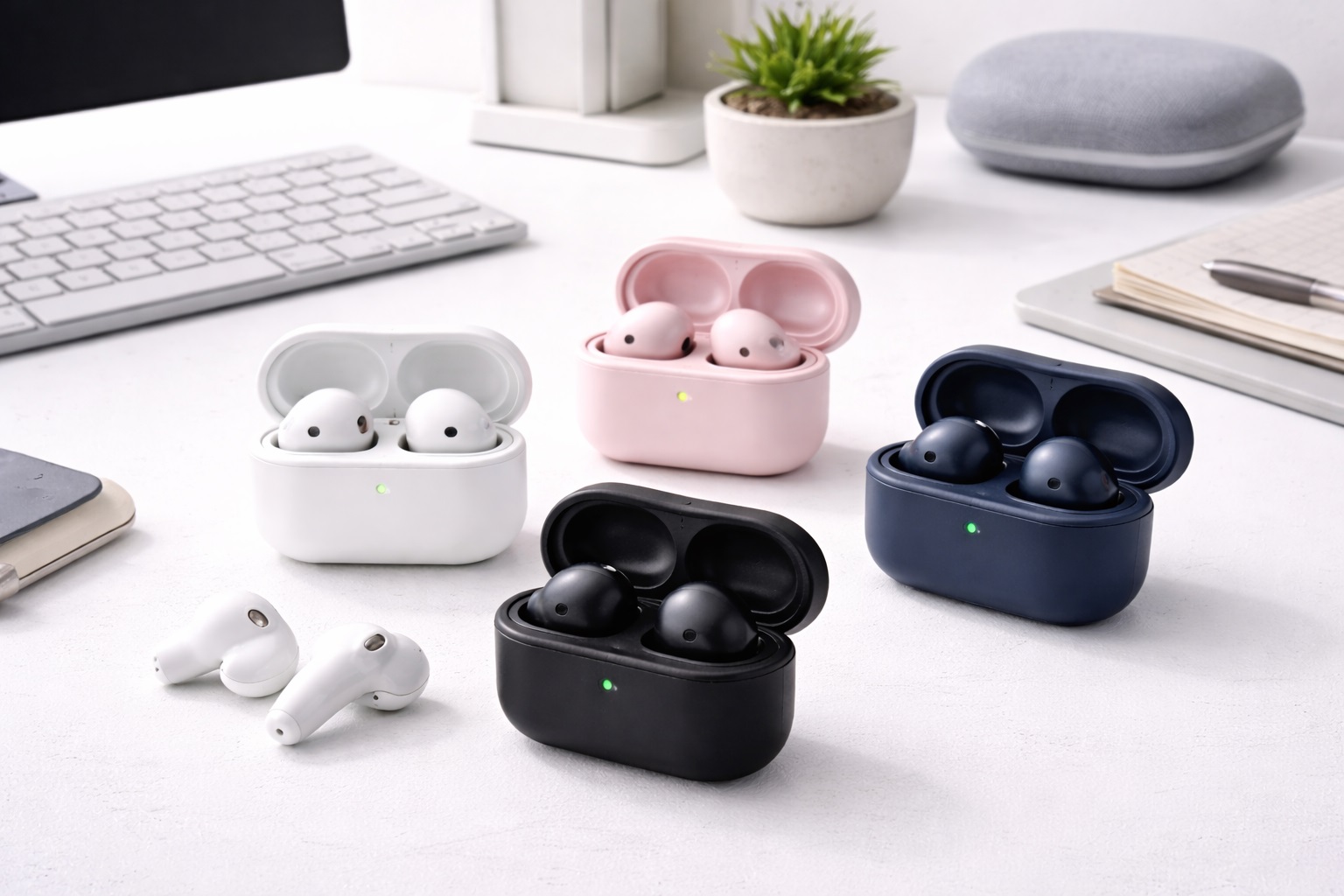
Best Bluetooth Earbuds for a Minimalist Desk Setup
A clean desk setup tends to fall apart the moment a tangle of cables shows up next to the keyboard, and headphone wires are usually the first offender. Wireless earbuds solve the cable problem, but not every pair is actually built with a desk environment in mind — some come with a bulky case that eats up desk space, an unstable connection that stutters the moment your phone leaves the desk, or a fit that gets uncomfortable somewhere around hour three of a work session. The right pair for a desk setup looks different from the right pair for a gym bag or a daily commute.
This guide is written specifically for desk workers wanting cable-free audio without cluttering their workspace, whether that means calls, music, or long stretches of focused work. Rather than ranking every earbud on the market, it breaks the realistic options into categories that map to what actually matters at a desk: a compact case that does not take up real estate, a stand-style charger that keeps the earbuds visible and ready, a transparency mode for hearing a colleague without removing a bud, a genuinely quiet in-ear seal for shared office spaces, a budget option for anyone easing into cable-free desk audio, and a stronger wireless connection for setups where the phone or laptop sits at a distance from the desk itself.
None of these categories is automatically the right choice for every desk. Someone working from a small home office with their phone always within arm's reach has different priorities than someone in an open-plan office who needs to hear a name called across the room. Matching the category to your specific desk layout and daily habits will get you a better result than simply picking whichever pair has the longest feature list.
It also helps to think about what tends to go wrong with earbuds at a desk specifically, since it's a different set of problems than what shows up during a commute or workout. A case that looks fine in a product photo can turn out to take up more space than expected once it's actually sitting next to a keyboard and monitor stand. A connection that feels solid walking around an apartment can behave differently in an office with more Wi-Fi networks and other Bluetooth devices competing for the same wireless spectrum. Reading a category description with your actual desk environment in mind, rather than just the headline feature, tends to lead to a better match.
Top 6 Bluetooth Earbuds for Minimalist Desk Setups (Detailed Reviews)
1. Compact Case Earbuds – Best for Minimal Desk Footprint
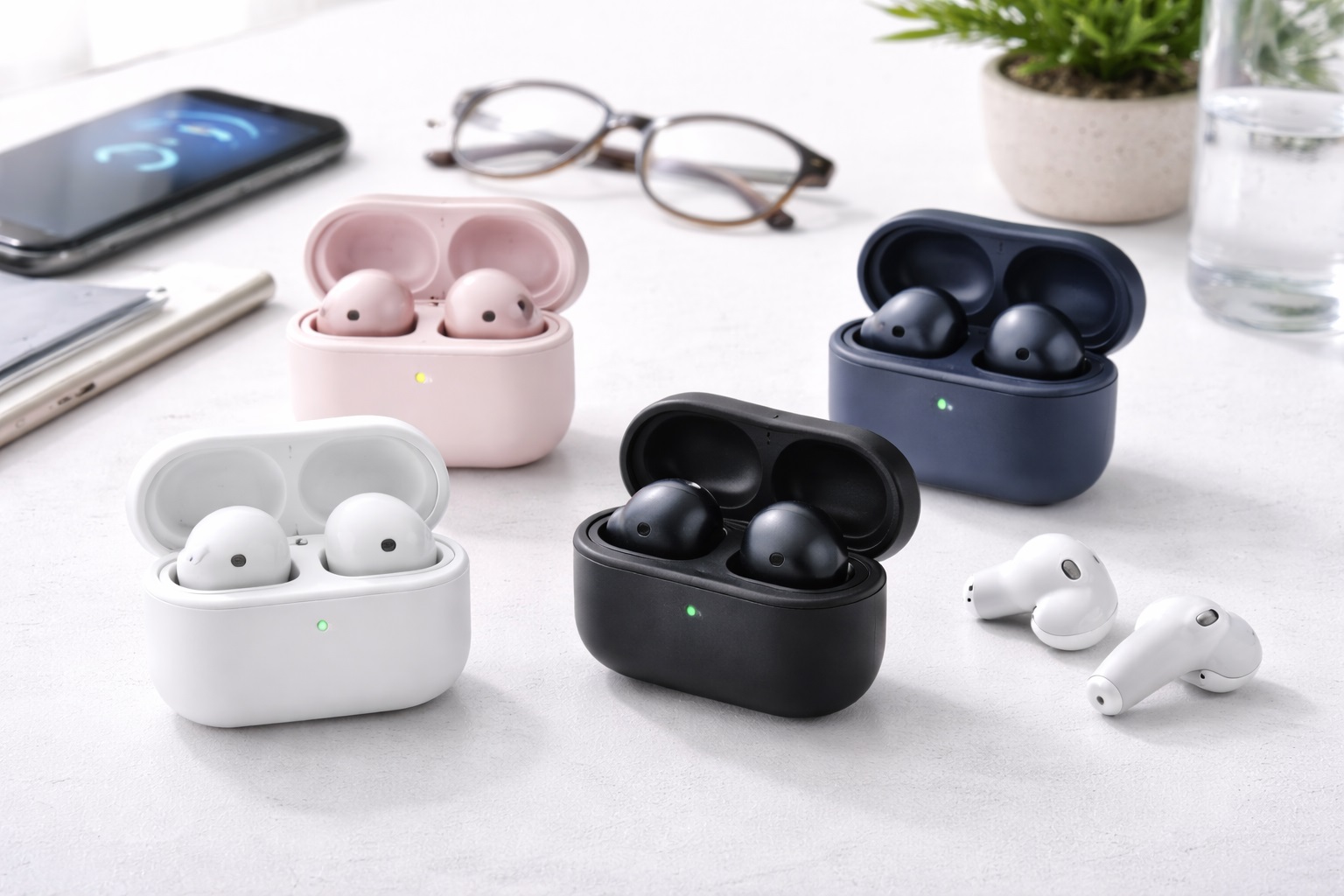
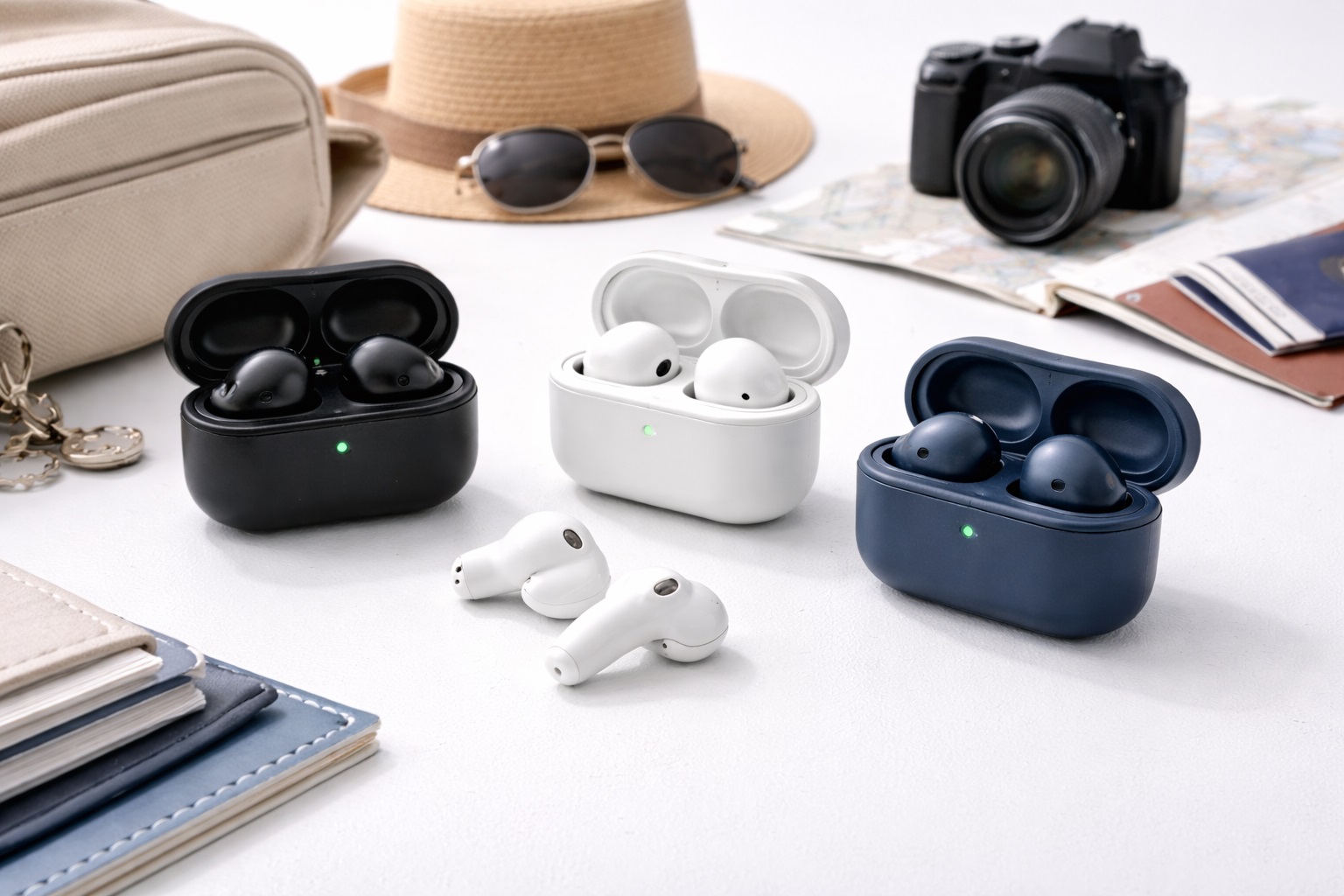
This category prioritizes a small charging case above nearly everything else, aimed at anyone who wants their desk audio setup to be as visually unobtrusive as possible. Rather than sitting out as a visible accessory, a compact case is designed to disappear into a drawer or a small corner of the desk without drawing attention or taking up meaningful space. The trade-off for that small footprint is usually a slightly smaller internal battery, meaning the case itself holds fewer backup charges than bulkier alternatives. For a desk worker who returns to the same charging spot every evening anyway, that trade-off rarely matters in practice, since the case gets topped up on a predictable schedule rather than needing to stretch across days away from an outlet.
- Pros:
- Small footprint that fits easily into a desk drawer or a corner of limited desk space
- Keeps a minimalist desk setup free of a bulky charging accessory
- Easy to tuck away when not actively charging
- Cons:
- Reduced case battery capacity compared to larger charging case designs
- May need more frequent recharging if you're away from the desk for extended periods
Best For: Desk workers who care most about keeping their workspace visually clean and free of a bulky charging accessory.
Why We Recommend It: For a minimalist setup, a case that all but disappears matters more than a few extra hours of backup charge, and this category is built specifically around that priority.
2. Earbuds With Desk Stand Charger – Best for Always-Visible, Always-Ready Audio
Rather than a case you tuck away, this category pairs the earbuds with a small upright charging stand meant to sit out on the desk permanently, similar in spirit to a phone charging dock. The idea is that the earbuds are always visible, always charging when not in use, and always within reach without needing to dig through a drawer or bag. For someone who puts earbuds in and takes them out frequently throughout the workday, having a dedicated, always-accessible spot can genuinely reduce friction. It also removes a small but real daily annoyance — fumbling to find the case buried under papers or a notebook — by giving the earbuds a fixed, visible home that doubles as a reminder to actually put them back when you step away.
- Pros:
- Earbuds stay charged and ready without needing to be tucked away between uses
- A consistent, dedicated spot reduces the chance of misplacing them on a busy desk
- Convenient for frequent on-and-off use throughout a workday
- Cons:
- The stand itself takes up a small amount of permanent desk space
- Less suited to a setup where absolute minimal visual clutter is the top priority
Best For: Desk workers who take their earbuds in and out frequently and want a consistent, visible spot for them rather than a case that disappears into a drawer.
Why We Recommend It: A dedicated stand trades a small amount of desk space for meaningfully less daily friction, which is a reasonable trade for anyone who uses their earbuds on and off throughout the day.
3. Earbuds With Transparency Mode – Best for Hearing Colleagues Without Removing a Bud
This category includes a transparency or ambient mode that lets outside sound through electronically, so a colleague's question or a knock at the office door doesn't require physically pulling an earbud out. For a desk environment where interruptions are routine, that small convenience adds up meaningfully over the course of a workday. It's a different approach than an open-ear design, since the earbud still seals the ear canal and simply pipes outside sound back in when needed. That distinction matters for a desk worker who wants full sound quality and isolation most of the day, but doesn't want to physically remove a bud every time someone leans over to ask a quick question.
- Pros:
- Lets you hear a colleague or notification without removing an earbud
- Combines the audio quality of a sealed fit with situational awareness on demand
- Useful in shared offices where brief interruptions are frequent
- Cons:
- Transparency mode is typically toggled manually rather than activating automatically
- Some processing lag is normal when switching between modes
Best For: Desk workers in shared or open offices who get interrupted often and want a quick way to hear someone without breaking their listening session entirely.
Why We Recommend It: It solves a specific office annoyance — constantly removing an earbud for a short conversation — without giving up the sealed fit and sound quality the rest of the workday depends on.
4. Silent Earbuds for Office – Best for Shared, Sound-Sensitive Spaces
This category focuses on minimizing sound leakage and keeping notification tones and call audio contained to the wearer, which matters in a shared office or a home setup where other people are nearby. Rather than optimizing for maximum volume or bass impact, these earbuds are designed around discretion, which is a genuinely different priority than most other categories in this guide. A snug, properly sealed fit plays a bigger role in this than most buyers expect, since a poor seal is often the real reason sound leaks out audibly to people sitting nearby, more so than the earbud's raw volume ceiling.
- Pros:
- Minimizes sound leakage that could disturb nearby coworkers or family members
- Well suited to open offices, shared home workspaces, or quiet libraries
- Generally still comfortable enough for long desk sessions
- Cons:
- Prioritizing discretion sometimes means a more conservative maximum volume
- Not the top pick if your primary goal is immersive music listening rather than considerate office use
Best For: Desk workers sharing a space with other people who need to keep their audio contained rather than audible to those nearby.
Why We Recommend It: Being considerate of shared space is a real, everyday concern for a lot of desk workers, and this category treats that as a primary design goal rather than an afterthought.
5. Budget Desk Earbuds – Best for Trying Cable-Free Desk Audio Affordably
This category covers the essentials — stable pairing, reasonable call clarity, and basic controls — at the lowest reasonable price point, aimed at someone who isn't yet certain that wireless earbuds will actually stick as part of their desk routine. It's a sensible low-risk way to move away from wired headphones without a large upfront commitment, though quality does vary more at this price point than in the mid-range. Reading reviews from other desk-focused buyers, rather than general reviews focused on workouts or travel, gives a more accurate sense of how a specific budget model actually handles hours of continuous desk use.
- Pros:
- Low-cost way to test whether wireless earbuds suit your desk routine
- Covers core pairing and call functions without unnecessary extras
- Reasonable as a spare pair once a primary set is already in daily use
- Cons:
- Sound quality and build consistency are more basic than mid-range or premium options
- Connection stability can vary more between specific budget models
Best For: Desk workers who want to try cable-free audio at their workspace without a significant upfront investment.
Why We Recommend It: It removes cost as a barrier to leaving wired headphones behind, which matters most for someone still deciding whether wireless earbuds will actually fit their desk habits.
6. Earbuds With Strong 2.4GHz Connection – Best for Distance From the Source Device
This category is built around a more resilient wireless connection, aimed at desk setups where the phone or laptop doesn't always sit within a foot or two of the earbuds — for example, a phone charging across the room or a laptop tucked under a monitor arm. A stronger connection reduces the stuttering or dropouts that can otherwise show up when the paired device is farther away or when the office has a lot of competing wireless signals. This matters more than most buyers expect in a shared office, since a dozen nearby laptops, phones, and wireless keyboards all competing for the same limited spectrum can meaningfully degrade a weaker connection even when the physical distance involved is fairly short.
- Pros:
- More resilient connection when the paired device isn't within immediate reach
- Better suited to offices with a lot of competing Wi-Fi and Bluetooth traffic
- Reduces stuttering during calls or music if you occasionally step away from your desk
- Cons:
- The stronger connection focus doesn't necessarily translate to better audio quality
- Some models in this category emphasize connection stability over comfort refinements
Best For: Desk workers whose phone or laptop tends to sit farther from the earbuds than an arm's length, or who work in a wireless-congested office.
Why We Recommend It: A connection that holds up reliably at a distance solves a specific and common desk-setup problem that a lot of standard earbuds aren't built to handle well.
Buying Guide: How to Choose the Best Bluetooth Earbuds for a Desk Setup
With the categories above in mind, here are the specific factors worth checking before you buy. These are the practical details that determine whether a pair of earbuds actually improves your desk routine or ends up back in a drawer within a few weeks.
1. Compact Charging Case
If keeping desk clutter to a minimum is a priority, check the case dimensions specifically rather than assuming "compact" means the same thing across every brand. A case that is small enough to fit in a drawer alongside other desk accessories will matter more day to day than a slightly larger battery capacity you may rarely need to use in full.
2. Stable Desk-Environment Connection
Office environments often have more competing wireless signals than a home living room, from other employees' devices to the building's own Wi-Fi infrastructure. Look for reviews that specifically mention performance in a busy office setting, since connection stability in a quiet home test does not always predict how the same earbuds behave in a crowded workspace. If your office has an unusually dense concentration of wireless devices, favor a category description that specifically addresses connection resilience rather than assuming any Bluetooth earbud will hold up the same way.
3. Clear Audio for Focus and Calls
Desk use tends to mean a mix of music for focus, streaming audio, and voice calls, so clarity across all three matters more than bass depth alone. Earbuds that handle voice clearly during calls are especially important if your workday includes meetings, since muffled or distorted call audio is one of the more common complaints in office settings. If your workday involves back-to-back meetings, treat call clarity as a near-essential factor rather than a nice-to-have, since it directly affects how you come across to coworkers and clients.
4. Comfortable for Long Wear Sessions
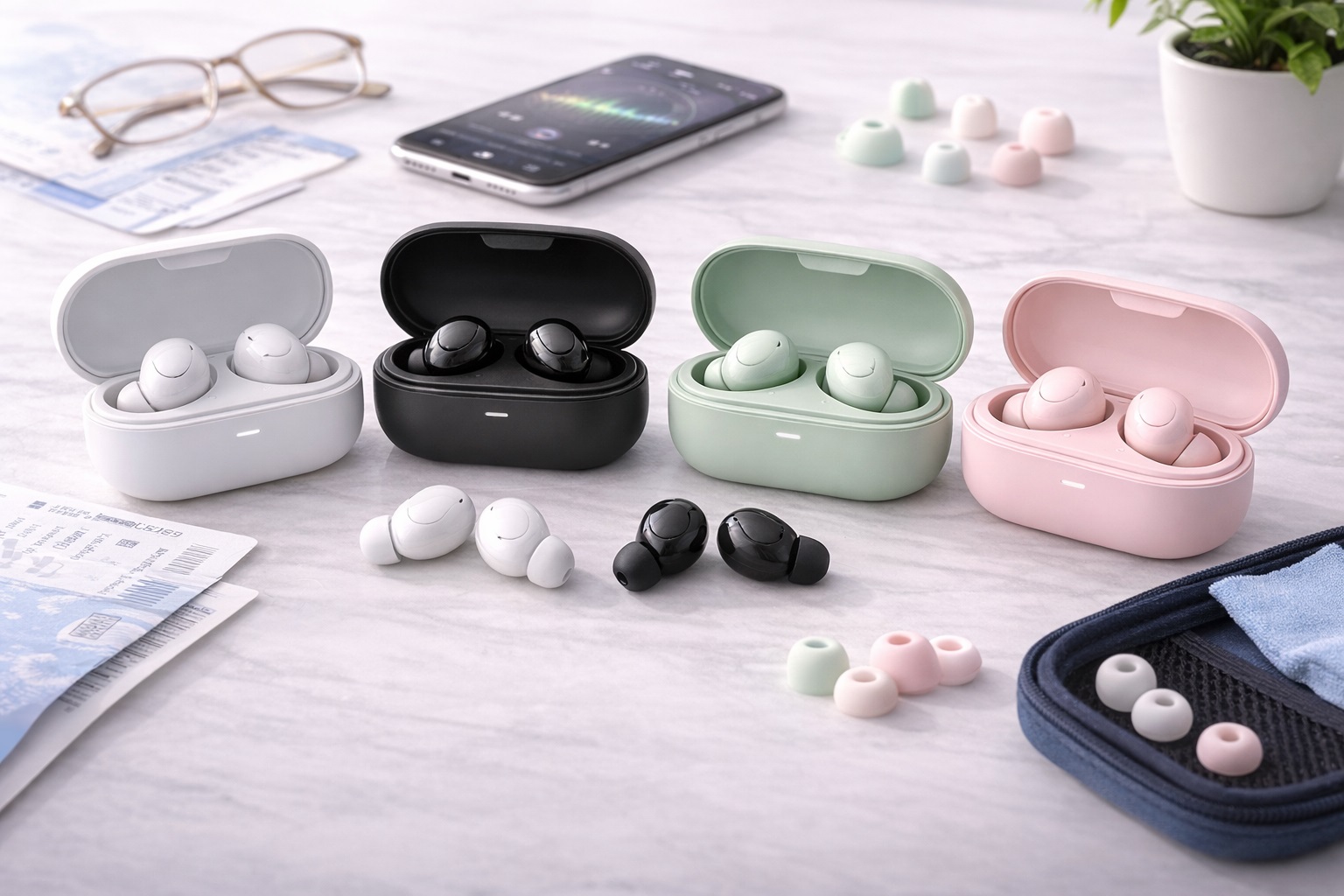
A desk session can easily run several hours longer than a commute or workout, so comfort over extended wear matters more here than it might for other use cases. Look for a lightweight design and multiple included tip sizes, and be honest with yourself about whether you tend to keep earbuds in continuously or take breaks throughout the day. A slightly heavier earbud with excellent audio can still feel fine for an hour but become noticeably fatiguing by the middle of an eight-hour shift, so comfort feedback specific to multi-hour sessions matters more than a first-impression review.
5. Low Visual Footprint When Charging
Think about where the case or stand will actually live on your desk and whether that spot is already crowded with other accessories. A charging solution that blends into your existing setup, rather than competing for the same small patch of desk real estate as your keyboard or a notebook, will feel less like clutter over time.
6. Multi-Device Switching
Many desk workers move between a laptop for meetings and a phone for personal calls throughout the day. Earbuds that support smooth multi-point connections switch between these devices with less manual reconnecting, which matters more for a desk routine than for a single-device use case like a daily commute. Look specifically for a listing that describes seamless or automatic device switching rather than assuming any pair of earbuds handles this the same way, since the actual experience ranges from instant to requiring a manual reconnect each time.
7. Microphone Quality for Calls
If your desk routine includes video calls or voice meetings, microphone clarity deserves as much attention as playback audio quality. Reviews that specifically mention how the earbuds sound on the receiving end of a call are more useful here than general audio quality comments focused only on music. Some models handle background noise suppression on the microphone side noticeably better than others, which matters if your desk sits near a hallway, a printer, or other common office noise sources.
8. Price and Value
This consideration helps ensure your desk earbud purchase delivers real satisfaction beyond the first week. Rather than chasing the lowest price alone, weigh what you're giving up at that price point against how much those specific trade-offs will actually bother you during a typical workday.
9. Brand Reliability
An established brand with a track record in this specific category tends to offer steadier quality control and more consistent firmware or app support than a lesser-known name, which matters if you plan to rely on the earbuds daily for work.
10. Warranty and Support
Warranty length and ease of reaching support are a practical signal of how much a manufacturer stands behind its product. For earbuds you'll be using daily at a desk, easy-to-reach support can make the difference between a quick fix and a frustrating gap in your routine.
11. User Reviews and Real-World Feedback
Reviews from other desk-focused buyers are more useful here than a general average rating, since their concerns around call clarity, all-day comfort, and connection stability in an office environment will mirror your own more closely than feedback focused on workouts or travel.
12. Compatibility With Your Existing Setup
Confirm the earbuds work smoothly with both your primary work device and any secondary device you switch to during the day, including any operating-system-specific features mentioned in the listing. Some conveniences are tied to a particular device ecosystem and won't carry over if your desk setup includes mixed hardware, so if you regularly switch between a work laptop on one platform and a personal phone on another, verify both are explicitly supported rather than assuming general Bluetooth compatibility covers every feature equally.
Frequently Asked Questions
What size charging case actually counts as compact for a desk?
There's no universal standard, so it's worth comparing the case's listed dimensions against something familiar, like a set of keys or a small stack of coins, rather than relying on the word "compact" in a listing alone.
Will office Wi-Fi interfere with my earbuds' Bluetooth connection?
It can, since both technologies share overlapping parts of the wireless spectrum in busy environments with many devices. Earbuds built around a stronger connection are specifically designed to handle this kind of interference more gracefully than standard models.
Is transparency mode the same as an open-ear design?
No. Transparency mode uses a sealed earbud with microphones that pipe outside sound back in electronically, while an open-ear design simply doesn't seal the ear canal in the first place. Transparency mode preserves more bass and isolation when it's switched off.
How often will I need to recharge desk earbuds during a workday?
This depends heavily on the specific model and your usage pattern throughout the day. A desk stand charger reduces this concern by making it easy to top up briefly between meetings rather than needing a single long charging session.
Do I need noise cancellation for a quiet home office?
Not necessarily. Active noise cancellation is most valuable in loud, unpredictable environments like open offices or public transit. In a quiet home office, that budget might be better spent on comfort or call microphone quality instead.
What's the most common complaint about budget desk earbuds?
Inconsistent connection stability and shorter-than-expected comfort during long wear sessions are the most frequently mentioned issues at the lower end of the price range. Reviews that specifically mention multi-hour desk use are worth seeking out before buying.
Can multi-point connection earbuds really switch between my laptop and phone seamlessly?
Generally yes, though the smoothness of that switch varies by model. Look specifically for reviews describing real laptop-to-phone switching rather than relying on the feature simply being listed as supported.
Are silent, low-leakage earbuds worse for personal listening at home?
Not necessarily worse, just optimized differently. They prioritize keeping sound contained over maximum volume, which is a reasonable trade-off for shared spaces but may feel more conservative if you're used to louder personal listening at full volume.
How important is microphone quality if I mostly use earbuds for music?
Less important than for someone who takes frequent calls, but still worth checking if your desk routine includes even occasional meetings, since discovering weak call quality mid-meeting is a frustrating way to find out.
Can I return desk earbuds if the case doesn't fit my setup the way I expected?
Most retailers offer a return window of roughly two to four weeks. Because hygiene policies sometimes restrict returns on opened earbuds, it's worth checking the specific policy and testing the case footprint on your actual desk early in that window.
Do desk stand chargers need to stay plugged in constantly?
Most are designed to remain connected to power continuously, similar to a phone charging dock, so the earbuds top up automatically whenever they're placed back on the stand between uses.
Is it worth buying desk earbuds from an online marketplace versus a local store?
Online marketplaces typically offer a wider selection and often better pricing, while a physical store lets you get a hands-on sense of the case size and earbud fit before committing. For a desk-specific purchase where footprint matters, checking a display model in person before buying online is a reasonable approach.
Final Verdict
- Best for a clutter-free desk: Compact case earbuds keep your workspace visually minimal without sacrificing core function.
- Best for frequent on-and-off use: A desk stand charger keeps earbuds visible, ready, and hard to misplace.
- Best for shared or open offices: Transparency mode and low-leakage designs handle interruptions and consideration for others gracefully.
There's no single pair of desk earbuds that's right for every workspace, since the best choice depends on your specific layout, how often you take them in and out, and how far your devices typically sit from the desk itself. Being honest about your actual daily routine will lead to a better purchase than chasing whichever pair has the most features listed.
If you're not sure which factor matters most, starting with a compact case model is a reasonable default, since it solves the most universal desk problem — physical clutter — while still covering call quality and comfort adequately for most routines. You can always prioritize a more specific need, like transparency mode or a stronger connection, once you've used wireless earbuds at your desk daily for a few weeks and identified what actually bothers you about your current setup. Pay attention during that trial period to the small, recurring frustrations rather than the big obvious ones — a case that's slightly awkward to open one-handed, or a connection that hiccups only when you get up to refill your coffee — since those minor patterns usually point directly to the category that would serve you better.
What ultimately matters most for a desk setup isn't a single spec on the box, but how little you think about the earbuds once they're part of your routine — charging quietly out of the way, connecting without a fight, and staying comfortable through a full day of focused work.