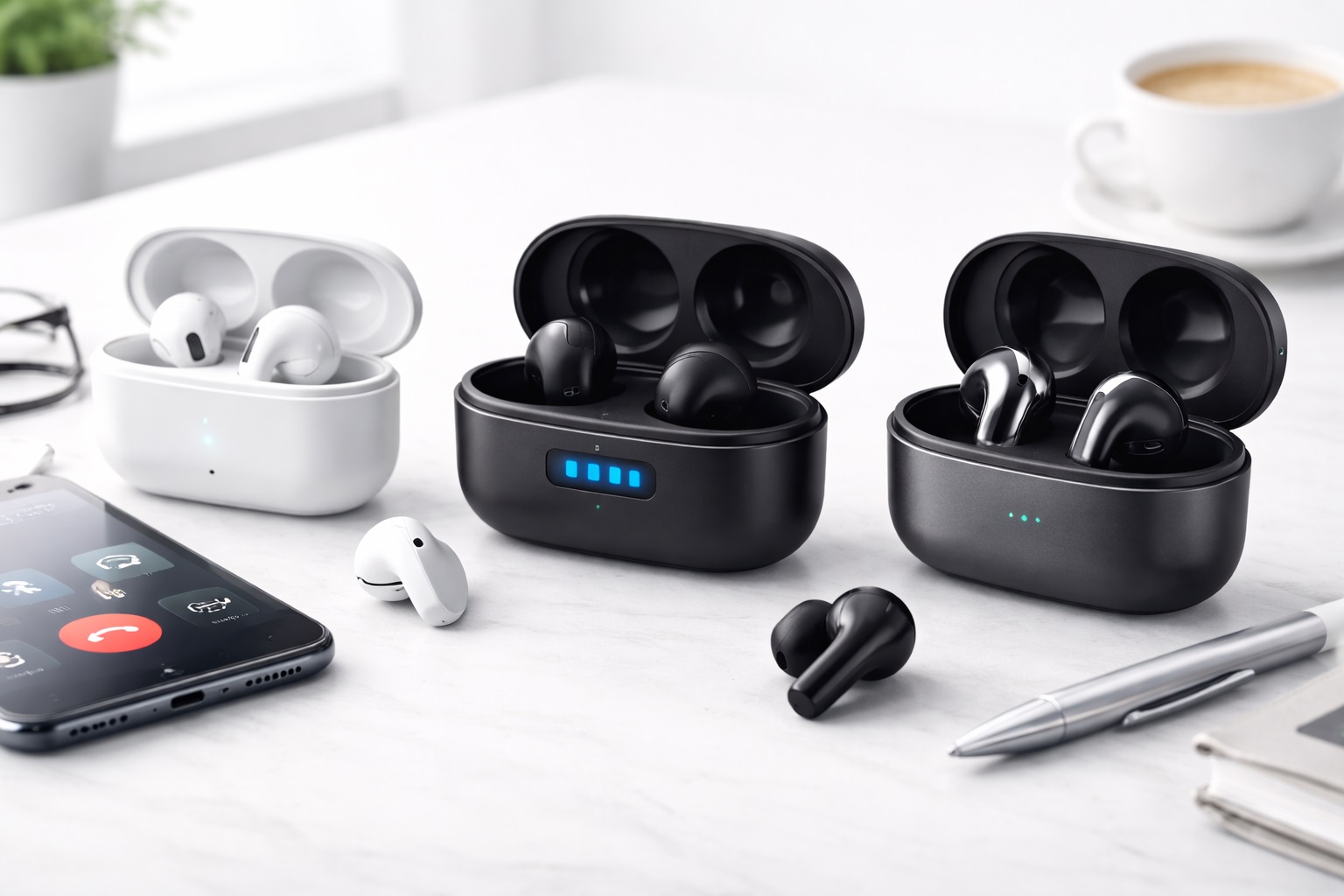
Best Bluetooth Earbuds for Calls: Crystal-Clear Audio for Every Meeting
Most Bluetooth earbuds are designed and marketed around music — bass response, soundstage, noise cancellation for your commute. Call quality is often an afterthought, buried in the spec sheet as "supports calls" without any real detail on how the microphone actually performs when a colleague is trying to understand you from across a noisy kitchen or a busy street. For remote workers and professionals who spend hours a day on voice and video calls, that gap matters far more than it does for someone who mostly listens to podcasts.
This guide focuses specifically on what makes earbuds good for calls: how clearly the microphone picks up your voice, how well it filters out background noise without making you sound robotic, how stable the wireless connection stays during a long meeting, and how comfortable the earbuds are to wear for hours at a stretch. Six distinct approaches to solving this problem are covered below, from beam-forming microphone arrays to open-ear designs built for comfort and awareness during back-to-back calls.
None of these categories is universally "best." A busy professional running video calls all day has different priorities than someone taking occasional calls between other tasks, and the right earbuds depend on matching the design to your actual calling habits rather than chasing the highest-rated option overall.
It's also worth separating call quality from the broader marketing language used to sell wireless earbuds. Terms like "premium sound" or "immersive audio" describe the music listening experience, not how clearly your voice comes through on the other end of a call. The features that actually matter here — microphone count and placement, noise-reduction processing tuned for speech rather than music, and a stable wireless connection during longer sessions — are often buried deeper in the spec sheet than the headline audio claims, so it pays to look past the marketing copy and focus on what's relevant to your actual use case.
Top Bluetooth Earbuds for Calls (Detailed Reviews)
1. Earbuds with Beam-Forming Mic – Best Overall for Voice Clarity
Beam-forming microphone arrays use multiple microphones per earbud to isolate the direction your voice is coming from, actively distinguishing speech from surrounding noise rather than simply dampening all sound equally. For remote workers who take calls from varied environments — a home office one day, a coffee shop the next — this adaptive approach to voice pickup tends to produce more consistently clear audio than a single fixed microphone.
The tradeoff is usually price and, in some cases, battery consumption, since running multiple microphones and the processing behind beam-forming draws more power than a simpler single-mic setup. It's also a feature that matters most in variable or noisy environments — in a quiet home office, the benefit over a standard microphone is less noticeable.
- Pros:
- Actively isolates your voice from surrounding background noise
- Performs consistently across different calling environments
- Generally the clearest voice pickup in this category
- Cons:
- Typically priced higher than single-microphone alternatives
- Extra processing can shorten battery life slightly on calls
- Benefit is less noticeable in already-quiet environments
Best For: Remote workers who take calls from a mix of quiet and noisy environments and need consistent voice clarity.
Why We Recommend It: The multi-microphone approach directly addresses the most common complaint about call quality — sounding muffled or distant — more effectively than standard single-mic designs.
For anyone who has been told on a call "you're breaking up" or "can you repeat that," this is usually the category worth prioritizing, since the underlying problem it solves — a microphone struggling to isolate your voice — is often the root cause of those complaints regardless of how good the earbuds sound to you personally while wearing them.
2. Business-Class Call Earbuds – Best for All-Day Professional Use
This category is built around the needs of people on calls for a significant portion of their workday: strong all-day comfort, dependable Bluetooth range and stability, and features like multipoint connection that let you switch seamlessly between a laptop and phone without manually reconnecting. These are less about flashy audio features and more about dependability across a long, meeting-heavy day.
Because the focus is on call performance and endurance rather than music playback, some models in this category may offer a less impressive listening experience for entertainment compared to earbuds built primarily around music. For someone whose priority is calls first, that's a reasonable tradeoff.
- Pros:
- Designed for extended daily wear during back-to-back meetings
- Multipoint connectivity for switching between devices smoothly
- Stable, reliable connection across a full workday
- Cons:
- Music playback quality is often secondary to call performance
- Business-focused features add to the price
- Design tends toward function over style
Best For: Professionals spending most of their workday in back-to-back calls across multiple devices.
Why We Recommend It: When your day is structured around calls rather than music, dependable all-day performance matters more than any other single feature.
The value of multipoint connection specifically becomes clear the first time you're on a laptop video call and a phone call comes in — being able to answer without unpairing from one device and pairing to another saves a genuinely awkward scramble that anyone who has worked from home for long enough has probably experienced at least once.
3. Budget Call Earbuds – Best Budget Pick
Budget-friendly call earbuds cover the basics — a functional single microphone, standard Bluetooth connectivity, and enough battery life for regular use — without the premium processing or business-focused extras of pricier models. For occasional callers or anyone testing whether they even want earbuds for calls before investing more, this is a reasonable starting point.
The compromise shows up in noisier environments, where a basic microphone setup is more likely to pick up background sound along with your voice, and in connection stability, which can be less consistent than mid-range or premium alternatives during longer calls.
- Pros:
- Low upfront cost for basic call functionality
- Covers essential call and connectivity needs
- Reasonable option for occasional or light call use
- Cons:
- Microphone struggles more in noisy environments
- Connection stability can lag behind pricier models
- Fewer comfort and fit options for long wear
Best For: Occasional callers who don't need premium noise handling or all-day professional features.
Why We Recommend It: It delivers functional call quality for lighter use without paying for features that would go unused.
This category makes the most sense as a starting point rather than an end point — someone who finds they're relying on earbuds for calls far more than expected, or who keeps running into background-noise complaints from the people they call, will likely get more long-term value from stepping up to a category built specifically around noise handling.
4. Earbuds with ENC Noise Reduction – Best for Noisy Environments
Environmental Noise Cancellation (ENC) is specifically focused on filtering out background sound during calls — traffic, keyboard clatter, other conversations — so the person on the other end hears you more clearly, distinct from the noise cancellation designed for music listening. For anyone regularly calling from shared workspaces, public places, or a home with background activity, this targeted approach can make a real difference in how understandable you sound.
ENC processing works best on steady background noise and can be less effective against sudden, sharp sounds. It also occasionally introduces a slightly processed quality to your voice as the algorithm works to separate speech from noise, which is a reasonable tradeoff for clarity in genuinely loud settings.
- Pros:
- Specifically tuned to reduce background noise during calls
- Particularly useful in shared or public calling environments
- Improves how clearly your voice comes through to others
- Cons:
- Less effective against sudden or irregular noise
- Can add a slightly processed tone to voice audio
- Benefit is minimal in already-quiet settings
Best For: Anyone who regularly takes calls from noisy or shared environments.
Why We Recommend It: When background noise is a consistent problem, ENC processing addresses it directly rather than relying on you to find a quieter spot.
This is worth prioritizing for anyone in open-plan offices, shared coworking spaces, or households with multiple people talking or working nearby, where the alternative is often stepping away to find a quiet corner before every important call — not always practical during a packed day of back-to-back meetings.
5. Open-Ear Earbuds for Calls – Best for Comfort & Situational Awareness
Open-ear designs sit near the ear canal rather than sealing inside it, which means you can hear your surroundings clearly while on a call — useful for anyone who needs to stay aware of a room, answer the door, or simply prefers not to feel a seal in their ear for hours at a time. Comfort during extended wear is usually the strongest selling point of this category.
The tradeoff is noise isolation. Because the ear canal isn't sealed, open-ear earbuds generally let in more ambient sound during calls, which can affect both what you hear and, in loud environments, what the other person hears through the microphone. They tend to suit quieter settings better than crowded or outdoor ones.
- Pros:
- Comfortable for extended wear without an in-ear seal
- Keeps you aware of your surroundings during calls
- Reduces the fatigue some users feel with sealed earbuds
- Cons:
- Less noise isolation than sealed earbud designs
- Performs less well for calls in loud environments
- Sound leakage may be noticeable to people nearby
Best For: People who take calls in quieter settings and prioritize comfort and awareness over noise isolation.
Why We Recommend It: For long wear times without ear fatigue, an open design offers a genuinely different comfort profile than sealed earbuds.
Parents, caregivers, and anyone who needs to stay tuned in to a shared home environment during work hours tend to appreciate this design the most, since it removes the constant tension between wanting clear call audio and needing to still hear a knock at the door or someone calling your name from another room.
6. Earbuds with Call Mute Function – Best for Frequent Video Calls & Multitasking
A dedicated physical or gesture-based mute control lets you instantly silence your microphone without fumbling through a laptop's software controls or unmuting late after a coughing fit or background interruption. For anyone in frequent video meetings where quick, reliable muting matters, this small feature can meaningfully reduce awkward moments during calls.
Because the mute control is typically the standout feature here, other aspects like microphone clarity or noise reduction may be more standard than in categories built specifically around those strengths. It's a feature worth prioritizing if quick control matters more to you than the absolute best voice clarity.
- Pros:
- Instant, reliable muting without navigating software menus
- Reduces awkward moments from delayed or missed mutes
- Convenient for frequent video meetings and multitasking
- Cons:
- Microphone quality may be more standard than specialized options
- Mute gesture or button placement varies in intuitiveness by model
- Less differentiated for noise handling specifically
Best For: Frequent video callers who want fast, dependable mute control during meetings.
Why We Recommend It: Quick, reliable muting solves a small but genuinely frustrating problem that comes up constantly in day-to-day video calls.
Anyone who multitasks during calls — typing notes, stepping away briefly, or working in a household with background noise that comes and goes — tends to rely on mute far more often than expected, and a fast, tactile control makes that habit far less disruptive than hunting for a mute icon on a screen.
Buying Guide: How to Choose the Best Bluetooth Earbuds for Calls
Once you've identified which category best matches your calling habits, use the details below to compare specific models within that category.
1. Microphone Clarity and Type
The number and arrangement of microphones per earbud has a direct effect on how clear your voice sounds to others. Single-microphone designs are typically fine for quiet environments, while multi-microphone or beam-forming arrays perform more consistently across varied and noisier settings.
2. Active Noise Cancellation for Calls (Not Just Music)
Noise cancellation specifications often describe the listening experience rather than call performance — look specifically for ENC or call-focused noise reduction rather than assuming general ANC features automatically improve how you sound to others.
3. Call Connection Stability
Dropped audio or stuttering during calls is one of the most disruptive issues with Bluetooth earbuds. Bluetooth version, antenna design, and multipoint connection support all affect how stable the connection stays, particularly in environments with other wireless devices nearby.
4. Comfort for Extended Wear
If you're on calls for multiple hours a day, fit and weight matter as much as audio quality. Consider ear tip material and sizing options for sealed designs, or an open-ear design if in-ear pressure becomes uncomfortable over long periods.
5. Battery Life During Calls
Battery drain during active calls is typically faster than during music playback, since the microphone and any noise processing are running continuously. Check manufacturer figures specifically for talk time rather than general playback time, since the two numbers can differ significantly.
6. Multipoint and Multi-Device Support
For anyone switching between a laptop for video calls and a phone for regular calls throughout the day, multipoint Bluetooth support that maintains connections to more than one device avoids the hassle of manually reconnecting each time.
7. Mute and Call Control Accessibility
Physical buttons, touch controls, or voice commands for muting, answering, and ending calls all vary in reliability and ease of use. Consider how intuitive the controls feel, especially for quick actions like muting mid-sentence.
8. Price and Long-Term Value
Higher price generally correlates with better microphone processing and connection stability, but the right spending level depends on how much of your day is actually spent on calls versus other uses.
9. Brand Reliability and Software Support
Established brands are more likely to provide firmware updates that improve call quality and connection stability over time, along with more consistent customer support if something goes wrong.
10. Warranty and Replacement Policies
Earbuds are small, frequently used, and easy to misplace — check warranty terms and any manufacturer policy on lost or damaged replacement parts like ear tips or charging cases.
11. Real-World Call Quality Feedback
Specification sheets rarely capture how earbuds actually sound to the person on the other end of a call. Reviews that specifically mention call clarity — rather than just music playback — offer more relevant insight for this use case.
12. Case Size and Charging Convenience
A compact charging case is easier to carry for calls on the go, while a larger case may offer more total battery life between charges. Consider how you'll actually carry and charge the earbuds day to day.
13. Fit Stability During Movement
If you tend to walk around, gesture, or move your head frequently during calls, fit security matters as much as initial comfort. Ear tips or wing designs that stay in place during movement prevent the seal from breaking and causing sudden drops in call audio quality.
14. Video Call Compatibility with Your Software
Some earbuds integrate more smoothly with specific video conferencing platforms, offering clearer status indicators or fewer connection hiccups. If you rely heavily on one particular platform for most calls, checking compatibility notes before buying can save frustration later.
15. Sidetone and Voice Feedback
Sidetone — hearing a bit of your own voice through the earbuds while talking — helps some people naturally moderate their volume and speaking pace during calls. Not all earbuds include this, and preference varies, so it's worth considering if you've found other earbuds make you talk unnaturally loud or quiet.
Frequently Asked Questions
What's the difference between ANC and ENC for calls?
ANC (Active Noise Cancellation) is generally designed to block outside noise for the listener, improving your music or call audio experience. ENC (Environmental Noise Cancellation) is focused specifically on filtering background noise from your microphone so the other person on the call hears you more clearly.
Do beam-forming microphones really make a noticeable difference?
In noisy or variable environments, yes — multiple microphones working together to isolate your voice direction typically produce clearer results than a single fixed microphone. In consistently quiet settings, the difference is much less noticeable.
Are open-ear earbuds bad for calls in general?
Not necessarily — they work well in quieter environments where comfort and awareness of your surroundings matter more than isolating background noise. In loud or crowded settings, sealed earbuds with noise reduction typically perform better for call clarity.
How much talk time should I look for in call-focused earbuds?
This depends on how many hours a day you spend on calls, but checking the manufacturer's specific talk-time figure (not just total playback time) gives a more accurate sense of whether a pair will last through your typical workday between charges.
Can I use call-focused earbuds for music too?
Most can, though some business-focused models prioritize call clarity over rich audio for music. If you split your time evenly between calls and music, a model that balances both is worth prioritizing over one built purely for one use case.
Why do my earbuds sound fine to me but muffled to the other person?
This usually comes down to microphone quality and placement, background noise filtering, or a connection issue rather than anything about how the earbuds sound in your own ears. Testing with a call recording feature can help identify whether the microphone itself is the issue.
Is multipoint connectivity worth paying extra for?
If you regularly switch between a laptop and phone throughout the day, multipoint support saves real time and hassle compared to manually reconnecting each time you switch devices.
How important is a physical mute button versus a touch gesture?
Physical buttons tend to be more reliable and easier to locate without looking, especially mid-conversation, while touch controls can sometimes register accidental taps. Preference varies, but reliability under pressure matters most for frequent callers.
Do cheaper earbuds work fine for basic phone calls?
For occasional calls in quiet environments, budget earbuds often perform adequately. The gap becomes more noticeable in noisy environments or during long professional calls where consistent clarity matters more.
How do I clean earbuds that I wear for calls every day?
Regularly wipe down ear tips and the earbud body with a soft, slightly damp cloth, and clean any exposed microphone ports gently to avoid buildup that can muffle sound over time. Avoid submerging earbuds unless they're specifically rated for water exposure.
Will earbuds work well for calls if my Wi-Fi or Bluetooth environment is crowded?
Bluetooth performance can be affected by nearby wireless interference, though modern Bluetooth versions and multipoint-capable earbuds tend to handle crowded environments more reliably than older or budget models.
Does ear tip size actually affect call quality?
Yes — an improper seal from the wrong ear tip size can let in more ambient noise and even affect how well the microphone picks up your voice, since fit and positioning influence how the earbud sits relative to your mouth. Trying multiple included tip sizes is worth the few extra minutes it takes.
Can background wind noise be filtered out during outdoor calls?
Some ENC and beam-forming systems include wind-noise reduction, but performance varies significantly by model and by how strong the wind actually is. For frequent outdoor calls in windy conditions, checking model-specific reviews on this exact scenario is more reliable than relying on general noise-cancellation claims.
Do I need earbuds with call-focused features if I only take a few calls a week?
Probably not — if calls are an occasional part of your routine rather than a daily requirement, a general-purpose pair of Bluetooth earbuds with reasonable microphone quality will likely serve you fine. Call-focused features earn their price mainly for people relying on them for hours of professional communication every day.
What should I do if my earbuds sound great for calls at home but poorly elsewhere?
This usually points to a noise-handling limitation rather than a defective product — many earbuds are tuned for moderate, steady background noise but struggle more in genuinely loud or chaotic environments. If this happens consistently, a model with stronger ENC or beam-forming microphone technology is likely to perform better across more varied settings.
Final Verdict
- Best Overall: Earbuds with a beam-forming microphone array offer the most consistently clear voice pickup across different environments.
- Best for Professionals: Business-class call earbuds are built for the demands of a full day of back-to-back meetings.
- Best Budget: Budget call earbuds handle basic calling needs without unnecessary extras.
- Best for Noisy Settings: Earbuds with ENC noise reduction directly address background noise during calls.
- Best for Comfort: Open-ear earbuds suit long wear times and situational awareness in quieter settings.
- Best for Multitasking: Earbuds with a dedicated mute function simplify frequent video calls and interruptions.
The right pair of call-focused earbuds depends far more on where and how often you take calls than on any single spec. Someone working from a quiet home office has different priorities than someone fielding calls from shared spaces or crowded environments throughout the day — match the category to your actual routine rather than chasing the highest overall rating.
If you're still unsure, start by thinking through a typical week: how many hours you spend on calls, how much of that happens in noisy or shared spaces, and whether you switch between devices often enough that multipoint support would actually get used. Those three answers alone will narrow the six categories above down to one or two realistic candidates far faster than comparing every available spec side by side.