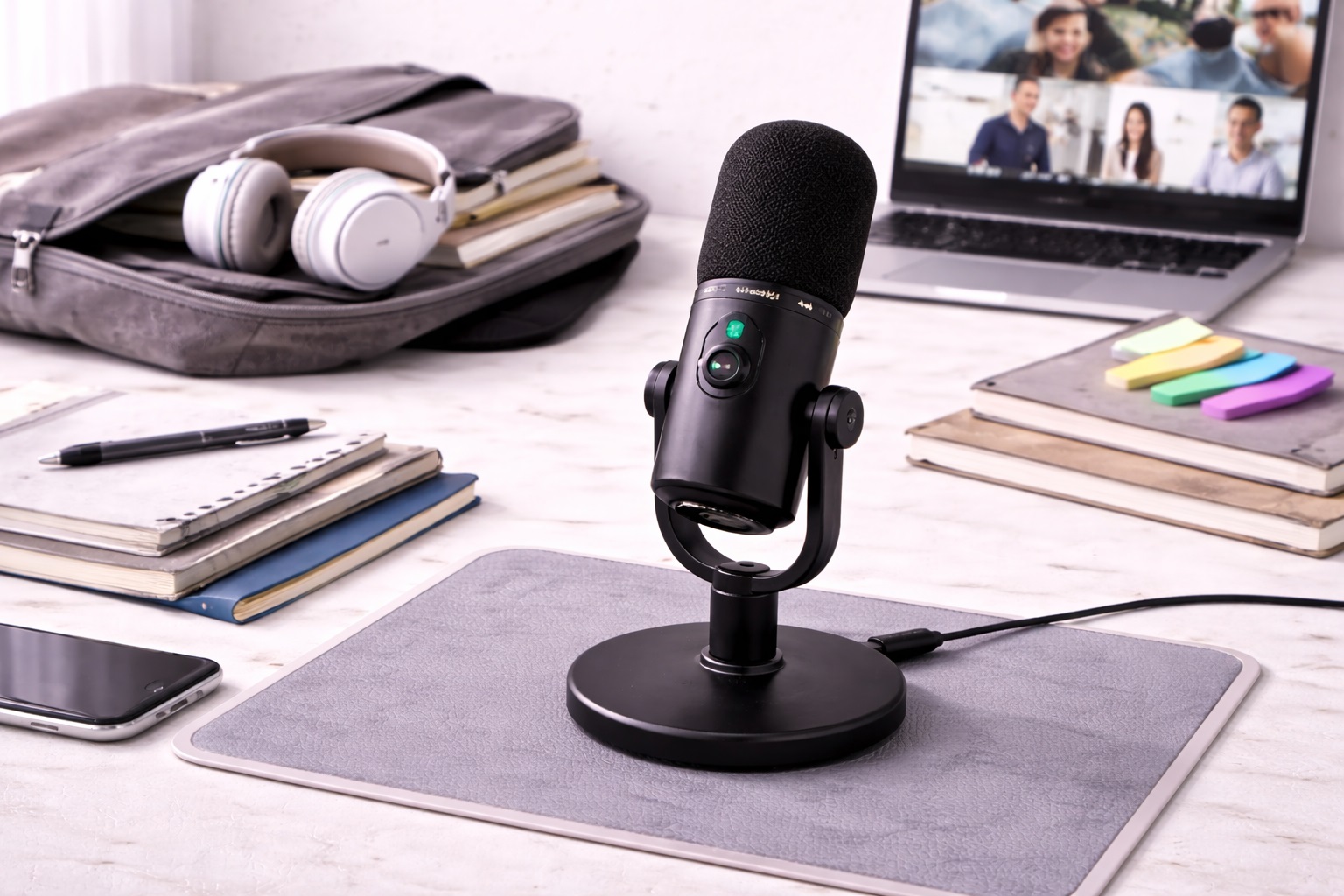
Best Microphones for Students: Clear Audio for Class and Projects
Student life runs on video calls now - online classes, group project meetings, office hours, recorded presentations, and the occasional podcast assignment. A laptop's built-in microphone technically works for all of that, but it also means professors and classmates hear keyboard clatter, roommate noise, and a flat, distant version of your voice every single time you speak up. A dedicated student microphone fixes that for less than the cost of a few textbooks, and the improvement is obvious from the very first class you use it in. It's a small purchase that pays off across every semester it's owned, not just a one-off assignment.
The challenge for students specifically is that the right microphone has to work across a lot of different, often unpredictable situations: a dorm room shared with a roommate, a busy library nook, a group project call at 11pm, and a recorded presentation that needs to sound clean on the first take because there's no time to redo it. A mic built purely for a quiet home studio doesn't necessarily hold up in a noisy dorm hallway, and one built for stillness at a desk doesn't help if you're presenting standing up with a slideshow clicker in hand. Matching the microphone to your actual weekly routine, rather than an idealized quiet studio, is what makes the difference between a purchase you use constantly and one that ends up back in its box after the first week. Think through a typical Tuesday or Wednesday during the semester - the classes, the calls, the study sessions - and let that actual pattern guide the decision rather than the rare, best-case day when your dorm happens to be perfectly silent.
It's also worth setting realistic expectations. None of the options below turn a recording into a professional broadcast - that takes acoustic treatment a dorm room will never have - but each one delivers a real, audible step up from a laptop or webcam mic, which is the actual bar that matters for classes, presentations, and group calls. Knowing that up front makes it much easier to pick the right type instead of chasing specs a student budget and daily routine don't actually need. A cheap rug or a few extra pillows on the bed will do more for a dorm's echo than any microphone upgrade alone ever could.
This guide compares the three microphone types that consistently work best for students recording lectures, joining online classes, and producing academic projects, covering what each one does well, where it comes up short, and which specific student situation it actually suits. The buying guide and FAQ sections that follow go deeper into the details worth checking once you've picked a type, including compatibility with school platforms, durability for frequent moves, and long-term value beyond a single semester.
It's worth thinking about this purchase the way you'd think about a textbook that gets used across multiple classes rather than a single-assignment expense. The right microphone keeps paying off through every semester, every group project, and every recorded presentation that follows, which is a meaningfully different calculation than picking whatever happens to be cheapest on a given week. Spread across four years of coursework, a decent microphone ends up costing only a few dollars per semester once you account for how often it actually gets used, which puts the purchase in a very different light than treating it as a single, isolated expense tied to one assignment.
Top 3 Microphones for Students (Detailed Reviews)
1. USB Condenser Microphone - Best Overall for Online Classes
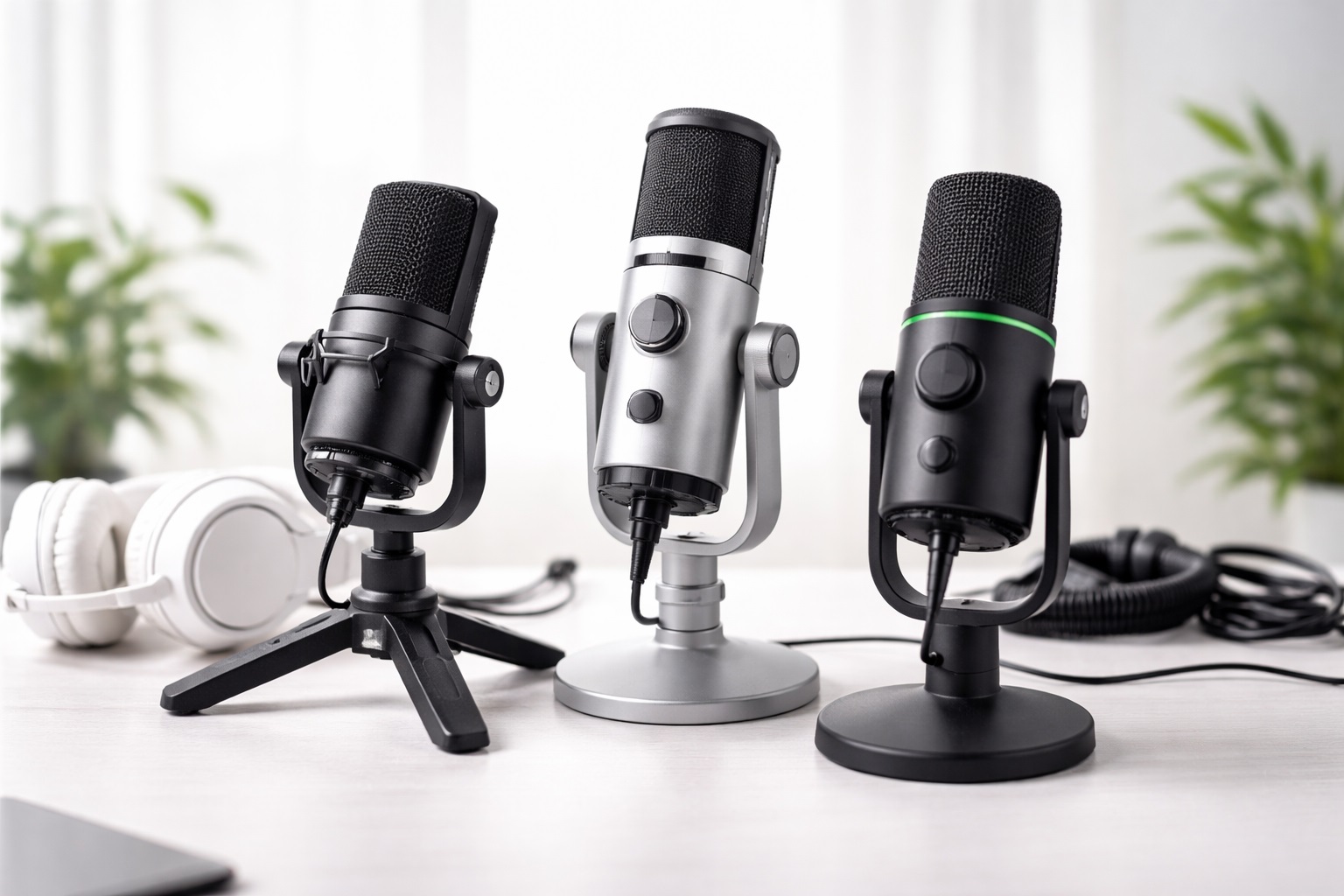
A USB condenser microphone delivers the clearest, most natural-sounding voice of the three formats here, which matters directly for how well you come across during a class discussion, an office-hours conversation, or a recorded presentation that gets graded. Condenser capsules are more sensitive than the dynamic capsules found in cheaper mics, capturing detail that makes speech sound present instead of thin. It connects straight to a laptop over USB with no interface or mixer required - plug it in, select it in your call platform's audio settings, and it's ready before class starts. A cardioid pickup pattern keeps the focus on your voice while quieting whatever else is happening in a dorm room or shared space.
- Pros:
- Clear, detailed voice capture that stands out in group discussions
- True plug-and-play setup with no extra equipment to buy
- Cardioid pattern keeps the focus on your voice over roommate noise
- Works across Zoom, Teams, Google Meet, and every major recording app
- Reasonably priced for the audio improvement it delivers
- Cons:
- Picks up more of a noisy dorm or shared room than a dynamic mic
- Best results depend on at least a moderately calm moment to record
- Roommate activity nearby can be more noticeable in the recording
Best For: Students attending online classes, recording presentations, or joining group project calls from a dorm room or apartment that's reasonably calm most of the time.
Why We Recommend It: This is the format most students notice immediately after switching from a laptop mic - clearer questions in class discussions, more intelligible presentations, and fewer "can you repeat that" moments on group calls. The one caveat: if your dorm hallway or roommate situation is genuinely loud and unpredictable, the next option handles that better, since sensitivity that helps in a quiet library carrel works against you next to a busy hallway.
2. Dynamic USB Microphone - Best for Dorms and Shared Spaces
Dorms and shared apartments are rarely quiet, and a dynamic USB mic is built specifically for that reality. Because the capsule needs more energy to respond, it naturally rejects quieter background sound - a roommate's music through the wall, hallway conversations, or a floor's worth of foot traffic - far better than a condenser does. That makes it a genuinely practical choice for students who don't have the luxury of a private, quiet room to record or take calls in, which describes most campus housing. It also tends to be more rugged, tolerating the wear of being packed and moved between a dorm room and a study space.
- Pros:
- Rejects roommate and hallway noise better than a condenser
- Consistent performance in untreated dorm rooms and shared apartments
- More durable construction for a mic that gets moved often
- Reliable results regardless of what's happening elsewhere in the building
- Handles frequent packing and unpacking between locations well
- Cons:
- Captures slightly less vocal detail than a condenser
- Needs closer positioning to sound its fullest
- Slightly bulkier body than the most compact condenser options
Best For: Students living in dorms, shared apartments, or houses with roommates where background noise is a constant, unpredictable factor during classes and calls, regardless of the time of day.
Why We Recommend It: A dynamic mic solves the problem a condenser can't: it doesn't require a quiet room to sound good, which matters enormously in campus housing. For students who can't control their environment, this is often the more dependable everyday choice, and the trade-off in fine detail is barely noticeable on a typical class call. It's also worth remembering that roommate schedules change unpredictably across a semester, so a mic that performs reliably regardless of what's happening on the other side of a thin dorm wall saves you from having to reassess your setup every time your living situation shifts.
3. Clip or Lapel Microphone - Best for Presentations and Group Work
A clip-on lapel mic solves a different problem: presentations and group projects rarely happen sitting perfectly still at a desk. Clipping to a collar or lanyard, it stays close to the mouth whether you're standing to present slides, gesturing during a group discussion, or moving between a laptop and a whiteboard. It's also genuinely portable - small enough to keep in a backpack pocket and use in a library study room, a group project meeting, or a borrowed classroom without setting up a stand.
- Pros:
- Consistent voice pickup regardless of movement during presentations
- No stand or desk space required, ideal for shared study spaces
- Fits easily in a backpack alongside a laptop and textbooks
- Quick to set up between classes or group meetings
- Works well for recorded video presentations that involve walking or gesturing
- Cons:
- Overall audio quality trails a dedicated desk microphone
- Clip and cable can be visible during a recorded presentation
- Fabric noise from clothing movement can occasionally be picked up
Best For: Students recording standing presentations, participating in group projects away from a fixed desk, or needing a mic that travels easily between dorm, library, and classroom throughout a busy day.
Why We Recommend It: The ability to stay close to your voice while moving is exactly what a graded presentation or a lively group discussion demands, and nothing else on this list handles that as naturally or packs as easily for a full day on campus. For the cleanest possible recorded lecture, one of the desk-based options above still wins, but for movement, this is the practical choice.
Taken together, these three formats cover nearly every situation a student actually runs into: a reasonably calm room where clarity matters most, a noisy dorm where rejection matters more, and a presentation or group setting where movement is unavoidable. Reading through all three, even if one seems obviously right for your specific dorm setup, helps surface considerations - like portability between library and dorm - that aren't obvious from the title alone. Most students end up choosing based on whichever situation causes the most day-to-day frustration right now, rather than a hypothetical ideal setup they don't actually have.
Buying Guide: How to Choose the Best Microphone for Students
Price, durability, and portability matter as much as audio quality for a student budget and routine. These are the factors worth checking before buying, and reading through all twelve first will help you avoid focusing on the wrong spec once you start comparing specific listings.
1. Pickup Pattern
Cardioid patterns capture sound from directly in front while rejecting noise from the sides and rear - the right default for a solo student on a class call or presentation. Omnidirectional patterns pick up everything equally, which amplifies dorm and roommate noise. Figure-8 patterns capture front and back, useful mainly for two-person group project recordings sitting across from each other. Check the listing specifically for this term, since it's easy to miss on a quick scroll through a busy shopping page.
2. Dynamic vs. Condenser Capsules
Condensers capture more detail but also more of a noisy dorm room. Dynamics reject more of that background noise in exchange for slightly less fine detail. If your living situation is genuinely quiet, a condenser usually sounds better; in a typical dorm or shared apartment, a dynamic mic often sounds more polished simply because it picks up less of what's wrong with the room. When unsure which describes your space, lean toward dynamic as the safer default.
3. Budget and Long-Term Value
Student budgets are real constraints, and the good news is that voice-focused USB microphones deliver most of their value at accessible price points - the jump from very cheap to mid-range is usually more noticeable than mid-range to premium. Look for a mic that will still be useful after graduation for job interviews and remote work, not just for the current semester, since that stretches the value of the purchase considerably.
4. Connection Type: USB vs. XLR
USB microphones plug directly into a laptop with no additional hardware, which matters for a student setup with limited desk space and budget. XLR requires a separate interface, adding cost and complexity most students don't need. USB covers essentially every class, presentation, and project use case without compromise, and it's rare that a typical student workflow benefits from XLR's extra control.
5. Portability Between Locations
Students move between dorm rooms, libraries, and classrooms constantly. A mic that packs easily, doesn't require a bulky stand, and survives being tossed in a backpack is worth prioritizing over a slightly better-sounding option that only works well in one fixed location and gets left behind as a result.
6. Self-Noise Level
Self-noise is the faint hiss a mic produces even in silence. Lower is better, with under 20dB considered good for voice work. Many budget-friendly student mics don't publish this figure - treat that as a minor flag worth checking reviews for rather than an automatic dealbreaker, especially at accessible price points.
7. Gain Control
A physical gain knob lets you adjust sensitivity at the source, which is useful when dorm noise levels change unpredictably throughout the day. Not every student-friendly mic includes hardware gain control - software adjustment is a common and workable alternative that still gets the job done reliably.
8. Mount and Stand Options
Most student-friendly mics include a basic desk stand, fine for a dorm desk. A boom arm improves consistency but adds cost and a slightly bigger footprint - worth it if you record often, less essential for occasional class calls between a packed daily schedule.
9. Durability for Frequent Moves
Between move-in, move-out, and trips home for breaks, a student microphone gets packed and unpacked more than a typical home setup. Favor a mic with solid build quality and a case or pouch if you plan to travel with it regularly during the school year and between semesters.
10. Real-World Noise Rejection
Published specs only tell part of the story. A dynamic cardioid mic positioned close to the mouth will reject more dorm noise than a condenser further away, regardless of what the spec sheet claims. Think about your actual dorm layout, not just theoretical performance under ideal, quiet conditions.
11. Compatibility with School Software
Confirm the mic works smoothly with whatever platform your school standardizes on for classes - Zoom, Teams, or a school-specific system - and with any recording software required for presentations. Nearly all USB mics are broadly compatible, but it's worth a quick check before a graded assignment is due and there's no time left to troubleshoot.
12. Return Policy and Warranty
Most retailers offer a 15- to 30-day return window, useful if a mic doesn't suit your dorm's acoustics once tested. Check warranty length too - a longer warranty is a reasonable signal of build quality for a purchase meant to last through multiple semesters of regular use.
13. Sharing a Microphone Across a Roommate or Study Group
Group projects sometimes mean multiple people need to use the same microphone during a single recording session, whether that's passing it around a dorm room or setting it up centrally for a shared discussion. A mic with a simple, sturdy stand and an easy-to-adjust gain control makes this kind of casual sharing far less frustrating than one that requires careful repositioning or software adjustment every time a new person speaks into it.
14. Meeting Audio Requirements for Graded Presentations
Some courses specify minimum audio quality expectations for recorded presentations, particularly in communications, media, or education programs. Before assuming any USB microphone automatically satisfies an assignment's rubric, check whether your syllabus mentions specific requirements like sample rate or file format, since a professor grading dozens of submissions may flag audio that falls short even if it sounds fine to your own ears through headphones.
15. Storing a Microphone Over Semester Breaks
A microphone left in a hot dorm room over a long summer break, or packed carelessly into a moving box, can suffer more wear than one used daily during the school year. A simple pouch or the original packaging protects the capsule and cable during months of storage, and taking it home rather than leaving it in an empty dorm room reduces the risk of damage from summer building maintenance or humidity.
Frequently Asked Questions
These are the questions students shopping for a microphone ask most often, covering setup, compatibility, and everyday use across a typical school year.
1. Will a student microphone work with my school's video call platform?
Yes. USB microphones register as standard audio input devices on Zoom, Teams, Google Meet, and virtually every other platform schools use. Select it as your input device in the app's audio settings and it works immediately with no drivers to install.
2. Do I need a stand or boom arm for a dorm desk?
A basic desk stand, usually included, is fine for a typical dorm desk and everyday class calls. A boom arm offers more precise positioning and frees up desk space, worth considering if your desk is especially small or cluttered with textbooks and supplies.
3. How close should I sit to a student microphone?
Six to twelve inches away at a slight angle gives the best balance of clarity and reduced plosive pops for most USB condenser mics. Moving closer helps in a louder dorm environment by reducing background pickup from a noisy hallway or roommate.
4. Can I use the same microphone for classes, presentations, and personal projects?
Yes. A cardioid USB microphone covers all three well without compromise. You might reposition it for a standing presentation, but for classes and calls, simply selecting it as your input device is enough - no need to own more than one mic.
5. Does my dorm room actually affect microphone quality?
Significantly. A condenser mic in a hard-surfaced dorm room will capture more echo than the same mic in a room with a rug, curtains, or fabric furniture. A dynamic mic rejects that room noise more effectively if your space is acoustically difficult, even without any added treatment.
6. Is the most expensive student microphone always the best choice?
Not necessarily. Many mid-range and even budget-friendly options deliver excellent voice clarity for typical class and project use. Match the mic to what you'll actually use rather than assuming a higher price guarantees better results for your specific routine.
7. How long should a student microphone last?
A well-built mic from a reputable brand typically lasts through several years of school with normal care, easily covering an entire degree program and often beyond it. Warranty length is a reasonable indicator of build quality.
8. Can I return a student microphone that doesn't suit my dorm?
Most retailers allow a 15- to 30-day return window. Keep the original packaging during that period so returning it remains an option if the mic doesn't hold up in your actual room once you've tested it there.
9. Is a student microphone compatible with both Mac and Windows laptops?
Virtually all USB microphones in this category are class-compliant across both operating systems, with no dedicated drivers required, which matters since roommates and group project partners often use different laptop brands than you do.
10. How do I keep a student microphone working well all semester?
Wipe the grille occasionally, keep it away from drink spills on a shared desk, and store it in a drawer or case when packing for breaks. Basic care keeps it performing consistently across a full school year without any noticeable decline.
11. What's the best microphone for students recording lectures and joining online classes?
There isn't one universal answer - it depends on how noisy your living situation is and how often you present versus simply attend class. Match your priorities against the buying guide factors above rather than a single generic recommendation that ignores your routine.
12. Does brand matter when buying a microphone as a student?
Established brands tend to offer more consistent quality control and more reliable customer support if something goes wrong mid-semester. Lesser-known brands can still offer solid value, but check verified reviews carefully first before committing to an unfamiliar name.
13. Can multiple people use the same microphone for a shared group project recording?
Yes, though a single directional mic works best when speakers take turns close to it rather than everyone talking from different distances at once. For a recorded round-table discussion, positioning the mic centrally and having each person lean in slightly when speaking produces more consistent results than trying to capture the whole group evenly from a fixed distance.
14. Do I need a pop filter for a graded recorded presentation?
It's a low-cost addition that noticeably reduces harsh popping sounds on words with hard "p" and "b" sounds, which can be distracting in a recording a professor listens to closely while grading. It's not strictly required, but it's an inexpensive way to make a presentation sound noticeably more polished for very little extra cost.
15. What's the best way to test microphone quality before an important class or presentation?
Record a short sample in the exact room and at the exact time of day you'll actually be presenting, then play it back on a different device like a phone or a friend's laptop rather than the same speakers you recorded on, since audio can sound better on your own setup than it does elsewhere. Testing under the real conditions in advance catches problems, like unexpected roommate noise or an echo, well before it matters for a grade.
Final Verdict
Once you've considered how noisy your dorm or apartment actually is, and how much of your mic use involves presentations versus sitting still in class, the right pick becomes fairly clear. Each of the three formats below is built around a different part of the typical student routine, and reviewing the buying guide factors above one more time will help confirm the choice against your specific living situation and course load.
- Best Overall: USB Condenser Microphone - the clearest voice quality for online classes and everyday use.
- Best for Dorms and Shared Spaces: Dynamic USB Microphone - the most forgiving choice in a noisy living situation.
- Best for Presentations and Group Work: Clip or Lapel Microphone - the most practical pick for anyone who moves while presenting.
There's no single best microphone for every student - only the one that matches your living situation and how you actually use it across a semester. Weigh the three formats above against your own routine, and the choice becomes far more obvious than any spec sheet alone could make it. Whichever you pick, expect the improvement over a laptop mic to be noticeable from the very first class you use it in. It's a small enough investment that most students find it pays for itself in reduced frustration alone, long before factoring in the difference it makes to how clearly professors and classmates actually hear you every week.