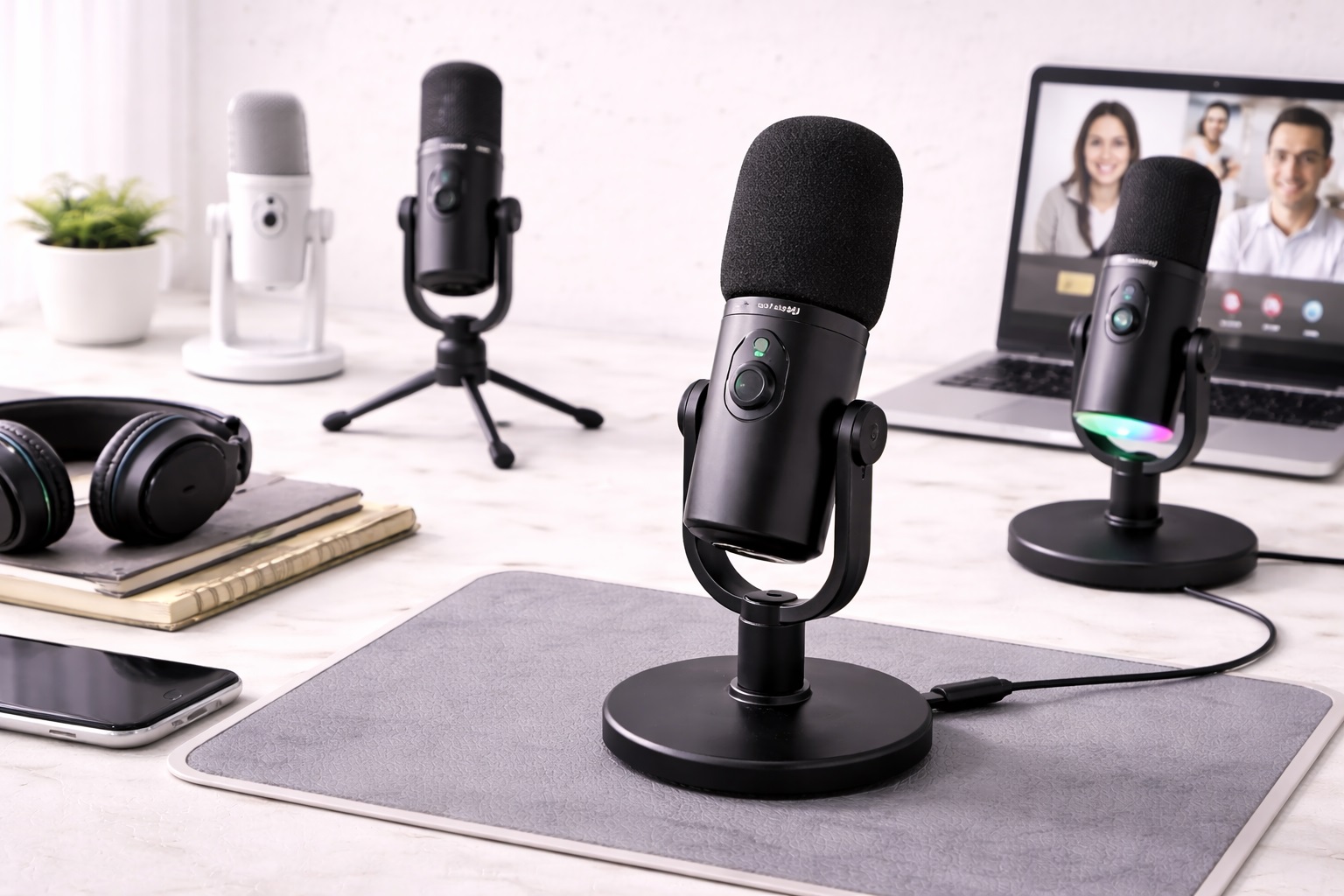
Best Microphones for Calls: Clearer Audio for Every Meeting
Video calls have quietly become one of the main ways many people communicate for work, and yet most of us are still using whatever microphone happened to be built into a laptop lid or a cheap webcam. It's easy to tolerate a slightly muffled or hollow-sounding voice on a call until a colleague finally mentions they can barely make out what you're saying over background noise. That moment usually triggers a fast, slightly frustrated search for "best microphone for calls," which tends to surface long lists of near-identical products without much explanation of what actually separates them for everyday call use.
Unlike podcasting or music recording, a call microphone doesn't need to chase studio-grade specs — it needs to be intelligible, consistent, and unobtrusive on every single call, whether that's a quick one-on-one or a client presentation with a dozen participants. That shifts the buying priorities away from raw sensitivity and toward reliability, noise handling, and how well a microphone fits into your actual daily routine. A microphone that sounds slightly less "impressive" in isolation but performs consistently across a five-call day, in whatever room you happen to be in, is almost always the better real-world purchase for someone judged on how they communicate, not on a spec sheet nobody else will ever see.
This guide compares the three microphone types that consistently solve the call-quality problem for different kinds of home and office setups, with a clear look at where each one is strongest and where it falls short. Instead of chasing the highest-rated product on a shopping site, match your situation — a quiet dedicated office, a shared noisy space, or a desk you don't control — to the category built for it. Each category solves a distinct version of the same underlying problem, and identifying which version applies to you narrows the field considerably before you compare a single specific product.
It's also worth remembering that call audio is judged entirely by what the other participants hear, not by how the microphone measures on paper. A slightly less "impressive" spec sheet that happens to reject your dishwasher, your neighbor's dog, or your open-plan office chatter will produce a better call every time than a technically superior microphone that faithfully reproduces all of it. Keeping that practical goal in mind — clarity for the listener, not the highest number on a datasheet — makes the rest of this decision considerably easier.
Top 3 Microphones for Calls (Detailed Reviews)
1. USB Condenser Microphone – Best Overall for Calls
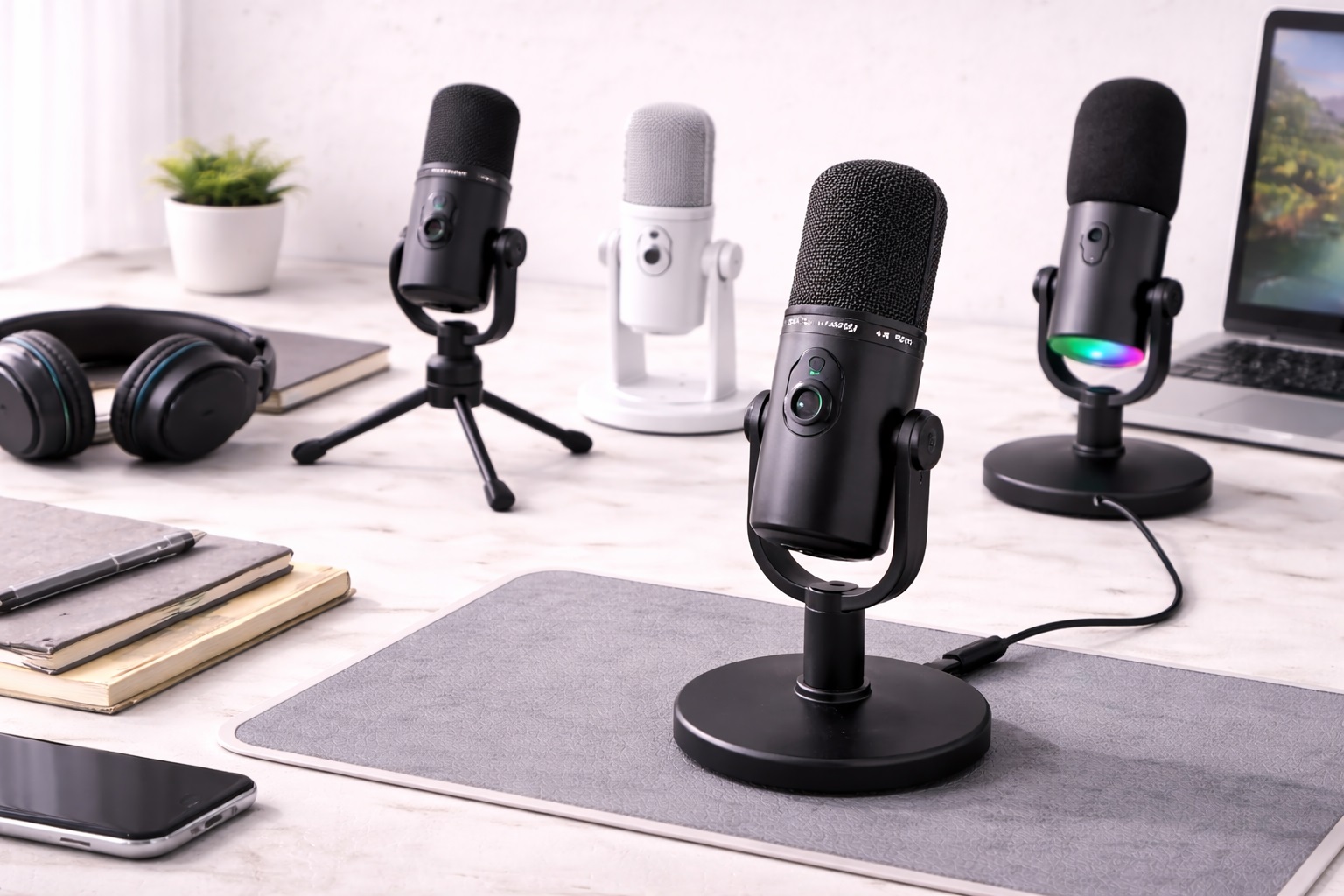
A USB condenser microphone is the most common recommendation for anyone serious about upgrading call audio, and it earns that reputation through sensitivity. The capsule captures more vocal detail and warmth than a laptop mic ever could, while a cardioid pickup pattern keeps the focus tightly on your voice and pushes background sound to the periphery. Connection is as simple as it gets: plug it into a USB port, select it in your meeting software, and you're set for every call going forward without repeating any setup steps. Because the microphone is recognized as a standard input device, switching between different conferencing apps during the same workday requires no reconfiguration at all — you simply pick up where the last call left off.
- Pros:
- Clear, detailed vocal reproduction that makes remote conversation easier to follow
- Genuine plug-and-play setup recognized instantly by Zoom, Teams, and Meet
- Cardioid pattern keeps colleagues' attention on your voice, not your room
- Works identically across Windows, macOS, and most conferencing software
- Cons:
- More sensitive to keyboard clatter, HVAC hum, and room echo than a dynamic mic
- Performs best when your call space is reasonably quiet and free of hard surfaces
Best For: Anyone taking calls from a dedicated home office or quiet room who wants the clearest possible voice reproduction without extra hardware.
Why We Recommend It: For most call-heavy workers, this is the single upgrade that produces the most noticeable improvement heard by everyone on the other end. Colleagues typically notice the change immediately, even without being told anything was upgraded. On calls where you're presenting, walking a client through a proposal, or leading a meeting, that improved clarity also reduces the number of times you're asked to repeat yourself, which quietly makes every call feel a little smoother and more professional.
2. Dynamic USB Microphone – Best for Shared or Noisy Spaces
A dynamic USB microphone is built for exactly the situation a condenser struggles with: rooms that aren't quiet or acoustically friendly. Because the capsule requires more acoustic energy to respond, it naturally tunes out a housemate's conversation in the next room, a busy kitchen, or the low hum of an open-plan office. That trade-off — slightly less fine detail in exchange for far better noise rejection — tends to sound better in practice for anyone calling from a space they don't fully control. It's also a practical choice for households with multiple people working from home at once, where several calls might be happening within earshot of each other on any given day.
- Pros:
- Rejects ambient chatter, appliance noise, and traffic sound far better than a condenser
- Consistent, dependable results in shared apartments, kitchens, and open offices
- Sturdier construction that tolerates being moved between rooms or desks
- Forgiving of a call space that isn't acoustically treated
- Cons:
- Slightly less crisp on fine vocal detail compared with a condenser
- Requires sitting a little closer for the clearest pickup
Best For: Remote workers calling from busy households, shared coworking spaces, or any room where background noise is a regular, unavoidable factor.
Why We Recommend It: Call quality is judged by what the other person hears, and in a noisy environment a dynamic mic often produces a cleaner, more professional-sounding call than a condenser would, simply by leaving out what a condenser would faithfully pick up. Anyone who has sat through a call where a colleague's background noise made large stretches of conversation hard to follow understands why this trade-off matters more than a spec sheet suggests. A dynamic mic essentially trades a small amount of vocal polish for a much larger reduction in distraction, which is usually the correct trade for daily call use.
3. Clip-On Lapel Microphone – Best for Calls on the Move
A clip-on lapel microphone is built for a different kind of caller: someone who doesn't stay perfectly still during a meeting. Clipped to a collar or shirt just inches from the mouth, it keeps a consistent distance and volume regardless of whether you lean back, turn toward a second monitor, or stand up to grab a whiteboard marker. Most USB models include a cable long enough to reach a laptop comfortably from a normal seated or standing position, with no stand or boom arm needed. This suits people who share a desk with a partner or family member and can't leave a large stand permanently set up, as well as anyone who moves between a home office and a shared coworking desk on different days.
- Pros:
- Constant proximity to the mouth keeps voice pickup steady no matter how you move
- Natural noise rejection through closeness rather than software processing
- Frees up desk space entirely, useful on a cramped or shared workstation
- Compact enough to carry between meeting rooms or work locations
- Cons:
- Falls short of a condenser or dynamic mic on outright audio detail
- Visible clip and cable can be distracting on camera in some setups
Best For: Presenters, active participants, and anyone whose calls involve regular movement rather than sitting still at a fixed desk position.
Why We Recommend It: The value here is dependability under movement, not peak fidelity. A lapel mic sounds the same whether you're leaning into the camera or turning to reference a second screen, which a stationary desk microphone simply can't guarantee. For roles that involve regularly stepping away from a screen mid-call — teaching, coaching, or demonstrating a physical product — this consistency can matter more than any other single factor.
Buying Guide: How to Choose the Best Microphone for Calls
Call audio quality depends on more than the microphone alone, but the right choice removes most of the common complaints — being asked to repeat yourself, sounding distant, or picking up too much background noise. These factors matter most when narrowing down a specific model, and each one is worth a moment's thought before you compare individual listings side by side.
1. Match the Microphone to Your Actual Call Environment
A home office with a closed door and soft furnishings behaves completely differently from an open kitchen table or a shared coworking desk. Be honest about where you'll actually be taking most of your calls, since that single factor does more to determine the right category than any spec comparison. If your calls happen in more than one type of space during a typical week, prioritize the option that performs best in your worst environment rather than your best one, since that's where a poor choice becomes most obvious.
2. Cardioid Pickup Pattern Is the Right Default for Solo Calls
A cardioid pattern focuses on sound directly in front of the mic and rejects noise from behind and the sides, which is ideal for one person speaking into a laptop or desk setup. This is why almost every microphone marketed specifically for calls, rather than general recording, defaults to a cardioid capsule as standard. Omnidirectional mics, which capture sound evenly from all directions, suit conference-room setups with multiple speakers but add unwanted noise for individual calls. If your listing doesn't mention a pickup pattern, it's worth checking the manual before buying, since assuming cardioid when a mic is actually omnidirectional is a common and avoidable disappointment.
3. Condenser vs. Dynamic Comes Down to Your Room, Not Your Job
Job title and call frequency matter less than the physical space you're calling from. A condenser sounds more detailed in a quiet, furnished room; a dynamic mic sounds cleaner in a noisy or bare one. If your call environment varies from day to day, lean toward the more forgiving dynamic option. It's also worth accepting that you may need to test both in your specific space before settling, since two rooms that look similarly quiet can behave very differently once you're actually recording in them.
4. USB Connections Remove Setup Friction Entirely
A USB microphone needs nothing beyond the device and a spare port — no interface, no separate power supply, no additional drivers in almost every case. For call-focused buyers, this simplicity matters more than the marginal audio gains an XLR setup might offer, since XLR requires an audio interface most callers don't need. Unless you're already building a broader home studio setup for other reasons, the additional cabling and configuration of an XLR system is unnecessary complexity for someone whose main goal is clear, reliable call audio.
5. Don't Overpay for Recording Specs You Won't Use
Sample rate and bit depth specifications matter far more for music production than for spoken voice on a call. Most USB microphones default to 48kHz/16-bit, which is more than sufficient for crystal-clear call audio. Spending extra to chase higher numbers here rarely improves what the person on the other end actually hears. A microphone marketed heavily around 96kHz/24-bit recording is usually aimed at musicians, not call-focused buyers, so treat that spec as a low priority when comparing otherwise similar options.
6. Self-Noise Ratings Matter More in Quiet Rooms
Self-noise is the microphone's own electronic hiss, present even in silence. In a quiet room this becomes more noticeable, so checking for a rating under 20dB is worthwhile if you work from a calm space. In a noisier environment, self-noise is usually masked by ambient sound and matters less. Budget-tier microphones sometimes leave this figure off the spec sheet entirely, which isn't automatically disqualifying but is worth factoring in if two otherwise similar options are priced closely.
7. Physical Mute and Gain Controls Save You Mid-Call Fumbling
A microphone with a built-in mute button or gain dial lets you make quick adjustments without digging through your operating system's audio settings during a live call. This is a small feature that becomes surprisingly valuable once you're several calls a day into daily use. It also reduces the small but real risk of forgetting to unmute yourself and talking for several seconds before realizing no one can hear you.
8. Zero-Latency Monitoring Rarely Matters for Calls
Headphone monitoring built into a microphone is genuinely useful for podcasting or music recording, letting you hear your own voice instantly. For call-only use, your meeting software already lets you hear yourself in-app if needed, making this feature a low priority for most buyers. It's a reasonable feature to skip on a call-focused purchase, and one you're unlikely to miss unless you branch into recording or streaming later.
9. A Boom Arm Solves Desk Clutter Better Than a Basic Stand
Most USB microphones ship with an adequate basic stand, but if your desk is already crowded with monitors, notebooks, and a keyboard, a boom arm frees up real desk space and positions the mic at a consistent distance call after call. Check for a standard 5/8-inch thread mount if you plan to add one later. A boom arm also makes it much easier to reposition the mic out of frame between calls, which matters if you share your screen setup with a partner or roommate during the day.
10. Shock Isolation Matters More Than It Seems Near a Keyboard
If you type while on calls — taking notes, sharing screens, switching windows — vibrations from your keyboard and desk can transmit into your mic as low thuds the other person hears. A shock mount, built in or added separately, isolates the capsule from that noise. This is a small, inexpensive addition that solves a problem most people don't notice until a colleague mentions hearing a dull thump every time they type or set down a coffee mug.
11. Background Noise Rejection Depends on Distance, Not Just Specs
A dynamic cardioid mic six inches from your mouth will outperform a condenser eighteen inches away in a noisy room, regardless of what either product's listed specifications claim. Positioning yourself closer to whichever microphone you choose is often the single most effective noise-reduction step available. It costs nothing and takes effect immediately, unlike upgrading to a different product entirely.
12. Consider Portability If You Call From More Than One Location
If your calls happen from a home office some days and a shared or public space on others, a compact USB mic or a lapel microphone that packs easily becomes more valuable than a larger desk-bound condenser that's awkward to move and reposition each time. Weigh the convenience of a single portable microphone against the marginal audio gains of owning a larger, more permanent setup you can only use in one place.
Frequently Asked Questions
1. Will a USB call microphone work with Zoom, Teams, and Google Meet without extra setup?
Yes. USB microphones are recognized as standard input devices by every major platform. You select the microphone once in your system or app's audio settings, and it stays selected for future calls without repeating the process. If you use several different conferencing apps, most will default to your operating system's chosen input automatically, so you rarely need to change anything app by app.
2. How far should I sit from my call microphone?
Roughly six to twelve inches works well for most USB condenser microphones, positioned slightly off-axis rather than speaking directly into the capsule to avoid harsh popping sounds on words with hard consonants. Move closer in a noisier room to help the microphone favor your voice over background sound. It's worth doing a short test recording or a call with a friend when you first set up a new microphone, so you can dial in distance and angle before an important meeting rather than during one.
3. Does my room actually affect how I sound on calls?
Yes, considerably. A bare room with hard floors and walls reflects sound back into the microphone, creating an echo that makes even a good microphone sound distant and unclear. Soft furnishings like rugs, curtains, and upholstered furniture noticeably reduce this effect. You don't need to fully treat a room to notice a benefit — even facing a bookshelf or draping a blanket behind your call position can measurably cut down on reflected sound.
4. Can one microphone handle both calls and casual recording or streaming?
Yes. A cardioid USB microphone comfortably covers both use cases. Calls simply require selecting the mic as your input device, while recording or streaming may benefit from a little extra attention to gain and positioning, but it's the same hardware handling both. There's no need to buy separate microphones for separate purposes when a single cardioid USB mic already covers the ground.
5. Is a headset microphone better than a standalone desk microphone for calls?
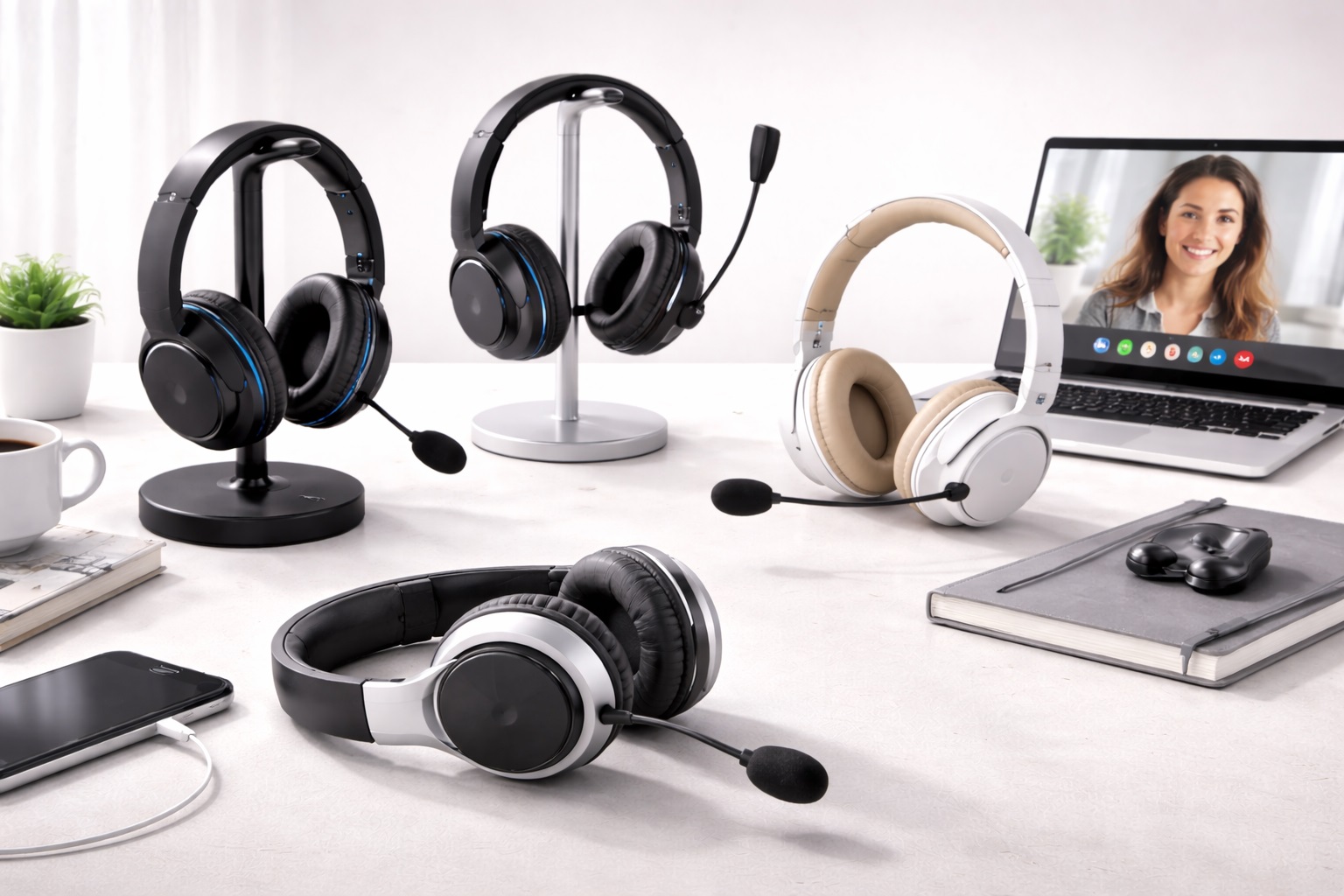
Headsets keep the mic close to your mouth automatically, similar to a lapel mic, which is convenient but often sacrifices some audio quality and comfort during long calls. A standalone USB condenser or dynamic mic generally sounds clearer for anyone comfortable sitting at a fixed position. Headsets remain a reasonable choice for people who move around a lot during calls or share a desk with someone else who's also on calls at the same time.
6. Do I need a mute button on my microphone, or is the software mute enough?
Software mute in your meeting app works fine for most people, but a physical mute button on the microphone itself is faster to reach and reduces the chance of forgetting you're unmuted during a distraction at your desk. If mute status is easy to check at a glance — an LED indicator, for example — that's a small but genuinely useful bonus feature.
7. Should I buy the most expensive call microphone available?
Not necessarily. Higher-priced options often add extra pickup patterns, onboard controls, or premium materials rather than a dramatic leap in core call clarity. Matching the microphone category to your room and habits matters more than price alone. Two microphones at noticeably different prices can sound remarkably close for plain speech, with the gap showing up more in accessories and build materials than in call clarity itself.
8. How long should a good call microphone last?
A well-built USB microphone from an established brand typically lasts several years of daily call use. Checking the warranty period before buying is a reasonable way to gauge how confident the manufacturer is in long-term reliability. Coverage of one to two years is common among reputable brands, and anything noticeably shorter is worth a second look.
9. Can I return a call microphone if it doesn't suit my setup?
Most retailers offer a return window of roughly 15 to 30 days. Keep the original packaging and test the microphone across several real calls, not just a quick check, before that window closes. A brief test in a quiet moment doesn't always reveal how a microphone handles a genuinely busy household or office day, so give it a fair trial before deciding.
10. Does background noise cancellation software replace the need for a good microphone?
Software noise suppression, built into many conferencing apps, helps but works better alongside a well-chosen microphone rather than instead of one. Software can reduce noise it detects, but it can't add clarity a poor microphone never captured in the first place. Treat noise suppression software as a helpful second layer, not a substitute for choosing the right microphone for your room.
11. Is a dynamic or condenser mic better if I share my workspace with others?
A dynamic microphone is usually the safer choice in a shared space, since it naturally rejects more of the ambient noise other people generate, whereas a condenser is more likely to pick it up clearly. If you can control your call timing around a quieter household or office window, a condenser remains a viable option even in a space you share with others.
12. Does brand reputation matter when buying a microphone mainly for calls?
It matters more for support and warranty reliability than for baseline call clarity. Established audio brands typically offer clearer documentation and more responsive customer service, though newer brands can still be a good value if verified reviews are positive. Focus especially on reviews that mention long-term daily use rather than just first impressions, since call microphones get used far more often than a typical piece of tech.
Final Verdict
- Best Overall for Calls: USB Condenser Microphone – the clearest, most professional-sounding option for anyone calling from a reasonably quiet room.
- Best for Shared or Noisy Spaces: Dynamic USB Microphone – the most dependable choice when your call environment isn't fully under your control.
- Best for Calls on the Move: Clip-On Lapel Microphone – the most consistent option for anyone who moves, presents, or gestures during meetings.
The right call microphone is the one that matches your actual room and how still you sit during meetings, not necessarily the one with the longest spec sheet. A quieter, better-furnished room gives a condenser more room to shine, while a busy household or open office usually rewards the more forgiving dynamic design instead. Once you've matched your situation to one of these three categories, comparing individual models becomes a far simpler task, and the improvement in how you sound on your next call will likely be noticed before you even mention upgrading anything.
It's also worth revisiting this decision after a few weeks of real use. A microphone that sounded fine during a quick test call can reveal small annoyances — a slightly awkward cable length, a stand that wobbles on your desk, or a pickup pattern that's a bit too sensitive to your keyboard — only once it's part of your daily routine. Treat the first purchase as informed rather than final, and don't hesitate to adjust positioning, add a shock mount, or switch categories entirely if your first choice doesn't quite fit how your workday actually unfolds.