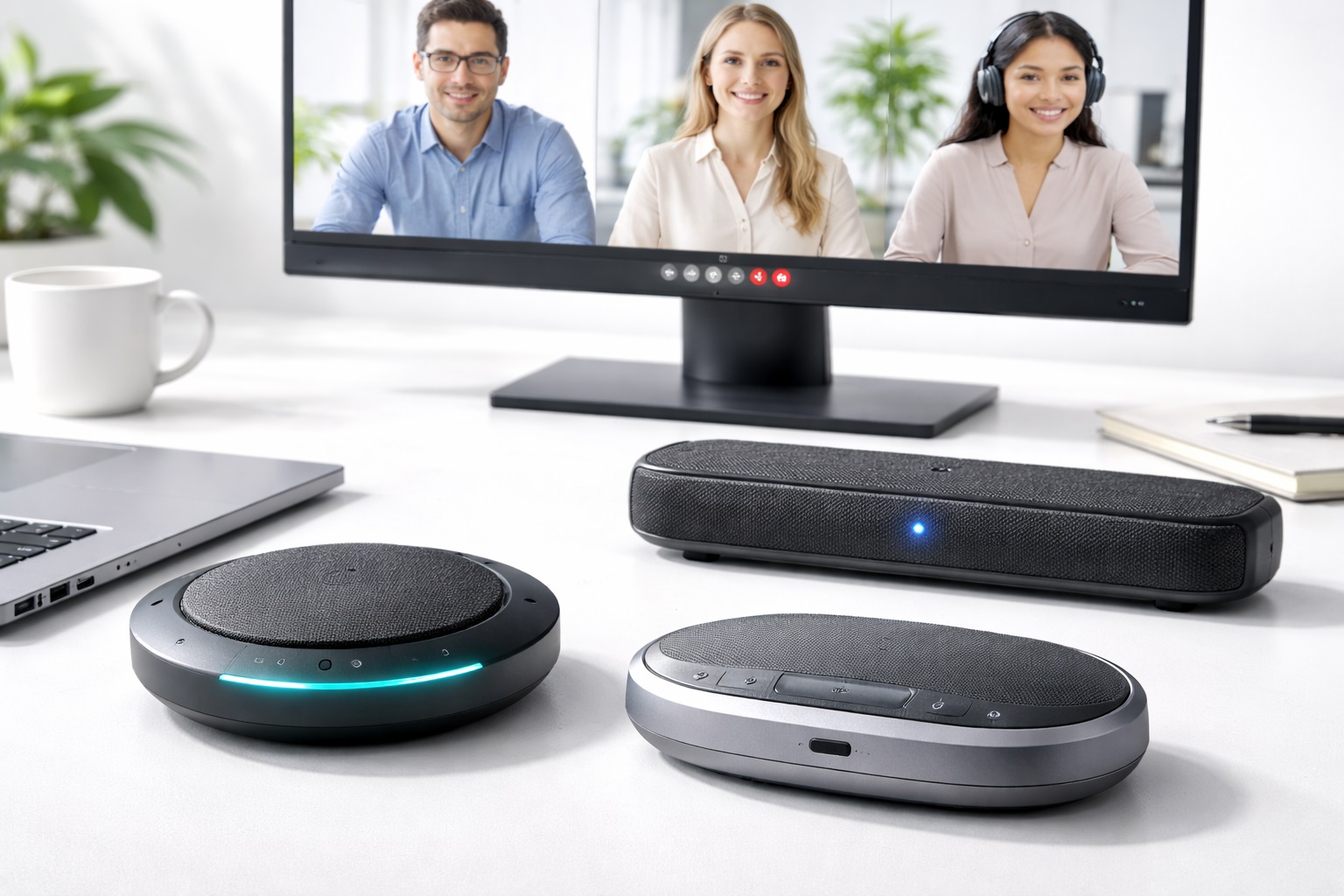
Best Speakers for Video Calls: Top Picks for Clearer Meetings
If your video calls sound like they're coming from the bottom of a well, the problem usually isn't your internet connection or your camera. It's the tiny, tinny speaker built into your laptop that was never designed to reproduce a human voice clearly across a desk. Swapping in a dedicated set of speakers changes that instantly, and it does more than just make things louder. Voices gain body and warmth, background hiss becomes easier to tune out, and you stop leaning toward the screen just to catch what someone said.
Not everyone wants to wear headphones for eight hours of back-to-back meetings, and not everyone should have to. Speakers keep your ears free, let you hear a knock at the door or a kettle boiling in the next room, and make group calls in a shared office far more natural than a pair of earbuds ever could. They also spare you the mild discomfort of clamped-on ear cups by the end of a long day, and they let a colleague lean over and hear a call without you having to hand over your headset.
This guide walks through the main categories of speakers people actually use for video calls, what separates a good one from a mediocre one, and how to figure out which type fits your particular setup. Rather than pushing one universal answer, the goal is to help you match the category, features, and price point to your own daily routine, whether that means a quiet solo desk, a shared open-plan office, or a spare room that doubles as both a home office and a place to unwind with music in the evening.
Top 5 (Detailed Reviews)
1. Stereo Desktop Speaker Pair – Best for Balanced, Natural Audio
A matched pair of small desktop speakers, one to the left of your monitor and one to the right, is still the most reliable way to get genuinely good sound at your desk. Because you get true left-right separation, voices and background sounds spread out naturally instead of collapsing into a single flat point of noise. Most pairs in this category use compact drivers in the 2.5 to 4 inch range, housed in a small ported cabinet that adds a bit of low-end warmth without needing a separate subwoofer box taking up desk space. Many models also include a small volume dial or an in-line control pod, which is a small detail that makes a real difference once you're muting and unmuting output several times a day between calls.
- Pros:
- Real stereo separation makes voices and notification sounds easier to place and understand
- Noticeably fuller low-mid tone than any built-in laptop or monitor speaker
- Simple 3.5mm or USB connection with no drivers or app required on most models
- Compact enough to sit either side of a monitor without crowding the desk
- Cons:
- Needs two open spots on the desk, which can be tight on smaller setups
- Less convenient to move between rooms than a single portable unit
Best For: Anyone whose desk is their main workstation and who wants a permanent, plug-and-forget upgrade over stock laptop or monitor audio.
Why We Recommend It: A stereo pair is the option that most consistently satisfies people long after the first week. It doesn't rely on a battery, doesn't need pairing, and the improvement over built-in audio is obvious the very first time you join a call. Because it's a fixed part of the desk rather than something you have to remember to charge or bring with you, it tends to be the category people are still happily using a year or two later.
2. 2.1 Speaker System with Subwoofer – Best for Rooms That Also Double as a Media Space
A 2.1 setup pairs two smaller satellite speakers with a separate subwoofer that usually sits on the floor under or beside the desk. For video calls specifically, the subwoofer isn't doing much heavy lifting on voice frequencies, but it matters a great deal the moment the same setup gets used for music, podcasts, or the occasional video during a lunch break. The satellites can stay smaller and cleaner because the subwoofer handles everything below roughly 80 to 100Hz, which also means the satellites work less hard overall and tend to sound clearer at moderate volume.
- Pros:
- Subwoofer takes the bass burden off the satellites, so voice reproduction stays clean at higher volumes
- Far more satisfying for music, films, and podcasts than a satellite-only pair
- Subwoofer can be tucked under the desk out of sight
- Overall volume ceiling is higher, useful in a shared or noisy room
- Cons:
- Extra cable running to the subwoofer adds a bit more setup and desk clutter
- Larger overall footprint than a stereo-only pair
Best For: People who use the same desk setup for work calls during the day and music or movies in the evening, and don't want two separate audio systems.
Why We Recommend It: It's the setup that stops feeling like a compromise. Voice calls sound clean and full, and the same speakers handle everything else you'd normally reach for a separate speaker or soundbar to do. If your desk sits in a living room, spare bedroom, or den that serves more than one purpose, this is usually the setup that ends up getting used the most, simply because it does everything reasonably well.
3. Portable Bluetooth Speaker Used at the Desk – Best for Flexible, Multi-Room Use
Plenty of people already own a compact Bluetooth speaker for outdoor use, the kitchen, or travel, and simply pull double duty by parking it on the desk during work hours. Modern compact models pair quickly, charge over USB-C, and often run for ten or more hours on a charge, which is plenty for a full day of calls before it needs a top-up overnight. Pairing is usually remembered automatically after the first setup, so switching between a laptop, phone, and tablet takes only a couple of seconds once the initial connection is made.
- Pros:
- Same unit works at the desk, in the kitchen, on a patio, or packed for travel
- No cable clutter since the connection to your laptop is wireless
- Compact single unit takes up far less desk space than a stereo pair
- Battery operation means it keeps working through a power outage or when moving rooms
- Cons:
- A single unit produces mono sound with no real stereo width
- Needs occasional recharging and Bluetooth pairing can occasionally hiccup
Best For: People who don't have a fixed desk setup, move between rooms during the day, or simply don't want to dedicate a speaker exclusively to their workstation.
Why We Recommend It: The flexibility is the entire point. Rather than buying dedicated desk speakers and a separate portable speaker, one good Bluetooth unit reasonably covers both jobs without forcing a real compromise on call clarity. For anyone who works from different rooms on different days, or who splits time between a home office and travel, this is the category that removes the most friction from day to day life.
4. All-in-One Soundbar Speaker with Microphone Array – Best for Multi-Person Calls at One Desk
A soundbar-style unit that sits along the bottom of your monitor or just below your webcam splits the difference between a plain stereo pair and a full conferencing speakerphone. Inside a single low-profile housing you get two or more small drivers spread across the width of the bar, plus a built-in microphone array angled to pick up whoever is seated in front of the screen. This makes it a natural fit for anyone whose desk regularly hosts two or three people crowded around one laptop for an interview panel, a client walkthrough, or a quick huddle with a colleague, without needing to pass a headset back and forth or lean awkwardly toward a single built-in mic. Because the drivers are spread horizontally rather than stacked in one small enclosure, the stereo width is noticeably wider than a single Bluetooth puck, even though the whole unit takes up barely more desk depth than a webcam stand.
Most models plug in over a single USB-C cable, drawing power and carrying audio in both directions without a separate power brick cluttering the outlet strip. Software is usually minimal or entirely optional, with a physical mute button and a volume dial built into the top or front edge of the bar itself. A handful of higher-end versions add basic noise suppression tuned for keyboard typing and paper shuffling, which matters more here than in a single-person setup precisely because more people means more incidental noise sitting close to the microphone.
- Pros:
- Wider stereo spread than a single puck-style speaker, thanks to the horizontal driver layout
- Built-in microphone array is genuinely useful when two or more people share one desk for a call
- Single USB-C cable for both power and audio keeps desk cabling simple
- Low-profile shape sits neatly below a monitor without blocking the screen or webcam
- Cons:
- Bass extension is limited by the shallow, narrow enclosure compared to a stereo pair with real cabinets
- Higher-end models with better mic arrays cost more than an equivalent stereo pair
Best For: Shared desks where two or three people regularly join the same call together, such as a small office nook, a shared home workspace, or a desk used for interview panels.
Why We Recommend It: It solves a specific problem that a stereo pair or single Bluetooth speaker can't: getting more than one person's voice picked up clearly while still producing usable stereo sound for the group to listen back to. For anyone whose calls regularly involve someone else pulling up a chair beside them, this category removes the awkward moment of everyone crowding toward a single laptop microphone.
5. USB Conferencing Speakerphone – Best for Frequent Group and Client Calls
A dedicated speakerphone is a different category entirely: instead of a plain speaker, it packs an omnidirectional microphone array and echo cancellation into the same compact unit, purpose-built for calls rather than for music. These sit flat on a conference table or desk and pick up several voices around them while suppressing the audio coming out of the built-in speaker so the person on the other end doesn't hear an echo of their own voice bouncing back. Many models also include noise suppression tuned specifically for keyboard clatter, air conditioning hum, and other everyday office sounds that would otherwise distract the other participants on a call.
- Pros:
- Built-in echo cancellation stops your own speaker output from feeding back into the call
- Omnidirectional mic picks up multiple people seated around a table or desk
- One-touch mute and volume controls right on the unit, no digging through software
- Purpose-built for calls, so voice clarity is prioritized over music fidelity
- Cons:
- Music and general media playback sound noticeably flatter than on a dedicated speaker
- Costs more than a basic stereo pair for what is a single-purpose device
Best For: Anyone who regularly hosts group calls, client meetings, or interviews where more than one person on your end needs to be heard clearly.
Why We Recommend It: It solves the one problem plain speakers can't: feedback and echo when a microphone picks up your speaker output during a call. If group or client calls are a regular part of your week, this category earns its keep quickly, and the difference is especially obvious to whoever is on the other end of the call rather than to you.
Buying Guide: How to Choose the Best Speakers for Video Calls
Before comparing specific models, it helps to be clear about which of these factors actually matter for how you work. A few minutes thinking through your real routine saves you from either overspending on features you'll never use or underbuying and being disappointed within a week.
1. Decide Whether You Need Stereo or Just Clear Voice
Stereo separation matters enormously for music and general listening but barely registers for a single voice coming through a call. If video calls are genuinely your main use case, don't let stereo imaging be the deciding factor. If you also listen to music or watch videos at your desk, stereo suddenly becomes worth prioritizing.
2. Check What Echo Cancellation the Device Actually Offers
Plain speakers have none. Speakerphones built for conferencing include acoustic echo cancellation as standard, which stops the sound from your own speaker being picked back up by your microphone and sent to the other participants. If you frequently use your laptop's built-in or an external microphone alongside external speakers, this is worth checking before you buy. Some product listings bury this detail in a spec sheet under terms like "AEC" or "full-duplex audio," so it's worth searching the product page directly if the feature isn't mentioned in the main description.
3. Match Connectivity to How You Actually Work
A 3.5mm cable is the simplest and most universal option and introduces zero latency. USB input is nearly as simple and bypasses your laptop's onboard sound card, often producing a cleaner signal. Bluetooth trades a small amount of convenience for a tiny bit of lag, which is rarely noticeable on a voice call but can be distracting when watching video with tight lip-sync requirements.
4. Think About Volume Ceiling and Room Size
A small desk in a quiet home office needs very little output power. A shared or open-plan space, or a room with a noisy air conditioner or street noise, needs more headroom so voices stay clear without straining the speaker at maximum volume. Check the wattage rating, but treat it as a rough guide rather than a precise science, since enclosure design affects perceived loudness just as much as raw power. Distortion at high volume is usually a bigger problem than raw loudness, since a speaker straining near its limit tends to lose clarity on voices well before it becomes uncomfortably loud.
5. Consider Whether a Subwoofer Is Worth the Extra Space
For voice calls alone, a subwoofer adds very little. For anyone who also plays music, watches films, or wants a fuller overall sound at the same desk, a 2.1 system with a dedicated subwoofer produces a noticeably richer result than satellites working alone, at the cost of some extra desk and floor footprint.
6. Look at Build Quality, Not Just Driver Specs
Two speakers with identical driver sizes can sound quite different depending on the cabinet they're built into. Denser materials such as wood or reinforced plastic reduce unwanted resonance and buzzing at higher volumes, while thin, hollow plastic enclosures tend to sound boxy no matter how good the driver inside is. A quick way to check without hearing a unit in person is to look at its weight relative to its size in the listing, since a denser cabinet almost always weighs noticeably more than a hollow one of the same dimensions.
7. Factor In Portability If You Move Between Rooms
If your workday isn't confined to one desk, a battery-powered Bluetooth speaker that can travel with you is worth prioritizing over a wired stereo pair permanently tethered to one spot. Battery life in the eight to fifteen hour range comfortably covers a full workday between charges for most compact models.
8. Check for a Headphone Output or Mute Switch
A headphone jack on the speaker itself lets you switch to private listening in seconds without unplugging or reconfiguring anything, which is genuinely useful in shared households or open offices. A physical mute button is a small but meaningful convenience during calls, letting you cut audio instantly without hunting through a menu.
9. Understand What Frequency Response Numbers Actually Tell You
A wide quoted frequency response looks reassuring on a spec sheet, but it's only part of the picture. Two speakers with an identical published range can sound very different once you factor in driver quality, enclosure design, and how the manufacturer measured the number in the first place. Use it as a loose guide alongside reviews, not as a definitive score.
10. Think About Placement Before You Buy
Where speakers sit changes how they sound almost as much as the speakers themselves do. Placing a pair right against a wall boosts bass but can muddy clarity, while angling them slightly toward your normal seating position sharpens imaging and intelligibility. If desk space is tight, factor this into which shape and size you choose from the outset.
11. Set a Realistic Budget Based on How Often You'll Use It
If speakers will run for several hours every working day, spending a bit more up front on a durable, well-built pair usually pays off in longevity. If usage is occasional, a modest budget option that covers the basics is entirely reasonable. Match the spend to actual daily use rather than defaulting to the priciest option on the shelf. It's also worth checking whether the price includes a cable or adapter you'll actually need, since some listings quote a lower price that excludes the USB or 3.5mm cable required to connect the unit.
Frequently Asked Questions
1. Will speakers cause an echo on my video calls?
They can, if your microphone is close enough to pick up sound coming back out of the speaker. This is far more common with external microphones sitting near the speaker than with a laptop's built-in mic, which is usually positioned away from the speaker output. A dedicated conferencing speakerphone solves this with built-in echo cancellation designed specifically for that scenario.
2. Do I need powered speakers, or will any pair work?
You need powered, sometimes called active, speakers for desktop use. These have an amplifier built in and connect directly to your laptop or desktop over 3.5mm, USB, or Bluetooth. Passive speakers require a separate amplifier and are really intended for home audio systems, not everyday desk use.
3. Is Bluetooth good enough for video calls, or should I use a cable?
Bluetooth is perfectly fine for voice. The tiny amount of latency it introduces is essentially unnoticeable on a phone or video call and only becomes a minor issue if you're watching something with fast-moving lip sync, like a music video. For pure conferencing, a wired or wireless connection both work well.
4. How loud do desktop speakers for calls need to be?
For a typical desk at arm's length, moderate output is plenty, and most compact speakers comfortably exceed what's needed for a single person on a call. Extra headroom becomes useful mainly in a noisier shared space or if several people are gathered around one desk for a group call.
5. Can I use the same speakers for music and for calls?
Yes, and for most people that's exactly the point of owning a good pair rather than a single-purpose device. A stereo pair or 2.1 system handles both jobs well. A dedicated conferencing speakerphone is the one exception, since it's tuned for voice clarity rather than music fidelity.
6. What's the real difference between a speakerphone and a regular speaker?
A regular speaker just outputs sound. A speakerphone combines that output with a built-in microphone array and echo cancellation, purpose-built to handle multiple people talking around it during a call without feedback. If you regularly host group calls, that combination is worth the extra cost.
7. How long should a decent set of desktop speakers last?
A well-built pair from an established manufacturer typically holds up for several years of regular daily use. Warranty length is a reasonably good proxy for how confident a manufacturer is in their own build quality, so it's worth checking before buying. Battery-powered models are the exception, since the rechargeable cell inside gradually loses capacity over a few years even if the speaker itself is otherwise fine.
8. Do more expensive speakers always sound better for calls?
Not necessarily, especially for voice specifically. Price differences at the higher end are often about music fidelity, wireless features, or app control rather than voice clarity. A mid-range pair frequently sounds just as clear on a call as something twice the price.
9. What should I prioritize if my desk space is limited?
A single compact Bluetooth speaker or a small conferencing speakerphone takes up far less room than a stereo pair with a separate subwoofer. If desk space is the binding constraint, prioritize a compact single-unit design over stereo imaging.
10. Can I return speakers if they don't suit my setup?
Most retailers allow a return window of roughly two to four weeks. It's worth keeping the original packaging until you're confident in the purchase, since some retailers require it for a full refund or exchange. Test the speakers with an actual call during that window rather than just playing music, since voice clarity is what matters most for this particular purchase.
11. Does brand reputation matter when choosing speakers for calls?
It matters more for warranty support and consistency than for raw sound quality. Established brands tend to offer more reliable customer service if something goes wrong, while newer or lesser-known brands can still offer genuinely good value, provided you check recent verified reviews before committing.
Final Verdict
- Best for Balanced, Natural Audio: Stereo Desktop Speaker Pair — the most reliable everyday upgrade over built-in laptop sound.
- Best for Rooms That Also Double as a Media Space: 2.1 Speaker System with Subwoofer — full, room-filling sound for calls, music, and film alike.
- Best for Flexible, Multi-Room Use: Portable Bluetooth Speaker — one unit that moves between desk, kitchen, and travel bag.
- Best for Multi-Person Calls at One Desk: All-in-One Soundbar Speaker with Microphone Array — wider stereo spread plus a built-in mic array for shared desks.
- Best for Frequent Group and Client Calls: USB Conferencing Speakerphone — purpose-built echo cancellation and multi-voice pickup.
There's no single correct answer here, only the right fit for how you actually spend your day. If calls are a small part of your routine and music matters just as much, a stereo pair or 2.1 system earns its keep every day. If your calendar is full of group calls and client meetings, a dedicated speakerphone will save you more frustration than any amount of extra wattage. Match the category to your week, not the other way around, and the right choice becomes fairly obvious.