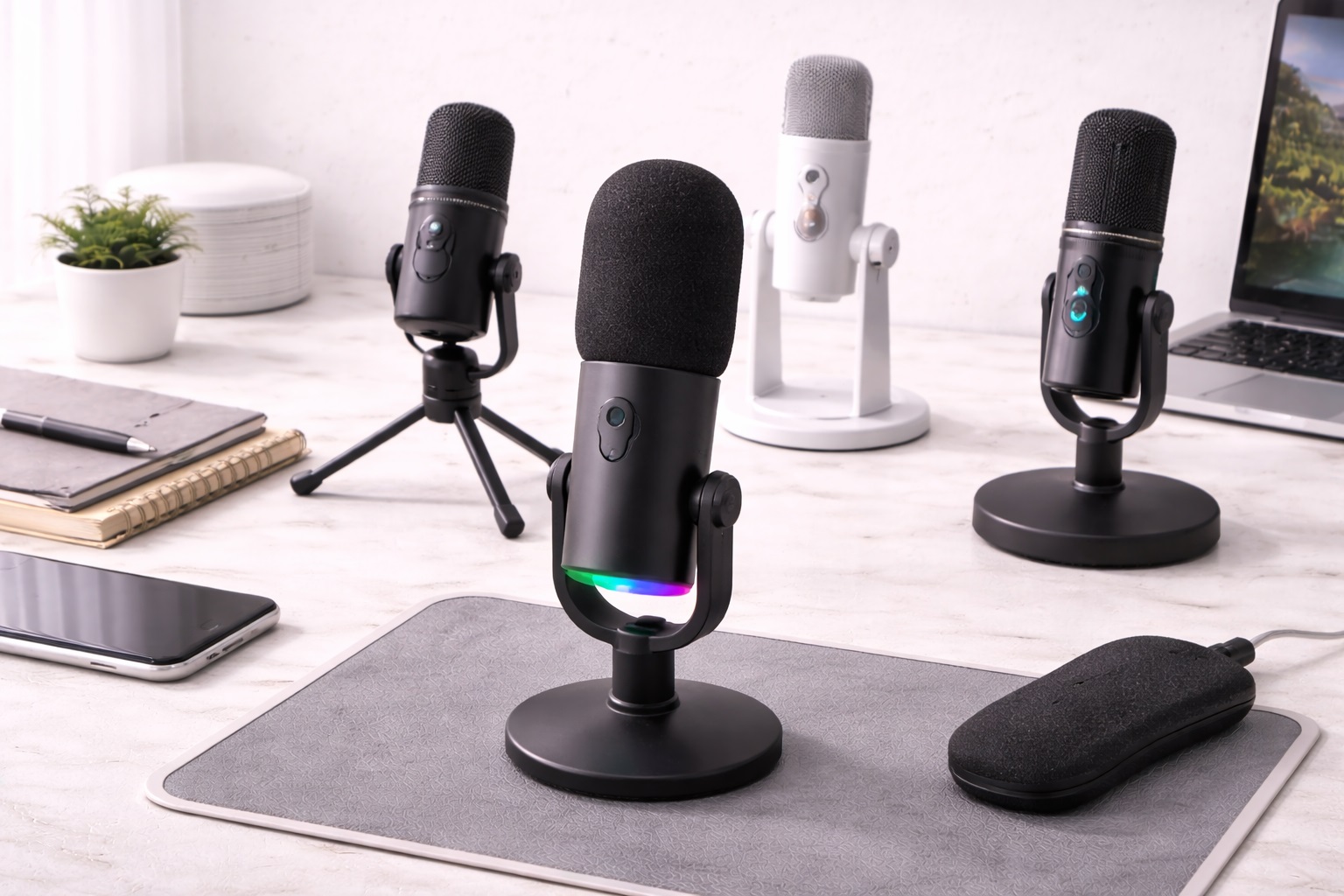
Best Budget Microphones: Clear Audio Recording for Less
A laptop's built-in microphone and a webcam mic are both designed to be adequate, not good. They pick up keyboard clatter, room echo, and the hollow, distant tone that makes every call sound like it's coming from inside a tin can. The fix doesn't have to be expensive. A well-chosen budget microphone closes most of the gap between amateur and professional audio for a fraction of the cost of a full studio setup, and for most people the difference is audible on the very first recording they make.
The challenge with budget microphones isn't finding one that works - it's finding one that works for how you actually use it. A microphone that excels in a quiet, carpeted bedroom can sound harsh and echoey in a hard-floored apartment with a noisy street outside. A mic built for solo narration doesn't necessarily handle a two-person interview well, and a mic optimized for a stationary desk setup can be the wrong choice for someone who paces during calls. Getting this match right matters more at the budget end of the market, where every model tends to specialize rather than attempt to do everything acceptably at once.
It also helps to understand what a budget microphone realistically can and can't do. None of the options below will make a home recording sound like a professional broadcast booth - that requires acoustic treatment, not just better hardware. What a good budget mic does deliver is a meaningful, audible step up from onboard laptop or webcam audio: clearer consonants, less hollow tone, and a voice that sounds present rather than distant. Setting expectations at that realistic level makes it much easier to pick the right type rather than chase specs that won't matter for your actual use case, and it also keeps you from feeling let down when a budget mic doesn't magically eliminate every acoustic quirk of your room.
This guide walks through the three microphone types that consistently deliver the best results for content creators, streamers, and remote workers who want more than webcam-level audio without paying professional-studio prices. Each type is broken down by what it does well, where it falls short, and who it actually suits - so the buying guide and FAQ sections that follow can help you apply that information to your specific room, routine, and budget rather than a generic recommendation.
It's worth thinking about this purchase as solving one specific problem rather than upgrading everything at once. If calls are the priority, positioning and consistency matter more than raw fidelity. If podcasting or narration is the goal, capsule sensitivity and room quality move to the top of the list. If your space is simply loud or echoey no matter what you do, noise rejection outranks detail every time. Framing the decision around your actual daily use, rather than a generic "best microphone" search, is what separates a purchase you'll still be happy with in a year from one that ends up in a drawer after a few weeks.
Top 3 Budget Microphones (Detailed Reviews)
1. USB Condenser Microphone - Best Overall for Voice Clarity
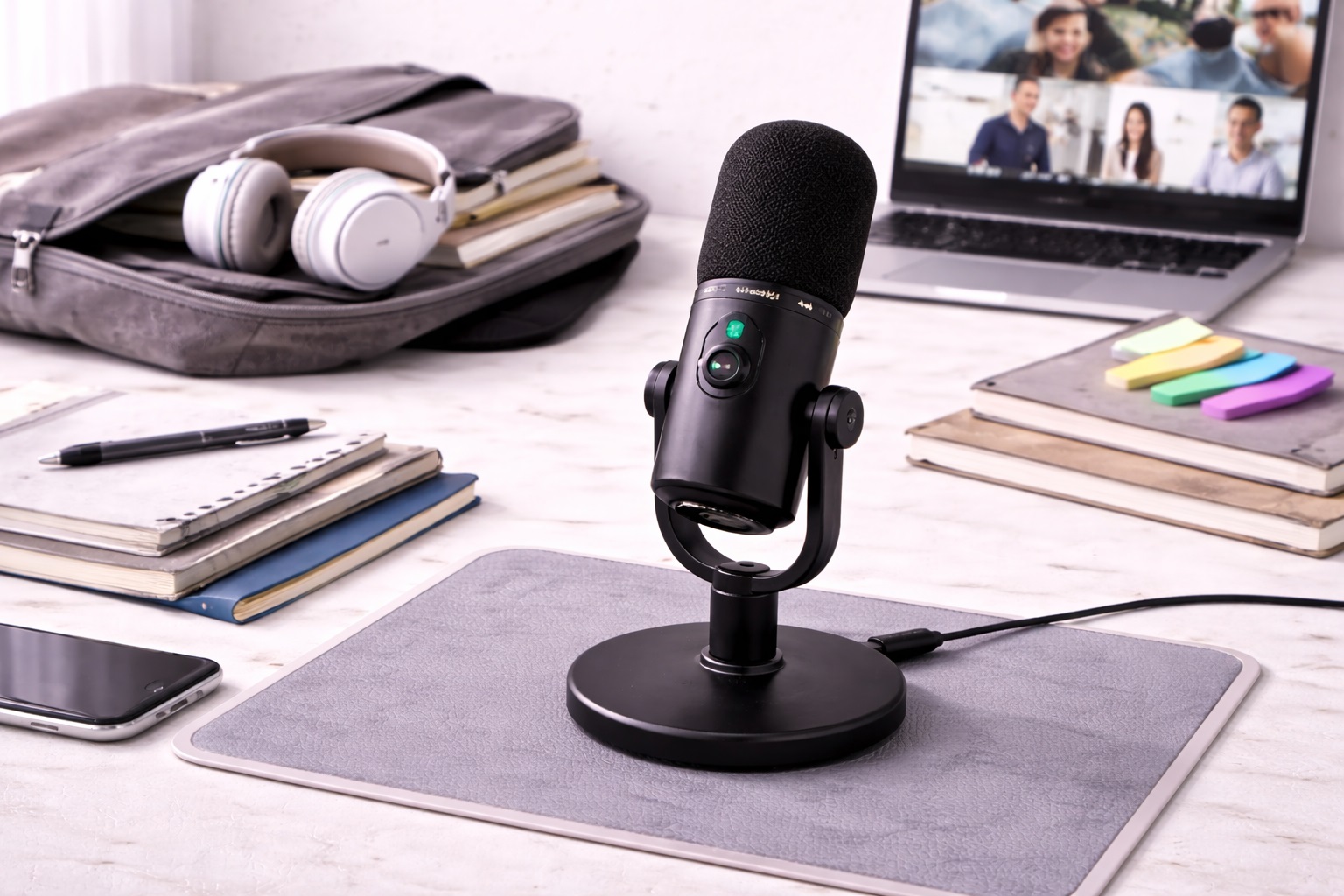
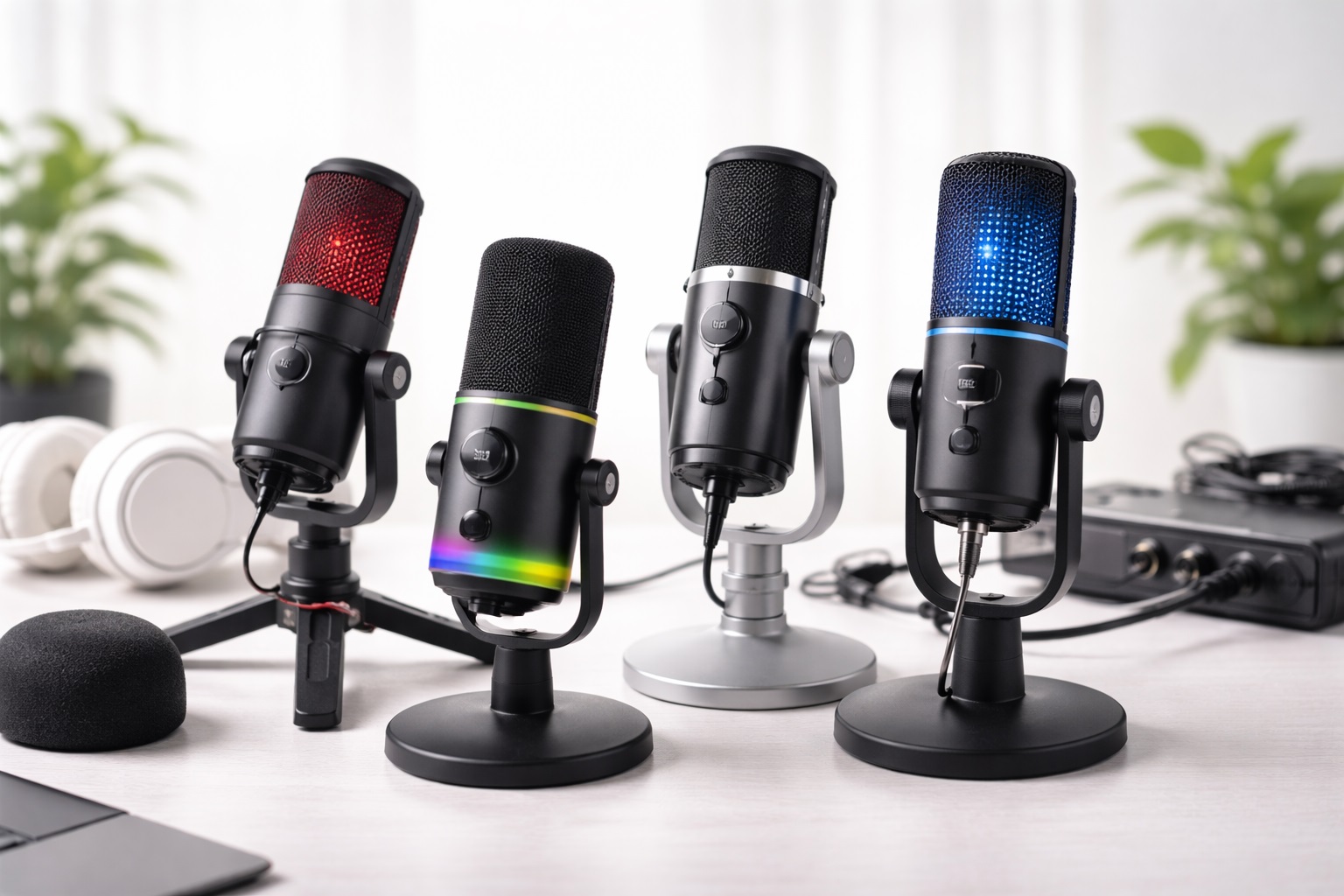
A USB condenser microphone is the closest a budget buyer gets to a genuine step up in fidelity. Condenser capsules are more sensitive than the dynamic capsules found in cheaper mics, which means they pick up more nuance and detail in the voice - the kind of clarity that makes a recording sound present rather than muffled. Because it connects straight to a computer over USB, there's no audio interface, no mixer, and no driver hunting involved; plug it in, select it as the input device in your operating system's sound settings, and it's ready to use. Most models in this category use a cardioid pickup pattern, which favors sound arriving from directly in front of the capsule and quiets down whatever is happening to the sides or behind it, which is exactly the behavior a solo speaker wants. Setup rarely takes more than a couple of minutes from unboxing to first recording.
- Pros:
- Noticeably more detailed and natural vocal capture than a webcam or laptop mic
- True plug-and-play setup with no external interface needed
- Cardioid pattern keeps the focus on the speaker's voice
- Broad compatibility across Windows, macOS, and most streaming software
- Cons:
- Picks up more of the surrounding room than a dynamic mic does
- Best results depend on a reasonably quiet, calm space, even without full acoustic treatment
Best For: Podcasters, streamers, and remote workers recording from a bedroom, home office, or any space that's reasonably quiet even without acoustic treatment.
Why We Recommend It: Of the three types here, this is the one most people notice immediately when they switch from a webcam mic - voices sound closer, warmer, and more intelligible on a call or a recording. For anyone whose main complaint is that they sound distant, thin, or tinny on calls, this is usually the first thing worth trying before spending more on anything fancier. It's worth adding one caveat: if your space is genuinely loud or echoey and you can't change that, a condenser will faithfully capture that problem right along with your voice, which is the one scenario where the next option on this list tends to work better.
2. Dynamic USB Microphone - Best for Noisy or Untreated Rooms
Dynamic microphones trade some of that condenser sensitivity for something more useful in a real, lived-in home: resistance to noise. Because the capsule requires more energy to move, it's naturally less responsive to quiet background sound - the hum of a refrigerator, traffic outside a window, a roommate's television two rooms away. That makes a dynamic USB mic a practical answer for anyone recording in a space they can't fully control, which describes most home setups more accurately than any marketing photo of a treated studio ever does. Build quality also tends to run sturdier on dynamic designs, since the capsule doesn't rely on the same delicate internal components a condenser needs to achieve its sensitivity. Many models in this category also tolerate being bumped, moved between rooms, or packed into a bag far better than a condenser would.
- Pros:
- Rejects ambient noise and room reflections far better than a condenser
- Performs consistently in untreated, echo-prone rooms
- Generally more rugged construction that tolerates handling and moving
- Reliable results across a wide range of everyday environments
- Cons:
- Captures slightly less high-frequency detail than a condenser
- Needs closer mouth-to-mic positioning to sound its best
Best For: Anyone recording in a shared apartment, an open room, or a space with hard floors and bare walls where echo and background noise are ongoing, unavoidable issues.
Why We Recommend It: A dynamic mic solves the problem condensers can't: it doesn't require you to fix your room before you can sound good in it. For streamers and remote workers who don't have the option of a quiet, treated space - which is most people - this is often the more realistic and dependable choice day to day. The trade-off is worth acknowledging honestly: in a genuinely quiet, carpeted room, a good condenser will still edge out a dynamic mic on pure detail, so this pick is specifically for the noisier, less controlled spaces most of us actually work in.
3. Clip or Lapel Microphone - Best for Video Calls and Movement
A clip-on lapel mic solves a different problem entirely - not room acoustics, but distance and movement. Desk microphones assume you'll stay in one position facing them; a lapel mic clips to a shirt collar or lanyard and stays with you as you gesture, lean back, reach for a notebook, or turn to grab something off screen. Because it sits inches from the mouth rather than a foot or more away on a desk, it maintains consistent pickup regardless of how the speaker moves during a call, which is exactly where fixed desk mics tend to struggle the most. Most connect over USB just like the two options above, so switching between them requires nothing more than changing which device is selected as your input.
- Pros:
- Constant mic-to-mouth distance regardless of movement
- Naturally reduces background noise through sheer proximity to the mouth
- Frees up desk space entirely for keyboard, notes, or a second monitor
- Small and easy to pack, store, or carry between rooms
- Cons:
- Overall audio quality trails larger desk microphones in fine detail
- The clip and cable can be visible on camera during video calls
Best For: Presenters, teachers, and anyone whose calls involve moving around, gesturing, or stepping away from a fixed desk position rather than sitting perfectly still.
Why We Recommend It: The proximity effect that makes a lapel mic useful - staying close to the voice no matter where the speaker moves - is a genuinely practical advantage for anyone whose day involves more than sitting motionless in front of a desk mic for hours at a time. If your priority is the absolute cleanest possible recording for a podcast or voiceover, one of the desk-based options above will still outperform it, but for the specific problem of staying audible while moving, nothing on this list beats it.
Buying Guide: How to Choose the Best Budget Microphone
Specs alone won't tell you which budget microphone is right for your setup. These are the factors that actually determine how a mic performs in your room, on your calls, and in your recordings, and they matter more than any single number on a spec sheet. Read through all twelve before comparing specific listings side by side - several of these factors interact with each other, and understanding how they combine will save you from focusing on the wrong spec entirely.
1. Pickup Pattern
Cardioid patterns capture sound from directly in front while rejecting noise from the sides and rear - the standard choice for solo voice work of any kind. Omnidirectional patterns pick up sound evenly from all directions, which suits group conversations gathered around a single mic but amplifies room noise for solo use. Figure-8 patterns capture front and back simultaneously, which is useful for two-person interviews sitting across from each other. Unless you have a specific reason otherwise, cardioid is the safer default for a single speaker working alone. Check the product listing specifically for this term, since it's rarely mentioned prominently on budget packaging despite mattering more than almost any other spec.
2. Dynamic vs. Condenser Capsules
Condensers capture more detail and nuance but also more of the surrounding room, making them better suited to quiet or acoustically calm spaces. Dynamics sacrifice some of that detail in exchange for rejecting background noise and room reflections more effectively. If your recording space is genuinely quiet, a condenser will usually sound better and more natural; if it isn't, a dynamic mic will often sound more professional simply by picking up less of what's wrong with the room in the first place. When in doubt, err toward dynamic - a slightly less detailed recording in a clean, controlled room almost always beats a highly detailed recording full of audible echo and background hum.
3. Connection Type: USB vs. XLR
USB microphones plug directly into a computer with no additional hardware required, which is why they dominate the budget category entirely. XLR microphones require a separate audio interface or mixer, adding cost and complexity but unlocking finer control over gain staging and signal quality. For streamers, remote workers, and students, USB covers nearly every practical need without added expense. XLR only starts to make sense once you're building a more involved, multi-microphone recording setup, and even then it's often a later upgrade rather than a starting point.
4. Sample Rate and Bit Depth
Most budget USB mics record at 48kHz/16-bit, which is more than sufficient for voice, calls, and streaming - the human ear simply doesn't need more resolution than that for spoken word content. Some higher-end models offer 96kHz/24-bit, which benefits music recording far more than it benefits a voice-only setup. Don't pay extra for specs your actual use case won't take meaningful advantage of, since the difference is inaudible on a voice recording played back over typical speakers or headphones.
5. Self-Noise Rating
Self-noise is the faint electronic hiss a microphone generates even in complete silence, expressed in decibels. Lower numbers are better; under 20dB is considered good for voice work, while anything above 30dB can introduce an audible hiss in otherwise quiet recordings. Many budget mics don't publish this spec at all - treat that omission as a small yellow flag worth noting rather than an automatic dealbreaker, and lean on verified user reviews mentioning background hiss if the manufacturer stays silent on the number.
6. Gain Control
A physical gain knob lets you set input sensitivity directly on the microphone rather than adjusting levels entirely in software after the fact. This matters most if you speak loudly, share a room with background noise, or record with inconsistent volume from session to session. Not every budget mic includes hardware gain control - some rely solely on software adjustment, which works fine but offers less immediate, tactile feedback while speaking mid-sentence.
7. Zero-Latency Monitoring
A headphone jack built into the mic lets you hear your own voice in real time with no digital delay, which matters for podcasting, singing, or any situation where you need to monitor your own levels while speaking. If your main use is video calls or casual streaming, this feature is less critical and can usually be skipped without much practical loss, freeing up budget for other features that matter more to your specific routine.
8. Mount and Stand Compatibility
Most budget mics ship with a basic desk stand, which is adequate for casual use and everyday calls. A boom arm holds the mic at a more consistent distance and angle, which improves recording consistency noticeably over time. Check that the mic uses the standard 5/8-inch threaded mount before buying a third-party boom arm, since most - but not all - budget mics use this common size, and an incompatible thread means an adapter or a returned accessory.
9. Shock Mount Support
A shock mount isolates the capsule from vibrations traveling through the desk - typing, tapping, or bumping the table accidentally. Some mics include one; others sell it as an optional accessory, either proprietary or standard-thread. If your mic will sit anywhere near a keyboard, a shock mount is a small investment that noticeably reduces unwanted thumps and low-frequency rumble in recordings, especially on desks that flex or wobble slightly under typing.
10. Real-World Noise Rejection
Published specs only tell part of the story. A dynamic cardioid mic positioned six inches from the mouth will reject far more background noise than a condenser sitting eighteen inches away, regardless of what the datasheet claims about either model. Think about how you'll actually position the mic day to day in your own room, not just its theoretical spec sheet performance in ideal conditions that rarely match a real home office.
11. Cable Length and Desk Layout
USB mics typically ship with a fixed cable length, usually somewhere between five and ten feet. If your setup routes the cable around a monitor arm, through a cable tray, or across a shared desk to reach a laptop port, measure the distance to your computer before assuming the included cable will reach comfortably. A short cable is a minor annoyance that's easy to avoid entirely by checking ahead of time, rather than discovering it after the mic is already unboxed and mounted.
12. Software and App Support
Some budget mics pair with a companion app for adjusting gain, monitoring mix, or EQ presets, while others are fully plug-and-play with no software at all required. Neither approach is inherently better, but if fine control over your sound matters to you, check whether the mic's app is available for your operating system and whether it needs to run constantly in the background to function, since some background utilities can be a minor drain on an older laptop.
Frequently Asked Questions
1. Do I need a stand or boom arm for a budget microphone?
Most USB microphones ship with a basic desk stand that's fine for casual calls and everyday use. A boom arm offers more precise positioning and keeps the mic off the desk surface, which reduces vibration pickup noticeably - worth the modest extra cost if you record or stream on a regular basis rather than just occasionally.
2. Will a budget microphone work with Zoom, Teams, or Google Meet?
Yes. USB microphones register as standard audio input devices on every major platform, with no special drivers needed at all. Just select the mic as your input source in the app's audio settings and it will work immediately, without any additional configuration.
3. How close should I sit to a budget microphone?
For most USB condenser mics, six to twelve inches away at a slight angle - rather than speaking straight into the capsule - gives the best balance of clarity and reduced plosive pops. Moving closer boosts bass response and reduces background pickup, which helps in louder rooms with more ambient noise, though it also increases the risk of popping on hard consonants.
4. Does my room actually affect microphone quality?
Significantly. A condenser mic in a hard-surfaced, reflective room will capture noticeable echo and sound less polished than the same mic in a room with carpet, curtains, or furniture that absorbs sound naturally. If your space is acoustically difficult, a dynamic mic will generally reject that room noise more effectively than a condenser would, even without any acoustic treatment added.
5. Can one budget microphone handle both streaming and calls?
Yes. A cardioid USB microphone covers both uses well without compromise. For streaming, you might fine-tune gain and position for your broadcast software specifically; for calls, simply selecting it as your input device is enough. There's no need to own separate mics for each purpose unless your workflow specifically demands it.
6. Is the priciest budget microphone always the best option?
Not necessarily. A higher price usually buys extra features, but plenty of mid-range options deliver excellent everyday performance for typical use cases. Match the mic to the features you'll actually use regularly rather than assuming price alone equals quality or better sound.
7. How long should a decent budget microphone last?
A well-built mic from an established brand typically holds up for two to five years or longer with normal care and handling. Warranty length is a reasonably good proxy for how confident the manufacturer is in its own build quality and components, so it's worth comparing across similar models.
8. Can I return a budget microphone that doesn't work out?
Most retailers allow a 15- to 30-day return window for this category of product. Hold onto the original packaging during that period so returning it stays a straightforward option if the mic doesn't suit your setup after testing it in your actual room.
9. Is a budget microphone compatible with both Mac and Windows?
Virtually all USB microphones in this category are class-compliant, meaning they work with both operating systems without dedicated drivers of any kind. It's still worth checking the listing for any software features that might be platform-specific before buying, just to confirm compatibility ahead of time.
10. How do I keep a budget microphone sounding its best over time?
Wipe down the grille occasionally to prevent dust buildup, keep it away from direct airflow that can cause popping sounds, and store it upright or in a case when not in use for extended periods. Basic care like this goes a long way toward keeping a budget mic performing consistently for years of regular use without any noticeable decline.
11. What's the single best budget microphone for streamers, remote workers, and podcasters?
There isn't one universal answer - it depends heavily on your room and how you use the mic day to day. Match your priorities against the buying guide factors above rather than chasing a single best label that ignores your specific situation and recording environment.
12. Does the brand matter when buying a budget microphone?
Established brands tend to offer more consistent quality control, better customer support, and more reliable warranty service when something goes wrong. Newer or lesser-known brands can still offer solid value for the price, but it's worth reading verified reviews carefully before committing to an unfamiliar name in this category.
Final Verdict
After going through the buying guide and the FAQ above, the decision usually comes down to which single problem bothers you most right now - unclear voice detail, background noise you can't eliminate, or inconsistent pickup while you move. Each of the three microphone types below is built around solving one of those problems particularly well, rather than trying to do everything at once.
- Best Overall: USB Condenser Microphone - the clearest, most natural-sounding option for anyone recording in a reasonably quiet space.
- Best for Noisy Rooms: Dynamic USB Microphone - the most forgiving choice when your space isn't acoustically ideal.
- Best for Video Calls: Clip or Lapel Microphone - the most practical pick for anyone who moves around during calls.
There's no single best budget microphone for every situation - only the one that fits your room, your routine, and how much movement your calls actually involve day to day. Weigh the three types above against your own setup and habits, and the right choice becomes a lot more obvious than any spec sheet alone could ever make it on its own. If you're still torn between two options, default to whichever one solves the problem you actually complain about most - whether that's sounding distant, sounding echoey, or losing volume when you lean back from the desk.