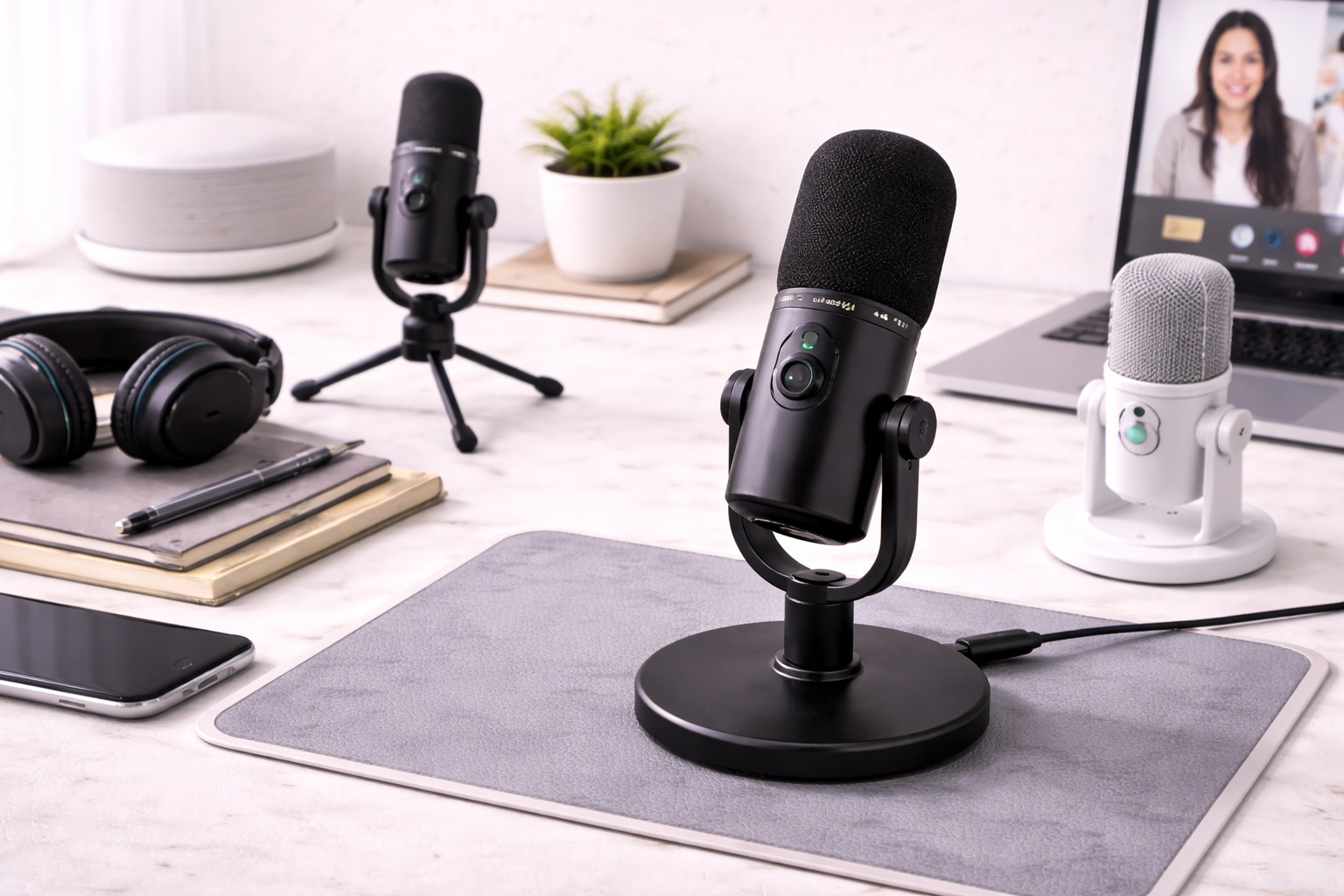
Best Microphones for Small Desks: Studio Sound, Tiny Footprint
A small desk changes the calculus of every piece of gear you put on it, and a microphone is no exception. A full-size broadcast mic on a boom arm looks great in a spacious studio photo, but on a 30-inch desk shared with a monitor, keyboard, and notebook, it becomes the thing you keep bumping into. For compact workspace users, the right microphone isn't necessarily the one with the most features - it's the one that delivers real audio improvement over a webcam mic without dominating the limited surface you have to work with. This describes a genuinely large share of home and apartment setups, where the desk was never designed around a dedicated recording rig in the first place, but simply had to accommodate one alongside everything else already on it.
The good news is that footprint and audio quality aren't in as much conflict as they first appear. Some of the most compact microphone formats on the market happen to also be some of the most effective for voice work, because a smaller capsule and a simpler mounting system were never really the limiting factor for clear speech recording in the first place. What matters more is picking the right type for your specific desk layout and how much of that limited space you're willing to give up. In practice, the difference between a mic that feels like it belongs on your desk and one that feels like it's fighting for room usually comes down to just two or three decisions covered in detail below.
It also helps to be realistic about what a small-desk microphone can and can't fix. None of the options below will eliminate room echo on their own - that's a function of the room, not the mic - but each one solves a specific space or positioning problem that larger, more traditional studio microphones tend to make worse rather than better on a compact desk. Keeping that distinction in mind up front saves you from expecting a small mic to fix a large-room acoustic problem it was never designed to address. A rug, curtains, or even a folded blanket behind the desk can do more for echo than any microphone upgrade ever will.
This guide compares the three microphone formats that work best in tight desk spaces, covering what each one does well, where it falls short, and which compact workspace situation it actually suits. The buying guide and FAQ sections that follow go deeper into the specific factors that matter once you've narrowed down the type that fits your desk, including thread compatibility, cable routing, and how each format handles a desk that pulls double duty for other tasks.
It's also worth thinking about how your desk is likely to change over time. A microphone that fits comfortably today might feel cramped once you add a second monitor, a laptop stand, or a document holder, so it pays to choose a format with a little flexibility built in rather than one that only fits your current, exact configuration. A boom-arm-compatible mic or a clip-on option both age better in this respect than a mic that depends on a fixed, sizeable footprint of open desk surface. This is especially true for anyone whose workspace is likely to grow rather than shrink, since accessories tend to accumulate faster than desk space does.
Top 3 Microphones for Small Desks (Detailed Reviews)
1. USB Condenser Microphone - Best Overall for Small Desks
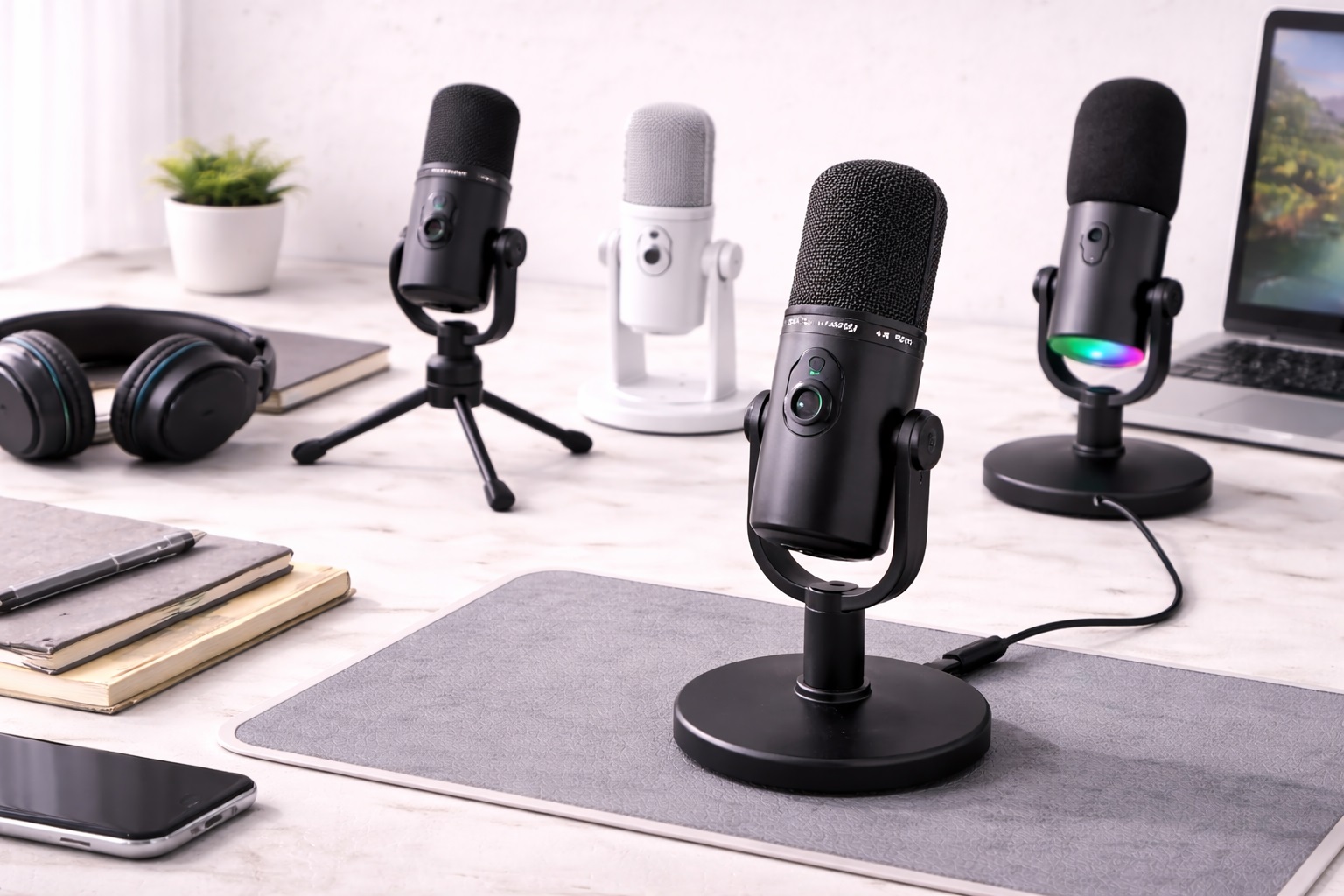
A compact USB condenser microphone punches well above its footprint. Condenser capsules are more sensitive than the dynamic capsules found in simpler mics, capturing clear vocal detail without requiring a large housing or extra components. It connects directly to a computer via USB, with no audio interface or mixer eating up additional desk space - plug it in, select it as the input device, and it's ready. A cardioid pickup pattern focuses on the voice directly in front of the mic while quieting whatever else is happening around a busy, compact desk. Because the internal components are simpler than a full studio mic, the housing itself can stay compact without sacrificing the sensitivity that gives it its clarity.
- Pros:
- Small footprint relative to the clarity it delivers
- True plug-and-play setup with no extra hardware needed
- Cardioid pattern keeps focus on the voice, not the desk clutter around it
- Compatible with essentially every operating system and call platform
- Widely available at accessible price points for the quality delivered
- Cons:
- More sensitive to nearby keyboard and desk noise than a dynamic mic
- Needs a reasonably calm space to sound its best
- Can require repositioning if placed too close to a monitor or laptop fan
Best For: Compact workspace users who want the clearest possible voice quality without adding a large microphone body to an already tight desk, particularly those working from a bedroom or home office that's reasonably quiet most of the day.
Why We Recommend It: Most compact condenser designs use a small-diameter body that sits comfortably on a short stand between a keyboard and monitor, and the audio improvement over a webcam mic is immediately noticeable on the very first call. The one caveat worth flagging: if your desk sits right next to a busy street or a loud appliance, the next option handles that better, since sensitivity that helps in a quiet room works against you in a loud one.
2. Dynamic USB Microphone - Best for Noisy or Shared Small Spaces
A dynamic USB mic trades a bit of the condenser's sensitivity for something valuable on a small, shared, or open desk: resistance to noise. Because the capsule needs more energy to respond, it naturally rejects quiet ambient sound like a nearby roommate's conversation, street noise, or the hum of a small-room air conditioner. That makes it a practical pick for compact desks positioned in bedrooms, studio apartments, or shared coworking corners where the desk itself is small precisely because the whole room is small. Build quality also tends to be sturdier, which matters on a compact desk where a mic gets bumped more often simply due to close quarters. That same durability also makes it a reasonable choice if the desk gets rearranged frequently, since the mic can handle more handling without a noticeable drop in performance.
- Pros:
- Rejects ambient noise better than a condenser in tight, shared rooms
- Performs consistently even in small, untreated spaces
- More rugged construction tolerates a busy, compact desk
- Reliable results regardless of nearby foot traffic or noise
- Handles being moved or repositioned without a noticeable drop in performance
- Cons:
- Captures slightly less fine detail than a condenser
- Needs closer positioning to sound its fullest on a small desk
- Some models feel bulkier in the hand despite the compact desk footprint
Best For: Anyone working from a small bedroom desk, a shared studio apartment, or a compact coworking space where background noise is a constant, unavoidable factor regardless of what time of day you're recording or taking calls.
Why We Recommend It: On a small desk in a small room, noise from just a few feet away is unavoidable, and a dynamic mic is built specifically to reject exactly that kind of nearby sound. It's the more forgiving choice when your compact space doubles as a bedroom, living room, or shared apartment, and it takes far less effort to sound consistent day to day.
3. Clip or Lapel Microphone - Best for Zero Desk Footprint
If desk space is the single biggest constraint, a clip-on lapel mic solves it completely by removing the microphone from the desk altogether. It clips to a collar or lanyard and stays close to the mouth regardless of how the desk is arranged around it, which means no stand, no boom arm, and no dedicated footprint at all. For a genuinely tiny desk shared with a laptop, notebook, and coffee cup, this is often the only format that doesn't force a compromise elsewhere on the surface. It also travels well between rooms, since there's no stand to disassemble or reposition when the desk gets used for something else.
- Pros:
- Zero desk footprint since the mic isn't on the desk at all
- Consistent mic-to-mouth distance regardless of desk clutter
- Extremely portable and easy to store in a drawer
- Frees the entire desk surface for other equipment
- Simple to swap between a desk setup and a laptop used elsewhere
- Cons:
- Overall audio quality trails desk-based microphones
- Clip and cable are visible on camera
- Fabric noise from clothing movement can occasionally be picked up
Best For: Anyone whose small desk is already at full capacity with a laptop, monitor, and accessories, and simply has no remaining surface for a stand-mounted mic no matter how compact its footprint claims to be.
Why We Recommend It: When the honest constraint is that there is no spare inch of desk left, this is the format that solves the actual problem rather than asking you to remove something else to make room. It also happens to double as a travel-friendly option if the same desk needs to be packed up and moved.
Taken together, these three formats cover most of the realistic small-desk scenarios: a mostly quiet room where clarity is the priority, a noisy or shared room where rejection matters more, and a desk with genuinely no spare surface at all. Very few compact workspace users fall entirely outside these three situations, which is part of why narrowing the type down first, before comparing individual listings, saves time and prevents buyer's remorse over a mic that never quite fit the desk it was bought for. Reading all three reviews in full, even if one seems obviously right at first glance, tends to surface a consideration that wasn't obvious from the product title alone.
Buying Guide: How to Choose the Best Microphone for a Small Desk
Footprint matters as much as audio quality when your workspace is compact. These are the factors that determine how a microphone performs and fits into a genuinely small desk setup, and they're worth reading through fully before comparing specific listings, since several of them interact in ways that aren't obvious from a single product photo or spec sheet. A mic that looks perfect in a product image can still turn out to be the wrong shape, thread, or footprint for your particular desk once it actually arrives.
1. Pickup Pattern
Cardioid patterns capture sound from directly in front while rejecting noise from the sides and rear - useful on a small desk where clutter and other devices sit close by. Omnidirectional patterns pick up everything equally, which amplifies the noise of a cramped space. Figure-8 patterns capture front and back, useful only if two people share the same tiny desk. For most solo small-desk setups, cardioid is the safer default, and it's worth confirming this spec directly since compact mics don't always advertise it prominently on the packaging or in a short online listing.
2. Dynamic vs. Condenser Capsules
Condensers capture more detail but also more of what's happening around a compact, busy desk. Dynamics reject more of that nearby noise in exchange for slightly less fine detail. On a small desk where a keyboard, drink, or another person's activity is always close by, a dynamic mic often produces the more usable, professional-sounding result, even though it may look identical to a condenser from the outside and cost roughly the same amount.
3. Physical Footprint and Base Diameter
Compact mics vary meaningfully in base diameter and stand footprint. Some fit within a 3-inch circle of desk space; others need considerably more room to sit stably. Measure your actual available desk space before assuming any "compact" mic will fit where you plan to put it, since the term isn't standardized across brands and varies widely between listings that all use similar marketing language.
4. Connection Type: USB vs. XLR
USB microphones plug directly into a computer with no additional hardware, which matters even more on a small desk that has no room for a separate interface or mixer. XLR requires that extra hardware and the desk space it takes up. For nearly every small-desk setup, USB is the practical choice by a wide margin, and it's rare that a compact workspace benefits enough from XLR's added control to justify the extra footprint and cost.
5. Boom Arm vs. Desk Stand
A desk stand sits directly on the surface and claims permanent footprint. A boom arm clamps to the back edge of the desk and swings the mic in over the keyboard, then out of the way when not needed - often the better solution for a small desk since it reclaims surface area rather than occupying it permanently. Some clamp mounts also work on shelves above the desk, freeing the surface entirely. Confirm the clamp's maximum desk-edge thickness before buying, since thicker desks sometimes exceed what a compact clamp can grip securely.
6. Self-Noise Level
Self-noise is the faint hiss a mic produces even in silence. Lower is better, with under 20dB considered good for voice work. This matters slightly more on a small desk positioned close to a computer fan or other electronics, where any additional hiss compounds with existing ambient noise from nearby devices sitting just inches away rather than several feet away as in a larger room.
7. Gain Control
A physical gain knob lets you set sensitivity at the source. On a small, shared desk where background chatter can spike unpredictably, being able to adjust gain quickly without opening software is a genuine convenience worth having, especially mid-call when there's no time to dig through settings menus on a laptop already crowded with open windows.
8. Mount Thread Compatibility
Most compact mics use a standard 5/8-inch thread, compatible with third-party clamp-style boom arms designed for small desks. Confirm this before buying an arm separately, since a mismatched thread means an adapter or a returned accessory, both of which add unwanted delay to getting your desk set up the way you actually pictured it.
9. Shock Isolation
A shock mount isolates the capsule from vibrations traveling through the desk - typing, tapping, or bumping. On a small desk where the mic inevitably sits closer to the keyboard than it would on a larger surface, shock isolation matters more, not less, since there's simply less distance available to naturally dampen vibration before it reaches the capsule.
10. Cable Routing
A short desk means a short distance to the computer, but it also means less room to hide excess cable. Check whether the mic includes cable clips or a shorter cable option, since a long cable coiled on a small desk becomes clutter fast and can even interfere with a mouse or keyboard mid-session.
11. Footprint When Not in Use
Some compact mics fold down or detach from their stand entirely, while others remain a fixed, upright fixture on the desk at all times. If your desk pulls double duty for other tasks - eating, studying, hobby projects - a mic that can be moved aside or stored quickly is worth prioritizing over one that's permanently in the way of everything else you do there.
12. Software and App Support
Some mics pair with a companion app for gain and monitoring control, while others are fully plug-and-play. On a small desk where you're already managing limited screen real estate, plug-and-play simplicity often outweighs the marginal benefit of extra software controls that require yet another open window competing for space on your screen.
13. Windscreen and Pop Filter Clearance
A foam windscreen or a small pop filter helps reduce plosive sounds on hard consonants like "p" and "b," but both add a few extra inches in front of the mic itself. On a genuinely tight desk, factor this extra clearance into your positioning plan rather than discovering after setup that the pop filter arm now overlaps with your keyboard or monitor. A clip-on foam windscreen usually adds less depth than a separate pop filter on its own arm, which is worth considering if clearance is especially tight.
14. Staying Out of the Camera Frame
On a small desk, a microphone often sits directly between you and the webcam or laptop camera, which means it can end up partially blocking your face on video calls if positioned without this in mind. Look for a design that mounts slightly below eye level or off to one side, and check how it looks on camera before committing to a permanent position, since what looks fine from your own seated view can look quite different in the video window a caller actually sees.
Frequently Asked Questions
These are the questions that come up most often from people shopping specifically for a small-desk microphone, covering everything from footprint to compatibility to long-term care.
1. Do I need a boom arm if my desk is small?
Often, yes - a boom arm actually helps more on a small desk than a large one, since it swings the mic out of the way when not in use and reclaims the desk stand's footprint for other things. A basic desk stand works too, but it stays put permanently and claims that space at all times. If your desk is under two feet wide, the reclaimed space from a boom arm is often worth the small extra cost on its own.
2. Will a compact microphone work on Zoom, Teams, or Google Meet?
Yes. USB microphones register as standard audio input devices on every major platform, regardless of physical size. Select the mic as your input source in the app's audio settings and it works immediately with no extra configuration or drivers to install first.
3. How much desk space does a small-desk microphone actually need?
Compact desk-stand mics typically need a footprint of roughly 3 to 5 inches in diameter, while a clamp-style boom arm can reduce that to nearly zero by mounting off the back edge of the desk instead of the surface itself entirely. Measuring your available space before ordering avoids an awkward surprise on delivery.
4. Does a small room affect microphone quality the same way a small desk does?
Room size and desk size are related but not identical factors. A condenser mic in a small, hard-surfaced room will capture more echo regardless of desk footprint, while a dynamic mic rejects that room noise more effectively even in a compact space with hard walls. It's the room's surfaces, not the desk's size, that mostly determines this.
5. Can one compact microphone handle both streaming and calls on a small desk?
Yes. A cardioid USB microphone covers both uses well in a compact setup. You may fine-tune gain for streaming specifically, but for calls, simply selecting it as your input device is enough - no need for separate mics or extra hardware taking up more surface space.
6. Is the priciest small-desk microphone always the best?
Not necessarily. Many mid-range compact mics deliver excellent voice clarity for typical desk setups. Focus on footprint and the features you'll actually use rather than assuming price alone determines quality or performance for your specific room.
7. How long should a small-desk microphone last?
A well-built compact mic from a reputable brand typically lasts two to five years or more with normal care and handling. Warranty length is a reasonable indicator of the manufacturer's own confidence in the build quality and internal components.
8. Can I return a small-desk microphone that doesn't fit my space?
Most retailers offer a 15- to 30-day return window. Keep the original packaging during that period so you can return the mic if it turns out to be larger or less suitable for your desk than expected once tested in place.
9. Is a compact microphone compatible with both Mac and Windows?
Virtually all USB microphones in this category are class-compliant across both operating systems, with no dedicated drivers required. It's still worth checking for platform-specific software features before buying, just to confirm ahead of time and avoid surprises.
10. How do I keep a compact microphone sounding its best on a busy desk?
Keep it away from direct airflow from fans or vents, wipe the grille occasionally, and position it away from the very edge of the desk where it's more likely to get bumped during a busy work session or reorganization of your setup.
11. What's the best microphone for compact workspace users overall?
There isn't one universal answer - it depends on how much desk space you're willing to dedicate and how noisy your specific room is. Match your priorities against the buying guide factors above rather than chasing a single best label that ignores your actual layout and daily routine.
12. Does brand matter when choosing a compact microphone?
Established brands tend to offer more consistent quality control and more reliable warranty service. Newer brands can still offer solid value, but it's worth reading verified reviews carefully before committing to an unfamiliar name in this space, especially for a purchase meant to last years.
13. Can I mount a small-desk microphone on a monitor arm instead of the desk itself?
Some monitor arms include an accessory mounting point, and aftermarket clamps exist specifically for attaching a compact mic to an existing arm. This is a genuinely good option if your monitor arm already frees up desk space, since it avoids adding a second clamp or stand to the same limited desk edge.
14. What's the easiest way to reduce keyboard noise pickup on a small desk?
Since a compact desk puts the keyboard closer to the mic than a larger surface would, switching to a cardioid pattern, increasing the angle away from the keyboard, or adding a small isolation mount typically helps more than adjusting gain alone. A dynamic mic also naturally rejects more of this nearby noise than a condenser if repositioning isn't practical.
Final Verdict
Once you've weighed how much desk space you can realistically spare against how noisy your room actually is, the right pick tends to become clear fairly quickly. Each of the three formats below solves the small-desk problem from a different angle, and reading back through the buying guide factors above will help confirm the choice against your specific layout. If you're still unsure after going through all twelve factors, default to whichever format solves the single biggest complaint you already have about your current setup, rather than trying to optimize for every consideration at once.
- Best Overall: USB Condenser Microphone - the clearest voice quality in a genuinely compact footprint.
- Best for Noisy or Shared Spaces: Dynamic USB Microphone - the most forgiving choice in a small, noisy room.
- Best for Zero Desk Footprint: Clip or Lapel Microphone - the only option that removes the mic from the desk entirely.
There's no single best microphone for every small desk - only the one that matches how much surface space you can spare and how much control you have over your room's noise. Weigh the three formats above against your actual setup, and the decision becomes far more straightforward than scanning spec sheets alone. Whichever you choose, the improvement over relying on a laptop or webcam mic will be obvious the very first time you use it on a call or a recording.