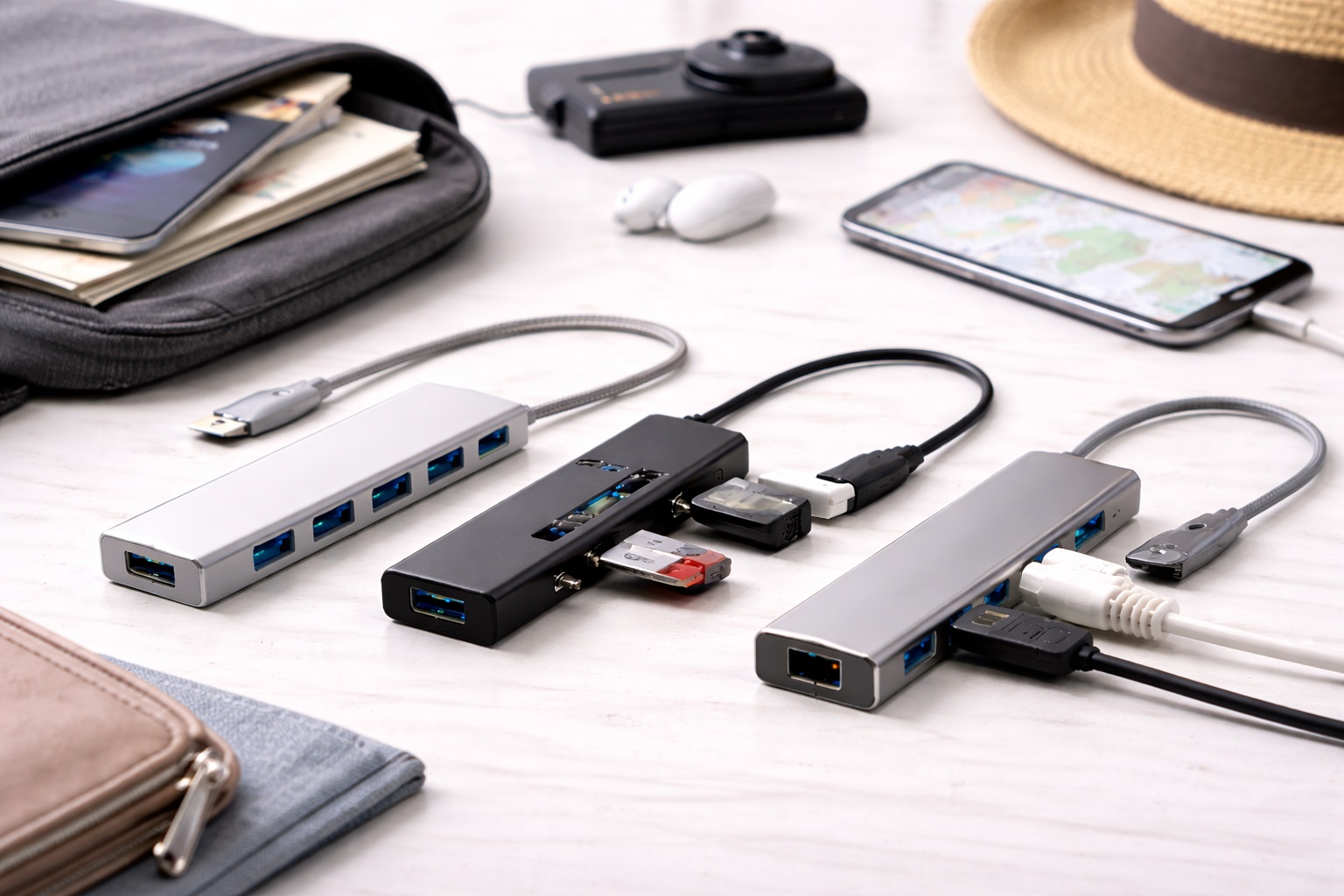
Best USB Hubs for Travel: Stay Connected Anywhere You Work
A laptop with only USB-C ports is a great travel companion until you need to plug in a wired mouse, read an SD card, or connect to a conference room projector. That's the moment a USB hub for travel earns its keep. The right one turns a single port into the exact set of connections your workday actually requires, without adding meaningful weight to a carry-on bag.
Not every hub is built for the same job, though. Some are designed to disappear into a laptop sleeve and handle the basics; others are built to sit on a hotel desk and power a full peripheral setup reliably. Buying based on price alone, or on whichever option has the most ports listed, often leads to a hub that either underperforms for your actual workflow or is bulkier than travel really calls for.
This guide breaks down the practical differences between the main types of travel USB hubs, reviews the strongest option in each category, and walks through the buying factors that actually matter — transfer speed, power delivery, port configuration, and compatibility — so remote workers and business travelers can choose with confidence rather than guesswork.
It also helps to think about where a hub will actually spend most of its time. A hub that lives permanently in a backpack pocket has different priorities than one that sits on a hotel desk for a multi-night stay, and a hub used mainly for video calls has different requirements than one used mainly for offloading photos or connecting a second monitor. Matching the hub type to the trip pattern, rather than to a single generic best pick, is what actually prevents buyer's remorse down the line. A quick mental inventory of what actually gets plugged in during a typical week of work is usually enough to narrow the decision down to one of the three categories covered below.
Top Picks Reviewed (Detailed Reviews)
1. USB-C Multiport Hub – Best Overall for Travel
A USB-C multiport hub connects to a single USB-C port on the laptop and expands it into several connection types at once. A well-featured hub typically adds USB-A ports, an additional USB-C port, an HDMI output, an SD card reader, and in some cases an Ethernet jack. These hubs are bus-powered, meaning they draw their operating power directly from the host laptop, so there's no separate wall adapter to pack or forget at a hotel outlet.
For anyone using a modern MacBook or a USB-C-only Windows ultrabook, this style of hub is close to a mandatory travel accessory rather than an optional extra. It solves the single-port problem in one compact unit, letting a traveler plug in a display cable, a flash drive, and a wired peripheral simultaneously without juggling multiple separate adapters. The tradeoff is that performance can dip when every port is loaded at once, since the hub is sharing bandwidth and power across all of its outputs through that single upstream connection.
Day-to-day, this style of hub tends to stay attached to the laptop far more often than other travel accessories simply because it removes friction from routine tasks — plugging in a projector cable at a client site, reading a memory card, or connecting a wired mouse for a long editing session. Its small footprint means it can stay in a laptop sleeve permanently rather than being packed and unpacked for each trip, which in practice is a large part of why it ends up being used consistently rather than left in a drawer.
- Pros:
- Expands one USB-C port into multiple connection types
- Bus-powered — no wall adapter needed
- Compact and portable for travel
- Compatible with most modern Windows and Mac laptops
- Cons:
- Performance can be throttled when all ports are used simultaneously
- Bus-powered hubs may not charge laptops at full speed
Best For: Laptop users with modern USB-C-only designs who need to connect USB-A devices, displays, and storage simultaneously.
Why We Recommend It: The USB-C multiport hub solves the single-port laptop problem in one compact accessory. For MacBook and modern Windows laptop users, it's often the single most practically useful accessory in the entire travel kit.
2. USB-A Powered Hub – Best for Multiple Devices
A powered USB-A hub uses its own wall adapter to supply stable power to every connected port independently of the host laptop. That independence matters most when connecting power-hungry devices — external hard drives, mechanical keyboards, drawing tablets — at the same time, since the hub isn't drawing everything through the laptop's limited USB output. Four to seven port models cover most desktop and hotel-room setups without requiring a second hub.
Because it isn't bus-powered, this style of hub trades a bit of portability for a meaningful gain in reliability. Business travelers who work from the same hotel desk setup for several nights, or who return to a home office between trips, often keep one of these on hand specifically for the devices that misbehave on lighter bus-powered hubs. The wall adapter is the obvious downside for pure travel use, but for a semi-permanent desk configuration it's a small price for consistent performance.
These hubs also tend to age well in daily use, since the dedicated power supply means individual ports aren't straining to share a limited pool of current the way they can on a bus-powered design. For someone who repeats the same hotel or serviced-apartment stay for weeks at a time, or who keeps a hub permanently set up at a home office desk between trips, that steadiness matters more than the extra size and the wall adapter cable it requires.
- Pros:
- Independent power prevents device charging conflicts
- Handles power-hungry devices reliably
- More ports than most bus-powered options
- Stable connection for demanding peripherals
- Cons:
- Requires a wall outlet connection
- Larger footprint than bus-powered alternatives
Best For: Desktop and home office users who connect multiple USB-A peripherals simultaneously and need stable, powered connectivity for all devices.
Why We Recommend It: For desktop hub use where portability doesn't matter as much, a powered USB-A hub provides a more reliable connection for demanding devices than any bus-powered alternative. The wall adapter is a minor inconvenience for a significant connectivity gain.
3. Compact Travel USB Hub – Best for On-the-Go
A compact travel USB hub prioritizes small size and low weight above raw port count. These hubs typically offer three to four ports in a form factor that fits in a shirt pocket or a small pouch in a laptop bag. Most use a short integrated cable rather than a swappable dongle attachment, which reduces the wear and strain that repeated plugging and unplugging can put on a port over months of regular travel.
This is the hub to reach for when the priority is minimizing what's carried, not maximizing what's connected. It won't replace a full desktop hub for someone running several peripherals at once, but for a traveler who mainly needs a spare USB-A port for a mouse or a card reader for photos, it delivers exactly that without adding noticeable bulk or weight to a bag that's already carrying a laptop, charger, and cables.
The main compromise with this category is capability rather than reliability — a three- or four-port compact hub simply isn't built to run a full desktop peripheral setup, and trying to use one that way often exposes its limits quickly. Used within its intended scope, though, it's the kind of accessory that quietly earns a permanent spot in a laptop bag because it's rarely the thing slowing a trip down.
- Pros:
- Fits in any pocket or the smallest bag compartment
- Lightweight — typically under 50 grams
- Integrated cable reduces port damage risk
- Covers most common travel connectivity needs
- Cons:
- Fewer ports than desktop alternatives
- Lower maximum transfer speeds on ultra-compact models
Best For: Frequent travelers, digital nomads, and laptop users who want basic port expansion in the most minimal package possible.
Why We Recommend It: When bag space is at a premium and only a few extra ports are needed reliably, a compact travel hub delivers precisely what's needed without adding meaningful weight or bulk to a travel setup.
Buying Guide: How to Choose the Best USB Hub for Travel
Use these key factors to match a purchase to actual travel habits and workflow rather than defaulting to whichever hub has the highest star rating or the longest port list.
1. USB Standard (USB 3.0 vs. 3.1 vs. 3.2)
USB 3.0 supports transfer speeds up to 5Gbps. USB 3.1 Gen 2 doubles that to 10Gbps, and USB 3.2 Gen 2x2 reaches 20Gbps. For everyday file transfer and peripheral connection, USB 3.0 is perfectly adequate. For fast external SSD use or moving large 4K video files on the road, USB 3.1 or higher makes a noticeable practical difference in how long transfers take. It's worth checking the listed standard for each individual port too, since some hubs mix a fast USB-C port with slower USB-A ports on the same unit.
2. Power Delivery Capability
Hubs with Power Delivery (PD) passthrough can charge the connected laptop while it's plugged into the hub for other purposes. Check the PD wattage specifically — 60W is enough to charge most thin-and-light laptops at a somewhat reduced speed, while 87W or 100W maintains full charging speed on larger, more power-hungry machines. A hub without PD listed in its specifications simply won't charge the laptop through it, no matter how many other ports it offers. This single detail is easy to miss on a spec sheet, so it's worth confirming before assuming a hub will double as a charging solution on the road. Pairing a hub with the wrong charger can also mean slower charging even when the hub itself supports higher wattage, so the charger and cable in the chain matter just as much as the hub's rated specification.
3. Bus-Powered vs. Self-Powered Design
Bus-powered hubs draw all of their operating power from the host device, which keeps them light and cable-free but limits how much they can support at once. Self-powered hubs use their own wall adapter and handle demanding devices — external hard drives especially — far more reliably. Choose based on the primary use case: pure travel portability favors bus-powered, while a semi-permanent desk setup favors self-powered. Some travelers end up owning one of each and switching between them depending on the trip.
4. Port Configuration That Matches Real Needs
Count the port types actually used day to day before buying. A hub with ten ports is only useful if ten ports get used regularly. Identify the specific connectivity needs — USB-A count, USB-C count, HDMI, SD card reader, Ethernet — and choose a hub that matches those requirements rather than simply the one with the highest total port count on the spec sheet. Extra ports that never get used just add size and cost without any real benefit.
5. HDMI Resolution Support
Anyone who regularly connects to an external display or a hotel conference room screen should verify the HDMI port supports the resolution they actually need. Budget hubs often cap HDMI output at 1080p, or at 4K but only at 30Hz. For smooth 4K video and scrolling text, look specifically for hubs advertising 4K at 60Hz HDMI output, since a lower-resolution port paired with a 4K monitor visibly degrades display quality. This is especially relevant for anyone giving presentations from a hotel or client conference room, where a blurry or flickering image reflects poorly regardless of how good the underlying content is.
6. Heat Management Under Load
Hubs used with multiple devices connected simultaneously generate heat, and poor heat management leads to thermal throttling — the hub quietly slows down to protect its own internal components, which reduces real-world performance exactly when it's needed most. Reading reviews for heat-related complaints specifically is worthwhile. Aluminum-bodied hubs generally dissipate heat more effectively than all-plastic designs over long working sessions, particularly when a display, storage device, and charging function are all active through the hub at once.
7. Cable Length and Build Quality
The cable connecting the hub to the laptop affects both reliability and everyday cable management. Short cables under 10cm work cleanly when the hub sits directly against the laptop, while longer cables offer more flexibility in how the hub is positioned on a desk. Check whether the cable is detachable and replaceable if it's ever damaged, and pay attention to how sturdy it feels at the connector itself, since that's usually the first point of failure. A cable that flexes stiffly or has visible strain relief at both ends tends to survive daily packing far longer than one that feels thin or floppy out of the box.
8. Laptop Compatibility Before Purchase
Not every hub works flawlessly with every laptop. Apple M-series MacBooks and some AMD-based laptops have documented compatibility quirks with certain hub chipsets, particularly around display output and charging behavior. Checking that the manufacturer specifically lists a laptop model, or at minimum its processor family, as supported is worth the extra few minutes before ordering. Checking user reviews from owners of the same laptop brand and generation is often more informative than the general product description.
9. Simultaneous Multi-Device Performance
Running every port on a bus-powered hub at once means sharing the available bandwidth across all of them. A USB 3.0 hub with four ports does not deliver full USB 3.0 speed to all four simultaneously — the bandwidth gets divided. For single-device use, such as one fast external SSD, most hubs perform adequately. For simultaneous multi-device, high-speed transfer, a self-powered hub with a more capable internal architecture handles the load better. Knowing which scenario applies before a trip avoids the frustration of watching a large file transfer crawl at the worst possible moment.
10. Driver-Free Operation
Most USB hubs work without any driver installation on Windows, macOS, and Linux. Certain advanced features, particularly DisplayLink-based multi-display setups, do require dedicated software drivers. Driver-free operation tends to be more reliable and works more universally across different operating systems and versions, so it's worth favoring plug-and-play designs unless there's a specific feature that genuinely requires driver support. Relying on driver-based features also means checking in advance whether that software is still maintained for the latest OS updates.
11. Weight and Size for Carry-On Travel
For anyone flying regularly, every gram in a carry-on bag matters over the course of a long trip. Compare the actual listed weight and dimensions of a hub, not just its category, since some "compact" hubs are still noticeably heavier than others in the same size class due to metal casings or built-in cooling. A hub that's genuinely pocket-sized and light is far more likely to actually get packed and used trip after trip, rather than being left behind to save space at the last minute.
12. Warranty and Return Policy
A hub is a small, relatively inexpensive accessory, but it's also one that gets physically stressed through repeated packing, unpacking, and daily plugging. Checking the manufacturer's warranty length before buying gives a reasonable sense of how confident the maker is in its own build quality, and knowing the retailer's return window in advance makes it easy to send back a unit that doesn't perform as expected in real use. A slightly longer warranty period is often a better quality signal than marketing copy or a high star rating alone, and it costs nothing extra to check before adding the item to a cart.
Frequently Asked Questions
1. Will a USB hub for travel slow down my USB devices?
A bus-powered USB hub shares the host port's bandwidth among all connected devices at once. Running multiple high-speed devices simultaneously, such as two external SSDs, results in reduced throughput on each. For one device at a time, a hub performs essentially the same as a direct port connection on the laptop. This is why it helps to think through which devices actually need to run at once rather than assuming every port will hit full speed simultaneously, especially when transferring large files under a deadline.
2. Can a USB hub for travel charge my laptop?
Only if it specifically includes Power Delivery (PD) passthrough. Check the PD wattage rating — 60W charges most thin-and-light laptops, while 87W or 100W maintains full charging speed on power-hungry laptops. A hub without PD listed in its specifications will not charge a laptop through it at all.
3. Do I need a driver for my USB hub for travel?
Most USB hubs are plug-and-play on Windows, macOS, and Linux without any driver installation required. Some advanced features, particularly DisplayLink-based multi-display support, do require a driver. Product specifications will indicate driver requirements when applicable, and driver-free models are generally more compatible and easier to use across different machines.
4. Can I connect multiple monitors through a USB hub for travel?
A single USB hub can support multiple external monitors only if it uses a specific multi-display chipset, such as DisplayLink or MST. Standard hubs with a single HDMI port support just one external display. For a dual external monitor setup, look specifically for hubs that advertise dual- or multi-display support in their listed specifications.
5. Is a more expensive USB hub for travel worth it?
Often, yes, for specific and identifiable reasons. Higher-priced hubs typically use better chipsets for more stable simultaneous device support, more reliable HDMI output, and better heat management under sustained use. Budget hubs perform adequately for basic connectivity needs. For power delivery, multiple high-speed devices, or 4K HDMI output, mid-range and above tends to deliver more consistent results. Someone who only occasionally needs an extra port, on the other hand, may find a budget option perfectly sufficient for years of light use.
6. Is the most expensive USB hub for travel always the best choice?
Not necessarily. A higher price often reflects more features, but many mid-range options offer excellent performance for everyday connectivity needs. The better approach is focusing on the specific features that matter for a particular workflow rather than defaulting to the top price point. Comparing the exact port list and power delivery rating between two similarly priced hubs often reveals more than the price tag alone.
7. How long should a quality USB hub for travel last?
A well-built product from a reputable brand typically lasts two to five years or longer with reasonable care, even accounting for the physical stress of regular travel. Checking the warranty terms before purchase is a useful indicator of how the manufacturer itself views the product's expected lifespan. Signs of premature wear, such as a loose-feeling connector or a port that no longer grips a cable firmly, are usually the first indication that a unit is nearing the end of its useful life.
8. Can I return a USB hub for travel if it doesn't suit me?
Most retailers offer a 15 to 30 day return window on accessories like these. Keeping the original packaging during the evaluation period is worth doing, since it preserves the option to return the hub if it doesn't end up meeting real-world travel needs. Testing it with the actual devices intended for regular use, rather than just plugging it in briefly, gives a much clearer picture within that window.
9. What is the best USB hub for travel for remote workers and business travelers?
The right choice depends on specific priorities. A traveler who mainly needs single-port expansion on a modern laptop is well served by a USB-C multiport hub, someone running several peripherals from a semi-permanent desk benefits more from a powered USB-A hub, and a minimalist packer is better matched to a compact travel hub. Reviewing the buying guide factors above against actual habits is the most reliable way to decide, rather than assuming one single hub type has to cover every scenario.
10. Does brand name matter when choosing a USB hub for travel?
Established brands generally offer better quality control, more responsive customer support, and more dependable warranty service. That said, newer brands sometimes offer strong value for the price. Reading verified reviews carefully before purchasing is worthwhile regardless of how familiar the brand name is, since real owner feedback tends to surface long-term reliability issues that a spec sheet never will.
11. Do I need Ethernet on a travel USB hub?
Only if there's a realistic scenario where hotel or coworking Wi-Fi is unreliable enough to need a wired connection as backup. For most business travel, Wi-Fi covers day-to-day needs, but a hub with an Ethernet port can be a useful safety net for video calls or large uploads when a wired connection is available and Wi-Fi isn't dependable. It's a feature that sits unused most of the time but can save an important client call on the one day it's genuinely needed.
12. Should I buy a hub with an SD card slot if I don't use a dedicated camera?
If photos and video mainly come from a phone, an SD card reader may not add much value. For anyone who shoots with a dedicated camera, action camera, or drone that records to SD cards, a hub with a built-in reader saves carrying a separate card reader accessory and speeds up offloading footage while traveling. It's a small feature that only matters for a specific kind of user, but for that user it removes an entire extra item from the packing list.
Final Verdict
- Best Overall for Travel: USB-C Multiport Hub – The essential companion for modern USB-C laptops.
- Best for Multiple Devices: USB-A Powered Hub – The stable, reliable choice for full desktop setups.
- Best for On-the-Go: Compact Travel USB Hub – The smallest practical hub for travel and daily carry.
The right USB hub for travel depends entirely on how it will actually be used and what connectivity matters most day to day. Matching the buying guide factors and the individual reviews above against real habits, rather than chasing the highest port count or the lowest price, leads to a hub that earns its place in a travel bag instead of sitting unused after the first trip. A little extra time spent comparing specifications against actual daily use pays off every time the hub gets pulled out of a bag on the road.