Best Keyboards for Beginners: Easy, Comfortable Typing
Moving from a laptop keyboard to a standalone desktop keyboard is a bigger adjustment than most first-time buyers expect. Laptop keys are shallow and closely spaced by necessity, while a dedicated keyboard has room for deeper key travel, larger switches, and design choices that simply aren't possible in a laptop chassis. That difference is exactly why a good first keyboard purchase matters — the wrong choice can make typing feel worse than the laptop you're replacing, while the right one can make everyday typing noticeably more comfortable almost immediately.
The challenge for a beginner is that the keyboard market uses a lot of terminology that assumes prior knowledge — switch types, layout percentages, rollover, actuation force — none of which is intuitive if you've never shopped for one before. It's easy to end up choosing based on appearance or price alone, which often means missing a feature that would have mattered for how you actually plan to use the keyboard.
This guide breaks down the three most beginner-relevant keyboard styles in plain terms, followed by a buying guide written specifically for someone making this purchase for the first time, and a set of answers to the questions new keyboard buyers ask most often.
None of the three options below is objectively "the best keyboard" — each is the best fit for a different kind of new user, depending on budget, environment, and how much desk space is available.
It also helps to set expectations before buying. Even a well-chosen first keyboard usually takes a week or two to feel completely natural, simply because the key travel, spacing, and feedback differ from whatever you're used to typing on. That short adjustment period is normal and not a sign you picked the wrong keyboard — it's worth pushing through a few days of regular use before judging whether a particular model is right for you.
| Style | Learning Curve | Typing Feel | Noise Level | Best For |
|---|---|---|---|---|
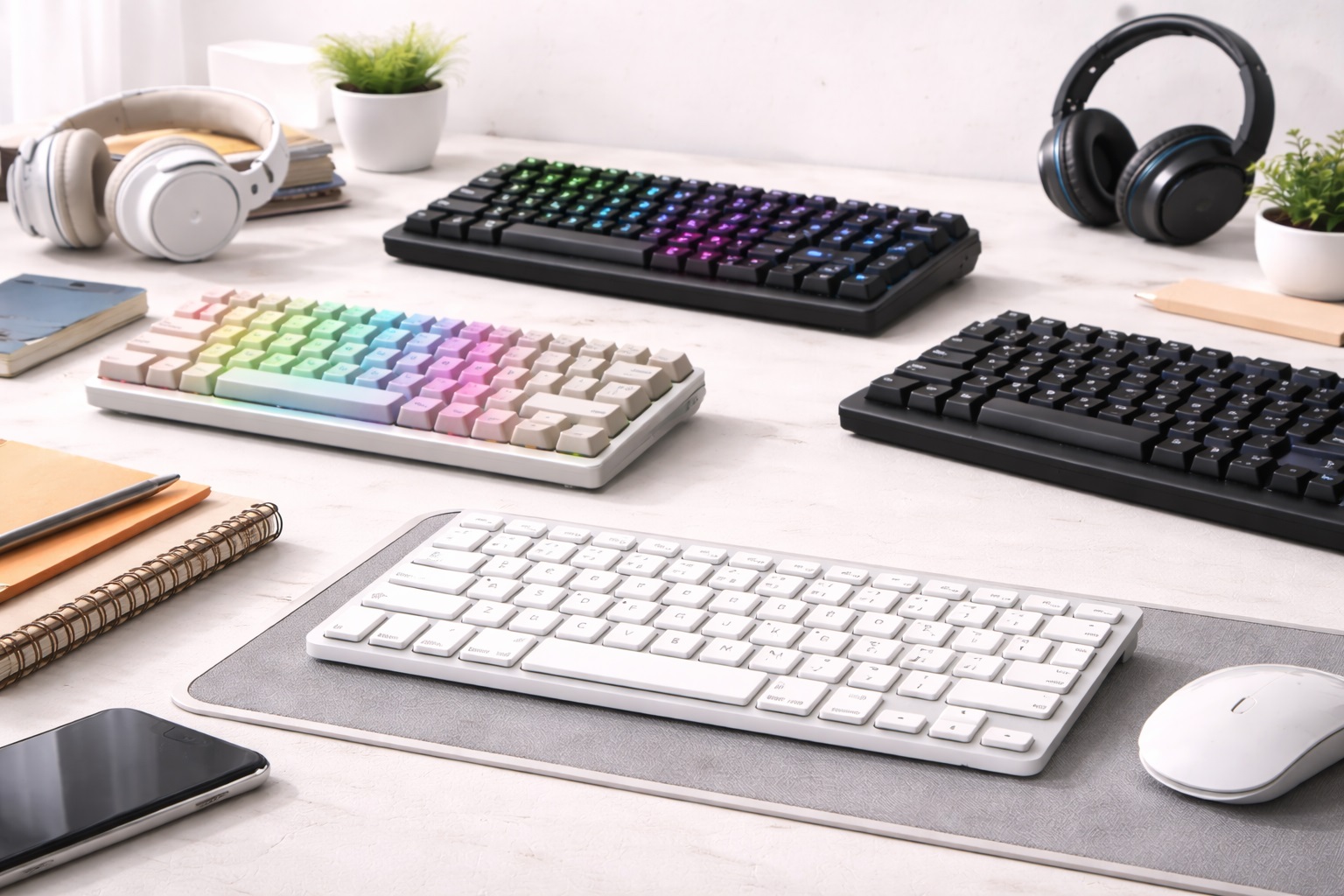
| Wireless Mechanical | Low — familiar full layout | Tactile, distinct | Moderate to loud | Beginners who plan to type a lot |
| Silent Membrane | Very low — closest to laptop feel | Soft, cushioned | Very quiet | Absolute first-timers, shared spaces |
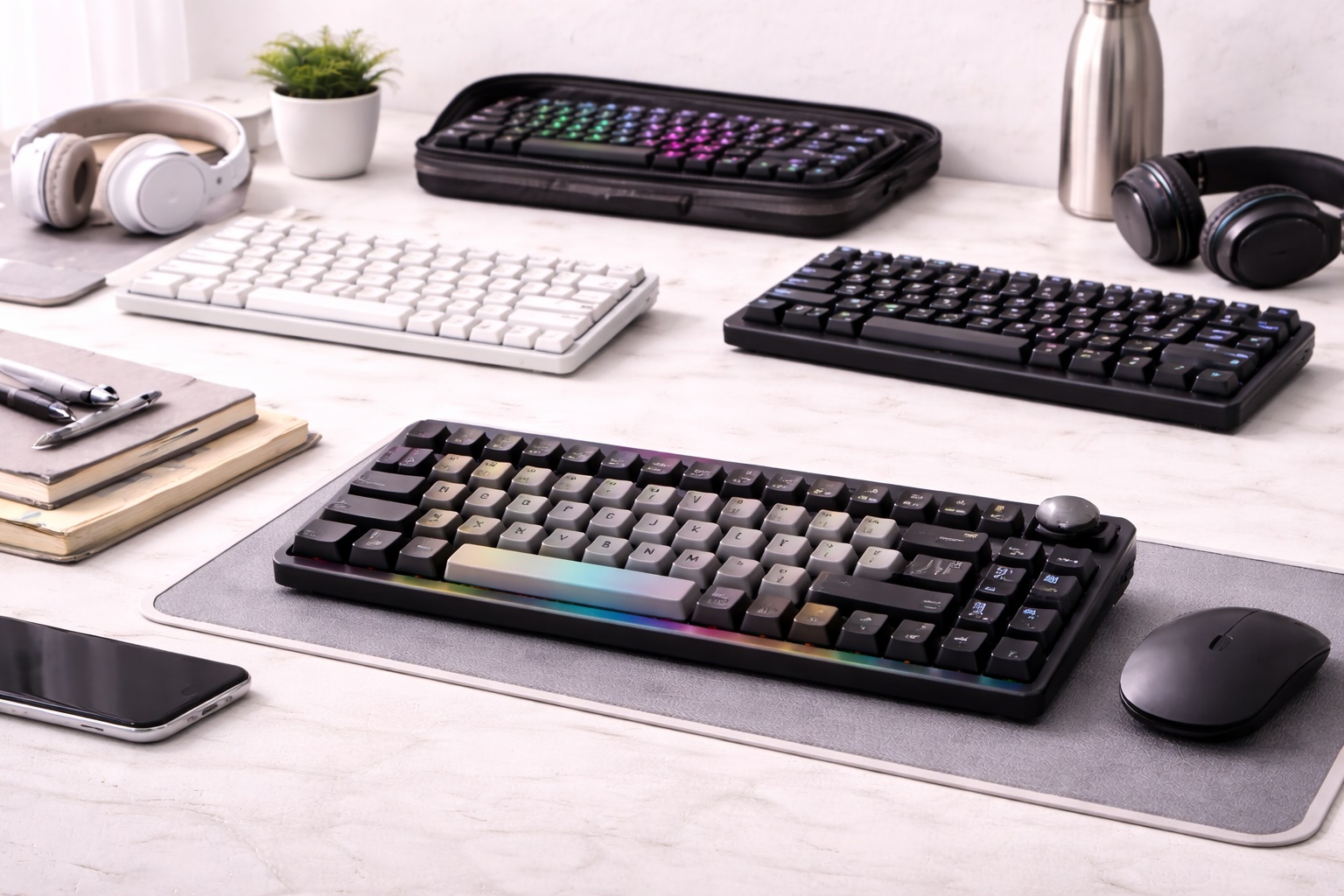
| Compact TKL / 60% | Moderate — missing keys to relearn | Varies by switch | Varies by switch | Beginners tight on desk space |
Top Picks Reviewed (Detailed Reviews)
1. Wireless Mechanical Keyboard – Best Overall for Beginners
A wireless mechanical keyboard is a natural upgrade path for a beginner who wants their first desktop keyboard to feel like a genuine step up from a laptop, rather than a lateral move. Mechanical switches use an individual spring-and-stem mechanism under each key rather than a shared rubber membrane, which is why the keystroke feels more distinct and consistent across the whole board. These switches are typically rated for 50 to 100 million presses, so a first mechanical keyboard is realistically a multi-year purchase rather than something to replace after a year of daily use. Wireless connectivity, usually Bluetooth or a 2.4GHz receiver, removes the cable clutter that can make a first desk setup feel cramped.
For a beginner specifically, the learning curve here is actually low — full-size mechanical keyboards typically keep the complete layout you'd recognize from a laptop, including the number pad, so nothing about the arrangement of keys needs to be relearned. The audible click of the switches is the main adjustment, and it's worth trying a tactile or linear switch rather than a clicky one if you're not sure how much noise your environment can tolerate.
The main downside for a new buyer is price — mechanical keyboards generally cost more upfront than a membrane equivalent — and the sound, which can be a genuine issue in a shared bedroom, apartment, or open living space where a loud clicky switch would stand out.
- Pros:
- Familiar full-size layout with no relearning required
- Noticeably better typing feel than a laptop keyboard
- Long switch lifespan means it can be a first and only keyboard for years
- Wireless connection keeps a first desk setup tidy
- Cons:
- Higher upfront price than a membrane alternative
- Audible typing sound, more noticeable to beginners not used to mechanical switches
Best For: First-time buyers who plan to type frequently and want their first keyboard to last for years.
Why We Recommend It: It gives a new user the biggest, most immediately noticeable upgrade in typing feel over a laptop keyboard, without requiring any layout relearning, which makes it a low-friction way to experience what a dedicated keyboard can do.
If you're genuinely unsure whether you'll type enough to justify the extra cost, it's worth being honest about your habits first — someone who mostly browses and sends short messages won't notice the long-term durability advantage the way someone writing, coding, or studying for hours a day will.
2. Silent Membrane Keyboard – Best for First-Timers on a Budget
Silent membrane keyboards are the gentlest possible introduction to a standalone keyboard. The rubber dome layer underneath each key produces a soft, cushioned keystroke that isn't dramatically different from a laptop's shallow key travel, which makes this the format with the smallest adjustment period of the three. Combined with a lower price point than mechanical alternatives, it's a sensible way for a genuinely first-time buyer to get a larger, more comfortable typing surface without a large financial commitment or a new sound to get used to.
The tradeoff is that a membrane keyboard won't demonstrate the more distinct, tactile feel that mechanical keyboards are known for, and the rubber dome mechanism wears out faster over sustained heavy use than a mechanical switch would. For someone who isn't sure yet how much they'll actually use a desktop keyboard versus a laptop, though, that's a reasonable and low-risk way to start.
This format is also the quietest of the three by a wide margin, which matters if the keyboard will be used in a shared room, a dorm, or anywhere else where new typing noise could be disruptive to someone nearby.
- Pros:
- Smallest adjustment period, closest feel to a laptop keyboard
- Lower cost, low-risk way to try a standalone keyboard
- Very quiet, suitable for shared rooms and shared living spaces
- Lighter and easier to move around a small desk
- Cons:
- Doesn't showcase the tactile feel more experienced users prize
- Shorter lifespan under heavy daily use than a mechanical keyboard
Best For: Absolute first-time buyers, students in shared housing, and anyone easing into a standalone keyboard without wanting to spend much upfront.
Why We Recommend It: It removes both major barriers for a nervous first-time buyer — cost and unfamiliar sound — while still delivering a noticeably roomier and more comfortable typing surface than a laptop.
This is also a sensible choice if you're buying a keyboard for someone else who hasn't asked for anything specific — a gift, a shared family computer, or a first computer for a student — since it's the format least likely to feel jarring or generate complaints about noise from other household members.
3. Compact TKL or 60% Keyboard – Best for Small Desks
Compact keyboards shrink the overall footprint by removing the number pad (TKL) or the number pad, function row, and navigation cluster together (60%). For a beginner setting up a first desk, especially a small one, that reclaimed space can make a noticeable difference in how comfortable the whole setup feels, leaving more room for a mouse, notebook, or a second monitor stand.
The catch is that this is the one format on this list with a genuine relearning curve for a beginner. Losing the number pad means adjusting if you regularly type numbers, and a 60% layout requires learning a secondary key layer to access arrow keys and function keys that used to sit in their own dedicated row. For someone who has never used any dedicated keyboard before, layering a compact-layout learning curve on top of learning to type on a full-travel keyboard for the first time can be more to take on at once than it needs to be.
That said, for a beginner who specifically knows their desk space is tight, or who is setting up a small, minimal workstation from the start, the compact format solves that problem directly rather than working around it later.
- Pros:
- Frees up significant desk space on small setups
- Available in both mechanical and membrane switch types
- More portable if the keyboard needs to move between locations
- Encourages a more centered mouse position
- Cons:
- Missing number pad and navigation keys add a real learning curve for new users
- Function-layer combinations take time to memorize on 60% layouts
Best For: Beginners with limited desk space who are comfortable taking on a short learning curve for long-term convenience.
Why We Recommend It: It's the only format on this list built specifically around a desk-space constraint, and for beginners who already know that's their biggest issue, it solves it directly rather than being an afterthought.
If desk space isn't actually a pressing concern for you, it's worth starting with a full-size layout instead and considering a compact keyboard later as a second purchase, once you have a clearer sense of which keys you actually reach for during a typical day.
Buying Guide: How to Choose the Best Keyboard for Beginners
These factors matter specifically for a first-time buyer, where a wrong feature choice is more likely to go unnoticed until after the return window has closed.
1. Start With Familiarity, Not Features
A first-time buyer benefits more from a layout that resembles what they already know than from a compact or heavily customized keyboard with a steep learning curve. A full-size layout with a number pad is the safest starting point; more specialized layouts are easier to appreciate once you already know what you like about typing on a dedicated keyboard.
2. Switch Type: Mechanical vs. Membrane
Mechanical switches offer more consistent, tactile feedback and a much longer lifespan, but cost more and are louder. Membrane keyboards feel softer and quieter and cost less, but don't last as long under heavy use. Beginners unsure which they'll prefer should lean toward whichever matters more immediately — budget and quiet, or typing feel and longevity.
3. Actuation Force
If you do choose mechanical, actuation force is the amount of pressure needed to register a keystroke. Lighter switches suit faster typing and gaming; medium tactile switches suit general typing; heavier clicky switches give the most feedback but the most noise. As a beginner, a medium tactile switch is generally the safest starting point since it balances feel and noise reasonably well.
4. Layout Size
Full-size keyboards include the number pad and are the most familiar starting point for someone new to standalone keyboards. TKL and 60% layouts save desk space but require learning where missing keys have moved to. Choose based on how much you actually use a number pad rather than assuming you'll adapt easily without trying it.
5. Wireless Connectivity Type
Bluetooth connects without a receiver, which is convenient if your computer has limited USB ports, but can introduce marginally more input lag. A 2.4GHz USB receiver is typically faster and more stable. For a beginner without strong opinions yet, either works fine for everyday typing; the difference matters more for gaming or very fast typing.
6. Keycap Material
ABS keycaps are common on budget keyboards and can develop a shine on frequently used keys over time. PBT keycaps resist this better and feel slightly more textured. This isn't a critical factor for a first keyboard, but it's worth knowing the difference exists if keycap feel matters to you later.
7. Noise Level and Your Living Situation
This is one of the most important factors for a beginner to consider honestly before buying. A loud clicky mechanical keyboard in a shared bedroom, dorm, or open apartment can quickly become a source of friction with people around you. If you're not certain your space can tolerate extra noise, start with a membrane keyboard or a silent linear mechanical switch.
8. Backlighting
Backlit keys help if you type without looking at your hands or work in low light. For beginners still learning where keys are located, backlighting can genuinely help you find your way around the keyboard, especially at night. It's a reasonable nice-to-have rather than a strict requirement.
9. Wrist Comfort
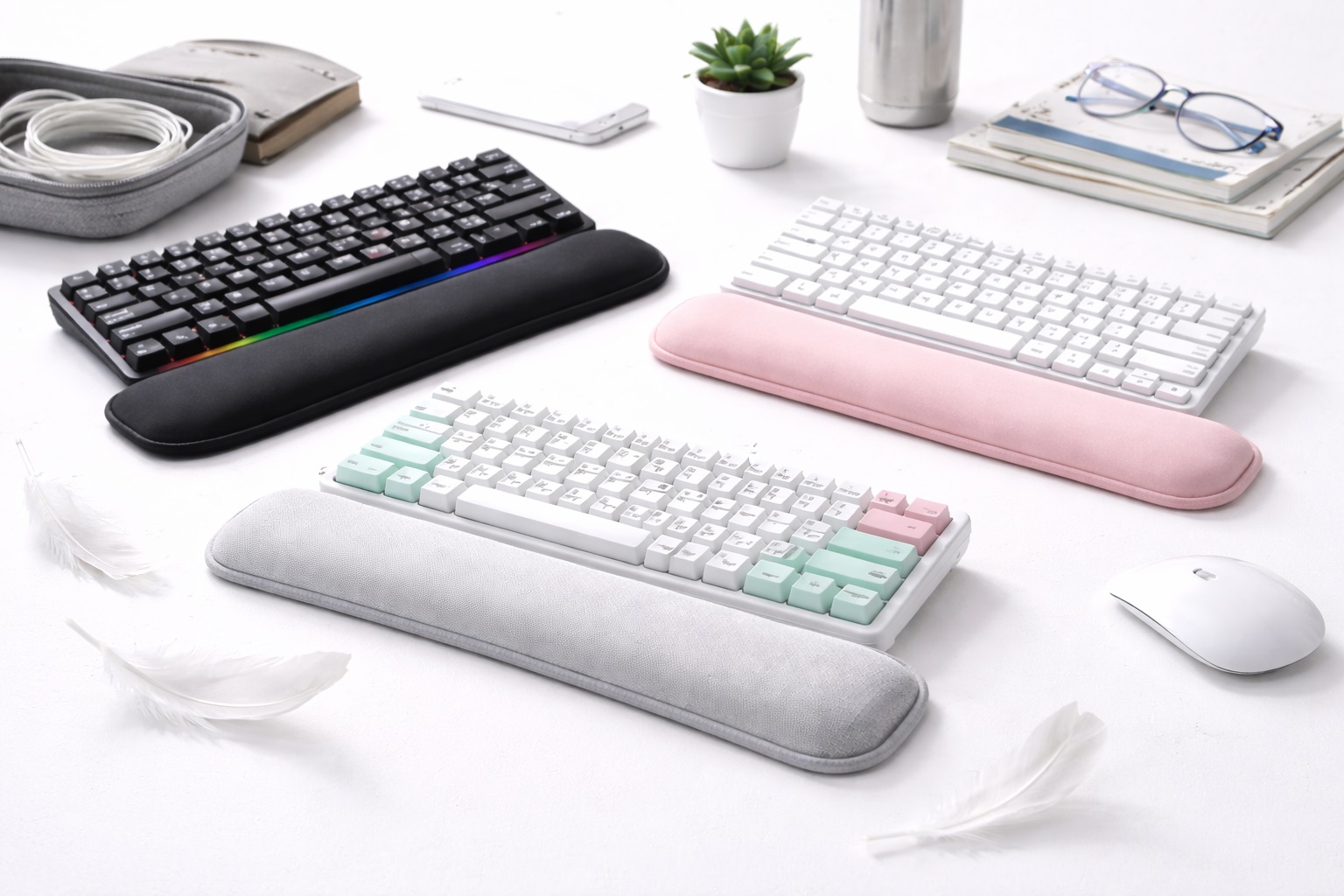
Because desktop keyboards typically have more key travel and height than a laptop keyboard, some new users notice wrist strain in the first few weeks that they didn't experience on a flatter laptop keyboard. A wrist rest, whether built in or purchased separately, can meaningfully ease this transition, and it's worth planning for from the start rather than adding later as an afterthought.
10. Software and Setup Simplicity
Some keyboards require installing software for full functionality, such as remapping keys or adjusting backlighting; others work immediately out of the box with no setup at all. Beginners generally benefit from a plug-and-play keyboard for the first purchase, saving the more customizable, software-dependent options for later once you know what you'd actually want to change.
11. Battery Life on Wireless Models
Wireless keyboard battery life varies from about a week to well over a month depending on the model and whether backlighting is used. For a first keyboard, it's worth knowing upfront roughly how often you'll need to recharge it, so it doesn't catch you off guard mid-task the first time the battery runs low.
12. Return Policy and Trial Period
Typing feel is genuinely hard to judge without weeks of regular use, which is longer than most in-store trials allow. A generous return window matters more for a first keyboard purchase than for a later, more informed one, since you're making a decision with less personal reference experience to draw on.
13. Cable and Port Considerations
If you're using a desktop with limited USB ports, or a laptop that's already using most of its ports for a monitor and other accessories, a Bluetooth keyboard avoids using up a port entirely. If you'd rather not deal with pairing or battery charging at all, a simple wired keyboard removes both concerns, at the cost of one more cable on the desk.
14. Don't Over-Buy on Your First Purchase
It's tempting as a beginner to research extensively and end up choosing the most fully-featured keyboard available, with programmable macros, per-key RGB, and hot-swappable switches. Most of these features go unused by a first-time buyer who hasn't yet developed strong preferences. A simpler, well-reviewed keyboard is usually a better first purchase, with a more advanced model reserved for later once you know specifically what you'd use those extra features for.
15. Reading Reviews as a Beginner
Reviews written by enthusiasts often focus on details that won't matter much to a first-time buyer, like precise switch lubrication or minor sound-profile differences between nearly identical switches. As a beginner, it's more useful to look for reviews that mention overall comfort, ease of setup, and whether the keyboard held up well over the first several months, rather than getting caught up in details aimed at more experienced hobbyists.
16. Setting Up Your First Keyboard Correctly
Positioning matters as much as the keyboard itself. Placing the keyboard too far back on the desk forces your shoulders forward, and setting it too high relative to your chair can strain your wrists regardless of how good the keyboard itself is. Spending a few minutes getting the height and distance right when you first set it up can meaningfully improve your experience with any of the three formats covered here.
17. When It Makes Sense to Buy a Second Keyboard Later
Once you've used a first keyboard for a few months, you'll typically have a much clearer sense of whether you want more tactile feedback, a quieter switch, or a more compact layout for a second desk. That later purchase tends to be far more satisfying than the first, simply because it's based on real experience rather than researching specifications without a personal reference point to compare against.
Frequently Asked Questions
1. What's the easiest keyboard type for a total beginner to start with?
A full-size silent membrane keyboard is generally the easiest starting point. It keeps the complete, familiar layout, requires no relearning, and has a keystroke that feels closer to a laptop than a mechanical switch does, which minimizes the number of new things you're adjusting to at once.
2. Do I need a mechanical keyboard as a beginner, or is that overkill?
Not necessarily. Mechanical keyboards offer real long-term benefits in feel and durability, but a membrane keyboard is a perfectly reasonable and lower-cost way to start, especially if you're not yet sure how much you'll actually use a dedicated keyboard versus your laptop.
3. Will switching from a laptop keyboard to a desktop keyboard slow down my typing at first?
Often briefly, yes. The change in key travel, spacing, and feel takes some adjustment, typically resolving within one to two weeks of regular use. Choosing a familiar full-size layout for your first keyboard, rather than a compact one, minimizes this adjustment period.
4. Is a wireless keyboard harder to set up than a wired one for a beginner?
No — most current wireless keyboards pair automatically the first time you turn them on, whether over Bluetooth or a plug-in 2.4GHz receiver. A wired keyboard is arguably even simpler since there's no pairing step at all, which is worth considering if you want the absolute simplest possible setup.
5. How loud are mechanical keyboards really, compared to what I'm used to?
It depends heavily on the switch type. Clicky switches are distinctly louder than a laptop keyboard and noticeable to people nearby. Tactile and linear switches are quieter, and dedicated silent linear switches come close to membrane-keyboard noise levels while keeping some mechanical feel.
6. Should I buy the cheapest keyboard available as a true beginner?
Not necessarily. The cheapest options sometimes cut corners on keycap material, switch consistency, or build quality in ways that affect comfort and durability. A modestly priced but well-reviewed membrane or mechanical keyboard is usually a better first purchase than the absolute lowest-priced option available.
7. How long should my first keyboard last before I need to replace it?
A reasonably well-built keyboard, mechanical or membrane, typically lasts at least a few years with normal use. Mechanical switches in particular are rated for tens of millions of keystrokes, so a first mechanical keyboard can realistically remain your only keyboard for a long time.
8. Can I return my first keyboard if I don't like the way it feels?
Most retailers offer a return window of around 15 to 30 days. Since typing feel takes time to properly judge, it's worth using a meaningful portion of that window for regular typing before deciding, rather than judging after just a few minutes.
9. What keyboard is best for a beginner moving from a laptop to a desktop setup specifically?
A full-size wireless keyboard, either mechanical or membrane depending on budget and noise tolerance, is generally the smoothest transition, since it keeps the layout familiar while adding the improved key travel and comfort of a dedicated keyboard.
10. Does the brand matter for a first keyboard purchase?
Established brands tend to offer more consistent quality control and more reliable customer support, which can matter more for a first-time buyer who isn't yet sure what to look for in build quality. That said, well-reviewed newer brands can also be a reasonable choice.
11. Do beginners need a wrist rest right away?
Not necessarily from day one, but it's worth watching for wrist discomfort during the first couple of weeks of using a taller desktop keyboard for the first time. If discomfort appears, adding a wrist rest early is a simple, low-cost fix.
12. Is it normal to feel like typing is harder at first on a new keyboard?
Yes, this is a common experience for first-time buyers and typically fades within one to two weeks of regular use as your fingers adjust to the new key travel, spacing, and feedback. Sticking with a familiar full-size layout tends to shorten this adjustment period.
13. Do I need to buy a mouse pad or wrist rest at the same time as my first keyboard?
Not necessarily right away. It's reasonable to start with just the keyboard and add a wrist rest later if you notice discomfort during the first couple of weeks. Buying everything at once isn't required, and it's often easier to identify what you actually need after some real typing experience.
14. What should I avoid on my very first keyboard purchase?
Avoid an unfamiliar compact layout, an unusually heavy clicky switch in a noise-sensitive environment, and a fully software-dependent keyboard that requires setup before it works at all. Any of these can add friction to what should be a straightforward first purchase.
15. Can I upgrade parts of my first keyboard later instead of replacing the whole thing?
On many mechanical keyboards, yes — keycaps and sometimes switches themselves can be replaced or upgraded later without buying an entirely new keyboard, provided the model uses standard, common components. This makes a solid but simple first mechanical keyboard a reasonable long-term base to build on.
Final Verdict
- Best Overall for Beginners: Wireless Mechanical Keyboard – the strongest long-term typing upgrade with a familiar layout.
- Best for First-Timers on a Budget: Silent Membrane Keyboard – the lowest-friction, lowest-cost way to start.
- Best for Small Desks: Compact TKL or 60% Keyboard – reclaims desk space at the cost of a short learning curve.
- Best Starting Point If Unsure: A full-size layout in either mechanical or membrane form, since it removes the relearning curve entirely and lets you focus on judging typing feel alone.
There isn't a single right answer for a first keyboard — there's a right answer for your specific budget, living situation, and how much desk space you're working with. A beginner who wants the smoothest possible transition from a laptop should lean toward a familiar full-size layout, whether mechanical or membrane, and save more specialized formats for a second purchase once they know what they actually prefer. It's also worth remembering that a first keyboard doesn't need to be a permanent decision — plenty of people buy a modest starting keyboard, learn what they like and dislike about it after a few months of regular use, and make a more informed second purchase from there. Use the comparisons and buying guide above to make that first decision with more confidence than guesswork alone would provide.