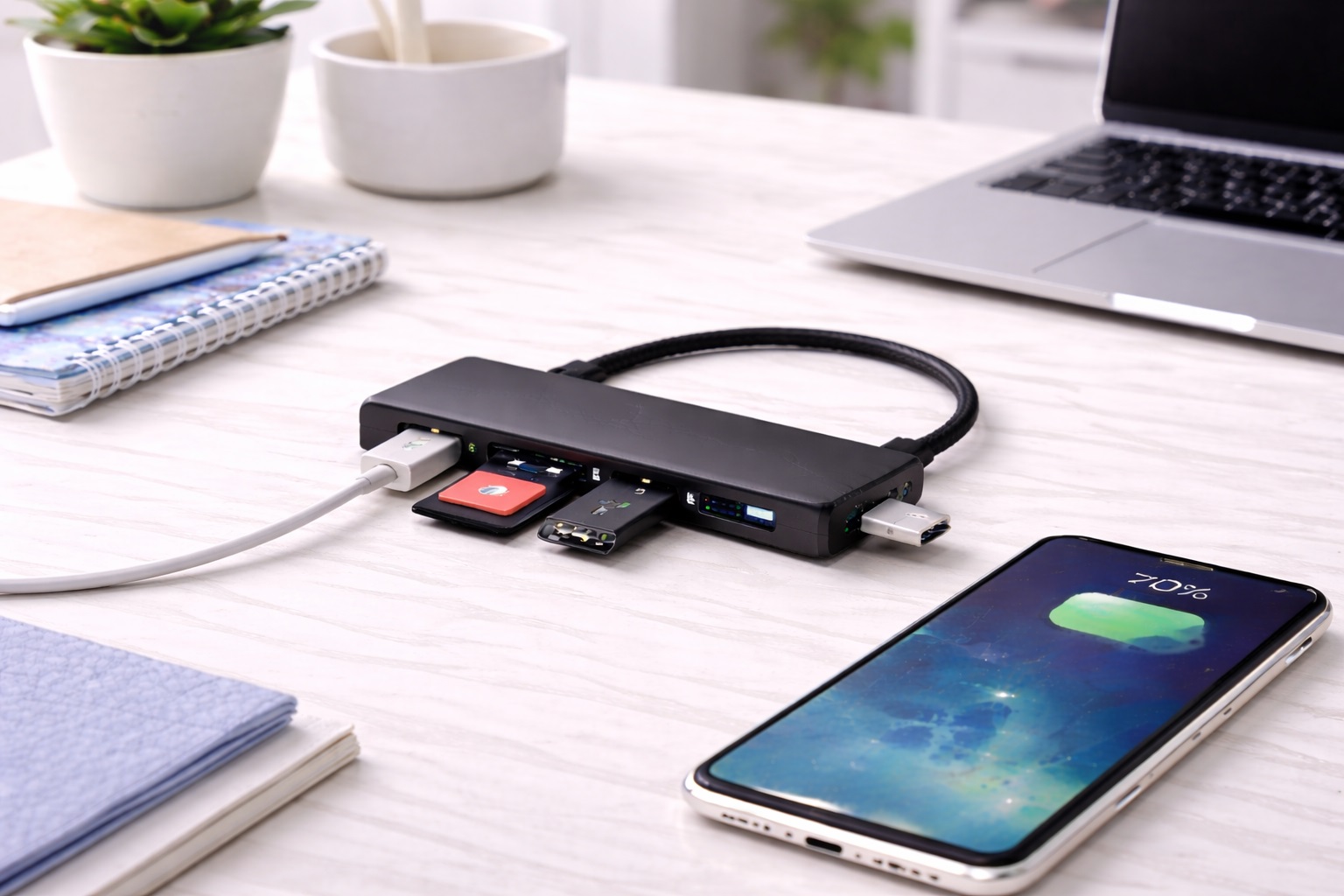
Best Budget USB Hubs: Reliable Port Expansion Under $15
Spending less on a USB hub doesn't have to mean accepting a device that stops working reliably after a few months. The budget category has a reputation problem — plenty of genuinely disposable hubs are sold at rock-bottom prices, and that reputation makes it easy to assume every inexpensive hub belongs in the same pile. In reality, there's a meaningful difference between a hub that's cheap because it cuts corners on the internal components that actually matter, and one that's inexpensive because it skips features most everyday users never needed in the first place. Learning to tell those two apart is really the whole skill involved in shopping this category well, and it's a skill that transfers directly to other small electronics purchases beyond just USB hubs. This guide is written to help tell those two categories apart before money changes hands rather than after a disappointing delivery.
The honest starting point is that a budget hub will never match a premium model feature for feature, and that's fine — the goal isn't to find a secretly premium product at a discount price, it's to find the best possible reliability and usefulness within a genuinely modest budget. For someone who just needs a couple of extra ports for a mouse, a keyboard, and a flash drive, an expensive hub with HDMI output and fast charging passthrough is money spent on capability that will likely never get used. That money is far better allocated toward whatever the computer is actually used for, whether that's better peripherals, storage, or simply keeping the overall setup cost down.
The three options below were chosen specifically because they deliver dependable everyday performance without the corner-cutting that leads to early failure — loose connections, inconsistent recognition of devices, or a housing that cracks within weeks of normal handling. None of the three options below are exotic or hard to find — they're widely available, commonly reviewed products that simply meet a slightly higher bar for the specific things that determine whether a cheap hub becomes a reliable everyday tool or an early source of frustration.
It's also worth setting expectations about what "budget" means in this specific category. A quality basic hub at a low price point still uses a real USB controller chip, standard-gauge internal wiring, and a housing that can survive being plugged and unplugged hundreds of times. None of that requires a high price — it just requires a manufacturer that hasn't cut those specific corners to reach an unrealistically low price point. The corners that get cut in the cheapest possible hubs are usually the electrical shielding, the strain relief where the cable meets the housing, and quality control consistency across units — all things that show up as reliability problems over months of use rather than defects visible on day one.
There's also a practical reason budget hubs deserve a careful look rather than a dismissive one: they're one of the few computer accessories where the gap between the cheapest and the mid-range option is often just a few dollars, yet the reliability difference can be substantial. That's a very different situation from categories like laptops or monitors, where spending more reliably buys meaningfully more performance. In the humble USB hub category, a well-chosen five-dollar hub can genuinely outlast a poorly-chosen fifteen-dollar one, which is exactly why the selection criteria matter more than the raw price tag.
Top Picks Reviewed
1. Basic 4-Port USB 3.0 Hub – Best Overall Value
A simple four-port USB 3.0 hub with no extra features represents the most reliable category of budget hub available. USB 3.0 support means data transfers at up to 5 Gbps, which comfortably covers external drives, flash drives, and any standard peripheral without the bottleneck that plagues the cheapest USB 2.0-only alternatives. The lack of extra features — no HDMI, no card reader, no PD passthrough — isn't a downside here; it's the reason the hub can be built reliably at a low price, since there are simply fewer components that could fail. Manufacturers that specialize in this exact category have refined the basic design over many product generations, and the internal parts — the controller chip, the port contacts, the cable gauge — are largely standardized across brands at this level, which is part of why quality here has improved noticeably compared to budget hubs from several years ago.
- Pros:
- USB 3.0 speed avoids the bottleneck of budget USB 2.0 hubs
- Fewer components means fewer potential failure points
- Widely available from multiple manufacturers at similar price points
- Easy to find a direct replacement quickly if one is ever lost or damaged
- Straightforward plug-and-play setup with no learning curve
- Cons:
- No video output or fast charging capability
- Build quality varies more between brands than in premium categories
Best For: Everyday users who need basic port expansion for a mouse, keyboard, and occasional flash drive without paying for capability they won't use. This includes students, home office setups on a tight budget, and secondary computers used occasionally rather than as a primary daily machine.
Why We Recommend It: This is the category's honest workhorse. It doesn't pretend to be more than a simple, reliable port expander, and for the vast majority of everyday computing tasks, that's genuinely all that's needed. The money saved over a feature-rich hub can go toward something that actually gets used, whether that's a better mouse, a second flash drive, or simply keeping the total cost of the desk setup as low as reasonably possible without sacrificing daily reliability.
2. Budget Powered Hub with AC Adapter – Best for Reliable Power
Some budget hubs include a small external power adapter despite their low price, which solves the one real limitation of bus-powered budget hubs: inconsistent power for anything beyond basic peripherals. This style of hub is a better match for anyone connecting an external hard drive or another moderately power-hungry device, since the adapter guarantees consistent power regardless of what the host computer's USB port alone can supply. This matters more than it might initially seem, because a hard drive that intermittently disconnects under load can cause a failed file transfer or, worse, minor data corruption if it happens mid-write, which is a real cost beyond simple inconvenience.
- Pros:
- Consistent power supply independent of the host computer's port
- Supports external hard drives more reliably than bus-powered alternatives
- Still available at a genuinely budget-friendly price point
- Reduces the chance of devices disconnecting under higher power draw
- Suitable for slightly more demanding daily workflows than basic bus-powered hubs
- Cons:
- Requires a wall outlet and adds one more cable to manage
- Adapter quality varies and is a common point of budget cost-cutting
Best For: Budget-conscious users who need to connect an external hard drive or similar moderately power-hungry device and want to avoid the connection drops common with bus-powered budget hubs under load. This also suits anyone running a small home server or backup setup on a modest budget where consistent uptime matters more than the price of the hub itself.
Why We Recommend It: The included power adapter addresses the single most common budget-hub complaint — devices disconnecting or failing to be recognized under load. For a small increase over the most basic hub price, this option solves that problem directly, and it's a worthwhile upgrade specifically for anyone who has already experienced that frustration with a bus-powered budget hub and wants a straightforward fix rather than a full switch to a premium product.
3. Budget Hub from an Established Peripheral Brand – Best for Warranty Confidence
Several well-known peripheral manufacturers sell entry-level hubs at prices competitive with generic alternatives, backed by a real warranty and established customer service. Choosing this option over an unfamiliar brand at a similar price trades a small premium — often just a dollar or two — for meaningfully better recourse if something goes wrong. That established brand also has a reputation across its entire catalog to protect, which creates a genuine incentive to maintain consistent quality control even on its cheapest products, unlike a generic seller with no ongoing brand identity at stake.
- Pros:
- Backed by a recognizable brand's warranty and support
- More consistent quality control than unfamiliar generic brands
- Easier to find replacement parts or matching accessories later
- Often only marginally more expensive than generic alternatives
- Product listings tend to be more accurate and detailed than generic competitors
- Cons:
- Slightly higher price than the cheapest generic options
- Feature set is still basic, matching other budget hubs in this category
Best For: Buyers who want the reassurance of a known brand's warranty and support without paying premium prices for extra features they don't need. This is a sensible default for anyone who simply prefers to shop from brands they already recognize rather than researching an unfamiliar generic seller from scratch each time a small accessory purchase comes up.
Why We Recommend It: A small price difference over the cheapest generic hub buys real protection if the unit fails early. For a device that will likely be used daily for years, that modest premium is a reasonable trade for peace of mind, and it removes a small but persistent source of purchase anxiety that comes with buying from a completely unfamiliar seller.
Buying Guide: How to Choose the Best Budget USB Hub
These factors focus specifically on finding genuine reliability within a limited budget, rather than chasing the absolute lowest price available.
| Signal | What It Suggests |
|---|---|
| USB 3.0 or higher rating stated clearly | Real data speed capability, not just a USB 2.0 hub relabeled |
| Consistent recent reviews mentioning reliability | Manufacturing consistency across production batches |
| Warranty of at least 90 days to a year | Manufacturer confidence in the product's build quality |
1. Confirm the Actual USB Standard
Some budget listings advertise "USB hub" without clearly stating the standard, which sometimes indicates an older USB 2.0 design being sold at a price close to true USB 3.0 alternatives. Always confirm the specific standard — USB 3.0, 3.1, or 3.2 — before purchasing, since the price difference between standards is often minimal while the performance difference is substantial for anything beyond basic peripherals, particularly for anyone regularly moving large files to or from an external drive. If the listing doesn't state a standard at all, that omission is itself worth treating as a caution sign rather than assuming the best case.
2. Read Reviews for Reliability Over Time
Star ratings alone don't tell the full story on budget products, where quality control can vary between production batches. Reading recent reviews that specifically mention months of continued use, rather than only unboxing impressions, gives a more accurate picture of whether a specific listing's current batch is holding up well, since manufacturing quality on budget products can shift between production runs even when the listing itself hasn't changed. A listing with mostly five-star reviews from the first week after release but few recent ones deserves a slightly more skeptical read.
3. Check for a Real Warranty
Even at a low price, a legitimate manufacturer should offer some warranty period — 90 days at minimum, ideally a full year. A listing with no stated warranty at all is a meaningful red flag, since it suggests the seller has no confidence in the product's durability or no real intention of honoring support claims. A stated warranty period is one of the easiest things to verify before purchase, usually printed directly on the product page or in the listing's specifications section, and it costs nothing to check while comparing otherwise similar options. Checking the warranty terms before purchase, rather than after a failure, avoids an unpleasant surprise later.
4. Bus-Powered Is Usually Sufficient
For most everyday budget use — a mouse, keyboard, and occasional flash drive — a bus-powered hub works perfectly well and avoids the added cost and cable of a powered adapter. Reserve the powered option specifically for external hard drives or other devices known to need more consistent power, since paying extra for power delivery you don't need adds cost without adding value. A quick mental inventory of what actually gets plugged in on a typical day is usually enough to settle this question confidently, without needing to overthink a decision that, for most people, has a fairly obvious answer once it's framed this way.
5. Don't Pay for Unused Features
Budget hubs with HDMI output or card readers cost more than basic data-only hubs. If you won't actually use those features, a simpler hub delivers better value per dollar spent, since every added feature is also another component that could eventually fail. Sticking to exactly what you need is often the single best value decision in this entire category, and it's a decision that becomes easier once you've tracked your actual daily usage rather than guessing at hypothetical future needs that may never materialize in practice.
6. Physical Build Quality Signals
Even in budget listing photos, look for a housing that appears solid rather than visibly thin or flexible plastic, and a cable with reasonable strain relief where it meets the connector. These small details often distinguish a hub that lasts years from one that fails within months, and they're usually visible in close-up product photos if you look for them specifically, particularly around the seam where the cable exits the housing, which is the single most common failure point on inexpensive hubs subjected to regular handling.
7. Realistic Lifespan Expectations
A well-chosen budget hub typically lasts two to four years with regular use, which is a reasonable lifespan relative to its low cost. Setting this expectation upfront avoids disappointment if a genuinely budget product doesn't match the decade-long lifespan of a premium alternative, since that comparison was never really the point of buying a budget option in the first place — the goal was always dependable value at a low price, not maximum lifespan regardless of cost.
8. Buy From Established Retailers
Purchasing from a retailer with clear return policies and buyer protection reduces the risk of a defective or misrepresented budget product becoming a total loss. This matters more in the budget category, where quality control is less consistent than among premium brands, and a straightforward return path is the practical safety net for that inconsistency, especially given that the low price point makes it tempting for some sellers to be less responsive to post-purchase problems than they would be on a higher-margin item.
9. Compare Price Per Port, Not Just Total Price
A four-port hub at a slightly higher price can offer better value than a seven-port hub at a lower price if you'll only ever use four of those ports. Match the port count to your actual needs before comparing prices across different hubs, since unused ports don't add value no matter how low the price per port looks on paper, and a smaller hub is also typically the more compact, less obtrusive option on a crowded desk.
10. Watch for Misleading Speed Claims
Some budget listings advertise data speeds that reflect theoretical maximums rather than realistic sustained transfer rates. Reviews that mention actual file transfer times for specific file sizes are more useful than the manufacturer's headline speed claim alone, and a few such reviews are usually enough to confirm whether the advertised speed holds up in practice, rather than reflecting a best-case laboratory condition unlikely to be replicated in ordinary daily use.
11. Check Cable Length Before Ordering
Budget hubs sometimes include unusually short cables to reduce material costs. If cable length matters for your desk setup, check the stated length specifically rather than assuming it matches a standard length across all similar-looking products, since this detail varies more than shoppers typically expect between otherwise similar budget listings, and an unexpectedly short cable is one of the more common minor disappointments reported in reviews.
12. Accept Modest Cosmetic Compromises
Budget hubs may use simpler plastic finishes or less refined design compared to premium alternatives. If the internal components and connections are solid, cosmetic simplicity is a reasonable trade-off for a lower price and shouldn't be treated as a sign of poor overall quality, since appearance and reliability are only loosely related in this category, and a plain-looking hub that works flawlessly for years is a better purchase than an attractive one that fails within months.
Frequently Asked Questions
1. Are budget USB hubs reliable enough for daily use?
Yes, provided you choose one with a stated USB 3.0 standard, a real warranty, and recent reviews confirming consistent quality. The unreliable budget hubs are typically ones with no clear standard listed, no warranty, and few or inconsistent reviews — all identifiable before purchase with a bit of attention, which is really the whole point of shopping carefully in this category rather than buying the very first listing that appears without any comparison at all.
2. What's the realistic lifespan of a budget USB hub?
Two to four years of regular use is a reasonable expectation for a well-chosen budget hub. This is shorter than premium alternatives but reasonable relative to the price difference, and it's a fair trade for most everyday users who don't need years of daily heavy use from a low-cost accessory that was never marketed as a lifetime purchase to begin with.
3. Is USB 2.0 ever an acceptable choice on a budget?
Only for genuinely low-bandwidth peripherals like a basic mouse or keyboard. For anything involving file transfers — flash drives, external storage, card readers — USB 3.0 is worth the small price difference for meaningfully faster and more consistent performance, and the price gap between the two standards has narrowed enough that there's rarely a good reason to choose USB 2.0 deliberately.
4. Why do some budget hubs fail faster than others at similar prices?
Quality control consistency varies significantly among budget manufacturers, even at similar price points. This is why recent reviews mentioning specific months of use matter more for budget products than for premium ones with more consistent manufacturing standards, since two units from the same listing can sometimes perform quite differently depending on the production batch, which is simply a reality of manufacturing at very low price points and not something a shopper can fully avoid, only manage through careful review reading.
5. Should I buy a powered or bus-powered budget hub?
Bus-powered is sufficient and cheaper for basic peripherals. Only choose a powered budget hub if you specifically need to connect an external hard drive or another device known to require more consistent power than a host USB port alone can reliably supply, since the extra cable and cost aren't worth it otherwise for peripherals that draw very little power in the first place.
6. Does a warranty matter on an inexpensive purchase?
Yes. A stated warranty, even a short one, signals that the manufacturer has some confidence in the product and a defined process for handling failures. The absence of any warranty is one of the clearest red flags in the budget hub category, regardless of how positive the existing reviews happen to look, since reviews reflect other buyers' experiences rather than a guarantee about the specific unit you'll receive.
7. Is the most expensive budget USB hub always the best?
Not always. Among budget options specifically, a mid-priced choice with a clear USB standard and warranty often outperforms both the very cheapest option and unnecessarily feature-rich alternatives that cost more without adding real reliability to the parts of the hub that actually matter day to day, such as connection stability and cable durability rather than an unused HDMI port.
8. How long should a quality budget USB hub last?
A well-chosen budget hub from a reputable manufacturer typically lasts two to four years with reasonable care, which is a fair outcome relative to its low purchase price and modest expectations set from the start of the purchase decision.
9. Can I return a budget USB hub if it doesn't work as expected?
Most retailers offer fifteen to thirty day return windows even on budget purchases. Keep the original packaging during your evaluation period and test the hub with your actual devices before that window closes, since a budget price doesn't mean a lesser right to a working product, and reputable retailers generally honor these policies without friction for straightforward, well-documented cases.
10. What should I prioritize when buying a budget USB hub?
Confirm the USB standard, check for a real warranty, and read recent reviews for reliability over months of use rather than just first impressions. These three checks eliminate most of the risk in budget purchases and take only a few extra minutes before checkout, time that's well spent given how much it reduces the chance of an early failure.
11. Does brand name matter for a budget USB hub?
Yes, more than in many other categories. An established brand's budget line typically has better quality control and support than a completely unknown generic seller, even at a similar price point, since the brand has a reputation across its whole product range to protect, unlike a one-off generic listing with no ongoing name to defend.
12. Can a budget hub handle an external SSD reliably?
A USB 3.0 or faster budget hub can handle an external SSD for everyday file transfers, though very demanding, sustained high-speed transfers may perform better on a hub built specifically around faster USB standards. For typical file transfer needs, a solid budget hub is adequate, and the difference only becomes noticeable during unusually large or frequent transfers involving many gigabytes at once.
Final Verdict
- Best Overall Value: Basic 4-Port USB 3.0 Hub — reliable everyday port expansion without unnecessary features.
- Best for Reliable Power: Budget Powered Hub with AC Adapter — solves connection drops for power-hungry devices at a low price.
- Best for Warranty Confidence: Budget Hub from an Established Peripheral Brand — real support and consistency for a modest premium.
A limited budget doesn't have to mean gambling on reliability. The three picks above represent genuinely dependable choices within a low price range, each suited to a slightly different everyday need. Checking the USB standard, the warranty, and recent reviews before buying resolves the large majority of budget-hub disappointments, leaving a purchase that quietly does its job for years rather than becoming a frustrating replacement cycle. None of these checks require technical expertise or significant extra time — they're simply a matter of reading a little more carefully than a quick, price-only comparison encourages, and that small extra effort is what separates a genuinely good budget purchase from a false economy that ends up costing more in the long run through repeated replacements and lost time.