Best Travel Monitor Stands for Remote Workers On the Go
Working from a hotel desk, a coworking booth, or a coffee shop table usually means staring down at a laptop screen positioned several inches too low. A travel monitor stand solves that problem without adding real weight to a bag or requiring any tools to set up. The right stand lifts a laptop or a slim portable monitor to a comfortable eye-level height in seconds, then folds back down to something that slides into a laptop sleeve or a side pocket.
Not every travel stand is built the same way. Some fold flat like a book and rely on friction hinges to hold a laptop at a fixed angle. Others use telescoping tripod-style legs that adjust across a wider height range, which matters if a desk is unusually low or if the stand needs to double as a standing-height riser. A separate category pairs with a lightweight USB-C portable monitor rather than the laptop itself, letting a nomad build a genuine dual-screen setup that packs down into a laptop bag.
Because these stands are used in unpredictable places — uneven café tables, small hotel desks, shared coworking surfaces — stability and folded size end up mattering as much as height range. A stand that wobbles on a slightly uneven surface undermines the entire point of carrying one. This guide walks through the most practical stand types for remote work travel, what each one does well, and the factors worth checking before adding one to a travel bag.
Price alone rarely tells the whole story with this category. A stand that costs slightly more but folds into a genuinely pocketable shape, or one that trades a lower price for a wider height range, often ends up being the better long-term purchase for a frequent traveler. The goal is not to find the single "best" stand in the abstract, but the one that matches how often it will be packed, unpacked, and set up on a table that was never designed for a proper workstation.
It also helps to think about the stand as part of a small travel workstation rather than an isolated accessory. Many remote workers pair a folding stand with a compact external keyboard, a portable mouse, and occasionally a slim second monitor. Considering the whole setup, rather than the stand in isolation, makes it easier to judge whether a lighter, simpler stand is sufficient or whether a more capable tripod or dual-device design earns its extra weight and bulk.
Top 4 Travel Monitor Stands (Detailed Reviews)
Each of the four styles below covers a distinct travel need rather than competing head-to-head for the same role. Reading through all four before deciding is worth the extra few minutes, since the "best" pick in this category depends heavily on packing habits, the device being raised, and how much desk-height variability a particular travel routine involves.
1. Foldable Aluminum Laptop Stand – Best Overall for Travel
A foldable aluminum laptop stand uses a hinged, collapsible frame that opens into a raised platform and folds flat for packing. Aluminum construction keeps the stand light while still supporting the weight of most laptops without flexing. Ventilated slots or an open frame design let air circulate under the laptop, which helps during longer working sessions when the machine is running warm. Most designs in this category use two or three folding sections connected by metal hinges, so the stand collapses down to roughly the thickness of a notebook when not in use.
The appeal of this style is how little it asks of the person using it. There is no telescoping mechanism to fumble with and no separate base to attach — the frame simply unfolds, locks into one of a few angled notches, and holds the laptop steady. That simplicity is also why this style shows up so often as the default recommendation for someone buying their first travel stand, since it covers the core need — getting the screen closer to eye level — without asking the traveler to learn a new folding pattern or carry extra hardware.
- Pros:
- Folds flat to a slim profile that fits in most laptop bag pockets
- Aluminum build stays light without feeling flimsy
- Open frame improves airflow under the laptop
- Multiple angle settings for typing versus viewing
- Cons:
- Raises the screen but not the keyboard, so an external keyboard is needed for full ergonomic benefit
- Folding hinges can loosen slightly after extended daily use
Best For: Remote workers who want a single lightweight stand that works well on nearly any desk without needing a separate monitor.
Why We Recommend It: The balance of low weight, decent stability, and genuine airflow improvement makes this style the most broadly useful travel stand for people who work from a laptop alone most of the time.
2. Ultra-Compact Book-Fold Stand – Best for Minimal Packing Weight
A book-fold stand collapses into a shape roughly the size of a paperback, using a simple accordion or origami-style folding pattern. There are no separate parts to lose and no adjustable legs to fumble with — the stand opens and locks into one or two fixed height positions. This simplicity is exactly what makes it appealing for anyone who wants to add almost no bulk or weight to a bag.
Because the folding pattern relies on a series of creases rather than hinged joints, this style is often made from a single piece of lightweight material — thin aluminum sheet, dense cardboard-composite, or reinforced plastic — rather than an assembly of separate parts. That single-piece construction is part of why it survives being tossed into a bag alongside cables and chargers without the loose screws or wobbly joints that can develop in more mechanically complex stands over time.
- Pros:
- Among the lightest and smallest travel stand styles available
- No loose parts or extra hardware to track
- Sets up and folds down in seconds
- Low enough profile to slide into a laptop sleeve alongside the laptop itself
- Cons:
- Limited or fixed height positions compared to tripod-style stands
- Less structural rigidity for larger, heavier laptops
Best For: Minimalist packers and frequent flyers who prioritize low weight and small folded size above height adjustability.
Why We Recommend It: When bag space and ounces genuinely matter, this is the style that adds the least while still lifting a laptop screen out of the uncomfortable, too-low default position.
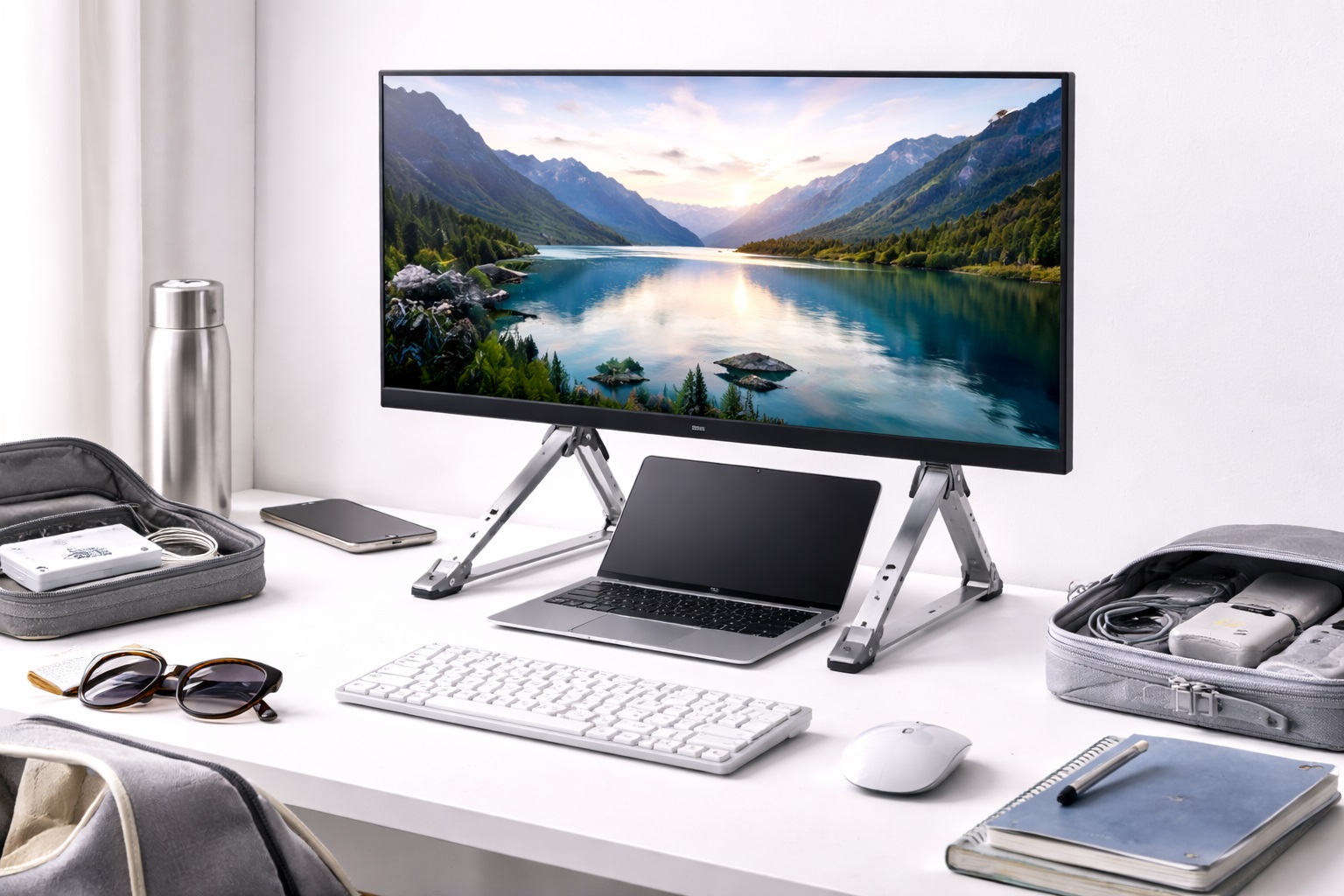
3. Adjustable Tripod Monitor Stand – Best for Height Flexibility
Tripod-style travel stands use telescoping legs, often three or four, that extend to set the platform at a chosen height rather than relying on a small number of fixed folding positions. This design gives the widest height range of any travel stand category, which is useful when working from unusually low coffee shop tables or when a stand needs to reach standing-desk height on a raised surface.
The tradeoff for that flexibility is a slightly larger folded footprint and a setup process that takes a few extra seconds compared to a simple flip-open stand. Each leg typically locks at its extended length with a twist or clip mechanism, so getting an even, level platform means adjusting each leg individually rather than unfolding a single fixed frame. For travelers who value height range over speed of setup, that small extra effort is a reasonable trade.
- Pros:
- Widest height adjustment range of the common travel stand styles
- Telescoping legs adapt to uneven or angled surfaces
- Sturdy footprint reduces wobble compared to single-hinge designs
- Works for both laptops and slim portable monitors
- Cons:
- Larger folded footprint than book-fold or hinge-style stands
- Telescoping legs take slightly longer to set up than a simple flip-open stand
Best For: Remote workers who move between very different desk heights — hotel desks, low coffee tables, and shared coworking surfaces — and want one stand that adapts to all of them.
Why We Recommend It: No other travel stand style matches its height range, and the wider leg stance genuinely improves stability on the uneven or undersized tables that laptop-only travelers frequently encounter.
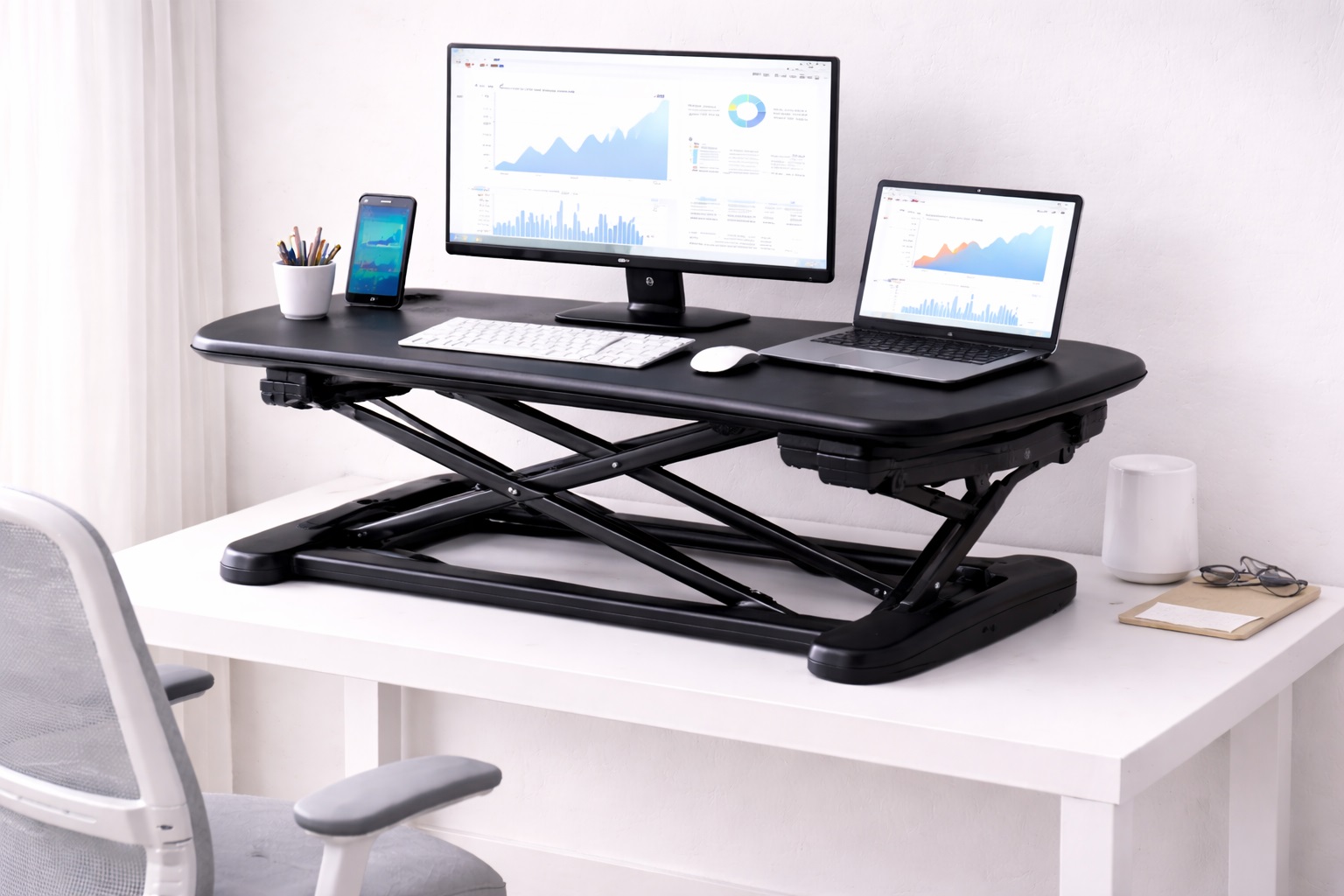
4. Dual-Device Laptop and Monitor Stand – Best for Two-Screen Travel Setups
This style is built to hold a laptop and a slim USB-C portable monitor side by side or in a stacked arrangement, effectively recreating a dual-screen desk setup while traveling. The frame usually includes two mounting or resting sections, one for each device, with independent angle adjustment so both screens can be aimed correctly at eye level.
Because portable monitors are thinner and lighter than a laptop screen, most dual-device frames are designed with the monitor's mounting section built around a lighter-duty bracket than the laptop's resting platform. Some versions stack the monitor above the laptop rather than placing it beside it, which keeps the overall footprint closer to a single-laptop stand while still delivering two working screens. Either arrangement asks for slightly more desk space than a laptop-only stand, so checking available table space is worth doing before committing to this style.
- Pros:
- Enables a genuine two-screen workflow away from a home office
- Independent angle adjustment for each device
- Removes the need for two separate single-device stands
- Folds into one unit rather than two separate accessories
- Cons:
- Heavier and bulkier than single-device travel stands
- Only worthwhile for travelers who already carry a portable monitor
Best For: Digital nomads and remote professionals who already travel with a portable monitor and want a real dual-screen setup rather than a single raised laptop.
Why We Recommend It: For anyone already committed to carrying a second screen, consolidating both devices onto one stand is more practical than juggling two separate stands, and the productivity gain from a true dual-screen setup is significant.
Buying Guide: How to Choose the Best Travel Monitor Stand
The right travel stand depends less on which one has the most features and more on how closely it matches actual travel habits, device choices, and the kinds of surfaces it will be used on. These are the factors worth checking before buying.
1. Portability and Folded Size
Folded dimensions matter more for a travel stand than for a desk-bound one. Check how flat the stand folds and whether it fits into an existing laptop sleeve or bag pocket rather than requiring its own dedicated space. A stand that is technically portable but awkward to pack ends up left at home. It helps to physically compare the folded stand against the bag or sleeve it will travel in before buying, rather than judging portability from listed dimensions alone.
2. Weight
Most travel monitor stands are designed to add minimal weight to a bag, typically ranging from a few ounces for book-fold designs to slightly more for tripod or dual-device styles. Weigh the tradeoff between a lighter stand and one with more height range or stability, based on how often the stand will actually be carried. A stand that feels negligible on a single trip can feel very different after being carried through several days of daily commuting or a long work trip.
3. Compatibility With Your Device
Confirm the stand's platform size and weight rating match the laptop or portable monitor being used. Larger laptops need a wider, more stable base. A stand designed around a specific device size may not sit securely under a much larger or smaller screen. If the plan is to eventually upgrade to a larger laptop, choosing a stand with some margin above current device size avoids needing to replace the stand alongside the laptop.
4. Height Adjustment Range
Fixed-position book-fold stands offer one or two height settings, while tripod-style stands offer a continuous range. Consider the types of desks likely to be encountered — consistently sized office desks need less range than a mix of coffee shop tables, hotel desks, and coworking surfaces. Anyone taller or shorter than average tends to notice height limitations sooner than someone closer to an average seated eye level.
5. Stability on Uneven Surfaces
A wider base or a tripod leg stance generally holds steadier on an uneven or slightly wobbly table than a narrow hinge-style stand. Stability matters more while typing, since keyboard vibration is what most often reveals a stand's weak points. Testing a new stand on a deliberately uneven surface at home before relying on it for a full workday abroad is a reasonable way to catch stability issues early.
6. Build Material
Aluminum and other lightweight metals offer a strong balance of low weight and rigidity, while stands built from dense plastic or fabric-reinforced folding panels tend to be lighter still but slightly less rigid under a heavier laptop. Neither material is universally better — the right choice depends on how much the stand needs to weigh versus how sturdy it needs to feel. Metal hinges generally outlast plastic ones under the repeated folding a travel stand experiences over months of regular use.
7. Ventilation and Cooling
Open-frame or slotted designs allow air to circulate underneath a laptop, which helps during longer sessions when the machine's fans are working harder. Solid, flat platforms trap more heat against the laptop's underside. This matters most for laptops used for demanding tasks rather than basic browsing or document work, since the difference in airflow is far less noticeable during light, low-heat workloads.
8. Ease of Setup
A travel stand should set up and fold away in seconds without extra tools or a learning curve. Test how intuitive the folding mechanism feels — a stand that requires two hands and careful alignment every time becomes a hassle for daily use, even if it performs well once assembled. A stand that can be opened one-handed while holding a coffee or a bag strap tends to get used far more consistently than one that demands full attention to set up.
9. Carrying Case or Sleeve
Some stands include a dedicated pouch or sleeve, which protects the folding hinges from dust and minor damage while also keeping the stand from scratching other items in a bag. A stand without a case can usually still travel safely, but a case adds convenience for daily commuters and frequent flyers alike, and it also makes the stand easier to locate quickly inside a bag that is otherwise full of cables and chargers.
10. Non-Slip Protection
Rubber or silicone pads on the base and the platform prevent the stand from sliding on smooth desks and keep the laptop from sliding on the stand itself. Check for grip pads in both locations, since a stand can be stable on the desk but still let a laptop slip on its own surface. Worn or missing grip pads are one of the more common reasons an otherwise good stand starts to feel unstable after months of use.
11. Price Versus Durability Trade-off
More affordable stands are often adequate for occasional travel, while frequent travelers benefit from investing in sturdier hinges and thicker materials that hold up to repeated folding and unfolding. Hinge fatigue over time is the most common failure point across every style of folding stand, so anyone folding and unfolding a stand daily should weigh build quality more heavily than someone who packs one only a few times a year.
12. Multi-Device Versatility
Consider whether the same stand needs to work with a laptop today and a tablet, phone, or portable monitor later. Stands with adjustable width or multiple resting points offer more flexibility for travelers whose device setup changes between trips, which can save the cost and hassle of buying a second, more specialized stand down the line.
Frequently Asked Questions
1. Do travel monitor stands work with all laptop sizes?
Most travel stands accommodate a range of laptop sizes, generally covering common 11 to 17-inch models, but the exact range varies by design. Check the stand's listed size and weight compatibility against the specific laptop before buying, especially for larger or heavier models, since a platform sized for a compact ultrabook may not sit securely under a larger, heavier gaming or workstation laptop.
2. How much height do these stands typically add?
Height added varies by style. Book-fold stands typically raise a screen a few inches at a fixed angle, while tripod-style stands offer a wider adjustable range that can reach a more significant height when fully extended. The right amount depends on desk height and personal eye level, so it is worth measuring the gap between current screen height and comfortable eye level before choosing a stand.
3. Can a travel monitor stand replace a full ergonomic setup at home?
Travel stands are designed for temporary, on-the-go use rather than as a permanent home office replacement. They solve the immediate problem of screen height on unfamiliar desks, but a dedicated home setup with a proper monitor arm or fixed stand generally offers more stability and adjustment range for daily long-term use. Using a travel stand as a full-time home solution is possible, but it usually means accepting a narrower adjustment range than a dedicated home office product would provide.
4. Do I need an external keyboard when using a laptop stand?
Raising a laptop screen to eye level also raises the built-in keyboard out of a comfortable typing position. Pairing a laptop stand with a compact external keyboard and mouse restores proper wrist and shoulder posture, which is why many travelers pack a small folding keyboard alongside the stand. Skipping the external keyboard is fine for short sessions, but it becomes uncomfortable during a full day of typing at the raised height.
5. Are tripod-style travel stands stable enough for typing?
A well-built tripod-style stand with a wide leg stance is generally stable enough for normal typing, particularly on a solid desk surface. Stability decreases on very uneven or soft surfaces regardless of stand style, so a flat, firm surface always performs best. Extending all legs to the same length and double-checking the platform is level before starting work helps avoid a slight, distracting wobble.
6. Can these stands be used with a portable monitor instead of a laptop?
Many travel stands, particularly tripod and dual-device styles, are designed to support slim USB-C portable monitors as well as laptops. Check the stand's weight rating and platform size against the specific portable monitor being used, since portable monitors vary in thickness and weight, and a stand built primarily around laptop dimensions may not grip a thinner monitor as securely.
7. How do I clean and maintain a folding travel stand?
A soft cloth is generally sufficient for wiping down the frame and pads. Periodically check the folding hinges for looseness, since repeated folding is the most common source of wear. Avoid forcing a stand into a mid-fold position, as this places extra stress on the hinge mechanism, and store the stand fully folded or fully open rather than leaving it partway between the two.
8. Is the most expensive travel monitor stand always the best option?
Not necessarily. Higher-priced stands often use sturdier hinges and better materials, but a mid-range stand that matches actual travel habits and device size is usually a better fit than the priciest option on the shelf. Spending more only pays off when the added durability or height range actually addresses a real limitation in how the stand will be used.
9. How long does a quality travel monitor stand typically last?
A well-built stand from a reputable brand generally holds up for a few years of regular folding and travel use. Checking the warranty terms at purchase is a reasonable way to gauge the manufacturer's own confidence in the build quality, and a longer warranty period is often a useful signal even before reading individual reviews.
10. Can I return a travel monitor stand if it doesn't fit my needs?
Most retailers offer a standard return window, often between two and four weeks. Keeping the original packaging during the trial period preserves the option to return the stand if it doesn't suit a particular laptop, monitor, or travel routine, and testing the stand at home on a few different surfaces before a trip helps catch fit issues while a return is still straightforward.
11. What is the best travel monitor stand for hotel and coworking desk use?
The right choice depends on individual priorities. Travelers who value the lightest possible packed weight tend to prefer book-fold designs, while those who move between very different desk heights benefit more from a tripod-style stand's wider adjustment range. Reviewing the detailed picks above against personal travel habits is a more reliable way to choose than picking whichever option is most popular.
12. Does brand reputation matter when choosing a travel stand?
Established brands generally offer more consistent build quality and more reliable customer support if a hinge or joint fails. Newer or lesser-known brands can still offer good value, so reading verified reviews carefully is worthwhile regardless of brand recognition, particularly reviews that mention long-term use rather than only first-impressions out of the box.
Final Verdict
- Best Overall for Travel: Foldable Aluminum Laptop Stand – the most broadly useful pick for laptop-only travelers who want low weight and decent airflow.
- Best for Minimal Packing Weight: Ultra-Compact Book-Fold Stand – the lightest, smallest option for minimalist packers.
- Best for Height Flexibility: Adjustable Tripod Monitor Stand – the most adaptable choice across inconsistent desk heights.
- Best for Two-Screen Travel Setups: Dual-Device Laptop and Monitor Stand – the right pick for travelers already carrying a portable monitor.
Matching a travel monitor stand to an actual travel routine matters more than chasing the highest-rated option on a list. A laptop-only traveler who mostly works from consistent desk heights gains little from a heavier tripod design, while someone bouncing between hotel desks, coworking tables, and coffee shops benefits from the flexibility that added height range provides. Someone who already travels with a portable monitor is better served by a dual-device frame than by adding a second single-purpose stand to their bag.
None of these categories is objectively superior to the others — each solves a slightly different version of the same underlying problem, which is getting a screen to a comfortable height on a desk that was never set up with ergonomics in mind. Use the comparisons and buying factors above to settle on the stand that actually fits how often it will be packed, what device it needs to support, and where the work actually gets done.