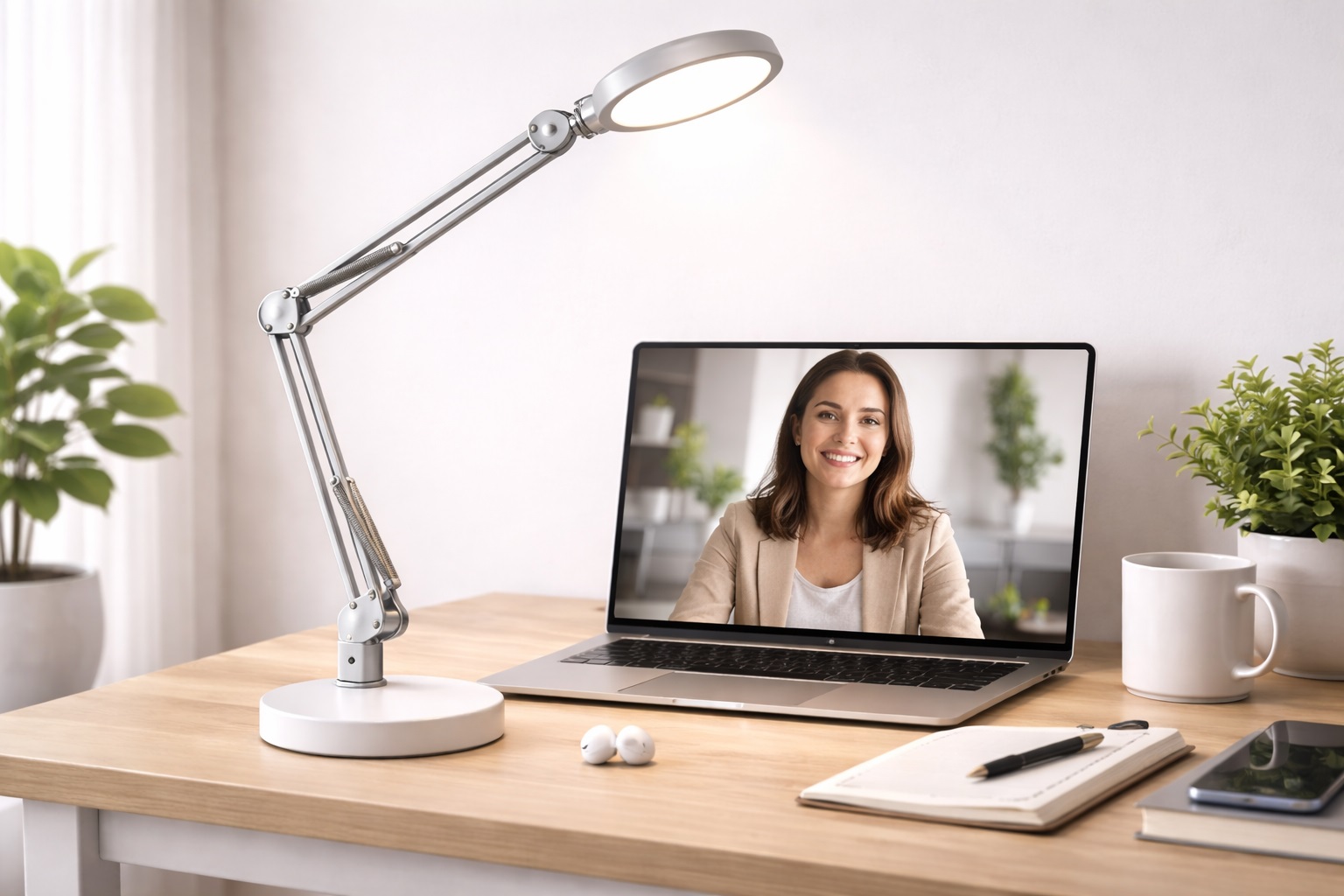
Best Desk Lamps for Video Calls: Flattering On-Camera Light
Most people troubleshoot a bad video call appearance by adjusting their webcam settings or repositioning their laptop, when the actual problem is almost always lighting. A face lit only by an overhead ceiling fixture or a laptop screen tends to look flat, shadowed, or unevenly lit on camera, no matter how good the camera itself is. A dedicated desk lamp built for video calls solves this far more reliably than any software fix.
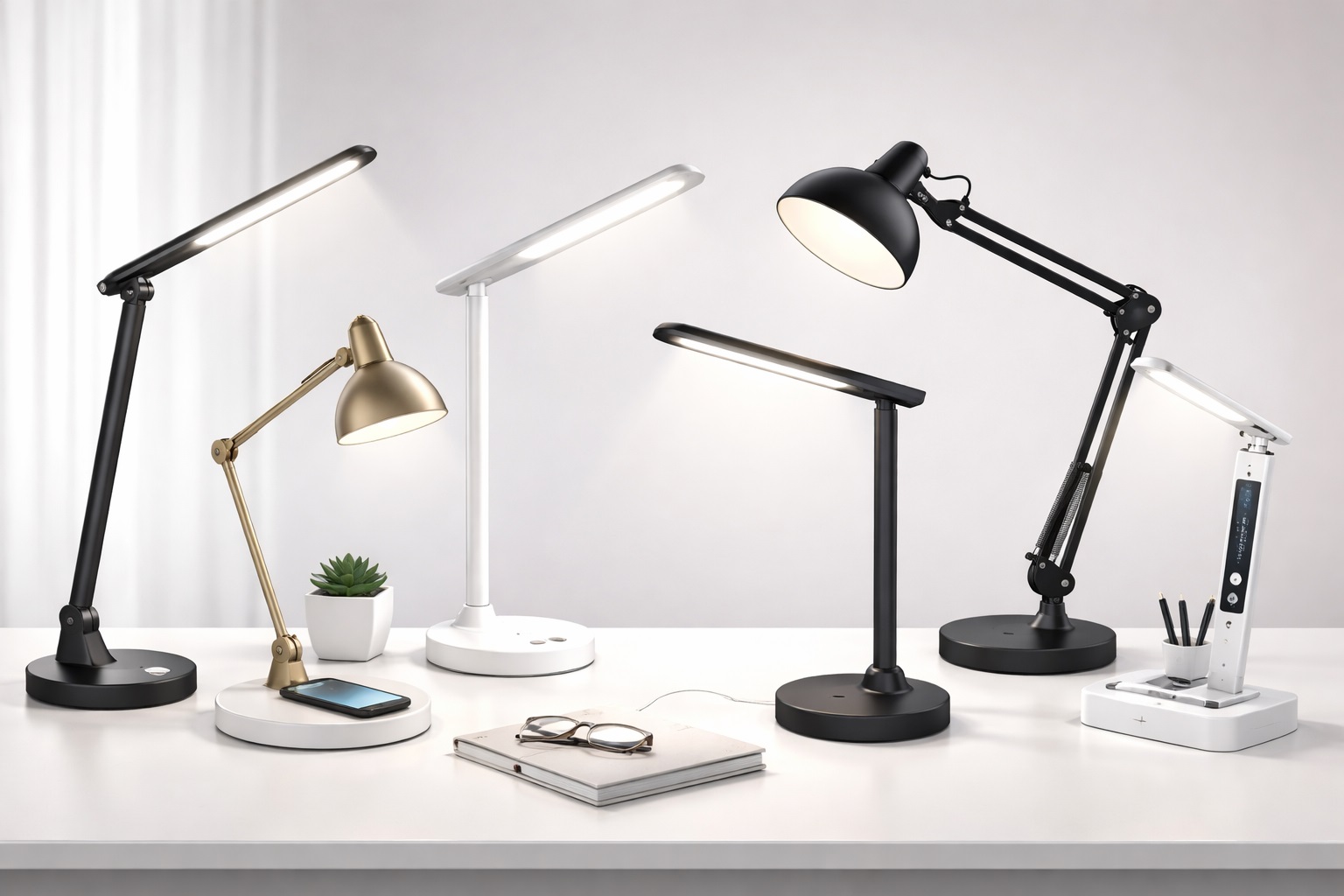
The category has grown well beyond simple ring lights. Softbox-style lamps, adjustable color temperature designs, and small clip-on fill lights all take different approaches to the same underlying goal: even, flattering light on your face without harsh shadows or a washed-out look. Which one works best depends on your room, your existing lighting, and how much control you want over the final look.
This guide walks through the desk lamp styles that consistently improve on-camera appearance for remote workers, along with the specific situations where each one performs best and where its limitations tend to show up.
It's worth noting upfront that no lighting product fixes every issue on its own. Camera angle, background, and even the color of nearby walls all play supporting roles in how you look on a call. But lighting tends to have the largest single impact of any of these factors, which is why it's usually the most effective first upgrade for anyone unhappy with how they currently appear on video.
It's also worth thinking about how often you'll actually rely on this lighting before choosing a style. Someone with back-to-back client calls every day has different priorities than someone with an occasional weekly check-in — the first benefits from a setup that looks consistently good with almost no daily adjustment, while the second can reasonably prioritize price over polish. Keeping that distinction in mind while reading through the categories below makes it easier to avoid overspending on features you won't use often enough to justify them.
Top 6 Desk Lamps for Video Calls (Detailed Reviews)
Each of the six styles below solves a slightly different lighting problem, from an all-in-one solution to filling in a shadow the rest of your setup leaves behind. Reading through all of them helps clarify which specific lighting issue is actually affecting how you look on your own calls.
1. LED Ring Light Desk Lamp – Best For All-Around Even Facial Lighting
A ring light surrounds the camera with a circular light source, producing notably even illumination across the face with minimal shadowing. It's become something of a default choice for video-call lighting because it addresses the most common complaint — uneven or shadowed lighting — directly and consistently.
Beyond the even coverage, most ring lights include a mount or stand designed to sit directly behind or around a webcam, which keeps the light source aligned with your camera angle without extra positioning guesswork. This makes it a reasonably foolproof option for someone who doesn't want to spend much time fine-tuning their setup.
- Pros:
- Produces notably even lighting with minimal shadowing
- Typically includes a stand or mount aligned with webcam positioning
- Simple to set up correctly on the first try
- Widely compatible with most desk and camera arrangements
- Cons:
- Can create a distinctive circular reflection in glasses or eyes
- Larger designs take up noticeable desk space
Best For: Remote workers who want a reliable, foolproof lighting setup without extensive fine-tuning.
Why We Recommend It: It solves the single most common on-camera lighting complaint — unevenness — about as directly as any lighting product can. For someone setting up video lighting for the first time, it's hard to get meaningfully wrong, which is exactly the reassurance most buyers in this category are looking for.
2. Softbox-Style Desk Lamp – Best For Soft, Diffused Light Without Harsh Edges
Borrowed from photography lighting, a softbox-style desk lamp diffuses its light source through a fabric or plastic panel, producing a broader, softer spread of light than a bare bulb or LED panel. This diffusion is particularly effective at minimizing harsh shadows around the nose and under the eyes.
Because the diffusion panel spreads light over a wider area, softbox-style lamps tend to have a larger physical footprint than a ring light or a simple desk lamp. For anyone with the desk space to accommodate it, though, the resulting light quality is often considered more natural and flattering than a direct, undiffused source.
- Pros:
- Diffused light minimizes harsh shadows more effectively than direct sources
- Produces a broader, more natural-looking spread of light
- Reduces the distinctive reflection pattern associated with ring lights
- Well suited to close-up video work where shadow detail matters
- Cons:
- Larger footprint than most other video-call lighting styles
- Can require more careful positioning to avoid casting shadows elsewhere
Best For: Remote workers who want the most natural-looking, shadow-free lighting and have the desk space for a larger fixture.
Why We Recommend It: The diffusion produces noticeably softer, more flattering light than a direct source, which matters most for anyone whose calls are seen up close by clients or senior colleagues. It's the style most likely to be mistaken for professionally shot video rather than a home lighting setup.
3. Adjustable Color Temp Lamp for Calls – Best For Matching Different Rooms and Times of Day
This category lets you shift the light's color temperature between cooler, bluer tones and warmer, more amber tones, which matters more than it might seem for video calls. A lamp that doesn't match the room's existing lighting can create a visible color mismatch on camera, especially as natural light changes throughout the day.
Being able to dial in a temperature that complements your room's other light sources — daylight through a window in the morning, warmer indoor lighting in the evening — helps keep your on-camera appearance consistent regardless of when a call happens to fall.
This matters more than it sounds for anyone whose calendar mixes early meetings with late-afternoon ones, since a lamp fixed to a single temperature can look noticeably different against morning daylight than it does once the room shifts to indoor lighting alone later in the day.
- Pros:
- Adjustable temperature matches varying natural and room lighting
- Helps maintain a consistent on-camera look throughout the day
- Useful for correcting an overly cool or overly warm existing setup
- Flexible enough to suit multiple rooms or lighting conditions
- Cons:
- Extra adjustment options add a small learning curve versus a fixed lamp
- Slightly pricier than single-temperature alternatives
Best For: Remote workers whose calls happen at varying times of day under different natural and artificial lighting.
Why We Recommend It: It solves a subtler but genuinely common problem — inconsistent color temperature between the lamp and the rest of the room — that most fixed-temperature lamps can't address. That flexibility becomes especially valuable once your call schedule spans both morning and evening meetings in the same space.
4. Clip-On Fill Light Lamp – Best For Filling In a Single Shadow Area
Rather than lighting your entire face, a clip-on fill light targets one specific problem area, such as a shadow cast by an overhead light or a window positioned to one side. It clips directly onto a monitor, laptop lid, or desk edge, making it a compact addition to an existing setup rather than a full lighting overhaul.
This category works especially well as a supplement to an already decent lighting setup that just has one persistent shadow or dark spot, rather than as a sole light source for someone with no existing lighting at all.
- Pros:
- Compact and easy to add to an existing lighting setup
- Effectively fills in a specific shadow or dark area
- Clips on without requiring its own base or stand
- Inexpensive relative to a full lighting fixture
- Cons:
- Not sufficient as a sole light source in a dim room
- Smaller light spread than a ring light or softbox design
Best For: Remote workers with an otherwise decent setup who just need to fix one specific shadow or lighting gap.
Why We Recommend It: It's a targeted, low-cost fix for a specific problem, rather than asking you to replace a lighting setup that's already mostly working. Solving one persistent shadow often improves the overall impression of a call far more than its small size would suggest.
5. Budget Video Call Lamp – Best For Basic Improvement Without a Big Investment
Not everyone wants to invest heavily in video-call-specific lighting gear, and this category covers simple, no-frills lamps that still meaningfully improve on-camera appearance compared to relying on ambient room light alone. They typically lack the diffusion or color adjustment of pricier options but still deliver a real improvement over no dedicated lighting at all.
For occasional video callers or anyone testing whether better lighting is even worth the investment, this category offers a reasonable, low-risk entry point before committing to a more specialized fixture.
It also serves as a useful baseline for comparison — trying a budget lamp first makes it much easier to judge, later on, whether a pricier diffused or color-adjustable option is actually delivering a noticeable improvement or just adding cost without a real visible difference.
- Pros:
- Lowest price point among video-call lighting options
- Meaningful improvement over relying on ambient lighting alone
- Simple to set up with no adjustment or configuration needed
- Reasonable way to test whether dedicated lighting is worth pursuing further
- Cons:
- Lacks diffusion or color adjustment found in pricier options
- Less flattering results than more specialized lighting styles
Best For: Occasional video callers who want a basic improvement without a significant investment.
Why We Recommend It: It covers the core need — genuine improvement over ambient lighting — at a price that makes sense for infrequent or budget-conscious use. There's little reason to spend on diffusion or color adjustment features if your calls are occasional rather than a daily occurrence.
6. Natural Daylight Desk Lamp – Best For a True-to-Life, Unedited Look
This category is built around replicating natural daylight's color temperature and quality, aiming for a look that reads as genuine rather than artificially lit. It suits people who want to look like they're sitting in good natural light rather than under an obviously staged video lighting setup.
Because the goal is a natural appearance rather than a dramatic lighting effect, these lamps tend to have simpler designs than ring lights or softboxes, focusing on getting the color temperature and brightness right rather than adding shaping or diffusion features.
- Pros:
- Produces a natural-looking result rather than an obviously staged one
- Simple design without complex diffusion or shaping hardware
- Works well for viewers who prefer an understated on-camera look
- Suitable for both video calls and general desk work
- Cons:
- Less dramatic shadow reduction than diffused lighting styles
- May need supplementing in rooms with little natural light to begin with
Best For: Remote workers who prefer a subtle, natural-looking result over an obviously lit appearance.
Why We Recommend It: It delivers a genuinely natural look that some viewers find more professional and less distracting than a more dramatically lit setup. For anyone self-conscious about looking overly produced on calls, this is often the more comfortable choice.
Across all six categories, the underlying goal is the same — even, flattering light that removes the guesswork from how you appear on camera. The right choice depends less on which lamp is objectively best and more on which specific lighting problem is actually affecting your current setup.
It's also worth remembering that these categories can overlap in a single purchase — some ring lights include adjustable color temperature, and some softbox lamps come with a compact, portable design more typical of budget options. Use the descriptions above to identify which features matter most to you, then look for a specific product that combines them, rather than assuming you must pick exactly one style and nothing else.
Buying Guide: How to Choose the Best Desk Lamp for Video Calls
Beyond the general style, several practical details determine whether a video-call lamp genuinely improves your appearance or just adds another light source to fiddle with. These are the factors worth checking before buying.
1. Color Temperature
Warmer temperatures generally look more flattering on skin tones, while cooler temperatures can look clinical or harsh on camera. Adjustable color temperature offers the most flexibility across different rooms and times of day.
2. Diffusion Quality
A diffused light source produces softer, more even results than a bare bulb or LED panel. Check whether the lamp includes a diffusion panel, frosted cover, or similar feature rather than an exposed light source.
3. Adjustable Angle and Positioning
The ability to angle the lamp precisely relative to your camera and face matters as much as brightness. Look for a flexible arm, tilting head, or adjustable stand rather than a fixed position.
4. Brightness Range
A lamp with only one brightness level can be too dim in a bright room or overpowering in a dim one. Multiple brightness settings let you adapt to different rooms and natural lighting conditions throughout the day.
5. Glare on Glasses and Screens
Direct, undiffused lights positioned too close to the camera can create visible glare on glasses or reflections on a nearby screen. Testing positioning before committing to a permanent setup helps avoid this.
6. Desk Space Requirements
Larger softbox or ring light designs take up meaningful desk space, which matters on a small or already crowded desk. Clip-on fill lights are a better fit when space is limited.
7. Mounting and Stand Options
Check whether the lamp includes its own stand, clips to a monitor or desk, or requires a separate mount purchased separately. This affects both setup convenience and overall cost.
8. Compatibility With Your Camera Setup
Ring lights designed to surround a webcam need a compatible camera size and mounting method. Confirm compatibility with your specific webcam or laptop before buying a ring-style design.
9. Consistency Across Different Times of Day
If your calls happen at varying times, consider whether the lamp alone can maintain a consistent look, or whether you'll need to adjust settings manually as natural light changes throughout the day.
10. Portability
If you work from different rooms or locations, a lightweight, easily repositioned lamp is more practical than a bulkier fixture that's difficult to move between setups.
11. Noise and Heat
Some lighting fixtures generate noticeable heat during extended use, which can be uncomfortable at close range during long meeting days. Check for ventilation or heat management features on brighter models.
12. Price Versus Meeting Frequency
Someone in video calls for several hours daily benefits from investing in higher-quality lighting, while an occasional video caller may be better served by a simpler, cheaper option.
13. Ease of Setup
A lamp that requires extensive adjustment or calibration to look right adds friction to daily use. Prioritize designs that look good with minimal fine-tuning if you want a genuinely low-maintenance setup.
14. Return Policy
Since lighting quality is hard to judge from photos, check the seller's return window in case the color temperature or brightness doesn't suit your room once you're actually using it on calls.
15. Compatibility With Existing Room Lighting
Consider how the lamp's output will interact with your room's existing light sources — windows, overhead fixtures, or other lamps — rather than treating it as an isolated light source.
16. Long-Term Durability
Lamps used daily for hours of video calls see more wear than occasional-use lighting. Sturdier stands and higher-quality components tend to hold up better under that kind of regular use.
17. Adjustability of the Stand or Arm
A stand that only offers a fixed height or angle limits how precisely you can dial in your lighting. Look for adjustable arms, tilting heads, or height-adjustable stands where possible, since small positioning changes can noticeably affect the final result.
18. Color Rendering Index (CRI)
CRI measures how accurately a light source renders colors compared to natural daylight, and it matters more for video-call lighting than many buyers realize. A lamp with a low CRI rating can make skin tones look slightly off or washed out even if the brightness and color temperature seem right on paper. Where a listing includes a CRI figure, a higher rating generally signals a more accurate, natural-looking result on camera than a lamp with no rating mentioned at all.
19. Power Source: Plug-In vs. USB
Most video-call lamps run on either a standard wall plug or a USB connection, and the choice affects where you can realistically use the lamp. A USB-powered lamp can often draw power directly from a laptop or a nearby monitor, which simplifies setup on a desk with limited outlets, while a plug-in design is typically better suited to a fixed, permanent desk setup where outlet access isn't a concern.
Frequently Asked Questions
What color temperature looks best on video calls?
Slightly warm tones generally flatter most skin tones on camera, though the ideal setting can vary by individual and by camera. Adjustable lamps let you fine-tune this to your specific setup.
Do I need a ring light specifically, or will any lamp work?
Any sufficiently bright, well-positioned light can improve your appearance on camera. A ring light simply makes even lighting easier to achieve without much positioning effort.
How close should a video-call lamp be to my face?
Close enough to provide adequate brightness without creating harsh glare or overwhelming the camera's exposure. Testing at a few different distances during a practice call helps find the right spot.
Can I use a video-call lamp in a room with a bright window?
Yes, though you may need to reduce the lamp's brightness or reposition it to avoid competing with or clashing against strong natural light from the window.
Do softbox lamps take up a lot of desk space?
Generally more than a ring light or clip-on fill light, due to the diffusion panel's size. Measure your available desk space before choosing this style.
Is a fill light enough on its own for video calls?
Usually not as a sole light source. Fill lights are designed to supplement existing lighting rather than replace it entirely, particularly in dim rooms.
Why do I see a ring-shaped reflection in my glasses with a ring light?
This is a common side effect of the ring light's circular shape reflecting in glasses. Adjusting the angle slightly or switching to a softbox-style lamp can reduce this effect.
How do I fix uneven shadows on one side of my face?
A clip-on fill light positioned on the shadowed side is often the most direct fix, rather than replacing your entire lighting setup.
Do budget video call lamps look noticeably worse on camera?
They typically produce a real improvement over no dedicated lighting, though they generally lack the diffusion and adjustability of pricier, more specialized options.
Should I turn off other room lights when using a video-call lamp?
Not necessarily, but it's worth testing your setup with and without other lights on, since a mismatch between color temperatures can look inconsistent on camera.
Can a video-call lamp double as a regular desk lamp?
Many can, especially adjustable color temperature and natural daylight styles, which work reasonably well for general desk tasks outside of calls.
How do I know if my current lighting is actually the problem on calls?
Record a short test call or take a screenshot during a meeting and compare it to a well-lit reference photo. Flat, shadowed, or overly yellow or blue footage usually points to lighting as the issue.
Is it worth buying a lamp with a remote control for video calls?
If you frequently adjust brightness or color temperature between calls, a remote adds convenience. For a mostly fixed setup, it's a nice-to-have rather than a necessity.
What's the biggest lighting mistake people make on video calls?
Relying solely on overhead room lighting, which typically casts shadows downward across the face rather than lighting it evenly from the front.
Do these lamps work well for recorded video, not just live calls?
Yes, the same lighting principles apply equally to recorded video content, and a good video-call lamp generally performs just as well for that use case.
Can I combine two lighting styles, like a ring light and a fill light?
Yes, combining a primary light source with a smaller fill light to address a specific shadow is a common and effective approach for a more polished result.
How much should I expect to spend on decent video-call lighting?
Most genuinely useful options fall into an accessible price range, with softbox and adjustable color temperature designs typically costing somewhat more than a basic ring light or clip-on fill light.
Will a video-call lamp help if my webcam itself is low quality?
Better lighting improves the input a webcam has to work with, and often produces a noticeably better result even from an otherwise average camera, though it won't fully compensate for a very low-resolution sensor.
Do I need professional photography lighting knowledge to set this up well?
No. Most video-call lighting products are designed for straightforward setup without specialized knowledge, though basic experimentation with angle and distance during a test call helps refine the result.
Does CRI rating actually matter for video calls?
Yes, more than most buyers expect. A high CRI rating helps skin tones and colors appear natural on camera, while a low CRI light can look slightly artificial even when brightness and color temperature seem correct.
Can I power a video-call lamp from my laptop's USB port?
Many compact video-call lamps are designed to run on USB power, which works well if your laptop or a nearby monitor has a spare port. Larger softbox or ring light setups more often rely on a standard wall plug instead.
Final Verdict
The right desk lamp for video calls depends on which specific lighting problem is actually affecting your appearance on screen — unevenness, harsh shadows, inconsistent color temperature, or simply no dedicated lighting at all. None of the six categories above is universally best; each addresses a different issue.
- For most remote workers: An LED ring light or adjustable color temperature lamp offers the best all-around improvement with minimal setup effort.
- For the most natural, shadow-free look: A softbox-style lamp delivers the most flattering diffused light, if you have the desk space.
- For a quick, low-cost fix: A clip-on fill light or budget video call lamp addresses specific problems without a large investment.
Whatever you choose, remember that lighting works alongside camera angle, background, and desk setup to create your overall on-camera impression. Getting the light right removes one of the most common sources of an unpolished appearance and makes everything else about your setup easier to get consistent.
It's also worth reassessing your lighting setup occasionally, especially if your workspace changes — a new desk position, a different room, or simply more video calls than when you first set things up. What worked well for occasional calls in a bright room may need adjusting once video meetings become a larger, more consistent part of your week.
Ultimately, the investment required to fix on-camera lighting is small relative to how much it affects the impression you make in professional settings. A modest lamp, positioned thoughtfully, tends to deliver a far bigger improvement than most people expect before trying one.