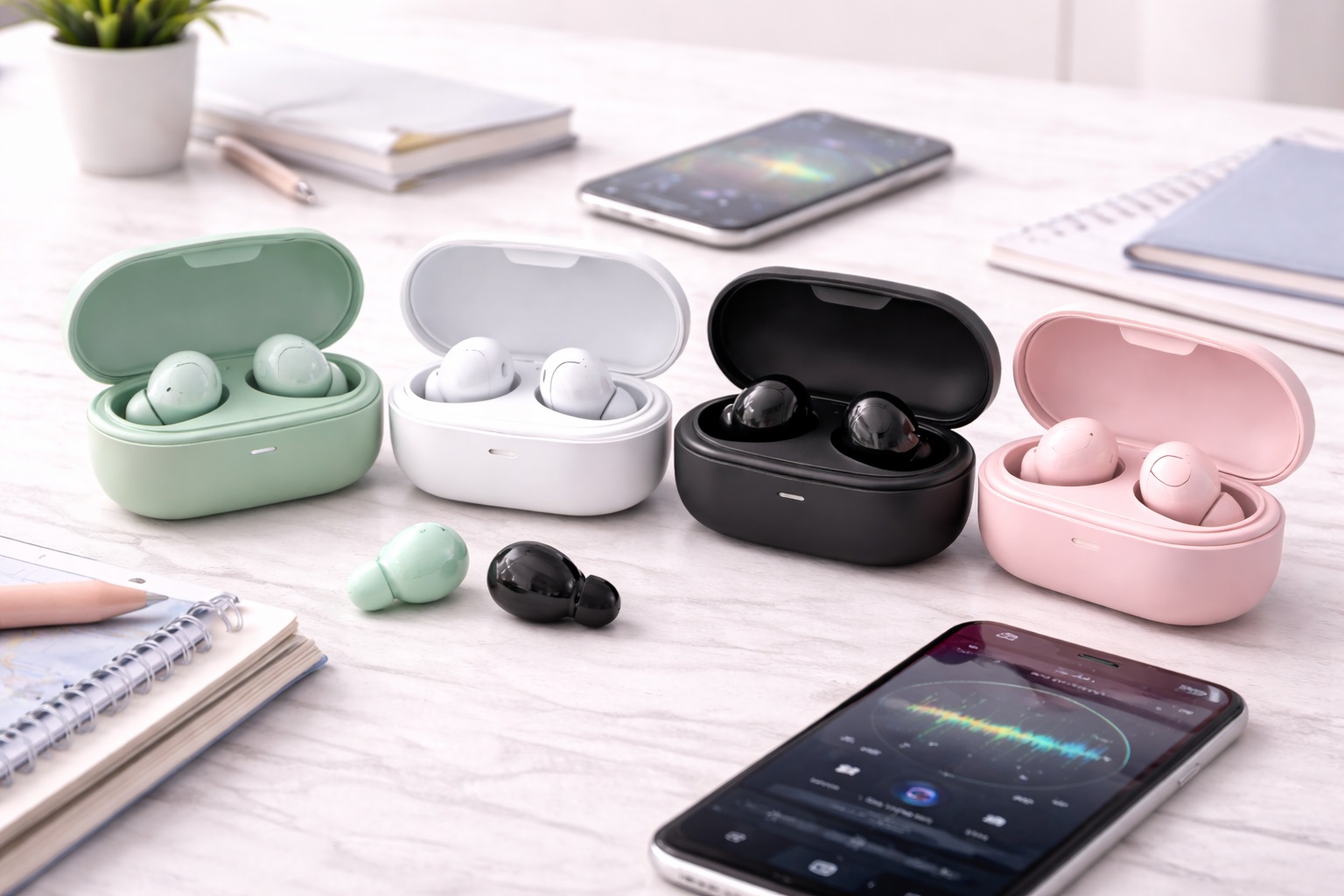
Best Bluetooth Earbuds for Beginners: Simple, Easy Picks
Switching from wired earphones to true wireless earbuds for the first time involves more small adjustments than most new buyers expect. There is a pairing process to learn, a companion app that may or may not be necessary, an ear tip size to figure out through trial and error, and a set of touch controls that behave differently from the simple volume buttons on a wired cable. None of this is difficult once you know what to expect, but a first purchase that ignores these beginner-specific realities can turn what should be an exciting upgrade into a frustrating first week.
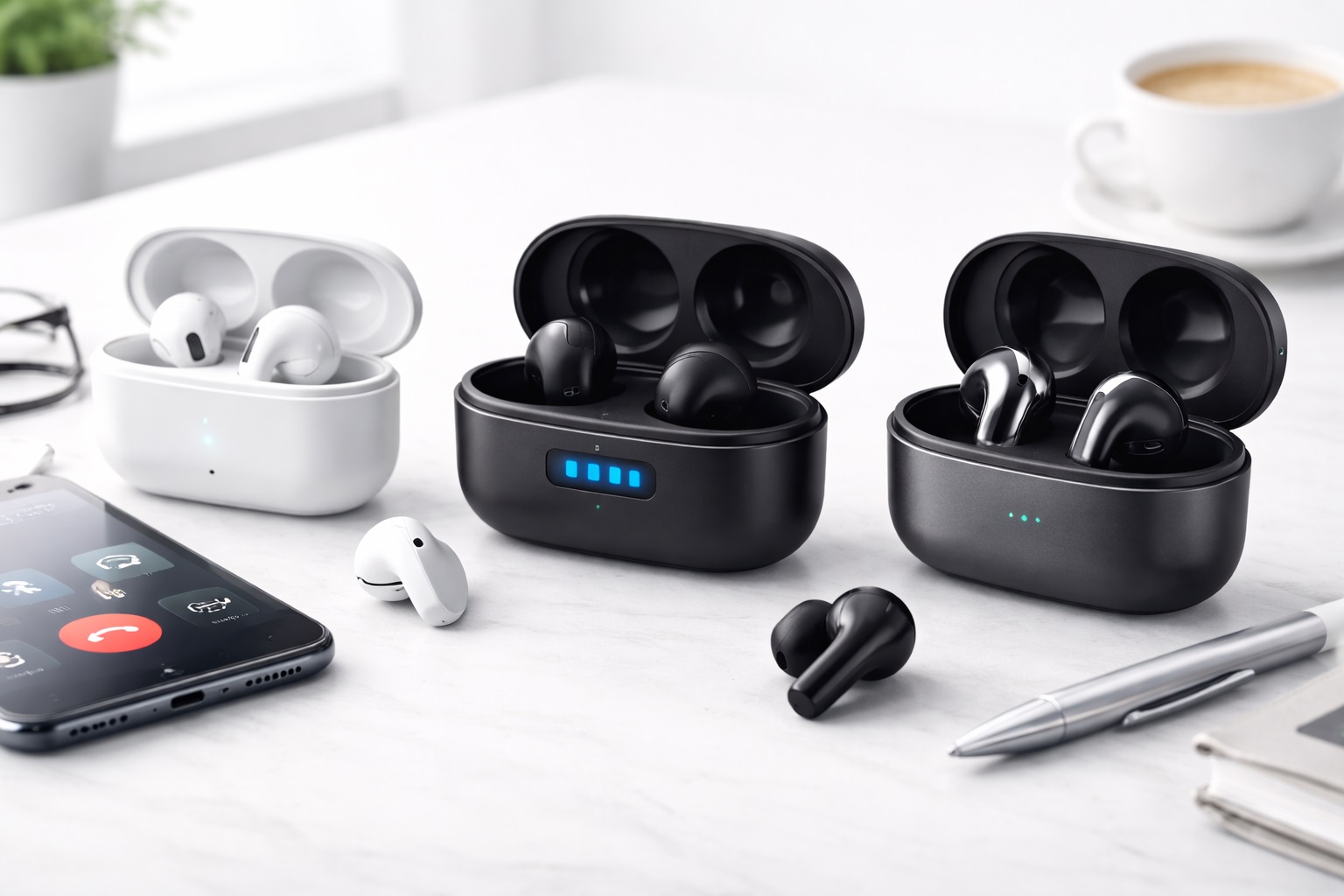
This guide compares the most practical options for first-time wireless earbud buyers upgrading from wired earbuds or looking to try true wireless for the first time. Rather than focusing on advanced features that matter more to experienced users, the reviews below weigh the qualities that actually determine whether a beginner's first pair becomes a smooth, lasting upgrade: how simple the initial pairing process is, how forgiving the fit is across different ear shapes, how intuitive the touch controls feel without a manual, and how much the earbuds cost relative to the very real chance that a first purchase does not turn out to be a perfect fit.
Below is a full comparison table, detailed reviews of the strongest beginner-friendly options, a buying guide built around the factors that matter most for a first purchase, and answers to the questions new wireless earbud owners ask most often in their first few weeks of use.
Why a First Pair of Wireless Earbuds Deserves Different Priorities
An experienced wireless earbud user already knows how to troubleshoot a stuck pairing, has a sense of which ear tip size usually fits them, and is comfortable adjusting touch control sensitivity through a companion app. None of that knowledge exists yet for a first-time buyer, which means the earbuds themselves need to compensate by being genuinely simple rather than merely capable. A pair with an excellent spec sheet but a fussy pairing process or an unintuitive touch control layout can leave a first-time buyer more frustrated than delighted in the first week of ownership.
There is also a practical financial angle specific to a first purchase. Many beginners are not yet certain whether they will love true wireless earbuds, prefer a particular fit style, or use certain features at all, which makes a moderate price point a genuinely reasonable strategy rather than a compromise. Spending less on a first pair while still getting dependable core performance leaves room to make a more informed, personalized choice on a second purchase once real usage patterns become clear.
Top Picks (Detailed Reviews)
1. Simple Setup Earbuds – Best Overall for First-Time Buyers
Designed around minimizing the number of decisions a new user has to make, this option pairs quickly straight out of the case, requires no mandatory app download to function, and uses straightforward touch controls with sensible default behavior. It covers the fundamentals well without asking a beginner to learn anything before getting real use out of the purchase.
- Pros:
- Pairs quickly with minimal setup steps required
- No mandatory app download needed for core functionality
- Sensible default touch control behavior straight out of the box
- Solid, dependable everyday sound and call quality
- Cons:
- Advanced customization options are limited compared to premium models
- ANC, if present, is basic rather than a standout feature
Best For: First-time buyers who want a genuinely simple experience from the moment the box is opened.
Why We Recommend It: Removing unnecessary complexity matters more for a first purchase than chasing advanced features a new user is unlikely to explore right away, and this option is built specifically around that principle.
2. Auto-Pairing Earbuds – Best for Easiest Pairing Experience
Pairing friction is one of the most common early frustrations for new wireless earbud owners, and this option addresses it directly with an auto-pairing feature that connects to a previously paired phone automatically upon opening the case, removing the need to dig through Bluetooth settings every single time.
- Pros:
- Automatic reconnection to a known device when the case opens
- Clear audio or visual cues confirm a successful pairing
- Straightforward initial setup with minimal steps
- Good baseline sound and call quality for everyday use
- Cons:
- Auto-pairing convenience is less useful for those regularly switching between multiple devices
- No standout premium features beyond core reliability
Best For: New users who want the fewest possible manual steps between opening the case and hearing audio.
Why We Recommend It: A confusing pairing experience is one of the most common reasons new buyers feel frustrated with true wireless earbuds, and automatic reconnection removes that friction almost entirely after the initial setup.
3. Comfortable Universal-Fit Earbuds – Best for Uncertain Ear Shapes
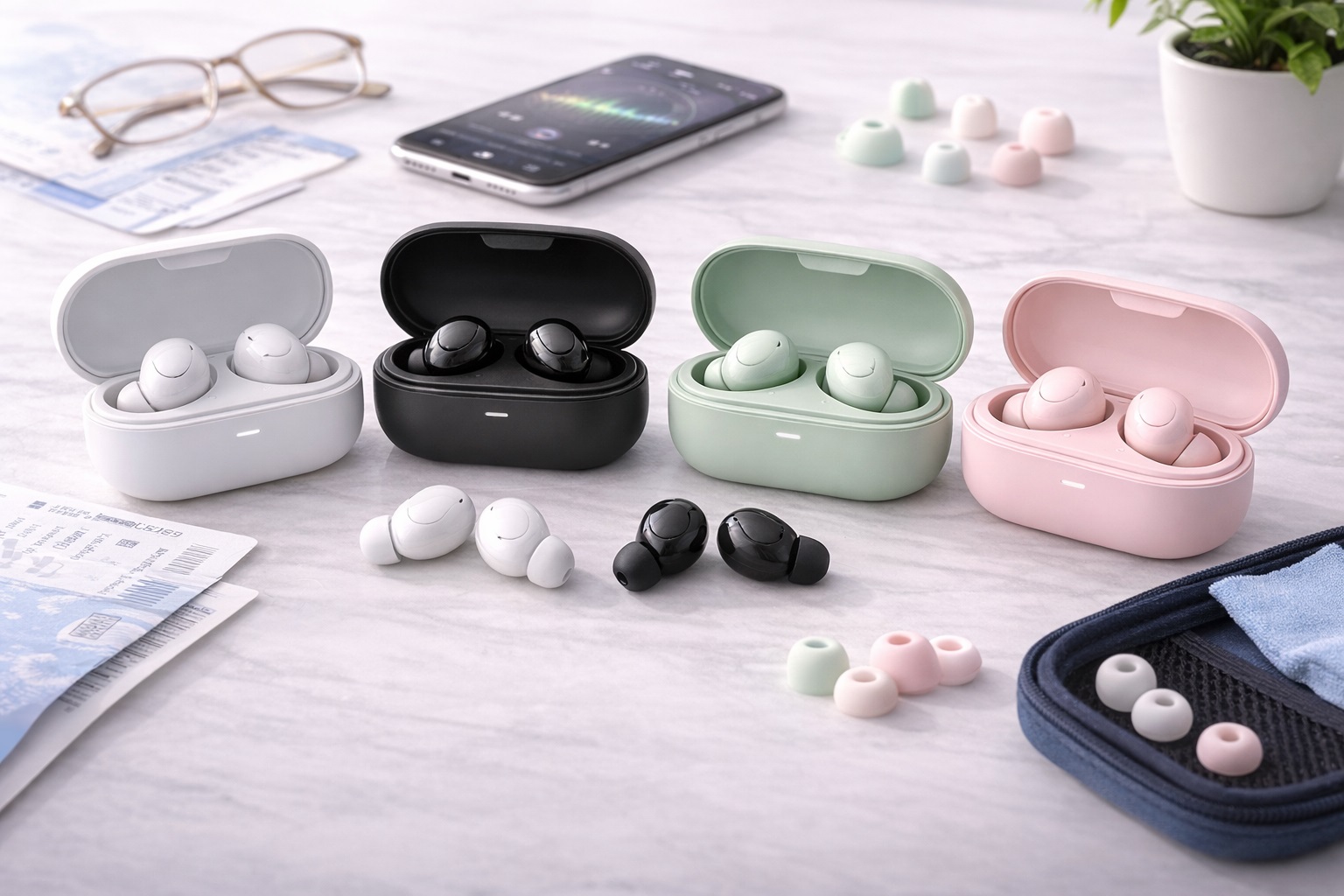
New buyers rarely know in advance which ear tip size or housing shape will fit them comfortably, and this option addresses that uncertainty with a generous range of included ear tip sizes and a housing shape designed to suit a wide variety of ear shapes without requiring a specialized fit.
- Pros:
- Wide range of included ear tip sizes for fit experimentation
- Housing shape suits a broad range of ear shapes comfortably
- Secure fit that stays in place during normal daily activity
- Comfortable for gradually extending listening sessions as a habit forms
- Cons:
- Not specialized for any single ear shape the way a custom-fit model might be
- Advanced features are limited compared to premium options
Best For: First-time buyers who are unsure what fit style will work best for their ears.
Why We Recommend It: Fit problems are one of the most common reasons a first pair of wireless earbuds goes unused, and a genuinely wide range of included tip sizes meaningfully improves the odds of finding a comfortable fit on the first try.
4. Budget-Friendly Starter Earbuds – Best Value for Trying Wireless
For buyers who are not yet certain whether true wireless earbuds will suit their lifestyle, a genuinely low-cost option covers the essential experience — reasonable sound, working calls, and dependable connection — without asking for a significant financial commitment before that certainty exists.
- Pros:
- Low financial risk for a first true wireless purchase
- Covers the essential experience without unnecessary complexity
- Reasonable sound and call quality for the price
- Easy to replace or upgrade later without a large sunk cost
- Cons:
- Battery life and build quality are basic rather than long-term durable
- Limited advanced features compared to pricier models
Best For: Buyers testing whether true wireless earbuds fit their lifestyle before investing more significantly.
Why We Recommend It: Not every beginner needs to commit financially before knowing whether they will actually use and enjoy true wireless earbuds regularly, and this option removes that pressure.
5. Simple Touch-Control Earbuds – Best for Minimal Learning Curve
Touch controls can be one of the more confusing aspects of true wireless earbuds for new users, with some models packing many gestures into a small tap area. This option uses a deliberately simplified control scheme with just a few clearly distinguishable actions, reducing the learning curve considerably.
- Pros:
- Simplified control scheme with few, clearly distinct gestures
- Lower chance of accidental triggers during normal wear
- Easy to remember without regularly consulting a manual
- Solid overall sound and connection performance
- Cons:
- Fewer total available functions compared to gesture-dense premium models
- Some experienced users may find the control scheme too basic over time
Best For: New users who found more complex touch control schemes confusing or frustrating in past attempts.
Why We Recommend It: A simpler set of controls is easier to learn and remember in the first weeks of ownership, directly addressing one of the more common points of beginner frustration with true wireless earbuds.
6. Long-Battery Beginner Earbuds – Best for Low-Maintenance Use
New users sometimes forget to charge a case regularly during the adjustment period of a new routine, and this option's extended battery life and generous case recharge capacity provide a helpful buffer against the occasional missed charging night.
- Pros:
- Extended battery life reduces the impact of occasionally forgetting to charge
- Case holds multiple additional full charges
- Straightforward charging process with a standard cable
- Dependable everyday sound and call performance
- Cons:
- Case is slightly bulkier to accommodate the larger battery
- No standout premium features beyond battery longevity
Best For: New users still building the habit of regularly charging their earbud case.
Why We Recommend It: A dead battery during an important moment is a particularly discouraging early experience for a new user still forming habits, and extra battery buffer meaningfully reduces that risk.
7. App-Guided Setup Earbuds – Best for Step-by-Step Onboarding
Some new users prefer more guidance than a simple pairing process alone provides, and this option's companion app walks through initial setup, ear tip fit testing, and a basic feature tour step by step, which can be reassuring for a buyer who wants more structure during their first experience with true wireless earbuds.
- Pros:
- Guided app walkthrough for initial setup and fit testing
- Clear explanations of available features and controls
- Helpful for users who prefer structured guidance over trial and error
- Solid core sound and call performance alongside the guided experience
- Cons:
- Requires an app download, which some beginners may prefer to avoid
- Guided walkthrough takes a few extra minutes compared to immediate use
Best For: New users who prefer a structured, guided introduction over figuring things out through trial and error.
Why We Recommend It: Some beginners genuinely benefit from more structured onboarding, and a well-designed companion app can turn an uncertain first experience into a confident one within a few guided minutes.
Common Beginner Misconceptions Worth Clearing Up
Many first-time buyers assume that more expensive necessarily means easier to use, but the opposite is sometimes true. Premium earbuds often pack in advanced customization, multiple ANC modes, and dense touch control schemes aimed at experienced users who want to fine-tune every detail, which can actually create a steeper learning curve for someone using true wireless earbuds for the first time.
Another common assumption is that a companion app is always required to use wireless earbuds at all. In reality, most earbuds function for basic listening and calls straight out of the box without any app, and the app mainly unlocks optional customization that a beginner does not necessarily need on day one.
There is also a tendency for new buyers to assume a first fit attempt with the default ear tip size will be correct. It very often is not, and trying the other included sizes is a completely normal part of the setup process rather than a sign that the earbuds themselves are a poor fit. Spending a few extra minutes testing tip sizes in the first days of ownership prevents a lot of unnecessary early frustration.
How True Wireless Earbuds Have Become More Beginner-Friendly
Early true wireless earbuds had a reputation for finicky pairing, frequent dropouts, and confusing controls that made the category feel intimidating to newcomers. Manufacturers have addressed much of this over time, refining pairing protocols, improving connection stability, and settling on more standardized touch control conventions that make one pair feel less foreign after trying another.
This broader improvement across the category is part of why a first-time buyer today has a meaningfully easier experience than someone buying an early pair of true wireless earbuds several years ago. Basic reliability that used to be a premium feature has become closer to a baseline expectation, which is part of why even budget-friendly beginner options can now offer a genuinely smooth first experience rather than a frustrating one.
That said, meaningful differences in beginner-friendliness still exist between models even at similar price points, largely coming down to how thoughtfully a manufacturer designed the onboarding experience rather than the underlying hardware quality alone. This is exactly why the reviews above focus specifically on setup simplicity and forgiving design rather than assuming every modern pair is equally easy to start using.
Buying Guide: How to Choose the Best Bluetooth Earbuds for Beginners
These are the factors that matter most for a first true wireless earbud purchase specifically.
1. Ease of Initial Pairing
Look for earbuds with a simple, well-documented pairing process and ideally an automatic reconnection feature, since a confusing first pairing experience is one of the most common sources of early frustration for new buyers and can sour an otherwise good product before it gets a fair chance.
2. Touch Control Simplicity
A smaller number of clearly distinguishable gestures is easier to learn than a dense control scheme with many functions packed into a small tap area, which particularly benefits someone using true wireless earbuds for the first time and still building muscle memory for the gestures.
3. Whether a Companion App Is Actually Required
Confirm whether core functionality works without downloading an app, since some beginners prefer to avoid an additional setup step while others appreciate the guided experience an app provides during the first few uses.
4. Ear Tip Fit Range for First-Time Wear
A generous range of included ear tip sizes meaningfully improves the odds of finding a comfortable fit without needing to purchase separate replacement tips right away, which is a purchase most beginners do not expect to have to make.
5. Battery Life and Charging Basics
Extended battery life provides a helpful buffer while a new user is still building the habit of regularly charging the case, reducing the impact of an occasional missed charging night during the adjustment period of a new routine.
6. Realistic Sound Quality Expectations
A first purchase does not need flagship-tier audio fidelity to be genuinely satisfying, and setting realistic expectations for a beginner-friendly price point avoids unnecessary disappointment when comparing notes with a more experienced friend's premium pair.
7. Understanding ANC vs. Passive Isolation
Active noise cancellation electronically reduces background noise, while passive isolation simply comes from a snug physical seal in the ear canal. New buyers benefit from understanding this distinction before assuming a lack of ANC means no noise reduction at all, since a good seal alone still blocks a meaningful amount of outside sound.
8. Call Quality for Everyday Use
Even a beginner-focused pair should handle basic phone calls clearly, since this is one of the most common everyday uses regardless of experience level with true wireless earbuds and is worth testing in the first few days of ownership.
9. Durability for a First, Possibly Experimental Purchase
A reasonably sturdy build matters since a first pair often gets more casual, less careful handling than a second, more deliberately chosen purchase later on, before a new owner has developed careful habits around storage and charging.
10. Price as a Trial Investment
A moderate price point is a genuinely reasonable strategy for a first purchase, leaving room for a more informed, personalized choice later once actual usage patterns and preferences become clear through real daily use rather than guesswork.
11. Return Policy and Trial Period
A reasonable return window matters more for a first purchase than for a repeat buyer who already knows what they want, since fit and comfort issues sometimes only become apparent after a few days of regular use rather than an in-store trial.
12. Avoiding Overwhelming Feature Sets
A pair with fewer, well-explained features is often more satisfying for a first-time buyer than one with an extensive but confusing list of customization options that go unused and simply add visual clutter to a companion app.
Frequently Asked Questions
1. How do I pair Bluetooth earbuds for the first time?
Open the case near your phone with Bluetooth enabled, select the earbuds from the phone's Bluetooth device list when they appear, and confirm the connection. Most modern earbuds guide this process with a light or sound cue, and after this first pairing they typically reconnect automatically going forward.
2. Do I need an app to use Bluetooth earbuds?
Not usually for basic functionality. Most earbuds work for listening and calls without any app, though a companion app can unlock additional customization and firmware updates if you choose to use one down the line.
3. Why do my earbuds keep disconnecting?
Common causes include being out of Bluetooth range, interference from other wireless devices, low battery, or outdated firmware. Keeping the earbuds updated and within a reasonable range from the paired device usually resolves this fairly quickly.
4. What ear tip size should I use?
Try each included size and choose the one that creates a snug seal without discomfort. A good fit typically reduces outside noise noticeably even without ANC active, which is a useful test for correct sizing during your first setup attempt.
5. How long does it take to get used to wireless earbuds?
Most new users adjust within the first one to two weeks as they settle on a comfortable fit and learn the touch controls. Any persistent discomfort after that period usually indicates the wrong ear tip size or fit style rather than something to simply push through.
6. Do all Bluetooth earbuds work with any phone?
Nearly all modern Bluetooth earbuds work with any Bluetooth-enabled phone regardless of brand, though certain premium features are sometimes limited to earbuds and phones from the same manufacturer or ecosystem.
7. What does ANC mean and do I need it?
ANC stands for active noise cancellation, which electronically reduces background noise. It is a helpful feature for noisy commutes or offices, but it is not strictly necessary for a first pair, especially on a limited budget where the basics matter more.
8. How do I clean and charge earbuds properly?
Wipe the earbuds and ear tips gently with a dry or slightly damp cloth, avoid submerging them in water, and use the included charging cable with the case fully seated on the charging contacts to ensure a proper connection.
9. What is a reasonable amount to spend on a first purchase?
A moderate, budget-friendly price point is a reasonable choice for a first purchase, since it lowers the financial risk while you determine your actual preferences before a more significant future investment in a second pair.
10. Can I use one earbud at a time?
Most true wireless earbuds support single-earbud use, which can be useful for staying partially aware of your surroundings or extending total listening time between charges during a busy day.
11. Why does one earbud have less battery than the other?
This is often due to one earbud handling more active processing, such as microphone use during calls, or slight manufacturing variation between the two units. It is a normal, common occurrence rather than a defect in most cases and rarely needs troubleshooting.
12. What is the difference between Bluetooth codecs?
Bluetooth codecs affect audio quality and latency during transmission. As a beginner, the practical difference is usually minor for casual listening, and it becomes more relevant only for more specialized use cases later on as preferences develop.
Choosing Based on What Kind of Beginner You Are
Not all first-time buyers approach a purchase the same way. Someone upgrading from wired earbuds mainly for convenience may prioritize a simple, low-friction setup above all else, while someone drawn specifically to try ANC for the first time may care more about that single feature working well even in a beginner-friendly package. A cautious buyer unsure whether true wireless earbuds will suit their lifestyle at all is well served by prioritizing a low financial commitment over any other single factor.
Buyers who know they struggle with new technology in general may specifically benefit from the guided, app-assisted onboarding option, while those who simply want to replace wired earbuds with minimal fuss are usually better served by the simplest possible setup process without extra steps. Recognizing which of these describes your own situation narrows the picks above to the one or two that will actually suit your first experience with true wireless earbuds.
It also helps to think about who else might use the earbuds occasionally, such as a family member borrowing them for a short trip or a household with more than one new user learning the same device together. A pair with a genuinely simple, forgiving setup benefits everyone in that situation, while a pair that assumes a confident, experienced user can create repeated frustration each time someone new tries to figure it out from scratch.
Final Verdict
- Best Overall for First-Time Buyers: Simple Setup Earbuds — minimal decisions required from the moment the box opens.
- Best for Easiest Pairing Experience: Auto-Pairing Earbuds — automatic reconnection removes recurring setup friction.
- Best for Uncertain Ear Shapes: Comfortable Universal-Fit Earbuds — a wide tip range improves first-fit odds.
- Best Value for Trying Wireless: Budget-Friendly Starter Earbuds — low financial risk while preferences are still forming.
- Best for Minimal Learning Curve: Simple Touch-Control Earbuds — fewer, clearer gestures reduce early confusion.
- Best for Low-Maintenance Use: Long-Battery Beginner Earbuds — extra buffer while charging habits are still forming.
- Best for Step-by-Step Onboarding: App-Guided Setup Earbuds — structured guidance for buyers who want more direction.
A first pair of true wireless earbuds does not need to be the most feature-rich option available — it needs to be genuinely easy to set up, comfortable enough to actually wear regularly, and forgiving enough that early mistakes like the wrong ear tip size do not derail the whole experience. Choosing with those beginner-specific priorities in mind, rather than chasing the same specification sheet an experienced buyer might, tends to produce a first purchase that actually gets used and enjoyed rather than abandoned in a drawer after a rough first week.
Once the basics feel comfortable and familiar, usually within the first few weeks, it becomes much easier to identify which additional features would genuinely improve a second purchase down the line. There is no need to anticipate every possible future preference on the very first buy — treating this purchase as a starting point rather than a final decision takes the pressure off finding one perfect pair immediately.
Keep the original packaging and receipt during the first couple of weeks in case a fit or comfort issue turns out to be a genuine mismatch rather than something that improves with a little practice. Most beginners find their footing quickly once the initial pairing and fit questions are settled, and what feels unfamiliar in the first few days typically becomes second nature well before the end of the first month of regular use.