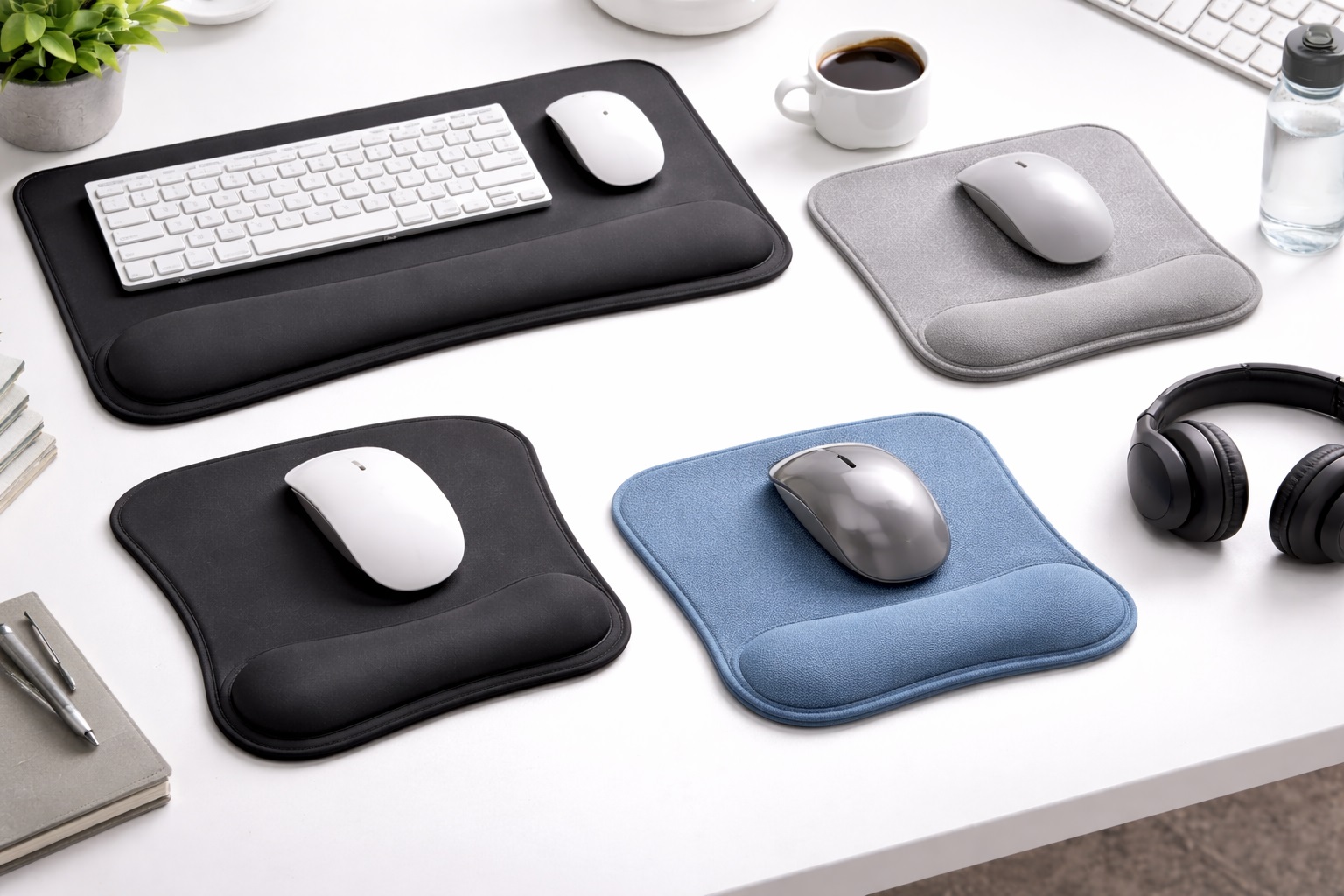
Best Mouse Pads for Long Hours: Comfort That Lasts All Day
Anyone who spends six, eight, or more hours a day with a hand on a mouse knows that small discomforts compound quickly. A mouse pad that feels perfectly fine for a short session can start to feel scratchy, slippery, or simply wrong by hour five, and the wrist fatigue that builds over a full workday rarely comes from one dramatic cause — it comes from dozens of tiny frictions repeated thousands of times. Choosing a mouse pad built around long-hour use means weighing comfort and consistency more heavily than you would for occasional use. Remote workers, customer support agents, editors, and anyone else who effectively lives at a desk all share this same underlying problem, even if the specific work looks nothing alike from job to job.
It also means thinking beyond the first impression. A pad can feel great during a five-minute test in a store or a quick look at product photos, and still reveal its weaknesses only after a full week of real workdays. This guide focuses specifically on the three mouse pad styles that hold up best across long, repeated sessions, what tends to go wrong with each type over time, and how to match a style to your actual daily routine rather than a one-time impression.
It's worth being specific about what long-hour use actually demands, since it's a different bar than casual use. A pad only needs to feel pleasant enough for a few minutes to satisfy a casual buyer, but it needs to feel unremarkable across eight consecutive hours, day after day, to satisfy someone using it professionally, which is a considerably higher bar than most product listings are written to address. That distinction shapes every recommendation below — the goal isn't finding the most exciting pad, it's finding the one that quietly disappears into the background of a long workday.
3 Best Mouse Pads for Long Hours (Detailed Reviews)
Extended Cloth Desk Mat – Best For All-Day Desk Consistency
An extended desk mat spans the full width of the desk, giving both the keyboard and mouse one continuous cloth surface rather than a small island under the mouse alone. For long working sessions, that consistency matters more than it sounds — your hand never crosses an abrupt texture change moving between typing and mousing, which removes one small friction point repeated hundreds of times across a workday. Cloth surfaces balance control and glide well, which suits sustained office work as comfortably as it suits long gaming sessions. The extended footprint also means you're less likely to run out of room mid-task during a marathon session, which is a small but recurring frustration on smaller pads once the workday stretches past its usual length.
Beyond the tracking surface itself, the visual consistency of a single unified mat also tends to make a desk feel calmer over a long day, which is easy to dismiss until you compare it against the visual clutter of a separate keyboard tray and mouse pad sitting at slightly different heights. Because the mat covers so much area, edge stitching becomes especially important over long-hour use — a mat this size gets leaned on, brushed against, and occasionally dragged when repositioning the keyboard, and unstitched edges fray noticeably faster under that kind of repeated handling. A non-slip rubber base keeps the whole mat anchored through hours of continuous mouse movement, which matters far more across an eight-hour day than during a brief session. Once positioned, a well-anchored mat like this genuinely stays put through hundreds of repeated hand movements without needing to be nudged back into place, which is a small detail that becomes noticeable specifically under sustained daily use.
- Pros:
- Unified surface reduces friction between typing and mousing
- Covers the full desk for a consistent all-day feel
- Non-slip rubber base holds position through long sessions
- Stitched edges resist the wear of repeated daily handling
- Cons:
- Bulkier to remove for cleaning than a small pad
- Requires a reasonably large desk to make sense
Best For: Remote workers and gamers who spend most of their day at one desk and want a workspace that feels the same in hour eight as it does in hour one.
Why We Recommend It: Long-hour comfort is often less about any single feature and more about eliminating small inconsistencies before they add up. An extended mat removes the desk-to-pad transition entirely, which is exactly the kind of repeated micro-friction that becomes noticeable only after extended use.
Owners who work full days at one desk consistently mention that the biggest surprise with this style isn't any single feature — it's how much less they notice their desk at all once the transition points disappear. A workspace that fades into the background rather than announcing itself is exactly what sustained daily comfort looks like in practice.
Hard Surface Mouse Pad – Best For Sustained Precision Without Fatigue
Hard surface pads use a smooth, rigid material that lets the mouse glide with far less resistance than cloth. Over a long session, lower friction means less repeated micro-effort from the hand and wrist to initiate and stop each cursor movement, which some long-hour users find meaningfully less tiring than a higher-friction cloth surface across a full day. The rigid surface also holds its shape indefinitely, so it won't develop the compressed or glazed feel that some cloth pads can take on after months of daily eight-hour use. This consistency matters specifically for long-hour users, since a surface that quietly changes character over a year of use means unconsciously adjusting grip and sensitivity to compensate, an adjustment a hard pad simply never asks for.
Hard pads also stay clean far more easily through a long workday that includes coffee, snacks, and general desk clutter. A quick wipe restores the surface instantly, with no drying wait that could interrupt a work session the way a soaked cloth pad would. For anyone managing back-to-back meetings or deadlines, not having to pause and deal with a damp pad mid-shift is a genuinely practical advantage rather than a minor convenience.
- Pros:
- Low-friction surface reduces repeated micro-effort over long sessions
- Instantly wipeable — no drying wait mid-workday
- Consistent, precise stopping point hour after hour
- Doesn't compress, glaze, or soften with sustained daily use
- Cons:
- Firmer feel under the wrist across long sessions
- Louder mouse movement sound in quiet environments
Best For: Long-hour users who prioritize consistent, low-effort cursor movement and want a surface that won't change feel over months of daily use.
Why We Recommend It: Fatigue over long sessions often comes from tiny repeated efforts rather than one big strain, and a hard pad's lower friction reduces exactly that kind of repeated micro-effort. For users doing precision work for hours at a stretch, that steady, unchanging surface is a genuine advantage.
There's also a practical benefit to a surface that never changes character over time: once you've adjusted your sensitivity and grip to how the pad feels, that feel stays constant indefinitely. Cloth pads can drift subtly in texture as they wear, which means occasionally re-adjusting habits; a hard surface simply doesn't ask that of you.
Ergonomic Mouse Pad with Wrist Rest – Best For All-Day Wrist Comfort
This style builds a gel or memory foam wrist rest directly into the front edge of the pad, giving the wrist continuous support the instant the hand pauses between movements. Across a long working day, those pauses add up to a significant share of total desk time, and resting the wrist on a bare desk edge during each one creates cumulative pressure that a built-in wrist rest eliminates. This is the single most direct fix available for the wrist soreness that many long-hour mouse users report by late afternoon, and it's often the first change worth making before considering a more involved ergonomic overhaul of the entire desk setup.
Gel inserts feel cooler and hold their shape longer across a full workday, while memory foam contours closely to the individual hand but can soften somewhat with heavy daily use over months. Either option outperforms no wrist support at all, and building the rest directly into the pad avoids the drifting-apart problem that separate pad-and-rest combinations often develop after repeated daily use. Across a demanding week of back-to-back tasks, not having to stop and readjust a separate wrist rest that's slid away from the mouse pad is a small annoyance eliminated that adds up over months of daily use.
- Pros:
- Continuous wrist support during the pauses that fill a long day
- One integrated piece — no separate rest to drift out of place
- Gel or memory foam conforms to the hand over repeated use
- Non-slip base holds the whole unit steady through the day
- Cons:
- Larger footprint than a minimal pad
- Fixed wrist rest height may not suit every desk setup
Best For: Anyone whose job or daily routine involves several consecutive hours of mouse use and who notices wrist soreness building through the day, particularly anyone whose afternoons feel noticeably more uncomfortable than their mornings, since that pattern is often the clearest sign that cumulative pressure rather than a single bad habit is the real cause.
Why We Recommend It: For long-hour use specifically, wrist support isn't a nice-to-have — it directly addresses the most common physical complaint from people who spend most of their working day at a mouse. Pairing it with a quick posture check for forearm height gets the most benefit from the design.
It's a design worth trying even if you're not sure you have a wrist problem yet. Many long-hour users don't notice gradual strain until it becomes uncomfortable, and building in support before that point is a simple, low-cost form of prevention rather than a reaction to an existing issue.
Buying Guide: How to Choose the Best Mouse Pad for Long Hours
When a pad has to perform consistently across a full workday rather than a short session, a slightly different set of priorities applies compared to casual or occasional use. Work through these ten factors with your actual daily routine in mind, and weigh each one against how many hours a day you genuinely spend at the mouse rather than how the feature sounds on paper.
1. Surface Material: Cloth vs Hard
Cloth surfaces provide friction that supports fine control at slower speeds, which suits long stretches of detailed office work. Hard surfaces reduce friction for faster, lower-effort cursor movement, which some long-hour users prefer specifically to reduce repeated micro-strain across a full day. Consider which feeling you'd rather sustain for eight hours rather than which feels better in a thirty-second test. A quick way to decide is to think back on your most tiring workdays and whether your hand felt like it was working harder than necessary, which often points toward friction as the culprit.
2. Size Selection
Extended mats around 800x300mm and larger suit users who want one continuous surface for an entire workday. Standard pads near 400x300mm work for most single-monitor, all-day setups. Compact pads around 250x200mm can feel restrictive across long sessions if your mouse movement style needs more room. Match the size to how far your hand actually travels during a typical hour of work. Pay attention over a few workdays to whether your mouse ever reaches the edge of the pad mid-task — that's the clearest sign the size doesn't match your habits.
3. Thickness
Thicker pads in the 4–5mm range provide more cushioning and vibration absorption, which matters more across a long day than a brief one. Thinner pads at 1–2mm sit flatter but offer less cumulative cushioning over sustained use. A 3–4mm middle ground balances comfort and stability well for most all-day users. If your desk already sits at a slightly awkward height relative to your chair, a thicker pad can also help fine-tune wrist position without needing to adjust the whole desk setup.
4. Edge Stitching Durability
Daily long-hour use means more cumulative handling than occasional use, so edge stitching quality matters more here than in lighter-use scenarios. Unstitched cloth edges fray visibly within months under daily contact. For a pad that will see genuinely heavy use, reinforced stitching is one of the clearest predictors of how long it will hold up. Checking product photos closely for a visible double-stitch line is a more reliable indicator than a generic durability claim in the listing.
5. Non-Slip Base Quality
A pad that's used for hours every day needs a base that keeps gripping through repeated, sustained movement rather than just the occasional swipe. Cheaper rubber compounds lose their grip faster under this kind of continuous daily use, particularly on smooth desk surfaces. Look for reviews specifically from long-term daily users rather than short-term first impressions. A base that starts sliding after a few weeks in multiple owner accounts is a strong warning sign for anyone planning years of daily use.
6. Speed vs Control Balance
Within cloth pads, surface texture sits somewhere between control-oriented (rougher, slower) and speed-oriented (smoother, faster). For long sessions specifically, a balanced middle texture tends to feel more sustainable than either extreme, since a very rough surface can feel abrasive after hours of contact and a very smooth one can feel unstable for precise work. If possible, spend a full workday with a demo unit or a friend's pad before committing, since texture preference is one of the more personal factors in this whole decision.
7. Cleaning and Maintenance
Heavier daily use means faster accumulation of skin oil, dust, and general desk grime. Cloth pads that can be hand-washed or gently machine-washed stay pleasant to use for longer under this kind of demand. Hard pads simply wipe clean, which is a real advantage for anyone using the pad every single working day. Building a quick weekly wipe-down or monthly wash into your routine, rather than waiting until the pad visibly needs it, keeps tracking performance consistent rather than letting it degrade slowly and unnoticed.
8. Pattern and Aesthetic
A pad you look at for eight hours a day benefits from a design you won't tire of visually. Neutral colors tend to hold up better over months of daily viewing than bold patterns, which can start to feel busy or distracting during long, focused sessions. This is entirely a personal preference, but it's worth choosing with your longest, most demanding workdays in mind rather than how the pad looks in a quick unboxing photo.
9. RGB and LED Options
Edge-lit RGB pads add visual flair but also add a USB cable to manage during long work sessions. For sustained daily use, a non-illuminated pad is simpler to keep tidy on a desk that already has a keyboard, mouse, and monitor cables to manage. If ambient lighting is genuinely important to your setup, a separate desk-edge LED strip is usually more flexible and doesn't add another cable running specifically to your mouse pad.
10. Brand and Quality Consistency
For a product that will see genuinely daily, hours-long use, manufacturing consistency matters more than it would for occasional use. Established peripheral brands tend to offer steadier quality control and better warranty support, which is worth the modest premium for something you'll rely on every working day. That said, a number of newer, category-focused brands have earned strong reputations specifically for daily-use mouse pads, so a lesser-known name with consistently strong long-term reviews shouldn't be automatically ruled out.
11. Desk Setup Compatibility
A pad chosen in isolation can still clash with the rest of a desk setup — a wrist-rest pad may sit at the wrong height relative to a low-profile keyboard, or an extended mat may not leave room for a laptop stand already occupying part of the desk. Before buying, measure the actual clear space on your desk and picture the pad alongside your keyboard, monitor arm, and any other fixtures rather than judging size from a product photo alone.
12. Temperature and Material Feel Over Long Sessions
Some materials, particularly certain hard-surface composites, can feel noticeably cool to the touch at first contact each morning and warm slightly with sustained hand contact through the day. Gel wrist rests tend to stay cooler for longer than memory foam, which some long-hour users find more comfortable in warmer offices. If you run warm during the day or work in a space without reliable air conditioning, factor this into material choice alongside surface texture.
13. Trial Period Before Committing to a Routine
Because long-hour comfort only reveals itself after repeated use, treat the first week with a new pad as an evaluation period rather than a final verdict. Keep a rough mental note of how your hand and wrist feel by the end of each of the first five workdays, and compare that against how the same hours felt on your previous setup, rather than relying on a single day's impression to judge the purchase.
Frequently Asked Questions
1. How often should I replace a mouse pad used for long hours daily?
Given the heavier cumulative use, expect to replace a cloth pad every one to two years, watching for fraying edges, glazed patches, or a base that no longer grips. Hard pads typically last three to five years even under daily long-hour use, since there's no fabric to wear down. Pay particular attention to how the pad tracks near its edges, since that's usually where wear becomes noticeable first under sustained daily use.
2. Can I wash a cloth mouse pad used for long hours every day?
Yes, and with daily use it's worth washing more regularly than you might with occasional use. Hand wash with mild soap in cool water, or use a gentle machine cycle without spinning, and always air dry fully before returning it to your desk. Hard pads need no washing at all — a damp cloth handles daily grime, which is one reason some daily long-hour users prefer them specifically for the lower maintenance.
3. Does mouse pad size matter more for long working sessions?
It does. Over a long day, a pad that's slightly too small means more repeated repositioning of the mouse, which adds up to real cumulative friction. Matching pad size to your actual movement style avoids this small but repeated annoyance across an eight-hour day. If you find yourself repositioning the mouse mid-task more than once or twice an hour, that's usually a sign the current pad is undersized for your habits.
4. What's the best mouse pad for long hours with optical vs laser mice?
Optical sensors track reliably on cloth and most textured hard surfaces but can struggle on glossy or reflective ones. Laser sensors are generally more forgiving across a wider range of surfaces. Checking your mouse's sensor type avoids inconsistent tracking during long, detail-heavy work sessions. It only takes a moment to check the manual or product page, and it's a far more reliable answer than judging by feel alone.
5. Can the right mouse pad reduce fatigue during long hours of use?
Yes, meaningfully. A consistent surface reduces the repeated micro-effort needed to move and stop the cursor accurately, and a wrist-rest design reduces cumulative pressure during pauses. Together, these small reductions in repeated strain add up to a noticeably less tired hand and wrist by the end of a long day. None of this replaces proper desk and chair ergonomics, but as one piece of a broader setup, it's a genuinely worthwhile contribution.
6. Is the most expensive mouse pad for long hours always the best?
Not necessarily. Price often reflects branding or premium materials more than a meaningful comfort improvement for sustained use. A well-reviewed mid-range option frequently holds up just as well across long daily sessions as a pricier alternative. Reading the specific complaints in negative reviews tends to reveal more about real-world long-term comfort than the overall star rating does.
7. How long should a quality mouse pad for long-hour use last?
With reasonable care, a well-built pad from a reputable brand should last three to five years even under daily long-hour use. Warranty length is a useful signal of how confident the manufacturer is in the product holding up to sustained demand. A pad kept out of direct sunlight and washed periodically will typically outlast one left untouched in a bright, high-traffic part of a desk.
8. Can I return a mouse pad for long hours if it doesn't suit my routine?
Most retailers allow returns within fifteen to thirty days. Because comfort issues over long sessions often only appear after several full workdays, it's worth genuinely testing the pad through your normal routine before that window closes. A single quiet Sunday test session won't reveal what a genuinely hectic Wednesday will, so try to include at least one demanding workday in your evaluation.
9. What should I prioritize when choosing a mouse pad for long working hours?
Prioritize whichever factor addresses your specific discomfort — surface consistency, low-friction cursor movement, or wrist support — rather than trying to maximize every feature at once. A pad tuned to your actual pain point will outperform a pad that tries to do everything moderately well. Write down the one thing that bothers you most about your current setup before shopping, and let that single factor guide the decision.
10. Does brand name matter when buying a mouse pad for long hours?
It matters more here than for occasional-use purchases, since manufacturing consistency directly affects how well the pad holds up to daily wear. Established brands generally offer steadier quality and stronger warranty support, though some newer specialist brands have built strong reputations in this category too.
11. Should I use a wrist rest even if I don't currently have wrist pain?
Yes, preventatively. Most long-hour wrist discomfort develops gradually and isn't noticed until it's already a mild, recurring issue. Building in support before that point costs nothing extra beyond the initial purchase and is far easier than correcting an established habit once discomfort has set in.
12. Does a mouse pad matter as much as the mouse itself for long-hour comfort?
They address different parts of the same problem. The mouse shapes how your hand grips and clicks; the pad shapes how your hand glides and rests between movements. Neither substitutes for the other, and for genuinely long daily sessions, getting both right produces a noticeably more comfortable result than optimizing only one.
13. Can a mouse pad affect sensor accuracy during long, detail-heavy work?
Yes. A surface that's inconsistent, worn, or mismatched to your sensor type can cause subtle tracking irregularities that become more noticeable during precise work stretched across hours rather than minutes. Matching pad surface to sensor type, and replacing a pad once it shows visible wear, keeps tracking reliable through long sessions.
Final Verdict
- Best for All-Day Desk Consistency: Extended Cloth Desk Mat — removes the friction of switching between typing and mousing surfaces.
- Best for Sustained Precision Without Fatigue: Hard Surface Mouse Pad — steady, low-effort tracking hour after hour.
- Best for All-Day Wrist Comfort: Ergonomic Mouse Pad with Wrist Rest — directly addresses the most common long-session complaint.
For long-hour use, the right mouse pad is the one that disappears into the background of your workday rather than the one with the most impressive spec sheet. Whether that means a consistent full-desk surface, a low-friction glide, or dedicated wrist support depends on which small discomfort you notice building by the afternoon — and any of the three styles above will address that discomfort directly without asking you to spend anywhere near a premium price. Give a new pad a full week of real workdays before judging it, since long-hour comfort is exactly the kind of thing that only reveals itself over repeated use rather than a first impression, and small adjustments to habit or desk height often matter as much as the pad itself once you've settled into a routine with it.