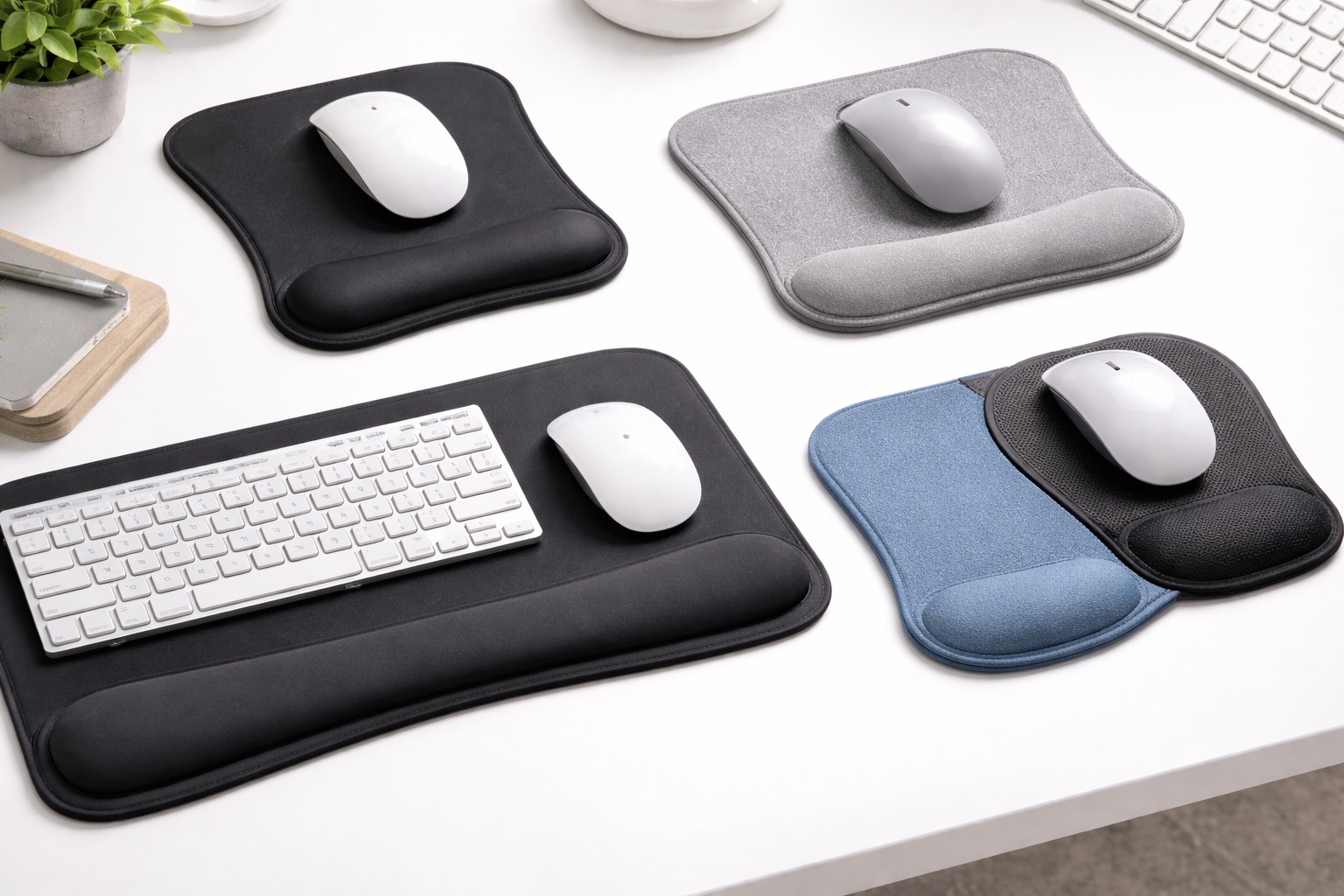
Best Ergonomic Mouse Pads for Wrist Pain Relief in 2026
Most people do not think twice about how they rest their wrist while using a mouse until discomfort shows up, usually as a dull ache that sets in after a long stretch of work or a nagging soreness that lingers into the evening. By the time it becomes noticeable, the underlying cause has often been building for months, since a flat mouse pad offers no support for the wrist during the pauses between movements, leaving it to hover unsupported or press directly against a hard desk edge for hours at a time.
An ergonomic mouse pad addresses this directly by building a cushioned support into the pad itself, lifting the wrist to a more neutral angle during those pauses rather than leaving it unsupported. It is a small, inexpensive accessory compared to a new chair or a standing desk, but for many people it delivers a disproportionately large improvement in daily comfort simply because the wrist spends so many hours in contact with it.
Not all ergonomic mouse pads are built the same way, however, and the material used for the wrist rest makes a real difference in how the support actually feels over the course of a long day. This guide compares three of the most common ergonomic styles, covers where each one performs best, and then walks through the specific factors worth checking before you commit to one so that you end up with genuine relief rather than a pad that looks supportive but does not actually help.
It is worth setting expectations honestly from the outset. An ergonomic mouse pad is a comfort accessory, not a medical treatment, and it works best as one part of a broader approach to desk ergonomics that also includes proper chair height, monitor position, and reasonable breaks throughout the day. Anyone dealing with persistent or worsening wrist pain should also consider speaking with a medical professional rather than relying on an accessory alone to resolve it.
It also helps to understand why this particular kind of strain develops in the first place. When the wrist hovers unsupported just above the desk surface during mouse use, the small muscles and tendons running through the wrist and forearm have to work continuously just to hold that position, even during the moments when the hand itself is not actively moving. Over the course of an eight-hour workday, those small, constant contractions add up in a way that a single glance at your posture would never reveal, which is exactly why the discomfort tends to creep in gradually rather than announcing itself immediately.
A properly designed wrist rest interrupts that pattern by giving the wrist somewhere to actually rest during the natural pauses that happen constantly during normal computer use — between clicks, while reading a screen, or during a pause to think. The support does not need to be dramatic or medical-grade to make a meaningful difference; it simply needs to exist consistently, which is precisely what a well-built ergonomic mouse pad provides at a very low cost relative to the comfort it returns. Compared to other ergonomic purchases like a new chair, a monitor arm, or a standing desk converter, all of which can run into hundreds of dollars, an ergonomic mouse pad is one of the least expensive changes you can make to your desk setup, which is exactly why it is worth trying before assuming a bigger, pricier overhaul is necessary. It is one of the rare accessories where the improvement is felt almost immediately, rather than requiring weeks of use before any benefit becomes apparent, which makes it an easy change to justify trying.
Top 3 (Detailed Reviews)
Gel Wrist Rest Mouse Pad – Best For Immediate, Cooling Support
A gel wrist rest mouse pad uses a liquid or semi-liquid gel insert beneath a fabric or silicone cover, which conforms closely to the shape of the wrist the moment it makes contact. Unlike foam, gel does not compress and stay compressed over a session, instead redistributing itself as the wrist shifts position, which many users describe as feeling more responsive and less like sinking into a fixed shape. Gel also tends to feel noticeably cooler to the touch than foam, a detail that some users find meaningfully more comfortable during long sessions, particularly in warmer environments or climates.
Because gel does not retain a compressed shape the way foam eventually can, a gel wrist rest often maintains its supportive feel for longer stretches of daily use before needing replacement, though the outer cover material still experiences normal wear from repeated contact and cleaning over time. Some gel wrist rests also incorporate a layer of cooling fabric or phase-change material on top of the gel itself, adding an extra degree of temperature regulation beyond what the gel alone provides.
- Pros:
- Conforms closely and responsively to wrist shape without staying compressed
- Noticeably cooler feel than foam, which many users find more comfortable
- Tends to hold its supportive shape over a longer period of regular use
- Available in a wide range of sizes and surface materials
- Cons:
- Can feel firmer initially than memory foam until the wrist settles into position
- Gel inserts can potentially leak if the cover is punctured or damaged
Best For: Users who want a responsive, cooling wrist support that adapts to movement throughout the day rather than settling into one fixed shape.
Why We Recommend It: Gel support strikes a distinct balance between firmness and adaptability that a lot of users find genuinely more comfortable than foam over long sessions, and the cooling sensation is a real, noticeable benefit that foam simply cannot replicate. For anyone who runs warm during the day or works in a space without reliable air conditioning, that small temperature difference can end up mattering more than any other single feature on this list.
Memory Foam Wrist Rest Mouse Pad – Best For Plush, Contoured Comfort
A memory foam wrist rest mouse pad uses viscoelastic foam that slowly molds to the exact shape of the wrist under gentle, sustained pressure, creating a close, custom-feeling fit after a short settling period. This is the same foam technology used in memory foam pillows and mattress toppers, prized for the way it distributes pressure evenly across a contact surface rather than concentrating it at a single point the way a firmer material can.
The tradeoff for that plush, contoured feel is that memory foam responds more slowly to changes in wrist position than gel does, taking a moment to reshape itself each time the wrist shifts, and over years of heavy daily use, foam can gradually lose some of its original rebound and cushioning compared to when it was new. Higher-density memory foam generally holds its shape longer than a cheaper, lower-density variety, so checking for that detail in a product description is worth the extra minute if long-term durability is a priority for you.
- Pros:
- Molds closely to wrist shape for a custom, contoured feel
- Distributes pressure evenly rather than concentrating it at contact points
- Widely available at a range of price points and cover materials
- Familiar, plush feel that many users already associate with comfort products
- Cons:
- Responds more slowly to position changes than gel
- Foam density and cushioning can diminish gradually after years of heavy use
Best For: Users who prefer a soft, plush, contoured feel and are willing to trade a bit of responsiveness for that custom-molded sensation.
Why We Recommend It: Memory foam remains one of the most broadly appealing comfort materials available precisely because so many people are already familiar with how good it feels in pillows and other everyday products. For a wrist rest specifically, that same contouring quality translates directly into a genuinely comfortable daily mousing experience. Many users who try memory foam after using a flat pad for years describe the difference as immediately noticeable, often within the first session, well before any longer adjustment period even begins.
Extended Ergonomic Desk Mat With Wrist Rest – Best For Full-Desk Ergonomic Coverage
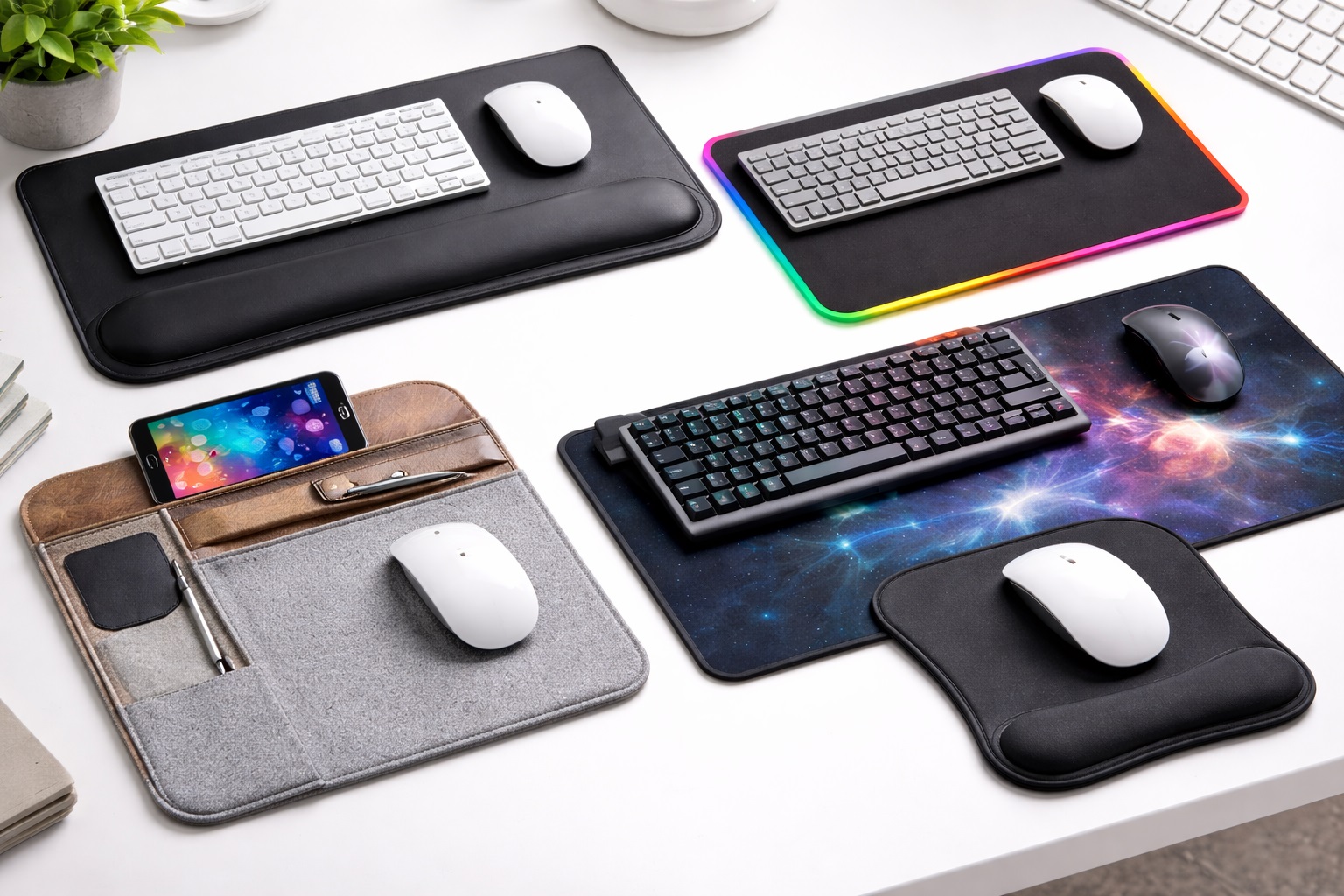
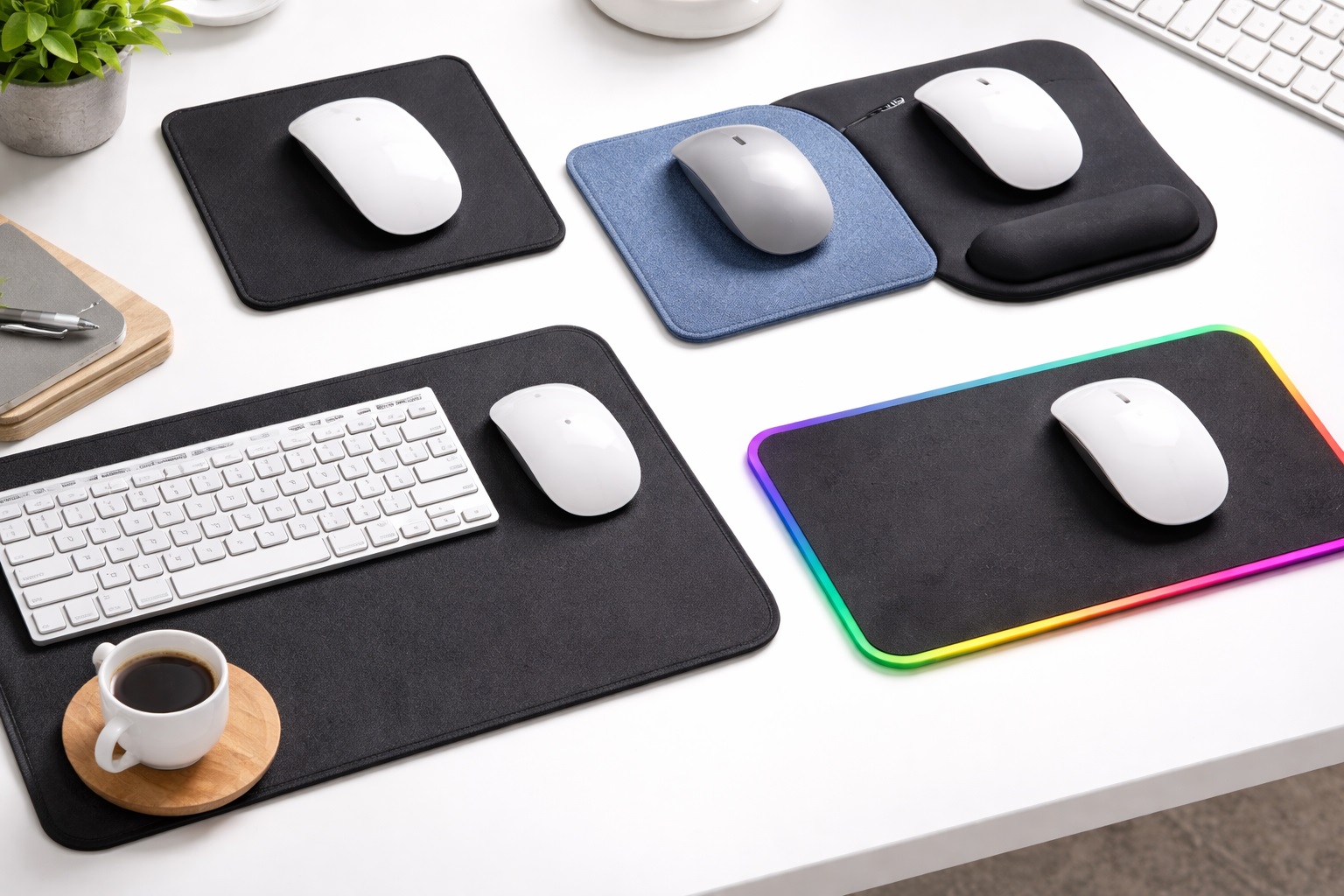
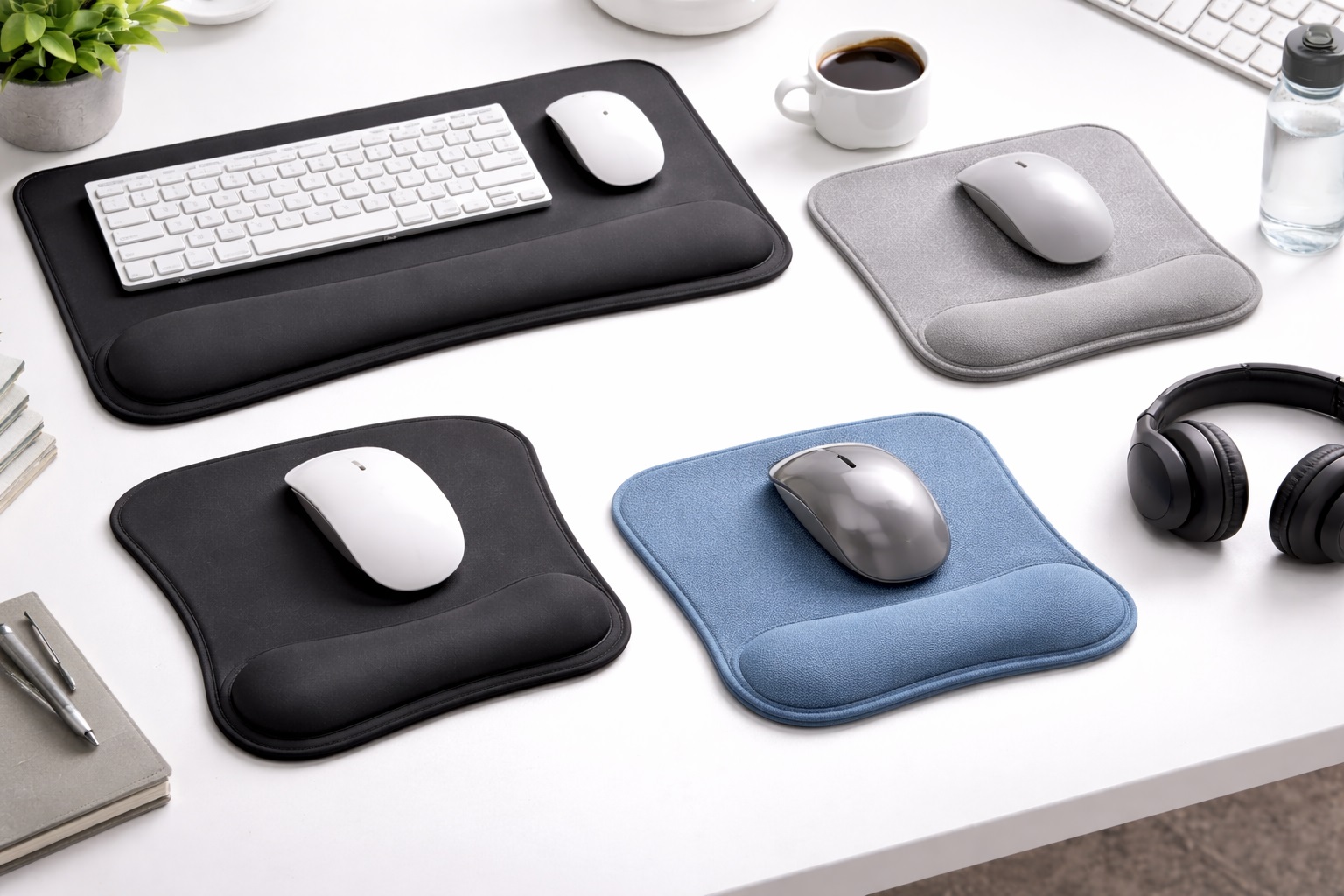
An extended ergonomic desk mat combines a full desk-width tracking surface with an integrated wrist rest running along the front edge, extending ergonomic support beyond just the mouse to cover keyboard use as well. This style suits anyone who spends as much time typing as they do mousing, since both wrists benefit from the same continuous support rather than only the mousing hand receiving cushioned relief while the typing hand rests against a bare desk edge.
Because it covers the entire desk width, this style also unifies the tracking surface for the mouse with the resting surface for the keyboard, creating one continuous, consistent material across the whole workspace rather than a patchwork of separate accessories with different textures and heights. This consistency also gives the whole desk a cleaner, more deliberate look, since the eye reads one continuous surface rather than several mismatched pieces sitting side by side.
- Pros:
- Extends wrist support to both keyboard and mouse use, not just the mouse
- Creates one unified surface across the entire desk
- Non-slip base keeps the full mat anchored during use
- Available in cloth and hard surface tracking options
- Cons:
- Larger footprint requires more available desk space than a standalone wrist rest pad
- Rolling up a full-width mat for cleaning is more involved than washing a small pad
Best For: Anyone who spends long hours split between typing and mousing and wants ergonomic support extended across their entire desk rather than just the mouse area.
Why We Recommend It: Wrist strain rarely limits itself to just one hand for people who type and mouse in equal measure throughout the day. This style is the only one of the three that addresses both simultaneously, making it the most complete ergonomic solution for a genuinely demanding daily workload. Writers, programmers, and anyone else whose day is split roughly evenly between the keyboard and the mouse tend to see the most benefit from this style specifically because neither hand is left without support.
Buying Guide: How to Choose the Best Ergonomic Mouse Pad
Once you understand the three main wrist-support styles, matching one to your actual needs comes down to weighing these ten practical factors.
1. Decide Between Gel, Memory Foam, Or Basic Cushioning
Gel offers a cooler, more responsive feel that adapts quickly to movement, while memory foam offers a plush, contoured fit that takes a moment to reshape itself. Neither is universally better — the right choice depends on personal preference, and trying both in person when possible is the most reliable way to settle the question. If in-person testing is not an option, reading reviews that specifically describe the tactile feel, rather than just the general quality, tends to be more useful than star ratings alone.
2. Consider Whether You Need Full-Desk Coverage
If you split your time evenly between typing and mousing, an extended desk mat with a continuous wrist rest addresses both hands, while a standalone wrist rest pad focuses support only on the mouse. Think honestly about which hand experiences more discomfort before choosing. Keeping a brief mental note over a normal workday of which hand feels more fatigued by the end of it can make this decision far more straightforward than guessing.
3. Check The Height Of The Wrist Rest
A wrist rest that sits too high or too low relative to your keyboard and mouse can create as much strain as no support at all, since it forces the wrist into an unnatural angle instead of a neutral one. Look for product listings that specify height, and compare that number to your desk and chair setup before buying. If your chair and desk are already set to keep your forearms roughly parallel to the floor while typing, a wrist rest close to that same height will generally integrate the most naturally.
4. Evaluate The Cover Material
The fabric or silicone covering over the gel or foam affects both comfort and hygiene. Breathable fabric covers feel better during long sessions and are often washable, while silicone or synthetic leather covers wipe clean easily but can feel warmer against the skin over time. Some manufacturers offer replaceable covers as a separate accessory, which is worth checking for if long-term hygiene is a particular concern for you.
5. Check The Tracking Surface Quality Too
An ergonomic mouse pad still needs to track your mouse reliably, so do not focus so heavily on the wrist rest that you overlook the actual mousing surface. Cloth surfaces offer familiar control, while hard surfaces offer lower friction, and either can be paired with a quality wrist rest. It would be a mistake to choose a product purely on wrist support quality only to end up frustrated by inconsistent cursor tracking on a mediocre surface underneath.
6. Look For A Non-Slip Base
A wrist rest pad that shifts during use undermines its own purpose, since consistent positioning is part of what makes the support effective. A textured rubber base that stays anchored to the desk is worth checking in reviews specifically before buying. This matters even more on an ergonomic pad than a standard one, since a shifting wrist rest can gradually pull the wrist out of the neutral position it was meant to maintain.
7. Think About Cleaning And Hygiene
A wrist rest sees constant skin contact throughout the day, so cleanability matters more here than on a standard flat pad. Removable, washable covers are a meaningful advantage for anyone concerned about long-term hygiene on a product used for hours daily. Even without a removable cover, a quick wipe-down with a damp cloth every so often goes a long way toward keeping the surface fresh between deeper cleanings.
8. Match Size To Your Desk And Mousing Style
A standalone wrist rest pad suits smaller desks and simpler setups, while an extended ergonomic mat suits larger desks where full keyboard and mouse coverage makes sense. Measure your available space honestly before deciding between the two. If you are uncertain, a standalone pad is generally the lower-risk starting point, since it requires a smaller commitment of both desk space and money before you know how much you value the ergonomic benefit.
9. Give The Product A Genuine Adjustment Period
Switching to any new wrist support, whether gel, foam, or an extended mat, involves an adjustment period as your wrist gets used to a different resting position and material. Give a new pad at least a week or two of regular use before judging whether it is actually helping. Abandoning a new wrist rest after only a day or two, before your wrist has had time to adapt to the new resting position, is one of the more common reasons people give up on an otherwise well-suited product too early.
10. Pair It With Other Ergonomic Basics
A wrist rest works best alongside proper chair height, a keyboard and mouse positioned at elbow height, and regular breaks to change position throughout the day. Treating the pad as one piece of a broader ergonomic setup, rather than a standalone fix, produces the best overall results. A wrist rest cannot compensate for a chair that sits too low or a monitor positioned awkwardly, so address those larger factors alongside your new mouse pad rather than expecting the pad to solve everything on its own.
Frequently Asked Questions
1. Do ergonomic mouse pads actually help with wrist pain?
For many people, yes, particularly when the discomfort stems from an unsupported wrist resting against a hard desk edge during pauses in mouse use. An ergonomic mouse pad addresses that specific issue directly, though it works best alongside other ergonomic basics like proper chair and desk height rather than as a standalone fix for existing pain. The improvement tends to be most noticeable for people whose discomfort comes specifically from long stretches of unsupported wrist positioning rather than from an unrelated underlying condition.
2. Is gel or memory foam better for a wrist rest?
Neither is objectively superior — gel offers a cooler, more responsive feel that adapts quickly to movement, while memory foam offers a plush, contoured fit that molds closely to the wrist over a short settling period. The better choice comes down to personal preference and is worth testing in person if possible. Some people simply prefer one material's texture instinctively the moment they touch it, which is a perfectly valid way to make the decision.
3. How long does it take to get used to an ergonomic mouse pad?
Most users report needing one to two weeks of regular use before the new wrist position feels fully natural. Give any new ergonomic pad a genuine trial period rather than judging it after only a day or two of use. The first few sessions can even feel slightly unfamiliar before the benefit becomes clear, which is normal and not a sign the product is wrong for you.
4. Should I get a standalone wrist rest pad or an extended ergonomic desk mat?
It depends on whether your discomfort is limited to your mousing hand or affects both hands during typing as well. A standalone pad focuses support on the mouse alone, while an extended mat covers both the keyboard and mouse areas with continuous support. If you are not sure yet, starting with a standalone pad and deciding whether to upgrade to an extended mat later is a perfectly reasonable approach.
5. Can an ergonomic mouse pad replace seeing a doctor for wrist pain?
No. An ergonomic mouse pad is a comfort accessory that can meaningfully reduce strain from everyday computer use, but it is not a medical treatment. Persistent, worsening, or severe wrist pain should be evaluated by a medical professional rather than addressed through an accessory alone. Think of a good ergonomic mouse pad as preventive comfort and everyday strain reduction, not as a substitute for proper medical evaluation when something feels genuinely wrong.
6. Is the most expensive ergonomic mouse pad always the best?
Not necessarily. Price often reflects premium cover materials or brand name rather than a guarantee of better support for your specific wrist and desk setup. Matching the wrist rest height and material to your actual needs matters more than spending more money. A moderately priced pad that fits your wrist and desk correctly will outperform an expensive one that does not, every time.
7. How long should a good ergonomic mouse pad last?
A well-built ergonomic pad typically lasts several years of daily use, though gel tends to maintain its original supportive feel slightly longer than foam, which can gradually compress and lose some cushioning after years of heavy daily contact. Replacing the cover or the entire pad once it noticeably loses its original support is a normal part of long-term ownership rather than a sign anything was wrong with the original purchase.
8. Can I return an ergonomic mouse pad if it doesn't provide the relief I expected?
Most retailers offer a standard return window, often between fifteen and thirty days. Keep the original packaging during your trial period so a return stays simple if the wrist rest ultimately does not suit your needs. Give it the full recommended adjustment period before deciding, since an ergonomic product judged too early can be mistaken for a poor fit when it simply needed more time.
9. What should I prioritize first when choosing an ergonomic mouse pad?
Start with whether gel or memory foam feels better to you, then confirm the wrist rest height matches your desk and chair setup. Only after those two fundamentals are settled should surface material, size, and brand enter the decision. Getting these two details right from the start saves you from a return or a second purchase down the line.
10. Does brand matter when buying an ergonomic mouse pad?
Somewhat. Established ergonomic and peripheral brands tend to offer more consistent quality control over their gel and foam inserts, though newer brands can also make excellent products. Reading recent verified reviews before buying an unfamiliar name is always worthwhile. A longer warranty period is often a reasonable signal that a manufacturer trusts its own gel or foam construction to hold up over time.
Final Verdict
- Best for Immediate, Cooling Support: Gel Wrist Rest Mouse Pad — responsive, cool-to-the-touch comfort that adapts to movement throughout the day.
- Best for Plush, Contoured Comfort: Memory Foam Wrist Rest Mouse Pad — a custom-molded feel familiar from pillows and mattress toppers.
- Best for Full-Desk Ergonomic Coverage: Extended Ergonomic Desk Mat with Wrist Rest — continuous support for both typing and mousing hands.
Wrist discomfort from daily computer use tends to build slowly and quietly, which makes it easy to ignore until it becomes a genuine daily annoyance. An ergonomic mouse pad is one of the simplest, least expensive interventions available, and choosing the right material for your preference, whether that is the cool responsiveness of gel or the plush contouring of memory foam, makes a real difference in whether you actually stick with the change. Give whichever option you choose a real adjustment period, pair it with sensible desk and chair ergonomics, and treat it as one part of a broader approach to a more comfortable workday rather than a single fix for every source of strain. Small, consistent changes like this one rarely feel dramatic in the moment, but they tend to be exactly the kind of adjustment that a year from now you will be glad you made.