Best Travel Keyboards: Compact Typing Freedom Anywhere You Work
Working from a hotel desk, a coworking space in a new city, or the fold-down tray on a plane comes with one recurring problem: laptop keyboards are cramped, and the desks or lap surfaces you end up using rarely match the ergonomics of a home office. A dedicated travel keyboard solves the immediate comfort issue, but only if it's actually built for the road — light enough to justify the space it takes in a bag, durable enough to survive being packed next to a charger and a water bottle, and reliable enough to connect instantly in an unfamiliar room without a fight. The keyboard that felt perfectly reasonable to buy for a permanent desk at home can turn into a genuine annoyance once it's the thing taking up a quarter of a carry-on bag for weeks at a time.
Remote workers and digital nomads have different priorities than someone shopping for a permanent desk setup at home. Battery life matters more when outlets aren't always within reach or when a full day of coworking happens between charging opportunities, and it matters even more on longer flights or overnight trains where a charging port simply isn't guaranteed to be available at all. Weight and folded size matter directly, since every extra ounce competes with camera gear, chargers, and clothing in a carry-on, and the calculation only gets tighter for anyone traveling with a single backpack rather than a full suitcase. Multi-device pairing matters because the same keyboard often needs to work across a laptop one day and a tablet the next, without a fixed desk to build a permanent setup around. Even something as ordinary as reliably reconnecting after being packed away for a flight becomes a genuine daily concern in a way it simply never is for a keyboard that stays plugged into the same machine indefinitely. Even something as small as the keyboard's color or finish matters slightly more on the road, since a light-colored keyboard shows travel grime faster than it would sitting in a single clean home office.
A keyboard chosen for a stationary home office doesn't automatically translate well to this kind of use. A large mechanical board with a dedicated number pad might be excellent at a permanent desk, but it becomes a liability in a backpack. This guide looks specifically at what makes a keyboard genuinely suited to a mobile working lifestyle, covering the trade-offs between typing feel, portability, and connectivity for people who need a portable typing solution for hotel and coworking use. None of these trade-offs are universal — a photographer traveling between shoots has a different priority list than a writer producing thousands of words a day from the same rented apartment for a month, and the right keyboard reflects that difference rather than ignoring it.
Below, three practical keyboard types are compared side by side, followed by a buying guide focused on the factors that matter most once a keyboard leaves a fixed desk and starts living in a bag. Each of the options covered here has been evaluated specifically against the realities of hotel desks, coworking floors, and shared accommodation, rather than the more forgiving conditions of a single, unchanging home setup.
Top 3 Travel Keyboards (Detailed Reviews)
Wireless Mechanical Keyboard – Best For Long Writing Sessions on the Road
A wireless mechanical keyboard brings individual mechanical switches together with Bluetooth or 2.4GHz connectivity, giving travelers a genuinely comfortable typing experience without a cable tethering them to a specific spot on a hotel desk. Mechanical switches are rated for roughly 50 to 100 million keystrokes, meaning the board can absorb months of daily travel use without the typing feel degrading. Most current models charge over USB-C, which means one cable can top up a phone, a tablet, and the keyboard using the same charger already packed for a trip. That kind of cable consolidation matters more than it sounds — fewer unique cables means fewer things to accidentally leave behind in a hotel room outlet.
- Pros:
- Tactile, satisfying typing feedback that holds up over long writing or email sessions on the road
- Wireless connection removes cable clutter from unfamiliar hotel or coworking desks
- Switch durability comfortably handles the wear of frequent packing and daily travel use
- Multi-device pairing supports switching between a laptop and a tablet on different days
- Cons:
- Costs more upfront than a basic folding travel keyboard
- Audible click can draw attention in a quiet coworking space or shared hotel room
Best For: Remote workers who write extensively — long emails, reports, or content — and want a consistent, comfortable typing feel regardless of which city or desk they're working from that week.
Why We Recommend It: For travelers whose work is genuinely typing-heavy, the improved comfort and durability of a mechanical board pays off across months of use, even though it isn't the smallest or lightest option available. Travelers who spend hours a day writing tend to notice the quality difference far more than the extra grams in a bag, especially once they've tried working on a cheap, mushy alternative for a few days.
Silent Membrane Keyboard – Best For Quiet Coworking Spaces
Silent membrane keyboards replace the audible click of mechanical switches with a muffled rubber dome mechanism, which matters directly in open coworking spaces, shared hotel rooms, or quiet cafes where a loud keyboard draws unwanted attention. Modern membrane designs have improved substantially compared to older bundled keyboards, and many current travel-oriented models are slim and light enough to disappear into a laptop sleeve's front pocket. That kind of low profile matters in practice, since a keyboard that has to be deliberately packed rather than simply tucked in tends to get left behind more often on shorter trips.
- Pros:
- Quiet enough for open coworking floors and shared accommodation
- Typically the most affordable and widely available travel option
- Slim, lightweight builds that pack easily alongside a laptop
- Wireless versions are common and simple to pair on arrival
- Cons:
- Softer feedback than mechanical switches, less satisfying for very long typing sessions
- Shorter typical lifespan under sustained daily travel use
Best For: Remote workers based in shared coworking spaces, hostels, or hotel rooms where keyboard noise is a genuine and unavoidable social consideration.
Why We Recommend It: When the working environment changes constantly and noise etiquette matters in each new space, a quiet membrane keyboard removes one variable from an already unpredictable routine. That's a bigger deal than it sounds when you're already adjusting to a new time zone, an unfamiliar chair, and a WiFi connection of uncertain quality all in the same week.
Compact TKL or 60% Keyboard – Best For Minimal Packing Space
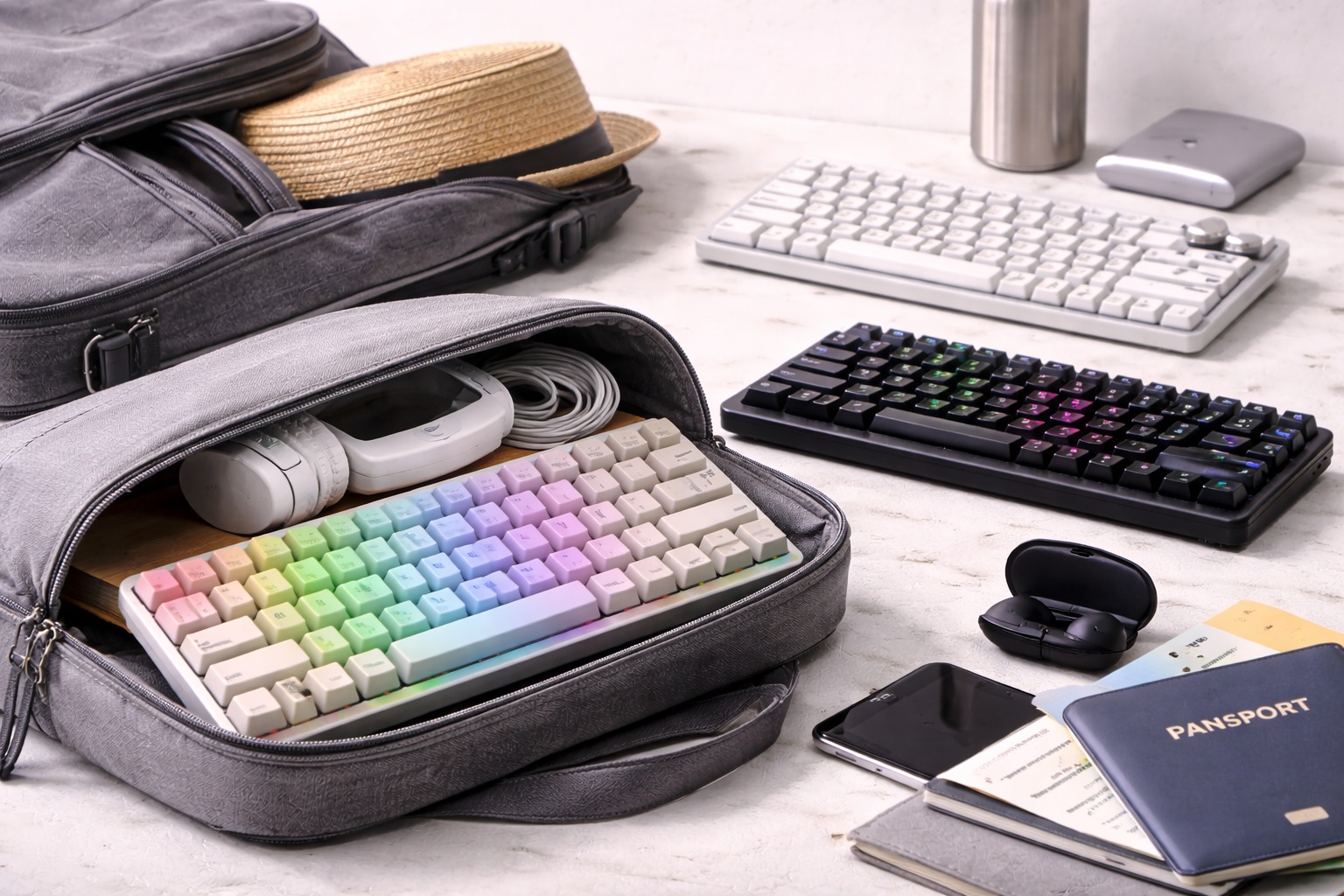
Tenkeyless keyboards remove the number pad to cut roughly 20% off the overall width, while 60% keyboards go further, dropping the function row and navigation cluster for the smallest practical footprint. For someone packing a single backpack or carry-on for weeks at a time, that reduction in size and weight is a meaningful, tangible difference rather than a minor convenience. Both formats are available in mechanical and membrane builds.
- Pros:
- Smallest practical footprint for a carry-on or daypack
- Meaningfully lighter than full-size boards, which matters for luggage weight limits
- Available in both mechanical and membrane switch types
- Leaves more surface area on small hotel desks for a laptop and notebook
- Cons:
- No number pad, which matters for travelers doing regular numeric or spreadsheet work
- Function key combinations on 60% models take a short adjustment period
Best For: Minimalist packers, long-term travelers, and anyone whose accommodation changes frequently enough that every gram in the bag matters.
Why We Recommend It: Packing light is a genuine constraint for frequent travelers, and a compact keyboard directly addresses it without forcing a compromise on typing quality. It's worth remembering that these compact layouts have been standard in the enthusiast keyboard community for years specifically because of how well they balance size against usability, not as a recent travel-specific gimmick.
Buying Guide: How to Choose the Best Travel Keyboard
1. Folded or Packed Size
Check the actual dimensions of the keyboard in its travel state, not just its typing-position size. Folding keyboards that fold in half or roll up save meaningful space in a bag already packed with a laptop, charger, and clothing. If a keyboard doesn't fold, compare its flat dimensions against your bag's laptop sleeve or front pocket before assuming it will fit comfortably alongside everything else. A quick mock-packing test at home, placing the keyboard in the exact bag and pocket you plan to travel with, catches sizing issues before you're stuck rearranging a suitcase in a hotel lobby.
2. Weight
Every travel keyboard listing should specify weight, and it's worth comparing options directly rather than assuming "compact" and "lightweight" mean the same thing. A difference of a few ounces adds up across a bag that already includes a laptop, charger, adapter, and other electronics, especially for travelers working under strict airline carry-on weight limits, where every accessory ultimately competes for the same fixed weight allowance as clothing and camera gear.
3. Battery Life Between Charging Opportunities
Travel schedules don't always allow daily charging, particularly during flights, long bus or train rides, or days spent sightseeing between work sessions. A keyboard rated for weeks rather than days per charge reduces the risk of arriving at a coworking space with a dead keyboard and no immediate way to charge it before a scheduled call. Manufacturer battery estimates are usually best-case numbers assuming minimal backlight use, so it's worth mentally discounting the advertised figure somewhat when planning around a real travel schedule.
4. Multi-Device Pairing
Many travelers alternate between a laptop for focused work and a tablet or phone for lighter tasks on the move. A keyboard that pairs with multiple devices and switches between them at the press of a button avoids repeated re-pairing every time the working device changes, which becomes tedious quickly on a multi-week trip. Look specifically for a physical switch or key combination that toggles between paired devices, rather than requiring a full unpair-and-repair process through system settings each time.
5. Bluetooth Range and Connection Stability
Hotel rooms and coworking spaces are often full of competing wireless signals from other guests' devices and shared Wi-Fi infrastructure. A keyboard with a stable, well-shielded Bluetooth connection avoids the frustrating dropped inputs that can occur in electronically crowded environments, which is more common in busy shared workspaces than most people expect. Reviews mentioning specific dropout or lag issues in crowded environments are worth searching for before buying, since this problem doesn't always show up during a quiet, single-device test at home.
6. Build Durability for Repeated Packing
A keyboard that gets packed and unpacked daily needs to tolerate repeated flexing, especially if it folds. Check for reinforced hinges on folding models and a sturdy chassis on rigid compact keyboards. A keyboard that develops loose keys or a cracked hinge after a few weeks of travel isn't a genuine travel solution, regardless of how compact it looked in photos. Reading reviews from people who mention using the keyboard for a specific duration, rather than a first-week impression, gives a much more honest picture of long-term durability.
7. Keycap Material for Long-Term Use
ABS keycaps develop a visible shine faster under the kind of frequent handling that travel involves, while PBT keycaps resist wear and hold their texture longer. For a keyboard expected to last through months or years of continuous travel, keycap material is a meaningful long-term durability factor worth checking before purchase. This detail is often listed near the bottom of a product description rather than in the headline features, so it's worth scrolling past the marketing bullet points to find it.
8. Compatibility Across Operating Systems
Digital nomads often work across a mix of Windows, macOS, iPadOS, and Android devices depending on what's most convenient in a given location. A keyboard with dedicated OS-switching keys or broad compatibility avoids awkward key mapping issues when moving between an iPad for reading and a Windows laptop for actual work. Even small mismatches, like a misplaced Ctrl and Cmd key or missing dedicated symbols, become a genuine daily annoyance once you notice them on every single keystroke.
9. Noise Level in Shared and Public Spaces
Working from cafes, shared coworking desks, and open-plan hostels means keyboard noise reflects on you in a public setting far more than it would at home. A quieter keyboard, whether silent membrane or a specifically silent-switch mechanical option, reduces the chance of drawing irritated looks from people working nearby. It's a small courtesy that goes a long way toward not becoming the person everyone in a shared workspace quietly resents by day three.
10. Case or Sleeve Protection
A keyboard without any protective case relies entirely on how carefully it's packed inside a bag. A dedicated sleeve or a hard travel case adds a small amount of bulk but meaningfully protects against the drops, spills, and general wear that come with being handled in unfamiliar environments every few days. A hard case is worth the extra bulk for anyone checking a bag regularly, since checked luggage handling is considerably rougher than the treatment a carry-on typically receives.
11. USB-C Charging Consistency
A keyboard that charges over USB-C can share a charger and cable with a phone, tablet, or laptop, reducing the total number of cables and adapters needed for a trip. Older keyboards that still rely on proprietary charging cables or, worse, disposable batteries, add unnecessary complexity to a travel packing list. Standardizing on a single charging cable type across as many devices as possible is one of the simplest ways to reduce the overall clutter of a travel electronics bag.
12. Price Relative to Travel-Specific Features
Travel-specific features like folding hinges, carrying cases, and extended battery life sometimes come at a premium over an equivalent stationary keyboard. Weigh whether those features genuinely address your travel pattern — frequent short trips versus long-term nomadic work — before paying extra for portability features you might not fully use. It's also worth checking whether a slightly older, discontinued model from a reputable brand offers the same core features at a meaningful discount, since travel keyboard technology hasn't changed dramatically year over year. Retailers frequently discount previous-generation travel accessories once a newer version launches, and the practical difference between generations is often smaller than the price gap suggests. Someone taking two short trips a year has very different needs than someone living out of a suitcase for most of the year, and the ideal keyboard for each of them looks noticeably different.
Frequently Asked Questions
1. What is the best travel keyboard for a digital nomad who moves frequently?
A compact, lightweight keyboard with strong multi-device pairing and long battery life tends to suit frequent movers best, since it minimizes both the physical space it occupies and the number of charging interruptions across unpredictable travel schedules. Folding designs are worth prioritizing if backpack space is especially tight, and it's worth accepting a slightly less premium typing feel in exchange for a keyboard that genuinely disappears into a daypack rather than one you resent carrying.
2. Can a travel keyboard survive being packed in a bag every day?
Most well-built travel keyboards, particularly those with reinforced folding hinges or a rigid compact chassis, tolerate daily packing without issue. Checking reviews specifically for durability complaints after weeks of regular use is a reliable way to judge how a specific model holds up beyond initial impressions. Look specifically for mentions of hinge stiffness loosening over time on folding models, since that's the single most common failure point reported by frequent travelers.
3. How long should a travel keyboard's battery last between charges?
Battery life varies widely by model, but a keyboard rated for two to three weeks of typical daily use provides a meaningful buffer against unpredictable travel schedules and limited outlet access, especially compared to a keyboard that needs charging every few days. Remember that heavy backlight use can shorten real-world battery life considerably compared to the manufacturer's advertised figure, so budgeting a margin of error into your expectations is sensible.
4. Does a travel keyboard work with a tablet as well as a laptop?
Yes, provided it supports Bluetooth pairing, which is standard across nearly all current travel-oriented keyboards. Some models include a stand or case designed specifically to prop up a tablet, which is a useful bonus feature for travelers who read and respond to email primarily on a tablet. Checking whether the case actually holds the specific tablet model you own, rather than a generic size range, avoids an awkward mismatch after the purchase.
5. Is a mechanical travel keyboard too bulky for frequent flights?
Compact mechanical keyboards in a TKL or smaller layout are generally reasonable for carry-on travel, though they are heavier and bulkier than a folding membrane keyboard. The trade-off is a better typing feel, so the right choice depends on whether typing comfort or minimal size is the higher priority for your specific trips. A short domestic trip tolerates a bulkier keyboard far more easily than a month-long, multi-country itinerary where every ounce eventually gets noticed.
6. Is the most expensive travel keyboard always the best?
Not necessarily. Higher price often reflects premium materials or extra portability features, but a mid-range keyboard with the right combination of size, weight, and battery life for your specific travel pattern frequently outperforms a pricier model that doesn't match your actual needs. Reading a handful of reviews from travelers with a similar routine to yours is a more reliable guide than sorting by price alone.
7. How long should a quality travel keyboard last overall?
A well-built travel keyboard from a reputable brand typically holds up for two to four years of regular travel use, assuming reasonable care during packing and transport. Folding models with moving hinge parts may show wear somewhat sooner than rigid compact designs. Treating the keyboard as a genuine piece of travel gear, worth the same care as a camera or a passport wallet, meaningfully extends how long it stays reliable.
8. Can I return a travel keyboard if it doesn't suit my trip?
Most retailers offer a return window of roughly 15 to 30 days, though this can be complicated by travel timing if the keyboard is purchased shortly before a long trip. Testing a new travel keyboard at home for at least a few days before departure is a sensible way to catch problems while a return is still straightforward. Buying with enough lead time before a trip, rather than the day before departure, is one of the simplest ways to avoid being stuck with an unsuitable keyboard mid-journey.
9. What is the best travel keyboard for hotel and coworking use specifically?
A quiet, compact, wireless keyboard with reliable multi-device pairing generally suits both hotel desks and shared coworking spaces well, since it addresses noise etiquette, limited desk space, and the need to switch between devices without much friction. These three factors come up repeatedly across both settings, which is why they consistently top the priority list for people working from a rotating set of temporary desks.
10. Does brand name matter when choosing a travel keyboard?
Established brands tend to offer more consistent build quality and more reliable customer support if something goes wrong mid-trip, which matters more for travel gear than for equipment used exclusively at home. Reading recent reviews focused specifically on travel durability is worth the extra research time, particularly since a customer support process handled entirely over email becomes much more relevant when you're relying on it from a different country than the one the retailer operates in.
11. Should I prioritize weight or typing feel when choosing a travel keyboard?
It depends on how much typing your work actually requires. Writers, editors, and anyone doing sustained typing benefit more from prioritizing typing feel, even at a small weight penalty, while travelers using a keyboard mainly for quick emails and messages can prioritize minimal weight without much downside. Being honest with yourself about which category you actually fall into, rather than what you'd like to imagine your workload looks like, leads to a more satisfying purchase.
12. Can a travel keyboard replace a full ergonomic setup long-term?
For occasional or short-term travel, yes, a good travel keyboard adequately covers typing needs. For long-term nomadic work spanning many months, pairing a compact keyboard with a laptop stand and an external mouse creates a more complete and genuinely ergonomic setup than the keyboard alone can provide. Wrist and neck strain from months of hunching over a laptop screen accumulates gradually, and a small investment in a stand alongside the keyboard prevents it from becoming a real problem later.
Final Verdict
- Best Overall for Long Writing Sessions: Wireless Mechanical Keyboard – the most comfortable option for travelers with heavy daily typing needs.
- Best for Quiet Coworking Spaces: Silent Membrane Keyboard – the practical, low-noise choice for shared and public working environments.
- Best for Minimal Packing Space: Compact TKL or 60% Keyboard – the lightest, smallest option for travelers packing a single bag for extended trips.
The right travel keyboard depends less on brand reputation and more on how you actually work while moving between locations — how much you type, how quiet your environment needs to be, and how much space and weight you can realistically spare in a bag. Matching the keyboard type to your specific travel pattern, rather than defaulting to whatever looks smallest in a product photo, leads to a setup that actually holds up across months of changing desks and cities. Treat the keyboard as one component of a broader travel work setup rather than an isolated purchase, and it becomes much easier to identify which trade-offs are actually worth making. A little upfront research now saves the far more frustrating experience of realizing the wrong choice was made only after it's already three time zones away from being easily returned.